Introduction
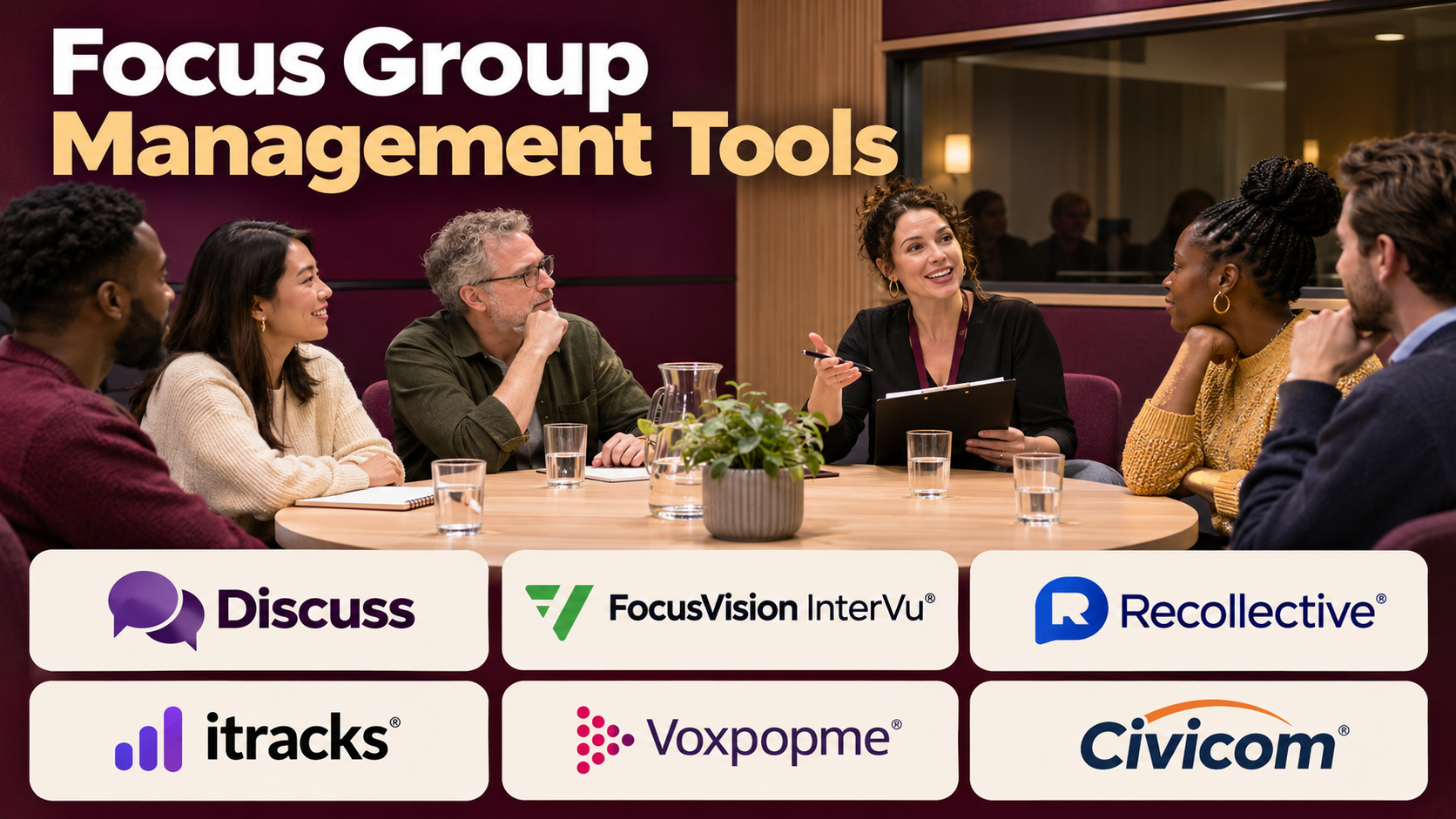
Focus groups help organizations understand how people think, feel, and respond to products, services, experiences, and ideas.
Unlike surveys, which often emphasize structured numerical responses, focus groups allow researchers to explore motivations and reactions through discussion.
A moderator can ask participants to explain their opinions, respond to concepts, compare alternatives, and describe personal experiences.
These discussions can reveal insights that would be difficult to capture through a questionnaire alone.
However, organizing focus groups involves much more than scheduling a video meeting.
Researchers must recruit suitable participants, confirm eligibility, obtain informed consent, coordinate schedules, prepare discussion guides, moderate conversations, record findings, protect participant information, and analyze qualitative data.
Managing these activities manually can become complicated, especially when studies involve multiple groups, languages, or locations.
Focus group management tools help researchers coordinate recruitment, discussions, observation, recording, transcription, and qualitative analysis.
Some platforms specialize in live online discussions. Others focus on asynchronous research communities, participant recruitment, or broader qualitative research operations.
This guide compares ten relevant tools and explains how to select a platform for reliable, ethical, and effective focus group research.
What Are Focus Group Management Tools?
Focus group management tools are software solutions that support the planning, administration, delivery, and analysis of moderated group research.
A traditional focus group brings a small number of selected participants together to discuss a defined topic under the guidance of a moderator.
Digital platforms extend this method by supporting online video sessions, written discussions, mobile activities, and asynchronous participation.
Common Focus Group Formats
In-person focus groups: Participants meet at a physical location.
Live online focus groups: Participants join a moderated discussion through video or another real-time interface.
Asynchronous focus groups: Participants respond to questions and activities over an extended period.
Hybrid research: Combines live discussions with surveys, diaries, or other activities.
Core Capabilities
- Participant recruitment and screening
- Session scheduling
- Consent management
- Discussion guide preparation
- Live video moderation
- Observer access
- Recording and transcription
- Asynchronous discussion boards
- Participant incentives
- Qualitative analysis and reporting
Focus Groups vs. Individual Interviews
Focus groups explore how participants discuss and respond to ideas in a group setting.
Individual interviews provide more privacy and can support deeper exploration of personal experiences.
Group dynamics can produce useful insights, but they can also introduce bias.
Dominant participants may influence others, and some people may hesitate to share sensitive opinions publicly.
The method should match the research question.
Top 10 Focus Group Management Tools
1. Discuss
Best For: Organizations conducting moderated online qualitative research.
Short Description
Discuss provides a qualitative research platform that supports online conversations, interviews, and relevant consumer research workflows.
Its capabilities are particularly useful for teams conducting moderated video research.
For example, a consumer brand may organize discussions with customers to evaluate packaging designs or advertising concepts.
Discuss can help researchers conduct sessions, observe participant reactions, and organize research findings.
Its focus on qualitative research distinguishes it from ordinary video meeting software.
Businesses should evaluate the current scope of recruiting, moderation, analysis, and integration features.
Key Features
- Live research sessions: Supports moderated video conversations.
- Participant engagement: Enables relevant interactive research activities.
- Research observation: Supports stakeholder participation where configured.
- Session recording: Captures eligible research discussions.
- Transcription: Supports analysis of spoken responses.
- Research organization: Helps structure qualitative studies.
- Insight extraction: Supports analysis of participant feedback.
- Collaboration: Helps teams share research findings.
- Reporting: Supports communication of qualitative insights.
Benefits
Discuss can help research teams conduct and analyze moderated studies without relying on disconnected meeting and documentation tools.
Pros
- Dedicated qualitative research orientation.
- Supports remote discussions.
- Useful for consumer insights teams.
- Provides research analysis workflows.
- Helps stakeholders observe studies.
Cons
- Commercial costs require evaluation.
- Participant recruitment may involve separate services.
- Moderator expertise remains essential.
- Recording requires appropriate consent.
- Not a complete quantitative research platform.
Use Cases
Advertising research: Discuss reactions to campaign concepts.
Product development: Explore customer needs.
Brand research: Investigate consumer perceptions.
Best For: Enterprise qualitative research teams.
2. Recollective
Best For: Asynchronous focus groups and ongoing qualitative research communities.
Short Description
Recollective provides qualitative research and insight community technology.
Its capabilities support moderated research activities conducted over time, rather than requiring every participant to attend one live session.
For example, a company may invite customers to complete daily activities, upload photographs, and discuss their experiences over a week.
This approach can provide richer contextual information than a single short conversation.
Recollective is particularly relevant to studies involving diaries, discussion boards, and ongoing customer communities.
Its platform can also support relevant live research activities, depending on the selected configuration.
Key Features
- Asynchronous discussions: Supports research participation over time.
- Research communities: Organizes groups of participants.
- Activity management: Assigns structured research tasks.
- Participant engagement: Supports written and media-based responses.
- Moderation: Helps researchers guide discussions.
- Qualitative analysis: Organizes participant contributions.
- Research reporting: Supports synthesis of findings.
- Participant management: Coordinates relevant research groups.
- Live research capabilities: Supports applicable synchronous activities.
Benefits
Recollective can help researchers explore customer experiences over longer periods and across different contexts.
Pros
- Strong asynchronous research functionality.
- Supports ongoing communities.
- Useful for diary studies.
- Allows flexible participant schedules.
- Provides structured qualitative workflows.
Cons
- Asynchronous engagement requires active moderation.
- Participants may contribute unevenly.
- Complex studies need careful design.
- Commercial terms require evaluation.
- Not a replacement for representative quantitative sampling.
Use Cases
Customer experience: Study product usage over several days.
Product innovation: Collect ongoing feedback on prototypes.
Consumer research: Explore habits through diaries and discussions.
Best For: Teams conducting longitudinal qualitative research.
3. Forsta
Best For: Research agencies and enterprises conducting structured qualitative studies.
Short Description
Forsta provides research and experience technology, including qualitative research capabilities associated with online discussion and research workflows.
Its offerings are relevant to organizations conducting both structured research and customer experience studies.
Research agencies may need to coordinate moderated discussions, participant activities, and reporting across multiple clients.
Forsta’s research technology can support applicable qualitative operations.
Because the company’s offerings span multiple research products, buyers should confirm the current availability and packaging of specific qualitative tools.
Key Features
- Qualitative research workflows: Supports applicable moderated studies.
- Online discussion capabilities: Enables relevant participant conversations.
- Participant management: Helps organize research groups.
- Research activities: Supports structured tasks.
- Moderation tools: Helps researchers guide discussions.
- Research data organization: Structures collected information.
- Reporting: Supports qualitative findings.
- Enterprise research integration: Connects relevant workflows.
Benefits
Forsta can help established research organizations coordinate qualitative studies within broader research operations.
Pros
- Research industry orientation.
- Relevant to agencies.
- Supports structured studies.
- Can complement quantitative research.
- Suitable for professional research teams.
Cons
- Product availability requires verification.
- Commercial arrangements can be complex.
- Implementation may require training.
- Not every module is necessary for every project.
- Research quality depends on moderator skill.
Use Cases
Agency research: Conduct client focus groups.
Customer experience: Explore service perceptions.
Brand studies: Discuss advertising concepts.
Best For: Professional research organizations.
4. Remesh
Best For: Organizations collecting and analyzing feedback from larger discussion groups.
Short Description
Remesh provides research technology designed to support interactive conversations and analysis across larger participant groups.
Its approach differs from a conventional focus group with a small number of people speaking in turn.
The platform supports structured participant responses and relevant analytical workflows.
For example, a company may ask a larger group of employees or consumers to respond to questions and evaluate ideas.
Remesh can help researchers identify patterns in these responses.
However, its format should not be assumed equivalent to a traditional moderated video focus group.
Key Features
- Group conversations: Supports structured participant discussions.
- Response collection: Gathers feedback from multiple participants.
- Interactive research: Enables relevant group activities.
- Analysis tools: Helps identify patterns.
- Idea evaluation: Supports comparison of responses.
- Research facilitation: Helps guide sessions.
- Reporting: Presents findings.
- Participant engagement: Supports relevant feedback workflows.
Benefits
Remesh can help organizations collect structured qualitative feedback from groups larger than a conventional focus group.
Pros
- Supports larger-scale conversations.
- Useful for idea exploration.
- Provides analytical support.
- Relevant to employee and consumer research.
- Helps organize participant feedback.
Cons
- Different from traditional small-group moderation.
- Research format requires careful selection.
- Commercial costs require evaluation.
- Participant recruitment may be separate.
- Analytical outputs need validation.
Use Cases
Employee research: Explore workplace concerns.
Consumer insights: Evaluate product ideas.
Strategic planning: Gather reactions from larger groups.
Best For: Teams seeking scalable group feedback.
5. User Interviews
Best For: Recruiting and managing participants for qualitative studies.
Short Description
User Interviews provides participant recruitment and research operations technology.
It helps research teams find eligible people for interviews, focus groups, usability studies, and related research activities.
Its primary value is recruitment and participant management rather than serving as a complete live discussion platform.
For example, a software company may need to recruit IT managers for a moderated group discussion.
User Interviews can support screening, scheduling, and relevant participant administration.
Researchers may still use another platform to host and analyze the discussion.
Key Features
- Participant recruitment: Helps locate eligible research participants.
- Screening questionnaires: Supports study eligibility.
- Scheduling: Coordinates participant sessions.
- Research participant management: Organizes relevant records.
- Incentive workflows: Supports participant compensation.
- Recruitment tracking: Monitors participant status.
- Research integrations: Connects with applicable tools.
- Study administration: Reduces operational work.
Benefits
User Interviews can simplify recruitment logistics and reduce the time spent coordinating participants.
Pros
- Strong recruitment specialization.
- Useful for B2B and consumer research.
- Supports screening.
- Helps manage incentives.
- Relevant to recurring studies.
Cons
- Not a full focus group hosting system.
- Specialized audiences can be costly.
- Screening quality requires oversight.
- Participant availability varies.
- Analysis tools may be separate.
Use Cases
B2B research: Recruit professionals.
Product research: Find users for discussions.
Customer discovery: Schedule moderated sessions.
Best For: Teams prioritizing participant recruitment.
6. Respondent
Best For: Recruiting professional and specialized research participants.
Short Description
Respondent provides participant recruitment services and technology for research studies.
Its capabilities are particularly relevant to projects requiring professionals, business decision-makers, or other targeted audiences.
For example, a software company may need to recruit finance directors for a focus group about enterprise purchasing.
Respondent can support relevant participant sourcing and screening.
Researchers should verify participant qualifications and evaluate recruitment feasibility before committing to a study schedule.
Key Features
- Professional recruitment: Supports access to relevant occupational audiences.
- Participant screening: Helps evaluate eligibility.
- Study listings: Organizes recruitment opportunities.
- Scheduling workflows: Coordinates sessions.
- Participant incentives: Supports applicable compensation.
- Recruitment management: Tracks participant progress.
- Audience targeting: Supports relevant eligibility criteria.
- Research operations: Helps reduce coordination work.
Benefits
Respondent can help researchers recruit audiences that may be difficult to find through general consumer panels.
Pros
- Relevant to professional research.
- Supports targeted recruitment.
- Useful for B2B studies.
- Provides screening workflows.
- Helps coordinate participant administration.
Cons
- Not a complete discussion platform.
- Specialized recruitment can be expensive.
- Professional credentials require verification.
- Audience availability varies.
- No-show risks remain.
Use Cases
Enterprise software: Recruit decision-makers.
Financial services: Study professional workflows.
Product discovery: Interview specialized users.
Best For: Research teams recruiting professional participants.
7. dscout
Best For: Mobile qualitative research and contextual customer studies.
Short Description
dscout provides qualitative research technology focused on participant experiences, mobile research, and relevant interview workflows.
Its capabilities are particularly useful when researchers want to understand behavior in natural settings.
For example, participants may document how they use a product at home or record reactions during an everyday activity.
These observations can provide contextual information that participants might forget during a conventional focus group.
dscout is therefore best considered a complementary qualitative research platform rather than only a traditional group discussion tool.
Key Features
- Mobile research activities: Collects contextual participant feedback.
- Diary studies: Supports repeated contributions over time.
- Photo and video responses: Captures visual experiences.
- Participant recruitment: Supports applicable research sourcing.
- Interview workflows: Enables relevant moderated research.
- Research organization: Structures contributions.
- Qualitative analysis: Supports interpretation.
- Reporting: Communicates findings.
Benefits
dscout can help researchers understand real-world experiences beyond a single scheduled discussion.
Pros
- Strong contextual research focus.
- Supports mobile participation.
- Useful for diary studies.
- Provides visual research data.
- Relevant to UX and product teams.
Cons
- Not primarily a traditional focus group platform.
- Participant engagement requires management.
- Media analysis can be time-consuming.
- Commercial costs require evaluation.
- Study design affects data quality.
Use Cases
Product usage: Observe real-world behavior.
Customer experience: Document service interactions.
UX research: Investigate contextual needs.
Best For: Teams studying experiences over time.
8. Lookback
Best For: UX researchers conducting moderated remote research sessions.
Short Description
Lookback provides user research technology for observing and recording participant interactions.
Its capabilities are relevant to moderated usability testing and related qualitative research.
For example, a product team may invite participants to discuss a prototype while observing how they interact with it.
Lookback can help researchers capture sessions and share observations.
Although it is not a complete focus group management suite, it can support relevant moderated research workflows.
Key Features
- Moderated sessions: Supports researcher-led studies.
- Screen sharing: Helps observe digital interactions.
- Session recording: Captures relevant research activity.
- Observer participation: Supports stakeholder observation.
- Research notes: Helps document findings.
- Participant interaction: Enables relevant discussion.
- Session organization: Structures research recordings.
- Collaboration: Helps teams review findings.
Benefits
Lookback can help UX teams conduct and review remote research without relying solely on generic meeting tools.
Pros
- Strong UX research relevance.
- Supports moderated sessions.
- Useful for prototype feedback.
- Provides recording capabilities.
- Helps teams observe research.
Cons
- Not a full recruitment platform.
- Not primarily designed for large focus groups.
- Analysis may require additional tools.
- Recording requires consent.
- Technical compatibility should be tested.
Use Cases
UX testing: Discuss prototype usability.
Product research: Observe customer interactions.
Design validation: Evaluate navigation and interface concepts.
Best For: UX teams conducting moderated research.
9. QualSights
Best For: Consumer brands conducting product experience and in-context qualitative research.
Short Description
QualSights provides consumer research technology associated with qualitative insights and real-world product experiences.
Its capabilities are useful when organizations want to understand how people interact with products outside formal research facilities.
For example, a food brand may investigate product preparation habits, while a household products company may study everyday usage.
QualSights can support relevant participant activities and research analysis.
Its approach is especially useful when contextual observation matters more than a conventional group discussion.
Key Features
- Consumer research activities: Supports structured qualitative studies.
- In-context feedback: Collects real-world experiences.
- Media submissions: Supports relevant photo and video research.
- Participant engagement: Coordinates study activities.
- Research monitoring: Tracks contributions.
- Qualitative analysis: Organizes observations.
- Reporting: Presents findings.
- Research operations: Supports applicable study administration.
Benefits
QualSights can help consumer brands understand product usage in everyday environments.
Pros
- Strong consumer research orientation.
- Useful for contextual studies.
- Supports visual feedback.
- Relevant to product development.
- Helps capture practical experiences.
Cons
- Not a general-purpose focus group hosting tool.
- Specialized capabilities may increase costs.
- Participant recruitment requires planning.
- Analysis depends on research design.
- Product scope should be confirmed.
Use Cases
Food products: Observe preparation experiences.
Household goods: Study usage habits.
Consumer innovation: Evaluate prototypes in realistic contexts.
Best For: Consumer brands studying product experiences.
10. UserTesting
Best For: Product and UX teams combining moderated feedback with usability research.
Short Description
UserTesting provides customer experience and user research technology for evaluating digital products and experiences.
Its capabilities include relevant moderated research and participant feedback workflows.
For example, a product team may want to understand how customers interpret a new checkout experience.
UserTesting can support research sessions and the collection of customer observations.
It is particularly useful for digital product research, although teams requiring traditional multi-person focus groups should confirm that the selected research format is supported.
Key Features
- Participant feedback: Collects user experiences.
- Moderated research: Supports applicable live sessions.
- Usability testing: Evaluates digital interactions.
- Participant access: Supports relevant research recruitment.
- Session recordings: Captures eligible studies.
- Research analysis: Helps organize findings.
- Collaboration: Supports stakeholder review.
- Reporting: Communicates research insights.
Benefits
UserTesting can help product teams understand customer behavior and evaluate digital experiences.
Pros
- Strong UX research orientation.
- Supports moderated feedback.
- Relevant to product teams.
- Provides participant research workflows.
- Useful for iterative testing.
Cons
- Not exclusively a focus group platform.
- Enterprise costs may be significant.
- Research format limitations require verification.
- Participant suitability matters.
- Findings need careful interpretation.
Use Cases
Digital products: Test checkout experiences.
Website research: Explore navigation problems.
Product design: Gather feedback on prototypes.
Best For: Product teams conducting qualitative UX research.
Focus Group Management Tools Comparison Table
| Platform | Primary Strength | Best For | Main Consideration |
|---|---|---|---|
| Discuss | Moderated video research | Consumer insights teams | Recruitment arrangements |
| Recollective | Asynchronous communities | Longitudinal studies | Engagement management |
| Forsta | Professional research workflows | Research agencies | Product configuration |
| Remesh | Larger group conversations | Scalable feedback | Different research format |
| User Interviews | Participant recruitment | Research operations | Hosting may be separate |
| Respondent | Professional recruitment | B2B research | Qualification verification |
| dscout | Mobile qualitative research | Contextual studies | Not traditional focus groups |
| Lookback | Moderated UX sessions | Product teams | Limited group operations |
| QualSights | In-context product research | Consumer brands | Specialized methodology |
| UserTesting | UX feedback | Digital product teams | Format suitability |
How to Choose the Right Focus Group Management Tool
1. Define the Research Objective
Determine whether the study needs group discussion, individual interviews, diary activities, or usability testing.
2. Choose the Discussion Format
Live video sessions and asynchronous discussions produce different types of evidence.
3. Evaluate Participant Recruitment
Determine whether the platform recruits participants or requires a separate supplier.
4. Assess Moderation Features
Review discussion guides, participant controls, observer access, and session management.
5. Examine Recording and Consent
Confirm that recording, storage, access, and deletion processes meet relevant requirements.
6. Review Analysis Capabilities
Transcripts, notes, tagging, and qualitative coding can reduce analysis time.
7. Consider Participant Accessibility
Evaluate device compatibility, language support, connection requirements, and scheduling.
8. Calculate Total Costs
Include software, recruitment, incentives, moderation, transcription, and analysis.
Best Focus Group Management Tools by User Type
| User Type | Suggested Platform | Reason |
|---|---|---|
| Enterprise insights team | Discuss | Moderated research |
| Longitudinal researcher | Recollective | Asynchronous discussions |
| Research agency | Forsta | Structured research workflows |
| Large-group facilitator | Remesh | Scalable conversations |
| Recruitment coordinator | User Interviews | Participant management |
| B2B researcher | Respondent | Professional recruitment |
| Contextual researcher | dscout | Mobile activities |
| UX designer | Lookback | Moderated usability |
| Consumer goods researcher | QualSights | In-context feedback |
| Digital product team | UserTesting | User experience research |
Practical Example: Organizing a Focus Group for a New Mobile App
A company wants to understand why prospective users abandon its onboarding process.
Step 1: Define the Research Question
Identify which parts of onboarding create uncertainty or frustration.
Step 2: Recruit Relevant Participants
Select people who reasonably represent intended users.
Step 3: Prepare a Discussion Guide
Include open-ended questions and realistic tasks.
Step 4: Schedule Sessions
Arrange manageable groups with appropriate time for discussion.
Step 5: Obtain Consent
Explain the study, recording practices, and participant rights.
Step 6: Moderate the Discussion
Encourage balanced participation without leading respondents.
Step 7: Analyze Findings
Identify recurring themes and meaningful differences between participants.
Step 8: Validate Improvements
Test revised onboarding designs with additional users.
Suppose the company conducts four groups with six participants each.
The study involves 24 people.
If 18 mention confusion about account verification, that is a strong theme within the recruited groups.
However, the result should not be presented as evidence that exactly 75% of all prospective users experience the same problem.
Focus groups are primarily designed to explore experiences, not estimate population prevalence.
Common Mistakes to Avoid
- Recruiting unsuitable participants: Poor screening weakens relevance.
- Using leading questions: Moderators can unintentionally influence responses.
- Allowing one participant to dominate: Unequal participation limits insight.
- Treating group opinions as population estimates: Qualitative findings are not automatically representative.
- Ignoring consent and privacy: Recording requires appropriate safeguards.
- Failing to pilot technology: Technical failures disrupt discussions.
- Collecting more data than can be analyzed: Research needs a practical analysis plan.
- Confusing agreement with independent evidence: Group dynamics can create artificial consensus.
Frequently Asked Questions
1. What is focus group management software?
It is software that supports organizing, conducting, and analyzing focus group research.
2. What is an online focus group?
It is a moderated group discussion conducted through digital technology.
3. What is an asynchronous focus group?
Participants contribute over time rather than joining one simultaneous session.
4. How many people should join a focus group?
The appropriate size depends on the research method and topic; smaller groups often allow deeper participation.
5. What does a moderator do?
A moderator guides discussion and encourages balanced participation.
6. Can focus groups be conducted remotely?
Yes. Online research platforms support relevant remote formats.
7. What is participant screening?
It verifies whether prospective participants meet study criteria.
8. Can focus groups support product research?
Yes. They can explore reactions, needs, and experiences.
9. Are focus groups quantitative research?
They are generally a qualitative research method.
10. Can focus groups measure market demand?
They can explore demand-related motivations but cannot independently establish population demand.
11. What is a discussion guide?
It is a structured plan of topics and questions.
12. What is observer access?
It allows authorized stakeholders to watch relevant research sessions.
13. Why is consent important?
Participants should understand how their contributions and recordings will be used.
14. Can focus groups include videos and images?
Yes. Many research formats support visual stimuli.
15. What is a diary study?
Participants document experiences over time.
16. Which platforms support recruitment?
User Interviews and Respondent specialize in relevant recruitment workflows.
17. Which platforms support asynchronous research?
Recollective is a relevant option.
18. What is qualitative coding?
It is the process of organizing research material into meaningful categories or themes.
19. Can AI summarize focus groups?
AI-assisted tools may help summarize transcripts, but researchers should verify important findings.
20. What is groupthink?
It is a group dynamic in which pressure for agreement reduces independent expression.
21. Can focus groups be international?
Yes, with appropriate language, recruitment, scheduling, and cultural considerations.
22. How are participants compensated?
Researchers may provide appropriate incentives according to study policies.
23. What is a research observer?
It is an authorized person who watches a session without directing the discussion.
24. How should focus group results be reported?
Report themes, supporting evidence, differences, limitations, and implications.
25. What is the most important platform selection factor?
Choose software that supports the intended research method and participant experience.
Final Thoughts
Focus group management tools help researchers organize discussions, recruit participants, capture feedback, and analyze qualitative evidence.
Discuss and Forsta support professional qualitative research workflows. Recollective emphasizes asynchronous research, while Remesh provides a different approach to larger group conversations.
User Interviews and Respondent specialize in participant recruitment, and dscout, Lookback, QualSights, and UserTesting support related contextual or UX research methods.
The most appropriate platform depends on the research question and how participants need to contribute.
Strong focus group research requires careful recruitment, skilled moderation, transparent consent, and thoughtful analysis. Technology should support these practices rather than replace them.