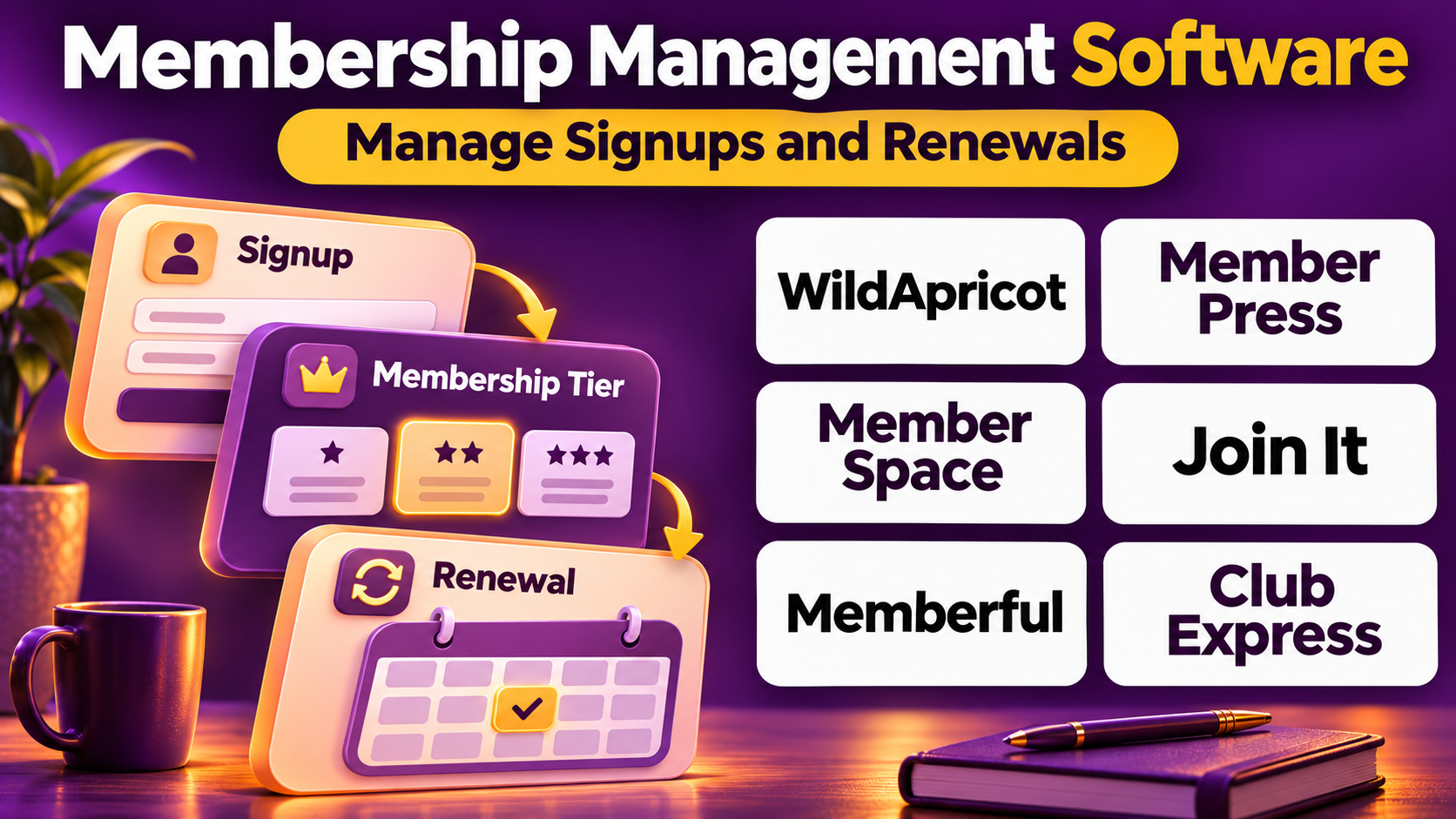
Introduction
Membership-based organizations depend on maintaining accurate records, delivering valuable services, and encouraging members to renew their participation.
These organizations include professional clubs, nonprofit groups, fitness communities, educational programs, digital publications, online communities, and subscription-based businesses.
Although their missions differ, they share several operational challenges.
Administrators must manage registrations, membership levels, payments, renewals, communication preferences, and access to member benefits.
When these activities are handled through spreadsheets and disconnected applications, organizations can experience duplicate records, missed renewals, inconsistent communication, and unnecessary administrative work.
Membership management software provides tools for coordinating these processes.
Some platforms specialize in traditional membership organizations. Others focus on paid websites, online communities, or subscription-based content.
This distinction is important because a local membership club may require event registration and dues management, while a digital creator may prioritize recurring subscriptions and content access.
This guide compares ten membership management platforms, explains their strengths and limitations, and provides practical guidance for selecting the right system.
What Is Membership Management Software?
Membership management software is technology used to organize member information, administer membership plans, collect payments, manage renewals, and deliver member services.
It can serve nonprofit organizations, professional communities, clubs, associations, and commercial membership businesses.
Core Functions
Member database: Maintains profiles and membership histories.
Membership plans: Defines membership levels and eligibility.
Registration: Supports new member enrollment.
Payment administration: Coordinates dues and subscription payments.
Renewals: Tracks expiration dates and recurring memberships.
Member portals: Provides account access.
Communication: Supports announcements and reminders.
Access management: Controls membership-only resources.
Reporting: Measures membership growth and retention.
Benefits
Membership management software can reduce manual administration, improve data accuracy, and create a more consistent member experience.
It can also provide better visibility into membership growth, renewals, and revenue.
However, software effectiveness depends on clear membership policies, appropriate payment arrangements, and accurate member information.
Top 10 Membership Management Software
1. WildApricot
Best For: Clubs, nonprofits, and membership associations seeking an all-in-one system.
Short Description
WildApricot is membership management software designed for organizations that administer memberships, events, and member-facing websites.
It is particularly relevant to clubs, associations, and volunteer-led nonprofit organizations.
The platform combines a member database with dues collection, renewal workflows, and website-related capabilities.
Administrators can use WildApricot to maintain membership records, manage payments, and coordinate events.
Its integrated approach helps smaller organizations reduce dependence on disconnected tools.
However, organizations with extensive customization requirements or complex enterprise structures may need a more specialized system.
Key Features
- Member database: Maintains membership information.
- Membership levels: Supports different member categories.
- Dues collection: Coordinates payments.
- Renewal administration: Tracks membership continuation.
- Website builder: Supports membership websites.
- Event registration: Organizes activities.
- Member portal: Provides account access.
- Email communication: Supports member announcements.
- Reporting: Provides membership information.
Benefits
WildApricot helps membership organizations coordinate common administrative processes within one platform.
Pros
- All-in-one membership approach.
- Dues and renewals.
- Website capabilities.
- Event registration.
- Member self-service.
- Suitable for smaller organizations.
Cons
- Plan and contact limits require review.
- Enterprise customization is limited.
- Complex integrations may require additional work.
- Advanced reporting needs vary.
- Website design flexibility has limits.
Use Cases
Community clubs: Manage members and dues.
Nonprofit associations: Coordinate renewals and events.
Volunteer organizations: Reduce spreadsheet administration.
Best Suited For: Small and medium-sized membership organizations.
2. Join It
Best For: Straightforward membership administration and renewal tracking.
Short Description
Join It is membership management software focused on helping organizations maintain member records and administer membership payments.
Its approach emphasizes practical membership operations.
Organizations can use Join It to manage membership categories, enroll members, and monitor renewals.
It is relevant to clubs, associations, and nonprofit groups that need a dedicated membership system.
Join It can help administrators replace manual membership spreadsheets with more consistent records.
However, organizations requiring complex learning management, certification, or enterprise association workflows may need additional software.
Key Features
- Member records: Maintains membership profiles.
- Membership tiers: Supports different membership categories.
- Registration workflows: Organizes new enrollments.
- Renewal tracking: Monitors membership continuation.
- Payment integration: Supports membership transactions.
- Member self-service: Helps members manage information.
- Communication tools: Supports relevant notices.
- Reporting: Provides membership insights.
- Integration options: Connects selected supporting services.
Benefits
Join It can simplify membership administration for organizations that do not require a large enterprise AMS.
Pros
- Focused membership functionality.
- Member records.
- Renewal administration.
- Membership tiers.
- Payment workflows.
- Suitable for lean teams.
Cons
- Advanced enterprise requirements may exceed its scope.
- Website functionality may require other tools.
- Integrations vary.
- Complex membership rules need testing.
- Costs depend on plan.
Use Cases
Local clubs: Track membership renewals.
Nonprofit groups: Maintain supporter memberships.
Professional communities: Administer member categories.
Best Suited For: Organizations seeking focused membership management.
3. MemberPress
Best For: WordPress websites offering paid memberships and restricted content.
Short Description
MemberPress is a WordPress membership plugin used to create paid membership experiences.
It is particularly relevant to publishers, educators, creators, and organizations operating membership websites.
The plugin helps website owners create membership plans, administer subscriptions, and control access to content.
MemberPress works within a WordPress environment, making it useful for organizations already using that content management system.
It can support membership-based educational resources, premium articles, and digital communities.
However, website hosting, WordPress maintenance, plugin compatibility, and security remain important operational responsibilities.
Key Features
- Membership plans: Creates paid access levels.
- Content restriction: Controls access to selected resources.
- Subscription administration: Supports recurring membership payments.
- Member registration: Organizes account creation.
- Payment integrations: Connects supported payment services.
- Access rules: Defines membership permissions.
- Member account management: Supports subscriber information.
- Reporting: Provides membership activity data.
- WordPress integration: Operates within existing websites.
Benefits
MemberPress helps WordPress site owners monetize content and manage membership access without building a custom subscription application.
Pros
- WordPress integration.
- Paid memberships.
- Content protection.
- Recurring subscriptions.
- Flexible access rules.
- Suitable for digital publishers.
Cons
- Requires WordPress.
- Hosting and maintenance remain necessary.
- Plugin compatibility must be managed.
- Complex association needs may require additional software.
- Payment fees apply separately.
Use Cases
Premium content websites: Publishers can restrict articles.
Online education: Educators can manage member-only resources.
Creator memberships: Businesses can offer subscription access.
Best Suited For: WordPress-based membership websites.
4. MemberSpace
Best For: Adding paid memberships to existing websites.
Short Description
MemberSpace is membership software designed to help website owners create gated content and paid membership experiences.
It can be useful for businesses and creators that already have a website and want to add membership functionality.
The platform supports membership plans, payments, and access controls.
Its approach reduces the need to rebuild an existing website around a specialized membership system.
MemberSpace is particularly relevant to online resources, educational content, and subscription-based communities.
However, organizations should confirm compatibility with their website platform and evaluate the available payment and customization options.
Key Features
- Membership access: Restricts selected content.
- Subscription plans: Supports paid membership levels.
- Payment collection: Coordinates supported transactions.
- Member accounts: Maintains subscriber information.
- Website integration: Adds membership functionality to supported sites.
- Access permissions: Controls member-only resources.
- Subscription management: Supports ongoing membership administration.
- Reporting: Provides membership information.
- Member self-service: Supports account-related workflows.
Benefits
MemberSpace can help existing websites introduce paid membership programs without extensive custom development.
Pros
- Works with supported website platforms.
- Paid membership functionality.
- Content access control.
- Subscription administration.
- Useful for creators.
- Avoids rebuilding an entire website.
Cons
- Website compatibility must be confirmed.
- Complex association features are limited.
- Transaction and subscription costs require review.
- Advanced customization may be restricted.
- External integrations may be necessary.
Use Cases
Resource libraries: Organizations can provide member-only materials.
Paid communities: Creators can offer subscription access.
Educational websites: Teams can restrict premium content.
Best Suited For: Existing websites adding membership access.
5. Memberful
Best For: Creators, publishers, and businesses offering paid memberships.
Short Description
Memberful is membership software focused on recurring subscriptions and member-supported content businesses.
It is relevant to independent publishers, podcast creators, educational businesses, and digital communities.
The platform supports paid membership plans and subscription administration.
Creators can use Memberful to organize member payments and provide access to selected benefits.
Its focus on digital membership revenue distinguishes it from traditional association management systems.
However, organizations needing complex committee administration, event registration, or organizational membership hierarchies may require different software.
Key Features
- Paid memberships: Supports subscription plans.
- Recurring billing: Coordinates ongoing payments.
- Member accounts: Maintains subscriber information.
- Membership tiers: Supports different benefit levels.
- Content access: Connects membership with selected resources.
- Payment processing: Supports digital transactions.
- Member communication: Supports relevant subscription messages.
- Reporting: Provides subscription information.
- Integration capabilities: Connects selected publishing and website tools.
Benefits
Memberful helps creators establish and administer recurring membership revenue.
Pros
- Subscription-focused design.
- Paid membership tiers.
- Recurring billing.
- Creator-oriented workflows.
- Content access options.
- Useful subscriber records.
Cons
- Not a comprehensive association AMS.
- Fees require evaluation.
- Event management is not its main focus.
- Advanced CRM needs may require integrations.
- Subscription retention depends on content value.
Use Cases
Paid newsletters: Publishers can offer subscriptions.
Podcast memberships: Creators can provide supporter benefits.
Educational content: Businesses can sell ongoing access.
Best Suited For: Digital creators and subscription publishers.
6. Raklet
Best For: Organizations seeking membership management with community engagement.
Short Description
Raklet is membership and community management software designed for organizations maintaining ongoing relationships with members.
It provides tools for member records, membership plans, payments, and communication.
Raklet is relevant to clubs, nonprofit organizations, alumni groups, and other membership communities.
Its broader engagement capabilities can help organizations coordinate membership administration with community interaction.
Administrators can use the platform to organize member information and support selected activities.
However, buyers should evaluate the availability of specific features, plan limitations, and integration requirements.
Key Features
- Member database: Maintains constituent records.
- Membership plans: Supports different tiers.
- Payment administration: Coordinates membership fees.
- Renewal management: Supports ongoing memberships.
- Community engagement: Helps connect members.
- Communication tools: Supports announcements.
- Event-related capabilities: Supports selected activities.
- Member profiles: Provides constituent information.
- Reporting: Tracks membership activity.
Benefits
Raklet can help organizations combine membership administration with engagement-oriented services.
Pros
- Membership and community focus.
- Member database.
- Payment workflows.
- Communication tools.
- Membership tiers.
- Relevant to diverse organizations.
Cons
- Feature availability varies by plan.
- Complex enterprise needs require evaluation.
- Integration requirements differ.
- Customization limits may apply.
- Staff training remains necessary.
Use Cases
Alumni groups: Maintain member relationships.
Clubs: Manage memberships and communication.
Community organizations: Support member engagement.
Best Suited For: Membership communities seeking connected administration.
7. Glue Up
Best For: Membership organizations emphasizing events and networking.
Short Description
Glue Up provides membership and engagement management capabilities for associations and professional communities.
Its platform combines membership records with event and communication workflows.
This makes it relevant to organizations whose membership value depends heavily on networking and regular activities.
Administrators can use Glue Up to maintain member information, coordinate renewals, and organize events.
Its broader engagement orientation can help organizations manage relationships beyond simple subscription billing.
However, organizations seeking only digital content access may prefer more specialized membership website software.
Key Features
- Member records: Maintains constituent information.
- Membership renewals: Supports continuation workflows.
- Event registration: Coordinates activities.
- Communication tools: Supports member outreach.
- Member engagement: Tracks selected interactions.
- Payment administration: Supports relevant transactions.
- Member self-service: Provides account access.
- Reporting: Provides participation information.
- Workflow automation: Reduces administrative work.
Benefits
Glue Up can help membership organizations connect renewals, communication, and events.
Pros
- Event and membership integration.
- Engagement capabilities.
- Communication tools.
- Member self-service.
- Reporting.
- Relevant to professional communities.
Cons
- May exceed simple membership website needs.
- Regional payment options vary.
- Costs require evaluation.
- Configuration requires planning.
- Integrations should be tested.
Use Cases
Networking organizations: Coordinate events and members.
Professional communities: Manage renewals.
International groups: Support distributed membership activity.
Best Suited For: Event-oriented membership organizations.
8. Neon CRM
Best For: Nonprofit organizations managing memberships alongside fundraising.
Short Description
Neon CRM is nonprofit relationship management software with membership-related capabilities.
It is relevant to charities and membership-based nonprofits that also collect donations and organize events.
The platform helps organizations maintain constituent records and coordinate multiple types of supporter engagement.
This is useful when individuals may simultaneously be members, donors, volunteers, or event participants.
Neon CRM can reduce fragmentation between membership and fundraising information.
However, organizations should review which membership features are available within their selected product arrangement.
Key Features
- Constituent database: Maintains supporter records.
- Membership administration: Supports member-related workflows.
- Donation tracking: Records charitable contributions.
- Event management: Coordinates participation.
- Communication tools: Supports outreach.
- Payment workflows: Supports eligible transactions.
- Reporting: Provides constituent insights.
- Workflow automation: Supports administrative tasks.
- Integration options: Connects nonprofit systems.
Benefits
Neon CRM can help nonprofit organizations manage members and donors through connected constituent records.
Pros
- Nonprofit-specific functionality.
- Membership and fundraising.
- Event capabilities.
- Centralized supporter records.
- Communication tools.
- Reporting.
Cons
- Product features vary.
- Costs require evaluation.
- Advanced membership rules need testing.
- Implementation requires planning.
- May exceed simple subscription needs.
Use Cases
Membership charities: Coordinate members and donors.
Community nonprofits: Manage events and supporters.
Fundraising organizations: Connect membership with contributions.
Best Suited For: Nonprofits combining membership and fundraising.
9. CiviCRM
Best For: Open-source membership management with technical flexibility.
Short Description
CiviCRM is open-source constituent relationship management software designed for nonprofit and civic organizations.
It includes membership management capabilities alongside contributions, events, and communication.
Organizations can use CiviCRM to maintain member records, administer membership categories, and coordinate renewals.
Its open-source architecture provides flexibility for organizations with technical resources.
CiviCRM is particularly relevant when a nonprofit wants greater control over deployment and customization.
However, hosting, updates, security, development, and ongoing support remain organizational responsibilities.
Key Features
- Contact records: Maintains constituent information.
- Membership types: Supports membership categories.
- Renewal administration: Tracks continuation.
- Contribution management: Records relevant payments.
- Event registration: Coordinates activities.
- Communication: Supports constituent outreach.
- Custom fields: Accommodates specialized data.
- Reporting: Provides membership insights.
- Open-source extensibility: Supports technical customization.
Benefits
CiviCRM provides flexible membership administration for organizations able to manage open-source technology.
Pros
- Open-source software.
- Customizable membership records.
- Contribution management.
- Event functionality.
- Deployment flexibility.
- Relevant to nonprofits.
Cons
- Technical administration required.
- Hosting and maintenance costs remain.
- Updates must be managed.
- User experience depends on implementation.
- Customization increases support responsibilities.
Use Cases
Nonprofit membership groups: Manage members and contributions.
Community organizations: Maintain constituent records.
Technically capable associations: Configure specialized workflows.
Best Suited For: Organizations seeking open-source flexibility.
10. Paid Memberships Pro
Best For: WordPress websites requiring flexible membership levels and access controls.
Short Description
Paid Memberships Pro is a WordPress membership plugin used to create membership websites and subscription-based access.
It supports membership levels, payment workflows, and content restrictions.
The plugin is relevant to publishers, educators, online communities, and businesses offering member-only resources.
Website owners can configure membership rules within their WordPress environment.
Its extensible approach can support different membership models.
However, organizations remain responsible for WordPress hosting, security, plugin compatibility, and ongoing maintenance.
Key Features
- Membership levels: Defines access categories.
- Content restriction: Controls member-only resources.
- Recurring payments: Supports subscription billing.
- Member registration: Organizes account creation.
- Payment integrations: Connects supported processors.
- Membership administration: Maintains subscription information.
- WordPress integration: Operates within existing sites.
- Extensions: Supports additional functionality.
- Reporting: Provides membership activity information.
Benefits
Paid Memberships Pro can help WordPress website owners establish membership programs with configurable access rules.
Pros
- WordPress-based membership functionality.
- Flexible membership levels.
- Content restrictions.
- Recurring billing.
- Extensible architecture.
- Suitable for digital businesses.
Cons
- Requires WordPress.
- Maintenance responsibilities remain.
- Advanced functionality may need extensions.
- Complex association workflows may require other systems.
- Payment processing costs apply.
Use Cases
Educational websites: Provide premium resources.
Paid communities: Restrict member-only content.
Subscription publishers: Manage recurring access.
Best Suited For: WordPress membership websites needing configurable access.
Membership Management Software Comparison Table
| Platform | Primary Strength | Best For | Main Limitation |
|---|---|---|---|
| WildApricot | All-in-one membership administration | Clubs and associations | Enterprise customization |
| Join It | Membership records and renewals | Small organizations | Advanced workflows |
| MemberPress | WordPress paid memberships | Digital publishers | WordPress dependency |
| MemberSpace | Website membership access | Existing websites | Association functionality |
| Memberful | Creator subscriptions | Publishers and creators | Traditional AMS needs |
| Raklet | Membership and community | Clubs and alumni groups | Plan-dependent features |
| Glue Up | Membership and events | Professional communities | Cost and complexity |
| Neon CRM | Membership and fundraising | Nonprofit organizations | Product configuration |
| CiviCRM | Open-source flexibility | Technical nonprofits | Maintenance responsibility |
| Paid Memberships Pro | WordPress access control | Membership websites | Hosting and extensions |
How to Choose the Best Membership Management Software
Step 1: Identify the Membership Model
Determine whether memberships involve dues, subscriptions, professional benefits, events, donations, or digital content access.
Step 2: Define Membership Levels
Document membership categories, pricing, eligibility, and benefits.
Step 3: Evaluate Enrollment
Test how new members register and receive confirmation.
Step 4: Review Payments
Confirm supported currencies, payment methods, recurring billing, and refunds.
Step 5: Assess Renewals
Review reminders, expiration handling, failed payments, and membership status changes.
Step 6: Examine Member Access
Determine whether members need profiles, portals, restricted content, or event registration.
Step 7: Review Communication
Evaluate renewal notices, announcements, and segmentation.
Step 8: Consider Integrations
Important connections may include websites, accounting, CRM, email, and event systems.
Step 9: Evaluate Security
Review member data protection, access permissions, payment handling, and applicable privacy requirements.
Step 10: Calculate Ownership Costs
Include subscriptions, transaction fees, hosting, implementation, integrations, and maintenance.
Best Membership Management Software by User Type
| User Type | Recommended Platform | Reason |
|---|---|---|
| Local membership club | WildApricot | Membership, dues, and events |
| Small nonprofit group | Join It | Focused membership administration |
| WordPress content publisher | MemberPress | Paid content access |
| Existing website owner | MemberSpace | Website membership integration |
| Digital creator | Memberful | Recurring subscriptions |
| Alumni community | Raklet | Membership engagement |
| Professional networking group | Glue Up | Events and member relationships |
| Membership-based charity | Neon CRM | Membership and donations |
| Technical nonprofit | CiviCRM | Open-source flexibility |
| WordPress membership business | Paid Memberships Pro | Configurable membership levels |
Practical Example: Launching a Membership Program
Consider a community education organization introducing paid annual memberships.
Members will receive discounted events, access to learning resources, and regular program updates.
Step 1: Define Membership Benefits
The organization documents the services included in each membership level.
Step 2: Establish Pricing
Leadership sets annual dues and renewal policies.
Step 3: Select Software
The team evaluates WildApricot, Join It, and MemberPress.
Step 4: Configure Membership Levels
Administrators create the relevant categories and benefits.
Step 5: Build Registration Forms
The organization collects necessary information without requesting excessive personal data.
Step 6: Configure Payments
Staff test payment processing and renewal arrangements.
Step 7: Set Up Member Access
Members receive appropriate access to events and resources.
Step 8: Create Communication Workflows
The organization prepares welcome messages and renewal reminders.
Step 9: Launch the Program
Existing supporters receive clear enrollment information.
Step 10: Monitor Performance
Staff review new memberships, renewals, payment issues, and engagement.
Expected Outcome
The organization gains a structured membership program with clearer records, more consistent payments, and improved access to member services.
Frequently Asked Questions
1. What is membership management software?
Membership management software helps organizations manage member records, plans, payments, renewals, and services.
2. What is the difference between membership software and AMS?
Membership software covers a broad range of membership models. AMS focuses on the specialized operations of associations.
3. Which platform is best for small clubs?
WildApricot and Join It are relevant options.
4. Which software is best for WordPress memberships?
MemberPress and Paid Memberships Pro are established WordPress membership solutions.
5. Can membership software collect recurring payments?
Many platforms support recurring subscriptions.
6. Can membership software manage annual dues?
Yes. Several systems support annual membership payments and renewals.
7. Can members update their information?
Many platforms provide member self-service capabilities.
8. What is membership retention?
Membership retention measures how many existing members continue their membership over a defined period.
9. Can membership software restrict website content?
Tools such as MemberPress, MemberSpace, and Paid Memberships Pro support content access controls.
10. Can membership software manage events?
Some platforms, including WildApricot and Glue Up, provide event-related capabilities.
11. Is open-source membership software free?
Open-source software may be available without proprietary licensing fees, but hosting, implementation, and maintenance still cost money.
12. Can membership software integrate with accounting?
Some platforms offer integrations or exports. Compatibility should be verified.
13. What information should organizations store?
Only information necessary for membership administration and legitimate organizational purposes should be collected.
14. How can organizations improve renewals?
Clear membership benefits, reliable reminders, convenient payments, and consistent engagement can help.
15. What is the most important selection factor?
Choose software aligned with the membership model and the services members actually receive.
Final Thoughts
Membership management software helps organizations coordinate registration, payments, renewals, and member services.
WildApricot and Join It provide practical tools for clubs and membership groups.
MemberPress, MemberSpace, Memberful, and Paid Memberships Pro are relevant to digital memberships and subscription-based content.
Raklet and Glue Up combine membership administration with community engagement.
Neon CRM supports nonprofits managing both members and donors, while CiviCRM provides an open-source alternative.
The best platform depends on membership structure, payment requirements, digital access needs, and organizational resources.
A successful membership system should reduce administrative work while helping organizations deliver consistent value to their members.