Introduction
Organizations depend on more than formal announcements and department meetings to keep employees informed.
Employees also need opportunities to share knowledge, recognize colleagues, discuss ideas, participate in communities, and understand what is happening across the business.
These activities become difficult when organizations operate across multiple offices, regions, and work environments.
A frontline employee may rarely interact with headquarters. A remote worker may miss informal conversations that help colleagues build relationships. Employees in different departments may solve similar problems without knowing that useful expertise already exists elsewhere.
Enterprise social networks help address these challenges.
They provide internal digital communities where employees can publish updates, comment on discussions, share knowledge, and participate in organizational activities.
Many platforms resemble familiar social media experiences, but they operate within an enterprise environment with administrative controls and organizational access policies.
Some products focus primarily on social engagement. Others combine employee communities with intranet content, internal communications, knowledge management, and employee experience capabilities.
Choosing the right solution requires understanding these differences.
A company that needs employee recognition and community participation may prefer a social-first platform. Another organization may need structured announcements, frontline mobile access, or integration with an existing intranet.
This guide compares ten enterprise social network solutions, explains their practical capabilities, and provides a framework for implementation.
What Are Enterprise Social Networks?
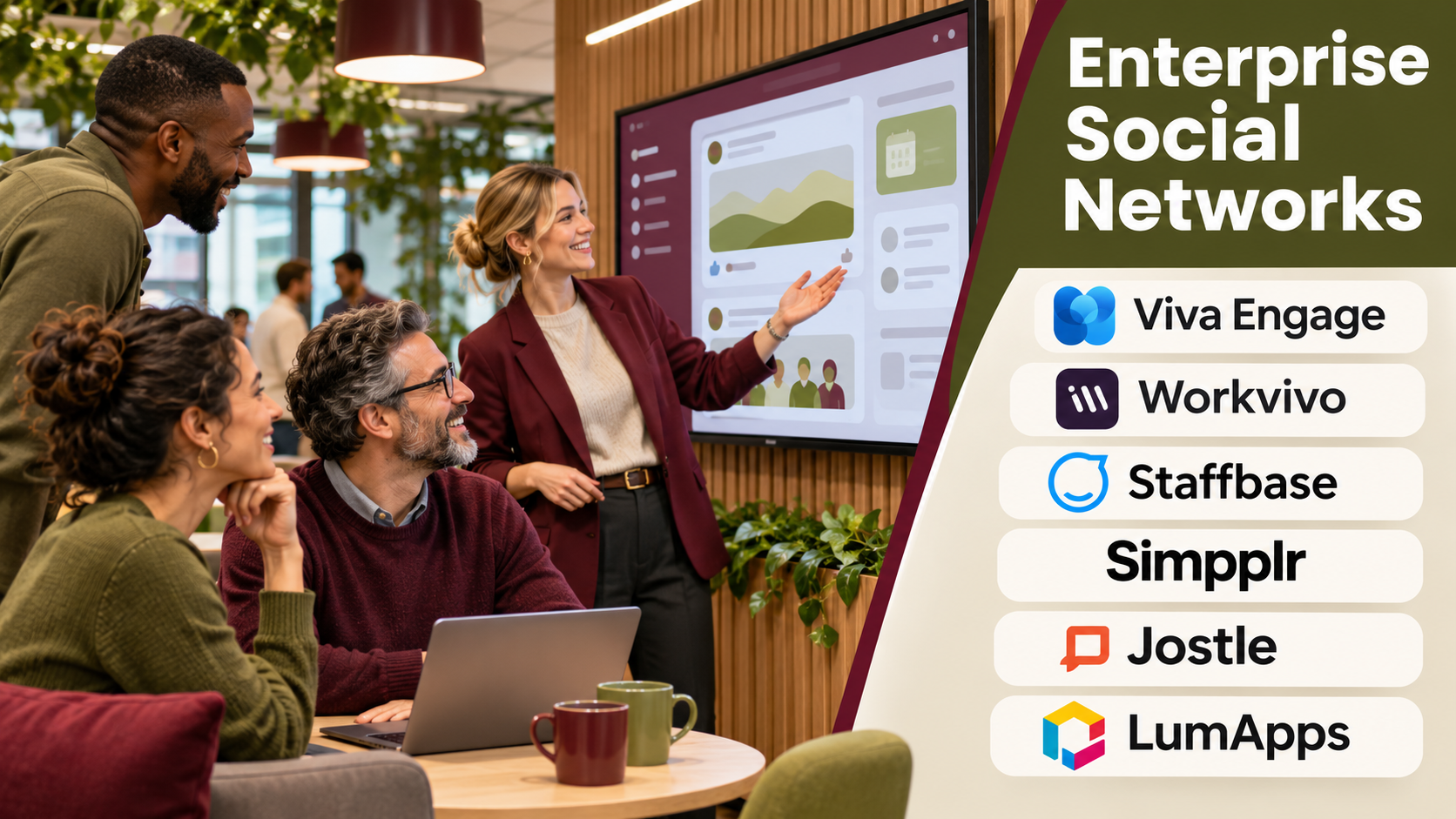
Enterprise social networks are internal communication and collaboration platforms that enable employees to connect through communities, activity feeds, discussions, and shared content.
They are sometimes called corporate social networks or employee social platforms.
Unlike public social networks, enterprise platforms generally operate within organization-managed environments.
Common capabilities include:
- Employee activity feeds.
- Department and interest-based communities.
- Comments and reactions.
- Employee recognition.
- Leadership announcements.
- Knowledge sharing.
- Multimedia posts.
- Employee profiles.
- Polls and feedback.
- Mobile communication.
- Search and content discovery.
- Engagement analytics.
The specific feature set depends on the platform.
How Enterprise Social Networks Work
Step 1: Establish an Organizational Environment
Administrators configure the company workspace and relevant access policies.
Step 2: Connect Employee Identities
The platform associates accounts with appropriate employee records or identity services.
Step 3: Create Communities
Employees join groups based on departments, locations, interests, or professional responsibilities.
Step 4: Publish Content
Authorized participants share announcements, questions, articles, photographs, and updates.
Step 5: Encourage Interaction
Employees respond through comments, reactions, recognition, and discussions.
Step 6: Surface Relevant Information
Feeds, notifications, and search help employees discover content.
Step 7: Moderate and Govern
Community owners manage discussions according to organizational policies.
Step 8: Measure Participation
Administrators review adoption, engagement, reach, and employee feedback.
Enterprise Social Networks vs. Team Messaging
Team messaging apps primarily support day-to-day coordination and conversations among working groups.
Enterprise social networks emphasize broader organizational participation.
A project team might use Microsoft Teams or Slack to coordinate deadlines.
The same organization might use an enterprise social network to recognize achievements, share company news, or connect employees with similar professional interests.
The two categories can complement each other.
Enterprise Social Networks vs. Intranet Platforms
Traditional intranets emphasize structured company information, policies, documents, and services.
Enterprise social networks emphasize employee interaction and community participation.
Modern employee experience platforms often combine both.
Organizations should evaluate which capabilities are central rather than relying exclusively on product labels.
Benefits of Enterprise Social Networks
Stronger Employee Connections
Communities help employees interact beyond their immediate departments.
Better Knowledge Sharing
Employees can ask questions and share practical experience with colleagues.
Greater Leadership Visibility
Executives can communicate through accessible internal channels.
Employee Recognition
Peer recognition helps organizations acknowledge contributions.
Improved Frontline Communication
Mobile-oriented platforms can help reach employees without regular desktop access.
Cross-department Collaboration
Communities allow employees with shared responsibilities to exchange information.
Organizational Feedback
Polls and discussions can help leaders understand employee experiences.
These benefits depend on active participation, appropriate moderation, and consistent leadership involvement.
Top 10 Enterprise Social Networks
1. Microsoft Viva Engage
Best For: Organizations using Microsoft 365 that want employee communities and enterprise-wide conversations.
Overview
Microsoft Viva Engage is an employee community and engagement platform within Microsoft’s workplace ecosystem.
It builds on the enterprise social networking capabilities historically associated with Yammer.
Viva Engage supports communities, discussions, leadership communication, and employee interaction.
For example, a large company may create communities for engineering knowledge, new employee onboarding, regional offices, and leadership questions.
Employees can participate in discussions beyond their immediate working teams.
Integration with Microsoft 365 makes Viva Engage especially relevant to organizations already using Microsoft Teams and related applications.
However, administrators should clearly distinguish the purposes of Teams channels and Viva Engage communities.
Without communication guidelines, employees may struggle to determine where information belongs.
Key Features
- Employee Communities: Supports groups organized around interests and responsibilities.
- Activity Feeds: Displays relevant discussions and updates.
- Leadership Communication: Provides channels for organizational engagement.
- Questions and Answers: Supports knowledge exchange.
- Announcements: Helps distribute relevant information.
- Employee Interaction: Enables comments and reactions.
- Microsoft Integration: Connects with relevant Microsoft 365 experiences.
- Administrative Controls: Supports community governance.
- Engagement Reporting: Provides selected participation insights.
Benefits
Viva Engage can extend Microsoft 365 collaboration beyond project teams into organization-wide communities.
Pros
- Strong Microsoft ecosystem fit.
- Supports enterprise communities.
- Useful for leadership engagement.
- Encourages cross-department interaction.
- Provides organizational administration.
- Suitable for large workforces.
Cons
- Overlaps with some Teams communication workflows.
- Requires active community management.
- Advanced capabilities depend on licensing.
- Engagement may decline without relevant content.
- Governance can become complex at scale.
Practical Use Cases
- Leadership question-and-answer sessions.
- Employee interest communities.
- Cross-department knowledge sharing.
- Company-wide engagement campaigns.
Best For: Microsoft 365 organizations seeking enterprise communities.
2. Workvivo
Best For: Organizations prioritizing employee culture, recognition, and social engagement.
Overview
Workvivo, part of Zoom’s workplace portfolio, provides a social-style employee experience platform.
Its interface emphasizes activity feeds, employee posts, recognition, and community participation.
For example, a company with employees across several countries may use Workvivo to share achievements, celebrate milestones, and communicate leadership updates.
Its social-first approach can make internal communication feel more approachable than a traditional document-centered intranet.
Workvivo is especially relevant to organizations that want employees to contribute content rather than only consume official announcements.
However, organizations should assess whether the platform also meets their requirements for structured knowledge, document governance, and operational workflows.
A strong employee feed does not automatically replace every intranet capability.
Key Features
- Social Activity Feed: Supports employee updates and interaction.
- Employee Recognition: Enables acknowledgment of achievements.
- Communities: Connects employees around shared interests.
- Leadership Updates: Provides organizational communication.
- Multimedia Content: Supports rich employee communications.
- Mobile Access: Helps reach distributed employees.
- Employee Profiles: Supports organizational connections.
- Engagement Analytics: Provides participation insights.
- Integrations: Connects with supported workplace applications.
Benefits
Workvivo can strengthen employee visibility, recognition, and community participation.
Pros
- Social-first experience.
- Strong employee engagement focus.
- Useful for distributed workforces.
- Supports recognition.
- Mobile-oriented communication.
- Encourages employee-generated content.
Cons
- Requires consistent community participation.
- Advanced intranet needs require evaluation.
- Moderation and content ownership are necessary.
- Commercial costs vary.
- Social activity can create notification overload.
Practical Use Cases
- Employee recognition.
- Culture-building initiatives.
- Leadership communication.
- Distributed workforce engagement.
Best For: Organizations emphasizing workplace culture and community.
3. Staffbase
Best For: Large organizations requiring governed employee communication across multiple channels.
Overview
Staffbase provides employee communication and experience capabilities, including internal communication channels, employee applications, and intranet-related functionality.
It is particularly relevant to organizations with both desk-based and frontline employees.
For example, a manufacturing company may need to communicate safety updates, leadership announcements, and operational information to factory employees who rarely use corporate email.
Staffbase can support communication through suitable employee-facing channels.
Its strengths include structured internal communications and broad workforce reach.
However, organizations seeking a primarily informal social network should evaluate the balance between centrally managed content and employee-led communities.
Key Features
- Employee Communication Feeds: Distributes internal updates.
- Employee App: Supports mobile workforce access.
- Audience Targeting: Delivers relevant content to selected groups.
- Internal Publishing: Supports structured announcements.
- Employee Interaction: Enables selected feedback and engagement.
- Content Governance: Supports publishing responsibilities.
- Analytics: Measures communication reach.
- Intranet Capabilities: Provides broader employee information experiences.
- Integrations: Connects supported workplace systems.
Benefits
Staffbase can help organizations deliver consistent internal communication to employees across locations and roles.
Pros
- Strong enterprise communication focus.
- Relevant to frontline employees.
- Supports targeted content.
- Provides governance controls.
- Offers mobile experiences.
- Suitable for large organizations.
Cons
- May be more comprehensive than smaller teams need.
- Enterprise implementation requires planning.
- Community features should be evaluated separately.
- Commercial costs can be substantial.
- Content management requires dedicated ownership.
Practical Use Cases
- Manufacturing workforce communication.
- Corporate announcements.
- Frontline employee engagement.
- Multinational internal communications.
Best For: Enterprises needing governed multichannel employee communication.
4. LumApps
Best For: Organizations seeking employee communities within a broader digital workplace.
Overview
LumApps provides employee experience and intranet capabilities that connect communication, knowledge, and workplace services.
It is relevant to organizations that want social interaction alongside structured employee information.
For example, a multinational company may use LumApps to publish company news, create employee communities, and connect staff with relevant workplace resources.
Its integration orientation makes it particularly relevant to organizations using Microsoft 365 or Google Workspace.
However, buyers should distinguish the platform’s social engagement features from its broader intranet and employee hub capabilities.
A business primarily seeking informal employee discussions may not require the full scope of an enterprise digital workplace.
Key Features
- Employee Communities: Supports internal participation.
- Personalized Content: Delivers information based on relevant attributes.
- Internal News: Supports organizational publishing.
- Employee Directory: Helps staff find colleagues.
- Knowledge Access: Connects employees with resources.
- Workplace Integrations: Supports major productivity ecosystems.
- Mobile Experiences: Provides access across devices.
- Engagement Analytics: Measures selected communication outcomes.
- Governance Controls: Supports structured administration.
Benefits
LumApps combines employee engagement with broader workplace information and services.
Pros
- Broad employee experience capabilities.
- Supports personalization.
- Integrates with productivity ecosystems.
- Relevant to large organizations.
- Combines communities and knowledge access.
Cons
- Implementation can be complex.
- Enterprise costs require evaluation.
- Social features are part of a broader platform.
- Content governance requires planning.
- Integration quality depends on configuration.
Practical Use Cases
- Employee communities.
- Global company communication.
- Knowledge sharing.
- Digital workplace modernization.
Best For: Enterprises combining social engagement with employee experience.
5. Simpplr
Best For: Organizations combining employee communication, knowledge discovery, and engagement.
Overview
Simpplr is an employee experience and intranet platform designed to help organizations communicate and connect employees with information.
Its capabilities include internal content, employee engagement, and knowledge access.
For example, a professional services company may use Simpplr to publish leadership updates, share departmental news, and help employees locate relevant resources.
Social interaction can complement these structured information experiences.
Simpplr is particularly relevant when organizations want a modern intranet that also supports employee participation.
However, buyers should evaluate the depth of its community capabilities against dedicated enterprise social networking products.
Key Features
- Employee News: Supports internal announcements.
- Social Interaction: Enables relevant engagement.
- Personalized Experiences: Helps deliver relevant information.
- Knowledge Discovery: Supports employee search.
- Employee Directory: Helps identify colleagues.
- Content Governance: Supports publishing workflows.
- Mobile Access: Enables employee participation.
- Analytics: Measures engagement and content reach.
- Integrations: Connects supported workplace tools.
Benefits
Simpplr can help organizations combine information discovery with employee communication and engagement.
Pros
- Modern employee experience focus.
- Combines content and engagement.
- Supports knowledge discovery.
- Relevant to hybrid organizations.
- Provides governance capabilities.
Cons
- Primarily broader than a standalone social network.
- Implementation requires content planning.
- Advanced requirements may need integration.
- Costs vary by deployment.
- Community adoption requires active management.
Practical Use Cases
- Employee news.
- Departmental communities.
- Internal knowledge sharing.
- Hybrid workforce engagement.
Best For: Organizations seeking an intranet-led employee social experience.
6. Zoho Connect
Best For: Small and midsize organizations seeking practical employee communities and internal collaboration.
Overview
Zoho Connect is an internal collaboration and social networking platform.
It supports employee discussions, groups, knowledge sharing, and selected work coordination features.
For example, a growing services company may create groups for departments, project teams, and employee interests.
Staff can share updates, ask questions, and collaborate through a common workspace.
Zoho Connect is particularly relevant to businesses already using Zoho applications.
However, organizations with extensive enterprise communication requirements should evaluate advanced governance, identity integration, and deployment needs.
Key Features
- Employee Groups: Supports internal communities.
- Activity Feeds: Enables updates and discussion.
- Forums: Supports structured conversations.
- Knowledge Sharing: Helps employees exchange information.
- File Collaboration: Supports document exchange.
- Task-related Features: Provides selected coordination tools.
- Zoho Integration: Connects with relevant business applications.
- Administrative Controls: Supports workspace management.
Benefits
Zoho Connect provides accessible employee networking and collaboration capabilities for growing organizations.
Pros
- Suitable for smaller businesses.
- Supports employee communities.
- Integrates with Zoho.
- Combines discussions and collaboration.
- Straightforward use cases.
Cons
- Advanced enterprise features require review.
- Large-scale governance may be limited.
- Integration benefits depend on ecosystem fit.
- Community moderation remains necessary.
- Specialized employee experience functions may require other tools.
Practical Use Cases
- Department communities.
- Internal knowledge exchange.
- Employee announcements.
- Small business collaboration.
Best For: Small and midsize businesses seeking internal social networking.
7. Happeo
Best For: Google Workspace organizations combining social communication and intranet functionality.
Overview
Happeo provides an intranet and employee communication platform with social collaboration capabilities.
Its integration with Google Workspace makes it relevant to organizations that use Google’s productivity applications.
For example, a distributed agency may want employees to share updates, access company pages, and find colleagues through one environment.
Happeo can support these experiences while connecting with relevant Google tools.
Its social capabilities are useful when organizations want employee participation alongside structured internal information.
However, businesses should evaluate whether its community model meets their requirements for large-scale social engagement.
Key Features
- Social Channels: Supports employee discussions.
- Company Pages: Provides structured information.
- Google Workspace Integration: Connects relevant applications.
- Employee Directory: Supports colleague discovery.
- Content Sharing: Enables internal updates.
- Search: Helps retrieve information.
- Mobile Access: Supports distributed employees.
- Administrative Controls: Manages relevant access and content.
Benefits
Happeo combines social interaction and intranet information for Google-oriented organizations.
Pros
- Strong Google Workspace fit.
- Combines pages and channels.
- Supports employee interaction.
- Useful for distributed teams.
- Provides structured information.
Cons
- Less compelling outside Google Workspace.
- Enterprise social features require evaluation.
- Content ownership is necessary.
- Integration scope varies.
- Advanced governance may need additional planning.
Practical Use Cases
- Google Workspace employee communities.
- Internal company news.
- Departmental knowledge sharing.
- Distributed employee communication.
Best For: Google Workspace businesses seeking social intranet capabilities.
8. Unily
Best For: Large enterprises requiring configurable employee communication and engagement experiences.
Overview
Unily is an enterprise intranet and employee experience platform.
It supports internal communication, personalization, content publishing, and selected social engagement workflows.
For example, a global company may need employees in different regions to receive relevant announcements while participating in shared organizational communities.
Unily can support these requirements through configurable experiences.
Its strength lies in combining structured enterprise content with employee engagement.
However, its broad scope may be unnecessary for organizations seeking only a lightweight internal social network.
Implementation requires careful information architecture, governance, and integration planning.
Key Features
- Employee Communities: Supports relevant social participation.
- Personalized Content: Targets information to appropriate audiences.
- Internal News: Provides enterprise publishing.
- Employee Engagement: Supports selected interaction features.
- Enterprise Search: Helps employees locate information.
- Multilingual Experiences: Supports global communication needs.
- Governance Controls: Manages publishing and permissions.
- Integrations: Connects enterprise applications.
- Analytics: Measures content and engagement activity.
Benefits
Unily can support employee communication and engagement across complex multinational organizations.
Pros
- Highly configurable enterprise platform.
- Supports global organizations.
- Combines social and intranet features.
- Strong governance orientation.
- Supports personalization.
Cons
- Significant implementation effort.
- Commercial costs may be high.
- Requires dedicated administration.
- More complex than lightweight social tools.
- Customization increases maintenance needs.
Practical Use Cases
- Global employee communities.
- Leadership communication.
- Multilingual workforce engagement.
- Enterprise digital workplace programs.
Best For: Large enterprises requiring configurable employee experiences.
9. Jostle
Best For: Organizations seeking straightforward employee communication and workplace connection.
Overview
Jostle provides an employee communication platform designed to help organizations keep people informed and connected.
Its approach emphasizes accessible company information, employee interaction, and internal communication.
For example, a midsize organization may need one place for company announcements, employee recognition, and important workplace updates.
Jostle can support these needs without requiring an extensive custom intranet development project.
Its simplicity can help organizations that lack dedicated intranet administrators.
However, businesses with complex enterprise knowledge management or integration requirements should evaluate whether its capabilities are sufficient.
Key Features
- Employee News: Supports company announcements.
- Employee Interaction: Enables relevant participation.
- People Directory: Helps staff find colleagues.
- Organizational Information: Provides accessible company resources.
- Recognition Features: Supports employee acknowledgment.
- Mobile Access: Helps reach distributed staff.
- Content Organization: Supports structured internal information.
- Administrative Controls: Provides workplace management capabilities.
Benefits
Jostle can help smaller and midsize organizations improve internal communication without excessive complexity.
Pros
- Straightforward employee experience.
- Supports company communication.
- Encourages employee connection.
- Suitable for midsize organizations.
- Reduces implementation complexity.
Cons
- Less customizable than some enterprise platforms.
- Advanced integrations require review.
- Community capabilities may be narrower.
- Complex knowledge management may require other tools.
- Feature depth depends on organizational needs.
Practical Use Cases
- Company announcements.
- Employee recognition.
- Internal workplace communities.
- Midsize organization communication.
Best For: Organizations prioritizing accessible internal communication.
10. MangoApps
Best For: Organizations seeking employee social networking alongside broader collaboration tools.
Overview
MangoApps provides digital workplace capabilities that combine communication, collaboration, knowledge sharing, and employee engagement.
It is relevant to organizations that want employee communities connected to everyday work processes.
For example, a retail company may need store employees to share operational updates, access procedures, and participate in organizational communities.
MangoApps can support several of these activities through a common platform.
Its broad feature set can reduce the number of separate employee applications.
However, organizations should avoid enabling every available capability without a clear purpose.
A successful deployment requires defining which features employees actually need.
Key Features
- Employee Communities: Supports social participation.
- Activity Feeds: Shares organizational updates.
- Team Collaboration: Supports workgroup communication.
- Knowledge Management: Organizes workplace information.
- Employee Recognition: Supports selected engagement activities.
- Mobile Access: Helps distributed employees participate.
- Workflow Capabilities: Supports relevant business processes.
- Administrative Controls: Manages access and configuration.
- Integrations: Connects supported workplace systems.
Benefits
MangoApps can combine employee social networking with collaboration and knowledge management.
Pros
- Broad digital workplace capabilities.
- Supports employee communities.
- Relevant to frontline organizations.
- Combines communication and knowledge.
- Flexible feature set.
Cons
- Broad scope can increase complexity.
- Requires careful configuration.
- Advanced requirements need evaluation.
- Content governance remains important.
- Adoption depends on employee training.
Practical Use Cases
- Frontline employee communication.
- Workplace communities.
- Operational knowledge sharing.
- Employee engagement programs.
Best For: Organizations seeking a broad employee collaboration environment.
Enterprise Social Networks Comparison Table
| Platform | Primary Strength | Best-Fit Organization | Main Consideration |
|---|---|---|---|
| Microsoft Viva Engage | Enterprise communities | Microsoft 365 enterprises | Teams overlap |
| Workvivo | Social engagement | Culture-focused organizations | Content participation |
| Staffbase | Multichannel communication | Large frontline workforces | Governance |
| LumApps | Digital workplace | Global enterprises | Implementation scope |
| Simpplr | Employee experience | Hybrid organizations | Intranet integration |
| Zoho Connect | Internal social collaboration | Small and midsize businesses | Enterprise depth |
| Happeo | Social intranet | Google Workspace users | Ecosystem fit |
| Unily | Configurable enterprise experience | Multinationals | Complexity |
| Jostle | Accessible internal communication | Midsize organizations | Customization |
| MangoApps | All-in-one workplace | Distributed organizations | Feature management |
How to Choose the Right Enterprise Social Network
Step 1: Define the Engagement Objective
Determine whether the organization wants stronger employee recognition, knowledge sharing, leadership visibility, or cross-department collaboration.
Step 2: Identify Employee Groups
Consider office workers, frontline employees, remote teams, contractors, and regional staff.
Step 3: Evaluate Existing Communication Systems
Review the organization’s intranet, email, messaging, and employee applications.
Step 4: Define Community Types
Identify department communities, professional groups, leadership spaces, and employee interest networks.
Step 5: Establish Governance
Define community ownership, moderation responsibilities, content policies, and access permissions.
Step 6: Review Mobile Accessibility
Ensure that employees without desktop access can participate appropriately.
Step 7: Evaluate Integration Requirements
Review identity management, HR systems, productivity tools, and existing communication channels.
Step 8: Define Success Measures
Consider active participation, employee reach, knowledge sharing, and relevant feedback.
Step 9: Conduct a Pilot
Launch selected communities with clear purposes and engaged leaders.
Step 10: Improve Based on Participation
Use feedback and engagement patterns to refine the community structure.
Best Enterprise Social Networks by User Type
| User Type | Suitable Platforms | Main Requirement |
|---|---|---|
| Microsoft enterprises | Viva Engage | Employee communities |
| Culture-focused organizations | Workvivo | Recognition and engagement |
| Frontline workforces | Staffbase, MangoApps | Mobile communication |
| Global enterprises | LumApps, Unily | Personalization and governance |
| Hybrid organizations | Simpplr | Employee experience |
| Small businesses | Zoho Connect | Accessible communities |
| Google Workspace teams | Happeo | Social intranet |
| Midsize organizations | Jostle | Simple employee communication |
Practical Example: Launching an Enterprise Social Network
A manufacturing company has employees across six facilities and a central office.
Step 1: Identify Communication Gaps
Interview employees about access to announcements, recognition, and cross-location communication.
Step 2: Define Objectives
Prioritize employee connection, knowledge sharing, and leadership visibility.
Step 3: Select a Platform
Evaluate mobile access, governance, and compatibility with existing systems.
Step 4: Create Community Categories
Establish company-wide, location-specific, professional, and interest-based communities.
Step 5: Assign Community Owners
Give trained employees responsibility for relevant spaces.
Step 6: Prepare Initial Content
Publish useful announcements, introductions, and discussion prompts.
Step 7: Train Employees
Explain how to post, comment, locate information, and report inappropriate content.
Step 8: Involve Leadership
Encourage leaders to participate in meaningful discussions.
Step 9: Monitor Participation
Review engagement across locations and employee groups.
Step 10: Refine the Program
Remove inactive communities, improve relevant content, and address access barriers.
Common Enterprise Social Network Mistakes
- Launching without a clear purpose: Employees need reasons to participate.
- Treating the platform as a noticeboard: One-way announcements do not create a social community.
- Creating excessive communities: Too many groups fragment participation.
- Ignoring frontline access: Employees without desktop access may be excluded.
- Failing to assign moderators: Communities require responsible ownership.
- Measuring only reactions: Meaningful knowledge exchange matters more than superficial engagement.
- Overlooking leadership participation: Employees may disengage when leaders are absent.
- Duplicating intranet content: Unclear platform responsibilities create confusion.
- Ignoring accessibility: Inclusive participation requires usable interfaces.
- Failing to act on feedback: Employees lose confidence when concerns receive no response.
Frequently Asked Questions About Enterprise Social Networks
1. What is an enterprise social network?
It is an internal platform for employee communities, discussions, and knowledge sharing.
2. How does it differ from public social media?
It operates within organization-managed environments and access policies.
3. How does it differ from team messaging?
Team messaging emphasizes operational coordination, while enterprise social networking emphasizes broader employee participation.
4. Can an enterprise social network replace an intranet?
Some platforms combine both functions, but requirements must be evaluated.
5. What are employee communities?
They are groups organized around departments, interests, roles, or shared goals.
6. What is employee engagement software?
It supports activities that help employees connect, participate, and contribute to workplace experiences.
7. Which platform integrates with Microsoft 365?
Microsoft Viva Engage is a relevant option.
8. Which platform emphasizes employee culture?
Workvivo is particularly focused on social engagement and recognition.
9. Which platforms support frontline communication?
Staffbase, MangoApps, and other mobile-oriented platforms address relevant needs.
10. Can employees share knowledge?
Yes. Communities and discussions can support practical knowledge exchange.
11. Can executives communicate directly with employees?
Many platforms support leadership updates and discussions.
12. What is employee recognition?
It is the acknowledgment of employee achievements and contributions.
13. Can enterprise social networks support remote workers?
Yes, when access and participation are properly designed.
14. Do these platforms provide mobile apps?
Many offer mobile experiences, though capabilities vary.
15. What is a social intranet?
It combines structured intranet information with employee interaction.
16. How should communities be organized?
Use clear purposes, relevant audiences, and assigned owners.
17. What is community moderation?
It is the process of maintaining appropriate discussions and enforcing organizational rules.
18. Can employees create their own groups?
Some platforms support employee-created communities under configured policies.
19. What are engagement analytics?
They measure selected participation, content reach, and interaction patterns.
20. Should participation be mandatory?
Organizations should encourage meaningful use while respecting legitimate differences in employee roles and access.
21. Can enterprise social networks support knowledge management?
Many provide discussion and content features that complement knowledge systems.
22. What is the role of leadership?
Leaders can encourage trust by sharing useful information and responding to employees.
23. Can the platform integrate with HR software?
Some products support relevant HR and identity integrations.
24. How can organizations prevent information overload?
Use audience targeting, clear community structures, and thoughtful notification policies.
25. How should success be measured?
Review participation, communication reach, knowledge exchange, and employee feedback.
26. What causes poor adoption?
Unclear purpose, irrelevant content, weak leadership participation, and difficult access are common causes.
27. Are enterprise social networks suitable for small businesses?
Yes, when the platform’s complexity and cost match the organization’s needs.
28. What is the most important implementation principle?
Create communities that deliver genuine value to employees rather than simply increasing activity.
Final Thoughts
Enterprise social networks help organizations strengthen employee connections, distribute knowledge, and encourage participation across departments and locations.
Microsoft Viva Engage is relevant to Microsoft-centered organizations, while Workvivo emphasizes culture and social engagement.
Staffbase, LumApps, Simpplr, Unily, and MangoApps provide broader employee experience capabilities.
Zoho Connect, Happeo, and Jostle address different requirements for accessible communities and internal communication.
The best platform depends on employee needs, organizational size, existing software, and governance requirements.
Successful enterprise social networking requires relevant communities, engaged leaders, accessible participation, and consistent moderation.
The goal is not to create another stream of notifications.
It is to help employees connect, contribute, and access useful organizational knowledge.