Introduction
Public safety dispatch centers serve as the communication backbone of emergency response operations. Every incoming emergency call requires accurate information, appropriate prioritization, and timely coordination between dispatchers and field personnel. Computer-aided dispatch systems help emergency communications teams manage these responsibilities through structured digital workflows.
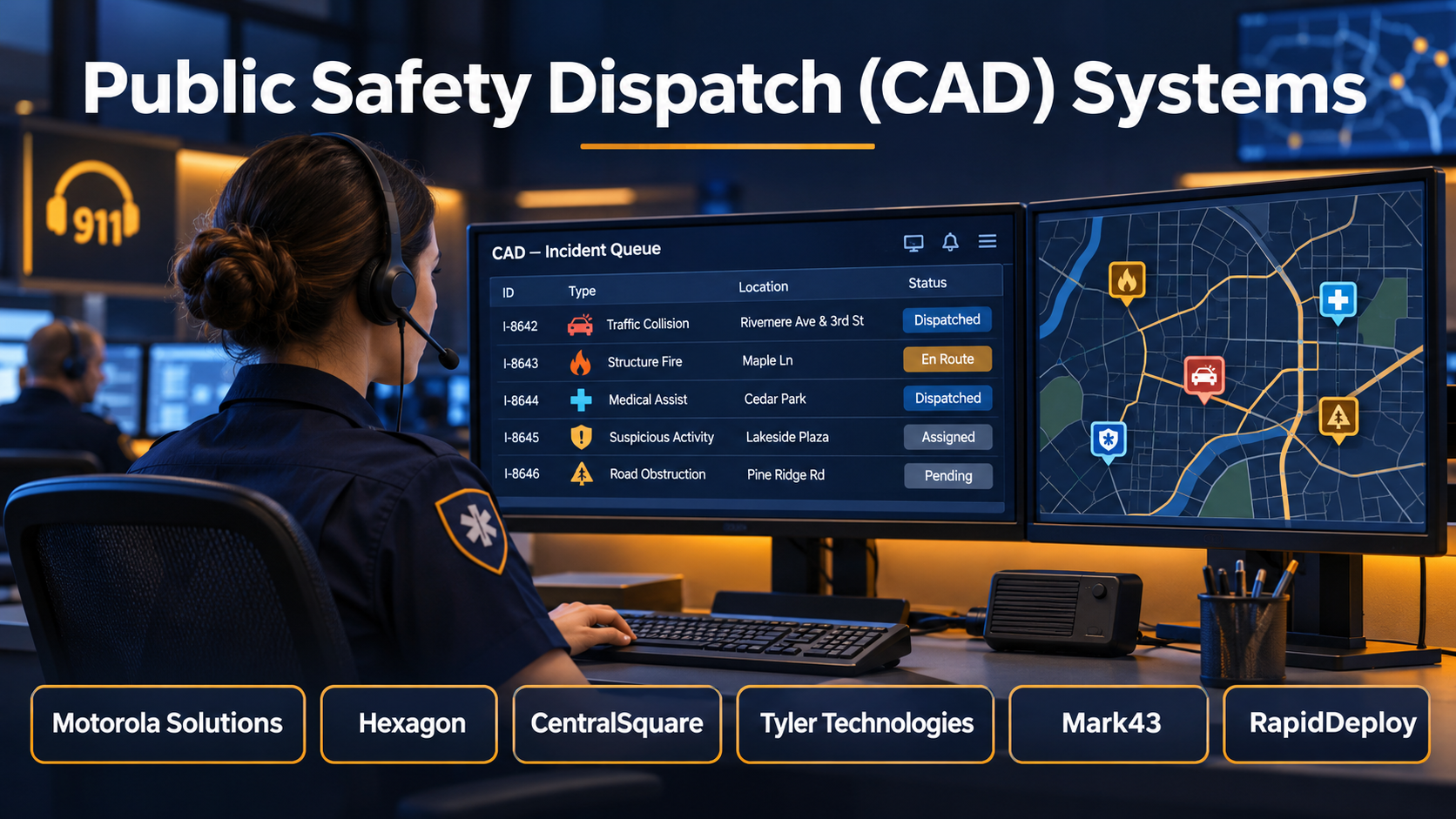
Modern Public Safety Dispatch (CAD) Systems support much more than basic call logging. They combine incident management, geographic information systems, unit status monitoring, resource recommendations, and communication tools into a shared operational environment. This allows dispatchers to track multiple incidents while maintaining visibility into available responders.
Police departments, fire services, emergency medical organizations, and regional emergency communications centers have different dispatch requirements. A police dispatcher may need rapid access to officer safety alerts and incident histories. A fire dispatcher may prioritize station alerting and apparatus assignments. An EMS dispatcher may require medical response protocols and ambulance availability.
Choosing the appropriate CAD platform involves evaluating reliability, system architecture, integrations, usability, security, and the ability to support operations during disruptions. A feature-rich product is not necessarily the best choice when its workflows do not match the agency’s operational requirements.
This guide examines ten established CAD solutions, including Motorola Solutions PremierOne, CentralSquare, Mark43, Tyler Technologies, and other public safety platforms. Each profile explains the software’s capabilities, potential advantages, limitations, and suitable operating environments.
The objective is to help public safety administrators, dispatch supervisors, procurement teams, and technology leaders compare solutions systematically. Rather than selecting software based on brand recognition alone, agencies should identify the capabilities that improve response coordination, protect sensitive information, and support dependable emergency operations.
What Are Public Safety Dispatch (CAD) Systems?
Public Safety Dispatch Systems, commonly called computer-aided dispatch systems, are specialized software platforms that help emergency communications centers receive, classify, prioritize, assign, monitor, and document requests for emergency and non-emergency assistance.
A CAD system creates a structured incident record when a dispatcher receives a request. That record may include the incident location, reported circumstances, priority, caller information, assigned units, response timestamps, and updates from field personnel. The system maintains these details throughout the incident lifecycle.
Modern CAD platforms often integrate with geographic information systems, automatic vehicle location technology, radio networks, mobile data terminals, records management systems, and emergency call-handling infrastructure. These connections reduce duplicate data entry and help responders access relevant information.
CAD software is distinct from a records management system. CAD primarily supports real-time operational dispatch, while RMS platforms maintain more detailed administrative, investigative, and historical records. Many public safety organizations integrate the two systems to transfer incident information into formal reporting workflows.
Common Applications of CAD Software
- Emergency call management: Capture essential information from incoming requests and organize incidents according to agency procedures.
- Police dispatch: Assign patrol units, monitor officer status, and communicate relevant safety information.
- Fire dispatch: Coordinate fire apparatus, station notifications, response plans, and mutual-aid resources.
- EMS dispatch: Track ambulance availability, incident priority, response assignments, and medical transport coordination.
- Multi-agency operations: Share selected incident information between police, fire, EMS, and neighboring jurisdictions.
- Geographic dispatching: Use maps, address validation, and unit location information to support assignment decisions.
- Incident monitoring: Track active calls, unit status changes, and response milestones.
- Operational reporting: Analyze call volumes, response intervals, workload patterns, and resource utilization.
Top 10 Public Safety Dispatch (CAD) Systems
The following solutions represent established options across enterprise, regional, cloud-oriented, and smaller-agency environments. Their order is organizational rather than a verified performance ranking.
1. Motorola Solutions PremierOne CAD
Best For: Large public safety agencies and regional emergency communications centers requiring extensive dispatch functionality.
Overview
Motorola Solutions PremierOne CAD is an enterprise computer-aided dispatch platform designed to help emergency communications centers manage incidents, responders, and operational information. It supports public safety organizations that require coordinated dispatch workflows across complex operating environments.
The platform focuses on giving dispatch personnel timely access to incident details, responder locations, available resources, and relevant safety information. Its workflow-oriented design helps agencies organize the sequence of actions associated with receiving calls, assigning units, and monitoring responses.
PremierOne is particularly relevant to organizations operating multiple dispatch positions or coordinating responses across different jurisdictions. Agencies evaluating it should examine how its incident handling, mobile connectivity, and mapping functions align with their existing communications infrastructure.
Because CAD deployments often involve substantial integration and configuration work, PremierOne should be assessed through realistic demonstrations and operational testing. The agency should verify deployment options, supported interfaces, resilience arrangements, and the exact capabilities included in its proposed configuration.
Key Features
- Incident Creation and Management: Dispatchers can capture event details, assign incident classifications, and maintain a structured record as circumstances change.
- GIS Mapping: Geographic information helps operators identify incident locations and visualize available response resources.
- Unit Status Monitoring: Dispatchers can monitor the operational state of assigned units and maintain awareness of resource availability.
- Configurable Dispatch Workflows: Agencies can configure procedures that reflect local dispatch practices and incident handling requirements.
- Responder Safety Alerts: Relevant warnings and safety information can be presented to support informed dispatch decisions.
- Mobile Field Connectivity: Integration with mobile applications helps field personnel receive operational information and communicate updates.
- Resource Assignment Support: Dispatch personnel can use location and availability information to support unit selection.
- Operational Reporting: Reporting capabilities help supervisors review dispatch activity, response milestones, and operational patterns.
- Public Safety Integration: Interfaces can connect CAD operations with other compatible emergency communications and public safety systems.
Benefits
PremierOne provides a consolidated operational environment for dispatchers handling complex incidents. By organizing incident details, location information, and resource assignments, it can reduce the need to switch between disconnected applications.
Its enterprise orientation is valuable when multiple dispatch teams require consistent procedures. Integrated information can also improve situational awareness for responders and supervisors.
Pros
- Designed for demanding public safety dispatch environments.
- Supports detailed incident and resource management.
- Provides GIS and responder-location capabilities.
- Offers configurable agency-directed workflows.
- Fits organizations requiring extensive system integration.
Cons
- Enterprise implementation can involve significant planning.
- Integration and configuration requirements may increase project complexity.
- Training requirements can be substantial for large teams.
- Total costs depend on deployment scope and contractual terms.
Use Cases
Regional Emergency Communications Center: Multiple participating agencies need a shared view of incidents and resources while retaining appropriate operational responsibilities.
Metropolitan Police Dispatch: Dispatchers require continuous visibility into patrol assignments, officer status, and incident updates.
Best For: Large agencies with complex dispatch operations, dedicated technical support, and extensive integration requirements.
2. CentralSquare Public Safety CAD
Best For: Municipal, county, and multi-jurisdictional public safety organizations.
Overview
CentralSquare provides computer-aided dispatch functionality within its broader public safety software portfolio. Its solutions support emergency communications workflows and integration with related records, mobile, and operational applications.
The platform is relevant to organizations that want dispatch functionality connected with other public safety systems. Depending on the selected product family and configuration, agencies may be able to establish workflows that connect call handling, incident response, and subsequent reporting.
CentralSquare’s portfolio includes different product lines with distinct histories and capabilities. Buyers should therefore avoid treating every CentralSquare CAD deployment as technically identical. An evaluation must identify the specific product, version, hosting arrangement, and interfaces included in the proposal.
For agencies considering a replacement of older public safety technology, CentralSquare may be attractive because of its broad software ecosystem. However, migration planning and compatibility testing remain important, particularly when existing records, radio systems, and mobile applications must continue operating.
Key Features
- Call and Incident Processing: Organizes incoming service requests and supports structured incident creation.
- Dispatch Resource Management: Helps operators assign and monitor available response units.
- GIS Integration: Displays geographic information relevant to incidents and field resources.
- Multi-Agency Workflows: Supports configurations for departments coordinating shared dispatch services.
- Mobile Communications: Connects dispatch activity with supported mobile field applications.
- Records System Connectivity: Facilitates incident information exchange with compatible RMS solutions.
- Incident Status Tracking: Maintains a timeline of dispatch activities and operational updates.
- Administrative Configuration: Supports agency-specific operational rules and user settings.
- Reporting Capabilities: Provides information for operational review and management analysis.
Benefits
CentralSquare can help organizations consolidate public safety workflows and reduce disconnected processes. Agencies using related CentralSquare applications may find opportunities to simplify integration planning.
Its suitability for shared dispatch environments also makes it relevant to regional consolidation initiatives.
Pros
- Broad public safety software ecosystem.
- Options for municipal and regional organizations.
- Supports CAD and RMS integration strategies.
- Accommodates configurable workflows.
- Relevant to multi-agency dispatch operations.
Cons
- Capabilities vary across product families.
- Legacy-system migration may be complicated.
- Agencies must verify specific integration compatibility.
- Training and implementation depend on configuration complexity.
Use Cases
County Dispatch Consolidation: Several public safety departments want to coordinate incident handling through shared infrastructure.
Municipal Technology Modernization: A city seeks closer integration between dispatch, field reporting, and administrative records.
Best For: Agencies seeking an integrated public safety platform and configurable multi-department workflows.
3. Mark43 CAD
Best For: Agencies prioritizing modern cloud-oriented dispatch workflows and software usability.
Overview
Mark43 CAD is a modern public safety dispatch platform designed around connected operational workflows. It emphasizes accessible incident information, streamlined interfaces, and integration with related public safety applications.
The software is particularly relevant to agencies evaluating alternatives to older dispatch systems that depend on aging infrastructure or fragmented applications. Its architecture can support modernization initiatives that prioritize centralized software management and consistent access to operational information.
Mark43 also offers records management capabilities, making the relationship between dispatch and formal reporting an important consideration. Agencies can evaluate whether connected products reduce repetitive entry and support a more coherent incident lifecycle.
Cloud-oriented architecture does not eliminate the need for resilient emergency communications infrastructure. Buyers must assess connectivity dependencies, service availability commitments, disaster recovery procedures, and operational continuity during network disruptions.
Key Features
- Modern Dispatch Interface: Organizes operational information within a contemporary user environment.
- Incident Lifecycle Management: Supports the progression from initial call entry to incident closure.
- Cloud-Oriented Architecture: Provides an approach to software deployment that can reduce some local infrastructure responsibilities.
- Integrated Mapping: Helps dispatchers understand incident geography and resource positions.
- Unit Assignment Workflows: Supports resource selection and dispatch coordination.
- Records Integration: Connects incident workflows with compatible records management capabilities.
- Operational Data Access: Helps authorized users retrieve relevant incident and activity information.
- Workflow Configuration: Supports agency-specific operational processes.
- Analytics and Reporting: Provides information for reviewing activity and operational performance.
Benefits
Mark43 may simplify modernization for agencies seeking a more unified software environment. Its emphasis on interface design can help reduce unnecessary navigation during routine dispatch activities.
Connected dispatch and records workflows may also improve consistency between operational events and subsequent documentation.
Pros
- Modern interface approach.
- Cloud-oriented deployment model.
- Connected CAD and RMS ecosystem.
- Useful for modernization initiatives.
- Supports structured operational data workflows.
Cons
- Network resilience requires careful evaluation.
- Existing interfaces may require development or adaptation.
- Cloud hosting may conflict with some agency requirements.
- Data migration must be validated before production use.
Use Cases
Legacy CAD Replacement: An agency wants to replace an older dispatch application while reviewing its broader technology architecture.
Integrated CAD/RMS Modernization: A department seeks more consistent information flow between dispatch events and official records.
Best For: Public safety agencies seeking modern software architecture and connected operational workflows.
4. Tyler Technologies Enterprise CAD
Best For: Cities, counties, and public safety organizations seeking dispatch capabilities within a broader government technology environment.
Overview
Tyler Technologies provides CAD functionality as part of its public safety software offerings. These solutions are intended to support emergency dispatch, resource management, and coordination between public safety operations.
Tyler’s position in government software makes it a relevant candidate for agencies considering how dispatch technology fits into wider municipal information systems. Public safety buyers may be interested in connected records, mobile applications, and other administrative workflows.
The platform can support organizations with multiple operating units and complex reporting responsibilities. Agencies should examine the particular Tyler product family being proposed, since capabilities and integration approaches can differ.
Implementation planning should focus on incident processing, mapping accuracy, unit recommendations, field communications, and the reliability of external interfaces. The selection process should also include direct participation from dispatchers, field supervisors, and technology administrators.
Key Features
- Emergency Incident Processing: Supports the creation and maintenance of dispatch incidents.
- Resource Management: Helps track available personnel and response units.
- Geographic Mapping: Provides location information for incident assessment and assignment.
- Multi-Discipline Dispatch: Supports public safety organizations with different operational responsibilities.
- Mobile Data Connectivity: Enables information exchange with supported field applications.
- Records Integration: Supports connections between dispatch and administrative reporting systems.
- Configurable Operational Rules: Allows agencies to reflect local procedures in software workflows.
- Response Activity Tracking: Records important incident and unit status milestones.
- Reporting and Administration: Helps managers analyze activity and maintain system configurations.
Benefits
Tyler CAD can support a coordinated technology strategy for government organizations that want to connect dispatch and public safety records.
A common software ecosystem may reduce some integration challenges, although each interface must still be evaluated individually.
Pros
- Established government software provider.
- Supports complex municipal operating environments.
- Offers related public safety applications.
- Provides resource and incident management functions.
- Relevant to integrated public sector technology planning.
Cons
- Procurement and implementation can be extensive.
- Product capabilities depend on the specific solution.
- Integration projects may require additional services.
- Operational training must account for agency-specific workflows.
Use Cases
Municipal Public Safety Modernization: A city replaces aging dispatch software while coordinating changes to records and mobile systems.
Countywide Dispatch Services: A county needs consistent incident management across multiple participating departments.
Best For: Government agencies prioritizing connected public safety applications and structured implementation support.
5. Octave OnCall Dispatch (Formerly HxGN OnCall Dispatch)
Best For: Large emergency communications centers and organizations requiring sophisticated geographic and multi-agency coordination.
Overview
OnCall Dispatch is a public safety dispatch solution associated with the former Hexagon safety and infrastructure software portfolio. It supports incident management, resource coordination, and location-aware emergency operations.
The platform is particularly relevant to dispatch environments where geography, jurisdictional boundaries, and multiple response organizations influence operational decisions. These settings may require dispatchers to work with large numbers of units and rapidly changing incident conditions.
OnCall’s broader public safety ecosystem can support connected operational workflows. Agencies evaluating the platform should examine the current product ownership, supported versions, implementation partners, and contractual responsibilities.
Large dispatch deployments should include extensive acceptance testing. Mapping accuracy, incident prioritization, resource recommendations, and continuity procedures should be demonstrated using realistic operational scenarios rather than simplified sales examples.
Key Features
- Incident Management: Supports incident creation, classification, updates, and closure.
- Geographic Information Integration: Uses map data to support location-aware dispatch decisions.
- Resource Coordination: Helps dispatchers monitor and assign available response units.
- Multi-Jurisdiction Operations: Supports workflows involving multiple public safety organizations.
- Operational Visualization: Presents incident and resource information to dispatch personnel.
- Mobile Integration: Connects supported field systems with dispatch workflows.
- Incident History: Maintains relevant activity and status information.
- Workflow Configuration: Accommodates agency-specific procedures and dispatch requirements.
- System Interfaces: Supports integration with compatible public safety applications and infrastructure.
Benefits
OnCall Dispatch can provide a unified operational environment for complex regional dispatch activity. Geographic awareness is especially valuable where response boundaries and resource availability vary across jurisdictions.
The platform may also support standardization between agencies participating in shared communications operations.
Pros
- Strong emphasis on geographic operations.
- Relevant to large multi-agency environments.
- Supports complex incident workflows.
- Offers resource coordination capabilities.
- Suitable for regional dispatch evaluation.
Cons
- Enterprise configuration may be demanding.
- Integration scope requires detailed planning.
- Product and vendor naming should be confirmed during procurement.
- Smaller agencies may not need its full complexity.
Use Cases
Regional Emergency Communications Network: Multiple jurisdictions coordinate dispatch activities while managing different service boundaries.
Large Metropolitan Dispatch: Operators need a consolidated view of incidents, units, and geographic conditions.
Best For: Regional and metropolitan emergency communications organizations with complex mapping and coordination requirements.
6. Versaterm CAD
Best For: Police, fire, and emergency communications organizations seeking configurable public safety dispatch workflows.
Overview
Versaterm CAD is a public safety dispatch solution designed to help emergency communications personnel coordinate incident response and field resources. It belongs to a wider portfolio of public safety technology.
The software is relevant to agencies that require structured incident handling, unit monitoring, and communication between dispatch personnel and responders. Integration with records and mobile workflows can help connect dispatch activity to later operational documentation.
Versaterm’s broader technology offerings may appeal to organizations considering multiple components of their public safety infrastructure. However, buyers should evaluate the CAD product independently and confirm the capabilities included in their proposed deployment.
Agencies should pay particular attention to workflow configuration, data exchange, reporting, and the support model. These factors determine whether the platform can accommodate local dispatch procedures without creating unnecessary complexity.
Key Features
- Incident Entry: Captures emergency and non-emergency service requests.
- Dispatch Assignment: Supports unit selection and response coordination.
- Resource Status Tracking: Maintains visibility into available and assigned units.
- Mapping Capabilities: Supports geographic awareness during dispatch.
- Mobile Data Integration: Exchanges information with supported field applications.
- Records Connectivity: Supports integration with related public safety records workflows.
- Agency Configuration: Allows operational procedures to be reflected in system settings.
- Event History: Maintains dispatch activity records for review.
- Operational Reporting: Supports management analysis of dispatch activity.
Benefits
Versaterm can help agencies coordinate dispatch and field information within a structured environment. Its public safety focus makes it relevant to organizations with specialized operational requirements.
Pros
- Purpose-built public safety orientation.
- Configurable dispatch workflows.
- Related public safety software offerings.
- Supports field communication processes.
- Relevant to multi-department environments.
Cons
- Exact capabilities depend on configuration.
- Integration requirements must be verified.
- Implementation planning may involve multiple systems.
- Training needs vary by agency complexity.
Use Cases
Police Dispatch Operations: A department needs consistent incident entry, resource assignments, and field updates.
Public Safety Platform Consolidation: An organization evaluates connected dispatch and records workflows.
Best For: Agencies seeking configurable CAD capabilities and a broader public safety software ecosystem.
7. Caliber Public Safety CAD
Best For: Public safety organizations seeking established CAD functionality with related records and operational applications.
Overview
Caliber Public Safety offers CAD technology for emergency communications and law enforcement operations. Its software is relevant to agencies that require structured dispatch activity and integration with other public safety information systems.
The platform supports the central responsibilities of emergency dispatch, including incident processing, resource assignments, and operational tracking. Agencies considering Caliber should assess how the proposed version accommodates their particular call types, response procedures, and data requirements.
Caliber may be considered by organizations replacing legacy dispatch systems or seeking an integrated public safety application environment. Existing integrations and agency-specific customization requirements should be identified early.
A thorough evaluation should include dispatcher usability, mobile connectivity, system recovery procedures, and the ability to maintain accurate information during busy operational periods.
Key Features
- Incident Logging: Records incoming calls and associated operational details.
- Unit Dispatch: Supports assigning appropriate response resources.
- Resource Availability: Tracks the status of personnel and vehicles.
- Geographic Support: Uses location information to assist dispatch operations.
- Incident Updates: Maintains changing incident information.
- Mobile Integration: Supports data exchange with compatible field applications.
- Records System Connectivity: Helps connect dispatch activity with formal reporting.
- Administrative Configuration: Supports operational settings and user management.
- Activity Reporting: Provides information for workload and incident analysis.
Benefits
Caliber can support consistent dispatch procedures and improve the organization of operational records. Its related public safety applications may also be useful when agencies are evaluating integrated systems.
Pros
- Established public safety software category presence.
- Supports core CAD workflows.
- Relevant to integrated CAD/RMS projects.
- Offers configurable operational processes.
- Suitable for formal agency procurement evaluation.
Cons
- Product versions and interfaces require verification.
- Customization may increase implementation work.
- Migration quality depends on source data.
- Agencies must validate resilience and support commitments.
Use Cases
Police Department Modernization: A department replaces older incident and dispatch software.
County Public Safety Integration: A county coordinates dispatch and records workflows across multiple departments.
Best For: Agencies seeking established dispatch functions and related public safety applications.
8. Southern Software CAD
Best For: Small and midsize public safety agencies, including municipal and county dispatch organizations.
Overview
Southern Software provides public safety software that includes computer-aided dispatch capabilities. It is particularly relevant to smaller agencies evaluating practical dispatch functionality without necessarily adopting a large enterprise platform.
Smaller communications centers often face different technology constraints from metropolitan agencies. Limited technical staffing, budget restrictions, and the need for straightforward operational procedures can influence software selection.
Southern Software CAD may be considered by organizations that want core incident management, dispatch coordination, and related public safety applications. Its suitability should be established through demonstrations using the agency’s actual dispatch procedures.
Even a smaller CAD implementation requires careful attention to system reliability, backups, records integration, and operational training. Procurement teams should compare full lifecycle costs rather than relying only on initial licensing expenses.
Key Features
- Call Entry: Supports structured recording of requests for service.
- Incident Classification: Helps dispatchers organize incidents by type and priority.
- Unit Assignment: Supports dispatching available response resources.
- Unit Status Monitoring: Tracks operational availability and response activity.
- Location Management: Maintains incident address and geographic information.
- Field Information Exchange: Supports compatible mobile and operational connections.
- Incident History: Records important dispatch events.
- Administrative Controls: Supports system management and operational settings.
- Reporting: Helps agencies review incident and dispatch activity.
Benefits
Southern Software may provide a practical option for agencies that want focused public safety functionality and manageable operational workflows.
Smaller organizations can use a requirements-based evaluation to avoid paying for capabilities that do not support their service model.
Pros
- Relevant to smaller public safety organizations.
- Focuses on core dispatch responsibilities.
- Supports structured incident tracking.
- May suit agencies with straightforward operating requirements.
- Can be evaluated alongside related public safety applications.
Cons
- Specialized enterprise requirements must be verified.
- Integration availability may vary.
- Advanced regional coordination needs may require additional evaluation.
- Agencies should confirm deployment and support arrangements.
Use Cases
Small Municipal Dispatch Center: A town needs reliable incident entry, unit assignment, and activity reporting.
County Communications Office: A smaller county seeks to standardize dispatch processes across local responders.
Best For: Small and midsize agencies seeking practical CAD functionality aligned with their operating scale.
9. Sun Ridge Systems RIMS CAD
Best For: Small and midsize law enforcement organizations seeking connected dispatch and records workflows.
Overview
Sun Ridge Systems provides the RIMS public safety software environment, including computer-aided dispatch functionality. It is relevant to agencies that want dispatch operations connected with other law enforcement information management processes.
RIMS CAD supports the organization of service requests, incident information, and responder assignments. Its relationship with other RIMS applications can be valuable when departments want to minimize duplicate data handling between operational and administrative functions.
Agencies should assess how the software handles routine dispatch activity, urgent incidents, mobile access, and historical information. The quality of these workflows matters more than the number of features listed in a proposal.
The platform may be especially relevant to departments with limited technology staffing. However, agencies should independently verify the available hosting, support, backup, and integration arrangements.
Key Features
- Incident Entry: Supports creation of dispatch event records.
- Call Classification: Organizes requests according to agency-defined incident types.
- Unit Assignment: Helps dispatchers coordinate available responders.
- Resource Status: Tracks assigned and available units.
- Records Integration: Connects CAD activity with compatible RIMS records workflows.
- Mobile Information Exchange: Supports field access through related applications.
- Incident History: Maintains operational event details.
- Administrative Functions: Supports user permissions and configuration.
- Reporting: Helps agencies analyze service activity and dispatch records.
Benefits
RIMS CAD can help smaller departments manage dispatch information within a connected public safety environment.
Integrated workflows may reduce repetitive entry and simplify the movement of information between dispatch and records personnel.
Pros
- Relevant to small and midsize agencies.
- Connected CAD and records approach.
- Supports core law enforcement workflows.
- Can reduce fragmented information handling.
- Offers a focused public safety software environment.
Cons
- Advanced integration requirements need validation.
- Agencies should verify deployment architecture.
- Specialized multi-jurisdiction needs may require additional testing.
- Migration and training still require careful planning.
Use Cases
Small Police Department: A department wants dispatch and incident reporting to work within a connected application environment.
County Sheriff’s Office: Dispatch and records teams need consistent information transfer.
Best For: Smaller law enforcement organizations prioritizing integrated dispatch and records operations.
10. RapidDeploy Nimbus CAD
Best For: Emergency communications organizations evaluating cloud-native dispatch technology and modern data integration.
Overview
RapidDeploy Nimbus is a cloud-native CAD solution associated with modern emergency communications workflows. It is relevant to agencies exploring how cloud architecture and integrated location information can support dispatch operations.
Modern emergency communications centers increasingly receive information from multiple digital sources. A dispatch platform must organize this information without overwhelming call takers or creating uncertainty about its accuracy.
Nimbus is designed around modern dispatch workflows and connected emergency response information. Agencies evaluating it should verify the precise product capabilities, integrations, and deployment arrangements currently available.
Cloud-native technology introduces important procurement questions concerning connectivity, data ownership, resilience, and service continuity. These questions are particularly important when a platform supports mission-critical emergency response.
Key Features
- Cloud-Native CAD Architecture: Supports dispatch operations through a modern hosted software model.
- Incident Management: Organizes incoming requests and dispatch activity.
- Location Information: Uses geographic information to support incident assessment.
- Resource Coordination: Helps manage available response units.
- Operational Data Integration: Supports connected emergency response information workflows.
- Incident Updates: Maintains changing event details during active responses.
- Dispatcher Interface: Presents operational information within a structured workspace.
- System Connectivity: Supports integration with compatible emergency communications technologies.
- Operational Information Management: Helps maintain incident records for authorized review.
Benefits
Nimbus may appeal to agencies seeking cloud-native CAD architecture and modern emergency communications workflows.
Its approach can be useful when an organization wants to reconsider legacy infrastructure and improve the flow of incident information.
Pros
- Cloud-native architectural approach.
- Focus on modern emergency communications.
- Supports location-aware incident workflows.
- Relevant to dispatch modernization projects.
- Designed for connected operational information.
Cons
- Agencies must validate current product availability and scope.
- Network continuity is a critical consideration.
- Integration requirements may vary by environment.
- Operational maturity should be assessed through references and testing.
Use Cases
Cloud CAD Modernization: A communications center evaluates hosted alternatives to traditional infrastructure.
Emergency Data Integration: An agency wants dispatch operations connected with modern location and incident information.
Best For: Organizations exploring cloud-native emergency dispatch with strong attention to resilience and interoperability.
Public Safety CAD Systems Comparison Table
| Software | Primary Strength | Suitable Organizations | Deployment Consideration |
|---|---|---|---|
| Motorola PremierOne CAD | Enterprise incident and resource coordination | Large agencies and regional centers | Extensive integration planning |
| CentralSquare CAD | Connected public safety ecosystem | Municipal and county agencies | Product-family differences |
| Mark43 CAD | Modern cloud-oriented workflows | Modernizing agencies | Connectivity and cloud resilience |
| Tyler Enterprise CAD | Government and public safety integration | Cities and counties | Product-specific configuration |
| Octave OnCall Dispatch | Geographic and multi-agency operations | Large regional centers | Complex implementation |
| Versaterm CAD | Configurable public safety workflows | Police, fire, and EMS agencies | Integration verification |
| Caliber CAD | Established dispatch and records connectivity | Public safety departments | Version and interface validation |
| Southern Software CAD | Core dispatch workflows | Small and midsize agencies | Advanced feature verification |
| Sun Ridge RIMS CAD | Connected dispatch and law enforcement records | Smaller law enforcement agencies | Architecture and scalability |
| RapidDeploy Nimbus | Cloud-native dispatch approach | Cloud modernization projects | Operational continuity |
This table summarizes general product positioning. It does not represent independently measured performance, verified pricing, or guaranteed functionality for every product configuration.
How to Choose the Right Public Safety Dispatch System
Selecting CAD software requires a disciplined evaluation process because dispatch technology directly supports emergency operations. Agencies should prioritize reliability, operational fit, and long-term maintainability.
1. Define Operational Requirements
Begin by documenting the incidents, agencies, and dispatch positions the software must support.
A police-only dispatch center may have different requirements from a regional communications center responsible for police, fire, and EMS. The procurement team should distinguish mandatory functions from desirable enhancements.
Document expected call volumes, concurrent incidents, unit counts, staffing patterns, mutual-aid relationships, and required response procedures.
2. Evaluate Reliability and Resilience
Emergency dispatch cannot depend on ordinary business software availability assumptions.
Ask vendors to demonstrate high-availability architecture, failover procedures, backup arrangements, monitoring, and incident recovery.
Establish measurable recovery time and recovery point objectives. Confirm whether dispatchers can continue essential operations during connectivity interruptions or infrastructure failures.
3. Assess GIS and Location Accuracy
Geographic accuracy affects incident identification and resource selection.
Evaluate address validation, road networks, jurisdictional boundaries, apartment and building details, and the handling of locations that lack conventional street addresses.
Mapping tests should include rural roads, new developments, shared boundaries, and known addressing problems.
4. Verify Interoperability
A CAD platform rarely operates independently.
Common integration requirements include emergency call handling, radio dispatch, mobile data terminals, automatic vehicle location, records management, station alerting, and external emergency information services.
Require vendors to identify whether each interface is native, supported through an established connector, or dependent on custom development.
5. Examine Dispatcher Usability
Dispatcher workload can increase rapidly during major incidents.
Evaluate screen organization, keyboard workflows, alert visibility, incident navigation, and the number of actions required for frequent tasks.
Include experienced dispatchers in product demonstrations and usability testing.
6. Review Security and Access Controls
CAD platforms may process personal information, location data, operational intelligence, and sensitive public safety records.
Evaluate role-based permissions, authentication, encryption, audit logging, administrative controls, and data retention.
Applicable criminal justice information security requirements, privacy laws, and local government policies should be reviewed with qualified security and legal personnel.
7. Calculate Total Cost of Ownership
The purchase price is only one part of a CAD investment.
Include implementation services, interface development, migration, training, hardware, connectivity, subscriptions, support, upgrades, and future expansion.
Use a multiyear financial model so competing proposals can be compared consistently.
8. Review Vendor Support
Emergency communications centers need dependable technical support.
Request information about support hours, escalation procedures, severity classifications, incident response commitments, and maintenance notifications.
References from agencies of similar size and complexity are especially valuable.
Best CAD Software by Organization Type
| Organization Type | Solutions Worth Evaluating | Primary Evaluation Priority |
|---|---|---|
| Large metropolitan police department | Motorola PremierOne, Octave OnCall | Enterprise reliability and resource coordination |
| Regional multi-agency dispatch center | CentralSquare, Tyler, Octave OnCall | Interoperability and shared workflows |
| Cloud modernization initiative | Mark43, RapidDeploy Nimbus | Cloud resilience and operational continuity |
| Small municipal police department | Southern Software, Sun Ridge RIMS | Usability and total cost |
| County sheriff’s office | Versaterm, Caliber, CentralSquare | Dispatch and records integration |
| Government-wide technology modernization | Tyler, CentralSquare | Connected applications and procurement fit |
These are evaluation starting points, not definitive purchasing recommendations. The correct choice depends on demonstrated requirements and contractual commitments.
Practical Example: Implementing a CAD System in a County Dispatch Center
Consider a fictional county communications center responsible for police, fire, and emergency medical dispatch across several municipalities.
The county operates an aging CAD platform and wants to improve incident visibility, mapping accuracy, and information sharing.
Step 1: Establish a Project Team
The county forms a project group containing dispatch supervisors, experienced telecommunicators, police representatives, fire and EMS leaders, GIS specialists, IT staff, procurement officers, and security personnel.
Each group contributes operational requirements and identifies potential implementation risks.
Step 2: Document Current Workflows
The team records how calls enter the center, how dispatchers classify incidents, and how response units receive assignments.
It also documents manual processes, duplicate entry, and known communication gaps.
Step 3: Build a Requirements Matrix
The county identifies mandatory functions such as incident creation, unit tracking, GIS mapping, mobile connectivity, and records integration.
Requirements are assigned measurable acceptance criteria.
For example, a mapping requirement might specify how the system must handle addresses near jurisdictional boundaries.
Step 4: Evaluate Vendors
The county invites shortlisted vendors to demonstrate realistic scenarios.
Each demonstration uses the same operational scripts, including simultaneous incidents, mutual-aid requests, unit status changes, and an infrastructure disruption.
Dispatchers score usability separately from technical administrators.
Step 5: Test Integrations and Data Migration
The selected vendor develops a detailed plan for connecting radio systems, emergency call handling, mobile applications, and records systems.
Historical data is mapped and tested before migration.
The county verifies that important incident information remains accurate and accessible.
Step 6: Conduct Training and Simulations
Dispatchers receive role-specific instruction using realistic call scenarios.
Supervisors practice incident escalation, resource coordination, and reporting.
Technical staff rehearse backup and recovery procedures.
Step 7: Complete Acceptance Testing
The county executes documented tests for normal operations, peak workloads, failover, security controls, and required integrations.
Critical defects must be resolved before production approval.
Step 8: Launch and Monitor
The county follows a controlled cutover plan with rollback procedures and additional technical support.
After launch, the project team monitors system stability, dispatcher feedback, incident processing accuracy, and unresolved issues.
Performance is evaluated against the original requirements rather than unverified expectations of faster response times.
Common Mistakes When Selecting CAD Software
1. Choosing Software Based Only on Brand Recognition
An established vendor may offer strong technology, but the product must still match local operating procedures.
Use structured demonstrations and documented acceptance criteria.
2. Ignoring Dispatcher Feedback
Software that appears effective in an executive presentation may be difficult to operate during busy shifts.
Include frontline dispatch personnel throughout evaluation and testing.
3. Underestimating Integration Costs
Radio systems, records platforms, mapping services, and mobile applications may require separate interface projects.
Identify these costs before contract approval.
4. Failing to Test Outage Scenarios
A CAD system must support operational continuity during equipment, network, or service failures.
Require documented recovery procedures and practical resilience testing.
5. Migrating Inaccurate Data
Incomplete address records, inconsistent unit identifiers, and poorly structured historical information can undermine a new platform.
Clean and validate important data before migration.
6. Providing Insufficient Training
Dispatchers need to practice both routine and unusual scenarios.
Training should include incident escalation, multi-agency coordination, system alerts, and contingency procedures.
7. Overlooking Long-Term Support
Emergency communications systems require ongoing maintenance, upgrades, security reviews, and technical assistance.
Assess support commitments before procurement.
8. Treating CAD Implementation as Only an IT Project
Dispatch modernization changes operational workflows, personnel responsibilities, and interagency coordination.
Strong governance and operational leadership are essential.
Frequently Asked Questions About Public Safety Dispatch Systems
1. What is a public safety CAD system?
A public safety CAD system is software that helps emergency communications centers record incidents, assign responders, track resources, and coordinate emergency operations.
2. What does CAD stand for in emergency dispatch?
CAD stands for computer-aided dispatch. It describes technology that supports the management of service requests and responder assignments.
3. Who uses CAD software?
Police departments, fire services, EMS organizations, sheriff’s offices, emergency communications centers, and regional public safety agencies use CAD software.
4. How does CAD software work?
A dispatcher creates an incident record, identifies the location and priority, assigns appropriate units, and updates the record as the response progresses.
5. What is the difference between CAD and RMS?
CAD manages real-time dispatch activity. RMS manages more detailed records, reports, investigations, and historical information.
6. Can CAD software support multiple agencies?
Yes. Many CAD platforms support multi-agency operations, although the available configuration and information-sharing capabilities vary.
7. Does CAD software include GPS tracking?
Many systems support automatic vehicle location or other location information through compatible integrations. The exact capabilities depend on the deployment.
8. Can CAD systems integrate with radio communications?
Many CAD platforms support integration with radio and dispatch communications infrastructure. Agencies must verify compatibility with their specific equipment.
9. What is cloud-based CAD software?
Cloud-based CAD software uses hosted infrastructure rather than relying entirely on servers maintained at the dispatch center.
10. Is cloud CAD suitable for emergency operations?
It may be suitable when the architecture, connectivity, security, recovery arrangements, and operational continuity procedures satisfy the agency’s requirements.
11. What is multi-agency dispatch?
Multi-agency dispatch occurs when a communications center coordinates response activity for multiple departments or jurisdictions.
12. Can CAD software improve response times?
CAD can help reduce administrative delays and improve resource visibility. Actual response times also depend on staffing, geography, call volume, traffic, and operational procedures.
13. What is GIS in CAD software?
GIS stands for geographic information system. It provides mapping and location information used to identify incidents and support dispatch decisions.
14. Does CAD software automatically select responders?
Some systems provide resource recommendations based on location, availability, or configured rules. Dispatchers remain responsible for following approved operational procedures.
15. Can dispatchers access previous incident information?
Many systems provide incident history or access to related information, subject to system capabilities and authorization controls.
16. How secure are CAD systems?
Security depends on product architecture, configuration, operational controls, and vendor practices. Agencies should evaluate encryption, access permissions, audit logs, and applicable requirements.
17. What happens when a CAD system fails?
Agencies should maintain contingency procedures, redundant systems where appropriate, and documented recovery plans. Actual behavior depends on the deployed architecture.
18. How long does CAD implementation take?
Implementation timelines vary considerably. Scope, integrations, migration, procurement, training, and testing all influence the schedule.
19. How much does CAD software cost?
Most enterprise CAD purchases require vendor quotations. Costs depend on agency size, deployment architecture, interfaces, services, and ongoing support.
20. Can small police departments use CAD software?
Yes. Smaller agencies can evaluate systems that match their staffing, budget, incident volume, and integration requirements.
21. What is CAD-to-CAD integration?
CAD-to-CAD integration enables information exchange between separate dispatch systems, often to support coordination across agencies or jurisdictions.
22. Can CAD systems connect with mobile data terminals?
Many systems integrate with compatible mobile applications and terminals so field personnel can receive information and submit updates.
23. What reports can CAD software generate?
Common reporting subjects include incident counts, dispatch activity, unit status, workload, and response milestones. Available reports vary by product.
24. What should agencies test during a CAD demonstration?
Agencies should test incident entry, dispatch assignments, mapping, multi-agency coordination, alerts, integrations, usability, and failure recovery.
25. Is CAD software the same as 911 call-handling software?
No. Call-handling software supports receiving and managing emergency communications, while CAD supports incident processing and dispatch coordination. The two may be integrated.
26. Can CAD software support fire and EMS operations?
Yes. Many platforms support fire and EMS dispatch, but agencies should verify discipline-specific functions such as station alerting, apparatus assignments, and medical dispatch integration.
27. What is the most important CAD feature?
Operational reliability is fundamental. The best system must also support accurate incident handling, appropriate resource coordination, and dependable communication.
28. Should agencies replace CAD and RMS together?
Not necessarily. A combined replacement may simplify some workflows but increases project scope. Agencies should compare phased and coordinated implementation strategies.
29. How can agencies evaluate CAD vendor support?
Review contractual response commitments, escalation procedures, maintenance arrangements, customer references, and incident recovery support.
30. What is the best public safety CAD system?
There is no universally best system. The strongest choice is the platform that satisfies the agency’s operational, technical, security, financial, and continuity requirements.
Final Thoughts
Public Safety Dispatch (CAD) Systems are essential components of modern emergency communications infrastructure. They help dispatchers organize incidents, coordinate response units, maintain operational awareness, and preserve important dispatch information.
Motorola Solutions PremierOne, CentralSquare, Mark43, Tyler Technologies, Octave OnCall, Versaterm, Caliber, Southern Software, Sun Ridge RIMS, and RapidDeploy Nimbus represent different approaches to dispatch technology.
Large regional centers may prioritize sophisticated coordination and integration capabilities. Smaller agencies may place greater emphasis on practical workflows, manageable administration, and total cost. Organizations modernizing their infrastructure may also consider cloud architecture and connected public safety applications.
Regardless of agency size, the selection process should begin with operational requirements and continue through structured demonstrations, integration testing, security reviews, and realistic resilience exercises.
The most effective CAD implementation is not simply a software purchase. It is a carefully managed operational modernization project that supports dispatch personnel, strengthens information accuracy, and helps emergency responders coordinate their work.