Introduction
Construction projects involve many moving parts. Project managers coordinate contractors, architects, engineers, suppliers, site supervisors, and clients while managing budgets, schedules, drawings, safety requirements, and quality standards.
Even relatively small projects can generate hundreds of documents and decisions. Large commercial and infrastructure projects may involve thousands of activities, multiple organizations, and complex contractual obligations.
Without a central management system, teams often rely on spreadsheets, emails, paper reports, and disconnected applications. This can make it difficult to determine which drawing is current, whether a change order has been approved, or who is responsible for resolving a site issue.
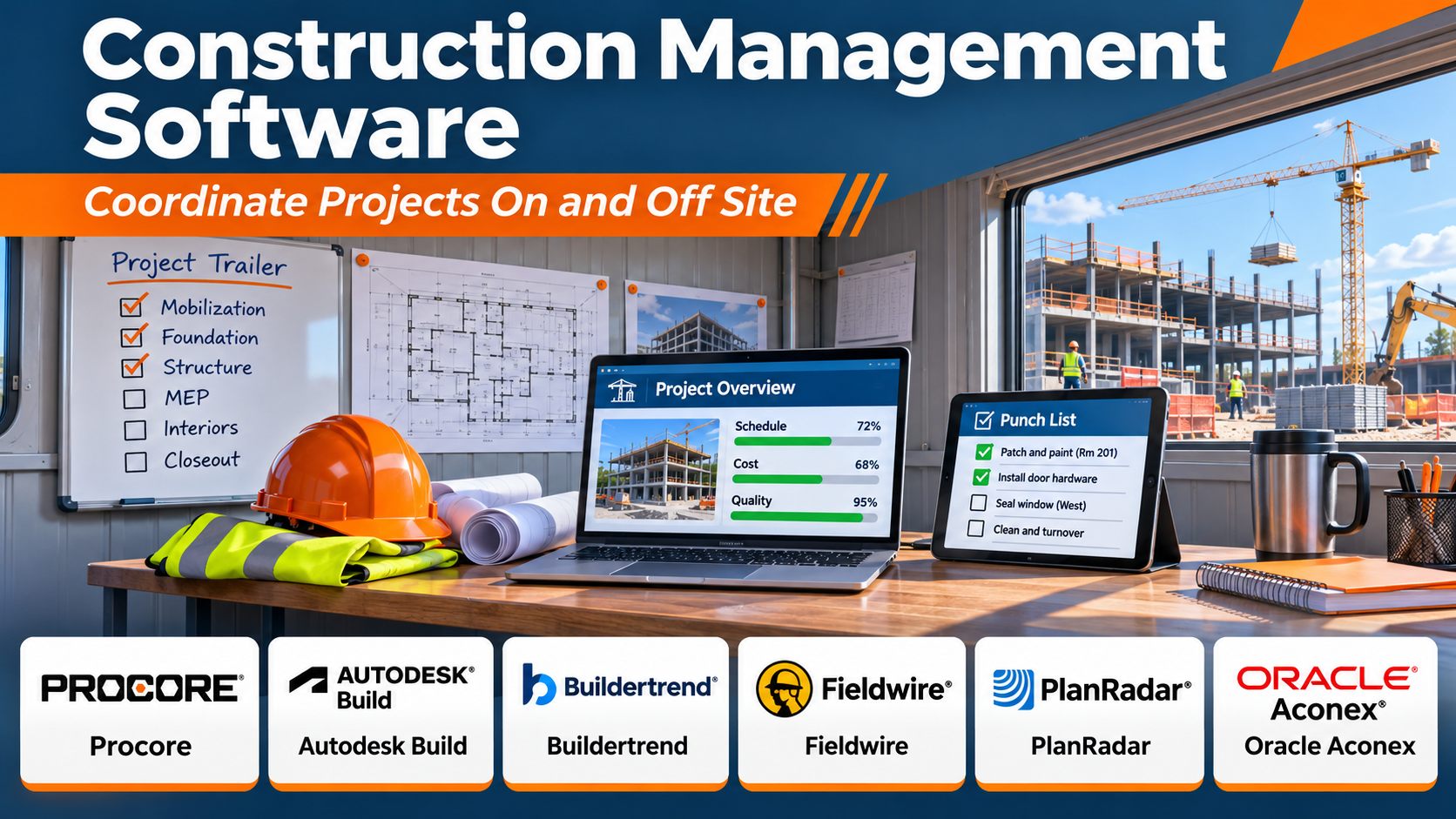
Construction management software helps organizations coordinate these activities through connected digital workflows.
A construction manager might use the software to review the project schedule, approve a subcontractor’s submittal, monitor an outstanding request for information, and compare committed costs against the project budget.
Field supervisors can access drawings, record daily progress, attach photographs, and report safety observations from mobile devices.
Financial teams can monitor purchase commitments, change orders, invoices, and projected costs. Executives can review portfolio-level information to identify projects requiring attention.
However, construction management software is not a single standardized product category. Some platforms emphasize document collaboration and field execution. Others specialize in construction financial management, project scheduling, residential building, or enterprise capital projects.
This guide compares ten established construction management platforms, explains their capabilities and limitations, and provides practical guidance for choosing software that fits a construction organization’s projects and workflows.
What Is Construction Management Software?
Construction management software is a category of digital tools used to plan, coordinate, document, monitor, and control construction projects.
It connects project information with the people responsible for delivering the work.
A typical system may manage project schedules, budgets, drawings, contracts, requests for information, submittals, inspections, change orders, and daily reports.
The software helps create a more consistent record of project activity.
For example, when a subcontractor discovers a conflict between architectural and mechanical drawings, the team can create a request for information, attach the relevant drawings, assign the question to the responsible designer, and record the response.
The approved response can then inform subsequent construction work and related project documentation.
Main Types of Construction Management Software
Project management platforms coordinate schedules, tasks, documentation, and project communication.
Construction financial management systems focus on budgets, commitments, cost tracking, contracts, and forecasting.
Field management applications support daily reports, inspections, drawings, and site coordination.
Residential construction platforms address homebuilding, remodeling, client selections, and homeowner communication.
Enterprise capital project systems manage complex programs, governance, document controls, and multiple projects.
Important Applications
- Project scheduling and milestone tracking.
- Construction budgeting and cost management.
- Requests for information and submittals.
- Drawing and document management.
- Change order administration.
- Subcontractor coordination.
- Site inspections and quality control.
- Safety documentation.
- Daily progress reporting.
- Project portfolio monitoring.
Top 10 Construction Management Software
The following platforms serve different project types and organizational sizes. The list is a comparison of established options rather than a universal ranking.
1. Procore
Overview
Procore is a construction management platform used by general contractors, specialty contractors, owners, and other construction stakeholders.
It provides connected tools for project management, field coordination, documentation, quality, safety, and financial workflows.
One of Procore’s important characteristics is its emphasis on connecting office teams with people working on construction sites.
A project manager can review RFIs, submittals, drawing revisions, and cost-related information, while field employees access relevant records through mobile devices.
Procore is particularly relevant to organizations managing commercial construction projects and seeking a broad platform rather than a collection of unrelated applications.
Implementation still requires standardized workflows, accurate project data, and clear responsibility for system administration.
Key Features
- Project document management: Organizes drawings, specifications, and project files.
- RFI management: Tracks questions, responses, and responsible parties.
- Submittal management: Coordinates review of required materials and documents.
- Financial management: Supports budgets, commitments, and cost-related workflows.
- Change management: Records proposed and approved project changes.
- Field reporting: Captures daily site information.
- Quality and safety tools: Supports inspections and issue documentation.
- Mobile access: Provides project information to field teams.
- Integrations and reporting: Connects supported systems and presents operational information.
Benefits
Procore can improve information consistency across project participants. Centralized records reduce the need to search through separate email chains for drawings, approvals, and construction updates.
Pros
- Broad construction-specific functionality.
- Strong office-to-field collaboration.
- Supports complex project documentation.
- Useful for general and specialty contractors.
- Provides integration opportunities.
- Suitable for growing construction portfolios.
Cons
- Implementation requires process planning.
- Licensing costs need careful evaluation.
- Extensive features may overwhelm smaller teams.
- Financial integrations can require additional configuration.
Practical Use Cases
Commercial construction: Coordinate drawings, RFIs, and subcontractors.
Field operations: Manage daily reports and inspections.
Project controls: Monitor changes, commitments, and project costs.
Best For: Mid-sized and large construction organizations seeking a connected management platform.
2. Autodesk Construction Cloud
Overview
Autodesk Construction Cloud provides construction management capabilities connected with Autodesk’s design and construction technology ecosystem.
Its offerings support document management, project collaboration, construction workflows, and connections between design information and field execution.
The platform is especially relevant to organizations working with building information modeling, digital drawings, and coordinated design processes.
For example, a construction team can manage drawing revisions and project issues while maintaining links to design information.
Autodesk’s product packaging and naming have evolved, so buyers should verify the current combination of capabilities available under their intended subscription.
Key Features
- Document management: Controls access to project files.
- Drawing coordination: Helps teams work with current construction drawings.
- Issue management: Records and tracks project problems.
- RFI workflows: Coordinates project questions.
- Submittal management: Supports document review processes.
- Field management: Captures site observations and checklists.
- Design coordination: Connects construction workflows with design models.
- Mobile access: Provides field information.
- Project insights: Supports reporting and visibility.
Benefits
Autodesk Construction Cloud can reduce gaps between design and construction teams by connecting documents, models, and field workflows.
Pros
- Strong design and construction alignment.
- Useful for BIM-oriented projects.
- Supports document collaboration.
- Provides field management capabilities.
- Relevant to multidisciplinary project teams.
Cons
- Product packaging requires review.
- Advanced BIM workflows need specialized knowledge.
- Integration planning can be complex.
- Smaller contractors may not need the full ecosystem.
Practical Use Cases
Design-build projects: Coordinate design and construction information.
Commercial construction: Manage issues and documents.
BIM-based coordination: Connect model information with project execution.
Best For: Contractors and design teams working extensively with Autodesk technology.
3. Oracle Aconex
Overview
Oracle Aconex is a construction and engineering project collaboration platform designed for complex projects involving many organizations.
It emphasizes controlled communication, document management, and formal project processes.
This approach is valuable on major infrastructure and capital projects where records must remain accessible across contractors, consultants, and owners.
Aconex can support structured document reviews and communication workflows that provide an organized history of project decisions.
Its governance-oriented approach may be more extensive than smaller contractors require.
Key Features
- Document control: Manages project information and revisions.
- Formal correspondence: Organizes project communications.
- Workflow management: Coordinates document reviews.
- Transmittals: Supports controlled document distribution.
- Project records: Maintains relevant communication history.
- Collaboration: Connects multiple project organizations.
- Model-related collaboration: Supports eligible design coordination workflows.
- Mobile capabilities: Provides supported field access.
- Reporting: Helps teams monitor project information.
Benefits
Oracle Aconex can strengthen document accountability and improve coordination across large, multi-organization projects.
Pros
- Strong document governance.
- Suitable for complex capital projects.
- Supports formal communication processes.
- Useful across organizational boundaries.
- Provides structured review workflows.
Cons
- More complex than basic project tools.
- Requires disciplined document processes.
- User training is important.
- Costs and implementation effort can be substantial.
Practical Use Cases
Infrastructure projects: Coordinate formal project correspondence.
Major capital works: Manage controlled document reviews.
Owner-contractor collaboration: Maintain consistent project records.
Best For: Large infrastructure and enterprise capital project teams.
4. Buildertrend
Overview
Buildertrend is a construction management platform focused primarily on residential builders, remodelers, and contractors.
It combines project scheduling, customer communication, selections, financial workflows, and related construction operations.
Residential construction introduces particular requirements, including homeowner decisions, allowances, design selections, and frequent client updates.
Buildertrend addresses these workflows through a connected platform intended for builders and their customers.
For example, a homebuilder can coordinate a project schedule, share updates with homeowners, manage selections, and monitor change requests.
Key Features
- Project scheduling: Coordinates residential construction activities.
- Customer communication: Shares project information with homeowners.
- Selections management: Organizes customer product and finish decisions.
- Change orders: Records approved project changes.
- Budgeting: Supports financial planning.
- Daily logs: Documents construction progress.
- Subcontractor coordination: Shares assignments and information.
- Document storage: Organizes project files.
- Financial integrations: Connects supported accounting workflows.
Benefits
Buildertrend can improve homeowner communication while helping builders coordinate project and financial information.
Pros
- Strong residential construction focus.
- Supports homeowner collaboration.
- Combines scheduling and selections.
- Useful for remodeling workflows.
- Provides construction financial features.
Cons
- Less suited to major infrastructure projects.
- Advanced features require onboarding.
- Subscription costs need evaluation.
- Financial integration requirements vary.
Practical Use Cases
Custom homebuilding: Coordinate selections and schedules.
Residential remodeling: Manage client changes.
Homeowner communication: Share project progress and decisions.
Best For: Residential builders and remodeling contractors.
5. CMiC
Overview
CMiC is an enterprise construction management and ERP platform designed to connect project operations with financial management.
It is particularly relevant to larger contractors that require consistent information across accounting, job costing, procurement, and project controls.
Rather than treating project management and accounting as unrelated activities, CMiC supports connected business workflows.
This can help organizations monitor how field decisions affect project financial performance.
However, enterprise integration and configuration require substantial planning.
Key Features
- Construction accounting: Supports project-related financial processes.
- Job costing: Tracks costs against project structures.
- Project management: Coordinates project activities.
- Budget management: Monitors financial plans.
- Commitment tracking: Organizes subcontract and purchasing obligations.
- Change management: Supports project change workflows.
- Document management: Stores relevant project records.
- Procurement: Supports purchasing processes.
- Enterprise reporting: Provides financial and operational visibility.
Benefits
CMiC can reduce inconsistencies between project management records and financial information.
Pros
- Strong construction ERP capabilities.
- Connects accounting and project operations.
- Suitable for large contractors.
- Supports detailed job costing.
- Useful for enterprise reporting.
Cons
- Significant implementation effort.
- Requires financial process standardization.
- User training can be extensive.
- May be excessive for small contractors.
Practical Use Cases
General contractors: Connect project and financial records.
Enterprise construction: Standardize job costing.
Financial controls: Monitor commitments and project performance.
Best For: Large contractors seeking integrated construction ERP functionality.
6. Viewpoint Vista
Overview
Viewpoint Vista, part of Trimble’s construction technology portfolio, is a construction ERP solution used for financial and operational management.
It is relevant to contractors requiring construction accounting, payroll-related processes, job costing, and connected project information.
Vista’s focus differs from field-first construction collaboration platforms because financial management is central to its value.
Organizations can use it to maintain consistent financial records across multiple construction jobs.
Key Features
- Construction accounting: Manages financial transactions.
- Job costing: Tracks costs by project.
- Payroll-related workflows: Supports construction workforce accounting requirements.
- Accounts payable: Manages supplier-related transactions.
- Project financial reporting: Reviews cost performance.
- Equipment-related management: Supports relevant operational records.
- Subcontract management: Coordinates financial obligations.
- Enterprise integration: Connects supported systems.
- Business reporting: Provides operational and financial analysis.
Benefits
Vista can help contractors strengthen financial visibility and manage construction-specific accounting requirements.
Pros
- Construction-focused financial capabilities.
- Strong job costing orientation.
- Useful for complex contractor accounting.
- Supports enterprise operations.
- Relevant to established contractors.
Cons
- Not primarily a lightweight field collaboration app.
- Implementation requires accounting expertise.
- Integration needs careful planning.
- May be too extensive for small firms.
Practical Use Cases
Construction accounting: Manage project financial records.
Job costing: Compare actual and planned costs.
Contractor operations: Coordinate financial and operational information.
Best For: Established contractors with complex accounting requirements.
7. Fieldwire
Overview
Fieldwire is a construction field management platform focused on task coordination, drawings, inspections, and jobsite collaboration.
It is particularly useful for superintendents, field engineers, specialty contractors, and construction crews.
Fieldwire helps connect on-site work with project plans and documented issues.
For example, a supervisor can identify an installation defect, place an issue on a drawing, attach a photograph, and assign the corrective task.
Its field-oriented design makes it useful for daily construction execution, although organizations requiring extensive enterprise financial management may need additional systems.
Key Features
- Task management: Assigns and tracks field activities.
- Drawing access: Provides construction plans to field teams.
- Issue documentation: Records site problems.
- Photo attachments: Captures visual evidence.
- Checklists: Standardizes inspections.
- Punch lists: Organizes outstanding work.
- Offline access: Supports eligible disconnected workflows.
- Team collaboration: Coordinates field employees.
- Reporting: Summarizes site tasks and findings.
Benefits
Fieldwire can improve communication between field teams and reduce delays caused by unclear assignments or outdated information.
Pros
- Strong jobsite focus.
- Accessible mobile workflows.
- Useful drawing-based task management.
- Supports inspections and punch lists.
- Relevant to specialty contractors.
Cons
- Less extensive construction accounting.
- Not a complete enterprise ERP.
- Advanced functionality varies by plan.
- Complex integrations need evaluation.
Practical Use Cases
Site coordination: Assign daily work.
Punch list management: Track defects.
Field inspections: Document project conditions.
Best For: Site supervisors, specialty contractors, and construction field teams.
8. Contractor Foreman
Overview
Contractor Foreman is a construction management platform designed to provide a broad set of contractor-oriented business tools.
It is relevant to smaller and growing contractors seeking project management, estimates, scheduling, financial tracking, and field documentation in one environment.
The platform addresses common operational requirements without the scope of a large enterprise ERP.
Its suitability depends on the complexity of projects, required integrations, and the organization’s preferred workflows.
Key Features
- Project management: Organizes construction jobs.
- Scheduling: Coordinates project activities.
- Estimating: Supports cost planning.
- Daily logs: Documents site activity.
- Change orders: Records project changes.
- RFIs and submittals: Supports project communication.
- Financial tracking: Monitors job-related costs.
- Safety and inspection tools: Supports field records.
- Reporting: Reviews project information.
Benefits
Contractor Foreman can help smaller contractors consolidate common management tasks into one application.
Pros
- Broad contractor functionality.
- Useful for smaller organizations.
- Combines field and office workflows.
- Includes multiple project management tools.
- Supports construction documentation.
Cons
- Enterprise complexity may exceed its scope.
- Feature depth varies by module.
- Setup still requires process planning.
- Integration requirements should be tested.
Practical Use Cases
Small general contractors: Manage daily project operations.
Remodeling: Track schedules and changes.
Contractor administration: Coordinate estimates and documents.
Best For: Small and growing construction businesses.
9. RedTeam
Overview
RedTeam is a construction management platform focused on commercial contractors and project administration.
It supports workflows involving preconstruction, project management, financial information, and collaboration.
Commercial contractors often need consistent coordination between estimating, contract administration, subcontractors, and project execution.
RedTeam addresses these connected activities through construction-specific processes.
It is particularly relevant to contractors seeking structured project controls without adopting an extensive general-purpose enterprise ERP.
Key Features
- Project management: Organizes project execution.
- Preconstruction workflows: Supports early project activities.
- Contract administration: Manages project agreements.
- Financial tracking: Supports project cost visibility.
- Change management: Coordinates changes.
- Subcontractor collaboration: Shares relevant information.
- Document management: Organizes project records.
- Workflow controls: Supports standardized processes.
- Reporting: Reviews project performance.
Benefits
RedTeam can help commercial contractors standardize project administration and improve coordination between operational and financial teams.
Pros
- Commercial construction orientation.
- Supports connected project workflows.
- Useful for contract administration.
- Relevant to general contractors.
- Provides project reporting.
Cons
- Less suited to every residential workflow.
- Implementation requires training.
- Integration depth needs evaluation.
- Costs depend on selected capabilities.
Practical Use Cases
Commercial general contracting: Coordinate project records.
Contract administration: Manage project commitments.
Preconstruction: Connect planning with execution.
Best For: Commercial general contractors.
10. e-Builder
Overview
e-Builder, part of Trimble’s construction technology portfolio, is a capital project management solution focused on owners and organizations managing construction programs.
It is especially relevant to universities, healthcare organizations, public agencies, and other institutions overseeing multiple capital projects.
Owner organizations have different priorities from contractors. They need consistent approval controls, program budgets, documentation, and oversight across numerous projects.
e-Builder supports these requirements through structured project and program management workflows.
Key Features
- Capital project management: Coordinates owner-led projects.
- Program visibility: Monitors multiple projects.
- Budget management: Tracks capital expenditure.
- Approval workflows: Supports controlled decisions.
- Document management: Organizes project records.
- Project controls: Monitors changes and commitments.
- Reporting: Provides portfolio information.
- Process standardization: Applies consistent workflows.
- Stakeholder collaboration: Coordinates project participants.
Benefits
e-Builder can help owners establish consistent governance across capital construction programs.
Pros
- Strong owner-focused capabilities.
- Useful for capital portfolios.
- Supports financial oversight.
- Provides approval workflows.
- Relevant to institutional projects.
Cons
- Not designed primarily for small trade contractors.
- Implementation requires governance planning.
- Enterprise costs may be substantial.
- User training is important.
Practical Use Cases
University capital programs: Manage campus construction.
Healthcare facilities: Coordinate building investments.
Public infrastructure: Monitor capital project delivery.
Best For: Construction owners and institutional capital project teams.
Construction Management Software Comparison Table
| Software | Primary Strength | Typical Users | Best Application |
|---|---|---|---|
| Procore | Connected project management | General contractors | Commercial construction |
| Autodesk Construction Cloud | Design-to-construction coordination | Contractors and designers | BIM-oriented projects |
| Oracle Aconex | Document governance | Major project teams | Infrastructure |
| Buildertrend | Residential workflows | Homebuilders | Residential construction |
| CMiC | Construction ERP | Large contractors | Financial integration |
| Viewpoint Vista | Construction accounting | Established contractors | Job costing |
| Fieldwire | Field execution | Site supervisors | Jobsite coordination |
| Contractor Foreman | Broad contractor tools | Smaller contractors | General project management |
| RedTeam | Commercial project administration | General contractors | Commercial projects |
| e-Builder | Owner capital projects | Institutional owners | Capital program oversight |
How to Choose the Right Construction Management Software
1. Identify Your Organization’s Role
Owners, general contractors, specialty contractors, and residential builders have different management requirements.
An owner may prioritize capital budgets and governance, while a subcontractor may focus on field coordination, productivity, and change documentation.
2. Evaluate Project Size and Complexity
Consider the number of concurrent projects, contract values, subcontractors, document volumes, and geographic locations.
A small remodeling company may not need the same platform as an international infrastructure contractor.
3. Define Essential Workflows
Document how your organization handles schedules, RFIs, submittals, changes, inspections, and financial reporting.
Prioritize workflows that create the greatest administrative burden or project risk.
4. Examine Document Control
Construction teams must know which drawings and specifications are approved for use.
Evaluate revision management, access permissions, document distribution, and approval records.
5. Review Financial Requirements
Determine whether the software must support budgets, commitments, invoices, cost forecasts, and accounting integration.
6. Test Field Usability
Supervisors and technicians should be able to find drawings, complete reports, and record issues without unnecessary steps.
Offline access may be important on sites with unreliable connectivity.
7. Evaluate Integrations
Identify required connections with accounting, estimating, scheduling, design, payroll, and procurement applications.
8. Review Security and Governance
Assess permissions, audit information, retention requirements, and access for external project participants.
9. Compare Total Ownership Costs
Include software subscriptions, implementation, migration, integrations, training, administration, and support.
10. Run a Project Pilot
Use one representative project to test real workflows before expanding across the organization.
Best Construction Management Software by User Type
| User Type | Tool to Evaluate | Reason |
|---|---|---|
| Commercial general contractor | Procore | Broad project workflows |
| BIM-oriented contractor | Autodesk Construction Cloud | Design coordination |
| Infrastructure project team | Oracle Aconex | Formal document controls |
| Residential builder | Buildertrend | Homeowner and selections workflows |
| Large construction enterprise | CMiC | Integrated financial operations |
| Construction finance team | Viewpoint Vista | Construction accounting |
| Field superintendent | Fieldwire | Drawing-based tasks |
| Small contractor | Contractor Foreman | Broad operational tools |
| Commercial contractor | RedTeam | Contract and project administration |
| Institutional project owner | e-Builder | Capital program governance |
Practical Example: Implementing Construction Management Software
A commercial general contractor manages six active projects. Its project managers use separate spreadsheets for budgets, email for RFIs, and shared folders for drawings.
Leadership wants a consistent project management system.
Step 1: Document Existing Processes
Interview project managers, estimators, accountants, and field supervisors.
Map how information moves between teams.
Step 2: Define Project Data Standards
Create consistent project names, cost codes, document categories, and responsibility assignments.
Step 3: Select a Pilot Project
Choose an active project with representative workflows and manageable complexity.
Step 4: Configure Document Management
Upload approved drawings, specifications, and project documents.
Establish revision and access rules.
Step 5: Configure RFIs and Submittals
Define reviewers, response responsibilities, and approval procedures.
Step 6: Connect Financial Information
Set up budgets and approved accounting integrations where required.
Step 7: Train Office and Field Teams
Use role-specific examples rather than generic software demonstrations.
Step 8: Measure Results
Monitor document retrieval time, overdue RFIs, reporting consistency, change processing, and employee adoption.
After the pilot, improve the configuration before expanding to additional projects.
Common Mistakes to Avoid
- Buying software before defining processes: Document operational requirements first.
- Ignoring field employees: Include site teams in selection and testing.
- Migrating outdated documents: Validate records before uploading them.
- Overcomplicating permissions: Create clear role-based access rules.
- Failing to standardize cost codes: Consistent financial structures improve reporting.
- Automating unclear approvals: Define authority before configuring workflows.
- Skipping integration testing: Verify data exchange with accounting and scheduling systems.
- Neglecting training: Provide practical instruction for each user group.
Frequently Asked Questions
1. What is construction management software?
It is software used to plan, coordinate, document, and monitor construction projects.
2. Who uses construction management platforms?
General contractors, subcontractors, owners, architects, engineers, and project managers.
3. Can construction software manage project schedules?
Many platforms support scheduling or integrate with dedicated scheduling tools.
4. What is an RFI?
A request for information is a formal question seeking clarification about project requirements.
5. What is a construction submittal?
It is a document or sample submitted for review under project requirements.
6. Can construction software manage change orders?
Many products provide change management workflows.
7. Can subcontractors access project information?
Many platforms support controlled collaboration with external participants.
8. What is construction document control?
It is the management of document versions, approvals, access, and distribution.
9. Can field teams use construction software on mobile devices?
Most modern platforms provide mobile capabilities.
10. Does construction software work offline?
Some field applications support offline workflows.
11. Can construction software track budgets?
Many products support project financial management.
12. What is job costing?
It is the process of tracking costs against individual construction projects or cost categories.
13. Is construction ERP different from project management software?
Yes. ERP typically emphasizes enterprise financial and operational processes, while project management focuses on project execution.
14. What is BIM integration?
It connects building information modeling data with related project workflows.
15. Can construction software support inspections?
Many platforms provide checklists and inspection records.
16. Can it manage punch lists?
Several tools support outstanding work and defect tracking.
17. Is residential construction software different?
Residential platforms often emphasize homeowner communication, selections, and remodeling workflows.
18. Can owners use construction management software?
Yes. Owner-focused systems support capital project oversight.
19. Does construction software integrate with accounting?
Many platforms provide accounting integrations or built-in financial functionality.
20. How does construction software improve collaboration?
It provides shared project information and structured communication workflows.
21. Can construction software reduce project delays?
It can help teams identify and resolve coordination problems, but outcomes depend on project management practices.
22. How should businesses evaluate security?
Review authentication, access permissions, document controls, and data retention.
23. How long does implementation take?
Implementation varies according to project complexity, integrations, migration, and training.
24. What should contractors test before buying?
Test document control, RFIs, submittals, field reporting, financial workflows, and integrations.
25. Which construction management software is best?
The best choice depends on organizational role, project complexity, workflows, integrations, and budget.
Final Thoughts
Construction management software helps project teams coordinate information, responsibilities, documents, and financial activities.
Procore and Autodesk Construction Cloud provide broad construction workflows, while Oracle Aconex emphasizes controlled collaboration on complex projects.
Buildertrend serves residential construction, and CMiC and Viewpoint Vista address construction financial management.
Fieldwire focuses on field execution, Contractor Foreman supports smaller contractors, RedTeam serves commercial construction workflows, and e-Builder helps owners manage capital programs.
No single platform is ideal for every construction organization.
The most effective selection process begins with actual project requirements, includes office and field users, and tests essential workflows before deployment.
With appropriate implementation and ongoing governance, construction management software can improve project visibility, strengthen documentation, and support more consistent project delivery.