Introduction
Meetings are essential to coordination, but holding more meetings does not necessarily produce better decisions.
A typical organization conducts project reviews, leadership discussions, departmental updates, client meetings, and recurring operational sessions. Each meeting requires preparation, participation, documentation, and follow-up.
When these activities are poorly managed, employees may attend discussions without understanding their purpose. Agendas may arrive too late for meaningful preparation. Important decisions may be forgotten, and action items may remain unresolved.
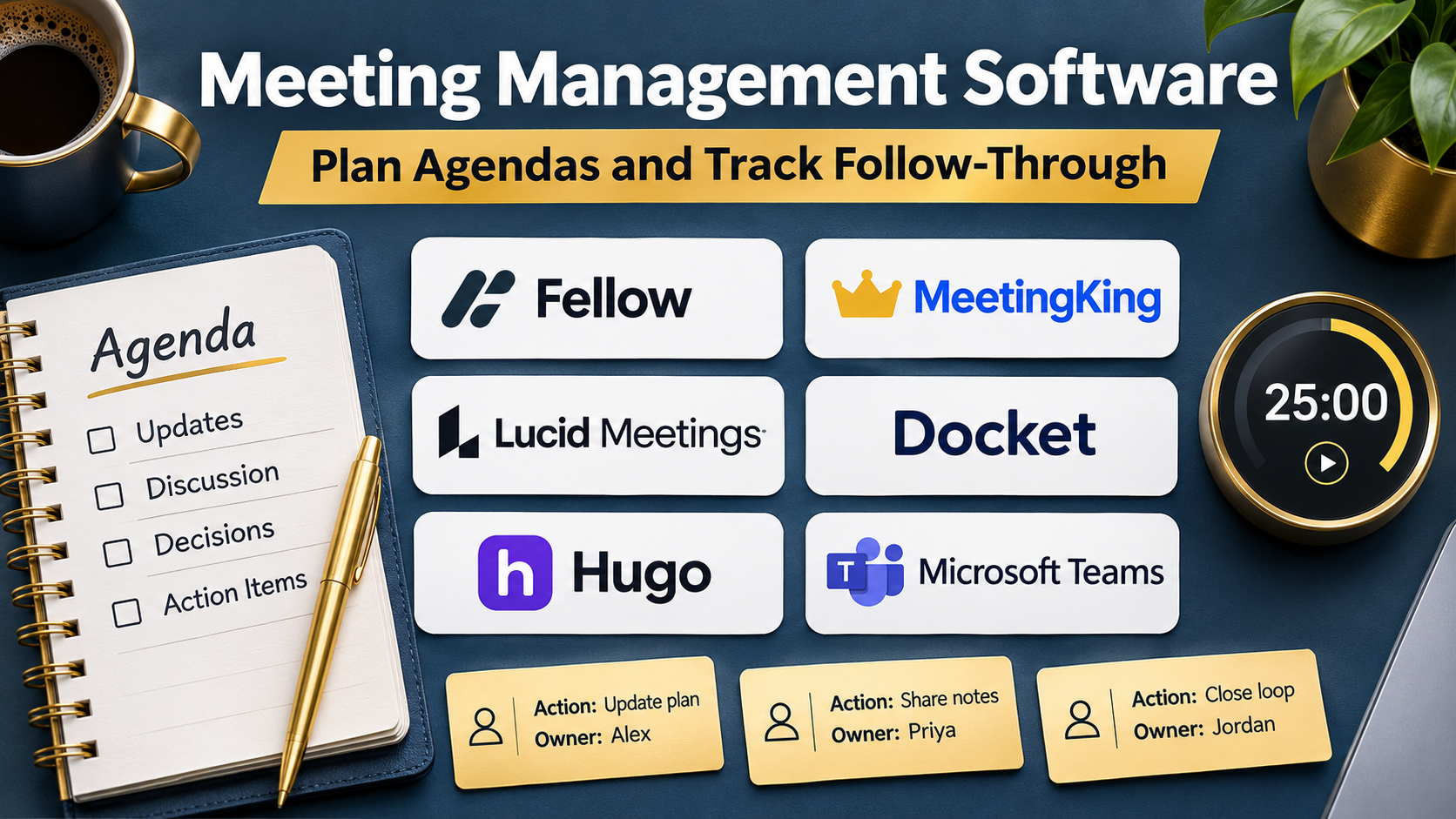
Meeting management software helps organizations establish more consistent processes before, during, and after meetings.
Unlike basic video conferencing software, meeting management platforms focus on how discussions are prepared, conducted, documented, and converted into results.
Some products emphasize collaborative agendas and meeting notes. Others support formal minutes, decisions, voting, approvals, action tracking, and recurring governance workflows.
The category also overlaps with AI meeting assistants, but the two are not identical.
An AI assistant can generate a useful summary without ensuring that a meeting had a clear objective or that participants completed assigned actions.
Effective meeting management requires both technology and disciplined working practices.
This guide compares ten meeting management platforms, explains their capabilities and limitations, and provides practical instructions for selecting and implementing the right solution.
What Is Meeting Management Software?
Meeting management software is a category of business applications that helps teams plan, conduct, document, and follow up on meetings.
Typical capabilities include:
- Meeting agenda creation.
- Agenda templates.
- Participant preparation.
- Collaborative discussion notes.
- Meeting minutes.
- Decision recording.
- Action item assignment.
- Task deadlines.
- Attendance records.
- Recurring meeting management.
- Document sharing.
- Voting and approvals.
- Meeting history.
- Calendar integrations.
- AI-generated summaries.
- Administrative permissions.
- Reporting and analytics.
Not every platform provides all these capabilities.
For example, a small team may need collaborative agendas and task tracking, while a formal committee may require approved minutes and decision registers.
Meeting Management vs. Video Conferencing
Video conferencing tools provide the technology for participants to communicate remotely.
Meeting management software provides structure around the discussion.
An organization may use Microsoft Teams or Zoom for the conversation and a separate meeting management platform for agendas, minutes, decisions, and follow-up.
Meeting Management vs. AI Meeting Notes
AI meeting notes tools capture and summarize conversations.
Meeting management platforms generally address a broader workflow that begins before the meeting and continues after it.
Some products combine both approaches.
Meeting Management vs. Board Management
Board management software focuses on formal governance activities such as board packs, resolutions, confidential documents, and approvals.
General meeting management software may not provide the specialized governance controls required for boards.
Organizations should distinguish these requirements during selection.
How Meeting Management Software Works
Step 1: Define the Meeting Purpose
The organizer identifies the decision, problem, or coordination requirement that justifies the meeting.
Step 2: Select Participants
Invite only people whose input, authority, or responsibilities are relevant.
Step 3: Prepare the Agenda
Create discussion topics, expected outcomes, and time allocations.
Step 4: Distribute Supporting Materials
Share relevant documents before the meeting.
Step 5: Collect Preparation Inputs
Participants review materials and add questions or updates.
Step 6: Conduct the Meeting
The chair follows the agenda and manages discussion time.
Step 7: Record Decisions
Document what was agreed, including important conditions or exceptions.
Step 8: Assign Actions
Identify the responsible person, task, and expected completion date.
Step 9: Review the Minutes
Verify important statements and approvals.
Step 10: Distribute the Record
Share approved information with authorized participants.
Step 11: Track Outstanding Actions
Review unresolved commitments between meetings.
Step 12: Improve the Process
Evaluate meeting effectiveness and refine future agendas.
Why Organizations Need Meeting Management Software
Better Preparation
Participants can review materials and understand the expected outcomes.
More Focused Discussions
Structured agendas reduce unnecessary diversions.
Clearer Decisions
A decision register helps prevent disagreement about what was approved.
Stronger Accountability
Assigned tasks have identifiable owners and deadlines.
Reduced Administrative Work
Templates and recurring workflows simplify preparation.
Better Organizational Memory
Searchable records preserve information across staff changes.
Improved Governance
Formal workflows can support consistent documentation and approvals.
More Effective Follow-up
Unfinished actions can return to the next relevant meeting.
These benefits require consistent adoption. Software cannot compensate for meetings without clear objectives or accountable leadership.
Top 10 Meeting Management Software Platforms
1. Fellow
Best For: Teams seeking collaborative agendas, AI meeting documentation, and follow-up management.
Overview
Fellow is a meeting management platform designed to support structured collaboration before, during, and after meetings.
It combines meeting agendas, notes, action items, and AI-assisted documentation within a connected workflow.
For example, an engineering manager may hold weekly team meetings covering project risks, upcoming deadlines, and decisions requiring approval.
Fellow can provide a recurring agenda that participants update before the meeting. During the discussion, the team can document outcomes and assign follow-up responsibilities.
This approach helps shift meetings away from unstructured status reporting.
Fellow is also relevant to one-on-one meetings, leadership discussions, and cross-functional coordination.
However, teams should avoid assuming that AI-generated summaries are verified records. Important decisions and assignments still require review.
Key Features
- Collaborative Agendas: Participants contribute topics before meetings.
- Recurring Templates: Standardizes repeated meeting formats.
- AI Meeting Notes: Produces draft summaries from supported conversations.
- Action Items: Records responsibilities and follow-up work.
- Meeting History: Preserves previous discussions.
- Calendar Integration: Connects meeting workflows with supported calendars.
- Collaborative Notes: Enables shared documentation.
- Meeting Search: Helps retrieve earlier information.
- Administrative Controls: Supports organizational access and configuration.
Benefits
Fellow can make recurring meetings more consistent and improve accountability.
It is particularly useful when organizations want agendas and follow-up actions in the same system.
Pros
- Strong agenda management.
- Useful recurring meeting templates.
- Combines notes and action items.
- AI-assisted documentation.
- Suitable for management workflows.
- Relevant integrations.
Cons
- Requires employees to adopt new habits.
- AI-generated content needs verification.
- Some capabilities depend on subscription plans.
- May overlap with existing task management software.
- Formal board governance may require specialized software.
Practical Use Cases
- Weekly leadership meetings.
- Employee one-on-ones.
- Project reviews.
- Departmental coordination.
Best For: Teams seeking structured everyday meetings.
2. Beenote
Best For: Organizations requiring agendas, formal minutes, decisions, and meeting follow-up.
Overview
Beenote focuses on the complete meeting lifecycle, including preparation, execution, and documentation.
It is relevant to organizations that need more formal meeting records than an ordinary shared document provides.
For example, a nonprofit committee may need to distribute an agenda, document decisions, and track responsibilities between sessions.
Beenote can support structured meeting records and associated tasks.
Its emphasis on meeting documentation makes it useful when consistency matters.
However, organizations must still determine whether the product satisfies their specific governance, legal, and recordkeeping requirements.
A platform that records decisions does not automatically establish that those decisions were authorized.
Key Features
- Agenda Preparation: Organizes discussion topics.
- Meeting Templates: Supports repeatable structures.
- Minutes Management: Documents meeting proceedings.
- Decision Recording: Preserves approved outcomes.
- Task Assignment: Tracks follow-up responsibilities.
- Meeting Archives: Organizes previous sessions.
- Participant Roles: Supports meeting responsibilities.
- Document Sharing: Distributes supporting materials.
- Meeting Reporting: Provides relevant activity information.
Benefits
Beenote helps teams maintain structured meeting records and track commitments.
Pros
- Strong meeting lifecycle orientation.
- Useful formal minutes capabilities.
- Supports decision documentation.
- Relevant to committees.
- Helps organize meeting history.
Cons
- Requires disciplined documentation.
- Interface preferences vary by team.
- Integrations need evaluation.
- Formal compliance requires separate review.
- May be excessive for informal meetings.
Practical Use Cases
- Committee meetings.
- Nonprofit governance.
- Department reviews.
- Formal internal meetings.
Best For: Organizations emphasizing structured meeting records.
3. MeetingBooster
Best For: Organizations seeking comprehensive agenda, minutes, and action tracking workflows.
Overview
MeetingBooster provides meeting management capabilities covering preparation, meeting execution, documentation, and follow-up.
It is relevant to organizations that need a consistent process for meetings involving multiple participants and decisions.
For example, an operations department may conduct monthly performance reviews involving managers from several business units.
MeetingBooster can help organize the agenda, document discussions, record decisions, and assign tasks.
Its structured approach is useful when meetings must produce traceable outcomes.
However, administrators should evaluate how easily participants can use the system during fast-moving discussions.
A detailed meeting platform should simplify the process rather than introduce unnecessary administrative work.
Key Features
- Agenda Builder: Organizes meeting topics and time allocations.
- Meeting Preparation: Supports pre-meeting tasks and materials.
- Attendance Tracking: Records participant information.
- Meeting Minutes: Captures proceedings.
- Decision Management: Documents meeting outcomes.
- Task Allocation: Assigns follow-up responsibilities.
- Meeting Tools: Supports selected voting and discussion activities.
- Meeting History: Preserves previous records.
- Follow-up Reporting: Helps monitor outstanding actions.
Benefits
MeetingBooster can help organizations standardize formal meeting procedures.
Pros
- Broad meeting management scope.
- Detailed agenda capabilities.
- Supports decisions and tasks.
- Relevant attendance features.
- Useful for recurring reviews.
Cons
- More configuration than lightweight note-taking tools.
- Adoption requires training.
- Integration compatibility needs verification.
- Pricing and feature availability vary.
- Not every meeting needs extensive documentation.
Practical Use Cases
- Operational reviews.
- Department meetings.
- Project governance.
- Management committees.
Best For: Teams requiring structured meeting administration.
4. MeetingKing
Best For: Small and midsize teams seeking agendas, minutes, and task tracking.
Overview
MeetingKing focuses on helping teams prepare meetings and preserve their outcomes.
Its workflow centers on meeting agendas, notes, decisions, and follow-up tasks.
For example, a small consulting firm may hold weekly project meetings and need a reliable record of client deliverables.
MeetingKing can help maintain a consistent agenda and document the resulting responsibilities.
Its relatively focused approach may appeal to teams that do not require extensive enterprise governance systems.
However, buyers should evaluate integration requirements and confirm that the platform supports their preferred collaboration workflow.
Key Features
- Meeting Agendas: Prepares discussion outlines.
- Agenda Templates: Supports repeatable meetings.
- Meeting Minutes: Documents discussions.
- Task Management: Tracks assigned work.
- Meeting History: Stores earlier records.
- Participant Collaboration: Supports relevant contributions.
- Meeting Invitations: Helps coordinate sessions.
- Follow-up Tracking: Reviews unresolved tasks.
- Meeting Documentation: Organizes related information.
Benefits
MeetingKing can provide a practical structure for recurring team meetings.
Pros
- Focused meeting workflow.
- Supports agendas and minutes.
- Useful action tracking.
- Appropriate for smaller teams.
- Helps preserve meeting history.
Cons
- Advanced enterprise capabilities may be limited.
- Integration coverage requires review.
- May duplicate existing collaboration tools.
- Users must maintain accurate tasks.
- Specialized governance needs may require alternatives.
Practical Use Cases
- Small business meetings.
- Client project reviews.
- Department coordination.
- Team planning sessions.
Best For: Teams seeking straightforward meeting management.
5. Magic Minutes
Best For: Organizations prioritizing meeting minutes and action tracking.
Overview
Magic Minutes is a meeting management solution oriented toward structured meeting records and follow-up.
It is relevant to organizations that want meeting minutes to remain consistent across recurring discussions.
For example, a facilities management team may hold weekly meetings covering maintenance requests, safety concerns, and operational decisions.
A structured minutes workflow can help document what happened and identify tasks requiring attention.
Magic Minutes can support this style of meeting administration.
However, organizations should verify the exact integration, permission, and reporting features available in their intended deployment.
Key Features
- Agenda Preparation: Organizes discussion topics.
- Minutes Creation: Documents meeting outcomes.
- Action Tracking: Records assigned tasks.
- Recurring Meetings: Supports repeated sessions.
- Meeting Templates: Encourages consistent formatting.
- Participant Information: Maintains relevant meeting details.
- Follow-up Records: Preserves unfinished actions.
- Document Distribution: Shares relevant outputs.
- Meeting Archives: Organizes historical records.
Benefits
Magic Minutes can reduce inconsistencies in recurring meeting documentation.
Pros
- Focused minutes workflow.
- Supports follow-up actions.
- Useful for recurring meetings.
- Encourages structured records.
- Relevant to operational teams.
Cons
- Feature scope requires verification.
- May not offer advanced AI capabilities.
- Integrations may be narrower than broad collaboration suites.
- Requires accurate manual review.
- Not a substitute for formal approval procedures.
Practical Use Cases
- Operational meetings.
- Facilities reviews.
- Committee documentation.
- Team action tracking.
Best For: Organizations emphasizing minutes and follow-up.
6. WEDO
Best For: Teams combining meeting management with collaborative task execution.
Overview
WEDO is a collaboration platform that connects meetings, tasks, and team coordination.
It is relevant to organizations that want meeting outcomes to become actionable work.
For example, a cross-functional project team may discuss implementation problems and assign responsibilities during weekly reviews.
WEDO can help organize meeting information and connect it with task management.
This can reduce the separation between discussion and execution.
However, organizations should consider whether the platform overlaps with existing project management software.
Adopting a second task system without clear ownership may fragment accountability.
Key Features
- Meeting Agendas: Structures discussions.
- Meeting Notes: Preserves relevant outcomes.
- Task Management: Tracks responsibilities.
- Team Collaboration: Supports shared work.
- Recurring Meetings: Organizes repeated sessions.
- Action Follow-up: Connects meeting outcomes to tasks.
- Workspace Organization: Groups related activities.
- Progress Visibility: Shows relevant task status.
- Notification Workflows: Supports selected updates.
Benefits
WEDO can help teams connect meeting decisions with execution.
Pros
- Combines meetings and tasks.
- Useful for cross-functional work.
- Supports recurring workflows.
- Encourages follow-up.
- Relevant collaborative features.
Cons
- May overlap with existing task platforms.
- Requires process alignment.
- Advanced governance features need evaluation.
- Integration compatibility varies.
- Teams must avoid duplicate task records.
Practical Use Cases
- Project coordination.
- Operational meetings.
- Team task reviews.
- Cross-functional planning.
Best For: Teams connecting meetings and task management.
7. Yabbu
Best For: Organizations seeking more structured and asynchronous meeting preparation.
Overview
Yabbu focuses on making meetings more productive through preparation and structured participation.
Its approach is relevant to teams that want participants to review topics and contribute before a live discussion.
For example, a distributed management team may need to collect feedback on several proposals.
Instead of spending the entire meeting presenting background information, participants can review materials beforehand.
This can reserve live meeting time for unresolved questions and decisions.
However, asynchronous preparation requires employee participation.
If team members consistently ignore pre-meeting materials, the expected time savings may not occur.
Key Features
- Meeting Preparation: Organizes topics before discussion.
- Agenda Collaboration: Supports participant contributions.
- Asynchronous Input: Collects relevant feedback.
- Meeting Structure: Encourages focused discussions.
- Decision Support: Helps organize outcomes.
- Action Follow-up: Supports relevant responsibilities.
- Recurring Workflows: Organizes repeated meetings.
- Meeting Documentation: Preserves relevant records.
- Participant Coordination: Supports preparation and engagement.
Benefits
Yabbu can help organizations reduce unnecessary live discussion by improving preparation.
Pros
- Strong preparation orientation.
- Supports asynchronous participation.
- Encourages focused meetings.
- Relevant to distributed teams.
- Helps structure discussions.
Cons
- Depends on participant preparation.
- Specialized workflow may require training.
- Integration support needs verification.
- Not primarily a video conferencing platform.
- Formal governance needs may require additional controls.
Practical Use Cases
- Distributed leadership meetings.
- Planning sessions.
- Proposal reviews.
- Cross-team decisions.
Best For: Teams emphasizing preparation before meetings.
8. Boardable
Best For: Nonprofits and boards requiring meeting governance and document management.
Overview
Boardable is a board management platform that includes meeting preparation and governance workflows.
It is relevant to nonprofit organizations and boards that need more formal documentation than ordinary team meetings.
For example, a nonprofit board may need to distribute agenda packets, record minutes, and preserve decisions.
Boardable can support relevant meeting and document workflows.
Its focus differs from general-purpose meeting management software.
Board governance involves responsibilities related to confidentiality, approvals, records, and organizational policy.
Organizations should verify whether the platform supports their specific procedural and legal requirements.
Key Features
- Board Meeting Agendas: Structures governance discussions.
- Board Packets: Organizes supporting materials.
- Minutes Management: Documents meeting outcomes.
- Document Sharing: Distributes authorized files.
- Member Collaboration: Supports board communication.
- Meeting Scheduling: Coordinates relevant sessions.
- Action Tracking: Records follow-up responsibilities.
- Permissions: Restricts sensitive materials.
- Governance Records: Organizes historical documents.
Benefits
Boardable can help boards manage meeting preparation and documentation in a dedicated environment.
Pros
- Strong board-oriented workflow.
- Useful document organization.
- Supports formal meeting records.
- Relevant to nonprofits.
- Helps centralize governance materials.
Cons
- Specialized for board use.
- May be excessive for ordinary team meetings.
- Governance requirements vary.
- Commercial costs require evaluation.
- Requires disciplined records management.
Practical Use Cases
- Nonprofit board meetings.
- Committee governance.
- Board packet distribution.
- Formal decision documentation.
Best For: Nonprofit boards and governance committees.
9. Diligent Boards
Best For: Enterprises requiring secure board meeting preparation and governance workflows.
Overview
Diligent Boards is a board management solution designed for formal governance environments.
It is relevant to organizations that handle confidential board materials, resolutions, and executive discussions.
For example, a large company may need to distribute sensitive financial reports to directors before a board meeting.
A dedicated board portal can help organize materials and manage authorized access.
Diligent Boards supports governance-oriented meeting workflows rather than general employee meeting administration.
Its value is strongest where confidentiality, formal processes, and board documentation are central requirements.
However, organizations should not assume that using a board portal automatically satisfies every regulatory obligation.
Key Features
- Board Portals: Centralizes governance materials.
- Agenda Management: Organizes board discussions.
- Board Packs: Distributes meeting documents.
- Secure Access: Restricts confidential information.
- Document Annotation: Supports relevant review.
- Meeting Records: Preserves authorized documentation.
- Governance Workflows: Supports selected approvals.
- Administrative Controls: Manages access and distribution.
- Board Collaboration: Supports directors and administrators.
Benefits
Diligent Boards can help enterprises manage confidential board meeting materials.
Pros
- Strong governance focus.
- Suitable for confidential documents.
- Supports board preparation.
- Relevant enterprise administration.
- Useful director collaboration.
Cons
- More specialized than team meeting tools.
- Enterprise implementation may be involved.
- Costs require direct evaluation.
- Requires governance process alignment.
- Not designed primarily for informal team meetings.
Practical Use Cases
- Corporate board meetings.
- Executive governance.
- Confidential board packs.
- Committee administration.
Best For: Enterprises with formal board governance requirements.
10. Stratsys Meetings
Best For: Organizations connecting structured meetings with management and operational follow-up.
Overview
Stratsys provides management-oriented software capabilities, including structured meeting workflows.
It is relevant to organizations that want recurring meetings to support management processes and organizational objectives.
For example, a management team may review performance indicators, discuss risks, and assign corrective actions.
A structured meeting platform can help preserve continuity between these sessions.
Stratsys Meetings is relevant to organizations seeking repeatable management routines rather than informal note-taking alone.
However, buyers should verify product packaging, supported integrations, and the exact meeting capabilities available in their market.
Key Features
- Meeting Agendas: Organizes discussion topics.
- Recurring Meeting Structures: Supports repeated reviews.
- Meeting Documentation: Preserves relevant outcomes.
- Action Management: Tracks follow-up tasks.
- Management Workflows: Connects meetings with operational processes.
- Decision Records: Supports outcome documentation.
- Progress Tracking: Reviews outstanding responsibilities.
- Reporting: Provides relevant management information.
- Access Controls: Restricts authorized information.
Benefits
Stratsys Meetings can help organizations connect management discussions with operational follow-through.
Pros
- Relevant management process focus.
- Supports structured meetings.
- Encourages recurring review.
- Connects actions with outcomes.
- Useful for organizational coordination.
Cons
- Exact product scope requires verification.
- May be more specialized than lightweight tools.
- Implementation requires process design.
- Integrations need evaluation.
- Regional availability and licensing may vary.
Practical Use Cases
- Management reviews.
- Operational performance meetings.
- Risk discussions.
- Recurring leadership sessions.
Best For: Organizations using structured management routines.
Meeting Management Software Comparison Table
| Platform | Primary Strength | Best For | Key Consideration |
|---|---|---|---|
| Fellow | Agendas and AI notes | Business teams | Adoption |
| Beenote | Formal meeting records | Committees | Governance requirements |
| MeetingBooster | Full meeting lifecycle | Operations | Configuration |
| MeetingKing | Simple meeting administration | Small teams | Integration depth |
| Magic Minutes | Minutes and actions | Recurring meetings | Feature scope |
| WEDO | Meetings and tasks | Project teams | Workflow overlap |
| Yabbu | Asynchronous preparation | Distributed teams | Participation |
| Boardable | Nonprofit board meetings | Nonprofits | Specialized focus |
| Diligent Boards | Enterprise board governance | Large organizations | Cost and complexity |
| Stratsys Meetings | Management routines | Leadership teams | Product fit |
How to Choose Meeting Management Software
Step 1: Identify Meeting Types
List recurring team meetings, leadership sessions, project reviews, committees, and formal board meetings.
Different meetings may require different levels of documentation.
Step 2: Define Required Outcomes
Determine whether meetings should produce decisions, action items, approvals, or information sharing.
Step 3: Review Agenda Requirements
Evaluate templates, participant contributions, supporting documents, and preparation deadlines.
Step 4: Assess Documentation
Determine whether the platform supports informal notes, formal minutes, or both.
Step 5: Evaluate Decision Tracking
Check whether decisions can be identified, approved, and retrieved later.
Step 6: Test Action Management
Confirm that actions have owners, deadlines, and status information.
Step 7: Review Integrations
Evaluate compatibility with calendars, video conferencing, document systems, and task management applications.
Step 8: Assess Permissions
Determine who can view confidential discussions and governance materials.
Step 9: Evaluate AI Features
Test summary accuracy and review procedures.
Step 10: Calculate Total Cost
Include subscriptions, implementation, training, and administrative effort.
Step 11: Conduct a Pilot
Use representative meetings to test preparation, documentation, and follow-up.
Step 12: Establish Ownership
Assign responsibility for agendas, minutes, decisions, and unresolved actions.
Best Meeting Management Software by User Type
| User Type | Suitable Platforms | Main Requirement |
|---|---|---|
| General business teams | Fellow | Collaborative agendas |
| Committees | Beenote, MeetingBooster | Formal records |
| Small businesses | MeetingKing | Simple meeting administration |
| Operations teams | Magic Minutes, Stratsys Meetings | Recurring reviews |
| Project teams | WEDO | Action tracking |
| Distributed teams | Yabbu | Preparation |
| Nonprofit boards | Boardable | Board documentation |
| Enterprise boards | Diligent Boards | Governance and confidentiality |
Practical Example: Improving Weekly Leadership Meetings
A company holds a weekly leadership meeting lasting 90 minutes.
Participants frequently repeat previous discussions because decisions and actions are not documented consistently.
Step 1: Define the Objective
Reduce repeated discussion and improve follow-up accountability.
Step 2: Review Existing Meetings
Examine agendas, attendance, decisions, and outstanding actions.
Step 3: Choose a Meeting Owner
Assign responsibility for preparation and documentation.
Step 4: Select a Platform
Evaluate Fellow, MeetingBooster, and Beenote against the organization’s requirements.
Step 5: Create a Standard Agenda
Include performance updates, unresolved issues, decisions required, and action reviews.
Step 6: Require Preparation
Ask participants to review materials before the meeting.
Step 7: Set Discussion Time Limits
Allocate time according to the importance of each topic.
Step 8: Record Decisions Explicitly
Document the approved action, responsible authority, and relevant conditions.
Step 9: Assign Tasks
Give each action a clear owner and deadline.
Step 10: Review Minutes
Confirm that the record accurately reflects the discussion.
Step 11: Distribute Approved Notes
Share the record with appropriate participants.
Step 12: Review Outstanding Actions
Begin the next meeting by checking unresolved commitments.
Step 13: Measure Results
Compare meeting duration, repeated topics, completed actions, and participant feedback.
Common Meeting Management Mistakes
1. Holding Meetings Without Objectives
Every meeting should have a clear purpose.
2. Preparing Agendas Too Late
Participants need time to review important information.
3. Inviting Unnecessary Participants
Large meetings can increase coordination costs.
4. Confusing Discussion With Decisions
Potential options should not be recorded as approved actions.
5. Failing to Assign Owners
Tasks without owners are difficult to complete.
6. Ignoring Unfinished Actions
Unresolved commitments should remain visible.
7. Overcomplicating Documentation
Meeting records should be proportionate to the purpose.
8. Treating AI Summaries as Official Minutes
Important records require appropriate verification.
9. Sharing Confidential Materials Too Broadly
Permissions must reflect meeting sensitivity.
10. Measuring Success by Meeting Attendance
Attendance does not establish that a meeting was effective.
Frequently Asked Questions About Meeting Management Software
1. What is meeting management software?
It helps organizations prepare, conduct, document, and follow up on meetings.
2. How is it different from video conferencing?
Video conferencing supports communication; meeting management organizes the process and outcomes.
3. What is a meeting agenda?
It is a structured list of topics and expected outcomes.
4. What are meeting minutes?
They are a documented record of relevant proceedings and decisions.
5. What is a decision register?
It is a structured record of decisions and associated information.
6. Can meeting software track action items?
Many platforms support task ownership and follow-up.
7. Can AI generate meeting minutes?
AI can generate drafts, but formal records may require review and approval.
8. What is a recurring meeting template?
It is a reusable structure for repeated meetings.
9. Can participants contribute to agendas?
Several platforms support collaborative preparation.
10. What is asynchronous meeting preparation?
It allows participants to review and contribute before a live discussion.
11. Which platform is suitable for team meetings?
Fellow is a relevant option.
12. Which platforms support formal minutes?
Beenote, MeetingBooster, and MeetingKing address relevant workflows.
13. Which platform connects meetings with tasks?
WEDO is a relevant option.
14. Which tool emphasizes preparation?
Yabbu addresses structured pre-meeting participation.
15. Which platform is suitable for nonprofit boards?
Boardable is designed for relevant governance workflows.
16. Which platform is suitable for enterprise boards?
Diligent Boards is a relevant option.
17. Can meeting software integrate with calendars?
Many products support selected calendar integrations.
18. Can meeting software replace project management?
It may manage meeting actions but may not replace full project planning.
19. What is meeting governance?
It is the set of rules and responsibilities governing meeting procedures and records.
20. Are meeting records confidential?
Some are, depending on their content and organizational requirements.
21. Can meeting software support voting?
Some specialized platforms provide relevant voting capabilities.
22. Can meetings be managed without recording them?
Yes. Agendas, minutes, and actions can be maintained without audio recording.
23. Should every meeting have formal minutes?
No. Documentation should match the meeting’s purpose and obligations.
24. What is the role of a meeting chair?
The chair guides discussion and helps ensure the meeting follows its intended process.
25. What is the role of a meeting secretary?
The secretary may prepare records and support meeting administration.
26. How can meeting software reduce wasted time?
It can improve preparation, structure, and follow-up.
27. How should action items be written?
They should identify the task, owner, and expected completion date.
28. Can meeting software support hybrid teams?
Yes. Many products support distributed preparation and documentation.
29. How should meeting effectiveness be measured?
Review decisions, completed actions, preparation quality, and participant feedback.
30. What is the most important selection criterion?
Choose software that supports the organization’s actual meeting processes and accountability requirements.
Final Thoughts
Meeting management software helps organizations move from unstructured discussions toward documented decisions and accountable follow-up.
Fellow is relevant to everyday business meetings.
Beenote, MeetingBooster, MeetingKing, and Magic Minutes support structured meeting administration.
WEDO connects meetings with task execution, while Yabbu emphasizes preparation.
Boardable and Diligent Boards address specialized governance requirements.
Stratsys Meetings supports structured management routines.
The right platform depends on meeting formality, documentation needs, participant workflows, and governance obligations.
Effective implementation begins with clear objectives and ends with completed actions.
The most valuable meeting management system is the one that helps teams make better decisions and follow through consistently.