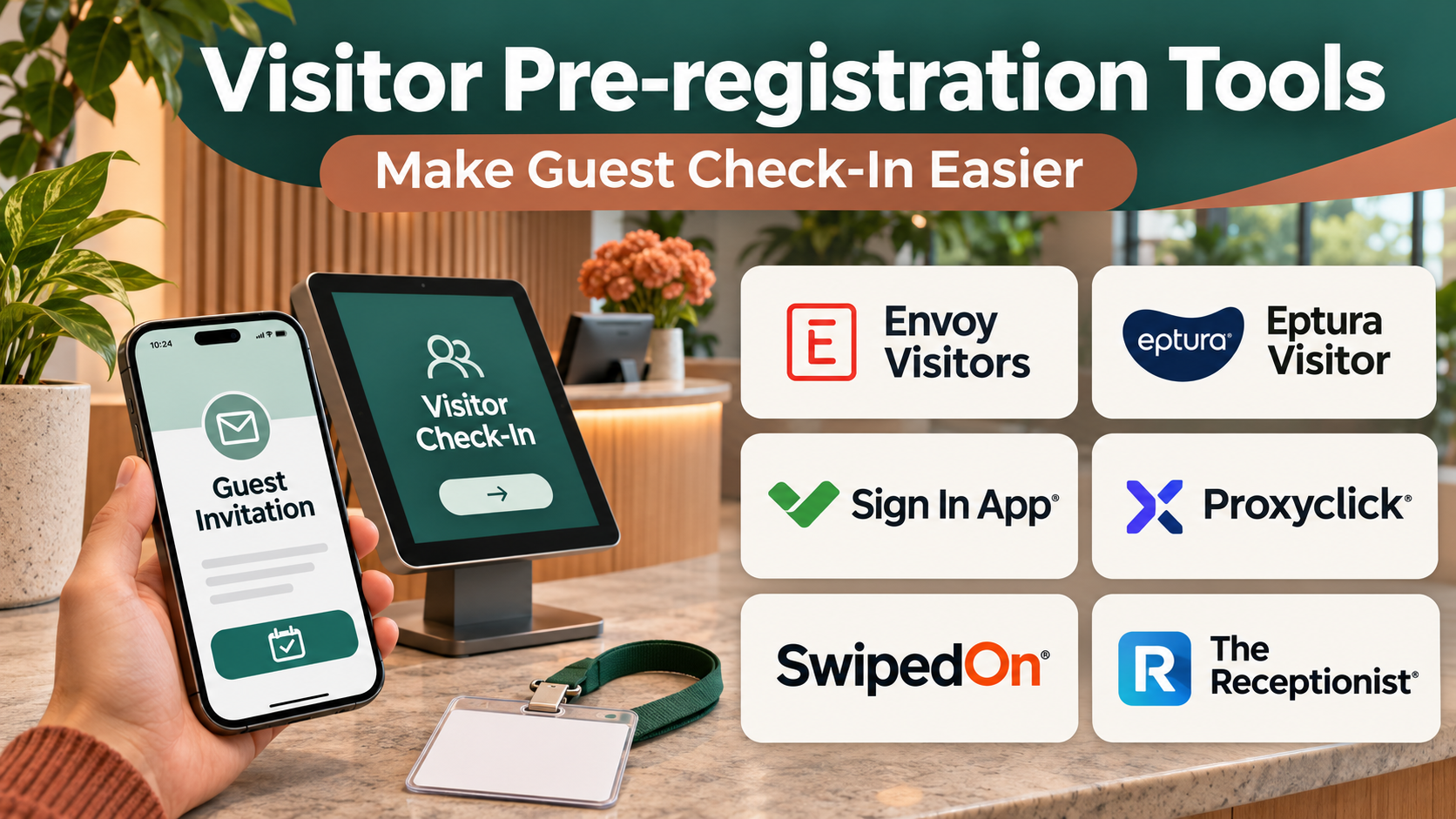
Introduction
A visitor’s experience with an organization often begins before they enter the building.
A customer may receive directions to a corporate office. A contractor may need to complete safety documentation. An interview candidate may need parking instructions and confirmation of the meeting location.
When these activities are handled manually, visitors may arrive without the information or authorization needed for a smooth check-in.
Reception staff may spend time collecting information that could have been submitted earlier. Security personnel may need to contact hosts, verify appointments, or resolve missing documentation while visitors wait.
Visitor pre-registration tools help organizations prepare for expected arrivals.
They allow hosts or administrators to register visitors in advance, collect appropriate information, distribute instructions, and establish check-in requirements.
Depending on the platform, pre-registration can connect with identity verification, visitor screening, document acknowledgment, badge printing, host notifications, access control, and emergency management.
However, organizations should distinguish pre-registration from automatic authorization.
Receiving an invitation does not necessarily mean that a visitor has completed all required checks or is permitted to enter every part of a facility.
Pre-registration also involves personal information.
Organizations should collect only necessary details, explain how information will be used, restrict access, and apply suitable retention policies.
This guide compares ten visitor pre-registration tools, explains their capabilities, and provides practical instructions for selecting and implementing a secure, efficient visitor arrival process.
What Are Visitor Pre-registration Tools?
Visitor pre-registration tools are software applications that help organizations collect and manage visitor information before an expected arrival.
They are commonly part of broader visitor management systems.
Typical capabilities include:
- Advance visitor invitations.
- Host registration.
- Visitor information forms.
- Arrival instructions.
- Meeting location details.
- QR code invitations.
- Contactless check-in.
- Identity verification workflows.
- Visitor screening.
- Document acknowledgment.
- Nondisclosure agreements.
- Safety questionnaires.
- Badge printing.
- Host notifications.
- Access control integration.
- Visitor logs.
- Emergency evacuation information.
- Multi-site administration.
The exact capabilities depend on the platform and configuration.
Visitor Pre-registration vs. Visitor Check-in
Pre-registration happens before the visitor arrives.
Check-in confirms arrival and completes any remaining entry procedures.
A visitor may be pre-registered but still need identity verification or authorization at reception.
Visitor Pre-registration vs. Access Control
Pre-registration manages information and arrival workflows.
Access control determines whether a person may enter a particular physical area.
The two systems may integrate, but they are not interchangeable.
Visitor Pre-registration vs. Contractor Management
Contractor management may involve qualifications, insurance, safety training, permits, and ongoing compliance.
Some visitor platforms support these workflows, while others focus on short-term guest visits.
How Visitor Pre-registration Works
Step 1: Create a Visitor Invitation
An authorized host enters the expected visitor’s details.
Step 2: Select the Visit Purpose
The organization identifies whether the visit involves a meeting, interview, delivery, service appointment, or contractor activity.
Step 3: Collect Necessary Information
The visitor provides the minimum information required for the visit.
Step 4: Distribute Instructions
The system sends directions, parking details, arrival times, and relevant policies.
Step 5: Complete Required Documents
Visitors may review and acknowledge appropriate agreements or safety information.
Step 6: Perform Relevant Checks
The organization completes any lawful, necessary screening or approval procedures.
Step 7: Generate an Invitation
The visitor receives confirmation and, where supported, a QR code or other check-in credential.
Step 8: Verify Arrival
Reception or a kiosk confirms the visitor’s identity and appointment.
Step 9: Notify the Host
The system informs the relevant employee that the visitor has arrived.
Step 10: Issue Access Credentials
Authorized visitors receive appropriate badges or access permissions.
Step 11: Record Departure
The visitor checks out according to facility procedures.
Step 12: Apply Retention Policies
Visitor information is retained or deleted according to applicable requirements.
Benefits of Visitor Pre-registration Tools
Faster Reception Workflows
Visitors can complete selected forms before arrival.
Better Visitor Experience
Advance instructions reduce confusion about parking, entrances, and appointments.
Improved Host Coordination
Employees know when visitors are expected.
More Consistent Security Procedures
Required information and checks can be incorporated into standard workflows.
Reduced Manual Data Entry
Pre-registration avoids repeatedly collecting the same details.
Better Contractor Preparation
Organizations can request appropriate documentation before contractors arrive.
More Accurate Visitor Records
Structured records can support relevant operational and emergency procedures.
Multi-site Consistency
Organizations can apply common processes across offices while accommodating local requirements.
These benefits depend on appropriate configuration and staff training.
Essential Visitor Pre-registration Features
Advance Invitations
Hosts should be able to register visitors without complex administrative steps.
Custom Registration Forms
Forms should collect only information necessary for the visit.
Visitor Communications
Confirmation messages should clearly explain arrival instructions.
Check-in Integration
Pre-registered visitors should be recognized by the reception workflow.
Host Notifications
Employees should receive reliable arrival alerts.
Security Controls
The system should support appropriate approval and screening requirements.
Document Management
Relevant agreements and acknowledgments should be available when required.
Badge and Access Integration
Approved visitors may need temporary identification or controlled access.
Emergency Information
Organizations should understand how visitor records support evacuation procedures.
Privacy and Retention
Sensitive information should have appropriate access restrictions and deletion rules.
Top 10 Visitor Pre-registration Tools
1. Envoy Visitors
Best For: Modern offices seeking streamlined visitor invitations and check-in workflows.
Overview
Envoy Visitors is a visitor management platform designed to organize workplace arrivals.
It is relevant to offices that receive customers, interview candidates, business partners, and other guests.
For example, a company may invite several customers to a product demonstration.
Hosts can register expected visitors in advance and provide relevant arrival information.
Visitors can then complete supported check-in procedures when they reach the office.
Envoy’s broader workplace ecosystem may also appeal to organizations coordinating visitor management with other office operations.
However, administrators should review which information is collected and how access is controlled.
A polished visitor experience should not require unnecessary personal data.
Key Features
- Visitor Invitations: Registers expected guests.
- Pre-registration Workflows: Collects relevant information before arrival.
- Visitor Check-in: Supports reception and kiosk workflows.
- Host Notifications: Alerts employees when guests arrive.
- Document Acknowledgment: Supports selected agreements.
- Badge Printing: Provides relevant visitor identification.
- Workplace Integrations: Connects supported applications.
- Visitor Logs: Maintains appropriate arrival records.
- Administrative Policies: Configures relevant site requirements.
Benefits
Envoy Visitors can help offices provide a consistent arrival experience while reducing reception administration.
Pros
- Strong office visitor orientation.
- Useful invitation workflows.
- Supports host notifications.
- Relevant workplace integrations.
- Professional check-in experience.
- Suitable for multi-location offices.
Cons
- Advanced capabilities may require higher plans.
- Privacy configuration needs attention.
- Hardware requirements vary.
- Security screening needs separate evaluation.
- Broader platform features may increase costs.
Practical Use Cases
- Corporate visitors.
- Customer meetings.
- Recruitment interviews.
- Office events.
Best For: Offices prioritizing visitor experience and operational efficiency.
2. Eptura Visitor
Best For: Enterprises requiring visitor management integrated with broader workplace operations.
Overview
Eptura Visitor provides visitor management capabilities within Eptura’s workplace technology portfolio.
It is relevant to organizations managing multiple locations and complex facility requirements.
For example, a multinational business may need consistent visitor invitations, arrival procedures, and reporting across regional offices.
Eptura Visitor can support relevant visitor workflows and administrative oversight.
Its enterprise orientation is useful when visitor processes must connect with facilities and workplace management.
However, organizations should verify the exact product configuration and integrations included in their commercial agreement.
Enterprise software portfolios may contain different modules with distinct capabilities.
Key Features
- Visitor Pre-registration: Registers expected arrivals.
- Invitation Management: Sends relevant visit information.
- Check-in Workflows: Supports visitor arrival procedures.
- Host Notifications: Alerts appropriate employees.
- Visitor Records: Maintains relevant logs.
- Multi-site Administration: Supports location-specific configuration.
- Workplace Integration: Connects selected facility workflows.
- Reporting: Provides relevant visitor information.
- Access and Security Options: Supports applicable integrations.
Benefits
Eptura Visitor can help enterprises standardize visitor management across locations.
Pros
- Enterprise workplace orientation.
- Relevant multi-site capabilities.
- Supports structured visitor processes.
- Useful reporting.
- Potential workplace system integration.
Cons
- Product configuration may be complex.
- Licensing requires review.
- Implementation may involve several departments.
- Exact integration capabilities vary.
- May exceed small-office requirements.
Practical Use Cases
- Enterprise offices.
- Multi-location visitor management.
- Corporate facilities.
- Workplace operations.
Best For: Enterprises requiring coordinated visitor management.
3. Sign In App
Best For: Organizations seeking customizable visitor and staff sign-in workflows.
Overview
Sign In App provides visitor management and sign-in capabilities for different organizational environments.
It is relevant to offices, schools, and other facilities that need structured arrival records.
For example, a training center may expect external instructors and visitors throughout the week.
Advance registration can help staff prepare appropriate information and check-in procedures.
Sign In App supports relevant sign-in workflows and organizational configuration.
Its flexibility may be useful when different visitor types require different questions or instructions.
However, administrators should avoid collecting excessive information merely because forms are customizable.
Key Features
- Visitor Invitations: Supports advance registration.
- Custom Sign-in Workflows: Configures visitor processes.
- Digital Check-in: Records arrivals.
- Host Notifications: Sends relevant alerts.
- Visitor Categories: Supports different arrival types.
- Document Acknowledgment: Captures selected confirmations.
- Visitor Records: Maintains relevant logs.
- Multi-site Support: Configures different locations.
- Administrative Controls: Manages sign-in policies.
Benefits
Sign In App can help organizations standardize arrival procedures across different visitor categories.
Pros
- Flexible sign-in workflows.
- Relevant to varied facilities.
- Supports visitor registration.
- Useful administrative configuration.
- Appropriate for recurring visitor processes.
Cons
- Customization requires planning.
- Integration compatibility varies.
- Complex screening may require additional systems.
- Privacy policies must be configured.
- Hardware choices affect deployment.
Practical Use Cases
- Offices.
- Training centers.
- Schools.
- Multi-site facilities.
Best For: Organizations requiring adaptable visitor sign-in processes.
4. SwipedOn
Best For: Small and midsize organizations seeking straightforward visitor registration and check-in.
Overview
SwipedOn is a visitor management platform focused on simplifying reception workflows.
It is relevant to businesses that want to replace paper visitor books with digital processes.
For example, a professional services office may receive clients and delivery personnel throughout the day.
SwipedOn can help register expected visitors and manage arrival information.
Its relatively straightforward approach may appeal to organizations without dedicated reception technology teams.
However, businesses with complex contractor screening or advanced access control requirements should carefully evaluate whether additional capabilities are necessary.
Key Features
- Visitor Pre-registration: Supports advance invitations.
- Digital Check-in: Records visitor arrivals.
- Host Notifications: Alerts employees.
- Visitor Records: Maintains digital logs.
- Custom Visitor Questions: Collects appropriate information.
- Badge Options: Supports relevant identification workflows.
- Visitor Communications: Provides selected instructions.
- Multi-location Capabilities: Supports relevant site administration.
- Reporting: Provides visitor activity information.
Benefits
SwipedOn can reduce manual reception work and improve visitor record consistency.
Pros
- Straightforward visitor management.
- Suitable for smaller organizations.
- Digital arrival records.
- Useful notifications.
- Relevant pre-registration capabilities.
Cons
- Advanced enterprise requirements need review.
- Integration depth varies.
- Hardware configuration matters.
- Security screening may require complementary systems.
- Subscription limits depend on plan.
Practical Use Cases
- Small business reception.
- Professional offices.
- Customer appointments.
- General visitor logging.
Best For: Businesses seeking accessible visitor management.
5. Sine
Best For: Industrial facilities and organizations managing contractors and site visitors.
Overview
Sine provides visitor and contractor management capabilities relevant to operational sites.
It is particularly useful where visitor arrival involves more than a simple reception check-in.
For example, a manufacturing facility may require contractors to acknowledge safety procedures before entering.
Pre-registration can help collect necessary information and reduce delays at the gate.
Sine’s site-oriented workflows are relevant to industrial environments and organizations with operational safety requirements.
However, digital pre-registration does not replace physical safety checks, required training, or site-specific authorization.
Organizations should define which steps can be completed remotely and which must occur on arrival.
Key Features
- Visitor Invitations: Registers expected arrivals.
- Contractor Workflows: Supports relevant contractor processes.
- Site Check-in: Records entry to facilities.
- Safety Information: Supports selected acknowledgments.
- Mobile Workflows: Enables relevant mobile interactions.
- Visitor Records: Maintains site arrival information.
- Host Notifications: Supports relevant alerts.
- Site Administration: Configures location-specific requirements.
- Reporting: Provides relevant visitor and contractor information.
Benefits
Sine can help operational facilities prepare contractors and visitors before arrival.
Pros
- Strong site operations orientation.
- Relevant contractor workflows.
- Supports safety-related processes.
- Useful mobile capabilities.
- Appropriate for industrial environments.
Cons
- More specialized than simple office reception tools.
- Safety requirements still need human oversight.
- Configuration may be complex.
- Integration requirements vary.
- Site-specific procedures must be maintained.
Practical Use Cases
- Manufacturing facilities.
- Construction sites.
- Contractor visits.
- Industrial operations.
Best For: Facilities with contractor and safety-related visitor requirements.
6. iLobby
Best For: Enterprises requiring structured visitor management and security-oriented workflows.
Overview
iLobby provides facility and visitor management capabilities for organizations with significant security and operational requirements.
It is relevant to corporate, industrial, and regulated environments.
For example, a company may need to pre-register contractors, notify hosts, issue visitor badges, and maintain controlled arrival records.
iLobby can support relevant visitor management workflows.
Its enterprise orientation makes it suitable for organizations that need more than a simple digital guestbook.
However, security integrations and screening procedures must be evaluated carefully.
A visitor management platform should support established security policies rather than replace professional judgment.
Key Features
- Visitor Pre-registration: Supports advance visitor information.
- Visitor Check-in: Manages arrival workflows.
- Host Notifications: Alerts relevant employees.
- Badge Printing: Supports visitor identification.
- Document Collection: Handles selected visitor requirements.
- Security Integrations: Connects relevant systems.
- Multi-site Administration: Supports enterprise facilities.
- Visitor Reporting: Maintains appropriate records.
- Contractor Workflows: Supports selected operational requirements.
Benefits
iLobby can help organizations standardize visitor entry processes across secure facilities.
Pros
- Strong enterprise orientation.
- Relevant security workflows.
- Supports badge management.
- Useful multi-site administration.
- Suitable for complex facilities.
Cons
- Implementation may require specialist support.
- Integration costs need review.
- Security policies require ongoing maintenance.
- Privacy obligations can be significant.
- May be excessive for small offices.
Practical Use Cases
- Enterprise reception.
- Regulated facilities.
- Contractor arrivals.
- Security-conscious workplaces.
Best For: Organizations with complex visitor entry requirements.
7. The Receptionist for iPad
Best For: Small and midsize offices seeking a digital reception experience.
Overview
The Receptionist for iPad is a visitor management platform designed around tablet-based check-in.
It is relevant to organizations that want a straightforward digital reception process.
For example, a consulting firm may operate a small office without a full-time receptionist.
Visitors can use a configured tablet to identify their host and complete the required arrival steps.
Advance registration and visitor communication capabilities can help simplify the experience.
However, organizations should verify the exact pre-registration features available in their intended plan.
A simple reception workflow may not provide the complex screening and access control capabilities required by high-security sites.
Key Features
- Visitor Check-in: Provides a tablet-based arrival experience.
- Visitor Invitations: Supports relevant advance workflows.
- Host Notifications: Alerts employees about arrivals.
- Custom Check-in Questions: Collects appropriate details.
- Visitor Records: Maintains arrival information.
- Document Workflows: Supports selected agreements.
- Badge Options: Provides relevant visitor identification.
- Reception Customization: Adjusts the visitor experience.
- Administrative Reporting: Supports relevant visitor information.
Benefits
The Receptionist can help small offices manage arrivals without complicated reception infrastructure.
Pros
- Straightforward reception concept.
- Suitable for smaller offices.
- Useful host notifications.
- Tablet-based workflow.
- Configurable visitor experience.
Cons
- Complex security requirements may exceed its scope.
- Tablet hardware is necessary.
- Integration depth requires evaluation.
- Advanced features vary by plan.
- Reception procedures still need staff ownership.
Practical Use Cases
- Consulting offices.
- Professional services.
- Small corporate locations.
- Unstaffed reception areas.
Best For: Offices seeking a simple digital receptionist.
8. Visitly
Best For: Organizations seeking lightweight visitor registration and check-in.
Overview
Visitly provides visitor management capabilities for organizations that want to digitize guest registration.
It is relevant to offices that need a consistent process for expected visitors.
For example, a company may regularly host job candidates and customer meetings.
Advance invitations can help prepare visitors and reduce repetitive reception data entry.
Visitly can support relevant registration and arrival workflows.
Its suitability depends on the complexity of the organization’s visitor policies.
Organizations with extensive contractor compliance requirements should compare more specialized alternatives.
Key Features
- Visitor Registration: Records expected visitors.
- Pre-registration: Supports advance visit preparation.
- Digital Check-in: Manages arrivals.
- Host Notifications: Alerts relevant employees.
- Visitor Information: Maintains appropriate records.
- Custom Questions: Collects selected details.
- Visitor Communication: Supports arrival instructions.
- Administrative Dashboard: Manages relevant workflows.
- Reporting: Provides visitor activity information.
Benefits
Visitly can help businesses replace manual visitor records with a digital workflow.
Pros
- Focused visitor management.
- Relevant advance registration.
- Useful host alerts.
- Suitable for ordinary office visits.
- Helps organize visitor records.
Cons
- Advanced security capabilities need verification.
- Integration options vary.
- Complex contractor processes may require other tools.
- Privacy settings need attention.
- Plan limits affect functionality.
Practical Use Cases
- Corporate visitors.
- Recruitment interviews.
- Customer appointments.
- Small office reception.
Best For: Organizations seeking uncomplicated visitor registration.
9. Lobbytrack
Best For: Facilities requiring structured visitor identification and badge workflows.
Overview
Lobbytrack provides visitor management capabilities focused on visitor registration and reception processes.
It is relevant to organizations that need visitor identification and reliable arrival records.
For example, a facility may require visitors to receive printed badges displaying their names and approved visit information.
Lobbytrack can support relevant badge and check-in workflows.
Pre-registration can help reduce arrival delays when visitor details are collected in advance.
However, badge printing should not be confused with access authorization.
A printed visitor badge does not automatically grant permission to enter restricted areas.
Key Features
- Visitor Pre-registration: Supports expected arrivals.
- Digital Check-in: Records visitor entry.
- Badge Printing: Produces relevant visitor identification.
- Visitor Records: Maintains appropriate logs.
- Host Notifications: Supports arrival alerts.
- Visitor Categories: Configures different visit types.
- Reception Administration: Manages check-in workflows.
- Reporting: Provides visitor information.
- Security-related Options: Supports selected identification requirements.
Benefits
Lobbytrack can help facilities organize visitor identification and arrival records.
Pros
- Strong badge workflow orientation.
- Relevant visitor registration.
- Useful reception records.
- Suitable for structured facilities.
- Supports visitor identification.
Cons
- Hardware and printing costs require review.
- Badge issuance is not access authorization.
- Advanced integrations need evaluation.
- Complex security policies require additional controls.
- Privacy retention must be configured.
Practical Use Cases
- Corporate facilities.
- Visitor badge issuance.
- Reception desks.
- Structured guest entry.
Best For: Facilities prioritizing visitor identification.
10. Greetly
Best For: Organizations seeking a customizable digital receptionist experience.
Overview
Greetly provides digital receptionist and visitor management capabilities.
It is relevant to businesses that want to automate routine arrival interactions.
For example, a shared office may receive customers, contractors, and delivery personnel with different check-in requirements.
Greetly can help present appropriate workflows and notify relevant employees.
Its customization options are useful when organizations want the reception experience to reflect their operations.
However, administrators should ensure that customization does not create unnecessary complexity for visitors.
A reception system should remain clear, accessible, and easy to use.
Key Features
- Digital Receptionist: Provides visitor-facing check-in.
- Pre-registration Support: Enables relevant advance workflows.
- Custom Visitor Flows: Configures arrival procedures.
- Host Notifications: Alerts employees.
- Visitor Information Collection: Records appropriate details.
- Reception Branding: Customizes the visitor experience.
- Visitor Records: Maintains relevant logs.
- Integration Options: Connects selected workplace applications.
- Administrative Settings: Manages reception workflows.
Benefits
Greetly can help organizations provide a consistent digital reception experience.
Pros
- Customizable reception workflows.
- Useful visitor notifications.
- Relevant digital receptionist capabilities.
- Supports different visitor types.
- Appropriate for shared offices.
Cons
- Complex customization requires testing.
- Advanced security features need review.
- Hardware requirements vary.
- Integration support depends on configuration.
- Staff procedures remain necessary.
Practical Use Cases
- Shared offices.
- Corporate reception.
- Contractor arrivals.
- Delivery notifications.
Best For: Organizations prioritizing customizable reception experiences.
Visitor Pre-registration Tools Comparison Table
| Platform | Primary Strength | Best For | Main Consideration |
|---|---|---|---|
| Envoy Visitors | Modern office arrivals | Corporate offices | Plan capabilities |
| Eptura Visitor | Enterprise workplace integration | Multi-site organizations | Product complexity |
| Sign In App | Customizable sign-in | Varied facilities | Workflow design |
| SwipedOn | Straightforward visitor management | Small businesses | Advanced security |
| Sine | Contractor and site workflows | Industrial facilities | Safety requirements |
| iLobby | Enterprise security-oriented workflows | Regulated facilities | Implementation |
| The Receptionist | Tablet reception | Small offices | Feature scope |
| Visitly | Lightweight visitor management | General offices | Integration depth |
| Lobbytrack | Badge and identification workflows | Structured facilities | Hardware |
| Greetly | Custom digital receptionist | Shared workplaces | Configuration |
How to Choose Visitor Pre-registration Software
Step 1: Identify Visitor Types
List customers, interview candidates, contractors, suppliers, delivery personnel, and event attendees.
Step 2: Define Information Requirements
Determine which details are necessary for each visitor type.
Step 3: Review Security Policies
Identify approval, identity verification, screening, and access requirements.
Step 4: Evaluate Invitations
Test whether hosts can register visitors quickly.
Step 5: Review Visitor Communications
Check that confirmation messages include accurate directions and arrival instructions.
Step 6: Test Pre-arrival Forms
Ensure that forms are understandable and accessible.
Step 7: Evaluate Check-in
Confirm that pre-registered visitors are recognized when they arrive.
Step 8: Review Host Notifications
Test alerts for visitors arriving early, late, or unexpectedly.
Step 9: Assess Integrations
Evaluate badge printers, access control, calendars, identity systems, and emergency management.
Step 10: Review Privacy
Assess data minimization, notices, access restrictions, and retention.
Step 11: Evaluate Multi-site Needs
Determine whether different locations require separate policies.
Step 12: Test Exceptional Situations
Include visitors without smartphones, incorrect invitations, and network failures.
Step 13: Calculate Total Cost
Include software, kiosks, badge printers, integrations, support, and administration.
Step 14: Conduct a Pilot
Test the full visitor journey from invitation through departure.
Best Visitor Pre-registration Tools by User Type
| User Type | Suitable Platforms | Primary Requirement |
|---|---|---|
| Corporate offices | Envoy Visitors | Visitor experience |
| Large enterprises | Eptura Visitor | Multi-site administration |
| Schools and varied facilities | Sign In App | Custom workflows |
| Small businesses | SwipedOn, Visitly | Simple registration |
| Industrial facilities | Sine, iLobby | Contractor and security processes |
| Small professional offices | The Receptionist | Digital reception |
| Badge-focused facilities | Lobbytrack | Visitor identification |
| Shared offices | Greetly | Custom arrival flows |
Practical Example: Implementing Visitor Pre-registration at a Corporate Office
A company receives approximately 60 visitors each day.
Reception staff spend considerable time confirming appointments and contacting hosts.
Step 1: Define the Problem
Measure average check-in time and identify common causes of delay.
Step 2: Categorize Visitors
Separate customers, interview candidates, contractors, and deliveries.
Step 3: Define Required Information
Collect only the details needed for each visit type.
Step 4: Review Security Requirements
Identify necessary approvals and verification procedures.
Step 5: Select Candidate Platforms
Compare Envoy Visitors, Sign In App, and iLobby against the requirements.
Step 6: Configure Invitations
Allow authorized employees to register expected guests.
Step 7: Create Arrival Instructions
Include the correct entrance, parking information, and reception location.
Step 8: Configure Pre-arrival Forms
Request appropriate information before the visit.
Step 9: Connect Host Notifications
Ensure that arrival alerts reach the correct employee.
Step 10: Configure Badges
Create appropriate visitor identification procedures.
Step 11: Test Privacy Settings
Restrict access to visitor records and establish retention rules.
Step 12: Test Exceptional Cases
Include visitors without email, unexpected guests, and missing documentation.
Step 13: Train Reception Staff
Explain approval, check-in, and escalation procedures.
Step 14: Launch a Pilot
Begin with one entrance or department.
Step 15: Measure Results
Compare check-in time, visitor satisfaction, data accuracy, and security exceptions.
Step 16: Expand Carefully
Apply lessons from the pilot to other locations.
Common Visitor Pre-registration Mistakes
1. Collecting Excessive Personal Information
Registration forms should request only necessary details.
2. Treating Pre-registration as Authorization
Invited visitors may still require verification or approval.
3. Sending Incomplete Arrival Instructions
Visitors need accurate information about entrances and meeting locations.
4. Ignoring Visitors Without Smartphones
Alternative check-in procedures should remain available.
5. Failing to Verify Hosts
Incorrect host information can delay arrivals.
6. Overlooking Contractor Requirements
Some visits require training, permits, or additional documentation.
7. Keeping Visitor Records Indefinitely
Retention should reflect legitimate needs and applicable obligations.
8. Ignoring Emergency Procedures
Visitor information should support appropriate facility safety processes.
9. Assuming Badge Printing Provides Access Control
Identification and physical access authorization are separate.
10. Failing to Test Unusual Arrivals
Unexpected visitors, early arrivals, and network outages require clear procedures.
Frequently Asked Questions About Visitor Pre-registration Tools
1. What is visitor pre-registration?
It is the collection and preparation of relevant visitor information before arrival.
2. How is it different from visitor check-in?
Pre-registration occurs before arrival; check-in confirms the visitor’s presence.
3. What is visitor management software?
It manages relevant visitor invitations, arrivals, records, and related workflows.
4. Can visitors register themselves?
Some platforms support self-service registration.
5. Can hosts invite visitors in advance?
Many products provide advance invitation workflows.
6. What is a visitor QR code?
It is a machine-readable code used in supported check-in processes.
7. Can QR codes replace identity verification?
Not necessarily. Verification requirements depend on facility policy.
8. Can visitors sign agreements before arrival?
Some platforms support digital acknowledgments and agreements.
9. What is a visitor badge?
It is identification issued to a visitor for an approved visit.
10. Does a visitor badge grant building access?
Not automatically. Access authorization is a separate process.
11. Can visitor systems notify hosts?
Many products send relevant arrival alerts.
12. Can visitor pre-registration support contractors?
Yes. Some platforms provide contractor-oriented workflows.
13. Which tools suit industrial facilities?
Sine and iLobby are relevant options.
14. Which tool suits modern corporate offices?
Envoy Visitors is a relevant option.
15. Which tools suit small businesses?
SwipedOn and Visitly address relevant needs.
16. Which platform supports customizable sign-in?
Sign In App is a relevant option.
17. Can visitor systems support multiple locations?
Many enterprise platforms support multi-site administration.
18. Can visitor systems integrate with calendars?
Some products provide relevant calendar integrations.
19. Can they integrate with access control?
Selected platforms support compatible access control systems.
20. Are visitor records personal information?
They often contain personal data and require appropriate safeguards.
21. Should visitors receive privacy notices?
Organizations should provide notices appropriate to applicable requirements.
22. Can visitor data be deleted automatically?
Some systems support configurable retention and deletion.
23. What is a visitor watchlist?
It is a screening list used within a defined and lawful security process.
24. Should every visitor undergo screening?
Requirements should be proportionate, lawful, and appropriate to the facility.
25. Can visitor systems help emergency evacuations?
Relevant visitor records may support emergency accounting procedures.
26. What happens if the internet fails?
Organizations should establish suitable fallback procedures.
27. Can visitors check in without smartphones?
Many reception workflows support alternative methods.
28. What is contactless check-in?
It is a process that reduces the need to touch shared reception equipment.
29. How should visitor management success be measured?
Review check-in time, accuracy, visitor experience, security exceptions, and administrative effort.
30. What is the most important selection principle?
Choose a platform that makes arrivals easier while respecting security, privacy, and operational requirements.
Final Thoughts
Visitor pre-registration tools help organizations prepare for expected arrivals and reduce unnecessary reception delays.
Envoy Visitors, SwipedOn, Visitly, and The Receptionist address common office visitor workflows.
Eptura Visitor and iLobby support more complex enterprise requirements.
Sign In App provides customizable sign-in processes, while Sine is relevant to contractor and industrial environments.
Lobbytrack emphasizes visitor identification, and Greetly supports customizable digital reception.
The right platform depends on visitor types, facility security, required information, integration needs, and organizational scale.
Successful implementation requires accurate invitations, clear arrival instructions, appropriate verification, and reliable host notifications.
The objective is to provide a smooth visitor experience without compromising security or collecting unnecessary personal information.