Introduction
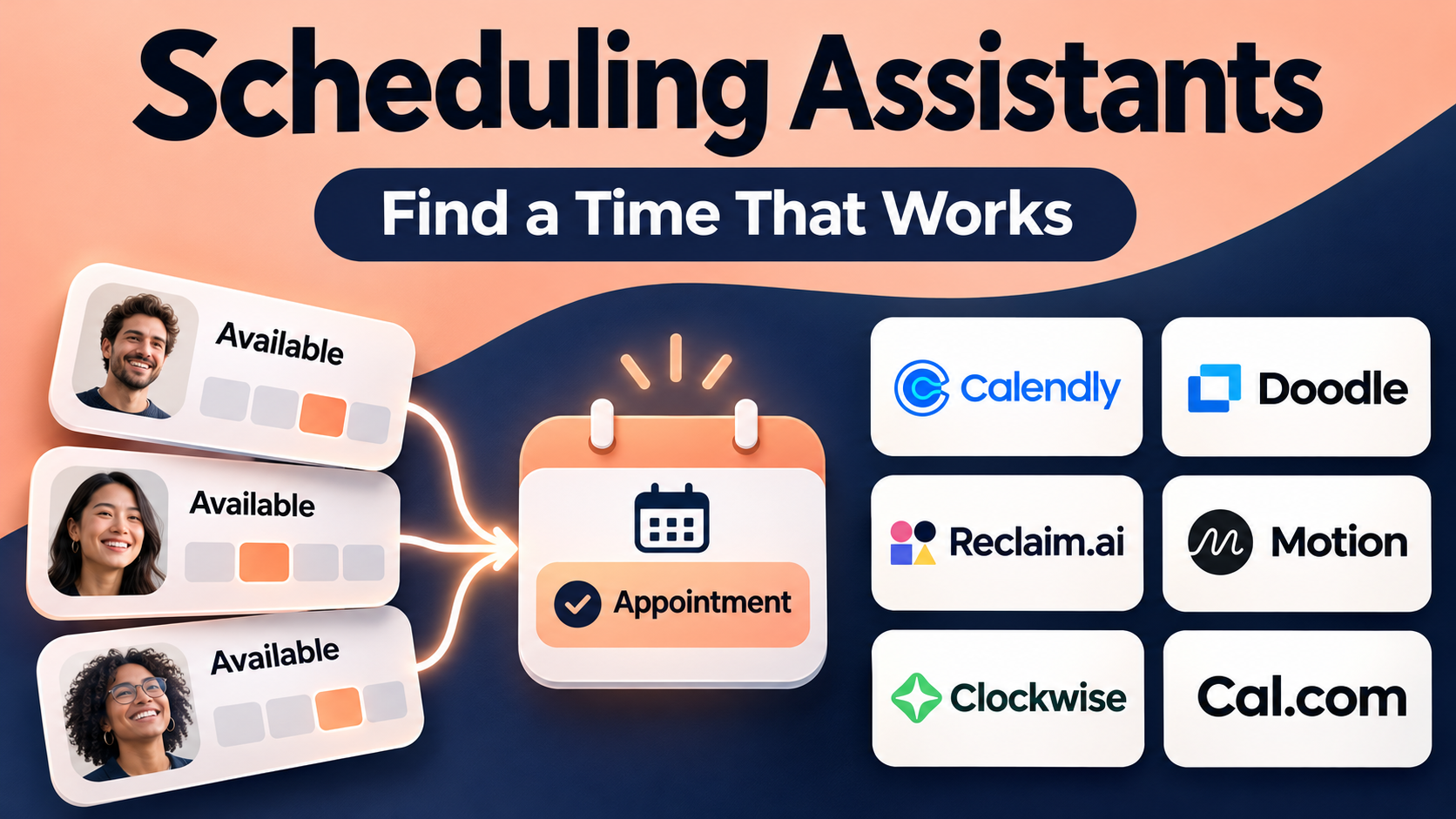
Scheduling meetings is a routine business activity, but coordinating calendars can consume considerable time.
A sales representative may exchange several emails before finding a suitable time for a customer demonstration. A recruiter may coordinate interviews across multiple time zones. A consultant may need to protect time for client work while accepting new appointments.
These situations become more complicated when participants use different calendar systems, meetings require several employees, or appointments involve payments and reminders.
Scheduling assistants help reduce these administrative tasks.
They connect with calendars, display appropriate availability, manage booking requests, and automate selected scheduling workflows.
Some scheduling assistants focus on booking links. Others use artificial intelligence to arrange tasks, protect focus time, or reorganize calendars when priorities change.
This distinction matters.
A business that schedules hundreds of customer appointments needs different capabilities from a professional who wants to organize personal tasks automatically.
A scheduling assistant should also protect private calendar information, respect working hours, and prevent conflicts.
Poor configuration can create double bookings, expose sensitive event details, or allow meetings to consume time reserved for important work.
This guide compares ten scheduling assistants, explains their features and limitations, and provides practical instructions for choosing and implementing the right solution.
What Are Scheduling Assistants?
Scheduling assistants are software applications that help individuals and organizations coordinate appointments, meetings, tasks, and calendar availability.
Their primary purpose is to reduce the manual work involved in finding suitable times and maintaining schedules.
Common capabilities include:
- Calendar synchronization.
- Booking links.
- Availability management.
- Time zone conversion.
- Meeting reminders.
- Rescheduling.
- Group scheduling.
- Round-robin assignment.
- Appointment intake forms.
- Automated task scheduling.
- Focus time protection.
- Video meeting integration.
- Payment collection.
- Scheduling analytics.
Not every platform provides all these functions.
Types of Scheduling Assistants
Appointment booking tools allow guests to select available meeting times.
AI calendar assistants organize tasks and calendar commitments based on priorities.
Team scheduling tools coordinate availability across several employees.
Group polling tools collect participants’ preferences before selecting a time.
Service appointment systems manage customer bookings, reminders, and payments.
Organizations should identify their primary scheduling problem before comparing products.
How Scheduling Assistants Work
Step 1: Connect a Calendar
The user authorizes access to a supported calendar system.
The application may read availability, create events, or update bookings according to its permissions.
Step 2: Configure Working Hours
Users specify when they are available for meetings.
These rules may include weekdays, holidays, breaks, and exceptional availability.
Step 3: Define Event Types
The user creates appointment categories such as consultations, interviews, demonstrations, and internal meetings.
Step 4: Set Scheduling Rules
Rules may control meeting duration, preparation time, buffers, booking notice, and maximum appointments.
Step 5: Share Availability
Guests receive a booking link, embedded calendar, or invitation to select preferred times.
Step 6: Confirm the Appointment
The platform creates an event after validating availability.
Step 7: Send Notifications
Supported workflows can distribute confirmations, reminders, and joining instructions.
Step 8: Handle Changes
Rescheduling and cancellation workflows update relevant calendars.
Step 9: Analyze Scheduling Activity
Organizations review booking volumes, cancellations, attendance, and scheduling efficiency.
Why Businesses Use Scheduling Assistants
Less Administrative Work
Automated booking reduces repetitive messages about meeting availability.
Fewer Scheduling Conflicts
Calendar synchronization can prevent bookings during existing commitments.
Better Customer Experience
Customers can select suitable appointments without waiting for a manual response.
Improved Team Coordination
Shared scheduling workflows help distribute appointments among employees.
More Predictable Workdays
AI scheduling tools can reserve time for tasks and focus.
Better Appointment Attendance
Appropriate reminders may reduce forgotten meetings.
More Consistent Scheduling Policies
Administrators can define standard booking rules across teams.
These benefits depend on accurate calendar integration and thoughtful configuration.
Top 10 Scheduling Assistants
1. Calendly
Best For: Businesses and professionals seeking reliable appointment booking and team scheduling.
Overview
Calendly is an online scheduling platform that allows users to share booking links connected to their calendars.
It is widely applicable to sales, recruiting, consulting, customer success, and internal coordination.
For example, a sales representative can create a demonstration event with a fixed duration and defined availability. Prospects select a time, and the appointment is added to the relevant calendars.
This removes much of the email exchange normally required to arrange a meeting.
Calendly also supports team-oriented scheduling workflows, including arrangements where bookings need to be distributed among eligible employees.
Its main strength is structured appointment coordination rather than automatically reorganizing an entire workday.
Organizations seeking AI-driven task planning may therefore need complementary software.
Key Features
- Booking Pages: Displays available appointment times through shareable links.
- Calendar Connections: Checks supported calendars to help prevent conflicts.
- Event Types: Configures different meeting durations and purposes.
- Team Scheduling: Supports selected collective and round-robin arrangements.
- Routing Forms: Directs eligible bookings based on submitted information.
- Automated Notifications: Sends supported confirmations and reminders.
- Video Integrations: Adds compatible meeting links.
- Scheduling Rules: Controls buffers, notice periods, and availability.
- Administrative Reporting: Supports visibility into scheduling activity.
Benefits
Calendly can standardize booking workflows and reduce coordination time.
It is particularly useful when employees schedule frequent meetings with external participants.
Pros
- Straightforward booking experience.
- Broad business applicability.
- Team scheduling capabilities.
- Useful calendar integrations.
- Configurable event types.
- Suitable for customer-facing workflows.
Cons
- Advanced team features may require paid plans.
- Primarily focused on appointments rather than task planning.
- Incorrect availability rules can cause booking problems.
- Enterprise deployment requires governance.
- External booking pages may not fit every workflow.
Practical Use Cases
- Sales demonstrations.
- Recruitment interviews.
- Customer onboarding.
- Professional consultations.
Best For: Teams needing structured appointment scheduling.
2. Cal.com
Best For: Developers and organizations requiring customizable scheduling workflows.
Overview
Cal.com is a scheduling platform focused on flexible booking experiences and developer-oriented customization.
It provides appointment scheduling features while offering integration and deployment options relevant to technical organizations.
For example, a software company may want to embed booking functionality directly into its customer portal.
Cal.com can support customized booking experiences using available integration capabilities.
It is also relevant to organizations that want greater control over scheduling infrastructure.
However, customization introduces additional responsibilities.
Teams must evaluate deployment arrangements, software licensing, security, upgrades, and maintenance before selecting a self-managed approach.
Key Features
- Booking Links: Enables guests to reserve available times.
- Calendar Synchronization: Connects supported calendar services.
- Embeddable Scheduling: Integrates booking interfaces into websites.
- Developer APIs: Supports programmatic scheduling workflows.
- Team Scheduling: Provides relevant group and assignment options.
- Routing: Directs bookings according to configured rules.
- Workflow Automation: Supports reminders and follow-up actions.
- Custom Branding: Adjusts selected booking experiences.
- Deployment Options: Offers configurations for organizations requiring greater control.
Benefits
Cal.com can help organizations build scheduling into existing digital products and workflows.
Pros
- Strong developer orientation.
- Flexible integration capabilities.
- Supports embedded booking.
- Relevant customization options.
- Suitable for technical organizations.
- Team scheduling features.
Cons
- Advanced customization requires technical skills.
- Deployment responsibilities vary.
- Some capabilities depend on plans.
- Configuration can be more involved than simple booking tools.
- Security and maintenance require attention.
Practical Use Cases
- Embedded customer scheduling.
- Developer-managed booking workflows.
- Sales appointment routing.
- Custom scheduling applications.
Best For: Organizations prioritizing customization and integration.
3. Reclaim.ai
Best For: Professionals seeking automated time blocking and protection of focus time.
Overview
Reclaim.ai is an AI-assisted calendar scheduling platform designed to organize work around existing commitments.
Unlike conventional appointment booking tools, it emphasizes allocating calendar time for tasks, routines, and priorities.
For example, a project manager may need six hours of concentrated work each week while remaining available for important meetings.
Reclaim can help reserve appropriate calendar blocks and adjust supported schedules when conflicts arise.
This approach is useful for employees whose calendars change frequently.
However, automatic scheduling depends on reliable task estimates and realistic priorities.
If users underestimate task duration or allow too many competing commitments, the resulting calendar may still be impractical.
Key Features
- Automatic Time Blocking: Reserves calendar time for selected activities.
- Task Scheduling: Allocates time for supported tasks.
- Habit Scheduling: Protects recurring routines.
- Focus Time Management: Helps preserve uninterrupted work periods.
- Calendar Synchronization: Coordinates supported calendars.
- Priority Rules: Helps determine which commitments receive time.
- Schedule Adjustments: Moves flexible blocks when appropriate.
- Scheduling Links: Supports selected meeting booking workflows.
- Team Scheduling Features: Helps coordinate relevant team availability.
Benefits
Reclaim can reduce manual calendar rearrangement and make planned work more visible.
Pros
- Strong focus time capabilities.
- Useful automatic time blocking.
- Supports recurring habits.
- Relevant to busy professionals.
- Adapts flexible calendar commitments.
Cons
- Requires realistic task estimates.
- Automated scheduling may not match every preference.
- Calendar permissions need review.
- Complex workflows require configuration.
- Not a full replacement for project management.
Practical Use Cases
- Focus time protection.
- Task scheduling.
- Recurring work routines.
- Calendar workload balancing.
Best For: Professionals who need to protect time for planned work.
4. Motion
Best For: Individuals and teams seeking AI-assisted task scheduling and daily planning.
Overview
Motion combines calendar management with task and project scheduling.
Its approach focuses on placing work into available time according to deadlines, priorities, and scheduling constraints.
For example, a marketing manager may have several campaigns, meetings, and deadlines competing for attention.
Motion can help organize relevant tasks into the calendar and adjust plans when circumstances change.
This can reduce the manual work of rebuilding a daily schedule.
However, automated plans are only as useful as their underlying assumptions.
Users must maintain accurate task durations, priorities, and deadlines.
Organizations should also evaluate whether Motion’s task management approach fits their existing project workflows.
Key Features
- AI Task Scheduling: Places supported tasks into available calendar time.
- Priority Management: Uses task importance and deadlines.
- Calendar Integration: Coordinates relevant appointments.
- Automatic Rescheduling: Adjusts flexible work blocks.
- Project Management: Organizes related tasks and projects.
- Deadline Tracking: Supports time-sensitive work.
- Team Planning: Coordinates selected team workloads.
- Meeting Scheduling: Provides relevant appointment capabilities.
- Daily Planning: Presents organized work schedules.
Benefits
Motion can combine task planning and calendar allocation in one workflow.
Pros
- Strong automated task scheduling.
- Connects deadlines and calendar time.
- Reduces manual planning.
- Supports project organization.
- Useful for changing schedules.
Cons
- Requires consistent task maintenance.
- May duplicate existing project tools.
- Subscription costs require evaluation.
- Automatic decisions may need adjustment.
- Less suitable for users preferring fully manual calendars.
Practical Use Cases
- Personal productivity.
- Project task scheduling.
- Deadline management.
- Team workload coordination.
Best For: Professionals wanting tasks and meetings managed together.
5. SavvyCal
Best For: Consultants and professionals prioritizing a convenient booking experience for invitees.
Overview
SavvyCal is an appointment scheduling platform designed to make finding mutually suitable meeting times easier.
It emphasizes the experience of the person receiving a scheduling invitation.
For example, a consultant may invite a client who already has a crowded calendar.
SavvyCal’s calendar overlay approach can help the invitee compare availability without repeatedly switching between applications.
This is particularly relevant to professionals who schedule external meetings with busy participants.
However, the platform is more focused on booking convenience than AI-driven task planning.
Organizations requiring extensive appointment operations or automated workforce scheduling should compare specialized alternatives.
Key Features
- Scheduling Links: Shares available appointment times.
- Calendar Overlay: Helps invitees compare availability.
- Calendar Integration: Checks supported calendar commitments.
- Personalized Links: Supports tailored booking experiences.
- Meeting Preferences: Configures availability and event rules.
- Buffer Settings: Helps protect preparation time.
- Team Scheduling: Supports relevant shared scheduling scenarios.
- Time Zone Handling: Presents appropriate local times.
- Booking Management: Supports rescheduling and cancellations.
Benefits
SavvyCal can reduce friction for guests arranging meetings.
Pros
- Invitee-focused scheduling experience.
- Useful calendar overlay.
- Suitable for client-facing professionals.
- Personalized booking workflows.
- Flexible meeting preferences.
Cons
- Not a comprehensive AI planner.
- Advanced enterprise requirements need review.
- Subscription costs vary.
- Some team workflows may require alternatives.
- Depends on accurate calendar synchronization.
Practical Use Cases
- Consulting appointments.
- Client discovery calls.
- Professional networking.
- External stakeholder meetings.
Best For: Professionals emphasizing scheduling convenience.
6. Acuity Scheduling
Best For: Service businesses managing appointments, client intake, and payments.
Overview
Acuity Scheduling is an appointment management platform associated with Squarespace.
It is particularly relevant to businesses that provide scheduled services.
For example, a coaching business may offer different consultation lengths, collect client information, and accept payment during booking.
Acuity can help manage these workflows through configurable appointment types and related features.
Its service-oriented approach distinguishes it from tools focused primarily on internal meetings.
However, organizations should verify which payment, package, and integration capabilities are available in their intended plan.
Key Features
- Online Appointment Booking: Allows customers to reserve services.
- Appointment Types: Supports different service offerings.
- Client Intake Forms: Collects relevant booking information.
- Payment Integration: Supports applicable payment workflows.
- Automated Reminders: Sends configured appointment notifications.
- Calendar Synchronization: Coordinates supported calendars.
- Staff Scheduling: Supports selected multi-provider arrangements.
- Booking Policies: Configures cancellation and scheduling rules.
- Client Management: Maintains relevant appointment information.
Benefits
Acuity can combine scheduling and customer appointment administration.
Pros
- Strong service business orientation.
- Supports client intake.
- Relevant payment capabilities.
- Useful reminders.
- Configurable appointment offerings.
Cons
- Less focused on internal AI planning.
- Payment arrangements require review.
- Advanced staffing needs may require specialist systems.
- Setup can involve multiple service rules.
- Product plans affect functionality.
Practical Use Cases
- Coaching appointments.
- Professional services.
- Paid consultations.
- Customer service bookings.
Best For: Appointment-based businesses.
7. Doodle
Best For: Groups coordinating meetings when participants have different schedules.
Overview
Doodle is a scheduling platform known for group availability polling.
It helps participants identify mutually suitable meeting times without exchanging long email threads.
For example, a committee may need to arrange a meeting involving eight participants from different organizations.
Instead of requesting each person’s complete calendar, the organizer can propose suitable options and collect responses.
Doodle is useful when participants cannot share their calendars directly.
However, polling is different from automatic task scheduling.
It also may require additional steps before a final appointment is confirmed.
Key Features
- Group Polls: Collects participants’ availability preferences.
- Meeting Options: Presents proposed times.
- Participant Responses: Records suitable selections.
- Time Zone Support: Helps coordinate international participants.
- Booking Pages: Supports selected appointment scheduling.
- Calendar Connections: Integrates supported calendars.
- Meeting Confirmation: Helps finalize selected times.
- Reminders: Supports relevant scheduling notifications.
- Organizer Controls: Manages scheduling invitations.
Benefits
Doodle can simplify meetings involving multiple independent participants.
Pros
- Strong group polling.
- Useful for external participants.
- Simple scheduling concept.
- Supports time zones.
- Reduces coordination messages.
Cons
- Polling may still require organizer decisions.
- Not a full AI calendar assistant.
- Advanced features depend on plans.
- Participants must respond.
- Large groups can still be difficult to coordinate.
Practical Use Cases
- Committee meetings.
- Research interviews.
- Multi-company coordination.
- Group planning sessions.
Best For: Scheduling meetings with many participants.
8. Clockwise
Best For: Teams seeking to improve meeting schedules and create longer focus periods.
Overview
Clockwise is a calendar optimization platform focused on team scheduling and focus time.
It is relevant to organizations where fragmented calendars make concentrated work difficult.
For example, an engineering team may have several flexible internal meetings distributed throughout the day.
Clockwise can help optimize supported meetings to create more useful blocks of uninterrupted time.
This approach differs from simple appointment booking.
It attempts to improve the arrangement of existing commitments rather than merely adding new meetings.
However, moving meetings requires appropriate permissions and agreement among participants.
Organizations should also confirm current product availability, supported calendars, and plan-specific functionality.
Key Features
- Calendar Optimization: Helps arrange eligible meetings.
- Focus Time Protection: Supports longer uninterrupted blocks.
- Flexible Meeting Management: Adjusts selected meetings.
- Team Scheduling: Considers relevant team availability.
- Calendar Integration: Connects supported systems.
- Meeting Preferences: Applies configured scheduling rules.
- Time Management Insights: Provides relevant calendar information.
- Scheduling Automation: Reduces selected manual changes.
- Team Coordination: Supports shared working patterns.
Benefits
Clockwise can help teams reduce calendar fragmentation.
Pros
- Focuses on team calendar optimization.
- Useful for meeting-heavy organizations.
- Supports focus time.
- Helps coordinate flexible meetings.
- Relevant to collaborative teams.
Cons
- Requires compatible calendar environments.
- Not every meeting can be moved.
- Participants may have conflicting preferences.
- Automation needs careful configuration.
- Current commercial terms require verification.
Practical Use Cases
- Engineering team scheduling.
- Focus time improvement.
- Meeting consolidation.
- Internal calendar optimization.
Best For: Teams seeking more efficient calendar arrangements.
9. Morgen
Best For: Professionals managing multiple calendars, tasks, and scheduling commitments.
Overview
Morgen is a calendar and task planning application designed to help users organize their schedules.
It is relevant to professionals who maintain several calendars and need a consolidated view of commitments.
For example, a consultant may manage client meetings, personal appointments, and project tasks across different services.
Morgen can help organize these activities within a unified planning workflow.
Its task scheduling and calendar capabilities make it more than a conventional booking link tool.
However, users should evaluate whether its planning approach matches their existing task management practices.
Key Features
- Unified Calendar: Displays supported calendar accounts.
- Task Integration: Connects relevant task information.
- Time Blocking: Allocates calendar time for work.
- Scheduling Assistance: Supports selected planning workflows.
- Calendar Management: Organizes appointments.
- Availability Sharing: Supports relevant booking arrangements.
- Cross-platform Access: Provides supported application experiences.
- Task Prioritization: Helps organize planned work.
- Schedule Adjustment: Supports changes to time allocations.
Benefits
Morgen can help professionals coordinate tasks and appointments across multiple systems.
Pros
- Useful multi-calendar view.
- Combines tasks and scheduling.
- Supports time blocking.
- Relevant to independent professionals.
- Helps reduce calendar fragmentation.
Cons
- Integration support varies.
- Not a full enterprise appointment platform.
- Requires task maintenance.
- Advanced automation needs evaluation.
- Subscription costs require review.
Practical Use Cases
- Consultant scheduling.
- Multi-calendar management.
- Personal task planning.
- Time blocking.
Best For: Professionals managing several calendars.
10. Sunsama
Best For: Individuals seeking deliberate daily planning and task-based scheduling.
Overview
Sunsama is a daily planning application that helps users organize tasks around available time.
Its approach emphasizes realistic planning and a manageable workload.
For example, a professional may begin the day with tasks from several project management applications.
Sunsama can help consolidate relevant work and allocate time to activities.
It differs from traditional appointment booking tools because its primary purpose is planning the user’s day.
This makes it particularly relevant to knowledge workers who want a structured planning routine.
However, it may not suit organizations whose primary requirement is customer appointment booking or round-robin scheduling.
Key Features
- Daily Planning: Organizes work into a manageable schedule.
- Task Consolidation: Brings together supported task sources.
- Calendar Time Blocking: Allocates time for selected tasks.
- Workload Estimation: Encourages realistic daily commitments.
- Task Prioritization: Helps identify important work.
- Calendar Integration: Coordinates relevant appointments.
- Planning Routines: Supports structured daily review.
- Progress Tracking: Helps users review completed work.
- Focus-oriented Workflow: Encourages intentional task selection.
Benefits
Sunsama can help professionals create realistic daily plans.
Pros
- Strong daily planning orientation.
- Encourages workload awareness.
- Useful task integration.
- Supports time blocking.
- Appropriate for individual knowledge work.
Cons
- Not primarily an appointment booking platform.
- Requires regular user participation.
- Limited relevance to customer scheduling.
- Subscription costs need evaluation.
- Less suited to complex enterprise routing.
Practical Use Cases
- Daily task planning.
- Personal workload management.
- Project work organization.
- Focus time allocation.
Best For: Professionals prioritizing deliberate daily planning.
Scheduling Assistants Comparison Table
| Platform | Primary Strength | Best For | Scheduling Approach |
|---|---|---|---|
| Calendly | Booking automation | Sales and recruiting | Appointment links |
| Cal.com | Customization | Developers | Embedded scheduling |
| Reclaim.ai | Focus time | Busy professionals | Automatic time blocking |
| Motion | AI task planning | Individuals and teams | Dynamic task scheduling |
| SavvyCal | Invitee experience | Consultants | Calendar overlay |
| Acuity Scheduling | Service appointments | Service businesses | Client booking |
| Doodle | Group coordination | Committees | Availability polling |
| Clockwise | Calendar optimization | Collaborative teams | Flexible meeting management |
| Morgen | Unified planning | Multi-calendar users | Calendar and task planning |
| Sunsama | Daily planning | Knowledge workers | Intentional time blocking |
How to Choose the Right Scheduling Assistant
Step 1: Identify the Scheduling Problem
Determine whether the main challenge involves external bookings, internal meetings, task planning, or group coordination.
A tool that excels at one category may be unsuitable for another.
Step 2: Review Calendar Compatibility
Check support for the organization’s calendar provider.
Test whether events synchronize correctly in both directions where needed.
Step 3: Define Availability Policies
Establish working hours, holidays, buffers, minimum notice, and daily booking limits.
Step 4: Assess Team Requirements
Determine whether meetings need collective availability, round-robin assignment, or routing.
Step 5: Evaluate Automation
Identify which tasks can be automated safely.
Avoid granting broad permissions without understanding how the platform will use them.
Step 6: Review Time Zone Handling
Test bookings involving participants in different regions.
Pay attention to daylight saving time changes.
Step 7: Assess Privacy and Security
Review calendar permissions, event visibility, data retention, and administrative access.
Step 8: Test the Guest Experience
Have someone unfamiliar with the platform complete a booking.
Observe confusing steps, unnecessary forms, and mobile usability.
Step 9: Evaluate Rescheduling
Test cancellations, last-minute changes, and conflicting appointments.
Step 10: Compare Total Costs
Include user licenses, premium scheduling features, integrations, and implementation.
Step 11: Run a Pilot
Test with employees representing the most common scheduling scenarios.
Step 12: Measure Results
Track administrative time, booking errors, attendance, and user satisfaction.
Best Scheduling Assistants by User Type
| User Type | Recommended Options | Main Requirement |
|---|---|---|
| Sales representatives | Calendly, Cal.com | External booking |
| Developers | Cal.com | Custom integration |
| Consultants | SavvyCal, Morgen | Flexible scheduling |
| Busy professionals | Reclaim.ai, Motion | Automated planning |
| Service businesses | Acuity Scheduling | Customer appointments |
| Committees | Doodle | Group availability |
| Meeting-heavy teams | Clockwise | Calendar optimization |
| Individual planners | Sunsama | Daily workload planning |
Practical Example: Automating Sales Demonstration Scheduling
A software company receives approximately 100 demonstration requests each week.
Its sales team currently coordinates appointments manually.
Step 1: Define the Goal
Reduce booking delays and eliminate unnecessary email exchanges.
Step 2: Map the Existing Process
Document how requests arrive, how representatives are assigned, and how meetings are confirmed.
Step 3: Identify Required Features
The team needs booking links, routing, calendar synchronization, reminders, and video meeting integration.
Step 4: Compare Platforms
Evaluate Calendly and Cal.com against the required workflow.
Step 5: Connect Calendars
Authorize the necessary calendar permissions and verify synchronization.
Step 6: Configure Event Types
Create demonstration appointments with appropriate durations.
Step 7: Establish Routing Rules
Assign bookings according to territory, product interest, or available representatives.
Step 8: Add Booking Buffers
Reserve preparation time between meetings.
Step 9: Configure Reminders
Send appropriate confirmation and reminder messages.
Step 10: Test Time Zones
Complete test bookings from several regions.
Step 11: Launch a Pilot
Begin with a small group of sales representatives.
Step 12: Review Results
Measure booking completion, scheduling conflicts, no-shows, and administrative effort.
Step 13: Improve the Workflow
Adjust routing, forms, and availability rules before expanding.
Common Scheduling Assistant Mistakes
1. Choosing the Wrong Product Category
A task planner cannot necessarily replace a customer booking platform.
2. Connecting Incomplete Calendars
Missing commitments can create double bookings.
3. Ignoring Time Zones
Incorrect time zone handling can cause missed appointments.
4. Allowing Unlimited Meetings
Open availability may eliminate time needed for other work.
5. Forgetting Preparation Buffers
Back-to-back appointments can reduce meeting quality.
6. Creating Complicated Booking Forms
Excessive questions may discourage customers.
7. Overautomating Calendar Changes
Unexpected meeting movements can frustrate participants.
8. Ignoring Privacy
Calendar details may contain sensitive information.
9. Failing to Test Rescheduling
Cancellation and change workflows must remain reliable.
10. Measuring Only Booking Volume
More meetings do not necessarily produce better business outcomes.
Frequently Asked Questions About Scheduling Assistants
1. What is a scheduling assistant?
It is software that helps arrange meetings, appointments, tasks, or calendar time.
2. How does automated scheduling work?
The platform applies availability and scheduling rules to coordinate commitments.
3. What is a booking link?
It is a page where guests can select available appointment times.
4. What is calendar synchronization?
It keeps relevant appointment information consistent across supported calendars.
5. Can scheduling assistants prevent double bookings?
They can reduce conflicts when calendar connections and settings are correct.
6. What is round-robin scheduling?
It distributes eligible appointments among team members according to configured rules.
7. What is collective scheduling?
It finds times when multiple required participants are available.
8. What is an AI scheduling assistant?
It uses automated decision logic to help arrange tasks or calendar commitments.
9. Can AI scheduling tools move meetings?
Some tools can adjust eligible flexible meetings or work blocks.
10. What is focus time?
It is uninterrupted calendar time reserved for concentrated work.
11. Which tool is suitable for sales meetings?
Calendly and Cal.com are relevant options.
12. Which tool supports embedded scheduling?
Cal.com provides developer-oriented integration capabilities.
13. Which tool emphasizes task scheduling?
Motion is designed around task and calendar planning.
14. Which tool emphasizes recurring habits?
Reclaim.ai supports habit and focus time scheduling.
15. Which tool is suitable for group polling?
Doodle is a relevant option.
16. Which tool suits service businesses?
Acuity Scheduling provides appointment-oriented capabilities.
17. What is a calendar overlay?
It helps compare scheduling availability across calendars.
18. Can scheduling assistants send reminders?
Many platforms support appointment notifications.
19. Can they accept payments?
Some service scheduling products support payment integrations.
20. Do scheduling assistants support multiple time zones?
Many do, but international scenarios should be tested.
21. Can they integrate with video meetings?
Several products support compatible video conferencing services.
22. Are scheduling assistants secure?
Security depends on the product, configuration, permissions, and organizational practices.
23. Should a scheduling tool read private calendar details?
It should receive only the access necessary for its intended functions.
24. Can scheduling assistants support recruiting?
Yes. Interview scheduling is a common use case.
25. What is meeting buffer time?
It is time reserved before or after an appointment.
26. What is minimum scheduling notice?
It prevents guests from booking too close to the appointment start time.
27. Can scheduling assistants manage cancellations?
Most appointment platforms provide relevant cancellation workflows.
28. What is the difference between Calendly and Motion?
Calendly primarily coordinates bookings; Motion emphasizes task and calendar planning.
29. How should scheduling efficiency be measured?
Review coordination time, conflicts, attendance, and the quality of resulting appointments.
30. What is the most important selection principle?
Choose the tool that addresses the actual scheduling problem without introducing unnecessary complexity.
Final Thoughts
Scheduling assistants can reduce administrative work and make calendars easier to manage.
Calendly, Cal.com, SavvyCal, Acuity Scheduling, and Doodle primarily address appointment and meeting coordination.
Reclaim.ai, Motion, Morgen, and Sunsama emphasize task planning and calendar organization.
Clockwise focuses on improving the arrangement of team meetings and focus time.
The best choice depends on whether the organization needs customer booking, group coordination, calendar optimization, or automated task scheduling.
Successful implementation requires accurate calendar data, clear scheduling policies, suitable permissions, and a reliable experience for participants.
The goal is not simply to fill available calendar space. It is to help people spend their time on work and meetings that matter.