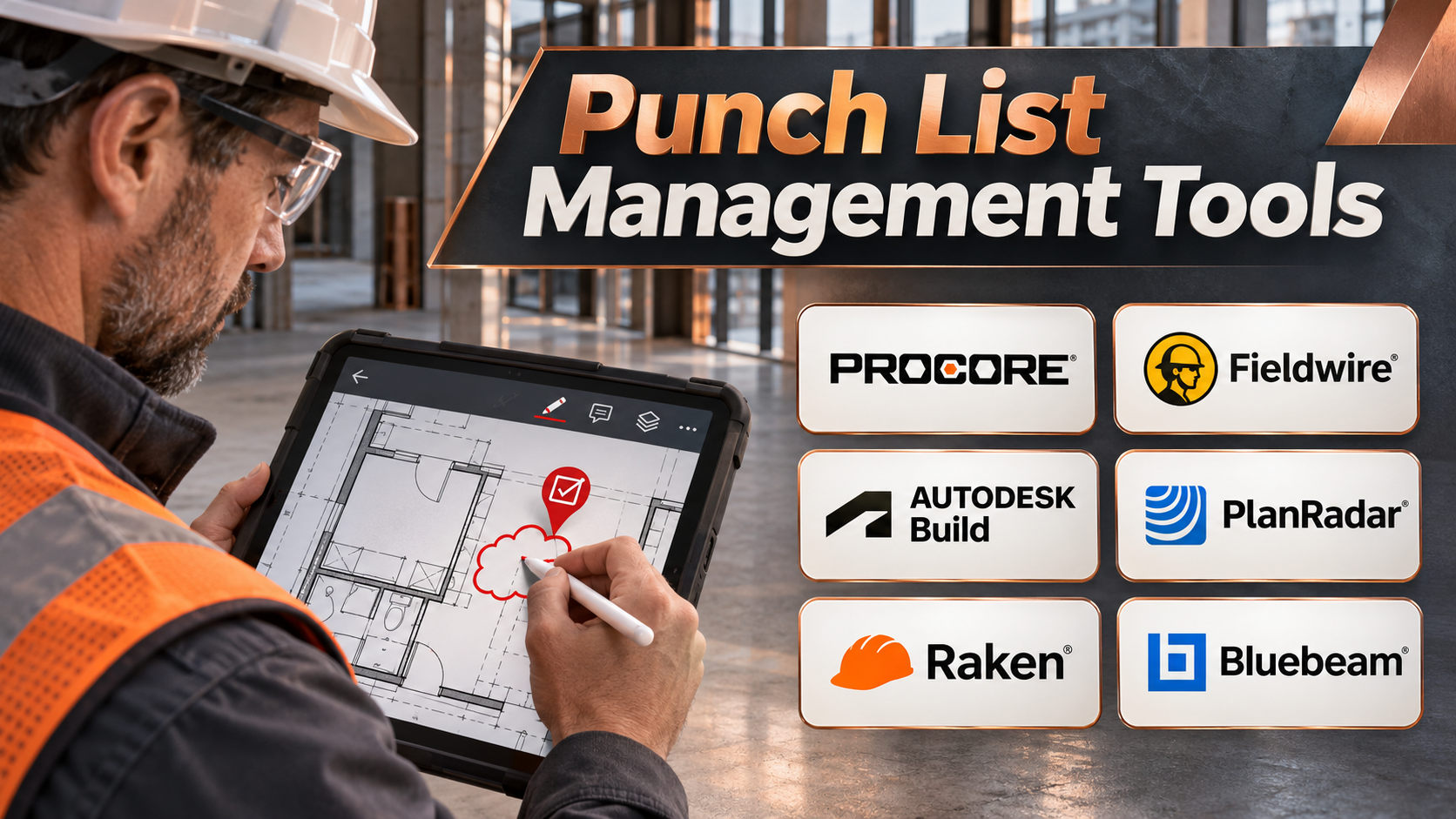
Introduction
Construction projects rarely reach completion without a few outstanding issues. A door may need adjustment, a wall may require repainting, or an electrical fixture may need replacement. Although these problems appear small individually, poor coordination can delay inspections, final payments, occupancy, and project handover.
Punch list management tools help construction professionals record, assign, monitor, and resolve outstanding work. Instead of relying on paper checklists, scattered photographs, and email conversations, project teams can maintain a shared record of every issue requiring attention.
Modern punch list software also supports communication between general contractors, subcontractors, architects, inspectors, and property owners. Team members can attach photographs, identify locations on construction drawings, assign responsibilities, and confirm completed repairs.
The right software can improve closeout efficiency while reducing disputes about responsibility and completion status. However, different solutions serve different requirements. Some specialize in mobile field inspections, while others connect punch lists to broader construction project management workflows.
This guide examines ten punch list management tools, their capabilities, advantages, limitations, and suitable applications. It also explains how to evaluate software, implement a reliable punch list process, and avoid common mistakes during construction closeout.
What Is Punch List Management Software?
Punch list management software is a digital system used to document and track unfinished, defective, or noncompliant construction work before final project acceptance.
A punch list typically contains the issue description, location, responsible contractor, supporting photographs, due date, priority, and completion status. Digital tools organize this information into a central workspace.
For example, an architect inspecting a newly constructed office building might discover damaged ceiling panels. The inspector can photograph the damage, place a marker on the floor plan, assign the issue to the ceiling subcontractor, and specify a completion deadline.
After repairing the panels, the subcontractor uploads completion photographs. The inspector reviews the evidence and either accepts the correction or requests additional work.
This structured process creates accountability and helps teams understand which issues remain unresolved.
Common Applications
- Construction closeout: Track outstanding tasks before final handover.
- Quality inspections: Record defects discovered during routine walkthroughs.
- Residential development: Coordinate finishing work across multiple homes.
- Commercial construction: Manage defects across floors, rooms, and subcontractors.
- Renovation projects: Document incomplete repairs and installation problems.
- Owner inspections: Record issues identified during acceptance walkthroughs.
- Warranty management: Track defects discovered after occupancy.
- Compliance documentation: Preserve inspection records and corrective evidence.
Top 10 Punch List Management Tools
1. Fieldwire
Best For: Field teams that need drawing-based task management and mobile collaboration.
Overview
Fieldwire is a construction field management platform designed to connect tasks, drawings, and project participants. Its mobile-oriented workflow makes it particularly useful for superintendents, foremen, inspectors, and subcontractors working directly on construction sites.
The platform allows users to place task markers on construction drawings and associate each marker with a specific issue. Team members can attach photographs, write comments, assign responsibilities, and update progress without repeatedly searching through documents.
Fieldwire is especially valuable when multiple subcontractors work across different building areas. Rather than communicating through separate messages, contractors can identify outstanding issues directly from the relevant floor plans.
The platform also supports broader field coordination, making it suitable for teams that want punch list management alongside daily task tracking and site communication.
Key Features
- Drawing-linked tasks: Connect individual punch items to exact positions on construction plans.
- Mobile issue capture: Record defects directly from smartphones and tablets.
- Photographic documentation: Attach images that explain the condition and support verification.
- Task assignments: Allocate corrective work to responsible individuals or trades.
- Status tracking: Monitor outstanding, active, and completed items.
- Offline field workflows: Continue working in locations with unreliable connectivity and synchronize later.
- Construction reporting: Generate structured reports for meetings and project reviews.
- Team collaboration: Maintain comments and updates within individual tasks.
- Drawing management: Keep project plans accessible alongside field activities.
Benefits
Fieldwire reduces ambiguity by connecting defects to their physical locations. Contractors spend less time identifying which room or component needs attention.
Mobile access also helps teams document issues while inspecting rather than transferring handwritten notes afterward. Shared task information improves coordination and can shorten the time between identification and repair.
Pros
- Strong drawing-based issue tracking.
- Practical mobile interface for field teams.
- Supports offline workflows.
- Useful for subcontractor coordination.
- Combines punch lists with general field task management.
Cons
- Advanced functionality may require higher subscription tiers.
- Larger deployments require consistent task naming and permission management.
- Financial management capabilities are less extensive than those of enterprise construction suites.
Use Cases
Commercial building closeout: A superintendent marks incomplete electrical outlets on floor plans and assigns them to the electrical subcontractor.
Multi-unit residential inspections: A quality inspector organizes defects by building, floor, and apartment.
Best For: Contractors prioritizing fast field documentation and drawing-based punch list coordination.
2. Procore
Best For: General contractors managing punch lists within an integrated construction management platform.
Overview
Procore provides a broad construction management environment that includes project coordination, documents, financial workflows, and quality management.
Its dedicated Punch List functionality helps project teams document defects, assign responsibilities, and monitor corrective work. This allows punch list activities to remain connected to the larger project record rather than operating as an isolated checklist.
General contractors can coordinate observations from superintendents, architects, owners, and subcontractors while maintaining controlled access to project information.
Procore is particularly relevant for organizations already using its construction management tools. Keeping field issues, project documents, and team communication within one ecosystem can reduce fragmented recordkeeping.
Key Features
- Dedicated punch list workflows: Create and manage corrective work items.
- Drawing references: Associate issues with relevant construction locations.
- Photo attachments: Preserve visual evidence before and after repairs.
- Responsibility assignment: Identify the contractor accountable for each item.
- Due-date management: Establish target dates and monitor delays.
- Mobile access: Capture and review field information onsite.
- Permission controls: Manage access according to project responsibilities.
- Progress reporting: Review open items and closeout activity.
- Project integration: Connect quality documentation with broader construction records.
Benefits
Procore provides centralized oversight across projects and participants. Management teams can review unresolved work without relying entirely on manually prepared spreadsheets.
Its broader platform also helps organizations maintain consistent documentation practices across multiple construction projects.
Pros
- Dedicated construction punch list functionality.
- Strong enterprise project coordination.
- Centralized project documentation.
- Supports complex subcontractor relationships.
- Suitable for multi-project organizations.
Cons
- Broader implementation effort than standalone punch list apps.
- Subscription costs may be difficult to justify for very small projects.
- Requires user training and standardized workflows.
Use Cases
Large commercial construction: A general contractor manages hundreds of defects across different trades.
Multi-project portfolio: A construction director reviews closeout progress across several active developments.
Best For: Medium-sized and large contractors seeking integrated project and closeout management.
3. Autodesk Forma Build
Best For: Construction teams using Autodesk-centered drawings, models, and project coordination.
Overview
Autodesk Forma Build, previously known as Autodesk Build, supports construction management activities through connected project information and field workflows.
Its issue management capabilities help teams identify deficiencies, link them to project information, and coordinate corrective actions. This is useful when punch list activities depend on accurate drawings and coordinated design information.
Construction professionals can document field observations and associate them with project sheets or model-related information, depending on the workflow and available configuration.
The platform is especially relevant to organizations that already rely on Autodesk software for design coordination and construction documentation.
Key Features
- Issue tracking: Record construction deficiencies and assign corrective work.
- Drawing connections: Associate observations with project sheets.
- Model-related coordination: Support issue workflows involving building information models.
- Mobile field access: Capture observations during inspections.
- Photographic evidence: Attach images to issue records.
- Status management: Track progress toward issue resolution.
- Custom issue categories: Organize defects according to project requirements.
- Project dashboards: Review outstanding work and activity trends.
- Document coordination: Maintain connections between field issues and project information.
Benefits
The platform helps reduce separation between construction documentation and site quality management.
Teams working with digital models can use a connected environment to communicate more clearly about the location and nature of defects.
Pros
- Strong construction documentation ecosystem.
- Useful drawing and model connections.
- Supports enterprise construction workflows.
- Mobile issue management.
- Appropriate for BIM-oriented projects.
Cons
- May require substantial onboarding.
- Advanced functionality depends on licensing and configuration.
- Can be excessive for projects requiring only basic checklists.
Use Cases
Complex building projects: Teams coordinate mechanical installation defects with project drawings.
Design-build construction: Project participants connect field observations with shared design documentation.
Best For: BIM-focused contractors and Autodesk-centered construction organizations.
4. PlanRadar
Best For: Defect tracking, inspection documentation, and structured construction reporting.
Overview
PlanRadar is a construction documentation and field management platform that supports defect management, inspections, and project communication.
Users can create tickets for individual issues, identify their locations on drawings, attach evidence, and assign corrective responsibilities.
Its ticket-based structure is useful for organizations that need consistent documentation across many building areas or projects.
PlanRadar also supports report generation, helping inspectors and project managers communicate outstanding issues to contractors, clients, and other stakeholders.
Key Features
- Defect tickets: Create structured records for individual issues.
- Plan-based location marking: Identify where corrective work is required.
- Photo documentation: Capture visible defects and repair evidence.
- Task assignment: Allocate issues to responsible participants.
- Deadline tracking: Monitor corrective work against target dates.
- Custom forms: Standardize the information collected during inspections.
- Report generation: Produce structured documentation for stakeholders.
- Mobile inspections: Record issues directly at construction sites.
- Status monitoring: Review unresolved and completed defects.
Benefits
PlanRadar improves consistency by encouraging teams to document defects through repeatable forms and workflows.
Its reporting capabilities can also reduce the administrative effort involved in preparing inspection summaries.
Pros
- Strong defect management focus.
- Structured ticket workflows.
- Useful reporting capabilities.
- Drawing-linked documentation.
- Suitable for recurring inspections.
Cons
- Subscription requirements vary by user role and package.
- Teams must configure forms carefully.
- Broader financial management may require other systems.
Use Cases
Apartment handover: Inspectors document defects across individual units.
Property renovation: Project managers track repair work across multiple buildings.
Best For: Contractors, inspectors, developers, and property teams requiring detailed defect documentation.
5. Bluebeam Revu
Best For: Construction professionals managing punch lists through PDF drawings and markups.
Overview
Bluebeam Revu is widely used for reviewing, marking up, and collaborating on construction documents.
Although it is not exclusively a punch list application, its markup tools and structured Markups List support drawing-based deficiency tracking.
Inspectors can place standardized symbols on PDF plans, associate notes with locations, and use custom columns to track responsibility and completion status.
Bluebeam is particularly useful for teams whose inspection and review processes already depend heavily on PDF construction drawings.
Key Features
- PDF markups: Identify defects directly on construction drawings.
- Custom tool sets: Standardize symbols used during inspections.
- Markups List: Organize recorded observations into structured information.
- Custom columns: Track responsibility, status, and other project attributes.
- Drawing measurement tools: Support review of construction conditions.
- Studio collaboration: Coordinate document reviews with project participants.
- Filtering and sorting: Find observations by category or responsible party.
- Report exports: Share markup information for review and follow-up.
- Document comparison: Identify differences between drawing revisions.
Benefits
Bluebeam allows teams to build punch list workflows around familiar drawing review practices.
This can reduce the need for separate inspection software when PDF markup is already central to the organization’s operations.
Pros
- Powerful PDF annotation capabilities.
- Highly configurable markup workflows.
- Useful for architects and technical reviewers.
- Supports collaborative drawing review.
- Strong document-focused functionality.
Cons
- Less purpose-built for punch workflows than dedicated applications.
- Requires careful configuration of markup statuses.
- Complex task notifications may require complementary systems.
Use Cases
Architectural inspections: Architects mark finishing defects on PDF plans.
Technical closeout: Engineering teams review outstanding mechanical and electrical observations.
Best For: Architects, engineers, and contractors with PDF-centered inspection workflows.
6. ArchiSnapper
Best For: Architects and inspectors producing professional site inspection reports.
Overview
ArchiSnapper focuses on site inspections, field reports, and punch list documentation.
Its workflow helps inspectors capture observations onsite and turn them into organized reports without manually assembling photographs and notes afterward.
Users can document individual defects, identify responsible parties, and generate reports for contractors or project owners.
The platform is especially relevant for architects and consultants who perform repeated site visits and need clear client-facing documentation.
Key Features
- Mobile inspection notes.
- Photographic observation records.
- Punch item assignments.
- Drawing-based location references.
- Reusable inspection templates.
- Report generation.
- Observation status tracking.
- Project and contact organization.
- Structured follow-up documentation.
Benefits
ArchiSnapper reduces time spent preparing inspection reports after site visits. It also helps maintain consistent documentation between inspections.
Pros
- Strong inspection reporting.
- Mobile-friendly documentation.
- Reusable templates.
- Clear client-facing reports.
Cons
- Less comprehensive construction financial management.
- May require integration with other project systems.
- Primarily oriented toward inspection workflows.
Use Cases
Architectural site observations and recurring construction quality inspections.
Best For: Architects, consultants, and construction inspectors.
7. Dalux
Best For: BIM-connected field inspections and quality management.
Overview
Dalux provides digital construction tools supporting field documentation, quality inspections, and model-based coordination.
Its field workflows help teams record issues, associate them with building locations, and communicate corrective requirements.
Dalux is particularly relevant for projects where building information models are important to site operations.
Key Features
- Mobile issue registration.
- BIM visualization.
- Location-based defect tracking.
- Inspection checklists.
- Photo attachments.
- Responsibility assignments.
- Status monitoring.
- Quality documentation.
- Project collaboration.
Benefits
Dalux helps connect physical construction conditions with digital project information. This can improve location accuracy and reduce misunderstandings between field and office teams.
Pros
- Strong BIM orientation.
- Useful mobile field tools.
- Supports structured inspections.
- Suitable for complex buildings.
Cons
- Advanced workflows require training.
- BIM functionality may be unnecessary for smaller projects.
- Product packaging must be evaluated carefully.
Use Cases
Large institutional buildings, complex mechanical installations, and model-driven quality inspections.
Best For: BIM-oriented construction organizations.
8. Buildertrend
Best For: Residential builders and remodeling contractors.
Overview
Buildertrend combines residential construction management, scheduling, communication, and task coordination.
Its task and checklist capabilities can support punch list management during final construction stages.
Residential contractors can coordinate finishing work while keeping project communication and homeowner-related activities within a broader management environment.
Key Features
- Project task management.
- To-do lists.
- Mobile collaboration.
- Photo attachments.
- Subcontractor communication.
- Project scheduling.
- Client communication.
- Progress visibility.
- Centralized project records.
Benefits
Buildertrend helps residential contractors manage finishing tasks without separating them from everyday project administration.
Pros
- Residential construction focus.
- Combines tasks with project coordination.
- Supports client communication.
- Useful for remodeling projects.
Cons
- Less specialized in drawing-pinned defect workflows.
- May be excessive for simple punch lists.
- Requires broader platform adoption.
Use Cases
Custom home completion, remodeling closeout, and homeowner walkthroughs.
Best For: Homebuilders and residential renovation businesses.
9. Raken
Best For: Contractors combining field reporting with quality documentation.
Overview
Raken focuses on construction field reporting, daily documentation, and site activity management.
Its field documentation capabilities can support punch list and corrective-action processes, particularly when teams want to connect quality observations with daily site reporting.
Raken is most useful when consistent field reporting is already a priority.
Key Features
- Mobile field documentation.
- Daily construction reports.
- Photo capture.
- Task-related observations.
- Site activity records.
- Team communication.
- Project reporting.
- Documentation organization.
- Field progress visibility.
Benefits
Raken can reduce duplicate data entry by keeping field observations close to daily reporting activities.
Pros
- Strong field reporting focus.
- Mobile-oriented workflows.
- Practical construction documentation.
- Useful for site supervisors.
Cons
- Dedicated punch list depth should be verified.
- Drawing-based workflows may be less extensive than specialized alternatives.
- Complex closeout processes may require complementary tools.
Use Cases
Daily construction quality checks and contractor field documentation.
Best For: Field supervisors and contractors prioritizing daily reports.
10. Smartsheet
Best For: Teams needing flexible punch list tracking without a specialized construction platform.
Overview
Smartsheet is a collaborative work management platform that can be configured for construction punch lists.
Teams can build structured issue registers, assign responsibilities, set deadlines, and create dashboards.
Although it lacks some specialized construction features, its flexibility makes it useful for organizations that already manage projects through spreadsheets and configurable workflows.
Key Features
- Custom punch list templates.
- Task assignments.
- Deadline management.
- File attachments.
- Automated reminders.
- Status dashboards.
- Collaboration tools.
- Reporting.
- Workflow automation.
Benefits
Smartsheet provides a relatively flexible approach to issue management and can support teams with straightforward requirements.
Pros
- Highly configurable.
- Familiar spreadsheet-style interface.
- Useful workflow automation.
- Cross-department collaboration.
Cons
- Limited native construction drawing functionality.
- Requires initial template design.
- Not a dedicated construction quality platform.
Use Cases
Small project closeout registers and portfolio-level issue tracking.
Best For: Teams wanting customizable task management.
Punch List Management Software Comparison Table
| Software | Primary Strength | Best Suited For |
|---|---|---|
| Fieldwire | Drawing-linked field tasks | Site teams |
| Procore | Integrated punch workflows | General contractors |
| Autodesk Forma Build | Connected construction issues | BIM-oriented teams |
| PlanRadar | Defect tickets and reporting | Inspectors |
| Bluebeam Revu | PDF drawing markups | Architects |
| ArchiSnapper | Inspection reports | Consultants |
| Dalux | BIM field coordination | Complex projects |
| Buildertrend | Residential task coordination | Homebuilders |
| Raken | Field documentation | Site supervisors |
| Smartsheet | Customizable issue registers | Small and mixed teams |
How to Choose Punch List Management Software
1. Identify the Primary Inspection Workflow
Determine whether the organization primarily uses drawings, mobile inspections, BIM models, or general task lists.
Software should match the way defects are discovered and communicated.
2. Evaluate Field Usability
Inspectors should be able to create a complete issue record quickly.
Test photo capture, task assignment, drawing navigation, and offline functionality on actual field devices.
3. Assess Subcontractor Participation
Check whether subcontractors need paid accounts, how they receive assignments, and whether they can upload repair evidence.
A platform that is difficult for subcontractors to use may slow the entire process.
4. Review Reporting Requirements
Some projects require detailed owner reports, while others need only an internal outstanding-items register.
Confirm whether the software can produce the required reports without extensive manual editing.
5. Consider Existing Systems
Organizations already using construction management software should first evaluate available native punch list capabilities.
Avoid introducing another system unless it provides meaningful operational benefits.
6. Test the Full Closeout Process
A demonstration should include issue creation, assignment, contractor response, verification, rejection, reopening, and final acceptance.
The complete workflow matters more than the number of advertised features.
Best Punch List Software by User Type
| User Type | Recommended Starting Point | Reason |
|---|---|---|
| Field superintendent | Fieldwire | Drawing-based mobile tasks |
| Enterprise general contractor | Procore | Integrated construction management |
| BIM coordinator | Autodesk Forma Build or Dalux | Model-related coordination |
| Architect | Bluebeam or ArchiSnapper | Markups and inspection reports |
| Property inspector | PlanRadar | Structured defect documentation |
| Residential builder | Buildertrend | Residential project workflows |
| Small project manager | Smartsheet | Flexible issue registers |
| Field reporting team | Raken | Daily documentation integration |
Practical Example: Managing a Commercial Building Punch List
Consider a contractor preparing a five-story office building for handover.
Step 1: Create the Closeout Workspace
Upload current floor plans and establish inspection areas for each floor.
Step 2: Define Issue Categories
Create categories for painting, flooring, electrical, plumbing, HVAC, doors, and general finishing.
Step 3: Conduct Inspections
Inspectors walk through the building and document each defect with a photograph and location reference.
Step 4: Assign Corrective Work
Every issue receives one responsible contractor and a target completion date.
Step 5: Notify Subcontractors
Subcontractors review assigned work and coordinate access to the relevant locations.
Step 6: Capture Completion Evidence
Contractors upload photographs and comments after completing repairs.
Step 7: Verify Repairs
Inspectors review the completed work and either accept the correction or reopen the issue.
Step 8: Generate the Final Closeout Report
The project manager exports unresolved issues, completion records, and acceptance documentation for the owner.
Common Punch List Management Mistakes
- Vague issue descriptions: Write measurable corrective instructions rather than general complaints.
- Missing location details: Include room numbers, drawing references, or location markers.
- Multiple owners per task: Assign one accountable party for each issue.
- No completion evidence: Require photographs when visual confirmation is appropriate.
- Closing items without verification: Separate contractor completion from inspector acceptance.
- Outdated drawings: Maintain current plan versions to prevent location confusion.
- Ignoring subcontractor training: Demonstrate the process before closeout begins.
- Starting too late: Use rolling quality inspections throughout construction rather than waiting until final handover.
Frequently Asked Questions
1. What is punch list management software?
It is software used to document, assign, track, and verify unfinished or defective construction work.
2. Why do construction companies use punch lists?
Punch lists help teams resolve outstanding issues before final acceptance and handover.
3. What information should a punch item contain?
A useful record includes the description, location, responsible contractor, priority, due date, photographs, and status.
4. Can punch list software work offline?
Some platforms support offline field workflows. Confirm the exact capabilities before purchasing.
5. Is punch list software suitable for residential construction?
Yes. Homebuilders and remodeling contractors use it to manage finishing work and homeowner walkthroughs.
6. What is the difference between a punch list and an inspection checklist?
An inspection checklist records what was reviewed. A punch list records specific work that must be corrected or completed.
7. Can subcontractors access punch lists?
Many platforms provide subcontractor access, although licensing and permissions vary.
8. Does punch list software support photographs?
Most construction-focused solutions allow photographs to be attached to issue records.
9. Can punch items be linked to floor plans?
Yes. Several specialized tools support drawing-based issue locations.
10. Is Procore suitable for punch list management?
Yes. Procore provides dedicated punch list capabilities within its construction platform.
11. Is Fieldwire useful for small contractors?
Yes. Its field-oriented task management can serve smaller construction teams.
12. Can Bluebeam manage punch lists?
Yes. Teams can use PDF markups and structured markup information to coordinate punch items.
13. What is the role of an architect in punch list management?
Architects may identify deficiencies, review corrections, and participate in acceptance decisions according to project contracts.
14. How are punch list items prioritized?
Teams commonly consider safety, compliance, operational impact, occupancy requirements, and completion deadlines.
15. Can punch list software reduce project delays?
It can improve visibility and coordination, although results depend on timely corrective work and effective management.
16. Does punch list software replace project management software?
Not necessarily. Dedicated punch list tools often complement broader construction management systems.
17. What is a digital punch list?
It is an electronic record of outstanding construction work managed through software rather than paper.
18. How do contractors prove an issue has been fixed?
They can upload photographs, notes, test records, or other completion evidence.
19. Who approves completed punch items?
Approval responsibilities depend on the contract and may involve inspectors, architects, general contractors, or owners.
20. Can punch list software support warranty work?
Some systems can also track post-handover defects and warranty-related corrective tasks.
21. What reports should punch list software provide?
Useful reports include open issues, overdue tasks, completion status, responsible trades, and location summaries.
22. How long does implementation take?
Simple applications may require limited setup, while enterprise deployments can involve configuration, training, and integration work.
23. Can punch lists be exported?
Many platforms support PDF, spreadsheet, or other reporting formats.
24. What should teams test during a software trial?
Test issue creation, drawing references, subcontractor access, offline use, reporting, and verification workflows.
25. What is the most important feature?
Clear responsibility and reliable issue tracking are fundamental. The best feature combination depends on the project’s complexity.
Final Thoughts
Punch list management software helps construction teams move from scattered defect records to structured, accountable closeout workflows.
Fieldwire is a strong starting point for drawing-based field coordination. Procore suits contractors requiring integrated construction management, while Autodesk Forma Build and Dalux are relevant for BIM-oriented teams. PlanRadar and ArchiSnapper emphasize structured inspection documentation, and Bluebeam supports drawing-centered review.
The best choice depends on project size, inspection practices, subcontractor participation, existing software, and reporting requirements.
Before selecting a platform, test the entire process from defect discovery through verified completion. A reliable workflow, supported by clear responsibilities and consistent documentation, is more valuable than an extensive feature list that field teams rarely use.