Introduction
Law enforcement investigations involve far more than writing an incident report. Investigators must organize leads, interview witnesses, document evidence, assign tasks, track deadlines, and coordinate with supervisors and other agencies. As investigations become more complex, managing these activities through spreadsheets, email messages, and disconnected documents can create serious operational challenges.
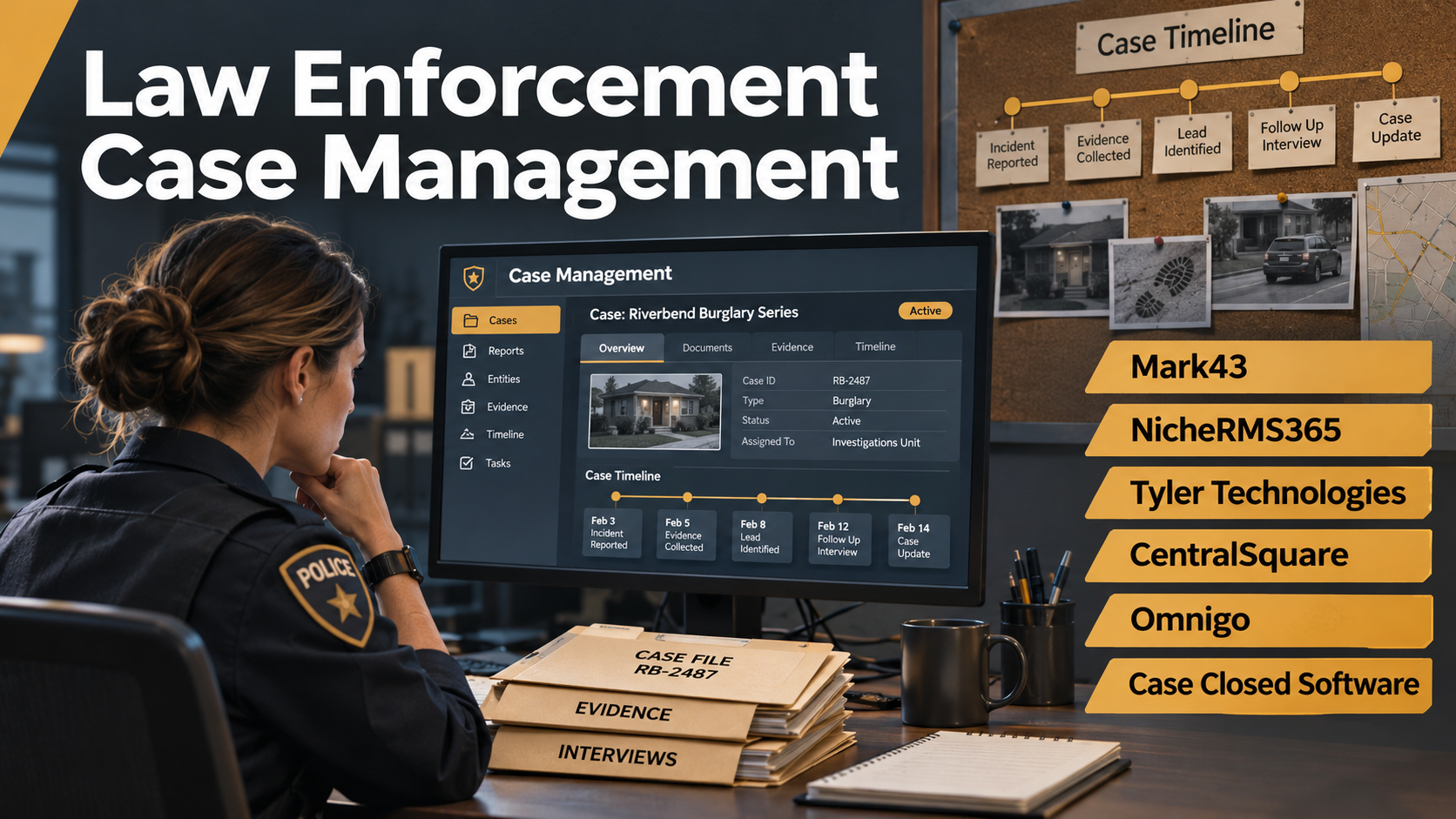
Law Enforcement Case Management software helps agencies structure investigative work from initial assignment through review, referral, and closure. A centralized platform can connect case records, investigative tasks, involved persons, evidence references, and important decisions.
These systems are used by police departments, sheriff’s offices, specialized investigation units, intelligence teams, and other authorized organizations. Their requirements differ according to case volume, investigative complexity, jurisdiction, and operational responsibilities.
A local police department may need straightforward case assignment, reporting, and supervisory approval. A major crimes unit may require complex relationships between suspects, witnesses, locations, evidence, and investigative leads. A regional task force may need controlled collaboration between multiple organizations.
Security is especially important because investigative records can contain sensitive personal information, confidential sources, protected witnesses, intelligence, and information about people who have not been charged with wrongdoing.
Case management software must therefore support appropriate access restrictions, auditability, retention, and organizational policies. It should also help agencies avoid inaccurate associations and unsupported conclusions.
This guide examines ten established software solutions relevant to law enforcement case management. Some provide dedicated investigative case management, while others offer broader police records management, intelligence analysis, or related workflows.
Each profile explains the software’s purpose, features, benefits, limitations, and suitable applications. The guide also includes comparison tables, procurement advice, an implementation example, common mistakes, and frequently asked questions.
What Is Law Enforcement Case Management Software?
Law Enforcement Case Management Software is a specialized information system used to organize and coordinate investigative cases.
It provides a structured environment for maintaining case identifiers, incident information, investigative assignments, involved persons, leads, evidence references, activities, documents, and supervisory decisions.
A case management system helps investigators understand what has been completed, what remains outstanding, who is responsible for each activity, and which records are associated with a particular matter.
Many systems support workflows for assigning cases, documenting investigative actions, managing approvals, and producing reports. Some connect with computer-aided dispatch, police records management, digital evidence systems, forensic laboratories, and prosecutor applications.
Case management is not identical to records management. An RMS maintains broad law enforcement records, while investigative case management places greater emphasis on coordinating the progress of individual investigations.
In practice, these functions often overlap. A comprehensive police RMS may include case management modules, while specialized investigation software may integrate with an existing RMS.
Common Applications
- Criminal investigations: Organize investigative records, leads, assignments, and case developments.
- Detective case assignments: Allocate cases to investigators and monitor workloads.
- Major incident investigations: Coordinate complex cases involving multiple investigators and evidence sources.
- Evidence references: Associate physical and digital evidence records with relevant cases.
- Investigative task tracking: Maintain assigned actions, deadlines, and completion information.
- Multi-agency collaboration: Share authorized case information between participating organizations.
- Supervisory review: Support case progress reviews, approvals, and documented decisions.
- Prosecutor referrals: Prepare organized investigative materials for authorized legal review.
Top 10 Law Enforcement Case Management Software Solutions
The following products represent different approaches to investigation management, police records workflows, and specialist case analysis.
1. Mark43 RMS
Best For: Police departments seeking modern incident, records, and investigative case workflows.
Overview
Mark43 RMS is a public safety records management platform that supports law enforcement reporting and investigative information management.
It is relevant to agencies that want connected incident records, case information, and administrative workflows within a modern software environment.
The platform’s broader public safety ecosystem includes CAD functionality, allowing agencies to evaluate how initial dispatch events relate to formal reporting and subsequent investigations.
Mark43 is particularly relevant to modernization projects involving older records systems. Agencies should evaluate case assignment, investigation documentation, permissions, reporting, and integration requirements in the specific proposed configuration.
Key Features
- Case Information Management: Organizes investigative records and associated details.
- Incident Reporting: Supports structured law enforcement reports.
- Connected Records: Helps maintain relationships between relevant information.
- Search and Retrieval: Supports authorized access to historical records.
- Workflow Configuration: Accommodates agency-specific reporting and review processes.
- CAD Connectivity: Supports integration with compatible dispatch operations.
- Access Management: Restricts information according to authorized responsibilities.
- Operational Reporting: Provides information for management review.
- Cloud-Oriented Architecture: Supports modern hosted software workflows.
Benefits
Mark43 can help agencies reduce fragmented records processes and improve access to relevant investigative information.
Its connected approach may also reduce repetitive data entry between dispatch and reporting functions.
Pros
- Modern interface approach.
- Connected public safety ecosystem.
- Supports investigative records.
- Relevant to cloud modernization.
- Structured reporting workflows.
Cons
- Advanced investigative requirements need verification.
- Cloud continuity requires planning.
- Data migration may be complex.
- Integrations depend on supported interfaces.
- Costs vary by deployment scope.
Use Cases
Municipal Detective Unit: Investigators organize cases and related incident records.
Police Modernization: A department replaces legacy reporting and case applications.
Best For: Agencies seeking connected RMS and investigative workflows.
2. Motorola Solutions PremierOne Records
Best For: Large law enforcement organizations requiring enterprise case and records management.
Overview
PremierOne Records provides enterprise law enforcement information management capabilities.
The platform is relevant to agencies handling substantial volumes of incidents, investigations, and administrative records.
Its relationship with Motorola’s public safety technology ecosystem can be important when organizations want to connect dispatch, records, and field workflows.
Large agencies should evaluate the system’s case management capabilities using realistic investigative scenarios, including restricted records, multiple investigators, supervisory review, and external information exchange.
Key Features
- Incident Records: Maintains structured law enforcement information.
- Case Documentation: Supports investigative records and related information.
- Records Search: Helps authorized personnel locate relevant information.
- CAD Integration: Connects with compatible dispatch systems.
- Mobile Workflows: Supports related field reporting applications.
- Access Controls: Helps protect restricted records.
- Administrative Processes: Supports agency reporting procedures.
- Operational Reporting: Provides information for departmental analysis.
- Enterprise Integration: Supports connections with compatible public safety systems.
Benefits
PremierOne Records can help large organizations establish consistent records and case documentation processes.
Connected operational systems may improve information availability across authorized departments.
Pros
- Enterprise public safety focus.
- Suitable for complex agencies.
- Supports integrated records workflows.
- Related operational technology.
- Structured information management.
Cons
- Implementation can be extensive.
- Configuration requires planning.
- Migration may be demanding.
- Smaller agencies may not require enterprise scope.
- Total cost depends on integrations and services.
Use Cases
Metropolitan Police Department: Multiple detective divisions manage investigations through a common records environment.
Regional Agency: Investigative and operational personnel require consistent information access.
Best For: Large agencies with extensive records and case requirements.
3. CentralSquare Public Safety RMS
Best For: Municipal and county law enforcement agencies seeking connected case and records workflows.
Overview
CentralSquare provides public safety records management solutions that support incident reporting and related law enforcement information.
Its systems can be relevant to investigative teams that need organized case records, reporting workflows, and connections with dispatch and mobile applications.
CentralSquare’s product portfolio contains multiple families. Buyers should confirm which case management capabilities exist in the exact version proposed.
A successful implementation requires detailed attention to records migration, permissions, search behavior, and case documentation requirements.
Key Features
- Case Records: Organizes investigative information.
- Incident Reporting: Maintains structured reports.
- CAD Integration: Connects compatible dispatch information.
- Field Reporting: Supports related mobile workflows.
- Records Search: Helps locate historical information.
- Access Permissions: Controls sensitive records.
- Administrative Workflows: Supports records processing.
- Data Exchange: Connects with supported systems.
- Reporting: Helps review operational activity.
Benefits
CentralSquare can support more consistent case information management and reduce disconnected reporting practices.
Pros
- Broad public safety portfolio.
- Relevant to county and municipal agencies.
- Supports records integration.
- Configurable workflows.
- Established public sector orientation.
Cons
- Product-family differences.
- Integration requirements vary.
- Migration can be complex.
- Advanced case workflows require validation.
- Implementation costs depend on scope.
Use Cases
County Sheriff’s Office: Investigators manage case information alongside official incident records.
Municipal Police Department: A department standardizes case documentation.
Best For: Agencies seeking integrated records and case processes.
4. Versaterm RMS
Best For: Law enforcement organizations requiring configurable investigative records workflows.
Overview
Versaterm RMS provides records management functionality designed for law enforcement organizations.
It supports the organization of incident information, investigative records, and related administrative documentation.
Agencies can evaluate the platform alongside other Versaterm public safety applications when considering connected operational workflows.
The most important procurement question is whether the proposed configuration supports the agency’s actual investigative processes, including assignments, case relationships, review, and reporting.
Key Features
- Incident Records: Maintains structured reports.
- Case Information: Organizes investigative details.
- Records Retrieval: Supports searches.
- CAD Connectivity: Links compatible dispatch information.
- Field Reporting: Supports related mobile workflows.
- Permissions: Helps restrict sensitive records.
- Workflow Configuration: Accommodates local procedures.
- Administrative Reporting: Supports management review.
- System Integration: Connects compatible public safety applications.
Benefits
Versaterm can help agencies establish consistent records processes and maintain information across connected public safety workflows.
Pros
- Law enforcement specialization.
- Configurable workflows.
- Connected software ecosystem.
- Structured records management.
- Suitable for formal procurement.
Cons
- Features vary by configuration.
- Integrations need verification.
- Training may be substantial.
- Migration requires preparation.
- Specialized investigative needs require testing.
Use Cases
Detective Bureau: Investigators maintain structured case records.
Police Technology Consolidation: A department evaluates connected records and operational software.
Best For: Agencies seeking configurable investigative records management.
5. Kaseware
Best For: Complex investigations, intelligence-led case management, and multi-source investigative information.
Overview
Kaseware is an investigative case management platform designed to support organizations conducting complex investigations.
It is relevant to law enforcement and other investigative teams that need to organize cases, leads, entities, relationships, and supporting information.
Unlike a general police RMS, a dedicated investigative platform may place greater emphasis on analytical workflows and the relationships between investigative subjects, events, and evidence.
Agencies should evaluate how the system manages sensitive information, investigator collaboration, source reliability, permissions, and integration with existing records and evidence systems.
Key Features
- Investigative Case Management: Organizes case information and related activities.
- Lead Tracking: Supports documentation and management of investigative leads.
- Entity Relationships: Helps organize connections between people, locations, events, and other information.
- Investigator Collaboration: Supports authorized team workflows.
- Document Organization: Associates relevant materials with cases.
- Task Management: Helps coordinate investigative activities.
- Search: Supports retrieval of case information.
- Access Controls: Restricts sensitive investigative material.
- Analytical Workflows: Supports investigation-oriented information analysis.
Benefits
Kaseware can help specialized teams manage complex investigative information beyond basic incident reporting.
Its structured approach may improve coordination when investigations involve numerous leads and relationships.
Pros
- Investigation-centered design.
- Relevant to complex cases.
- Supports analytical workflows.
- Helps organize leads and tasks.
- Useful for specialized units.
Cons
- May require integration with an RMS.
- Training needs can be substantial.
- Advanced configuration requires planning.
- Data quality is critical.
- Analytical associations require human verification.
Use Cases
Major Crimes Unit: Investigators coordinate multiple leads, interviews, and evidence references.
Specialized Task Force: Authorized personnel manage complex investigative information.
Best For: Organizations requiring dedicated investigative case management.
6. CODY Systems
Best For: Law enforcement agencies seeking integrated records and investigative information management.
Overview
CODY Systems provides public safety software with records and operational information management capabilities.
Its offerings are relevant to agencies that need to organize incident reports, investigative records, and related law enforcement information.
The platform can be considered by departments seeking connected operational and administrative workflows.
Agencies should confirm the precise product modules, case management capabilities, and supported integrations before procurement.
Key Features
- Incident Records: Supports structured reporting.
- Investigative Information: Organizes case-related records.
- Search and Retrieval: Helps users locate relevant information.
- Records Integration: Connects supported operational workflows.
- Administrative Controls: Supports system configuration.
- Access Permissions: Restricts sensitive records.
- Reporting: Provides information for management review.
- Data Organization: Maintains structured information.
- Operational Connectivity: Supports compatible public safety applications.
Benefits
CODY can help departments standardize records and improve the organization of investigative information.
Pros
- Public safety specialization.
- Relevant to integrated records.
- Supports structured information.
- Useful for departmental modernization.
- Offers operational software connectivity.
Cons
- Product capabilities require confirmation.
- Integration availability varies.
- Advanced investigative features need testing.
- Migration can require extensive preparation.
- Costs depend on deployment.
Use Cases
Police Records and Investigations: A department coordinates incident and case information.
County Agency: Staff need organized access to investigative records.
Best For: Agencies seeking integrated law enforcement information management.
7. SmartCOP
Best For: Police and sheriff’s offices seeking connected operational and records software.
Overview
SmartCOP provides public safety technology, including records management and related operational applications.
Its software can be relevant to agencies that want case information connected with incident reporting and other law enforcement processes.
Departments should examine how investigative assignments, records searches, and supervisory workflows operate within the specific product configuration.
The procurement process should also address implementation support, historical data migration, and compatibility with existing systems.
Key Features
- Incident Reporting: Maintains structured incident information.
- Case Records: Organizes related investigative details.
- Records Search: Supports authorized retrieval.
- CAD Connectivity: Integrates with compatible dispatch workflows.
- Mobile Operations: Supports related field applications.
- User Permissions: Helps manage sensitive information.
- Administrative Reporting: Supports agency analysis.
- Workflow Configuration: Accommodates agency processes.
- System Integration: Connects compatible public safety technologies.
Benefits
SmartCOP may help departments reduce fragmented information management and standardize records processes.
Pros
- Law enforcement software focus.
- Related operational applications.
- Supports structured records.
- Relevant to police and sheriff’s offices.
- Useful for integrated software evaluations.
Cons
- Case management depth requires validation.
- Integration scope may vary.
- Implementation planning is necessary.
- Migration quality depends on source data.
- Advanced requirements may need additional tools.
Use Cases
Sheriff’s Investigative Division: Deputies organize reports and case information.
Municipal Police Department: Staff coordinate records and field reporting.
Best For: Departments seeking connected public safety records workflows.
8. Case Closed Software
Best For: Investigative teams requiring dedicated case organization and investigative workflow management.
Overview
Case Closed Software provides investigation management solutions intended to help teams organize case information and related activities.
It is relevant to specialized investigative organizations that need structured case records, assignments, and collaboration.
Dedicated case management software can be valuable when a general records system does not provide sufficient control over investigative tasks and progress.
Agencies should verify current product capabilities, deployment arrangements, permissions, integrations, and the handling of sensitive case information.
Key Features
- Case Organization: Maintains structured investigative matters.
- Lead Management: Helps track investigative leads.
- Task Assignment: Coordinates activities between team members.
- Document Management: Associates files with relevant cases.
- Case Status: Supports monitoring of investigation progress.
- Search: Helps retrieve investigative information.
- Collaboration: Supports authorized teamwork.
- Permissions: Restricts sensitive records.
- Reporting: Provides information for supervisory review.
Benefits
Case Closed Software can help investigators maintain visibility into outstanding work and related case materials.
Pros
- Dedicated investigation focus.
- Supports case organization.
- Relevant to task coordination.
- Useful for specialized teams.
- Can complement existing records systems.
Cons
- Current product scope requires verification.
- Integration with police RMS may be needed.
- Data migration requires planning.
- Enterprise needs must be evaluated.
- Specialized workflows may require configuration.
Use Cases
Investigation Team: Detectives track leads, assignments, and case documentation.
Specialized Agency: Investigators maintain organized records across ongoing matters.
Best For: Teams prioritizing dedicated case workflow management.
9. IBM i2 Analyst’s Notebook
Best For: Intelligence analysts and investigators requiring relationship and link analysis.
Overview
IBM i2 Analyst’s Notebook is an analytical application used to examine relationships and patterns within investigative information.
It is not a complete law enforcement case management system. Its primary purpose is to support analysis and visualization of complex relationships.
Investigators may use it alongside a case management platform to examine connections between people, events, locations, communications, and other information.
Analytical results must be interpreted carefully. A visual relationship does not independently establish wrongdoing or prove the reliability of underlying information.
Key Features
- Link Analysis: Visualizes relationships between entities.
- Charting: Organizes information into analytical diagrams.
- Timeline Analysis: Helps examine sequences of events.
- Data Import: Supports analysis of compatible datasets.
- Pattern Exploration: Helps analysts examine potential relationships.
- Visual Investigation: Presents complex information graphically.
- Analytical Workspaces: Supports structured examination.
- Information Filtering: Helps focus on selected relationships.
- Presentation Outputs: Supports communicating analytical findings.
Benefits
Analyst’s Notebook can help investigators understand complex information that may be difficult to interpret through conventional records searches.
Pros
- Specialized relationship analysis.
- Useful for complex investigations.
- Supports visual information exploration.
- Relevant to intelligence teams.
- Complements case management software.
Cons
- Not a complete case management platform.
- Requires analytical training.
- Input data quality is critical.
- Visual relationships may be misinterpreted.
- Additional software is needed for case administration.
Use Cases
Complex Investigation: Analysts examine relationships between events and entities.
Intelligence Unit: Personnel organize information for authorized analytical review.
Best For: Specialist analysts working alongside investigative case management systems.
10. Cellebrite Guardian
Best For: Investigative teams coordinating digital evidence and case-related forensic workflows.
Overview
Cellebrite Guardian supports digital evidence management and investigation-related collaboration.
It is particularly relevant to agencies that handle forensic examination outputs and need to connect evidence with investigative work.
Guardian’s case-oriented capabilities can complement a broader law enforcement records system.
Agencies should evaluate which investigative management functions are included in their selected package and whether separate software remains necessary for general case administration.
Key Features
- Case Information: Organizes investigation-related digital evidence.
- Evidence Centralization: Maintains supported forensic and digital materials.
- Collaboration: Supports authorized investigative teamwork.
- Task Workflows: Provides investigation-related coordination capabilities where included.
- Evidence Review: Helps investigators examine relevant materials.
- Chain-of-Custody Records: Supports evidence handling documentation.
- Forensic Integration: Connects with compatible Cellebrite tools.
- Case Visibility: Helps users understand investigative information.
- Controlled Sharing: Supports authorized information exchange.
Benefits
Guardian can reduce separation between digital forensic teams and investigators.
It is especially relevant when electronic device evidence plays a major role in investigations.
Pros
- Strong digital evidence orientation.
- Connected forensic ecosystem.
- Supports investigative collaboration.
- Relevant to complex digital cases.
- Helps organize forensic information.
Cons
- Not necessarily a replacement for a complete police RMS.
- Package capabilities vary.
- Integrations require verification.
- Forensic workflows need trained users.
- Costs depend on deployment scope.
Use Cases
Digital Investigation Unit: Examiners and detectives coordinate evidence and related case information.
Major Investigation: Teams organize forensic outputs for investigative review.
Best For: Agencies requiring evidence-centered investigative collaboration.
Law Enforcement Case Management Comparison Table
| Software | Primary Focus | Suitable Organizations | Main Limitation |
|---|---|---|---|
| Mark43 RMS | Connected records and cases | Modernizing police agencies | Advanced case functions need verification |
| Motorola PremierOne Records | Enterprise law enforcement records | Large departments | Implementation complexity |
| CentralSquare RMS | Public safety records | Municipal and county agencies | Product-family differences |
| Versaterm RMS | Configurable records workflows | Police and sheriff’s offices | Configuration requirements |
| Kaseware | Dedicated investigative management | Major crimes and task forces | May require RMS integration |
| CODY Systems | Integrated police records | Law enforcement agencies | Module verification |
| SmartCOP | Connected operational records | Police and sheriff’s offices | Investigative depth varies |
| Case Closed Software | Dedicated case workflows | Investigation teams | Integration requirements |
| IBM i2 Analyst’s Notebook | Relationship analysis | Intelligence analysts | Not a complete case management system |
| Cellebrite Guardian | Evidence-centered investigations | Digital forensic teams | Not a full police RMS |
How to Choose Law Enforcement Case Management Software
1. Identify Investigation Types
Begin by documenting the cases the agency handles.
Routine investigations, major crimes, financial investigations, missing-person cases, and specialized task force operations may require different workflows.
2. Separate RMS and Case Management Requirements
Determine whether the agency needs a complete records replacement, a dedicated investigative platform, or a specialized application integrated with existing systems.
Avoid purchasing overlapping functionality without a clear operational purpose.
3. Evaluate Case Assignment
Test how supervisors assign cases, change responsibilities, monitor workloads, and review progress.
The system should support documented accountability without creating unnecessary administrative steps.
4. Assess Lead and Task Management
Investigators need visibility into assigned activities and outstanding work.
Evaluate task ownership, due dates, notes, completion status, and supervisory review.
5. Review Evidence Integration
Cases may involve physical evidence, digital recordings, forensic reports, and other materials.
Determine how the system references or integrates with evidence management platforms.
6. Examine Information Security
Investigative information can be highly sensitive.
Evaluate role-based access, restricted cases, audit logs, authentication, and administrative controls.
7. Protect Data Quality
Names, addresses, identifiers, and investigative relationships can contain errors.
The software should support appropriate corrections, source documentation, and review procedures.
8. Evaluate Interagency Sharing
Joint investigations may involve multiple jurisdictions.
Test whether the platform supports appropriate information sharing while preserving agency-specific permissions.
9. Assess Reporting
Supervisors may need information about open cases, workloads, assignments, and investigative activity.
Evaluate reporting accuracy and whether the software can distinguish operational metrics from investigative outcomes.
10. Review Long-Term Costs
Include licensing, configuration, integrations, migration, training, support, storage, and data exports.
Best Law Enforcement Case Management Software by User Type
| User Type | Solutions Worth Evaluating | Main Priority |
|---|---|---|
| Municipal police department | Mark43, CentralSquare, Versaterm | Integrated case records |
| Large metropolitan agency | Motorola PremierOne, CentralSquare | Enterprise workflows |
| Major crimes unit | Kaseware, Case Closed Software | Investigative coordination |
| Sheriff’s office | SmartCOP, CODY Systems | Connected law enforcement records |
| Intelligence analysis team | IBM i2 Analyst’s Notebook | Relationship analysis |
| Digital investigation team | Cellebrite Guardian | Forensic evidence collaboration |
Practical Example: Implementing Case Management in a Detective Bureau
Consider a fictional police department with 60 investigators working across several units.
The department currently uses email, spreadsheets, and a legacy RMS to manage investigative assignments.
Step 1: Establish Project Leadership
The department appoints representatives from investigations, records, IT, legal, security, and procurement.
Step 2: Document Current Processes
Investigators explain how cases are assigned, updated, reviewed, and closed.
The team identifies duplicate entry and missing information problems.
Step 3: Define Case Data
The agency specifies required case identifiers, assignments, activities, evidence references, and status information.
Step 4: Establish Security Rules
The department defines access permissions for investigators, supervisors, analysts, and administrative staff.
Sensitive cases receive additional restrictions where appropriate.
Step 5: Evaluate Vendors
Vendors demonstrate realistic investigative scenarios using the same evaluation criteria.
Step 6: Test Integrations
The department verifies connections with its RMS, CAD, evidence platform, and other authorized systems.
Step 7: Prepare Historical Records
Legacy case information is reviewed for duplicates, inconsistent identifiers, and incomplete data.
Step 8: Configure Workflows
Administrators establish assignment procedures, status definitions, approvals, and reporting rules.
Step 9: Train Investigators
Personnel practice creating cases, documenting activities, assigning tasks, and reviewing records.
Step 10: Conduct a Pilot
One investigative unit uses the system for a controlled period.
Supervisors monitor usability, reporting accuracy, and unresolved problems.
Step 11: Expand Deployment
The agency gradually introduces the platform to additional units.
Step 12: Evaluate Results
The department reviews documentation completeness, case visibility, user feedback, and workflow reliability.
Common Mistakes When Choosing Case Management Software
1. Confusing Records Storage With Investigation Management
A system that stores reports may not provide effective lead tracking or case coordination.
2. Ignoring Investigator Workflows
Software should reflect how investigators actually document and manage cases.
3. Overlooking Restricted Cases
Sensitive investigations may require additional access controls.
4. Assuming Analytical Links Prove Relationships
Software-generated associations must be evaluated against reliable underlying information.
5. Failing to Integrate Evidence Systems
Disconnected evidence references can create administrative work and confusion.
6. Migrating Inaccurate Historical Information
Data quality problems can undermine the reliability of a new system.
7. Measuring Investigative Success Only Through Case Counts
Case volume does not fully represent complexity, quality, or investigative outcomes.
8. Neglecting Training and Governance
Consistent use requires documented procedures, supervision, and ongoing review.
Frequently Asked Questions About Law Enforcement Case Management
1. What is law enforcement case management software?
It is software used to organize investigative cases, assignments, activities, documents, and related information.
2. Who uses police case management software?
Detectives, investigators, supervisors, intelligence personnel, and authorized administrative staff use these systems.
3. Is case management the same as RMS?
Not exactly. RMS manages broad law enforcement records, while case management emphasizes investigation coordination.
4. Can an RMS include case management?
Yes. Many police records systems include investigative case functions.
5. What is investigative lead management?
It is the process of documenting, assigning, reviewing, and tracking information that may require investigative action.
6. Can software assign cases to detectives?
Many systems support case assignment and supervisory workflows.
7. Can investigators track deadlines?
Dedicated case platforms commonly provide task and deadline functions.
8. Can case management software integrate with CAD?
Some platforms connect with dispatch systems directly or through an RMS.
9. Does case management software store evidence?
Some systems store files, while others reference evidence held in specialized repositories.
10. Can multiple agencies collaborate?
Some products support controlled collaboration between authorized organizations.
11. What is role-based access control?
It assigns system permissions according to authorized responsibilities.
12. Can sensitive cases be restricted?
Many systems support restricted access, although capabilities vary.
13. Does investigative software include analytics?
Some products provide reporting and analytical functions.
14. What is link analysis?
Link analysis examines relationships between entities, events, and information.
15. Does link analysis prove criminal activity?
No. Analytical relationships require independent evaluation and appropriate evidence.
16. Can software manage witness information?
Many systems can organize witness-related records, subject to access and privacy controls.
17. Can case management software track evidence requests?
Some platforms support tasks or integrations related to evidence handling.
18. Can supervisors review case progress?
Many systems provide case status, activity records, and review workflows.
19. What is a case audit trail?
It is a record of relevant activities and changes associated with case information.
20. Can case software generate reports?
Many systems support operational and management reporting.
21. Is cloud case management secure?
Security depends on architecture, configuration, vendor practices, and organizational controls.
22. What is a restricted investigation?
It is an investigation whose information access is limited to appropriately authorized personnel.
23. How much does case management software cost?
Costs vary by users, modules, hosting, integrations, services, and support.
24. Can small police departments use case software?
Yes. Smaller departments can select products suited to their workflows and budgets.
25. How long does implementation take?
Timelines depend on scope, migration, integrations, procurement, and training.
26. What is case data migration?
It is the transfer of relevant historical case information into a replacement system.
27. Can case management software connect with prosecutors?
Some systems support prosecutor integrations or controlled case sharing.
28. Does software replace investigative judgment?
No. It organizes information and workflows but does not replace professional investigation or legal review.
29. What should agencies test during demonstrations?
Test assignments, tasks, permissions, searches, evidence links, reporting, and supervisory review.
30. What is the best law enforcement case management software?
The best solution depends on investigative complexity, agency size, integrations, security requirements, and operational workflows.
Final Thoughts
Law Enforcement Case Management software helps investigative organizations maintain structured records, coordinate assignments, organize evidence references, and monitor case activity.
Mark43, Motorola PremierOne, CentralSquare, Versaterm, CODY Systems, and SmartCOP provide approaches connected with broader law enforcement records management.
Kaseware and Case Closed Software emphasize dedicated investigative workflows, while IBM i2 Analyst’s Notebook supports specialized analysis. Cellebrite Guardian provides evidence-centered investigative collaboration.
These products are not interchangeable, and agencies should identify whether they need general records management, dedicated investigation coordination, or complementary analytical capabilities.
A successful selection process requires realistic workflow testing, careful security review, dependable integrations, accurate data migration, and ongoing training.
With appropriate technology and governance, law enforcement organizations can improve investigative coordination while maintaining accountability and protecting sensitive information.