Introduction
Social services organizations help individuals and families navigate complex challenges involving housing, employment, food assistance, disability services, family support, aging, and community care.
Providing these services requires accurate information, coordinated staff activities, timely referrals, and careful protection of personal records.
Caseworkers often manage several responsibilities at once. They may conduct intake assessments, establish service plans, coordinate appointments, document contacts, communicate with partner organizations, and prepare reports for authorized administrators or funding organizations.
When information is spread across paper files, spreadsheets, email, and disconnected applications, staff may spend substantial time searching for records or entering the same information repeatedly.
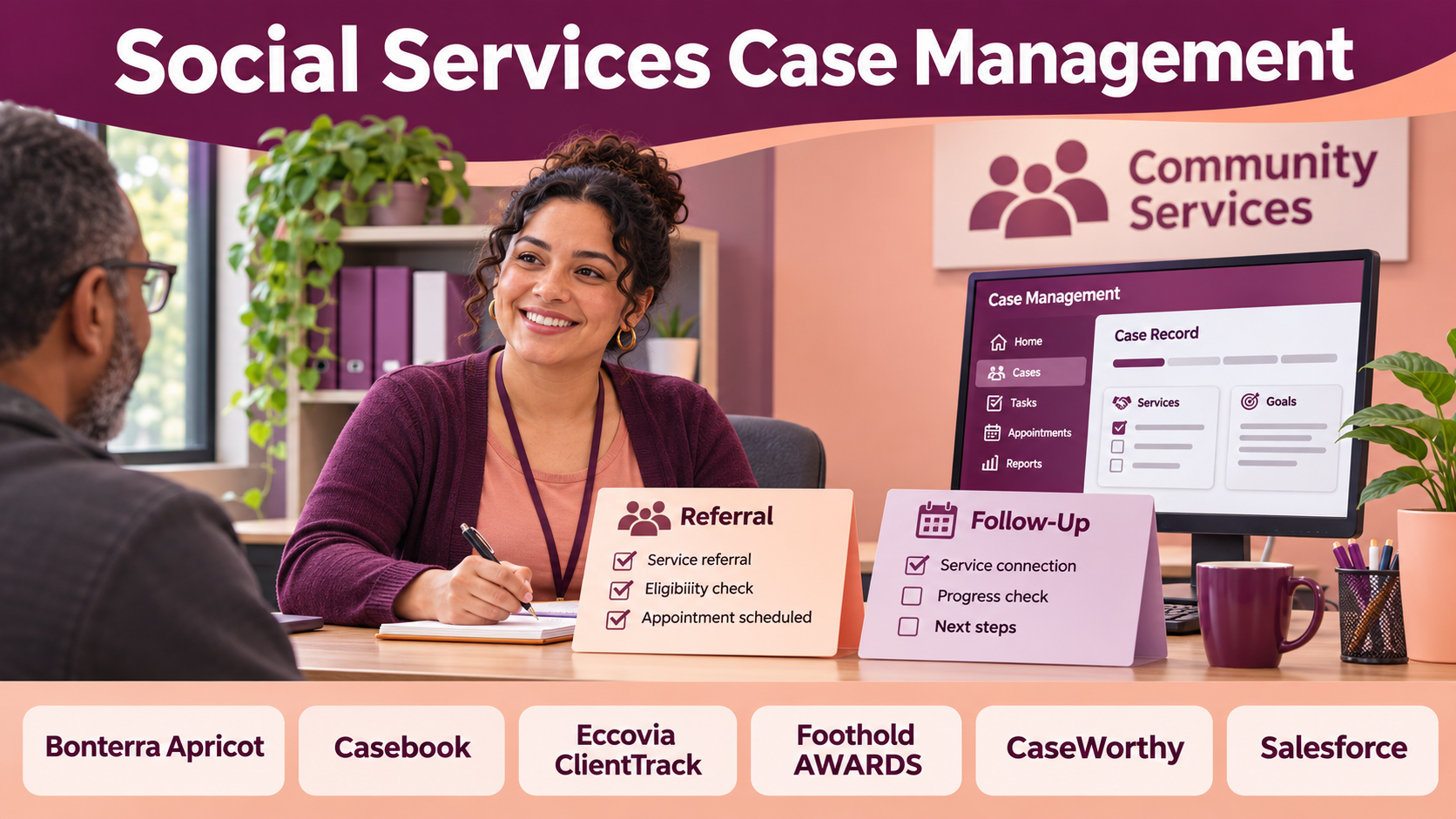
Social Services Case Management software provides a structured environment for managing client records, service plans, referrals, activities, and program outcomes.
Some platforms are designed for government human services agencies. Others serve nonprofit organizations, community-based programs, behavioral health providers, or specialized care networks.
These differences matter because social services programs vary in their legal responsibilities, eligibility rules, reporting requirements, and relationships with other organizations.
A homelessness service provider may need coordinated intake and housing referral workflows. A family support organization may prioritize household relationships, case plans, and service history. A disability services agency may require specialized program documentation and billing.
Privacy and dignity must remain central to software selection. Social services records can contain highly sensitive information about health, finances, housing instability, family circumstances, and other personal matters.
Technology should help staff deliver appropriate services without unnecessarily collecting information, restricting access, or reducing people to automated scores.
This guide compares ten established social services case management solutions and related platforms. It explains their capabilities, benefits, limitations, and suitable applications.
It also includes comparison tables, selection guidance, a practical implementation example, common mistakes, and frequently asked questions.
What Is Social Services Case Management Software?
Social Services Case Management Software is a specialized information system used to organize client information and coordinate human services programs.
It commonly supports intake, assessments, case assignments, service planning, referrals, activity records, documentation, and outcome reporting.
A case record may include relevant information about a person’s needs, services received, appointments, referrals, and progress toward agreed objectives.
Some platforms also support household relationships, program eligibility, consent management, document collection, and collaboration between authorized service providers.
Government agencies may require connections with public benefit systems, child welfare applications, or other official information repositories.
Nonprofit organizations may prioritize grant reporting, program participation, volunteer coordination, and outcome measurement.
The software should support the organization’s service model rather than force every client into an inappropriate standardized workflow.
Common Applications
- Client intake: Collect relevant information when individuals enter a service program.
- Case assignments: Allocate responsibilities to caseworkers and supervisors.
- Service planning: Document individualized objectives and agreed actions.
- Referral management: Coordinate appropriate services and partner organizations.
- Contact records: Maintain relevant caseworker interactions and service activities.
- Program participation: Track involvement in authorized programs.
- Outcome reporting: Measure appropriate service and program results.
- Interagency coordination: Share information with authorized partners under appropriate consent and legal rules.
Top 10 Social Services Case Management Software Solutions
These products serve different areas of human services. Some are broad case management platforms, while others focus on referrals, government eligibility, behavioral health, or specialized service delivery.
1. Bonterra Apricot
Best For: Nonprofit human services organizations seeking client and program outcome management.
Overview
Bonterra Apricot is a case management and data management platform used by nonprofit and human services organizations.
It supports structured client records, program activities, forms, and outcome reporting.
Many nonprofits must demonstrate the services they provide and the outcomes associated with funded programs.
A dedicated platform can help replace disconnected spreadsheets and create more consistent records across teams.
Apricot is particularly relevant to organizations that need configurable forms and program reporting without building an entirely custom application.
Key Features
- Client Records: Maintains structured information about service participants.
- Intake Forms: Supports collection of relevant program information.
- Case Activities: Documents services and interactions.
- Program Tracking: Organizes participation across programs.
- Outcome Measurement: Supports reporting on defined program results.
- Configurable Forms: Accommodates organizational data requirements.
- Reporting: Provides information for administrators and funders.
- User Permissions: Restricts sensitive records.
- Data Organization: Supports consistent program information management.
Benefits
Apricot can help nonprofits standardize client information and improve reporting.
Its configurable approach may reduce reliance on spreadsheets and manual compilation.
Pros
- Nonprofit case management focus.
- Configurable data collection.
- Program outcome reporting.
- Relevant to multiple service models.
- Supports structured records.
Cons
- Configuration requires planning.
- Complex workflows may need additional work.
- Staff training is necessary.
- Integrations should be verified.
- Costs depend on organizational scope.
Use Cases
Family Support Nonprofit: Caseworkers document intake, services, and program outcomes.
Community Services Organization: Administrators prepare grant-related reports.
Best For: Nonprofits prioritizing case records and outcome measurement.
2. ClientTrack by CaseWorthy
Best For: Government and community human services organizations coordinating complex client needs.
Overview
ClientTrack is a human services case management platform associated with Eccovia and CaseWorthy.
It is relevant to organizations serving individuals who may need assistance from multiple programs or providers.
Coordinated service delivery can be challenging when each organization maintains separate records.
A shared or connected case management environment can help authorized teams understand relevant service history and coordinate appropriate referrals.
However, information sharing must follow applicable privacy laws, consent requirements, and organizational policies.
Key Features
- Client Case Records: Maintains structured information about service recipients.
- Intake Workflows: Supports relevant program entry processes.
- Service Planning: Helps organize individualized service activities.
- Referral Coordination: Supports connections with appropriate services.
- Program Management: Maintains participation information.
- Outcome Reporting: Supports program and administrative analysis.
- Workflow Configuration: Accommodates different human services models.
- Access Controls: Restricts sensitive client information.
- Data Integration: Supports compatible service information exchange.
Benefits
ClientTrack can help organizations coordinate services across programs and maintain more consistent client information.
Pros
- Human services specialization.
- Relevant to complex needs.
- Supports coordinated case management.
- Configurable workflows.
- Suitable for government and community programs.
Cons
- Integration requires careful planning.
- Privacy governance is essential.
- Configuration can be extensive.
- Historical migration may be complex.
- Contract scope determines capabilities.
Use Cases
County Human Services Department: Staff coordinate program records and referrals.
Community Services Network: Authorized providers maintain relevant service information.
Best For: Organizations requiring coordinated, multi-program case management.
3. Bonterra Penelope
Best For: Human services agencies requiring structured client, family, and service workflows.
Overview
Bonterra Penelope is a case management platform associated with human services organizations.
It is relevant to agencies managing client relationships, service activities, and program records.
Family and community service programs often need to understand relationships between individuals, households, and service providers.
A structured case management platform can help organize this information and support consistent documentation.
Agencies should evaluate the current product configuration, reporting functions, permissions, and integration requirements.
Key Features
- Client Records: Maintains individual service information.
- Family Relationships: Supports relevant household and relationship records.
- Case Management: Organizes service activities.
- Appointments: Supports scheduling-related workflows.
- Document Handling: Associates files with cases.
- Program Information: Tracks relevant services.
- Reporting: Provides administrative information.
- Permissions: Restricts sensitive records.
- Workflow Configuration: Supports agency processes.
Benefits
Penelope can help organizations maintain consistent information about clients and associated services.
Pros
- Human services focus.
- Relevant to family programs.
- Structured case records.
- Supports service workflows.
- Administrative reporting.
Cons
- Current availability should be confirmed.
- Configuration requires planning.
- Integrations vary.
- Migration may be demanding.
- Training is necessary.
Use Cases
Family Services Agency: Caseworkers maintain household-related case information.
Community Care Organization: Staff organize service activities and reports.
Best For: Agencies managing complex client and family relationships.
4. Bonterra Efforts to Outcomes (ETO)
Best For: Human services organizations emphasizing program performance and outcome measurement.
Overview
Efforts to Outcomes, commonly called ETO, is associated with human services data and program performance management.
It is relevant to organizations that need to connect service activities with defined outcomes.
Publicly funded programs may need to report participation, services delivered, and progress toward approved objectives.
ETO can help structure these records and support evaluation.
However, organizations should avoid interpreting every outcome measure as a direct result of a single service intervention.
Key Features
- Participant Records: Maintains relevant program information.
- Service Documentation: Records activities and interventions.
- Outcome Tracking: Supports measurement of defined results.
- Program Reporting: Provides information for evaluation.
- Data Collection: Supports structured forms.
- Case Activities: Organizes relevant interactions.
- Administrative Dashboards: Helps review program information.
- Permissions: Restricts sensitive data.
- Configurable Measures: Supports program-specific reporting needs.
Benefits
ETO can help organizations connect service records with program evaluation.
Pros
- Outcome measurement orientation.
- Relevant to funded programs.
- Supports structured data collection.
- Useful administrative reporting.
- Human services specialization.
Cons
- Measures require careful design.
- Configuration can be complex.
- Training is important.
- Integration must be verified.
- Reporting does not establish causation by itself.
Use Cases
Workforce Development Program: Staff document services and employment-related outcomes.
Community Program Evaluation: Administrators analyze participation and defined results.
Best For: Organizations emphasizing performance reporting.
5. Casebook
Best For: Family services and community organizations seeking configurable case management.
Overview
Casebook provides case management technology relevant to human services and family-oriented programs.
Its platform can support intake, client records, case activities, and related service workflows.
Human services organizations often need to adapt processes to different programs while maintaining consistent information standards.
A configurable system can help support these requirements.
Agencies should evaluate how the platform handles relationships, privacy, reporting, and integration.
Key Features
- Case Records: Maintains structured client information.
- Intake: Supports relevant enrollment workflows.
- Case Activities: Documents service interactions.
- Task Management: Helps coordinate staff responsibilities.
- Service Planning: Supports case-related objectives.
- Document Organization: Maintains associated materials.
- Reporting: Provides program information.
- Permissions: Restricts sensitive records.
- Workflow Configuration: Supports different service models.
Benefits
Casebook can help human services teams organize case information and coordinate staff activities.
Pros
- Human services orientation.
- Configurable case workflows.
- Relevant to family programs.
- Supports structured records.
- Useful for service coordination.
Cons
- Specialized requirements need testing.
- Integration scope varies.
- Configuration requires planning.
- Training is necessary.
- Costs depend on deployment.
Use Cases
Family Support Program: Staff coordinate services and case plans.
Community Nonprofit: Caseworkers maintain consistent records.
Best For: Organizations seeking configurable human services case management.
6. IBM Cúram
Best For: Large government agencies administering complex social programs.
Overview
IBM Cúram is a social program management platform designed for government human services environments.
It is relevant to agencies managing eligibility, benefits, cases, and related public assistance processes.
Large government programs may involve complex rules, extensive populations, and multiple administrative departments.
A specialized social program platform can help organize these processes.
However, eligibility and benefit decisions must follow applicable law, and automated rules require careful validation and appropriate review procedures.
Key Features
- Social Program Management: Supports structured public assistance administration.
- Case Records: Maintains relevant program information.
- Eligibility Workflows: Supports authorized eligibility processing.
- Rules Configuration: Accommodates program requirements.
- Participant Information: Organizes relevant individual and household records.
- Caseworker Activities: Supports administrative work.
- Reporting: Provides program information.
- Integration: Connects with compatible government systems.
- Security Controls: Restricts sensitive information.
Benefits
Cúram can help large agencies manage complex social programs within a structured enterprise environment.
Pros
- Government human services specialization.
- Supports complex programs.
- Enterprise scalability orientation.
- Configurable rules and workflows.
- Relevant to large agencies.
Cons
- Implementation can be extensive.
- Rules require legal validation.
- Migration is complex.
- Training is substantial.
- Total cost can be significant.
Use Cases
State Benefits Agency: Staff administer authorized assistance programs.
Government Modernization: A department replaces legacy eligibility and case applications.
Best For: Large public agencies managing complex social programs.
7. Foothold Technology AWARDS
Best For: Human services and behavioral health organizations requiring integrated client records.
Overview
Foothold Technology AWARDS provides software for human services and behavioral health organizations.
It is relevant to programs that need structured records, service documentation, and administrative reporting.
Some human services organizations operate across social support, behavioral health, housing, and related programs.
An integrated system can help maintain information across approved services while supporting confidentiality.
Organizations should verify clinical documentation, billing, reporting, and case management requirements in the proposed configuration.
Key Features
- Client Records: Maintains service recipient information.
- Service Documentation: Supports records of provided services.
- Program Management: Organizes relevant program activity.
- Case Information: Maintains related client workflows.
- Reporting: Supports administrative analysis.
- Document Handling: Organizes associated records.
- Workflow Support: Helps structure staff activities.
- Permissions: Restricts sensitive information.
- Related Service Integration: Supports compatible human services workflows.
Benefits
AWARDS can help organizations coordinate administrative and service documentation across related programs.
Pros
- Human services specialization.
- Relevant to behavioral health.
- Structured client records.
- Supports multiple programs.
- Administrative reporting.
Cons
- Program-specific functionality requires verification.
- Privacy controls need careful configuration.
- Integration varies.
- Training may be extensive.
- Costs depend on services.
Use Cases
Behavioral Health Nonprofit: Staff maintain client and service records.
Community Support Provider: Administrators coordinate program documentation.
Best For: Organizations combining human services with behavioral health programs.
8. CharityTracker
Best For: Community assistance networks coordinating referrals and basic needs support.
Overview
CharityTracker is a platform associated with community assistance coordination and information sharing.
It is relevant to organizations that help individuals access food, housing assistance, financial support, and other local services.
Community networks often include multiple nonprofits, faith-based organizations, and service providers.
A shared system can help authorized participants understand relevant assistance history and coordinate support.
Such collaboration requires clear consent, access rules, and safeguards against unnecessary disclosure.
Key Features
- Client Information: Maintains relevant assistance records.
- Service Documentation: Records support provided.
- Referral Coordination: Helps connect individuals with resources.
- Community Collaboration: Supports authorized organizational participation.
- Assistance History: Organizes previous service information.
- Reporting: Provides relevant program information.
- Search: Helps authorized staff locate records.
- Permissions: Restricts sensitive information.
- Resource Coordination: Supports community service workflows.
Benefits
CharityTracker can help community organizations coordinate assistance and reduce fragmented records.
Pros
- Community assistance focus.
- Relevant to multi-organization networks.
- Supports referrals.
- Organizes service history.
- Useful for local resource coordination.
Cons
- Not a complete government benefits system.
- Data sharing requires safeguards.
- Specialized programs may need other tools.
- Integration scope varies.
- Participation depends on partner adoption.
Use Cases
Community Assistance Network: Organizations coordinate approved referrals.
Basic Needs Program: Staff document assistance and service history.
Best For: Local organizations coordinating community support.
9. findhelp
Best For: Organizations connecting people with community resources and tracking referrals.
Overview
findhelp provides technology for identifying social services and supporting referral workflows.
It is particularly relevant to organizations helping people locate assistance with housing, food, transportation, healthcare-related needs, and other services.
Resource navigation is an important part of social services, but it is not identical to comprehensive case management.
A referral platform can complement a case management system by helping staff identify appropriate providers and coordinate follow-up.
Organizations should evaluate resource accuracy, referral tracking, privacy, and integration with existing case records.
Key Features
- Resource Directory: Helps users locate community services.
- Search: Supports identification of relevant assistance.
- Referral Workflows: Helps coordinate connections with providers.
- Service Categories: Organizes available resources.
- Navigation Support: Helps users explore assistance options.
- Referral Information: Maintains relevant coordination records.
- Organizational Collaboration: Supports participating service networks.
- Reporting: Provides information about supported workflows.
- Integration Options: Connects with compatible systems.
Benefits
findhelp can improve resource discovery and referral coordination.
It is particularly useful as a complementary platform for organizations with established case management systems.
Pros
- Community resource discovery focus.
- Supports referrals.
- Relevant to social needs navigation.
- Useful for service networks.
- Can complement case management.
Cons
- Not a full replacement for every case management function.
- Resource availability can change.
- Referral completion requires verification.
- Privacy governance is important.
- Integration depends on configuration.
Use Cases
Hospital Social Work Team: Staff identify community resources.
Government Assistance Office: Personnel refer residents to participating services.
Best For: Organizations prioritizing resource navigation and referrals.
10. Salesforce Nonprofit Cloud
Best For: Nonprofit organizations requiring configurable program and case management workflows.
Overview
Salesforce Nonprofit Cloud provides capabilities for nonprofit organizations, including program and constituent management.
It is relevant to organizations seeking configurable workflows, data relationships, reporting, and integration.
Some nonprofits manage multiple programs with distinct intake requirements, service activities, and reporting obligations.
A flexible platform can help coordinate these activities, although configuration may require specialist expertise.
Organizations should carefully distinguish nonprofit program management capabilities from government eligibility systems or clinical records platforms.
Key Features
- Program Management: Supports structured nonprofit activities.
- Participant Information: Organizes relevant service records.
- Case Workflows: Supports configurable case-related processes.
- Task Management: Helps coordinate staff responsibilities.
- Data Relationships: Connects relevant program information.
- Reporting: Provides operational insights.
- Automation: Supports configured administrative workflows.
- Permissions: Restricts sensitive records.
- Integration: Connects with compatible applications.
Benefits
Salesforce Nonprofit Cloud can help organizations build connected program workflows.
Its flexibility may suit organizations with multiple service models.
Pros
- Configurable platform.
- Broad integration ecosystem.
- Relevant to multi-program nonprofits.
- Supports reporting.
- Flexible workflow design.
Cons
- Implementation may require specialist expertise.
- Customization can increase costs.
- Not every human services workflow is ready-made.
- Data governance is essential.
- Long-term administration requires resources.
Use Cases
Multi-Program Nonprofit: Staff coordinate participants across approved services.
Human Services Organization: Administrators configure case workflows and reporting.
Best For: Nonprofits requiring flexible program management.
Social Services Case Management Comparison Table
| Software | Primary Focus | Best-Fit Users | Important Consideration |
|---|---|---|---|
| Bonterra Apricot | Client and program outcomes | Nonprofits | Configuration |
| ClientTrack by CaseWorthy | Coordinated human services | Government and service networks | Privacy and integration |
| Bonterra Penelope | Client and family records | Family services agencies | Product scope |
| Bonterra ETO | Outcome measurement | Funded service programs | Measurement design |
| Casebook | Configurable case management | Family and community programs | Workflow fit |
| IBM Cúram | Government social programs | State agencies | Complex implementation |
| Foothold AWARDS | Human services and behavioral health | Service providers | Program requirements |
| CharityTracker | Community assistance | Local service networks | Information sharing |
| findhelp | Resource navigation and referrals | Service coordinators | Complementary role |
| Salesforce Nonprofit Cloud | Configurable nonprofit programs | Multi-program nonprofits | Implementation expertise |
How to Choose Social Services Case Management Software
1. Define the Service Model
Identify whether the organization provides benefits administration, family services, housing assistance, disability services, behavioral health support, or community referrals.
2. Map the Client Journey
Document intake, assessment, planning, referrals, service delivery, review, and closure.
3. Establish Privacy Requirements
Determine what information is necessary and who may access it.
4. Evaluate Caseworker Workflows
Staff should be able to document services without excessive administrative burden.
5. Review Household Relationships
Some programs need to maintain family and household information.
6. Assess Referral Management
Determine how referrals are created, followed up, and documented.
7. Evaluate Outcome Reporting
Select meaningful measures that reflect program objectives.
8. Examine Consent and Information Sharing
Sharing sensitive records requires appropriate legal authority and consent where applicable.
9. Test Accessibility
Consider language, disability access, connectivity, and digital literacy.
10. Calculate Total Cost
Include licenses, configuration, migration, integration, training, support, and administration.
Best Social Services Software by User Type
| Organization | Solutions Worth Evaluating | Main Priority |
|---|---|---|
| Small nonprofit | Bonterra Apricot | Client and outcome records |
| County human services agency | ClientTrack by CaseWorthy | Coordinated services |
| Family support program | Casebook, Bonterra Penelope | Family case management |
| Government benefits department | IBM Cúram | Eligibility and programs |
| Behavioral health provider | Foothold AWARDS | Service documentation |
| Community assistance network | CharityTracker, findhelp | Referrals |
| Multi-program nonprofit | Salesforce Nonprofit Cloud, Bonterra ETO | Configurable reporting |
Practical Example: Implementing Social Services Case Management
Consider a fictional county human services department with 85 caseworkers and several community programs.
The department currently maintains separate client databases and manual referral records.
Step 1: Establish a Project Team
Include caseworkers, supervisors, privacy specialists, IT staff, legal advisers, and service representatives.
Step 2: Define Program Requirements
Document each program’s intake, eligibility, service, and reporting processes.
Step 3: Map Client Workflows
Identify how clients move between services and where information is repeated.
Step 4: Establish Privacy Rules
Define required information, access permissions, consent, and retention.
Step 5: Evaluate Vendors
Test realistic case scenarios and referral workflows.
Step 6: Review Accessibility
Include users with different language and accessibility needs.
Step 7: Prepare Data Migration
Review duplicate client records and inconsistent identifiers.
Step 8: Configure Workflows
Set up forms, assignments, service plans, and reporting.
Step 9: Test Referrals
Verify how authorized providers receive and update relevant information.
Step 10: Train Staff
Provide role-specific training for caseworkers, supervisors, and administrators.
Step 11: Conduct a Pilot
Begin with selected programs and review operational issues.
Step 12: Evaluate Outcomes
Monitor data quality, staff feedback, service coordination, and client experience.
Common Mistakes When Selecting Social Services Software
1. Collecting More Personal Information Than Necessary
Excessive data collection increases privacy risks.
2. Ignoring Caseworker Needs
Complex workflows can reduce time available for direct services.
3. Confusing Referrals With Completed Services
A referral does not guarantee that a person received assistance.
4. Overlooking Consent
Information sharing requires appropriate safeguards.
5. Measuring Success Only Through Activity Counts
The number of contacts does not fully describe service quality or outcomes.
6. Migrating Duplicate Client Records
Duplicates can fragment service histories.
7. Ignoring Accessibility
Digital systems should not exclude people with limited connectivity or disabilities.
8. Overcustomizing the Platform
Unnecessary customization can increase costs and maintenance.
Frequently Asked Questions
1. What is social services case management software?
It is software used to organize client records, services, referrals, and program information.
2. Who uses social services software?
Caseworkers, supervisors, program administrators, and authorized service providers use these systems.
3. Can nonprofits use case management software?
Yes. Many platforms are designed for nonprofit human services.
4. Can government agencies use these systems?
Yes. Some products specifically support public human services programs.
5. What is client intake?
It is the process of collecting relevant information when someone enters a program.
6. What is a service plan?
It is a documented plan describing relevant needs, services, and objectives.
7. Can software track referrals?
Many platforms support referral workflows.
8. Does a referral mean a service was delivered?
No. Referral and service completion are different events.
9. Can software manage multiple programs?
Many systems support multiple service programs.
10. What is outcome tracking?
It is the measurement of defined program results.
11. Can case management software store documents?
Many platforms support associated document records.
12. Does it support family relationships?
Some systems maintain household and family information.
13. Can agencies share information?
Authorized sharing may be supported, subject to privacy requirements.
14. What is consent management?
It is the administration of permissions or authorizations related to information use and sharing.
15. Is social services software secure?
Security depends on technology, configuration, and organizational practices.
16. Can software manage benefits eligibility?
Specialized government platforms may support eligibility administration.
17. Is nonprofit software the same as government benefits software?
No. Their legal and operational requirements can differ significantly.
18. Can caseworkers use mobile devices?
Some platforms support mobile or remote workflows.
19. What is a community resource directory?
It is an organized collection of information about available services.
20. Can software connect clients with housing support?
Some systems support housing-related referrals and case records.
21. Can it support disability services?
Certain platforms are designed for disability-related programs.
22. What is program reporting?
It is the preparation of information about program activities and outcomes.
23. Can software help with grant reporting?
Many nonprofit platforms support relevant reporting.
24. How much does social services software cost?
Costs depend on users, programs, configuration, integrations, and support.
25. Can small organizations use these systems?
Yes. Products vary in complexity and scale.
26. What is client data migration?
It is the transfer of relevant records into a replacement platform.
27. Can software automate case decisions?
Some administrative steps can be automated, but consequential decisions require appropriate safeguards.
28. Does software replace social workers?
No. It supports administrative processes and documentation.
29. What should agencies test before purchasing?
Test intake, case plans, referrals, permissions, reporting, accessibility, and data exports.
30. What is the best social services case management software?
The best choice depends on program type, privacy obligations, reporting needs, integrations, and organizational resources.
Final Thoughts
Social Services Case Management software helps organizations coordinate client records, service plans, referrals, caseworker activities, and program reporting.
Bonterra Apricot, Penelope, and ETO address different human services and outcome management needs.
ClientTrack by CaseWorthy and Casebook support broader case management workflows, while IBM Cúram is relevant to complex government social programs.
Foothold AWARDS serves human services and behavioral health environments. CharityTracker and findhelp support community assistance and referral coordination.
Salesforce Nonprofit Cloud provides configurable program management capabilities.
These platforms differ in their intended users and operational scope.
Organizations should prioritize privacy, accessibility, caseworker usability, meaningful reporting, and responsible information sharing.
The strongest implementation helps staff coordinate appropriate services while respecting the dignity, rights, and circumstances of the people they serve.