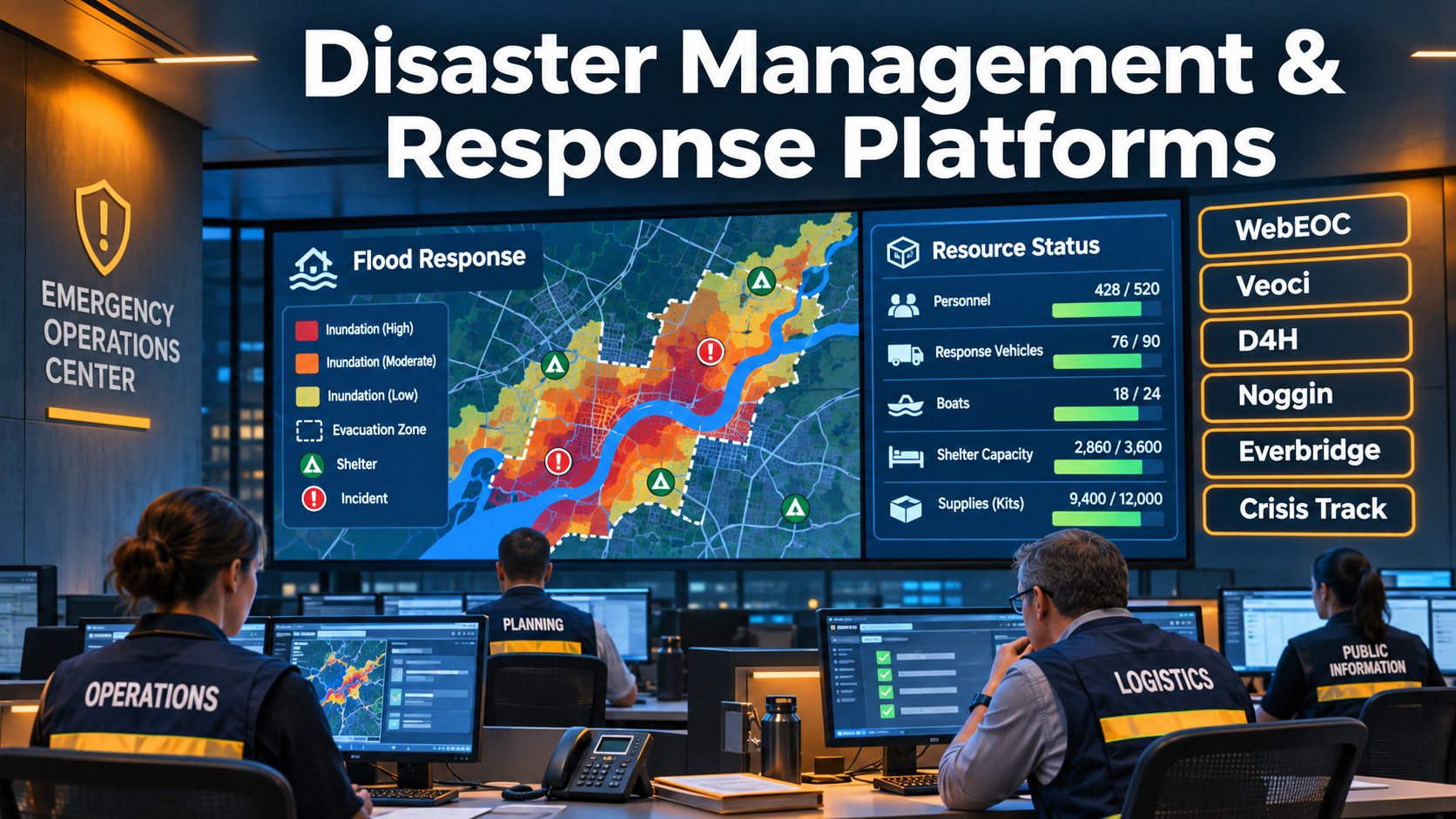
Introduction
Disasters can disrupt public safety, healthcare, transportation, communications, infrastructure, and essential community services. Governments and response organizations must coordinate information and resources under conditions that can change rapidly.
Floods, wildfires, earthquakes, severe storms, industrial accidents, and other emergencies create different operational challenges. Some events develop over several days, while others require immediate action with limited information.
Disaster Management & Response Platforms help organizations prepare for emergencies, maintain situational awareness, coordinate response activities, manage resources, and document recovery work.
These systems may support emergency operations centers, incident management, geographic mapping, alert distribution, resource tracking, public communication, and after-action reporting.
However, disaster management software is not a single product category with uniform capabilities. Some platforms specialize in incident coordination, while others focus on mass notification, field reporting, geographic intelligence, or business continuity.
A government emergency management agency may require multiagency coordination and resource management. A hospital network may prioritize emergency communications and continuity planning. A utility company may need infrastructure damage information and field crew coordination.
These differences make software selection especially important. An excellent notification system may not provide a complete emergency operations center workflow. Similarly, a mapping platform may display hazards without managing incident assignments.
Interoperability is essential because disaster response rarely involves one organization. Emergency services, public health agencies, utilities, volunteer groups, transportation authorities, and elected officials may all participate.
Security, resilience, and accessibility also matter. Systems should remain useful when networks are degraded, information is incomplete, and users are operating under significant pressure.
This guide compares ten established disaster management and emergency response platforms. It explains their functions, benefits, limitations, and appropriate use cases.
The guide also provides comparison tables, selection guidance, a practical implementation example, common procurement mistakes, and frequently asked questions.
What Are Disaster Management & Response Platforms?
Disaster Management & Response Platforms are software applications that support emergency preparedness, response coordination, situational awareness, resource administration, and recovery activities.
They help organizations organize information and coordinate responsibilities before, during, and after emergencies.
An emergency operations center may use a platform to maintain incident status reports, identify resource needs, assign responsibilities, and document decisions.
A field response team may use mobile applications to report damage, record observations, and update operational information.
A public warning system may distribute authorized alerts through supported communication channels.
A geographic information platform may help decision-makers understand hazard areas, evacuation routes, affected infrastructure, and available resources.
These functions may be delivered through separate applications connected within a larger emergency management environment.
Software should support established emergency management procedures rather than replace trained responders, lawful command structures, or professional judgment.
Common Applications
- Emergency preparedness: Maintain plans, contacts, exercises, and readiness information.
- Incident coordination: Organize activities, assignments, and operational updates.
- Situational awareness: Present relevant information about hazards and response conditions.
- Resource management: Track equipment, personnel, facilities, and operational requests.
- Mass notification: Distribute authorized warnings and emergency communications.
- Damage assessment: Collect information about affected buildings and infrastructure.
- Recovery management: Track restoration activities and relevant documentation.
- After-action review: Document lessons, corrective actions, and improvement plans.
Top 10 Disaster Management & Response Platforms
The following platforms address different emergency management responsibilities. Organizations should evaluate them against actual operational scenarios rather than assume every solution provides all emergency response capabilities.
1. WebEOC
Best For: Emergency management agencies requiring structured emergency operations center coordination.
Overview
WebEOC, associated with Juvare, is an incident management and emergency operations platform.
It is relevant to government agencies, emergency operations centers, healthcare organizations, and other entities coordinating complex incidents.
During a disaster, response organizations may need to maintain situation reports, track resource requests, organize assignments, and communicate operational information.
WebEOC supports configurable workflows for managing these activities.
Its value depends on how effectively an organization configures the system around established emergency management procedures.
Agencies should test usability under realistic incident conditions, including high workloads and incomplete information.
Key Features
- Incident Management: Organizes information associated with emergencies.
- Operational Dashboards: Presents selected incident information.
- Resource Requests: Supports tracking of relevant resource needs.
- Situation Reports: Helps maintain structured operational updates.
- Task Coordination: Supports assignments and response activities.
- Information Sharing: Connects authorized participating organizations.
- Configurable Workflows: Accommodates established emergency procedures.
- Reporting: Maintains information for operational review.
- Access Controls: Restricts information according to assigned responsibilities.
Benefits
WebEOC can help emergency operations centers maintain a common operational picture and coordinate incident information.
Its configurable structure is useful for organizations with established emergency management procedures.
Pros
- Emergency operations specialization.
- Relevant to multiagency coordination.
- Configurable incident workflows.
- Supports resource tracking.
- Established emergency management use cases.
Cons
- Configuration can be substantial.
- Training and exercises are necessary.
- Integration requirements vary.
- User experience depends on implementation.
- Licensing and support costs apply.
Use Cases
County Emergency Operations Center: Staff coordinate response activities during severe flooding.
Regional Emergency Management Agency: Multiple organizations exchange operational updates.
Best For: Agencies requiring structured incident coordination.
2. Everbridge
Best For: Organizations prioritizing emergency communications, critical event management, and coordinated notifications.
Overview
Everbridge provides critical event management and emergency communication technology.
It is relevant to government organizations, enterprises, healthcare networks, and institutions that need to notify people during disruptive events.
Emergency communication is essential when organizations must provide timely instructions or inform affected populations.
A notification platform can help distribute messages through supported channels and maintain relevant communication records.
However, notification technology should be evaluated separately from full incident command and resource management functionality.
Key Features
- Mass Notification: Distributes authorized messages through supported channels.
- Recipient Management: Organizes relevant contact information.
- Event Workflows: Supports communication during critical events.
- Location-Based Communication: Provides relevant geographic targeting capabilities.
- Message Templates: Helps standardize emergency communication.
- Delivery Information: Supports review of notification activity.
- Communication Escalation: Helps coordinate selected response workflows.
- Integration: Connects with compatible enterprise applications.
- Administrative Controls: Restricts communication privileges.
Benefits
Everbridge can help organizations communicate quickly and consistently during emergencies.
Pros
- Emergency communication specialization.
- Multiple communication workflows.
- Relevant to government and enterprise users.
- Supports critical event processes.
- Integration opportunities.
Cons
- Not every module provides complete incident management.
- Contact information must remain current.
- Delivery depends on communication networks.
- Configuration requires planning.
- Costs vary by product scope.
Use Cases
Municipal Government: Officials distribute authorized emergency notifications.
Hospital Network: Administrators communicate with staff during a major disruption.
Best For: Organizations prioritizing reliable emergency communication.
3. Veoci
Best For: Organizations seeking configurable emergency management, incident coordination, and continuity workflows.
Overview
Veoci is a platform associated with emergency management, incident response, and operational continuity.
It supports configurable workflows for organizing information and coordinating activities.
Emergency management programs often need forms, dashboards, resource requests, and situation reporting tailored to their procedures.
A configurable platform can help replace disconnected spreadsheets and email-based coordination.
However, organizations should avoid creating unnecessary complexity through excessive customization.
Key Features
- Incident Workflows: Supports structured emergency activities.
- Forms: Collects operational information.
- Dashboards: Presents selected response indicators.
- Resource Tracking: Organizes relevant operational needs.
- Task Management: Supports assignments.
- Communication Workflows: Helps coordinate authorized participants.
- Continuity Planning: Supports relevant preparedness activities.
- Reporting: Maintains information for review.
- Configuration: Adapts workflows to organizational procedures.
Benefits
Veoci can help organizations coordinate response activities and maintain structured operational information.
Pros
- Configurable emergency workflows.
- Supports preparedness and response.
- Useful dashboards.
- Relevant to multiple organization types.
- Supports operational coordination.
Cons
- Configuration requires governance.
- Complex workflows can affect usability.
- Training is necessary.
- Integration must be tested.
- Costs depend on implementation.
Use Cases
University Emergency Management: Staff coordinate incidents across campus departments.
Healthcare Organization: Administrators manage emergency preparedness and response information.
Best For: Organizations requiring flexible emergency management workflows.
4. D4H
Best For: Emergency response teams managing incidents, personnel, equipment, and operational readiness.
Overview
D4H provides emergency management and response software associated with incident management and team readiness.
It is relevant to emergency response organizations that need to coordinate personnel, equipment, and incident information.
Operational readiness depends on more than responding to emergencies. Teams must maintain equipment records, understand availability, and document relevant activities.
A connected platform can help organize these responsibilities.
Agencies should verify the specific modules available for incident coordination, equipment, personnel, and reporting.
Key Features
- Incident Management: Maintains relevant response records.
- Team Readiness: Supports information about response capabilities.
- Equipment Management: Organizes operational equipment records.
- Personnel Information: Maintains relevant team details.
- Activity Records: Documents response activities.
- Operational Dashboards: Presents selected information.
- Reporting: Supports review of incidents and readiness.
- Collaboration: Helps coordinate authorized users.
- Administrative Permissions: Restricts sensitive operational information.
Benefits
D4H can help response teams maintain organized information about incidents and readiness.
Pros
- Emergency response focus.
- Supports operational readiness.
- Relevant to response teams.
- Equipment and activity records.
- Structured incident information.
Cons
- Module scope requires verification.
- Integration needs vary.
- Training is important.
- Specialized government workflows may require configuration.
- Costs depend on selected services.
Use Cases
Search and Rescue Organization: Teams maintain incident and equipment information.
Emergency Response Agency: Administrators track operational readiness.
Best For: Response teams combining incident records with readiness management.
5. Noggin
Best For: Organizations requiring incident management, emergency planning, and operational resilience.
Overview
Noggin provides software associated with critical event management, incident management, and organizational resilience.
It is relevant to governments and enterprises seeking coordinated workflows for preparedness and response.
Organizations may need to maintain emergency plans, monitor incidents, coordinate actions, and document recovery.
A unified environment can help connect these responsibilities.
Buyers should verify which capabilities are included in the selected product and deployment arrangement.
Key Features
- Incident Records: Organizes relevant event information.
- Emergency Plans: Supports preparedness documentation.
- Response Workflows: Helps coordinate activities.
- Task Tracking: Maintains assigned actions.
- Operational Dashboards: Presents relevant information.
- Risk Information: Supports selected risk management workflows.
- Reporting: Provides incident and program information.
- Communication: Supports relevant coordination.
- Configuration: Adapts workflows to organizational needs.
Benefits
Noggin can help organizations connect incident management with broader resilience processes.
Pros
- Incident and resilience orientation.
- Configurable workflows.
- Supports preparedness.
- Relevant to enterprise environments.
- Structured operational reporting.
Cons
- Product scope must be verified.
- Implementation requires planning.
- Training is necessary.
- Integration costs vary.
- Excessive customization can complicate maintenance.
Use Cases
Utility Company: Staff coordinate disruption response and recovery information.
Government Agency: Emergency planners maintain incident workflows and plans.
Best For: Organizations connecting emergency management with resilience.
6. ArcGIS
Best For: Emergency management teams requiring geographic situational awareness and field mapping.
Overview
ArcGIS is a geographic information platform used for spatial analysis, mapping, dashboards, and field information collection.
Geographic information is central to many disaster response activities.
Flooding, wildfire spread, road closures, infrastructure damage, and evacuation zones all involve location-based information.
ArcGIS can help decision-makers visualize these conditions and connect relevant operational datasets.
However, mapping software does not replace emergency command structures or full incident management.
Key Features
- Hazard Mapping: Displays relevant geographic information.
- Spatial Analysis: Examines relationships between hazards and affected areas.
- Operational Dashboards: Presents geographic situational information.
- Field Data Collection: Supports compatible mobile mapping workflows.
- Infrastructure Mapping: Connects assets with geographic locations.
- Data Integration: Combines compatible information sources.
- Web Maps: Shares authorized geographic information.
- Geographic Queries: Helps identify affected features.
- Access Management: Supports controlled sharing.
Benefits
ArcGIS can improve geographic understanding during disaster preparedness, response, and recovery.
Pros
- Strong geographic analysis.
- Useful operational dashboards.
- Supports field information.
- Relevant to infrastructure response.
- Broad GIS ecosystem.
Cons
- Not a complete incident management system.
- Geographic data must remain current.
- Licensing costs apply.
- GIS expertise is required.
- Sensitive locations need protection.
Use Cases
Flood Response Team: Analysts map affected roads and neighborhoods.
Utility Emergency Operations: Staff identify infrastructure within hazard areas.
Best For: Geographic situational awareness.
7. Rave Alert
Best For: Institutions and public agencies requiring emergency mass notification.
Overview
Rave Alert, associated with Motorola Solutions, is an emergency notification platform.
It is relevant to educational institutions, government organizations, and other entities that need to communicate during emergencies.
Clear and timely communication can help people understand relevant warnings and instructions.
A notification platform should support established communication procedures and authorized message approval.
Organizations should evaluate delivery channels, recipient management, accessibility, and network dependencies.
Key Features
- Emergency Messaging: Distributes authorized alerts.
- Multiple Channels: Supports relevant communication methods.
- Recipient Groups: Organizes notification audiences.
- Message Templates: Standardizes recurring alert content.
- Administrative Permissions: Restricts who can send messages.
- Communication Records: Maintains relevant delivery information.
- Event Workflows: Supports emergency communication procedures.
- Integration: Connects with compatible systems.
- Targeted Alerts: Supports communication to selected audiences.
Benefits
Rave Alert can help organizations deliver consistent emergency messages.
Pros
- Mass notification specialization.
- Relevant to campuses and public agencies.
- Supports targeted communication.
- Useful message administration.
- Established emergency communication use cases.
Cons
- Not a full disaster management platform.
- Contact data must be maintained.
- Network conditions affect delivery.
- Message governance is essential.
- Costs vary by deployment.
Use Cases
University: Officials alert students and staff about a campus emergency.
Local Government: Authorized personnel distribute public safety messages.
Best For: Emergency notification workflows.
8. DisasterAWARE
Best For: Organizations monitoring hazards and maintaining disaster situational awareness.
Overview
DisasterAWARE is associated with the Pacific Disaster Center and supports hazard monitoring and disaster-related information.
It is relevant to organizations seeking awareness of natural hazards and their potential effects.
Emergency planners often need to examine hazard information across large geographic areas.
A situational awareness platform can help users monitor relevant events and assess potential exposure.
However, hazard monitoring should not be confused with a complete emergency operations or resource management system.
Key Features
- Hazard Monitoring: Presents information about relevant natural hazards.
- Geographic Visualization: Displays events spatially.
- Situational Awareness: Supports understanding of evolving conditions.
- Risk Context: Provides relevant hazard and exposure information.
- Event Information: Organizes monitored events.
- Map Layers: Supports geographic context.
- Analytical Displays: Helps interpret relevant information.
- Information Sharing: Supports authorized situational communication.
- Planning Support: Helps organizations consider potential impacts.
Benefits
DisasterAWARE can help organizations monitor hazards and improve situational awareness.
Pros
- Hazard monitoring focus.
- Relevant to disaster planning.
- Geographic information.
- Supports broad situational awareness.
- Useful for regional monitoring.
Cons
- Not a full incident command system.
- Information quality depends on sources.
- Hazard forecasts contain uncertainty.
- Operational response needs other tools.
- Access and functionality vary by offering.
Use Cases
Regional Emergency Planner: Staff monitor hazards affecting multiple communities.
Humanitarian Organization: Teams examine emerging disaster conditions.
Best For: Hazard awareness and monitoring.
9. Crisis24
Best For: Enterprises and organizations requiring risk intelligence and crisis management support.
Overview
Crisis24 provides services and technology related to risk intelligence, crisis management, and organizational security.
It is relevant to organizations with distributed personnel, facilities, and operations.
During disruptive events, enterprises may need information about threats, affected locations, and employee safety.
Risk intelligence and crisis coordination can support these decisions.
However, organizations should verify the exact platform, services, and incident management functions included in their proposed arrangement.
Key Features
- Risk Intelligence: Provides relevant information about threats.
- Event Monitoring: Supports awareness of disruptive events.
- Location Context: Helps examine relevant geographic exposure.
- Crisis Workflows: Supports selected response processes.
- Communication: Helps coordinate authorized personnel.
- Operational Information: Organizes relevant incident details.
- Reporting: Supports management review.
- Integration: Connects with compatible enterprise tools.
- Administrative Controls: Restricts sensitive information.
Benefits
Crisis24 can help enterprises connect risk information with crisis response decisions.
Pros
- Risk intelligence orientation.
- Relevant to distributed organizations.
- Supports crisis awareness.
- Combines technology and services.
- Useful for enterprise risk programs.
Cons
- Not a dedicated municipal emergency operations system.
- Service scope varies.
- Costs depend on arrangements.
- Integration requires review.
- Local response procedures remain necessary.
Use Cases
International Organization: Security teams monitor disruptions affecting personnel.
Enterprise Crisis Team: Administrators coordinate response information.
Best For: Enterprise risk intelligence and crisis support.
10. FEMA National Incident Management System Tools and Resources
Best For: Emergency management agencies establishing standardized incident coordination practices.
Overview
The Federal Emergency Management Agency’s National Incident Management System, or NIMS, provides a framework for incident management in the United States.
NIMS is not a single commercial software platform.
However, it is relevant to disaster management software procurement because agencies may need their technology to support NIMS-aligned processes and incident command structures.
Organizations should evaluate how commercial or custom software supports incident action planning, resource management, communications, and coordination.
NIMS guidance cannot replace the technical functionality of an actual software system.
Key Capabilities to Evaluate
- Incident Command Alignment: Supports defined responsibilities.
- Resource Management: Helps organize resource information.
- Common Terminology: Encourages consistent operational language.
- Coordination Structures: Supports multiagency participation.
- Incident Documentation: Maintains relevant operational records.
- Planning Workflows: Supports incident planning processes.
- Communication Procedures: Reflects established coordination practices.
- Training Support: Helps staff use consistent procedures.
- After-Action Documentation: Supports improvement activities.
Benefits
Using NIMS-aligned requirements can help agencies evaluate whether software fits established emergency management practices.
Pros
- Established incident management framework.
- Supports interoperability principles.
- Relevant to public agencies.
- Useful for procurement requirements.
- Encourages consistent procedures.
Cons
- Not a software product.
- Requires an actual implementation platform.
- Does not provide hosting or technical support.
- Local procedures still require development.
- Framework alignment does not guarantee software usability.
Use Cases
Emergency Management Procurement: A county uses NIMS requirements to evaluate software.
Multiagency Exercise: Participants test whether their tools support established coordination structures.
Best For: Defining operational requirements rather than purchasing a standalone platform.
Disaster Management Software Comparison Table
| Platform | Primary Focus | Suitable Users | Important Limitation |
|---|---|---|---|
| WebEOC | Emergency operations coordination | Government EOCs | Configuration complexity |
| Everbridge | Critical event communications | Government and enterprise | Module-specific functionality |
| Veoci | Configurable incident workflows | Institutions and agencies | Workflow design |
| D4H | Response and readiness | Emergency teams | Module scope |
| Noggin | Incident management and resilience | Government and enterprise | Implementation planning |
| ArcGIS | Geographic situational awareness | GIS and response teams | Not full incident management |
| Rave Alert | Emergency notifications | Campuses and public agencies | Notification focus |
| DisasterAWARE | Hazard monitoring | Emergency planners | Not operational command |
| Crisis24 | Risk intelligence and crisis support | Enterprises | Service scope varies |
| FEMA NIMS Resources | Incident management framework | Emergency management agencies | Not software |
How to Choose Disaster Management & Response Software
1. Define the Operational Mission
Identify whether the organization needs incident coordination, public warnings, field reporting, hazard monitoring, continuity planning, or recovery management.
2. Map Emergency Procedures
Document existing command structures, operational responsibilities, reporting processes, and communication requirements.
3. Test Multiagency Coordination
Evaluate how authorized organizations exchange information and maintain a common operational picture.
4. Assess Communications Resilience
Consider network outages, power failures, overloaded systems, and alternate communication channels.
5. Evaluate Geographic Information
Determine whether responders need hazard maps, infrastructure layers, evacuation information, or field observations.
6. Review Resource Management
Test requests, assignments, availability, status changes, and related reporting.
7. Examine Mobile Operations
Field personnel may need simple interfaces and suitable offline or degraded-network workflows.
8. Protect Sensitive Information
Emergency systems may contain operationally sensitive information, personal details, and infrastructure records.
9. Conduct Exercises
Evaluate software through realistic drills rather than demonstrations alone.
10. Calculate Long-Term Costs
Include licenses, configuration, integrations, training, exercises, support, and continuity infrastructure.
Best Disaster Management Software by User Type
| User Type | Solutions Worth Evaluating | Main Requirement |
|---|---|---|
| Government emergency operations center | WebEOC, Veoci | Incident coordination |
| Response team | D4H | Operational readiness |
| Enterprise resilience team | Noggin, Crisis24 | Crisis workflows |
| Emergency communications office | Everbridge, Rave Alert | Notification |
| GIS response unit | ArcGIS | Geographic analysis |
| Hazard monitoring organization | DisasterAWARE | Situational awareness |
| Government planning team | NIMS-aligned tools | Standardized procedures |
Practical Example: Implementing a Regional Emergency Management Platform
Consider a fictional coastal region exposed to flooding and severe storms.
Its emergency agencies currently coordinate through email, telephone calls, and separate spreadsheets.
Step 1: Establish Governance
Include emergency management, fire services, law enforcement, public works, health agencies, utilities, and IT.
Step 2: Define Incident Scenarios
Select realistic floods, storms, evacuations, and infrastructure disruptions.
Step 3: Map Existing Procedures
Document command responsibilities, resource requests, situation reports, and communication methods.
Step 4: Establish Requirements
Identify mandatory incident, mapping, communication, and reporting capabilities.
Step 5: Evaluate Vendors
Run scenario-based demonstrations with actual response personnel.
Step 6: Test Interoperability
Verify relevant geographic, dispatch, communications, and administrative integrations.
Step 7: Configure Security
Assign appropriate permissions and establish operational information controls.
Step 8: Prepare Data
Validate contact lists, facilities, resources, and geographic information.
Step 9: Train Users
Provide training appropriate to operational roles.
Step 10: Conduct an Exercise
Simulate a severe storm and evaluate workflows.
Step 11: Correct Problems
Address usability, data quality, communications, and coordination issues.
Step 12: Establish Continuous Improvement
Review exercises, incidents, corrective actions, and software changes.
Common Mistakes When Selecting Disaster Management Software
1. Buying Notification Software as a Complete Response System
Mass messaging is only one part of disaster management.
2. Ignoring Operational Procedures
Software should reflect established responsibilities and command structures.
3. Failing to Test Under Pressure
Interfaces that appear simple during demonstrations may be difficult during emergencies.
4. Neglecting Network Resilience
Systems may become unavailable during major disruptions.
5. Overlooking Field Users
Mobile responders need practical workflows.
6. Using Outdated Contact Information
Incorrect recipient data can undermine notifications.
7. Overcustomizing Workflows
Excessive complexity can slow response activities.
8. Neglecting Exercises
Training and regular testing are essential for readiness.
Frequently Asked Questions
1. What is disaster management software?
It is software that supports emergency preparedness, response, coordination, and recovery activities.
2. What is incident management software?
It organizes information, assignments, and activities associated with incidents.
3. What is an emergency operations center?
It is a coordination facility or structure used to support emergency management.
4. Can disaster software send public alerts?
Some platforms provide emergency notification capabilities.
5. What is situational awareness?
It is an understanding of relevant conditions and changes affecting operations.
6. What is a common operational picture?
It is a shared view of relevant incident information used by authorized participants.
7. Can software track emergency resources?
Many incident management systems support resource information.
8. Does disaster software support mapping?
Many products provide GIS capabilities or integrations.
9. What is WebEOC?
It is an incident management platform used for emergency operations coordination.
10. What is Everbridge used for?
It provides critical event management and emergency communication technology.
11. What is D4H?
It is software associated with emergency response and operational readiness.
12. What is DisasterAWARE?
It is technology associated with hazard monitoring and disaster situational awareness.
13. Can ArcGIS replace incident management software?
No. It primarily provides geographic information capabilities.
14. What is mass notification?
It is the distribution of authorized messages to selected audiences.
15. What is NIMS?
It is the National Incident Management System framework used in the United States.
16. Is NIMS a software platform?
No. It is an incident management framework.
17. Can disaster software work offline?
Some products support selected offline workflows, but capabilities vary.
18. How important is mobile access?
It can be essential for field responders.
19. Can systems integrate with dispatch software?
Some platforms support compatible integrations.
20. What is damage assessment?
It is the structured evaluation of damage following an incident.
21. Can software support recovery?
Some platforms track recovery activities and related documentation.
22. What is emergency preparedness software?
It supports planning, training, readiness, and related administrative activities.
23. Can multiple agencies share information?
Many platforms support authorized collaboration.
24. How is sensitive emergency information protected?
Through access controls, security measures, and appropriate procedures.
25. What is an after-action review?
It is an evaluation of an incident or exercise to identify lessons and improvements.
26. Can disaster platforms monitor weather?
Some integrate relevant weather or hazard information.
27. How much does disaster management software cost?
Costs depend on modules, users, integrations, deployment, and support.
28. Can small municipalities use these systems?
Yes. Suitable solutions vary by size and responsibilities.
29. What should agencies test before buying?
Test realistic incidents, communication, permissions, integrations, mobile access, and system resilience.
30. What is the best disaster management software?
The best choice depends on operational responsibilities, hazards, coordination needs, and existing systems.
Final Thoughts
Disaster Management & Response Platforms help organizations prepare for emergencies, coordinate response activities, communicate with affected groups, and maintain operational information.
WebEOC, Veoci, D4H, and Noggin address different incident management and readiness requirements.
Everbridge and Rave Alert specialize in emergency communication, while ArcGIS supports geographic analysis.
DisasterAWARE provides hazard awareness, and Crisis24 addresses risk intelligence and crisis support.
NIMS provides an important operational framework rather than a standalone software product.
Organizations should avoid assuming that one platform can replace every emergency management function.
The strongest emergency technology environment combines dependable software, trained personnel, established procedures, resilient communications, and regular exercises.
When technology supports these foundations, emergency teams can coordinate more effectively and maintain clearer information during difficult conditions.