Introduction
Local governments make decisions that affect transportation, housing, parks, public facilities, community services, infrastructure, and neighborhood development. Residents often want opportunities to understand these decisions and contribute their experiences.
Traditional public meetings remain important, but they may not reach everyone affected by a proposal. Work schedules, transportation barriers, language differences, disability access, and limited awareness can prevent participation.
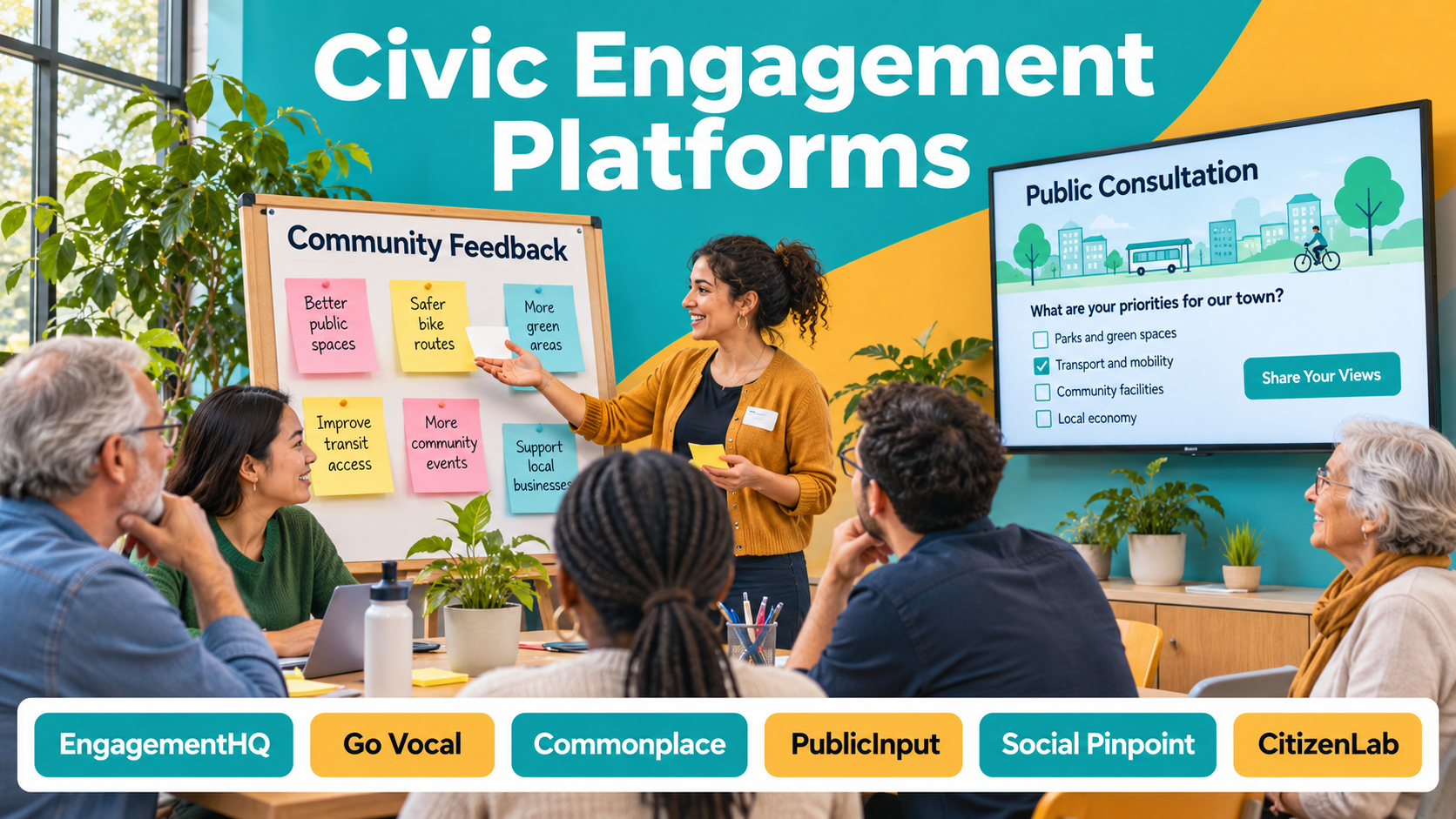
Civic Engagement Platforms provide digital tools for collecting public input, explaining proposals, conducting surveys, organizing consultations, and communicating with communities.
These systems can support public participation in planning projects, budgeting discussions, service improvements, policy development, and other government activities.
Some platforms specialize in structured public consultation. Others focus on participatory budgeting, community surveys, digital engagement websites, or resident communication.
These differences are important. A simple survey tool may collect opinions but lack the features needed to manage a complex public consultation. A resident communication platform may improve service updates without supporting deliberative participation.
Civic engagement also requires more than software. Governments must explain which decisions are open for public input, how feedback will be considered, and which legal or financial constraints apply.
Meaningful participation should not be reduced to collecting comments without responding to them.
Agencies also need to consider representativeness. Online participants may not reflect the broader community, especially when digital access and awareness differ across population groups.
Privacy, accessibility, moderation, transparency, and record retention must be addressed before launching a public engagement program.
This guide compares ten established civic engagement platforms and related technologies. It examines their capabilities, benefits, limitations, and appropriate use cases.
The guide also provides comparison tables, selection guidance, a practical implementation example, common mistakes, and frequently asked questions.
What Are Civic Engagement Platforms?
Civic Engagement Platforms are software applications used by governments and public organizations to inform communities, collect input, support participation, and manage engagement activities.
They may provide surveys, idea boards, discussion forums, interactive maps, public consultation pages, participatory budgeting workflows, and engagement reporting.
A city planning department may use a platform to collect feedback on proposed transportation improvements.
A parks department may invite residents to identify preferred facilities or comment on a redevelopment plan.
A local government may use participatory budgeting software to help eligible participants propose and prioritize projects under established rules.
Some platforms also support community communications, public meeting information, and project updates.
The appropriate tools depend on whether the objective is consultation, collaboration, public information, formal participation, or another recognized engagement process.
Digital platforms should complement accessible offline participation rather than automatically replace it.
Common Applications
- Public consultation: Collect input on proposed policies, plans, and projects.
- Community surveys: Gather structured feedback from residents.
- Participatory budgeting: Support public involvement in eligible budget decisions.
- Urban planning engagement: Collect location-specific comments about development proposals.
- Idea collection: Invite suggestions and community priorities.
- Public project updates: Explain proposals, schedules, and decisions.
- Community dialogue: Support moderated discussions and deliberation.
- Engagement reporting: Analyze participation and communicate how feedback influenced decisions.
Top 10 Civic Engagement Platforms
The following platforms support different engagement approaches. Their suitability depends on the government’s objectives, participation rules, accessibility requirements, and available staff resources.
1. Granicus EngagementHQ
Best For: Governments managing structured public consultation and community engagement projects.
Overview
Granicus EngagementHQ is a digital community engagement platform used by public organizations.
It supports online consultation activities and the collection of public feedback.
Government departments may need to present project information, invite comments, conduct surveys, and maintain records of participation.
A dedicated engagement platform can help organize these activities in one public-facing environment.
EngagementHQ is particularly relevant to organizations running multiple consultation projects.
Agencies should evaluate accessibility, reporting, moderation, and integration with existing government communication systems.
Key Features
- Engagement Project Pages: Presents public consultation information.
- Surveys: Collects structured community feedback.
- Discussion Tools: Supports selected public participation activities.
- Idea Collection: Helps gather suggestions.
- Engagement Reporting: Provides information about participation.
- Community Communication: Supports updates to relevant audiences.
- Project Management: Organizes consultation activities.
- Moderation: Supports management of public contributions.
- Administrative Controls: Restricts staff functions.
Benefits
EngagementHQ can help governments organize consultation projects and provide residents with a consistent participation experience.
Pros
- Public engagement specialization.
- Supports multiple consultation methods.
- Relevant to government agencies.
- Provides engagement reporting.
- Suitable for ongoing programs.
Cons
- Requires active community outreach.
- Digital participation may be unrepresentative.
- Moderation needs staffing.
- Integration requirements vary.
- Costs depend on deployment.
Use Cases
City Planning Department: Residents comment on proposed neighborhood changes.
Regional Government: Staff manage several public consultation projects.
Best For: Governments requiring a dedicated consultation environment.
2. CitizenLab
Best For: Local governments seeking digital participation, idea collection, and consultation workflows.
Overview
CitizenLab is a civic participation platform associated with digital democracy and community engagement.
It is relevant to governments that want to collect ideas, conduct consultations, and involve residents in public decision-making processes.
A participation platform can help organize community contributions and make projects easier to discover.
However, the government must clearly explain how contributions will be evaluated and whether the process is advisory or decision-making.
CitizenLab should be assessed for accessibility, language support, identity requirements, moderation, and reporting.
Key Features
- Participation Projects: Organizes public engagement activities.
- Idea Submission: Allows eligible participants to propose suggestions.
- Surveys: Supports structured feedback collection.
- Consultation Workflows: Helps manage public input.
- Participation Reporting: Provides information about engagement.
- Project Communication: Presents updates and explanations.
- Moderation: Supports review of contributions.
- Participant Management: Organizes relevant participation information.
- Configurable Engagement: Supports different participation methods.
Benefits
CitizenLab can help governments provide accessible digital channels for community input.
Pros
- Civic participation specialization.
- Supports idea collection.
- Multiple engagement methods.
- Relevant to local governments.
- Useful reporting functions.
Cons
- Participation depends on outreach.
- Digital exclusion remains a concern.
- Rules require careful design.
- Moderation is necessary.
- Costs vary by scope.
Use Cases
Municipal Government: Residents suggest neighborhood improvements.
Public Policy Team: Staff conduct structured consultation on proposed services.
Best For: Local governments seeking participatory digital engagement.
3. Decidim
Best For: Public institutions seeking open-source participatory democracy infrastructure.
Overview
Decidim is an open-source digital participation platform.
It supports participatory processes and related democratic engagement activities.
Public institutions may use Decidim to organize proposals, discussions, participatory budgeting, and other participation workflows.
Its open-source approach can be attractive to governments seeking transparency, flexibility, and control over deployment.
However, implementation requires technical administration, governance, and ongoing maintenance.
Key Features
- Participatory Processes: Supports structured public participation.
- Proposal Submission: Allows participants to contribute ideas.
- Discussion: Supports selected deliberative activities.
- Participatory Budgeting: Provides relevant participation workflows.
- Meetings: Supports information about engagement events.
- Transparency: Helps present participation information.
- Configurable Processes: Accommodates different participation models.
- Open-Source Architecture: Supports customization.
- Administrative Permissions: Controls platform management.
Benefits
Decidim can help institutions establish configurable digital participation processes using open-source technology.
Pros
- Open-source platform.
- Participatory democracy focus.
- Supports multiple engagement methods.
- Configurable workflows.
- Transparent development ecosystem.
Cons
- Requires technical resources.
- Hosting and support must be arranged.
- Configuration can be complex.
- Participation rules require governance.
- Accessibility must be tested in the deployed implementation.
Use Cases
City Participatory Budgeting: Residents propose and prioritize eligible projects.
Public Institution: Staff organize consultations and deliberative processes.
Best For: Organizations prioritizing open-source civic participation.
4. Pol.is
Best For: Organizations exploring public opinion patterns and areas of agreement.
Overview
Pol.is is a digital deliberation tool designed to help groups examine patterns in participant opinions.
It uses structured participation and analytical methods to identify relationships between viewpoints.
Traditional comment threads can become difficult to interpret when large numbers of people participate.
Pol.is offers a different approach by helping organizers understand areas of agreement and disagreement.
However, its outputs should be interpreted carefully. Participants are not necessarily a representative sample of the population.
Key Features
- Statement Participation: Supports structured responses to ideas.
- Opinion Analysis: Helps examine relationships between viewpoints.
- Agreement Patterns: Identifies relevant areas of shared opinion.
- Visualization: Presents analytical results.
- Large-Group Participation: Supports broad input.
- Discussion Structure: Provides an alternative to conventional comment threads.
- Data Analysis: Supports interpretation of participation patterns.
- Engagement Reporting: Helps communicate findings.
- Facilitated Deliberation: Supports structured public discussion.
Benefits
Pol.is can help organizations understand complex public opinion patterns without relying only on simple vote counts.
Pros
- Distinct deliberation approach.
- Useful for large discussions.
- Highlights agreement patterns.
- Supports structured participation.
- Relevant to complex public issues.
Cons
- Not a complete engagement management suite.
- Participation may be unrepresentative.
- Results require interpretation.
- Project communication needs other tools.
- Moderation and facilitation remain important.
Use Cases
Public Policy Consultation: Organizers examine areas of agreement on a contested proposal.
Community Dialogue: Facilitators explore different perspectives.
Best For: Structured deliberation and opinion analysis.
5. Balancing Act
Best For: Governments conducting public budget engagement and fiscal education.
Overview
Balancing Act provides tools associated with public budgeting and community engagement.
It is relevant to governments seeking to explain budget tradeoffs and involve residents in fiscal discussions.
Public budgets can be difficult to understand because expenditures, revenues, legal restrictions, and service priorities interact.
Interactive budgeting tools can help participants explore these relationships.
However, simulated budget choices should not be presented as binding decisions unless the government has established an authorized process.
Key Features
- Budget Simulations: Helps participants explore fiscal tradeoffs.
- Public Participation: Collects relevant budget preferences.
- Budget Information: Presents selected financial information.
- Scenario Exploration: Supports consideration of alternative allocations.
- Engagement Reporting: Provides participation information.
- Public Education: Helps explain fiscal constraints.
- Project Configuration: Supports different budget discussions.
- Feedback Collection: Records participant input.
- Administrative Management: Supports relevant government workflows.
Benefits
Balancing Act can help governments make budget discussions more understandable and interactive.
Pros
- Budget engagement specialization.
- Explains fiscal tradeoffs.
- Supports public education.
- Relevant to local governments.
- Useful for budget consultations.
Cons
- Narrower scope than general engagement platforms.
- Simulations require accurate assumptions.
- Participation may not be representative.
- Budget decisions remain subject to law.
- Configuration and communication require care.
Use Cases
City Budget Office: Residents explore service funding priorities.
County Government: Officials gather input on fiscal alternatives.
Best For: Budget education and public fiscal engagement.
6. OpenGov
Best For: Governments connecting financial transparency and selected public engagement workflows.
Overview
OpenGov provides government technology associated with financial management, budgeting, reporting, and digital administration.
Its financial transparency and reporting capabilities can support public understanding of government operations.
However, financial transparency is not identical to a dedicated civic consultation platform.
A government may use OpenGov to publish relevant financial information and combine it with separate public participation tools.
Buyers should verify the specific engagement features available in the selected products.
Key Features
- Financial Reporting: Presents relevant government financial information.
- Budget Information: Supports communication of budget data.
- Public Transparency: Helps make selected information accessible.
- Data Visualization: Presents financial information visually.
- Administrative Reporting: Supports government oversight.
- Digital Services: Provides relevant government workflows.
- Data Integration: Connects compatible administrative systems.
- Access Management: Controls authorized information.
- Government Operations: Supports connected administrative processes.
Benefits
OpenGov can help governments improve access to financial information and support informed public discussions.
Pros
- Government technology focus.
- Strong financial context.
- Useful transparency capabilities.
- Supports connected administration.
- Relevant to budget communication.
Cons
- Not a substitute for every consultation platform.
- Engagement modules require verification.
- Financial information needs explanation.
- Integration may be necessary.
- Costs depend on products.
Use Cases
Municipal Finance Department: Staff publish understandable budget information.
Public Transparency Program: Residents review government financial reports.
Best For: Governments connecting financial transparency with civic communication.
7. Zencity
Best For: Local governments seeking resident feedback, community insights, and engagement analysis.
Overview
Zencity provides technology associated with community feedback and local government insights.
It is relevant to public agencies seeking to understand resident experiences and perceptions.
Governments may collect feedback through surveys, service interactions, and other appropriate sources.
Analytical tools can help identify recurring concerns and monitor changes.
However, community sentiment analysis should not be treated as a statistically representative measure unless the underlying methodology supports that conclusion.
Key Features
- Resident Feedback: Supports collection and organization of community input.
- Surveys: Provides structured feedback opportunities.
- Community Insights: Helps analyze relevant participation information.
- Dashboards: Presents selected findings.
- Trend Monitoring: Supports review of changes over time.
- Reporting: Helps communicate findings to officials.
- Data Organization: Consolidates relevant feedback information.
- Government Workflows: Supports public sector engagement programs.
- Analytical Tools: Helps examine recurring themes.
Benefits
Zencity can help governments understand feedback patterns and inform service improvement discussions.
Pros
- Local government orientation.
- Resident feedback focus.
- Useful analytical reporting.
- Supports ongoing monitoring.
- Relevant to service improvement.
Cons
- Representativeness requires evaluation.
- Automated analysis may contain errors.
- Privacy safeguards are important.
- Does not replace public deliberation.
- Costs depend on services.
Use Cases
City Manager’s Office: Staff review resident concerns across services.
Public Works Department: Administrators gather feedback on service experiences.
Best For: Governments prioritizing resident insights.
8. Commonplace
Best For: Planning and infrastructure teams collecting location-specific community feedback.
Overview
Commonplace is a community engagement platform associated with planning and place-based consultation.
It is relevant to urban development, transportation, and infrastructure projects.
Residents often understand local conditions through direct experience.
Location-based engagement tools can help participants identify concerns about roads, parks, crossings, development areas, and other geographic features.
However, location-specific comments still require professional evaluation and appropriate planning procedures.
Key Features
- Map-Based Engagement: Supports geographically referenced feedback.
- Project Pages: Presents consultation information.
- Surveys: Collects structured input.
- Community Comments: Organizes relevant feedback.
- Geographic Visualization: Displays participation by location.
- Project Communication: Provides relevant updates.
- Engagement Reporting: Supports analysis of responses.
- Participation Management: Organizes project activities.
- Administrative Controls: Supports authorized management.
Benefits
Commonplace can help planning teams understand community feedback in its geographic context.
Pros
- Place-based engagement focus.
- Useful interactive mapping.
- Relevant to urban planning.
- Supports public consultation.
- Geographic reporting.
Cons
- Primarily relevant to place-based projects.
- Online participants may be unrepresentative.
- Mapping data requires accuracy.
- Moderation may be necessary.
- Integration scope varies.
Use Cases
Transportation Department: Residents identify difficult intersections.
Urban Planning Agency: Communities comment on proposed development areas.
Best For: Geographic and planning-related engagement.
9. Bang the Table / EngagementHQ Legacy Brand
Best For: Understanding legacy procurement and migration requirements for established engagement deployments.
Overview
Bang the Table is a legacy brand associated with EngagementHQ, now part of the Granicus engagement portfolio.
It should not be treated as an unrelated current software vendor.
However, agencies may still encounter Bang the Table references in existing contracts, documentation, procurement records, and migration projects.
Understanding the relationship is important when evaluating current platform arrangements.
Agencies should use the current Granicus product information for new purchasing decisions.
Key Considerations
- Legacy Records: Identify historical engagement project information.
- Platform Continuity: Review current product arrangements.
- Contract Review: Confirm the active provider and services.
- Data Export: Evaluate migration and archival requirements.
- User Accounts: Review current access arrangements.
- Project History: Preserve appropriate consultation records.
- Reporting Continuity: Maintain historical participation information.
- Integration Review: Identify connected systems.
- Current Procurement: Evaluate the present EngagementHQ offering.
Benefits
Recognizing the legacy brand helps agencies avoid duplicate vendor comparisons and plan migrations more accurately.
Pros
- Relevant to historical deployments.
- Helps clarify vendor relationships.
- Supports procurement due diligence.
- Useful for migration planning.
- Encourages record continuity.
Cons
- Not a separate current product.
- Should not be independently ranked against EngagementHQ.
- Current functionality must be verified.
- Legacy contracts may differ.
- Migration requirements vary.
Use Cases
Government Procurement Team: Staff review an older engagement contract.
Digital Services Department: Administrators assess historical consultation records.
Best For: Legacy system review rather than new product selection.
10. Engagement Lab
Best For: Organizations seeking structured engagement activities and community feedback workflows.
Overview
Engagement Lab is a name used by multiple organizations and initiatives, so buyers should verify the exact provider and product before procurement.
In civic engagement environments, organizations may use specialized tools or services to support consultation design, community workshops, and digital participation.
The important requirement is not the name alone but the platform’s ability to support accessible, transparent, and well-governed engagement.
Because the name is not sufficiently distinctive to identify one verified software product, it should be treated as a research lead rather than a confirmed procurement candidate.
Key Capabilities to Evaluate
- Project Management: Organizes engagement activities.
- Surveys: Supports structured feedback.
- Discussion Tools: Enables relevant public participation.
- Reporting: Summarizes engagement information.
- Accessibility: Supports participation by diverse users.
- Moderation: Helps manage public contributions.
- Communication: Provides project updates.
- Data Export: Supports records and analysis.
- Administrative Controls: Restricts management functions.
Benefits
A suitable engagement tool can help organizations structure consultation activities and improve reporting.
Pros
- Potential relevance to engagement programs.
- Flexible evaluation criteria.
- Can support specialized consultation needs.
- Encourages accessible design.
- May complement existing platforms.
Cons
- Exact product identity must be established.
- Features cannot be assumed.
- Vendor support must be verified.
- Pricing is not established.
- Not suitable for procurement without further validation.
Use Cases
Community Engagement Team: Staff evaluate a specialized participation solution.
Government Procurement Office: Buyers validate vendor identity and product capabilities.
Best For: Further vendor research rather than immediate selection.
Civic Engagement Software Comparison Table
| Platform | Primary Focus | Suitable Users | Important Consideration |
|---|---|---|---|
| Granicus EngagementHQ | Public consultation | Government agencies | Outreach and moderation |
| CitizenLab | Digital participation | Local governments | Participation rules |
| Decidim | Open-source participation | Public institutions | Technical administration |
| Pol.is | Deliberation analysis | Policy teams | Representativeness |
| Balancing Act | Budget engagement | Finance departments | Fiscal assumptions |
| OpenGov | Financial transparency | Municipal governments | Not full consultation |
| Zencity | Resident insights | Local governments | Analytical methodology |
| Commonplace | Map-based consultation | Planning departments | Geographic project focus |
| Bang the Table | Legacy EngagementHQ brand | Existing customers | Not separate current vendor |
| Engagement Lab | Ambiguous vendor name | Research teams | Product verification needed |
How to Choose Civic Engagement Software
1. Define the Participation Objective
Determine whether the government seeks information sharing, consultation, collaboration, participatory budgeting, or another form of engagement.
2. Explain Decision Authority
Residents should understand which decisions are open for input and who makes the final decision.
3. Evaluate Accessibility
Test keyboard navigation, screen reader support, readable language, and accessible participation methods.
4. Consider Digital Inclusion
Provide appropriate alternatives for residents without reliable internet access.
5. Review Language Needs
Determine whether information and participation methods are available in relevant community languages.
6. Assess Moderation
Establish transparent rules for handling abusive, irrelevant, or inappropriate content.
7. Examine Privacy
Collect only necessary information and explain how participation data will be used.
8. Evaluate Reporting
The platform should help officials understand feedback without overstating representativeness.
9. Plan Feedback Closure
Governments should communicate what they heard and how it influenced decisions.
10. Calculate Long-Term Costs
Include licensing, implementation, outreach, accessibility testing, moderation, training, and support.
Best Civic Engagement Software by User Type
| User Type | Solutions Worth Evaluating | Main Requirement |
|---|---|---|
| Local government consultation team | Granicus EngagementHQ, CitizenLab | Public participation |
| Open-source civic technology team | Decidim | Configurable participation |
| Policy deliberation program | Pol.is | Opinion patterns |
| Municipal budget office | Balancing Act, OpenGov | Budget engagement |
| City management team | Zencity | Resident insights |
| Urban planning department | Commonplace | Location-based feedback |
| Existing legacy customer | Granicus EngagementHQ | Migration and continuity |
Practical Example: Launching a Citywide Civic Engagement Program
Consider a fictional city planning a major public transportation improvement program.
The city wants residents to comment on proposed routes, stops, accessibility, and neighborhood impacts.
Step 1: Establish the Objective
Define which planning decisions are open for public input.
Step 2: Identify Stakeholders
Include residents, commuters, businesses, accessibility advocates, and affected community organizations.
Step 3: Choose Engagement Methods
Combine online surveys, interactive maps, public meetings, and accessible offline options.
Step 4: Define Privacy Requirements
Determine what participant information is necessary.
Step 5: Evaluate Platforms
Test realistic consultation activities.
Step 6: Prepare Accessible Content
Explain proposals in plain language and appropriate formats.
Step 7: Launch Outreach
Use community organizations, public notices, and appropriate communication channels.
Step 8: Monitor Participation
Review participation patterns and identify underrepresented groups.
Step 9: Analyze Feedback
Distinguish recurring themes from statistically representative findings.
Step 10: Publish a Response
Explain which suggestions were adopted, modified, or not adopted.
Step 11: Document Decisions
Maintain appropriate consultation and administrative records.
Step 12: Evaluate the Process
Review accessibility, participation, staff workload, and public feedback.
Common Mistakes When Selecting Civic Engagement Software
1. Treating Participation Counts as Representativeness
Large numbers of responses do not guarantee that all communities are represented.
2. Failing to Explain Decision Authority
Participants should understand how input affects decisions.
3. Ignoring Offline Engagement
Digital platforms may exclude some residents.
4. Collecting Unnecessary Personal Information
Engagement should respect privacy and data minimization.
5. Neglecting Moderation
Poorly managed discussions can discourage participation.
6. Asking Questions Without Providing Context
Residents need understandable information about proposals and constraints.
7. Failing to Respond to Feedback
Participation loses credibility when governments do not explain outcomes.
8. Selecting Tools Without Testing Accessibility
A visually attractive interface may still create participation barriers.
Frequently Asked Questions
1. What is civic engagement software?
It is software used to support public participation, consultation, feedback, and community communication.
2. Who uses civic engagement platforms?
Governments, public institutions, community organizations, and residents use these tools.
3. What is public consultation?
It is a process for gathering input on proposed decisions or activities.
4. Can residents submit ideas online?
Many platforms support idea submission.
5. Can civic engagement software conduct surveys?
Yes. Many products provide survey tools.
6. What is participatory budgeting?
It is a process that involves eligible participants in specified budget decisions.
7. Is online voting legally binding?
Not automatically. Legal authority depends on the jurisdiction and process.
8. What is digital democracy?
It refers broadly to digital technologies used in democratic participation and governance.
9. Is Decidim open source?
Yes. Decidim is an open-source participation platform.
10. What is Pol.is used for?
It helps analyze patterns of agreement and disagreement among participants.
11. What is map-based engagement?
It is public participation connected to geographic locations.
12. Can platforms support planning consultations?
Yes. Several products specialize in planning-related engagement.
13. What is resident sentiment analysis?
It is the examination of feedback and expressions of opinion.
14. Does sentiment analysis represent every resident?
Not necessarily. Representativeness depends on the data and methodology.
15. Can software support public budgeting?
Some platforms provide budget engagement tools.
16. What is engagement reporting?
It is the analysis and communication of participation information.
17. Can residents participate anonymously?
Some processes permit anonymous participation, depending on configuration and requirements.
18. Why is moderation important?
It helps maintain appropriate participation environments.
19. What is digital inclusion?
It is the effort to make digital services accessible to people with different abilities and resources.
20. Can governments provide offline participation?
Yes. Offline methods can complement digital platforms.
21. What accessibility standards matter?
Applicable accessibility requirements may include WCAG-based standards and relevant laws.
22. Can platforms support multiple languages?
Some provide multilingual capabilities, although scope varies.
23. Is civic engagement software secure?
Security depends on vendor controls, configuration, and government procedures.
24. Can governments export feedback?
Many platforms support relevant data exports.
25. How much does civic engagement software cost?
Costs depend on features, participants, projects, integrations, and support.
26. Can small towns use civic engagement software?
Yes. Suitable solutions vary in cost and complexity.
27. What is the difference between consultation and collaboration?
Consultation gathers input, while collaboration involves more direct participation in developing solutions.
28. Can engagement platforms replace public meetings?
They may complement meetings, but legal and accessibility requirements still apply.
29. What should governments test before purchasing?
Test accessibility, participation workflows, moderation, reporting, privacy, and data export.
30. What is the best civic engagement platform?
The best solution depends on participation objectives, community needs, accessibility, governance, and available resources.
Final Thoughts
Civic Engagement Platforms help governments inform residents, collect public input, support consultation, and improve communication about public decisions.
Granicus EngagementHQ and CitizenLab provide dedicated digital engagement environments.
Decidim supports open-source participation, while Pol.is provides a distinct approach to understanding public opinion patterns.
Balancing Act focuses on budget engagement, OpenGov supports financial transparency, and Zencity provides resident feedback analysis.
Commonplace is particularly relevant to place-based consultation.
Organizations should recognize that Bang the Table is a legacy EngagementHQ brand rather than a separate current vendor. Ambiguous product names should also be verified before procurement.
No software platform can guarantee meaningful civic participation on its own.
Governments must provide accessible information, explain decision authority, reach underrepresented communities, protect personal information, and communicate how feedback influenced outcomes.
The strongest civic engagement programs combine appropriate technology with transparency, inclusive outreach, responsible facilitation, and a genuine commitment to public participation.