Introduction
Meetings are intended to help people exchange information, solve problems, and make decisions. Yet many organizations struggle to preserve what happens after a discussion ends.
Participants may remember different versions of a decision. Important action items may never receive an owner. Employees who miss a meeting may spend additional time asking colleagues for updates.
Manual note-taking helps, but it introduces its own difficulties.
A participant who concentrates on writing may contribute less to the discussion. Notes can be incomplete, inconsistent, or stored in locations that other team members cannot access.
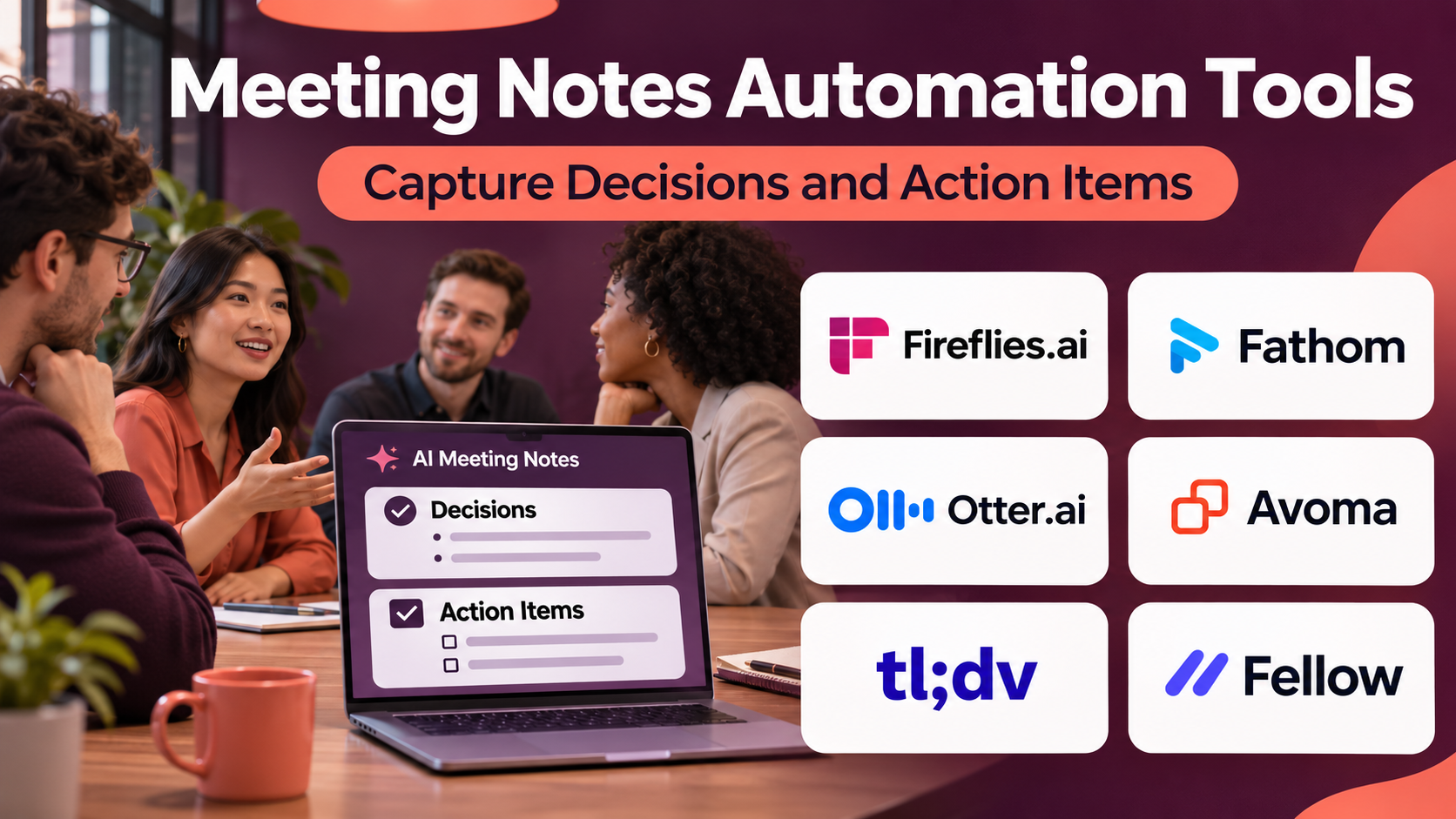
Meeting notes automation tools help address these problems by capturing conversations, generating summaries, identifying possible action items, and organizing meeting information.
Many products use speech recognition and artificial intelligence to create draft notes.
Others combine recording and transcription with agenda management, meeting preparation, collaborative documentation, and follow-up workflows.
The distinction matters because a transcript is not the same as a useful meeting summary.
A transcript records what was said. Meeting notes identify important information. Formal meeting minutes may additionally require verified decisions, attendance, motions, approvals, and an official record.
AI-generated notes can contain errors, omit qualifications, or attribute statements to the wrong speaker.
Therefore, organizations should treat automated notes as drafts requiring appropriate review, particularly for legal, financial, medical, employment, and governance-related discussions.
This guide compares ten meeting notes automation tools, explains their capabilities, and provides a practical implementation framework.
What Are Meeting Notes Automation Tools?
Meeting notes automation tools are applications that help capture, organize, summarize, and distribute information from meetings.
They may support:
- Meeting recording.
- Speech transcription.
- AI-generated summaries.
- Action item identification.
- Decision extraction.
- Speaker identification.
- Meeting highlights.
- Searchable conversation history.
- Collaborative note editing.
- CRM updates.
- Task management integrations.
- Follow-up email drafts.
- Meeting templates.
- Access permissions.
- Recording retention policies.
Capabilities vary substantially by platform and subscription.
Automated Notes vs. Transcripts
A transcript attempts to reproduce spoken words.
Automated notes condense a conversation into important topics, decisions, and follow-up actions.
A useful meeting notes system should preserve access to supporting evidence when appropriate.
Automated Notes vs. Formal Minutes
Formal minutes may need to follow organizational governance rules.
For example, a board meeting may require an approved record of decisions and votes.
An AI-generated summary does not automatically satisfy those requirements.
Bot-based vs. Bot-free Capture
Some tools join meetings as visible automated participants.
Others can capture supported audio through desktop applications, meeting integrations, or uploaded recordings.
The capture method affects consent, compatibility, privacy, and participant expectations.
How Meeting Notes Automation Works
Step 1: Connect the Meeting Platform
The user connects a supported video meeting or calendar service.
Step 2: Configure Capture Rules
The organization determines which meetings may be recorded or transcribed.
Step 3: Inform Participants
Participants receive appropriate notice, and required consent is obtained.
Step 4: Capture the Conversation
The application records or processes permitted meeting audio.
Step 5: Generate a Transcript
Speech recognition converts spoken content into text.
Step 6: Produce Draft Notes
AI identifies topics, summaries, and potential decisions.
Step 7: Extract Follow-up Items
The platform may suggest tasks, owners, and deadlines.
Step 8: Review the Output
An authorized participant checks important statements against the original discussion.
Step 9: Distribute Approved Notes
The reviewed notes are shared with the appropriate audience.
Step 10: Track Follow-up
Tasks and decisions are monitored through relevant workflows.
Benefits of Meeting Notes Automation
Reduced Manual Documentation
Participants can spend less time typing notes.
Better Meeting Continuity
Employees can review discussions they were unable to attend.
Clearer Action Tracking
Suggested action items help teams identify follow-up responsibilities.
Searchable Knowledge
Historical conversations can become easier to locate.
More Consistent Summaries
Templates help standardize documentation.
Faster Customer Follow-up
Sales and customer success teams can prepare updates using meeting information.
Improved Accountability
Reviewed decisions and assigned tasks create clearer records.
These benefits depend on accurate capture, human review, and responsible sharing.
Important Evaluation Criteria
Before selecting a product, test transcription quality, summary usefulness, speaker identification, action extraction, supported languages, integrations, and privacy settings.
Do not evaluate only the appearance of an AI-generated summary.
A polished summary may still contain factual errors.
Top 10 Meeting Notes Automation Tools
1. Fireflies.ai
Best For: Teams seeking automated meeting capture, searchable notes, and workflow integrations.
Overview
Fireflies.ai is an AI meeting assistant that records, transcribes, and summarizes supported conversations.
It is relevant to organizations that conduct frequent meetings across departments.
For example, a customer success team may want to preserve account discussions and identify follow-up commitments.
Fireflies can help capture relevant meeting information and organize it for later review.
Its integration capabilities are useful when notes need to connect with customer relationship management or collaboration workflows.
However, teams should carefully configure which meetings are captured.
Automatically joining every calendar event may be inappropriate for sensitive conversations.
Key Features
- Meeting Capture: Records supported conversations.
- Transcription: Produces searchable text.
- AI Summaries: Generates condensed meeting notes.
- Action Item Extraction: Suggests follow-up tasks.
- Conversation Search: Helps locate historical discussions.
- Meeting Highlights: Identifies selected important moments.
- CRM Integrations: Connects relevant customer workflows.
- Collaboration Integrations: Supports sharing with workplace applications.
- Administrative Controls: Manages selected recording and access settings.
Benefits
Fireflies can reduce manual documentation and make recurring meeting information easier to retrieve.
Pros
- Broad meeting documentation capabilities.
- Searchable conversation history.
- Useful workflow integrations.
- Relevant to customer-facing teams.
- Supports automated summaries.
- Suitable for recurring meetings.
Cons
- AI notes require verification.
- Bot participation may affect meeting dynamics.
- Sensitive conversations need exclusions.
- Storage and usage limits depend on plans.
- Speaker attribution can be inaccurate.
Practical Use Cases
- Customer success calls.
- Sales discussions.
- Internal project meetings.
- Recruitment interviews.
Best For: Teams automating meeting documentation and follow-up.
2. Fathom
Best For: Professionals seeking straightforward AI meeting summaries and highlights.
Overview
Fathom is an AI meeting assistant designed to capture conversations and produce useful meeting documentation.
It is relevant to professionals who want to reduce note-taking during customer calls or internal discussions.
For example, a consultant may conduct several discovery meetings each day.
Fathom can help produce summaries and identify important moments for later reference.
Its straightforward approach is attractive to individuals and small teams.
However, organizations should evaluate the available collaboration, retention, and administrative capabilities before deploying it broadly.
Key Features
- Meeting Recording: Captures supported meetings.
- Automatic Transcription: Converts conversations into text.
- AI Summaries: Generates meeting overviews.
- Highlights: Marks relevant discussion moments.
- Action Items: Identifies potential follow-up work.
- Meeting Search: Helps retrieve prior information.
- Sharing: Distributes relevant notes.
- CRM Workflows: Supports selected customer-related integrations.
- Templates: Organizes summaries into useful structures.
Benefits
Fathom can help individuals create consistent meeting records with limited manual effort.
Pros
- Accessible meeting notes workflow.
- Useful summaries.
- Supports highlights.
- Relevant to consultants and sales professionals.
- Reduces manual documentation.
Cons
- Human review remains necessary.
- Administrative depth varies by plan.
- Recording consent must be addressed.
- Integration coverage should be checked.
- Summary quality varies by meeting type.
Practical Use Cases
- Consulting calls.
- Sales discovery meetings.
- Customer interviews.
- Internal discussions.
Best For: Individuals and teams prioritizing easy meeting summaries.
3. Otter.ai
Best For: Teams seeking live transcription combined with AI meeting notes.
Overview
Otter.ai provides meeting transcription, summaries, and searchable conversation records.
It is relevant to organizations that want both detailed spoken content and condensed notes.
For example, a product team may conduct a planning discussion involving several stakeholders.
Otter can help preserve the conversation and generate supporting documentation.
Its transcript-oriented approach is useful when participants need to review specific statements.
However, automatic speech recognition can struggle with accents, overlapping voices, technical terminology, and poor audio.
Important quotations and decisions should be checked against the recording.
Key Features
- Live Transcription: Produces text during supported conversations.
- Meeting Recording: Captures relevant audio.
- AI Summaries: Generates meeting notes.
- Speaker Identification: Separates selected speakers.
- Conversation Search: Finds information in transcripts.
- Action Items: Suggests follow-up responsibilities.
- Meeting Integrations: Supports common video meeting services.
- Collaborative Notes: Enables relevant review and annotation.
- Conversation Assistance: Supports questions about captured discussions.
Benefits
Otter can help teams combine detailed records with faster meeting review.
Pros
- Strong transcription orientation.
- Supports searchable meetings.
- Useful live capture.
- AI-generated summaries.
- Relevant collaboration features.
Cons
- Transcription errors require correction.
- Language support varies.
- Usage allowances depend on plan.
- Confidential meetings require careful settings.
- Speaker labels may be incorrect.
Practical Use Cases
- Product meetings.
- Interviews.
- Team discussions.
- Research conversations.
Best For: Teams requiring transcripts and automated notes together.
4. tl;dv
Best For: Teams seeking recorded meeting highlights, summaries, and reusable conversation insights.
Overview
tl;dv is an AI meeting assistant focused on recording, summarizing, and reviewing conversations.
It is relevant to teams that want to share specific meeting moments rather than asking colleagues to watch complete recordings.
For example, a product manager may want to share a short customer interview excerpt with designers.
tl;dv can support relevant highlights and meeting documentation.
Its multi-meeting analysis capabilities can also help teams examine recurring themes across discussions.
However, AI-generated patterns should be validated against the underlying conversations.
Repeated mentions do not necessarily establish the importance or prevalence of a customer problem.
Key Features
- Meeting Recording: Captures supported video meetings.
- Transcription: Produces conversation text.
- AI Summaries: Generates condensed notes.
- Video Highlights: Shares selected moments.
- Timestamped Notes: Connects notes to meeting sections.
- Meeting Search: Retrieves historical information.
- Multi-meeting Insights: Supports selected cross-meeting analysis.
- Integrations: Connects relevant workplace tools.
- Sharing Controls: Manages access to meeting content.
Benefits
tl;dv can make long meetings easier to review and share.
Pros
- Strong highlight-oriented workflow.
- Useful for customer research.
- Supports meeting summaries.
- Helps share relevant excerpts.
- Suitable for distributed teams.
Cons
- Recordings require appropriate consent.
- Cross-meeting insights need validation.
- Storage and feature limits vary.
- Video-heavy workflows increase data governance needs.
- AI summaries can omit context.
Practical Use Cases
- Customer research.
- Product discovery.
- Sales calls.
- Team knowledge sharing.
Best For: Teams that frequently reuse meeting highlights.
5. Fellow
Best For: Organizations combining meeting preparation, notes, decisions, and follow-up management.
Overview
Fellow is a meeting management platform with AI meeting documentation capabilities.
It is relevant to organizations that want meetings to follow consistent processes.
For example, a management team may use structured agendas, record decisions, and assign follow-up actions.
Fellow can support these workflows before, during, and after meetings.
This makes it different from tools focused primarily on recording and summarization.
Its value lies in connecting meeting documentation with meeting discipline.
However, teams still need to maintain agendas, confirm decisions, and complete assigned tasks.
Key Features
- Meeting Agendas: Supports structured preparation.
- AI Meeting Notes: Generates relevant summaries.
- Meeting Recording: Captures supported discussions.
- Action Items: Organizes follow-up responsibilities.
- Collaborative Notes: Supports shared documentation.
- Meeting Templates: Standardizes recurring meetings.
- Decision Documentation: Helps preserve outcomes.
- Workplace Integrations: Connects relevant tools.
- Administrative Controls: Supports organizational governance.
Benefits
Fellow can help organizations improve the complete meeting process rather than only the note-taking stage.
Pros
- Combines agendas and notes.
- Supports action tracking.
- Useful for recurring meetings.
- Encourages structured preparation.
- Relevant to managers and teams.
Cons
- Requires consistent adoption.
- Broader workflow may be unnecessary for simple transcription.
- AI outputs need review.
- Product plans affect features.
- Meeting discipline cannot be automated completely.
Practical Use Cases
- Leadership meetings.
- Team one-on-ones.
- Project reviews.
- Recurring operational meetings.
Best For: Organizations seeking structured meeting workflows.
6. Avoma
Best For: Sales and customer-facing teams connecting meeting notes with revenue workflows.
Overview
Avoma provides AI meeting assistance and conversation-related capabilities for business teams.
It is particularly relevant to sales, customer success, and revenue operations.
For example, a sales organization may want to capture customer needs, objections, next steps, and commitments from discovery calls.
Avoma can help organize meeting information and support relevant follow-up workflows.
Its conversation intelligence orientation extends beyond generic meeting summaries.
However, sales teams should verify that extracted information accurately reflects what the customer said.
Incorrect CRM updates or unsupported assumptions can create downstream problems.
Key Features
- Meeting Recording: Captures supported conversations.
- Transcription: Produces searchable records.
- AI Notes: Generates structured summaries.
- Conversation Insights: Examines selected discussion patterns.
- Action Extraction: Identifies potential follow-up tasks.
- CRM Integration: Supports relevant customer workflows.
- Meeting Templates: Organizes notes by meeting purpose.
- Team Collaboration: Shares approved information.
- Revenue Workflow Support: Connects meetings with sales processes.
Benefits
Avoma can reduce documentation work for customer-facing teams.
Pros
- Strong revenue workflow orientation.
- Supports structured meeting notes.
- Relevant CRM capabilities.
- Useful conversation insights.
- Suitable for sales and customer success.
Cons
- May exceed the needs of general internal meetings.
- Commercial costs require review.
- AI extraction needs verification.
- CRM permissions must be managed.
- Recording consent remains important.
Practical Use Cases
- Sales discovery.
- Customer success reviews.
- Account management.
- Revenue team coaching.
Best For: Customer-facing organizations.
7. Sembly AI
Best For: Teams requiring automated summaries, meeting tasks, and organizational meeting knowledge.
Overview
Sembly AI is a meeting assistant designed to capture conversations and organize relevant outcomes.
It is useful for teams that want meeting information to become accessible documentation.
For example, an operations department may hold recurring coordination meetings involving decisions and follow-up tasks.
Sembly can help produce draft summaries and identify relevant actions.
Its knowledge-oriented approach may be useful when organizations need to retrieve information from previous meetings.
However, automatically extracted decisions must be verified.
A discussion about a possible action should not be recorded as an approved commitment unless participants actually agreed.
Key Features
- Meeting Capture: Records supported conversations.
- Transcription: Creates searchable text.
- AI Summaries: Produces structured notes.
- Action Item Detection: Suggests follow-up tasks.
- Meeting Search: Retrieves relevant discussion content.
- Speaker Identification: Supports attribution.
- Meeting Insights: Organizes selected conversation information.
- Integrations: Connects supported workplace systems.
- Sharing Controls: Supports appropriate information distribution.
Benefits
Sembly can help convert recurring conversations into searchable organizational information.
Pros
- Structured meeting summaries.
- Supports action extraction.
- Useful search capabilities.
- Relevant to recurring meetings.
- Helps organize meeting knowledge.
Cons
- AI decisions require verification.
- Technical terminology may be misinterpreted.
- Integration depth varies.
- Sensitive recordings require governance.
- Administrative features depend on plan.
Practical Use Cases
- Operations meetings.
- Project coordination.
- Management reviews.
- Internal knowledge capture.
Best For: Teams organizing meeting knowledge and follow-up.
8. MeetGeek
Best For: Teams seeking meeting summaries, insights, and workflow automation.
Overview
MeetGeek is an AI meeting assistant that captures and summarizes supported meetings.
It is relevant to organizations that want recurring meeting documentation and automated distribution.
For example, a project team may want meeting summaries delivered to a shared workspace after each planning call.
MeetGeek can help support that workflow.
Its automation capabilities are useful when meeting information needs to move into other applications.
However, organizations should establish review rules before automatically distributing notes or creating tasks.
Unverified summaries can spread inaccuracies quickly.
Key Features
- Meeting Recording: Captures supported calls.
- Transcription: Produces conversation records.
- AI Summaries: Generates meeting overviews.
- Highlights: Identifies selected moments.
- Action Items: Suggests follow-up work.
- Meeting Analytics: Provides relevant meeting insights.
- Workflow Integrations: Connects supported applications.
- Automated Sharing: Distributes selected outputs.
- Meeting History: Organizes past conversations.
Benefits
MeetGeek can reduce repetitive meeting administration and improve access to discussion records.
Pros
- Useful meeting automation.
- Supports summaries and highlights.
- Relevant integrations.
- Suitable for recurring meetings.
- Helps organize historical notes.
Cons
- Automatic sharing requires controls.
- AI accuracy varies.
- Plan limits require review.
- Sensitive meetings need exclusions.
- Integration configuration adds complexity.
Practical Use Cases
- Project meetings.
- Team updates.
- Customer calls.
- Automated meeting documentation.
Best For: Teams prioritizing automated meeting workflows.
9. Grain
Best For: Customer-facing teams sharing meeting clips and conversation insights.
Overview
Grain provides meeting recording and AI-assisted conversation documentation.
It is particularly relevant to teams that need to preserve customer statements and share important excerpts.
For example, a product team may conduct interviews with customers about a new feature.
Grain can help capture relevant moments and organize insights for colleagues.
Its highlight-oriented workflow supports evidence-based collaboration when excerpts retain sufficient context.
However, short clips can misrepresent the original discussion if important qualifications are removed.
Organizations should preserve appropriate links to the full conversation and respect recording permissions.
Key Features
- Meeting Recording: Captures supported conversations.
- Transcription: Creates searchable text.
- AI Notes: Produces meeting summaries.
- Video Clips: Shares selected discussion moments.
- Conversation Highlights: Marks relevant information.
- Meeting Search: Retrieves historical content.
- Team Sharing: Supports collaborative review.
- Workflow Integrations: Connects relevant business tools.
- Content Organization: Groups useful conversation records.
Benefits
Grain can help teams share direct evidence from customer conversations.
Pros
- Strong conversation highlight workflow.
- Useful for customer research.
- Supports AI notes.
- Helps communicate customer feedback.
- Relevant team collaboration.
Cons
- Clips can lose context.
- Video storage requires governance.
- Feature access varies by plan.
- Not primarily a formal minutes system.
- Consent must be addressed.
Practical Use Cases
- User interviews.
- Customer feedback analysis.
- Sales calls.
- Product research.
Best For: Teams sharing customer conversation evidence.
10. Notta
Best For: Teams seeking transcription-driven meeting notes and multilingual documentation.
Overview
Notta provides transcription and AI meeting documentation capabilities.
It is relevant to organizations that need searchable meeting records and summaries across supported languages.
For example, an international project team may conduct discussions involving participants with different language preferences.
Notta can help transcribe supported conversations and generate useful documentation.
Its transcription orientation makes it relevant to meetings, interviews, and uploaded recordings.
However, language support does not guarantee equal accuracy across languages or accents.
Organizations should test their actual meeting conditions before relying on automated output.
Key Features
- Meeting Transcription: Converts supported speech into text.
- AI Summaries: Produces condensed meeting notes.
- Recording Support: Captures relevant conversations.
- Language Support: Handles selected languages.
- Speaker Identification: Separates speakers where supported.
- Transcript Editing: Supports correction.
- Search: Retrieves recorded information.
- Export: Provides supported document formats.
- Meeting Integrations: Connects relevant conferencing tools.
Benefits
Notta can help teams combine transcription and meeting summary workflows.
Pros
- Transcription-oriented functionality.
- Supports multiple languages.
- Provides AI summaries.
- Useful for interviews and meetings.
- Offers editing and export options.
Cons
- Accuracy varies by language.
- Speaker identification may fail.
- Usage limits depend on plans.
- Sensitive content requires review.
- Not a complete meeting governance system.
Practical Use Cases
- International meetings.
- Interviews.
- Project discussions.
- Multilingual documentation.
Best For: Teams needing transcription-centered meeting notes.
Meeting Notes Automation Tools Comparison Table
| Platform | Primary Strength | Best-Fit Team | Main Consideration |
|---|---|---|---|
| Fireflies.ai | Notes and integrations | Cross-functional teams | Capture governance |
| Fathom | Simple AI summaries | Consultants | Administrative depth |
| Otter.ai | Live transcription | General business teams | Transcript accuracy |
| tl;dv | Meeting highlights | Research teams | Context preservation |
| Fellow | Agendas and follow-up | Managers | Workflow adoption |
| Avoma | Revenue meeting intelligence | Sales teams | CRM accuracy |
| Sembly AI | Meeting knowledge | Operations teams | Decision verification |
| MeetGeek | Workflow automation | Project teams | Sharing controls |
| Grain | Customer clips | Product teams | Clip context |
| Notta | Multilingual documentation | International teams | Language accuracy |
How to Choose Meeting Notes Automation Software
Step 1: Identify the Meeting Types
Determine whether the organization needs notes for internal meetings, customer calls, interviews, or formal governance sessions.
Step 2: Define Required Outputs
Specify whether the tool must produce summaries, transcripts, decisions, action items, or video highlights.
Step 3: Review Capture Methods
Determine whether the platform joins meetings as a bot, uses a desktop application, or processes uploaded recordings.
Step 4: Establish Consent Procedures
Review applicable recording laws, organizational policies, and participant expectations.
Step 5: Test Summary Accuracy
Use representative meetings with technical language and multiple speakers.
Step 6: Evaluate Action Extraction
Check whether the tool distinguishes suggestions from confirmed commitments.
Step 7: Assess Integrations
Review compatibility with calendars, conferencing systems, task management, and CRM platforms.
Step 8: Configure Access
Ensure that meeting records are available only to authorized people.
Step 9: Establish Retention
Define how long recordings, transcripts, and summaries should remain available.
Step 10: Create Review Procedures
Assign responsibility for approving important notes before distribution.
Step 11: Calculate Total Cost
Include subscriptions, storage, transcription allowances, and administration.
Step 12: Conduct a Pilot
Test the platform with different meeting formats and participant groups.
Best Meeting Notes Automation Tools by User Type
| User Type | Suitable Platforms | Primary Need |
|---|---|---|
| General business teams | Fireflies.ai, Otter.ai | Searchable meeting notes |
| Consultants | Fathom | Fast summaries |
| Product researchers | tl;dv, Grain | Meeting highlights |
| Managers | Fellow | Agendas and follow-up |
| Sales teams | Avoma | CRM-connected documentation |
| Operations teams | Sembly AI | Meeting knowledge |
| Project teams | MeetGeek | Workflow automation |
| International teams | Notta | Multilingual transcription |
Practical Example: Automating Project Meeting Notes
A software development team holds weekly project meetings.
Participants often forget which decisions were made and who owns follow-up tasks.
Step 1: Define the Objective
Create consistent, accurate meeting notes and improve task accountability.
Step 2: Select Meeting Types
Begin with routine project meetings rather than sensitive HR or legal discussions.
Step 3: Choose Candidate Platforms
Compare Fellow, Fireflies.ai, and MeetGeek.
Step 4: Review Privacy Requirements
Confirm recording policies and participant consent procedures.
Step 5: Connect the Meeting Platform
Configure the selected tool for supported meetings.
Step 6: Create a Note Template
Include discussion topics, confirmed decisions, action items, owners, and deadlines.
Step 7: Run a Test Meeting
Capture a representative discussion with several speakers.
Step 8: Review the Transcript
Correct significant transcription and speaker attribution errors.
Step 9: Validate Decisions
Check whether the summary accurately distinguishes decisions from suggestions.
Step 10: Confirm Action Owners
Ask participants to verify responsibilities and deadlines.
Step 11: Distribute Approved Notes
Share the reviewed summary through the agreed workspace.
Step 12: Transfer Tasks
Create or update tasks in the project management system.
Step 13: Review Outcomes
Measure documentation time, missed actions, and employee satisfaction.
Common Meeting Notes Automation Mistakes
1. Treating AI Notes as Verified Facts
Automated summaries can contain errors.
2. Recording Without Appropriate Consent
Recording requirements vary by location and circumstances.
3. Capturing Every Meeting Automatically
Sensitive conversations may require different procedures.
4. Confusing Discussion With Decisions
A proposed action is not necessarily an approved decision.
5. Assigning Incorrect Task Owners
AI may misidentify who accepted responsibility.
6. Sharing Notes Too Broadly
Meeting content may include confidential information.
7. Ignoring Speaker Attribution Errors
Incorrect labels can misrepresent statements.
8. Keeping Recordings Indefinitely
Unnecessary retention increases privacy and security risks.
9. Relying Only on Summaries
Important context may be omitted.
10. Failing to Follow Up
Automated notes have limited value when assigned tasks are ignored.
Frequently Asked Questions About Meeting Notes Automation
1. What is meeting notes automation?
It is software-assisted capture, summarization, and organization of meeting information.
2. How do AI meeting notes work?
AI processes meeting content to generate summaries and suggested actions.
3. Are AI meeting notes always accurate?
No. Important details require verification.
4. What is the difference between notes and transcripts?
Notes summarize; transcripts attempt to reproduce spoken words.
5. Are automated notes official meeting minutes?
Not automatically. Formal minutes may require specific review and approval.
6. Can AI identify action items?
Many tools suggest action items from discussions.
7. Can AI assign task owners?
Some tools suggest owners, but assignments should be confirmed.
8. What is a meeting bot?
It is an automated participant that joins a meeting to capture permitted content.
9. Can meetings be captured without a bot?
Some products support alternative capture methods.
10. Do meeting notes tools support Zoom?
Many support relevant Zoom workflows.
11. Do they support Microsoft Teams?
Several platforms support Microsoft Teams.
12. Do they support Google Meet?
Many meeting assistants support Google Meet.
13. Can meeting notes integrate with a CRM?
Some products support customer relationship management integrations.
14. Which tool is suitable for sales calls?
Avoma and Fireflies.ai are relevant options.
15. Which tool supports meeting agendas?
Fellow emphasizes meeting preparation and follow-up.
16. Which tools support video highlights?
tl;dv and Grain are relevant options.
17. Can AI summarize several meetings?
Some platforms provide cross-meeting analysis.
18. Can meeting notes be searched?
Many products provide searchable transcripts or summaries.
19. Are automated meeting notes private?
Privacy depends on product design, configuration, and organizational policies.
20. Is participant consent necessary?
Requirements depend on applicable law and organizational policy.
21. Can AI handle multiple speakers?
Many systems attempt speaker identification, but errors are possible.
22. Can AI meeting notes support multiple languages?
Some platforms support multilingual workflows.
23. What happens when audio quality is poor?
Transcription and summary accuracy may decline.
24. Should organizations keep recordings permanently?
Retention should reflect legitimate needs and applicable obligations.
25. Can automated notes replace a meeting secretary?
They can reduce documentation work but may not replace formal governance responsibilities.
26. Can notes be exported?
Many products support relevant export formats.
27. What is meeting knowledge management?
It is the organized storage and retrieval of information from discussions.
28. Can meeting notes improve accountability?
They can help document commitments when actions are verified and followed up.
29. How should organizations evaluate meeting note quality?
Test accuracy, completeness, action identification, usability, and review effort.
30. What is the most important implementation principle?
Treat automated notes as reviewable drafts, not unquestionable records.
Final Thoughts
Meeting notes automation tools can reduce documentation work and improve access to meeting information.
Fireflies.ai, Fathom, Otter.ai, and Notta provide useful recording, transcription, and summary capabilities.
tl;dv and Grain emphasize reusable meeting highlights.
Fellow connects meeting preparation with documentation and follow-up.
Avoma supports customer-facing workflows, while Sembly AI and MeetGeek help organize meeting knowledge and automation.
The right platform depends on meeting types, integration requirements, recording policies, and the level of documentation required.
The greatest value comes from accurate notes, verified decisions, clear action ownership, and responsible information sharing.
Automation should make meetings more useful without weakening privacy or accountability.