Introduction
During a busy dinner service, a restaurant kitchen can receive orders from several directions at once.
Servers enter dine-in orders. Customers place pickup requests through a website. Delivery platforms send additional tickets. Meanwhile, guests ask for substitutions, and staff need to coordinate dishes with different cooking times.
A printed ticket system can handle many of these tasks, but paper becomes harder to manage as order volume and complexity increase.
Tickets may be misplaced, modifications may be overlooked, and kitchen staff may struggle to determine which orders require attention first.
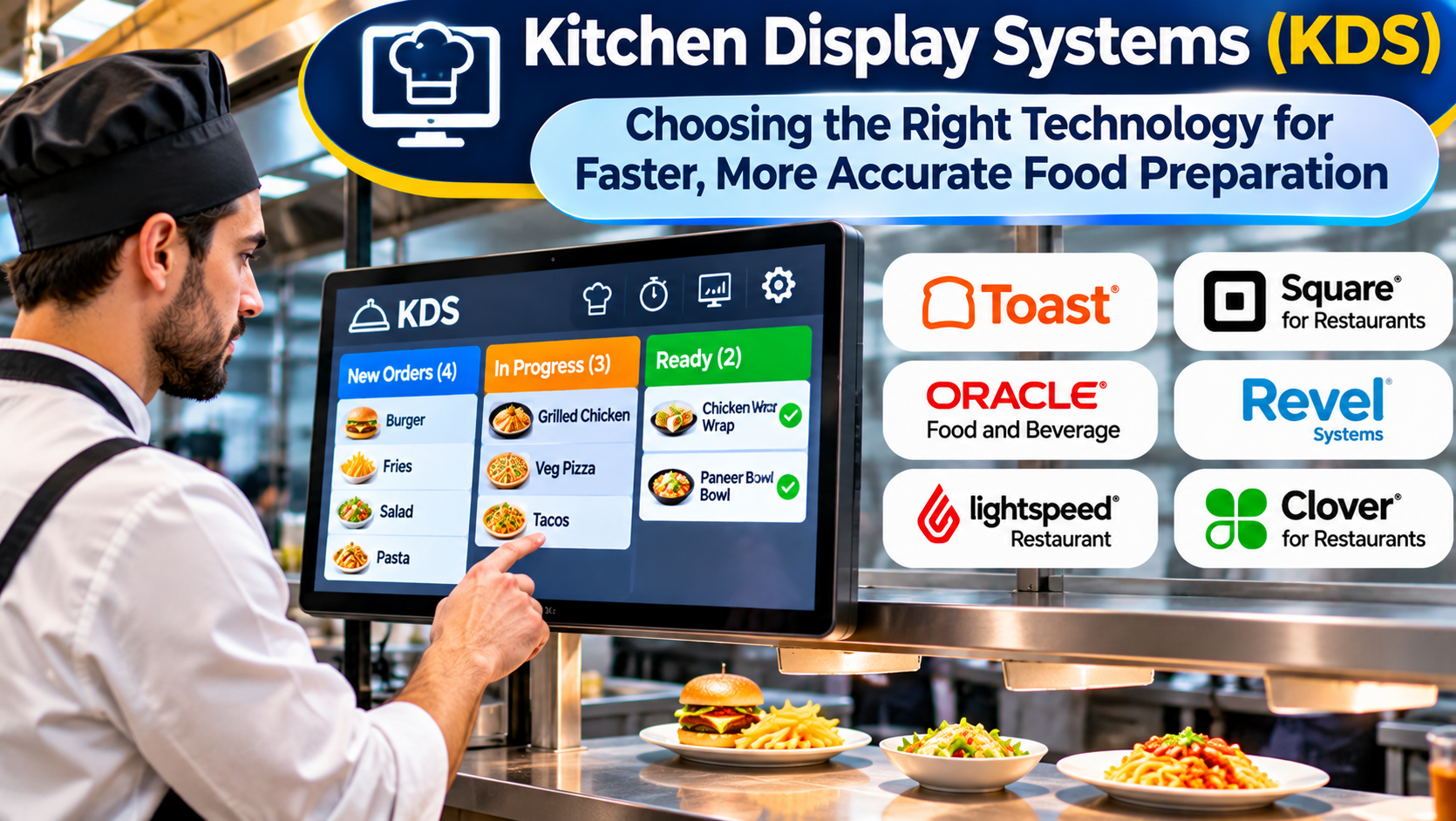
Kitchen display systems, commonly called KDS, replace or supplement printed tickets with digital screens that organize food preparation workflows.
However, a KDS is not simply a television showing orders.
A useful system must reflect how the kitchen operates, how dishes move between stations, and how employees coordinate preparation during peak service.
What Is a Kitchen Display System?
A kitchen display system is software and associated hardware used to present, organize, and track restaurant orders during preparation.
Orders typically originate from a point-of-sale system, online ordering application, or another connected order source.
The KDS displays relevant details to kitchen employees.
Depending on the product, these details may include:
- Ordered menu items
- Quantities
- Modifiers and special instructions
- Order type
- Preparation status
- Elapsed time
- Pickup or service timing
- Assigned preparation station
- Order priority
- Completion indicators
Kitchen staff can update orders as work progresses.
Some systems support multiple displays, station routing, preparation timing, and coordination between cooking and expediting areas.
The exact capabilities vary by vendor.
Why Digital Kitchen Coordination Matters
Kitchen operations involve more than preparing dishes individually.
Staff must coordinate multiple tasks so that orders are accurate and completed at the appropriate time.
Consider a dine-in order containing grilled fish, a salad, and a side dish.
The fish may require more cooking time than the salad.
If every station starts immediately without coordination, the salad may sit too long before the meal is served.
If the fish station receives the order late, the entire table may wait.
A KDS can help organize these dependencies by displaying relevant information to the appropriate employees.
The software does not automatically determine the ideal cooking sequence in every restaurant.
Its effectiveness depends on configuration, accurate order data, and kitchen procedures.
How a KDS Works From Order to Service
1. The Order Enters the System
A server submits an order through the POS system.
Alternatively, an order may arrive from a supported online ordering or delivery integration.
The source system sends the relevant order information to the KDS.
2. Items Reach the Appropriate Stations
The KDS applies configured routing rules.
For example, grilled dishes may appear on a grill display, while beverages appear on a drink station screen.
Some kitchens use one shared display rather than separate stations.
3. Kitchen Staff Begin Preparation
Employees view the order details and begin work.
The display may show how long each order has been waiting.
Staff should be able to recognize modifiers and special instructions without opening multiple menus.
4. Preparation Status Changes
As dishes are completed, employees update their status.
Some systems allow individual items to be completed separately.
Others operate primarily at the ticket level.
5. The Order Reaches Expediting
An expeditor coordinates completed items before they are served or packaged.
A KDS may provide a consolidated view of the order.
This can help staff identify missing dishes and coordinate completion.
6. The Order Is Cleared
After the order is completed, staff mark it as finished.
The system may preserve timing and operational information for reporting.
This workflow sounds straightforward, but real kitchens require additional handling for cancellations, rush orders, delayed items, and changes after submission.
These exception cases deserve particular attention during software evaluation.
Kitchen Display Systems Versus Printed Tickets
Printed tickets remain useful in many restaurants.
They are familiar, require limited screen interaction, and can provide a simple physical record of an order.
However, paper does not automatically update when an order changes.
Staff may need to locate the original ticket, attach a modification, or communicate changes verbally.
Digital systems can make updates easier to distribute across relevant stations.
They can also provide more consistent timing information.
Nevertheless, KDS technology introduces dependencies on software, hardware, networks, and integrations.
A restaurant should not assume digital displays are automatically superior in every environment.
The appropriate decision depends on order volume, kitchen complexity, staff workflows, and operational reliability.
Some businesses may benefit from a hybrid approach.
Essential Features to Evaluate
Reliable POS Integration
The KDS must receive accurate order information from the POS system.
This includes item names, quantities, modifiers, and changes.
Restaurants should verify whether the integration supports the specific POS version and configuration they use.
A generic compatibility claim may not cover every workflow.
Station-Based Routing
A multi-station kitchen may need different screens for different preparation areas.
Routing rules should be easy to understand and maintain.
If a menu item requires work at multiple stations, the system should support the restaurant’s coordination method.
Clear Ticket Presentation
Kitchen staff need information they can read quickly.
A useful display emphasizes the details required for preparation.
Excessive text, unclear abbreviations, or poor visual hierarchy can slow employees down.
Screen readability matters in environments where workers may be moving quickly or viewing displays from a distance.
Timing and Alerts
Some KDS products display elapsed preparation time or use visual indicators to highlight delayed orders.
These features can help managers identify bottlenecks.
However, alert thresholds should reflect realistic preparation times.
A complex entrée and a ready-to-serve beverage should not necessarily share the same timing expectations.
Order Modifications
Customers frequently change orders.
A diner may request an ingredient substitution after the original ticket reaches the kitchen.
The system should make changes visible and help prevent staff from following outdated instructions.
Restaurants should test modifications made at different preparation stages.
Expeditor View
An expeditor needs to understand the status of complete orders rather than only individual station tasks.
Some KDS platforms provide a dedicated coordination view.
This can be valuable in kitchens with multiple preparation areas.
Reporting
Operational reports may include ticket volume, preparation times, station performance, and order completion patterns.
These metrics should help identify recurring delays.
They should not be used without considering order complexity, staffing, and service conditions.
Kitchen Display Systems Worth Evaluating
Several restaurant technology providers offer KDS capabilities within broader product ecosystems.
The following examples illustrate different approaches rather than an independently tested ranking.
Toast Kitchen Display System
Toast offers kitchen display functionality connected to its restaurant technology environment.
Its approach may be relevant to restaurants already using compatible Toast POS products.
Consider it when: The business wants kitchen operations closely connected to an existing restaurant POS ecosystem.
Evaluate: Hardware requirements, station routing, supported order sources, and the specific functionality included in the proposed configuration.
Square KDS
Square provides kitchen display functionality within supported restaurant workflows.
It may appeal to restaurants seeking a connected approach to orders, payments, and kitchen preparation.
Consider it when: The restaurant uses compatible Square restaurant technology.
Evaluate: Regional availability, supported devices, POS compatibility, and kitchen workflow limitations.
Lightspeed Kitchen Display Capabilities
Lightspeed’s restaurant technology ecosystem includes kitchen-related workflow options, depending on product and region.
Restaurants should verify the current KDS offering associated with their specific Lightspeed product.
Consider it when: The business wants to maintain compatibility with an existing Lightspeed restaurant environment.
Evaluate: Product edition, regional functionality, hardware, and integration details.
Oracle MICROS Kitchen Display Solutions
Oracle’s restaurant technology portfolio includes kitchen display capabilities associated with enterprise restaurant operations.
These solutions may be relevant to larger organizations with established Oracle MICROS infrastructure.
Consider it when: The restaurant requires enterprise-oriented integration and centralized operational management.
Evaluate: Deployment requirements, compatibility, support arrangements, and implementation complexity.
QSR Automations
QSR Automations provides restaurant kitchen operations technology, including ConnectSmart Kitchen.
Its specialized focus makes it relevant to businesses seeking more detailed kitchen workflow capabilities.
Consider it when: Kitchen coordination is a major operational requirement and a specialist solution may be appropriate.
Evaluate: POS integration, configuration, reporting, hardware, and ongoing support.
Comparing KDS Software Approaches
| Software approach | Main advantage | Main consideration |
|---|---|---|
| POS-native KDS | Close integration with ordering workflows | Dependency on the POS ecosystem |
| Specialist kitchen operations platform | More focused kitchen workflow capabilities | Integration and implementation requirements |
| Enterprise restaurant KDS | Support for complex operational environments | Configuration and administration |
| Basic digital ticket display | Straightforward order visibility | Limited coordination functionality |
| Hybrid paper and digital workflow | Flexibility during transition | Potential process duplication |
A restaurant should choose based on how its kitchen actually operates.
A small café may need only one screen displaying orders.
A large restaurant may require separate station displays, an expeditor screen, and sophisticated routing rules.
Hardware and Kitchen Environment Considerations
A KDS operates in a demanding physical environment.
Heat, moisture, grease, frequent cleaning, and continuous use can affect equipment.
Businesses should evaluate screen placement, mounting, visibility, and device suitability.
Screen Size and Placement
Screens must be readable without obstructing kitchen movement.
Placement should reflect how employees work at each station.
Touchscreen Versus Bump Bar
Some systems use touchscreens.
Others support physical controls, sometimes called bump bars, for updating order status.
The right interaction method depends on the environment and employee preferences.
Network Reliability
Kitchen displays depend on reliable communication with order sources.
Restaurants should understand whether the system uses local networking, cloud services, or a combination.
They should also establish procedures for connectivity failures.
Device Maintenance
Hardware may require protective mounting, regular cleaning, software updates, and eventual replacement.
The total cost of ownership should include these expenses.
Why Integration Testing Is Critical
A KDS may work correctly during a simple demonstration but struggle with complicated order changes.
Restaurants should test scenarios such as:
- A customer adding an item after submission
- An item being canceled
- A modifier being changed
- An online order arriving during peak service
- An order requiring several preparation stations
- A delayed pickup
- A temporary network interruption
- An employee accidentally completing the wrong ticket
The system should make exceptions manageable.
If staff must rely on verbal workarounds for common situations, the implementation may not deliver its expected benefits.
Measuring Kitchen Performance
KDS reporting can provide useful operational information.
However, metrics should be interpreted carefully.
Average Ticket Time
Average ticket time measures how long orders take to reach a defined completion point.
The definition must remain consistent.
Station Preparation Time
Station-level timing can help identify where delays occur.
A slow station may reflect menu complexity or staffing rather than poor employee performance.
Order Volume by Period
Volume reporting helps managers understand demand patterns.
It can support staffing and preparation planning.
Order Accuracy
Order accuracy is an important outcome, but a KDS may not directly measure every error.
Restaurants may need customer feedback, remake records, or other operational data.
Delayed Order Frequency
Tracking delayed orders can reveal recurring bottlenecks.
Managers should investigate causes before changing performance targets.
A Practical KDS Implementation Plan
Begin by mapping how orders currently move through the kitchen.
Identify preparation stations, communication points, and recurring errors.
Next, configure routing rules and display layouts.
Use real menu items and modifiers during testing.
Introduce the system during a controlled period before relying on it during the busiest service.
Train employees on order changes, completion controls, and exception handling.
Keep a documented backup procedure for technical problems.
After launch, review staff feedback and timing reports.
Adjust configuration when the evidence shows that the workflow can be improved.
Common Mistakes When Selecting a KDS
One mistake is choosing a system solely because it integrates with the POS.
Compatibility is necessary, but the kitchen workflow must also fit.
Another is displaying too much information.
Kitchen employees need clear instructions, not an overloaded interface.
Restaurants may also configure unrealistic timing targets.
This can produce constant alerts that employees eventually ignore.
Finally, some operators underestimate the importance of staff involvement.
Kitchen teams should participate in evaluation and testing because they understand the practical demands of service.
Frequently Asked Questions
What does KDS stand for?
KDS stands for Kitchen Display System. It refers to technology that displays and manages restaurant orders during food preparation.
Can a KDS replace kitchen printers?
Some restaurants use digital displays instead of printed tickets. Others maintain a hybrid workflow. Suitability depends on operations and reliability requirements.
Does a KDS work without a POS system?
Some specialized arrangements may receive orders from other systems, but many KDS products depend on compatible POS or ordering integrations.
Can a KDS manage online orders?
Many systems can display online orders through supported integrations. Restaurants should verify compatibility with their ordering channels.
Does a KDS automatically improve food preparation speed?
Not necessarily. It can improve information flow and coordination, but results depend on kitchen layout, staffing, configuration, and operating procedures.
Final Thoughts
Kitchen display systems are most valuable when they reduce confusion during food preparation.
The right solution should deliver accurate instructions, coordinate preparation stations, and make order status visible without distracting employees.
A small restaurant may need a simple digital ticket workflow.
A larger operation may benefit from advanced routing, expediting, and performance analysis.
The best selection process starts in the kitchen, not the software catalog.
Observe how employees prepare orders, identify where communication breaks down, and test whether the proposed system solves those problems under realistic conditions.
When the technology matches the workflow, a KDS can become a dependable part of restaurant service rather than another screen demanding attention.