Introduction
Organizations need reliable ways to understand employee experiences.
Annual engagement surveys can provide useful information, but they may not capture changes that occur between survey cycles.
Employee workloads change, managers introduce new processes, organizational priorities shift, and workplace concerns emerge throughout the year.
By the time an annual survey is completed, some issues may have developed for several months.
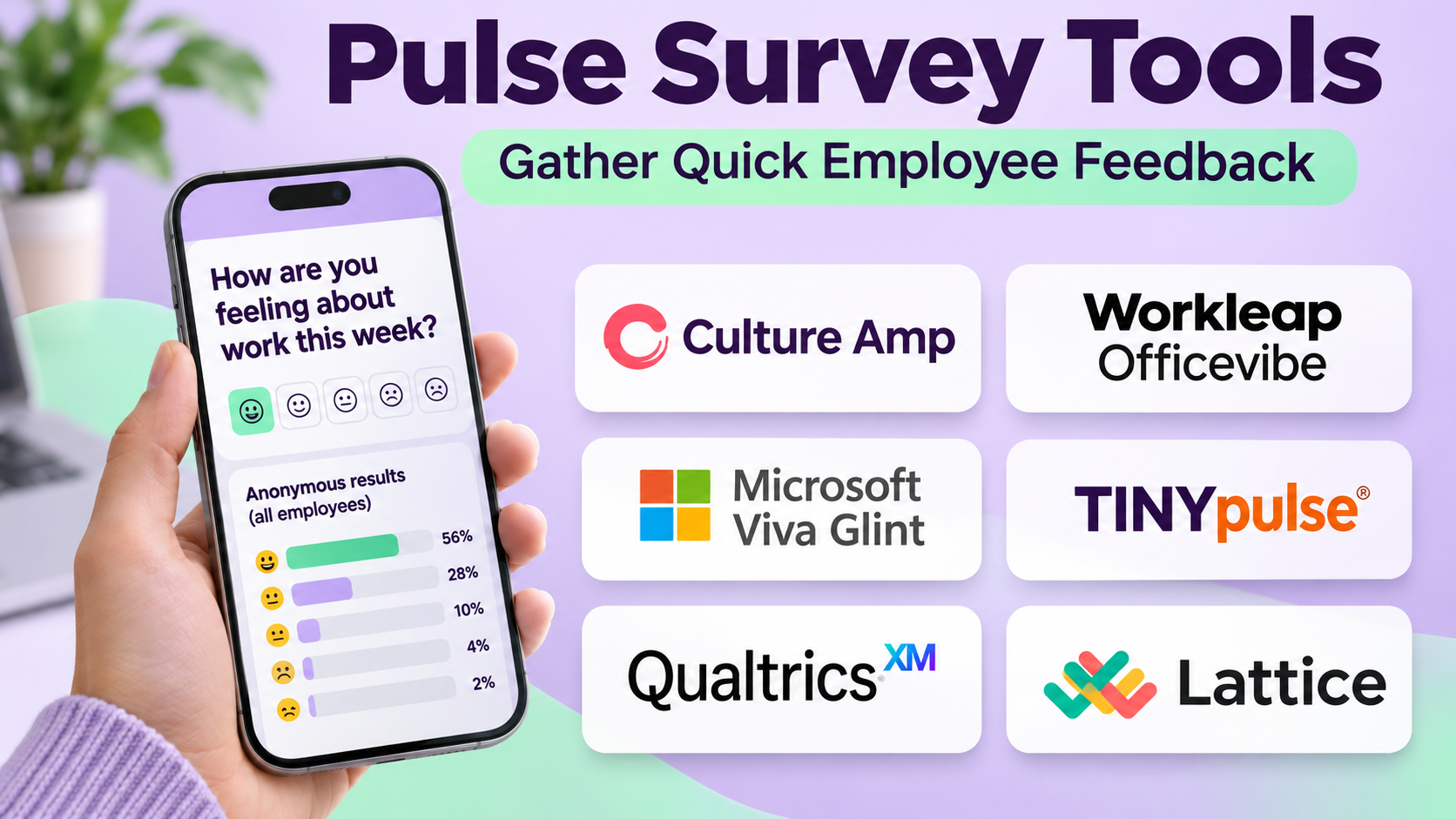
Pulse survey tools help organizations collect employee feedback more frequently through short, focused questionnaires.
Instead of asking employees dozens of questions once a year, pulse surveys typically examine a smaller number of topics at regular intervals.
For example, a company may ask employees about workload, communication clarity, manager support, or confidence in organizational changes.
The responses can help leaders identify patterns and decide where further investigation is necessary.
However, frequent surveys are not automatically better.
Poorly designed questions, excessive survey frequency, weak confidentiality protections, and failure to act on feedback can reduce trust.
Employees may become reluctant to participate if they believe their responses will not produce meaningful changes.
Choosing a pulse survey platform therefore requires attention to survey design, anonymity safeguards, reporting, action planning, and organizational readiness.
This guide compares ten pulse survey tools, explains their strengths and limitations, and provides a practical framework for selecting and implementing an employee listening program.
What Are Pulse Survey Tools?
Pulse survey tools are software applications that help organizations collect short, recurring employee feedback.
They are commonly used by HR teams, people operations departments, managers, and organizational leaders.
Typical survey topics include:
- Employee engagement.
- Workload and capacity.
- Manager support.
- Team communication.
- Psychological safety.
- Organizational confidence.
- Change readiness.
- Employee recognition.
- Career development.
- Workplace inclusion.
- Employee well-being.
- Intent to remain with the organization.
The questions and reporting methods depend on the platform.
Pulse Surveys vs. Annual Engagement Surveys
Annual engagement surveys typically provide broad organizational assessments.
Pulse surveys provide shorter, more frequent measurements.
An annual survey might examine leadership, compensation, development, recognition, and workplace culture in one comprehensive questionnaire.
A pulse survey might ask five questions about workload and manager support.
The two approaches can complement each other.
Pulse Surveys vs. Employee Polls
An employee poll may ask a single operational or preference question.
A pulse survey is generally part of a structured feedback process with defined measurement objectives.
Pulse Surveys vs. Performance Reviews
Pulse surveys collect feedback about employee experiences or workplace conditions.
Performance reviews evaluate employee contributions and development.
Organizations should avoid using confidential employee survey responses as substitutes for individual performance assessments.
How Pulse Survey Tools Work
Step 1: Define a Listening Objective
The organization identifies a specific question or problem.
Step 2: Select Survey Topics
The HR team chooses relevant themes and questions.
Step 3: Determine the Audience
Employees are included according to the survey’s intended scope.
Step 4: Establish Privacy Rules
Administrators configure confidentiality safeguards and reporting thresholds.
Step 5: Distribute the Survey
The platform sends invitations through supported channels.
Step 6: Collect Responses
Employees submit feedback within the defined period.
Step 7: Analyze Results
The platform calculates relevant scores, distributions, and trends.
Step 8: Identify Areas for Investigation
HR teams and managers review patterns without assuming that correlation establishes causation.
Step 9: Create Action Plans
Responsible leaders select realistic improvements.
Step 10: Communicate Outcomes
Employees receive appropriate updates about findings and planned actions.
Step 11: Measure Progress
Later surveys examine whether employee experiences have changed.
Benefits of Pulse Survey Tools
Earlier Identification of Workplace Concerns
Frequent feedback may reveal emerging issues before the next annual survey.
Better Visibility Into Organizational Change
Surveys can help organizations understand employee experiences during transitions.
More Focused Questions
Short questionnaires can concentrate on one topic.
Improved Manager Awareness
Appropriate reporting can help managers identify team-level concerns.
Trend Measurement
Repeated questions can show how employee sentiment changes.
Employee Participation
A well-managed listening program gives employees opportunities to express concerns.
Action Planning
Some platforms connect survey findings with improvement activities.
However, surveys measure reported experiences. They do not automatically explain why employees feel a certain way.
Important Pulse Survey Concepts
Employee Engagement
Employee engagement describes aspects of employees’ connection to their work and organization.
Different platforms use different measurement frameworks.
Employee Net Promoter Score
Employee Net Promoter Score, or eNPS, commonly asks how likely employees are to recommend their organization as a workplace.
It is calculated by subtracting the percentage of detractors from the percentage of promoters.
The score can provide one signal, but it should not be treated as a complete measure of employee experience.
Response Rate
Response rate measures the proportion of eligible employees who submit responses.
A high response rate does not necessarily eliminate response bias.
Anonymity Threshold
A reporting threshold prevents results from being displayed for groups smaller than a configured minimum.
This can reduce identification risk, but it does not guarantee anonymity in every situation.
Survey Fatigue
Survey fatigue occurs when employees become less willing to participate because of excessive or repetitive requests.
Action Planning
Action planning converts survey findings into specific improvements with assigned ownership.
Top 10 Pulse Survey Tools
1. Culture Amp
Best For: Organizations seeking structured employee engagement measurement and action planning.
Overview
Culture Amp is an employee experience platform with capabilities for engagement surveys, feedback analysis, and organizational development.
It is relevant to organizations that want to understand employee experiences through structured measurement rather than isolated questionnaires.
For example, a company may use Culture Amp to measure engagement, manager support, career development, and confidence in leadership.
The platform can help HR teams examine trends and identify areas requiring attention.
Its survey-oriented approach is useful when organizations need a consistent employee listening framework.
However, the quality of findings depends on question design, response coverage, and responsible interpretation.
A score difference between two departments may reflect workforce composition, management conditions, or statistical uncertainty.
Key Features
- Employee Surveys: Supports engagement and pulse questionnaires.
- Survey Templates: Provides structured question frameworks.
- Engagement Analytics: Helps analyze employee responses.
- Trend Reporting: Tracks changes across survey cycles.
- Segmentation: Supports appropriate organizational analysis.
- Confidentiality Controls: Provides relevant reporting safeguards.
- Action Planning: Helps translate findings into improvements.
- Benchmarking: Supports selected comparisons.
- Employee Experience Integration: Connects feedback with broader people initiatives.
Benefits
Culture Amp can help organizations establish a repeatable employee listening program.
Pros
- Strong engagement survey orientation.
- Structured survey frameworks.
- Supports trend analysis.
- Relevant action-planning capabilities.
- Suitable for growing and larger organizations.
- Provides reporting tools.
Cons
- Requires thoughtful survey design.
- Advanced capabilities depend on product configuration.
- Commercial costs vary.
- Managers need training to interpret results.
- Benchmarks require careful contextual interpretation.
Practical Use Cases
- Quarterly engagement pulses.
- Organizational change feedback.
- Manager effectiveness measurement.
- Employee development surveys.
Best For: Organizations building structured employee listening programs.
2. Qualtrics EmployeeXM
Best For: Large enterprises requiring comprehensive employee experience research and analytics.
Overview
Qualtrics EmployeeXM provides employee experience measurement capabilities within the broader Qualtrics environment.
It is relevant to enterprises that need sophisticated survey design, segmentation, and employee feedback analysis.
For example, a multinational company may want to measure employee experiences across regions, business units, and different stages of employment.
Qualtrics can support structured listening programs with relevant reporting and analysis.
Its flexibility is valuable when organizations have specialized research requirements.
However, flexibility also creates complexity.
Poorly configured surveys or reporting permissions can produce misleading results or confidentiality concerns.
Organizations should involve experienced survey designers and appropriate data governance stakeholders.
Key Features
- Employee Surveys: Supports recurring and event-based feedback.
- Survey Design: Provides configurable questionnaires.
- Employee Experience Analytics: Supports detailed analysis.
- Audience Segmentation: Enables appropriate group comparisons.
- Lifecycle Surveys: Supports feedback at relevant employment stages.
- Reporting Dashboards: Presents selected findings.
- Confidentiality Configuration: Supports relevant access safeguards.
- Action Management: Helps coordinate follow-up.
- Enterprise Integrations: Connects relevant organizational systems.
Benefits
Qualtrics EmployeeXM can support sophisticated employee listening across complex organizations.
Pros
- Extensive survey flexibility.
- Enterprise analytics.
- Suitable for multinational organizations.
- Supports multiple feedback programs.
- Configurable reporting.
- Broad research orientation.
Cons
- Implementation can be complex.
- Requires survey expertise.
- Commercial costs may be substantial.
- Extensive segmentation creates privacy considerations.
- Advanced functionality may exceed smaller team needs.
Practical Use Cases
- Enterprise employee experience programs.
- Employee lifecycle surveys.
- Change management research.
- Multinational engagement measurement.
Best For: Large enterprises with advanced employee research requirements.
3. Workday Peakon Employee Voice
Best For: Organizations seeking continuous employee listening with manager-oriented insights.
Overview
Workday Peakon Employee Voice is an employee listening platform designed to collect and analyze workforce feedback.
It is relevant to organizations that want frequent employee surveys connected with structured managerial action.
For example, a large company may collect recurring feedback about workload, recognition, leadership, and employee development.
Managers can review appropriate aggregated results and identify areas where action is needed.
Its continuous listening approach can help organizations detect changes between annual surveys.
However, frequent measurement must be balanced against employee survey fatigue.
Managers also need guidance on responding constructively rather than treating unfavorable scores as personal criticism.
Key Features
- Recurring Surveys: Supports continuous employee feedback.
- Engagement Measurement: Tracks selected employee experience indicators.
- Manager Dashboards: Provides relevant aggregated insights.
- Trend Analysis: Examines changes over time.
- Comment Analysis: Supports interpretation of written feedback.
- Confidentiality Safeguards: Applies relevant reporting controls.
- Action Planning: Supports follow-up activities.
- Workday Integration: Connects with relevant Workday environments.
- Organizational Reporting: Supports enterprise-level review.
Benefits
Workday Peakon Employee Voice can help organizations integrate recurring feedback into management practices.
Pros
- Continuous listening orientation.
- Manager-focused reporting.
- Enterprise suitability.
- Supports trends.
- Relevant Workday ecosystem fit.
Cons
- Frequent surveys require careful scheduling.
- Manager training is essential.
- Enterprise costs need evaluation.
- Employee trust affects response quality.
- Reporting must protect confidentiality.
Practical Use Cases
- Continuous engagement monitoring.
- Manager improvement programs.
- Organizational change feedback.
- Employee experience trend analysis.
Best For: Enterprises emphasizing recurring feedback and manager action.
4. Microsoft Viva Glint
Best For: Organizations seeking employee engagement measurement within the Microsoft ecosystem.
Overview
Microsoft Viva Glint provides employee engagement survey and analysis capabilities.
It is relevant to organizations that want to connect employee listening with broader Microsoft workplace experiences.
For example, a company using Microsoft 365 may want to measure engagement and provide managers with appropriate survey insights.
Viva Glint can support structured employee feedback and organizational reporting.
Its ecosystem alignment can simplify some aspects of adoption for Microsoft-centered organizations.
However, organizations should verify the relevant licensing, identity configuration, and data governance requirements.
Employee survey information is sensitive and should not be treated as ordinary workplace activity data.
Key Features
- Employee Engagement Surveys: Supports structured feedback collection.
- Pulse Survey Programs: Enables recurring measurement.
- Survey Analytics: Provides aggregated insights.
- Manager Reporting: Supports relevant team-level analysis.
- Action Planning: Helps coordinate improvements.
- Confidentiality Controls: Supports protected reporting.
- Microsoft Integration: Connects with relevant workplace services.
- Trend Measurement: Examines changes over time.
- Employee Feedback Analysis: Supports interpretation of survey responses.
Benefits
Viva Glint can help Microsoft-oriented organizations establish employee listening and action-planning processes.
Pros
- Microsoft ecosystem alignment.
- Enterprise survey capabilities.
- Supports manager insights.
- Relevant action-planning workflows.
- Structured engagement measurement.
Cons
- Licensing requires evaluation.
- Privacy configuration is essential.
- Managers need interpretation training.
- Survey participation depends on trust.
- Advanced needs may require additional services.
Practical Use Cases
- Enterprise engagement surveys.
- Leadership effectiveness feedback.
- Organizational change monitoring.
- Manager action planning.
Best For: Microsoft-centered enterprises.
5. Workleap Officevibe
Best For: Small and midsize teams seeking recurring employee feedback and manager insights.
Overview
Workleap Officevibe is an employee engagement and feedback solution designed to support regular employee listening.
It is particularly relevant to organizations that want a manageable pulse survey process without extensive research administration.
For example, a company with 150 employees may want managers to understand whether team members feel supported, recognized, and able to manage their workloads.
Officevibe can support recurring feedback and appropriate team-level reporting.
Its practical orientation can make employee listening more accessible to managers.
However, small teams require special attention to confidentiality.
Even when responses are aggregated, managers may infer identities from timing, comments, or team circumstances.
Key Features
- Pulse Surveys: Supports recurring employee feedback.
- Engagement Questions: Measures selected workplace experiences.
- Manager Insights: Provides relevant team-level reporting.
- Employee Feedback: Supports additional feedback mechanisms.
- Trend Reporting: Tracks changes across survey cycles.
- Action Support: Helps managers respond to findings.
- Confidentiality Settings: Supports relevant reporting safeguards.
- Engagement Dashboards: Presents survey results.
- Workplace Integration: Connects with selected systems.
Benefits
Officevibe can make recurring employee feedback manageable for smaller HR teams and line managers.
Pros
- Accessible pulse survey orientation.
- Suitable for small and midsize organizations.
- Manager-focused insights.
- Supports regular feedback.
- Practical reporting.
Cons
- Small teams create confidentiality challenges.
- Survey fatigue requires monitoring.
- Advanced research needs may exceed its scope.
- Managers need training.
- Employee trust remains essential.
Practical Use Cases
- Weekly or monthly employee pulses.
- Team engagement monitoring.
- Manager feedback.
- Small business employee listening.
Best For: Growing organizations seeking straightforward pulse surveys.
6. Lattice
Best For: Organizations connecting employee engagement feedback with performance and people management.
Overview
Lattice is a people management platform with employee engagement survey capabilities.
It is relevant to organizations that want feedback, performance management, and development processes within a connected environment.
For example, a growing professional services company may use Lattice for performance reviews, goals, and engagement surveys.
This can help HR teams coordinate employee experience initiatives without managing completely separate systems.
However, organizations should maintain clear boundaries between confidential survey feedback and individual performance evaluation.
Employees may hesitate to answer honestly if they believe their responses will influence performance ratings.
Key Features
- Engagement Surveys: Supports employee feedback collection.
- Pulse Surveys: Enables recurring questionnaires.
- Survey Analytics: Provides aggregated results.
- Performance Management: Connects with relevant people processes.
- Goals and Development: Supports employee development workflows.
- Manager Insights: Provides appropriate reporting.
- Action Planning: Helps address engagement concerns.
- HR Integrations: Connects relevant employee data.
- Administrative Controls: Supports survey configuration.
Benefits
Lattice can help organizations coordinate employee feedback with broader people management activities.
Pros
- Integrated people management environment.
- Supports engagement surveys.
- Relevant to growing organizations.
- Manager-oriented reporting.
- Connects several HR workflows.
Cons
- Confidentiality boundaries require care.
- Full platform scope may exceed survey needs.
- Pricing depends on modules.
- Survey expertise remains necessary.
- Managers need appropriate training.
Practical Use Cases
- Employee engagement programs.
- Performance and development environments.
- Manager feedback.
- Organizational pulse surveys.
Best For: Organizations seeking integrated people management.
7. 15Five
Best For: Organizations combining employee feedback, manager effectiveness, and performance conversations.
Overview
15Five provides performance management and employee engagement capabilities.
Its approach is relevant to organizations that want managers to maintain regular communication with employees while tracking broader engagement trends.
For example, a company may use 15Five to support check-ins, employee feedback, and engagement surveys.
These activities can complement one another when responsibilities are clearly defined.
However, organizations should distinguish confidential survey responses from routine manager check-ins.
Employees may provide different information depending on whether their identity is visible.
Key Features
- Engagement Surveys: Supports employee experience measurement.
- Pulse Feedback: Enables recurring listening.
- Manager Check-ins: Supports structured employee conversations.
- Performance Management: Connects relevant people processes.
- Reporting: Provides engagement insights.
- Action Planning: Supports improvement initiatives.
- Manager Development: Helps address leadership effectiveness.
- Integrations: Connects supported HR systems.
- Administrative Controls: Manages survey and workflow settings.
Benefits
15Five can connect employee listening with ongoing manager development and performance conversations.
Pros
- Combines engagement and performance.
- Manager development orientation.
- Supports recurring feedback.
- Useful for growing organizations.
- Provides relevant reporting.
Cons
- Product scope exceeds basic pulse surveys.
- Confidentiality needs clear boundaries.
- Manager adoption is important.
- Commercial costs vary.
- Too many feedback processes may create fatigue.
Practical Use Cases
- Manager effectiveness programs.
- Employee engagement pulses.
- Performance conversations.
- Team development.
Best For: Organizations linking employee feedback with manager improvement.
8. Quantum Workplace
Best For: Organizations seeking employee engagement measurement and structured follow-up.
Overview
Quantum Workplace provides employee engagement and performance-related capabilities.
It is relevant to organizations that want to measure workplace experiences and support managerial action.
For example, a regional healthcare provider may use engagement surveys to understand communication, workload, and leadership experiences across departments.
Quantum Workplace can support structured feedback collection and reporting.
Its employee engagement orientation makes it suitable for organizations that want more than a generic questionnaire builder.
However, meaningful interpretation requires attention to response rates, workforce differences, and the practical context behind scores.
Key Features
- Employee Engagement Surveys: Supports workplace feedback.
- Pulse Surveys: Enables recurring measurement.
- Survey Reporting: Provides aggregated insights.
- Engagement Drivers: Helps examine relevant workplace factors.
- Manager Dashboards: Supports appropriate team reporting.
- Action Planning: Connects results with improvements.
- Performance-related Capabilities: Supports broader people processes.
- Confidentiality Controls: Helps protect survey reporting.
- Trend Analysis: Tracks changes over time.
Benefits
Quantum Workplace can support a structured employee engagement program with practical follow-up.
Pros
- Employee engagement specialization.
- Supports pulse surveys.
- Manager reporting.
- Action planning capabilities.
- Suitable for midsize and larger organizations.
Cons
- Requires thoughtful survey design.
- Advanced capabilities vary.
- Managers need interpretation guidance.
- Privacy safeguards require configuration.
- Commercial costs depend on scope.
Practical Use Cases
- Department engagement surveys.
- Leadership feedback.
- Organizational change assessment.
- Employee experience measurement.
Best For: Organizations prioritizing engagement analytics and action.
9. WorkTango
Best For: Organizations combining employee surveys with recognition and rewards programs.
Overview
WorkTango provides employee experience capabilities that include surveys and recognition-related offerings.
It is relevant to organizations seeking to coordinate employee listening with broader engagement initiatives.
For example, a company may want to understand whether employees feel appreciated and then improve recognition practices.
WorkTango can support relevant feedback and recognition workflows.
This combination may help organizations reduce the number of separate employee experience applications.
However, survey results and recognition data should not be combined indiscriminately.
Confidential employee feedback must remain protected, and recognition participation should not be used to infer an individual’s private survey responses.
Key Features
- Employee Surveys: Supports structured feedback.
- Pulse Surveys: Enables recurring measurement.
- Engagement Analytics: Provides relevant insights.
- Action Planning: Supports improvement initiatives.
- Recognition Capabilities: Connects with employee appreciation programs.
- Rewards Features: Supports selected incentive workflows.
- Employee Experience Reporting: Provides organizational insights.
- Administrative Controls: Manages relevant program settings.
- Integrations: Connects supported workplace systems.
Benefits
WorkTango can help organizations coordinate employee feedback and recognition initiatives.
Pros
- Combines surveys and recognition.
- Supports recurring feedback.
- Relevant to employee experience programs.
- Provides reporting.
- Can reduce platform fragmentation.
Cons
- Product modules require evaluation.
- Confidentiality boundaries are essential.
- Recognition does not automatically resolve survey concerns.
- Commercial costs vary.
- Implementation requires clear program ownership.
Practical Use Cases
- Employee engagement programs.
- Recognition effectiveness surveys.
- Workplace feedback.
- Employee experience initiatives.
Best For: Organizations combining surveys and recognition.
10. SurveyMonkey
Best For: Organizations needing flexible, straightforward pulse questionnaires.
Overview
SurveyMonkey is a general-purpose survey platform that can be used for employee pulse surveys.
Unlike specialized employee engagement systems, its main strength is flexible questionnaire creation.
For example, a small organization may want to conduct a short monthly survey about workload, internal communication, or workplace resources.
SurveyMonkey can support this without requiring a comprehensive employee experience platform.
It is particularly relevant when HR teams need simple questionnaires and already have processes for interpreting results.
However, general-purpose survey software may lack specialized engagement benchmarks, manager action planning, or employee-specific confidentiality workflows.
Organizations must design these processes themselves where necessary.
Key Features
- Survey Builder: Creates configurable questionnaires.
- Question Types: Supports multiple response formats.
- Templates: Provides starting points for surveys.
- Distribution Options: Supports relevant invitation methods.
- Response Collection: Gathers employee feedback.
- Reporting: Summarizes survey results.
- Filtering: Supports selected response analysis.
- Export Options: Enables further analysis.
- Administrative Features: Supports survey management.
Benefits
SurveyMonkey offers a flexible option for organizations that need pulse surveys without adopting a specialized employee engagement suite.
Pros
- Flexible questionnaire creation.
- Suitable for simple surveys.
- Familiar survey interface.
- Supports different question types.
- Useful for smaller organizations.
Cons
- Not dedicated exclusively to employee engagement.
- Specialized benchmarks may be limited.
- Action planning often requires external processes.
- Confidentiality must be configured carefully.
- Repeated survey management may involve manual work.
Practical Use Cases
- Small business pulse surveys.
- Workplace communication feedback.
- Change management questionnaires.
- Employee resource assessments.
Best For: Organizations seeking flexible general-purpose surveys.
Pulse Survey Tools Comparison Table
| Platform | Primary Strength | Best-Fit Organization | Main Consideration |
|---|---|---|---|
| Culture Amp | Engagement measurement | Growing and large companies | Survey framework |
| Qualtrics EmployeeXM | Advanced employee research | Large enterprises | Implementation complexity |
| Workday Peakon Employee Voice | Continuous listening | Enterprises | Survey cadence |
| Microsoft Viva Glint | Microsoft employee experience | Microsoft-centered organizations | Licensing and privacy |
| Workleap Officevibe | Accessible pulse surveys | Small and midsize teams | Small-group confidentiality |
| Lattice | Engagement and performance | Growing organizations | Data boundaries |
| 15Five | Feedback and manager development | People-focused teams | Process overlap |
| Quantum Workplace | Engagement analytics | Midsize and large employers | Action planning |
| WorkTango | Surveys and recognition | Employee experience teams | Module integration |
| SurveyMonkey | Flexible questionnaires | Smaller organizations | Manual program design |
How to Choose the Right Pulse Survey Tool
Step 1: Define the Research Objective
Identify what the organization wants to learn.
Avoid collecting feedback without a clear reason.
Step 2: Select Survey Topics
Choose questions related to actionable workplace conditions.
For example, workload and manager support may be more useful than broad questions with no clear follow-up.
Step 3: Determine Survey Frequency
Choose a cadence that balances timely feedback with employee burden.
Step 4: Evaluate Question Quality
Use clear, neutral wording.
Avoid double-barreled questions such as asking whether employees feel both supported and fairly rewarded in one item.
Step 5: Establish Confidentiality Safeguards
Review anonymity thresholds, comment visibility, access permissions, and data retention.
Step 6: Assess Reporting
Ensure that HR teams and managers can interpret results appropriately.
Step 7: Evaluate Integrations
Review compatibility with employee records, identity systems, and relevant HR applications.
Step 8: Examine Action Planning
Determine whether the platform helps assign improvement responsibilities.
Step 9: Review Accessibility
Ensure employees can participate through suitable devices and languages.
Step 10: Calculate Total Cost
Include subscriptions, implementation, survey administration, training, and analysis.
Step 11: Conduct a Pilot
Test the questionnaire with a representative employee group.
Step 12: Communicate Results
Explain what was learned and what the organization plans to do.
Best Pulse Survey Tools by User Type
| User Type | Suitable Platforms | Primary Requirement |
|---|---|---|
| Large research-oriented enterprises | Qualtrics EmployeeXM | Advanced survey design |
| Engagement-focused organizations | Culture Amp | Structured listening |
| Continuous feedback programs | Workday Peakon Employee Voice | Recurring measurement |
| Microsoft-centered enterprises | Viva Glint | Ecosystem alignment |
| Small and midsize teams | Workleap Officevibe | Accessible pulse surveys |
| Performance-oriented organizations | Lattice, 15Five | Connected people workflows |
| Engagement analytics teams | Quantum Workplace | Reporting and action |
| Recognition-focused organizations | WorkTango | Employee experience integration |
| Small organizations | SurveyMonkey | Flexible questionnaires |
Practical Example: Running a Monthly Employee Pulse Survey
A company with 600 employees wants to understand workload pressure and manager support.
Step 1: Define the Objective
The HR team decides to measure whether employees have manageable workloads and sufficient support.
Step 2: Choose Questions
Create five clear questions using consistent response scales.
Step 3: Establish Privacy Rules
Set appropriate minimum reporting group sizes and restrict access to sensitive comments.
Step 4: Select the Platform
Compare suitable employee survey tools based on reporting, confidentiality, and action planning.
Step 5: Prepare Employee Data
Validate department, location, and manager information.
Step 6: Communicate the Purpose
Explain why the survey is being conducted and how results will be used.
Step 7: Distribute the Survey
Give employees sufficient time to respond through accessible channels.
Step 8: Review Response Coverage
Check whether particular employee groups are underrepresented.
Step 9: Analyze Results
Examine overall patterns and appropriate aggregated group results.
Step 10: Investigate Concerns
Use suitable follow-up discussions or additional research to understand potential causes.
Step 11: Create Action Plans
Assign specific improvements to responsible leaders.
Step 12: Report Back to Employees
Share relevant findings and planned actions.
Step 13: Repeat Selected Questions
Use consistent wording to support meaningful trend comparisons.
Step 14: Evaluate Improvement
Review whether reported experiences and operational conditions have changed.
Common Pulse Survey Mistakes
1. Surveying Too Frequently
Excessive requests can reduce participation and increase fatigue.
2. Asking Questions Without an Action Plan
Employees may lose trust when feedback produces no visible response.
3. Using Leading Questions
Biased wording can distort findings.
4. Ignoring Confidentiality
Employees may avoid honest responses if they fear identification.
5. Reporting Very Small Groups
Small-group reporting can increase reidentification risk.
6. Treating Scores as Complete Explanations
Survey results indicate patterns but may not reveal underlying causes.
7. Comparing Unrelated Surveys
Changes in wording or response scales can undermine trend analysis.
8. Ignoring Response Bias
Employees who respond may differ systematically from those who do not.
9. Penalizing Managers for Unfavorable Scores
Punitive responses can discourage honest feedback.
10. Failing to Communicate Outcomes
Employees need to know what the organization learned and what happens next.
Frequently Asked Questions About Pulse Survey Tools
1. What is a pulse survey?
It is a short questionnaire used to collect employee feedback at recurring intervals.
2. How does a pulse survey differ from an annual survey?
Pulse surveys are generally shorter and more frequent.
3. How many questions should a pulse survey contain?
The appropriate number depends on the objective, but focused surveys typically use relatively few questions.
4. How often should pulse surveys be conducted?
Frequency should reflect the research objective and employee capacity.
5. What is employee engagement?
It describes aspects of employees’ connection to their work and organization.
6. What is eNPS?
It is a measure based on employees’ willingness to recommend their organization as a workplace.
7. Is eNPS enough to measure engagement?
No. It is one limited indicator.
8. Are pulse surveys anonymous?
They may be configured with confidentiality safeguards, but anonymity depends on the design and reporting environment.
9. What is an anonymity threshold?
It is a minimum group size required before results are displayed.
10. Can employees be identified through comments?
In some circumstances, distinctive comments can reveal identity.
11. What is survey fatigue?
It is reduced willingness to participate because of excessive survey requests.
12. What is a response rate?
It is the proportion of eligible employees who submit responses.
13. Does a high response rate eliminate bias?
No. Response bias may still exist.
14. What are engagement drivers?
They are workplace factors associated with employee engagement in a particular measurement framework.
15. Can pulse surveys measure workload?
Yes, through appropriately designed questions.
16. Can they measure manager support?
Yes, although findings require careful interpretation.
17. What is action planning?
It is the process of selecting improvements based on survey findings.
18. Should managers see individual responses?
Access should follow the survey’s stated confidentiality and governance rules.
19. Can survey results be compared across departments?
Yes, when sample sizes, question design, and confidentiality safeguards support meaningful comparisons.
20. Can pulse surveys predict turnover?
They may provide relevant signals, but predictions are uncertain and should not be treated as individual employee judgments.
21. What is employee lifecycle feedback?
It collects employee experiences at stages such as onboarding, development, and departure.
22. Which platforms focus on continuous listening?
Workday Peakon Employee Voice and several other employee experience tools support recurring feedback.
23. Which tool suits Microsoft organizations?
Microsoft Viva Glint is a relevant option.
24. Which tool is suitable for small businesses?
Workleap Officevibe or SurveyMonkey may fit depending on requirements.
25. Can pulse surveys integrate with HR systems?
Many specialized platforms support relevant integrations.
26. What is the role of managers?
Managers should interpret appropriate findings, discuss concerns constructively, and implement improvements.
27. Should unfavorable scores trigger penalties?
Punitive responses can undermine trust and distort future feedback.
28. How should organizations communicate results?
Share relevant findings, acknowledge concerns, and explain planned actions.
29. How can pulse surveys support organizational change?
They can track employee experiences during transitions and help identify concerns.
30. What is the most important pulse survey principle?
Collect only feedback that the organization is prepared to interpret responsibly and act upon.
Final Thoughts
Pulse survey tools help organizations understand employee experiences through shorter, recurring feedback cycles.
Culture Amp and Qualtrics EmployeeXM support structured employee experience measurement.
Workday Peakon Employee Voice and Microsoft Viva Glint address enterprise listening programs.
Workleap Officevibe provides accessible recurring feedback, while Lattice and 15Five connect surveys with broader people management workflows.
Quantum Workplace emphasizes engagement measurement, WorkTango combines surveys with employee experience capabilities, and SurveyMonkey offers flexible questionnaire creation.
The best platform depends on survey objectives, workforce characteristics, confidentiality requirements, reporting needs, and organizational capacity to act.
Successful employee listening is not about collecting the largest possible number of responses.
It is about asking useful questions, protecting employee trust, interpreting results carefully, and making meaningful improvements.