Introduction
Construction projects often change after work begins. Owners may request additional features, designers may revise drawings, or contractors may discover unexpected site conditions. Each change can affect project costs, schedules, materials, and contractual responsibilities.
Without a reliable process, even a small modification can create confusion. Contractors may perform additional work without written approval, project managers may overlook cost impacts, and owners may receive unexpected payment requests.
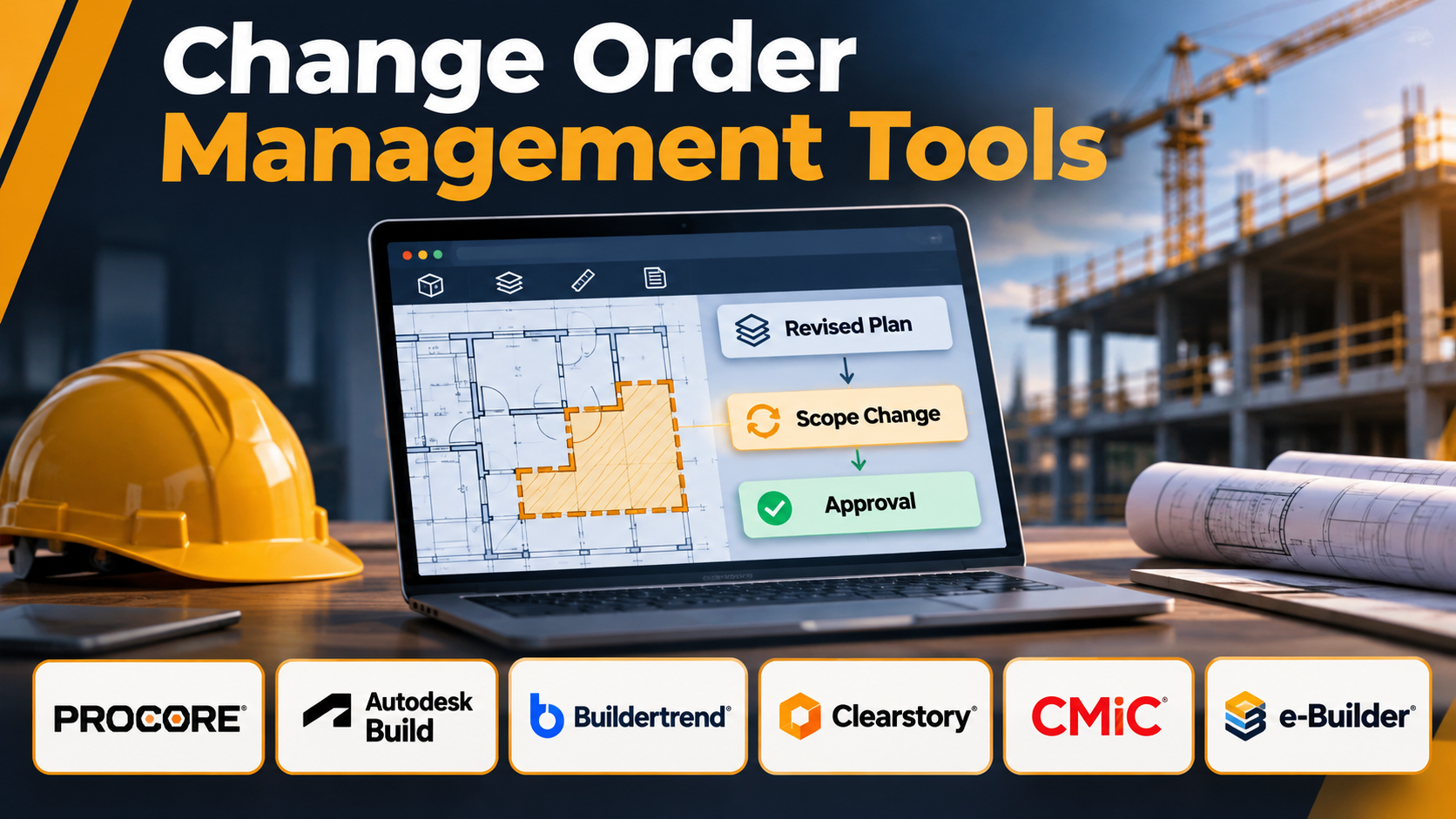
Change order management tools help construction teams control these situations. They provide structured workflows for documenting proposed changes, reviewing costs, obtaining approvals, and updating project financial records.
Modern software can connect change orders with contracts, budgets, schedules, supporting documents, and subcontractor commitments. This improves visibility and creates a traceable history of decisions.
Different platforms approach change management differently. Some provide extensive enterprise financial controls, while others focus on straightforward contractor approvals and communication.
This guide compares ten change order management tools and explains their features, benefits, limitations, practical applications, and selection criteria.
What Is Change Order Management Software?
Change order management software helps construction teams document, evaluate, approve, and track modifications to an original construction contract.
A change order is a formal agreement that changes contract scope, cost, time, or another contractual requirement.
For example, a property owner may request additional electrical outlets after construction begins. The electrical subcontractor prepares a cost estimate, the general contractor reviews the impact, and the owner approves the change before the work proceeds.
The software preserves the request, supporting drawings, proposed price, schedule impact, approval history, and revised contract value.
Some systems also distinguish between potential changes, proposed changes, and formally executed change orders.
This distinction is important because identifying a possible change does not automatically authorize additional spending or construction work.
Common Applications
- Owner-requested modifications: Record changes to finishes, layouts, equipment, or building features.
- Design revisions: Evaluate the cost and schedule effects of updated drawings.
- Unforeseen site conditions: Document unexpected ground conditions, utilities, or structural problems.
- Subcontractor changes: Manage additional work requested from specialty contractors.
- Budget control: Monitor approved and pending changes against contingency allowances.
- Contract administration: Maintain formal records of changes to contractual obligations.
- Schedule coordination: Evaluate additional time required for changed work.
- Dispute prevention: Preserve supporting evidence and approval histories.
Top 10 Change Order Management Tools
1. Procore
Best For: General contractors seeking integrated change order and construction financial management.
Overview
Procore provides dedicated change order management functionality within its construction financial management environment.
The platform helps project teams capture potential changes, prepare formal change orders, and coordinate approval workflows. Change records can be connected with project financial information and contractual commitments.
This approach is particularly useful when several subcontractors contribute to a single owner change. Project managers can organize related cost information and maintain visibility into the effect on the project budget.
Procore is especially relevant for contractors already managing commitments, budgets, and project administration within the platform.
Key Features
- Change event management: Capture potential changes before formal approval.
- Change order creation: Prepare structured change documents.
- Contract connections: Associate changes with relevant contracts and commitments.
- Budget impact tracking: Review the financial effect of proposed modifications.
- Approval workflows: Route documents through designated reviewers.
- Supporting attachments: Preserve quotations, drawings, and related records.
- Subcontractor coordination: Organize changes affecting trade contractors.
- Financial reporting: Monitor pending and approved changes.
- Project audit history: Maintain records of change activity and decisions.
Benefits
Procore reduces the separation between project changes and financial control. Project managers can evaluate potential changes with better visibility into contractual and budget implications.
Centralized records also help reduce disputes caused by missing approvals or inconsistent documentation.
Pros
- Integrated financial management.
- Dedicated change order workflows.
- Strong subcontractor coordination.
- Suitable for complex construction projects.
- Centralized project records.
Cons
- Implementation can require significant configuration.
- May be expensive for smaller contractors.
- Teams must understand contractual workflows to use it effectively.
- Financial integrations may require additional setup.
Use Cases
Commercial building expansion: A contractor coordinates owner-requested mechanical changes across several subcontractors.
Large construction portfolio: Financial managers monitor change exposure across multiple projects.
Best For: Medium-sized and large general contractors.
2. Autodesk Forma Build
Best For: Construction teams connecting change management with project documentation and cost controls.
Overview
Autodesk Forma Build supports construction management through connected project documentation, cost information, and field coordination.
Its cost management capabilities can support change processes involving budget adjustments, contract modifications, and approval workflows.
This is valuable when changes originate from updated drawings, field observations, or design coordination issues.
Teams can maintain related project information within the Autodesk environment, reducing the need to manage every change through disconnected files.
Key Features
- Potential change tracking.
- Cost management workflows.
- Budget change visibility.
- Contract-related records.
- Supporting document attachments.
- Approval coordination.
- Change status tracking.
- Financial reporting.
- Connections with construction documentation.
Benefits
Autodesk Forma Build helps project teams evaluate changes alongside the information that caused them.
Its connected environment is useful for organizations managing design and construction documentation across multiple stakeholders.
Pros
- Strong construction document ecosystem.
- Useful cost management capabilities.
- Supports structured change processes.
- Relevant for design-build organizations.
- Connected project information.
Cons
- Feature availability depends on the purchased package.
- Financial configuration may require specialist knowledge.
- Can be more complex than standalone change order applications.
Use Cases
Design revisions, contractor cost adjustments, and construction budget change management.
Best For: Autodesk-centered contractors and design-build teams.
3. CMiC
Best For: Enterprise contractors requiring integrated construction accounting and contract administration.
Overview
CMiC provides enterprise construction management and accounting software designed for complex contractor operations.
Its project management and financial capabilities support contract changes, cost tracking, and related approval processes.
The platform is particularly relevant when organizations need project-level change information to connect with corporate financial records.
For large contractors, this can improve consistency between operational decisions and accounting outcomes.
Key Features
- Contract change administration.
- Project cost controls.
- Budget tracking.
- Commitment management.
- Approval workflows.
- Financial integration.
- Document management.
- Project reporting.
- Enterprise access controls.
Benefits
CMiC supports consistent financial governance by connecting construction changes with enterprise accounting.
It can help reduce duplicate entry between project administration and financial departments.
Pros
- Strong enterprise financial integration.
- Suitable for complex contract structures.
- Centralized project accounting.
- Supports standardized governance.
- Useful across multiple business units.
Cons
- Significant implementation requirements.
- Training can be extensive.
- Less suitable for contractors needing only basic change orders.
- Configuration complexity may increase deployment costs.
Use Cases
Major commercial construction, infrastructure projects, and enterprise contractor financial administration.
Best For: Large construction organizations with complex accounting requirements.
4. Trimble ProjectSight
Best For: Contractors needing structured project controls and change documentation.
Overview
Trimble ProjectSight is a construction project management platform that supports documentation, contract administration, and project financial workflows.
It helps teams organize construction changes alongside other project records.
The platform is useful for organizations that want formal document control and consistent approval procedures.
ProjectSight can support the movement of change information from identification through review and contractual processing.
Key Features
- Change management records.
- Contract administration.
- Project cost tracking.
- Approval coordination.
- Document attachments.
- Workflow status monitoring.
- Project reporting.
- Team collaboration.
- Centralized project information.
Benefits
ProjectSight helps establish consistent change documentation and reduces reliance on informal email approvals.
Pros
- Structured construction administration.
- Useful document control.
- Project cost visibility.
- Suitable for contractor collaboration.
Cons
- Requires workflow configuration.
- May involve integration work.
- Smaller teams may prefer simpler alternatives.
Use Cases
Commercial construction change administration and multi-party contract coordination.
Best For: General contractors and construction management firms.
5. eSUB
Best For: Specialty subcontractors managing additional work and change requests.
Overview
eSUB focuses on construction management for specialty contractors.
Its project documentation and change management workflows help subcontractors record extra work, communicate with general contractors, and maintain supporting evidence.
This is particularly important for subcontractors because additional work may be performed before the final contract value is settled.
By documenting field conditions, labor impacts, and change requests, subcontractors can create a clearer record of the work performed.
Key Features
- Change order tracking.
- Field documentation.
- Labor-related records.
- Project communication.
- Supporting attachments.
- Cost documentation.
- Change status visibility.
- Subcontractor project reporting.
- Centralized project records.
Benefits
eSUB helps specialty contractors improve documentation and reduce the risk of unrecorded additional work.
Pros
- Specialty contractor focus.
- Useful field-to-office communication.
- Supports change documentation.
- Relevant for labor-intensive trades.
Cons
- Not designed to replace every general contractor system.
- Integration requirements vary.
- Teams need disciplined field reporting.
Use Cases
Electrical, mechanical, plumbing, and other specialty trade change requests.
Best For: Specialty subcontractors.
6. Buildertrend
Best For: Residential builders and remodeling contractors.
Overview
Buildertrend supports residential construction project management, including client communication, financial coordination, and change orders.
Its change order workflows help builders present proposed modifications to homeowners and maintain records of decisions.
This is useful for custom homebuilding and renovation projects where clients frequently adjust finishes, layouts, or materials.
Key Features
- Change order creation.
- Client approval coordination.
- Cost adjustments.
- Project budget visibility.
- Document attachments.
- Client communication.
- Project scheduling.
- Change history.
- Mobile access.
Benefits
Buildertrend can simplify communication between residential contractors and homeowners.
Pros
- Residential construction focus.
- Client-friendly workflows.
- Connected project management.
- Useful for remodeling changes.
Cons
- Less specialized for enterprise infrastructure contracts.
- Broader platform adoption may be necessary.
- Advanced accounting needs may require integrations.
Use Cases
Custom home upgrades, renovation scope changes, and homeowner selections.
Best For: Homebuilders and remodeling companies.
7. JobTread
Best For: Small and growing contractors needing change orders connected to job costing.
Overview
JobTread provides construction business management tools covering estimating, budgets, contracts, and project operations.
Its change order capabilities support the documentation and approval of additional work.
The platform is especially relevant for contractors seeking better control over the relationship between proposed work, customer approval, and job profitability.
Key Features
- Change order preparation.
- Customer approval workflows.
- Job budget management.
- Estimate-related information.
- Contract documentation.
- Financial tracking.
- Project communication.
- Reporting.
- Centralized job records.
Benefits
JobTread helps contractors connect approved scope changes with project financial information.
Pros
- Useful job costing orientation.
- Contractor-focused workflows.
- Supports customer approvals.
- Suitable for growing businesses.
Cons
- Less appropriate for very large enterprise construction programs.
- Requires accurate cost data.
- Some organizations may need external accounting integrations.
Use Cases
Residential remodeling, small commercial construction, and specialty contractor projects.
Best For: Small and midsize contractors.
8. HCSS HeavyJob
Best For: Heavy civil contractors documenting field changes and extra work.
Overview
HCSS HeavyJob focuses on field management and job costing for heavy construction.
It supports field production records, labor and equipment tracking, and documentation that can be used to substantiate additional work.
For civil contractors, reliable field records are important when changes involve equipment utilization, crew hours, and unexpected site conditions.
HeavyJob is best understood as a field production and cost documentation system that can support change management rather than a universal replacement for formal contract approval software.
Key Features
- Daily field reports.
- Labor tracking.
- Equipment usage records.
- Production quantities.
- Extra-work documentation.
- Job cost visibility.
- Field-to-office communication.
- Progress reporting.
- Historical project records.
Benefits
HeavyJob helps contractors preserve the operational evidence needed to evaluate and support change requests.
Pros
- Strong heavy civil focus.
- Detailed field cost documentation.
- Useful equipment and labor records.
- Supports production analysis.
Cons
- Formal approval workflows may require complementary tools.
- Less relevant for simple residential projects.
- Implementation depends on accurate field reporting.
Use Cases
Road construction, excavation, utilities, and infrastructure extra-work documentation.
Best For: Heavy civil and infrastructure contractors.
9. Oracle Primavera Unifier
Best For: Owners and large organizations managing complex capital project changes.
Overview
Oracle Primavera Unifier is an enterprise project controls platform used for capital program management.
Its configurable business processes support change management, cost control, approvals, and governance across large projects.
Unifier is particularly valuable when changes must follow formal approval hierarchies involving project managers, financial controllers, consultants, and owners.
It is suited to organizations where consistency, auditability, and program-wide reporting are essential.
Key Features
- Configurable change workflows.
- Budget management.
- Contract administration.
- Approval routing.
- Cost forecasting.
- Project reporting.
- Document records.
- Audit trails.
- Portfolio-level controls.
Benefits
Unifier supports rigorous change governance across complex capital programs.
Pros
- Highly configurable.
- Strong enterprise project controls.
- Suitable for owner organizations.
- Detailed approval structures.
Cons
- Requires specialist implementation.
- Significant configuration effort.
- May be excessive for small contractors.
- Training demands can be substantial.
Use Cases
Airports, universities, public infrastructure, and large capital investment programs.
Best For: Capital project owners and enterprise program managers.
10. InEight
Best For: Large construction and infrastructure projects requiring integrated cost and change controls.
Overview
InEight provides construction project controls software supporting estimating, cost management, scheduling, and related project administration.
Its change management capabilities help teams evaluate potential modifications and understand their effect on project budgets and forecasts.
The platform is especially relevant for complex projects where changes must be assessed against detailed cost structures.
Key Features
- Change tracking.
- Cost impact analysis.
- Budget controls.
- Forecast management.
- Contract-related documentation.
- Approval coordination.
- Project reporting.
- Integrated project controls.
- Historical change records.
Benefits
InEight helps project teams evaluate changes in the context of overall project performance.
Pros
- Strong project controls orientation.
- Suitable for large projects.
- Connected cost information.
- Useful for complex infrastructure work.
Cons
- Implementation may require significant resources.
- Can be complex for small organizations.
- Product modules and integration requirements must be evaluated.
Use Cases
Major infrastructure construction, industrial projects, and large engineering programs.
Best For: Enterprise contractors and infrastructure organizations.
Change Order Management Software Comparison Table
| Software | Primary Strength | Best For |
|---|---|---|
| Procore | Integrated change and financial workflows | General contractors |
| Autodesk Forma Build | Connected cost and project information | Design-build teams |
| CMiC | Enterprise accounting integration | Large contractors |
| Trimble ProjectSight | Contract administration | Commercial contractors |
| eSUB | Specialty contractor changes | Trade contractors |
| Buildertrend | Homeowner change approvals | Residential builders |
| JobTread | Change orders and job costing | Growing contractors |
| HCSS HeavyJob | Field extra-work documentation | Heavy civil contractors |
| Oracle Primavera Unifier | Enterprise approval governance | Capital project owners |
| InEight | Integrated project controls | Infrastructure contractors |
How to Choose Change Order Management Software
1. Understand Contract Requirements
Determine which contractual steps must occur before additional work becomes authorized.
The software should support the required notices, pricing submissions, reviews, and approvals.
2. Evaluate Cost Tracking
A good system should distinguish between estimated, submitted, approved, rejected, and pending amounts.
This helps financial managers understand both confirmed costs and potential exposure.
3. Review Approval Workflows
Different projects require different approval authorities.
Some changes can be approved by project managers, while others require owner or executive authorization.
4. Examine Subcontractor Coordination
Check how the platform collects subcontractor quotations, compares pricing, and tracks commitment changes.
5. Consider Schedule Impacts
Not every change affects only money.
The system should provide a practical method for documenting additional time, revised milestones, or schedule analysis.
6. Assess Accounting Integration
Determine whether approved changes update contract values, budgets, commitments, and accounting records.
Avoid relying on manual re-entry when financial accuracy is critical.
7. Test Document Traceability
Every change should preserve the supporting request, drawings, quotations, correspondence, and approval history.
Best Change Order Software by User Type
| User Type | Suggested Software | Primary Reason |
|---|---|---|
| General contractor | Procore | Integrated financial workflows |
| Autodesk-centered contractor | Forma Build | Connected project information |
| Enterprise finance team | CMiC | Construction accounting |
| Commercial project manager | ProjectSight | Contract administration |
| Specialty subcontractor | eSUB | Extra-work documentation |
| Residential builder | Buildertrend | Client approvals |
| Growing contractor | JobTread | Job costing |
| Civil contractor | HCSS HeavyJob | Field cost records |
| Capital project owner | Primavera Unifier | Formal approval governance |
| Infrastructure contractor | InEight | Project cost controls |
Practical Example: Managing an Electrical Change Order
A contractor is constructing a commercial office building. The owner requests additional lighting after the original electrical installation has begun.
Step 1: Register the Request
The project manager records the proposed lighting modification and identifies the affected area.
Step 2: Attach Supporting Documents
The team uploads revised lighting drawings and the owner’s written request.
Step 3: Request Subcontractor Pricing
The electrical subcontractor prepares labor, material, equipment, and overhead estimates.
Step 4: Evaluate Schedule Impact
The project manager determines whether additional procurement or installation time is required.
Step 5: Review the Budget
The financial team evaluates the proposed cost against available contingency funds.
Step 6: Submit for Approval
The proposed change is routed to the authorized owner representative.
Step 7: Execute the Change
Once contractual approval is obtained, the team issues the authorized instructions and updates relevant contract records.
Step 8: Monitor Completion
The contractor tracks the additional work and confirms that approved amounts are reflected in project financial reports.
Common Change Order Management Mistakes
- Starting work without authorization: Confirm contractual requirements before proceeding.
- Incomplete cost estimates: Include labor, materials, equipment, subcontractor costs, and applicable markups.
- Ignoring schedule impacts: Document time consequences as well as cost changes.
- Poor supporting evidence: Preserve drawings, site records, and relevant correspondence.
- Combining unrelated changes: Keep distinct scope modifications traceable.
- Confusing requests with approvals: A proposed change is not automatically an executed change order.
- Failing to update budgets: Reflect approved changes in financial forecasts.
- Inconsistent approval authority: Define who can authorize each category of change.
Frequently Asked Questions
1. What is change order management software?
It is software that helps teams document, review, approve, and track construction contract modifications.
2. What is a construction change order?
A formal modification to contractual scope, price, time, or other agreed requirements.
3. Why are change orders important?
They help establish agreement about additional work and its contractual consequences.
4. What causes construction change orders?
Common causes include owner requests, design revisions, unforeseen conditions, and scope clarifications.
5. Can change order software track costs?
Yes. Many platforms support estimated, pending, and approved change amounts.
6. Does every project change require a change order?
Not necessarily. Contract terms determine which modifications require formal change authorization.
7. Can subcontractors submit change requests?
Yes. Many systems support subcontractor quotations and change submissions.
8. Can software automate approvals?
Many platforms provide configurable approval workflows.
9. Is change order software useful for residential construction?
Yes. Residential builders use it to manage homeowner-requested modifications.
10. Can change orders affect schedules?
Yes. Additional or revised work may affect procurement, labor sequencing, and completion dates.
11. What is a potential change order?
It is a proposed modification that has not yet completed the required approval process.
12. What is a change event?
A record of a condition or request that may lead to a contractual change.
13. Can change orders be rejected?
Yes. Authorized reviewers may reject, revise, or request additional information.
14. What documents support a change order?
Typical documents include drawings, quotations, correspondence, site reports, and cost breakdowns.
15. Can change order software integrate with accounting?
Many enterprise systems support accounting or financial integrations.
16. What is the difference between a change request and a change order?
A change request proposes a modification. A change order formalizes an approved contractual change.
17. Can change orders be tracked across multiple projects?
Yes. Enterprise platforms often provide portfolio reporting.
18. Does change management software prevent disputes?
It can improve documentation and transparency, but it cannot eliminate every contractual disagreement.
19. Who approves a change order?
Approval authority depends on the contract and the organization’s governance structure.
20. Can software track pending financial exposure?
Many construction financial systems support reporting on potential and pending changes.
21. Is Procore suitable for change orders?
Yes. Procore provides dedicated construction change management functionality.
22. Is Buildertrend suitable for homeowner changes?
Yes. Its residential project workflows can support homeowner change approvals.
23. Can change orders be managed through spreadsheets?
Yes, but spreadsheets generally require more manual coordination and controls.
24. What should contractors test before buying software?
Test change creation, quotation collection, approval routing, budget updates, and reporting.
25. What is the most important selection criterion?
The software must reliably support the organization’s contractual approval and financial control requirements.
Final Thoughts
Change order management software helps construction organizations control scope modifications and maintain reliable financial records.
Procore is a strong option for integrated contractor workflows. Autodesk Forma Build connects changes with construction project information, while CMiC and Primavera Unifier serve organizations requiring extensive financial governance.
Specialty contractors may benefit from eSUB, residential builders can evaluate Buildertrend and JobTread, and infrastructure organizations should consider platforms such as InEight and HCSS HeavyJob for their respective project-control and field-documentation needs.
The best software is the one that supports the complete change lifecycle, from initial identification through contractual approval and financial reconciliation.
Clear responsibilities, accurate estimates, reliable records, and timely approvals remain essential regardless of the platform selected.