Introduction
Operating a stadium requires much more than preparing a playing field and opening the gates. Every event involves coordination among facility managers, security teams, ticketing personnel, vendors, maintenance technicians, hospitality operators, and emergency response teams.
A major sports stadium may welcome tens of thousands of visitors within a short period. Teams must prepare entrances, inspect equipment, manage cleaning schedules, coordinate parking, monitor incidents, and ensure that spectators can move safely throughout the venue.
These responsibilities become more complicated when a stadium hosts different types of events. Football matches, concerts, exhibitions, corporate functions, and community activities can have very different staffing, equipment, and operational requirements.
Traditional spreadsheets and disconnected communication systems can make it difficult to maintain a reliable overview of stadium activities. Information may become fragmented between departments, and important tasks may be overlooked.
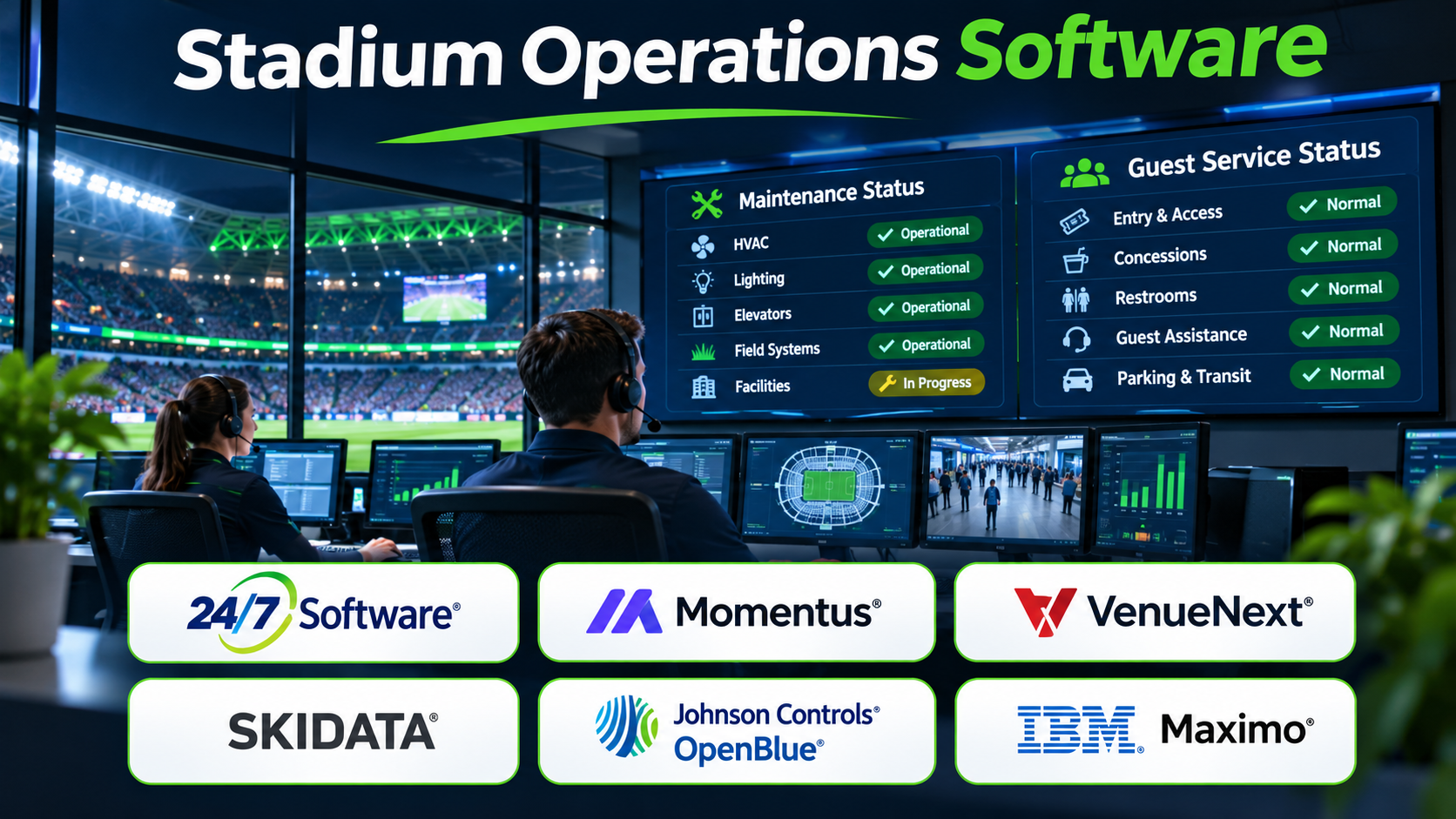
Stadium operations software helps venue teams coordinate events, facilities, assets, staffing, maintenance, security, and operational reporting.
No single platform necessarily covers every stadium function. Some specialize in venue scheduling and event operations, while others focus on facility maintenance, incident response, workforce coordination, or ticketing.
This guide examines ten software platforms relevant to stadium operations, explains their strengths and limitations, and provides practical guidance for building a connected stadium technology environment.
What Is Stadium Operations Software?
Stadium operations software refers to digital platforms used to plan, coordinate, monitor, and improve the operational activities of sports stadiums and large entertainment venues.
These platforms help teams manage the resources and processes needed to operate a facility before, during, and after events.
For example, a stadium operations team preparing for a football match may need to inspect seating areas, coordinate cleaning contractors, confirm equipment availability, manage event schedules, and track incidents.
Software can help assign responsibilities, monitor task completion, record operational issues, and maintain information for future events.
Some systems specialize in event management, while others are enterprise facilities platforms adapted to stadium environments.
Common Applications
- Event scheduling: Coordinate matches, concerts, rehearsals, and venue bookings.
- Facility maintenance: Manage repairs, inspections, and preventive maintenance.
- Asset management: Track equipment, infrastructure, and service history.
- Workforce coordination: Organize operational staffing and contractor assignments.
- Incident management: Document security, safety, and service incidents.
- Venue preparation: Coordinate cleaning, seating, signage, and event setup.
- Vendor management: Manage contractors, suppliers, and service providers.
- Operational reporting: Evaluate maintenance, incidents, resource usage, and event performance.
Top 10 Stadium Operations Software Platforms
1. Momentus Technologies
Best For: Stadiums, arenas, convention centers, and major entertainment venues requiring integrated event operations.
Overview
Momentus Technologies provides venue and event management solutions for organizations operating complex event facilities.
Its software supports event scheduling, booking administration, resource coordination, operational workflows, and venue management.
A stadium may host sporting events, concerts, private hospitality functions, and other activities within the same week. Each event creates different demands for staffing, equipment, facility preparation, and customer services.
Momentus helps venue teams organize these activities through structured event records and coordinated workflows.
The platform is especially relevant for organizations seeking to connect event sales and scheduling with operational delivery.
Key Features
- Event scheduling: Coordinate bookings and activities across venue spaces.
- Resource management: Assign equipment, rooms, and operational resources.
- Venue calendars: Maintain visibility into event dates and preparation periods.
- Operational workflows: Organize event-related tasks and responsibilities.
- Customer management: Maintain records for event organizers and clients.
- Contract administration: Coordinate venue agreements and booking information.
- Event planning: Record event schedules and service requirements.
- Reporting: Analyze venue bookings and operational performance.
- Multi-department coordination: Share relevant event information among teams.
Benefits
Momentus can help stadium operators reduce fragmented event planning and improve coordination between departments.
Centralized event records make it easier to understand upcoming operational requirements and prepare resources.
Pros
- Designed for complex venue environments.
- Broad event management functionality.
- Resource scheduling capabilities.
- Useful for multi-event facilities.
- Supports coordinated operational workflows.
Cons
- Implementation can require substantial planning.
- Smaller venues may not need the full platform.
- Integration with specialized stadium systems must be evaluated.
- Staff training is essential.
Use Cases
Professional sports stadium: Coordinate match schedules, hospitality events, equipment, and operational preparation.
Multi-purpose arena: Manage concerts, sporting events, and private functions.
Best For: Large stadiums and multi-purpose entertainment venues.
2. 24/7 Software
Best For: Stadium and arena teams managing incidents, inspections, and operational communication.
Overview
24/7 Software provides operations management technology used in venues and other complex facilities.
Its solutions are relevant for event-day incident management, operational reporting, inspections, and team coordination.
During a major event, operational teams may need to respond to medical requests, facility issues, guest complaints, security incidents, and equipment problems.
A centralized incident management system helps staff document what happened, identify responsible teams, and monitor resolution.
Key Features
- Incident reporting and tracking.
- Operational communication.
- Inspection workflows.
- Event activity records.
- Issue escalation.
- Staff coordination.
- Operational dashboards.
- Incident documentation.
- Performance reporting.
Benefits
The platform can improve visibility into event-day incidents and create consistent operational records.
Pros
- Venue operations specialization.
- Incident tracking.
- Inspection support.
- Useful operational reporting.
Cons
- Not a complete stadium ticketing system.
- Facility accounting may require separate software.
- Operational procedures must be configured carefully.
Use Cases
Game-day command centers, incident response, and venue inspections.
Best For: Stadium operations and safety coordination teams.
3. IBM Maximo Application Suite
Best For: Stadium operators requiring enterprise asset and maintenance management.
Overview
IBM Maximo Application Suite provides enterprise asset management and maintenance capabilities.
Although it is not exclusively designed for stadiums, its functionality is relevant for large sports facilities with extensive infrastructure.
Stadiums depend on electrical systems, elevators, escalators, HVAC equipment, lighting, plumbing, generators, and other critical assets.
Maximo helps maintenance teams organize asset records, inspections, preventive maintenance, and repair work.
Key Features
- Asset inventory.
- Preventive maintenance.
- Work order management.
- Maintenance scheduling.
- Equipment service histories.
- Inspection management.
- Asset performance information.
- Maintenance reporting.
- Enterprise integration.
Benefits
Maximo helps facilities teams maintain consistent records and coordinate maintenance across complex infrastructure.
Pros
- Strong enterprise asset management.
- Preventive maintenance capabilities.
- Detailed equipment records.
- Suitable for large facilities.
Cons
- Not a dedicated event scheduling system.
- Implementation can be complex.
- Requires structured asset data.
- Enterprise administration resources may be necessary.
Use Cases
Stadium infrastructure maintenance and asset lifecycle management.
Best For: Stadium engineering and maintenance departments.
4. Brightly Asset Essentials
Best For: Venue maintenance teams seeking organized work orders and preventive maintenance.
Overview
Brightly Asset Essentials is a maintenance management platform designed to help organizations coordinate facility assets and work orders.
It is relevant for stadiums, sports complexes, and other facilities that need consistent maintenance processes.
Maintenance teams can use the software to organize repair requests, preventive maintenance schedules, and equipment information.
Key Features
- Work order management.
- Preventive maintenance.
- Asset records.
- Maintenance scheduling.
- Service request tracking.
- Technician assignments.
- Maintenance history.
- Operational reporting.
- Mobile maintenance workflows.
Benefits
Asset Essentials can help venue teams reduce reliance on paper maintenance records.
Pros
- Practical maintenance workflows.
- Asset tracking.
- Preventive maintenance support.
- Useful for facility teams.
Cons
- Not designed for event ticketing.
- Advanced stadium operations require integrations.
- Asset records must be maintained accurately.
Use Cases
Sports facility maintenance and event preparation inspections.
Best For: Stadium facilities maintenance managers.
5. FMX
Best For: Sports facilities requiring maintenance, scheduling, and facility operations coordination.
Overview
FMX provides facilities management software for maintenance, scheduling, and operational workflows.
Its capabilities are relevant for stadium support facilities, school sports complexes, recreation centers, and smaller venues.
Facility teams can organize work requests, recurring maintenance, and space-related scheduling.
Key Features
- Maintenance requests.
- Preventive maintenance.
- Facility scheduling.
- Equipment management.
- Work order assignments.
- Calendar coordination.
- Administrative approvals.
- Operational reporting.
- Facility records.
Benefits
FMX can help smaller venue teams coordinate recurring facility responsibilities.
Pros
- Accessible facilities workflows.
- Maintenance and scheduling capabilities.
- Useful administrative tools.
- Suitable for institutional sports facilities.
Cons
- Not a specialized major-stadium command platform.
- Complex event operations may need additional tools.
- Integration requirements vary.
Use Cases
School stadiums, sports complexes, and recreation facilities.
Best For: Small and midsize sports facility operators.
6. MaintainX
Best For: Stadium maintenance teams needing mobile work orders and inspections.
Overview
MaintainX provides maintenance and operations management software focused on work orders, procedures, inspections, and asset information.
Its mobile-oriented workflows are relevant for technicians working throughout large stadium facilities.
Maintenance personnel can receive tasks, document repairs, and update equipment information without relying entirely on office-based systems.
Key Features
- Mobile work orders.
- Preventive maintenance.
- Asset management.
- Inspection checklists.
- Standard operating procedures.
- Team communication.
- Maintenance documentation.
- Task assignments.
- Performance reporting.
Benefits
MaintainX helps maintenance teams coordinate work and maintain operational records.
Pros
- Mobile-friendly workflows.
- Useful inspections.
- Maintenance documentation.
- Practical task coordination.
Cons
- Not a complete event operations platform.
- Venue booking requires other software.
- Complex integrations need evaluation.
Use Cases
Equipment inspections, repairs, and preventive maintenance.
Best For: Stadium maintenance supervisors.
7. Connecteam
Best For: Stadium operators coordinating frontline staff and contractors.
Overview
Connecteam provides workforce management and employee communication tools.
Its capabilities are relevant for stadiums employing event staff, ushers, cleaners, hospitality workers, and other frontline personnel.
The platform helps managers coordinate schedules, communicate updates, and organize employee tasks.
Key Features
- Employee scheduling.
- Shift management.
- Team communication.
- Task assignments.
- Digital checklists.
- Time tracking.
- Staff information.
- Training-related workflows.
- Workforce reporting.
Benefits
Connecteam can improve coordination among distributed event staff.
Pros
- Frontline workforce focus.
- Mobile communication.
- Shift scheduling.
- Digital task management.
Cons
- Not a venue booking platform.
- Facility maintenance requires specialized tools.
- Workforce policies must be configured appropriately.
Use Cases
Event staffing, cleaning teams, and guest service personnel.
Best For: Stadium workforce managers.
8. SafetyCulture
Best For: Stadium inspections, safety checklists, and operational audits.
Overview
SafetyCulture provides inspection, checklist, and operational improvement software.
Its tools are relevant for stadium teams that need to conduct regular safety and operational inspections.
Before opening a venue, teams may inspect entrances, seating areas, emergency equipment, restrooms, and other facilities.
Digital checklists help standardize inspections and document findings.
Key Features
- Digital inspections.
- Custom checklists.
- Issue reporting.
- Corrective actions.
- Inspection records.
- Mobile data collection.
- Operational reporting.
- Team assignments.
- Audit documentation.
Benefits
SafetyCulture can help stadium teams create consistent inspection processes.
Pros
- Strong inspection workflows.
- Mobile data collection.
- Useful corrective action tracking.
- Flexible checklist creation.
Cons
- Not a complete stadium management suite.
- Does not replace professional safety assessments.
- Inspection quality depends on procedures.
Use Cases
Pre-event inspections, safety audits, and facility readiness checks.
Best For: Venue safety and compliance teams.
9. VenueOps
Best For: Event venues managing bookings, operations, and facility resources.
Overview
VenueOps is a venue management software solution designed to support event booking and operational administration.
Its capabilities are relevant for venues coordinating event calendars, customers, and resources.
Stadium operators evaluating VenueOps should confirm current product availability, deployment options, and suitability for their specific event operations.
Key Features
- Venue booking.
- Event scheduling.
- Customer records.
- Resource management.
- Operational coordination.
- Event information.
- Contract-related workflows.
- Venue calendars.
- Reporting.
Benefits
VenueOps-style workflows can help operators maintain consistent event information.
Pros
- Venue-oriented functionality.
- Booking coordination.
- Event administration.
- Resource visibility.
Cons
- Current commercial availability should be verified.
- Specialized stadium functions may need integrations.
- Enterprise requirements vary.
Use Cases
Event bookings and venue operational coordination.
Best For: Venue teams evaluating dedicated event management software.
10. Genetec Security Center
Best For: Stadium security teams managing connected security operations.
Overview
Genetec Security Center is a unified security management platform.
It supports security-related functions such as video surveillance, access control, and connected security operations.
Although it is not a complete stadium management platform, it can form an important part of a stadium’s operational technology environment.
Large venues require coordinated security monitoring and controlled access to restricted areas.
Key Features
- Video management.
- Access control.
- Security monitoring.
- Event and alarm information.
- Operator workflows.
- Security system integration.
- Incident investigation support.
- Centralized security administration.
- Security reporting.
Benefits
Genetec can help security teams maintain visibility across supported security systems.
Pros
- Strong security operations.
- Video and access integration.
- Centralized monitoring.
- Suitable for complex facilities.
Cons
- Not a ticketing or event booking platform.
- Requires compatible security infrastructure.
- Specialist deployment and administration are necessary.
Use Cases
Stadium security control rooms and restricted-area access management.
Best For: Stadium security operations teams.
Stadium Operations Software Comparison Table
| Platform | Primary Strength | Best For |
|---|---|---|
| Momentus | Venue event operations | Large stadiums |
| 24/7 Software | Incident management | Event command centers |
| IBM Maximo | Enterprise asset management | Stadium engineering |
| Brightly Asset Essentials | Maintenance | Facility teams |
| FMX | Facility scheduling and maintenance | Sports complexes |
| MaintainX | Mobile maintenance | Technicians |
| Connecteam | Workforce management | Event staff |
| SafetyCulture | Inspections | Safety teams |
| VenueOps | Venue booking and administration | Event operations |
| Genetec Security Center | Security management | Stadium security |
How to Choose Stadium Operations Software
1. Identify Operational Priorities
Determine whether the primary requirement is event management, facility maintenance, staffing, security, or incident response.
2. Evaluate Venue Complexity
A small sports complex and a major international stadium require different systems.
3. Review Event-Day Workflows
Test how teams communicate, escalate incidents, and coordinate resources.
4. Assess Maintenance Requirements
Review preventive maintenance, inspections, asset records, and repair coordination.
5. Examine Security Integration
Determine how operational software interacts with access control, video surveillance, and emergency procedures.
6. Evaluate Mobile Capabilities
Frontline teams need reliable access to information while moving throughout the venue.
7. Consider Reporting
Track incident resolution, maintenance completion, staffing, and operational readiness.
8. Review Business Continuity
Stadiums should plan for connectivity failures, system outages, and other operational disruptions.
Best Stadium Operations Software by User Type
| User Type | Suggested Software | Main Reason |
|---|---|---|
| Stadium general manager | Momentus | Event coordination |
| Event operations director | 24/7 Software | Incident visibility |
| Chief facilities engineer | IBM Maximo | Asset management |
| Maintenance manager | Brightly Asset Essentials | Work orders |
| Sports complex manager | FMX | Facility scheduling |
| Maintenance supervisor | MaintainX | Mobile inspections |
| Workforce coordinator | Connecteam | Staff scheduling |
| Safety manager | SafetyCulture | Inspections |
| Venue booking manager | VenueOps | Event administration |
| Security director | Genetec | Security operations |
Practical Example: Preparing a Stadium for a Major Match
Step 1: Confirm Event Requirements
Record attendance expectations, event schedules, staffing needs, and operational restrictions.
Step 2: Review Facility Readiness
Inspect seating, restrooms, lighting, elevators, access routes, and essential equipment.
Step 3: Schedule Maintenance
Resolve priority work orders before the event.
Step 4: Coordinate Staff
Assign responsibilities to guest services, cleaning, maintenance, security, and hospitality teams.
Step 5: Review Access Arrangements
Verify staff credentials, restricted areas, and spectator entry procedures.
Step 6: Conduct Safety Inspections
Complete documented checks using approved safety procedures.
Step 7: Establish Communication Channels
Confirm operational contacts and incident escalation procedures.
Step 8: Monitor Event Operations
Track service issues, incidents, and resource requests.
Step 9: Coordinate Event Closure
Manage departures, cleaning, inspections, and equipment recovery.
Step 10: Conduct a Post-Event Review
Evaluate incidents, maintenance performance, staffing, and opportunities for improvement.
Common Stadium Operations Mistakes
- Relying on disconnected departmental records.
- Failing to maintain accurate asset inventories.
- Ignoring preventive maintenance.
- Using inconsistent incident procedures.
- Overlooking frontline staff communication.
- Neglecting emergency contingency planning.
- Choosing software without testing integrations.
- Failing to review performance after events.
Frequently Asked Questions
1. What is stadium operations software?
It is technology used to coordinate venue events, facilities, maintenance, staff, and operational activities.
2. Who uses stadium management software?
Stadium managers, event teams, maintenance departments, security personnel, and venue operators.
3. Can stadium software manage event schedules?
Yes. Venue management platforms commonly support event calendars.
4. Can it manage maintenance?
Facilities and asset management systems support maintenance workflows.
5. What is event-day incident management?
It is the process of documenting, assigning, escalating, and resolving incidents during events.
6. Can software coordinate stadium staff?
Workforce management platforms support scheduling and communication.
7. Is stadium operations software the same as ticketing software?
No. Ticketing focuses on ticket sales and admission, while stadium operations covers broader venue activities.
8. What is Momentus used for?
It supports venue booking, event management, and operational coordination.
9. What is IBM Maximo used for?
It supports asset management and maintenance operations.
10. Can stadiums use mobile inspections?
Yes. Many maintenance and inspection platforms provide mobile tools.
11. Can software manage contractors?
Some platforms support vendor records, tasks, or resource coordination.
12. Does stadium software support security?
Some platforms provide security management or integrate with security systems.
13. What is preventive maintenance?
It is scheduled maintenance intended to reduce equipment failures.
14. Can software support concerts?
Yes. Multi-purpose venue platforms support different event types.
15. Can stadiums manage equipment inventories?
Asset management systems provide equipment records and maintenance histories.
16. What is a stadium command center?
It is a coordinated operational environment for monitoring and responding to event activity.
17. Can software improve incident response?
It can improve documentation and coordination when supported by effective procedures.
18. Does stadium software support reporting?
Many platforms provide operational and performance reports.
19. Can small sports facilities use these tools?
Yes, although simpler platforms may be more appropriate.
20. What is stadium asset management?
It is the management of infrastructure, equipment, and maintenance information.
21. Can software help with safety inspections?
Yes. Digital inspection tools can standardize and document checks.
22. Is stadium software cloud-based?
Some platforms are cloud-based, while deployment options vary by vendor.
23. What integrations are important?
Ticketing, security, maintenance, workforce, and event management integrations may be relevant.
24. What should stadiums test before purchasing?
Test event workflows, maintenance, incident reporting, mobile access, security, and system resilience.
25. What is the most important capability?
Reliable coordination of critical venue operations before, during, and after events.
Final Thoughts
Stadium operations software helps venue teams coordinate the complex activities required to deliver safe, organized, and reliable events.
Momentus supports event and venue operations, while 24/7 Software focuses on operational incidents.
IBM Maximo, Brightly Asset Essentials, FMX, and MaintainX address maintenance and facilities requirements. Connecteam supports workforce coordination, SafetyCulture helps with inspections, and Genetec provides security management.
The best technology environment may combine several specialized platforms rather than rely on one system for every operational responsibility.
Successful stadium operations depend on accurate information, clear procedures, trained personnel, and coordinated decision-making.