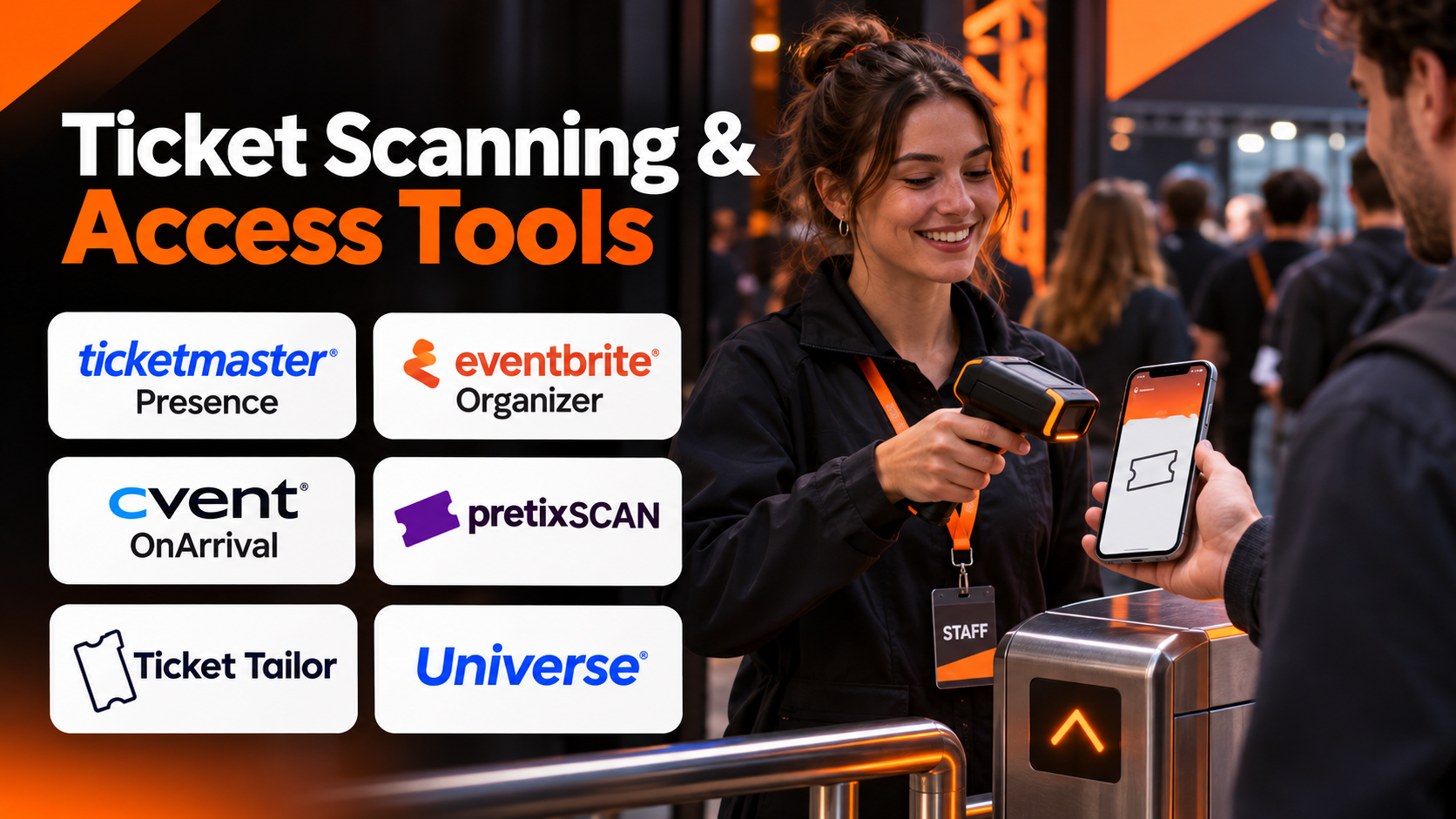
Introduction
Ticket scanning is one of the most important operational processes at any ticketed event. Whether visitors attend a concert, sports match, exhibition, festival, or business conference, organizers must verify admission quickly and accurately.
Long entry queues can damage the visitor experience before an event begins. Incorrect ticket validation, duplicate admissions, unreliable scanners, and disconnected access systems can also create operational problems.
Traditional paper ticket inspection has largely been supplemented by barcode, QR-code, RFID, NFC, and mobile ticketing technologies.
Modern ticket scanning and access tools help organizers validate tickets, monitor entry activity, manage admission permissions, and coordinate staff at different entrances.
Some platforms provide complete ticketing and admission systems. Others focus on access control hardware, credential management, or event check-in.
Selecting the right solution requires understanding event size, ticket format, entrance infrastructure, network conditions, security requirements, and operational responsibilities.
This guide compares ten ticket scanning and access solutions, explains their capabilities, and provides practical guidance for event organizers.
What Are Ticket Scanning and Access Tools?
Ticket scanning and access tools are software and hardware systems used to verify admission credentials and control entry into events or restricted areas.
A typical system reads a barcode, QR code, NFC credential, RFID tag, or other supported identifier.
The system checks whether the credential is valid, whether it has already been used, and whether it permits access to the selected entrance or area.
For example, a concert attendee may present a mobile ticket at the venue entrance. An authorized scanning device validates the ticket and records the admission.
At a conference, the same technology category may support attendee check-in, session access, and badge verification.
For large stadiums, ticket validation may also connect with turnstiles, access control systems, and event operations dashboards.
Common Applications
- Concert admission: Validate tickets at venue entrances.
- Sports events: Manage high-volume spectator entry.
- Festivals: Verify passes and control access to designated zones.
- Conferences: Check in attendees and manage session entry.
- Exhibitions: Scan visitor badges and admission credentials.
- VIP areas: Restrict entry according to ticket permissions.
- Multi-day events: Track admission rights across multiple dates.
- Attendance reporting: Monitor arrivals and entry activity.
Top 10 Ticket Scanning and Access Tools
1. Ticketmaster
Best For: Large concerts, professional sports, and major entertainment venues.
Overview
Ticketmaster provides ticketing technology and venue admission capabilities for live entertainment and sports.
Its ecosystem supports digital ticket distribution, ticket validation, and entry-related workflows.
Large venues often require systems capable of handling substantial admission volumes while coordinating ticket inventory, credential validity, and entry operations.
Ticketmaster’s venue-facing technologies can help organizations connect ticketing with event admission.
However, specific scanning hardware, mobile ticketing features, and access integrations depend on the venue’s agreements and deployment.
Key Features
- Digital ticketing: Support electronic admission credentials.
- Ticket validation: Verify tickets through compatible admission systems.
- Mobile tickets: Enable supported mobile admission experiences.
- Entry monitoring: Record and review admission activity.
- Venue integrations: Connect ticketing with supported entry infrastructure.
- Ticket permissions: Apply admission rules according to ticket configuration.
- Event administration: Maintain event and admission information.
- Fraud-related controls: Support ticket authenticity and validation workflows.
- Operational reporting: Provide relevant entry and ticketing information.
Benefits
Ticketmaster can connect large-scale ticket distribution with venue admission processes.
A coordinated ticketing ecosystem may reduce fragmented systems and simplify event administration.
Pros
- Major entertainment and sports focus.
- Digital ticketing capabilities.
- Large-venue relevance.
- Integrated admission workflows.
- Established venue technology ecosystem.
Cons
- Commercial arrangements vary.
- Hardware and integrations require evaluation.
- Not necessarily appropriate for small independent events.
- Venue operators may have limited flexibility under some arrangements.
Use Cases
Professional sports stadium: Validate spectator tickets across multiple gates.
Major concert: Coordinate mobile ticket admission and event entry.
Best For: Large entertainment venues and professional sports organizations.
2. Eventbrite Organizer
Best For: Small and midsize events requiring mobile ticket scanning.
Overview
Eventbrite provides event ticketing and organizer tools, including mobile check-in capabilities.
Organizers can use its supported applications to validate tickets and monitor attendee arrivals.
The platform is especially relevant for workshops, community events, concerts, and smaller festivals.
Its integrated ticketing and check-in workflows can reduce the need to manage separate systems.
Key Features
- Mobile ticket scanning.
- QR-code validation.
- Attendee check-in.
- Event registration records.
- Admission monitoring.
- Ticket sales integration.
- Organizer application.
- Attendee lists.
- Event reporting.
Benefits
Eventbrite simplifies the connection between ticket registration and event check-in.
Pros
- Straightforward event setup.
- Mobile check-in.
- Integrated ticketing.
- Suitable for smaller events.
Cons
- Not a dedicated stadium turnstile platform.
- Advanced access zoning may be limited.
- Fees and product features require review.
Use Cases
Workshops, concerts, community events, and conferences.
Best For: Independent event organizers.
3. Ticket Tailor
Best For: Independent event organizers needing flexible ticket sales and admission.
Overview
Ticket Tailor provides online ticketing and event management tools.
Its check-in application supports ticket validation and attendee admission.
The platform is relevant for organizers seeking control over ticket sales and entry workflows without adopting a large enterprise venue system.
Key Features
- QR-code ticketing.
- Mobile check-in.
- Ticket validation.
- Attendee management.
- Event administration.
- Admission records.
- Ticket categories.
- Sales reporting.
- Event integrations.
Benefits
Ticket Tailor helps organizers connect ticket sales with practical admission management.
Pros
- Independent organizer focus.
- Straightforward check-in.
- Flexible ticket categories.
- Useful event administration.
Cons
- Complex physical access systems require other technology.
- High-volume venue requirements need testing.
- Advanced credentialing may require integrations.
Use Cases
Festivals, attractions, workshops, and independent concerts.
Best For: Small and midsize event operators.
4. TicketSpice
Best For: Event organizers requiring configurable ticketing and admission workflows.
Overview
TicketSpice provides event ticketing and registration technology.
Its tools can support ticket sales, event configuration, and attendee check-in.
The platform is relevant for organizers with different ticket types, pricing arrangements, and registration requirements.
Key Features
- Event ticketing.
- Registration forms.
- QR-code admission.
- Attendee check-in.
- Ticket categories.
- Event reporting.
- Custom event configuration.
- Customer records.
- Admission administration.
Benefits
TicketSpice helps event organizers configure ticketing and admission around their event requirements.
Pros
- Flexible ticketing configuration.
- Event registration support.
- Check-in capabilities.
- Suitable for varied event types.
Cons
- Enterprise physical access control requires additional systems.
- Advanced integrations need verification.
- Operational performance should be tested at scale.
Use Cases
Festivals, fundraising events, attractions, and public gatherings.
Best For: Organizers needing configurable ticketing.
5. Accelevents
Best For: Conferences and business events requiring attendee check-in.
Overview
Accelevents provides event management technology with registration, check-in, and attendee engagement capabilities.
Its platform is particularly relevant for professional conferences, exhibitions, and corporate events.
Attendee check-in may connect with registration records, badge workflows, and event participation information.
Key Features
- Attendee registration.
- Event check-in.
- QR-code verification.
- Badge-related workflows.
- Attendee records.
- Session management.
- Event reporting.
- Organizer administration.
- Conference integrations.
Benefits
Accelevents helps event teams coordinate attendee registration and onsite arrival.
Pros
- Conference-focused features.
- Registration and check-in.
- Attendee management.
- Useful event reporting.
Cons
- Not a specialized stadium turnstile system.
- Hardware requirements vary.
- Complex access control may need integrations.
Use Cases
Corporate conferences, trade shows, and business exhibitions.
Best For: Professional event organizers.
6. Cvent OnArrival
Best For: Enterprise conferences requiring professional onsite check-in.
Overview
Cvent OnArrival supports onsite event registration, check-in, and attendee management.
It is part of the broader Cvent event technology ecosystem.
Large conferences often require fast check-in, badge printing, registration changes, and coordination among multiple registration desks.
OnArrival is designed to support these onsite workflows.
Key Features
- Attendee check-in.
- Registration verification.
- Badge printing support.
- Onsite registration.
- Attendee records.
- Check-in monitoring.
- Event administration.
- Registration integrations.
- Attendance reporting.
Benefits
Cvent OnArrival helps enterprise event teams organize onsite registration and arrival.
Pros
- Enterprise conference focus.
- Badge-related workflows.
- Integrated registration.
- Useful onsite administration.
Cons
- Not a dedicated sports venue access platform.
- Hardware and service requirements vary.
- Enterprise costs need evaluation.
Use Cases
Business conferences, conventions, and corporate meetings.
Best For: Enterprise event management teams.
7. Bizzabo
Best For: Professional events requiring integrated registration and onsite experiences.
Overview
Bizzabo provides event management technology for business events and conferences.
Its platform includes capabilities related to registration, attendee experiences, and onsite event operations.
Depending on the selected products and services, organizers can connect attendee registration with check-in and event participation workflows.
Key Features
- Event registration.
- Attendee management.
- Onsite check-in capabilities.
- Badge-related services.
- Event administration.
- Attendee engagement.
- Event analytics.
- Registration integrations.
- Organizer reporting.
Benefits
Bizzabo helps organizers maintain connected attendee information across event stages.
Pros
- Business event focus.
- Connected registration workflows.
- Attendee engagement.
- Event analytics.
Cons
- Physical access control is not its primary specialization.
- Onsite capabilities depend on product selection.
- Enterprise configuration requires planning.
Use Cases
Conferences, corporate summits, and professional events.
Best For: Business event teams.
8. Intellitix
Best For: Festivals and large events using RFID and cashless experiences.
Overview
Intellitix provides event technology associated with RFID, access control, and cashless payment experiences.
RFID wristbands and related credentials can support event admission and access to designated areas.
These systems are particularly relevant for multi-day festivals and large events where visitors need convenient credential-based access.
Key Features
- RFID credential support.
- Event access control.
- Wristband-based experiences.
- Admission validation.
- Access permissions.
- Event data.
- Cashless-related capabilities.
- Credential administration.
- Event integrations.
Benefits
Intellitix can help organizers coordinate credential-based admission and event services.
Pros
- Festival technology focus.
- RFID capabilities.
- Access management.
- Relevant for multi-day events.
Cons
- RFID hardware adds deployment complexity.
- Credential distribution requires planning.
- Costs and supported features depend on configuration.
Use Cases
Music festivals, outdoor events, and credential-based attractions.
Best For: Large festival operators.
9. accesso
Best For: Attractions, entertainment venues, and leisure operators.
Overview
accesso provides ticketing and visitor experience technology for attractions and entertainment businesses.
Its solutions can support ticket sales, admission processes, and related guest services.
Amusement parks, attractions, and entertainment venues often require ticketing systems that connect admission with other visitor operations.
Key Features
- Ticketing.
- Admission management.
- Digital credentials.
- Visitor transactions.
- Ticket validation workflows.
- Attraction-related integrations.
- Guest information.
- Operational reporting.
- Enterprise venue technology.
Benefits
accesso helps attraction operators coordinate ticketing and guest admission.
Pros
- Attractions specialization.
- Enterprise venue relevance.
- Connected guest services.
- Ticketing capabilities.
Cons
- Product selection requires careful evaluation.
- Not all solutions fit every event type.
- Integrations and deployment may be complex.
Use Cases
Theme parks, attractions, and entertainment destinations.
Best For: Leisure and attraction operators.
10. vivenu
Best For: Event organizers and venues seeking customizable ticketing infrastructure.
Overview
vivenu provides ticketing technology for event organizers, sports organizations, and venues.
Its platform emphasizes configurable ticketing workflows and integrations.
Organizations can use its ticketing infrastructure to support event sales and related admission operations, subject to the available product configuration.
Key Features
- Digital ticketing.
- Ticket inventory management.
- Admission-related workflows.
- Event administration.
- Ticket categories.
- Integration capabilities.
- Customer information.
- Sales reporting.
- Venue ticketing support.
Benefits
vivenu can help organizations maintain control over ticketing processes and connected systems.
Pros
- Customizable ticketing infrastructure.
- Sports and venue relevance.
- Integration-oriented approach.
- Event administration.
Cons
- Specific scanning capabilities should be verified.
- Custom deployments may require technical resources.
- Hardware compatibility requires evaluation.
Use Cases
Sports events, entertainment venues, and ticketed attractions.
Best For: Venues seeking configurable ticketing technology.
Ticket Scanning and Access Tools Comparison Table
| Platform | Main Strength | Best For |
|---|---|---|
| Ticketmaster | Large-scale admission | Stadiums and concerts |
| Eventbrite Organizer | Mobile check-in | Smaller events |
| Ticket Tailor | Independent ticketing | Festivals and workshops |
| TicketSpice | Configurable ticketing | Varied events |
| Accelevents | Conference check-in | Business events |
| Cvent OnArrival | Enterprise registration | Conferences |
| Bizzabo | Connected attendee management | Corporate events |
| Intellitix | RFID credentials | Festivals |
| accesso | Attraction ticketing | Leisure venues |
| vivenu | Customizable ticketing | Sports and entertainment |
How to Choose Ticket Scanning and Access Tools
1. Determine Event Size
A 200-person workshop and a 60,000-person stadium event have very different throughput requirements.
2. Review Credential Types
Confirm support for QR codes, barcodes, mobile tickets, RFID, or NFC as required.
3. Evaluate Validation Rules
Test duplicate detection, ticket validity, entrance permissions, and multi-day access.
4. Assess Offline Operation
Understand what happens when scanners lose network connectivity and how records synchronize afterward.
5. Test Scanning Speed
Conduct realistic entry simulations using expected ticket formats and hardware.
6. Consider Access Infrastructure
Evaluate turnstiles, handheld scanners, gates, and staff-operated check-in stations.
7. Review Security
Protect admission data, credentials, devices, and administrative accounts.
8. Plan Operational Support
Train staff and establish procedures for invalid tickets, device failures, and accessibility needs.
Best Ticket Scanning Software by User Type
| User Type | Suggested Platform | Reason |
|---|---|---|
| Major stadium operator | Ticketmaster | Large-venue ticketing |
| Community event organizer | Eventbrite | Mobile check-in |
| Independent festival organizer | Ticket Tailor | Flexible ticketing |
| Fundraising event manager | TicketSpice | Configurable registration |
| Conference organizer | Accelevents | Attendee check-in |
| Enterprise events team | Cvent OnArrival | Onsite registration |
| Corporate event producer | Bizzabo | Attendee experience |
| Music festival operator | Intellitix | RFID access |
| Attraction operator | accesso | Visitor admission |
| Sports ticketing team | vivenu | Customizable ticketing |
Practical Example: Managing Entry for a Music Festival
Step 1: Define Admission Categories
Create general admission, VIP, staff, vendor, and other approved credentials.
Step 2: Configure Access Permissions
Specify which entrances and areas each credential can access.
Step 3: Select Scanning Hardware
Choose compatible handheld scanners, mobile devices, or access gates.
Step 4: Prepare Connectivity
Test the network and establish approved offline procedures.
Step 5: Train Entry Staff
Explain valid scans, rejected credentials, and escalation procedures.
Step 6: Test Admission Scenarios
Simulate duplicate tickets, invalid tickets, re-entry, and device failures.
Step 7: Open Entry Points
Monitor queue conditions and scanner performance.
Step 8: Resolve Exceptions
Direct complex ticket problems to designated support staff.
Step 9: Monitor Attendance
Review admission counts and entrance activity.
Step 10: Reconcile Records
Compare admission activity with ticketing records after the event.
Common Ticket Scanning Mistakes
- Failing to test scanning devices before opening.
- Using unclear admission permissions.
- Ignoring offline connectivity requirements.
- Providing insufficient staff training.
- Creating too few entry lanes.
- Failing to protect credential information.
- Overlooking accessible entry arrangements.
- Treating ticket scans as an exact count of people currently inside.
Frequently Asked Questions
1. What is ticket scanning software?
It is software used to validate tickets and record event admission.
2. How does QR-code ticket scanning work?
A scanner reads the code and checks the associated credential against admission rules.
3. Can smartphones scan event tickets?
Yes. Many platforms provide mobile scanning applications.
4. Can scanners detect duplicate tickets?
Many systems support duplicate admission checks.
5. What happens when internet access fails?
Behavior depends on the platform and its supported offline functionality.
6. Can ticket scanning support VIP access?
Some systems support credential-based access permissions.
7. What is RFID ticketing?
It uses radio-frequency credentials, often embedded in cards or wristbands.
8. What is NFC ticketing?
It uses near-field communication for compatible contactless credential interactions.
9. Can ticket scanners work with turnstiles?
Some enterprise systems integrate with compatible turnstile infrastructure.
10. Is ticket scanning the same as ticket sales?
No. Scanning validates admission, while ticket sales manages purchases.
11. What is Eventbrite Organizer used for?
It supports event administration and attendee check-in.
12. What is Cvent OnArrival used for?
It supports onsite registration and conference check-in.
13. Can ticket scanning software manage multiple entrances?
Many platforms support admission across different entry points.
14. Can software manage multi-day passes?
Some platforms support credentials valid across multiple dates.
15. Can scanners track attendance?
Yes. Admission records can help estimate event attendance.
16. Can event staff use tablets?
Some platforms support compatible mobile devices.
17. What is an invalid ticket?
It is a credential that fails the configured admission rules.
18. Can ticket scanning reduce queues?
Efficient scanning can improve throughput, but entrance design and staffing also matter.
19. Can organizers control re-entry?
Some systems support configurable re-entry rules.
20. Is ticket scanning secure?
Security depends on credential design, system configuration, devices, and operational procedures.
21. Can ticket scanners support conferences?
Yes. Conference check-in is a common application.
22. Can admission data integrate with reporting?
Many systems provide attendance reports or integrations.
23. How should scanning devices be maintained?
Keep software updated, batteries charged, and devices tested.
24. What should organizers test before an event?
Test credentials, permissions, offline behavior, scanning speed, and exception handling.
25. What is the most important feature?
Reliable credential validation under real event conditions.
Final Thoughts
Ticket scanning and access tools help event organizers validate admission, coordinate entry operations, and maintain reliable attendance records.
Ticketmaster serves major entertainment and sports venues, while Eventbrite, Ticket Tailor, and TicketSpice support a wide range of independent events.
Accelevents, Cvent OnArrival, and Bizzabo are relevant for conference check-in. Intellitix supports RFID-based event experiences, accesso serves attractions, and vivenu offers configurable ticketing technology.
The best solution depends on event size, credential format, hardware requirements, connectivity, and admission policies.
Reliable entry operations require more than scanners. Organizers must also plan staffing, accessible entrances, queue management, and contingency procedures.