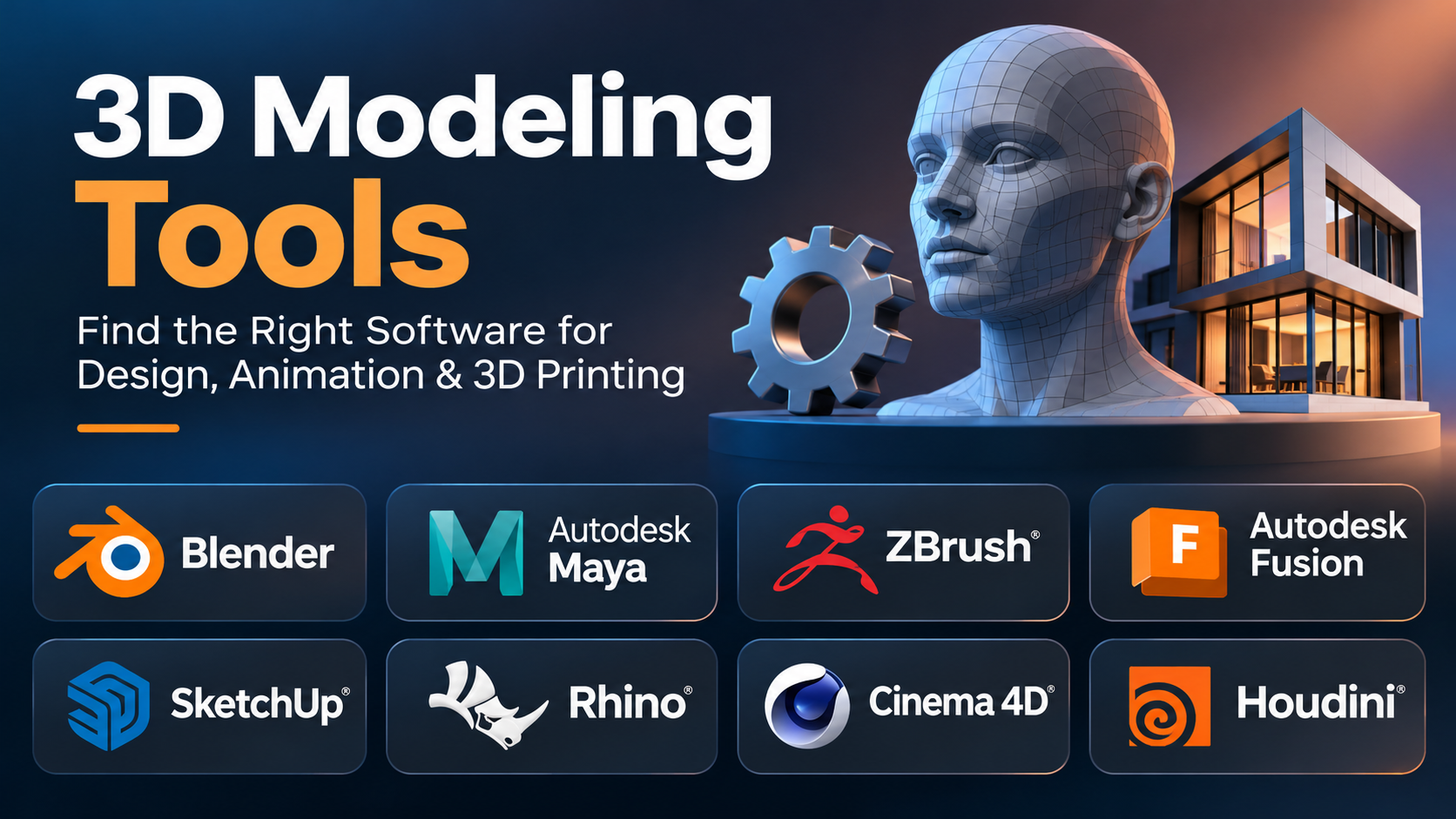
A detailed 3D character, a realistic building, and a mechanical part may all begin as digital models. Yet the tools used to create them can be very different.
An animation artist needs flexible shapes, detailed surfaces, and smooth character movement. An engineer needs accurate dimensions and models that can be changed without rebuilding everything. A product designer may need both creative freedom and technical precision.
This is why choosing 3D modeling software requires more than comparing feature lists.
Some applications focus on polygon modeling and digital sculpting. Others use computer-aided design (CAD) methods to build precise objects. A few combine modeling with animation, rendering, simulation, and production workflows.
This guide explores the main types of 3D modeling tools, compares established applications, and explains how to select software that fits your work, skills, and budget.
Understanding the Different Types of 3D Modeling
Before comparing products, it helps to understand how 3D models are created.
The modeling method affects how easily you can edit an object, add details, prepare it for production, or move it into another application.
Polygon Modeling
Polygon modeling builds objects using vertices, edges, and faces. These elements form a mesh that represents the object’s surface.
Artists can move, connect, extrude, and reshape polygons to create complex forms.
This method is common in:
- Video game characters and environments
- Film and animation assets
- Product visualization
- Architectural scenes
- Real-time interactive experiences
Polygon modeling offers strong creative control. However, a mesh that looks correct may still need repairs before it can be used for manufacturing or 3D printing.
Digital Sculpting
Digital sculpting allows artists to shape virtual material in ways that resemble working with clay.
Instead of editing individual polygons, artists use brushes to push, pull, smooth, carve, and add surface details.
It is useful for organic forms such as faces, creatures, clothing folds, and natural objects.
Sculpted models often contain very dense geometry. Artists may need to create a simpler mesh through retopology before using the model in games or animation.
Parametric and Solid Modeling
Parametric modeling creates geometry from dimensions, sketches, features, and relationships.
For example, a designer can define a hole diameter, change that value later, and update the model without manually rebuilding the hole.
This approach is useful for:
- Mechanical components
- Product prototypes
- Engineering assemblies
- Parts designed for manufacturing
- Dimension-driven designs
Solid modeling also helps represent enclosed volumes rather than only visible surfaces.
NURBS and Surface Modeling
Non-Uniform Rational B-Splines (NURBS) represent smooth curves and surfaces mathematically.
They are especially useful when a design requires controlled curvature and smooth transitions.
Industrial designers use surface modeling for objects such as vehicle bodies, consumer products, and complex enclosures.
Unlike ordinary polygon meshes, NURBS surfaces are not defined primarily by a collection of flat polygon faces.
Which 3D Modeling Tools Deserve Consideration?
The following applications serve different parts of the 3D design process. They are not all direct competitors.
| Tool | Main strength | Suitable users | Important consideration |
|---|---|---|---|
| Blender | General-purpose 3D creation | Artists, animators, independent creators | Broad feature set takes time to learn |
| Autodesk Maya | Character animation and production pipelines | Animation studios, professional artists | Commercial licensing and workflow complexity |
| Autodesk 3ds Max | Polygon modeling and visualization | Visualization artists, game asset creators | Windows-focused commercial software |
| ZBrush | Detailed digital sculpting | Character artists, sculptors | Less suited to dimension-driven engineering |
| SketchUp | Fast spatial and architectural modeling | Architects, interior designers | Advanced organic modeling may require other tools |
| Autodesk Fusion | Parametric CAD and manufacturing workflows | Engineers, product designers | Cloud-connected workflows and license restrictions |
| FreeCAD | Open-source parametric CAD | Engineers, hobbyists, makers | Some workflows require more manual setup |
| Rhino | NURBS and complex surface modeling | Industrial designers, architects | Specialized workflows have a learning curve |
| Cinema 4D | Motion graphics and 3D design | Motion designers, visual artists | Commercial subscription costs |
| Houdini | Procedural modeling and effects | Technical artists, VFX professionals | Node-based workflows require technical learning |
The right choice depends on the type of geometry you need and what must happen to the model afterward.
Creative Modeling and Animation: Blender, Maya, and 3ds Max
These applications are commonly considered when creating visual assets rather than dimension-controlled engineering components.
Blender: A Flexible Starting Point for 3D Creation
Official website: Blender
Blender is a free, open-source application that covers a large part of the 3D production process.
It supports polygon modeling, sculpting, UV editing, materials, animation, rendering, and compositing.
Its main advantage is the ability to complete many tasks inside one application.
A creator can build a product model, assign materials, create lighting, animate a camera, and render the final scene without buying separate software.
Blender also includes Geometry Nodes, which allows users to build procedural systems for generating and changing geometry.
For example, a designer can create a building facade with repeating windows and adjust the pattern through node-based controls.
Where Blender works well
- Independent animation projects
- Game asset development
- Product visualization
- YouTube and educational content
- 3D printing models
- Small creative teams
Its open-source license makes it attractive for individuals and organizations that want to avoid per-seat software subscriptions.
However, learning Blender can be demanding. Its many editors, shortcuts, and workflows may feel complex at first.
For professional studios, compatibility with an established production pipeline can also matter more than the cost of a modeling license.
Practical assessment: Blender is a strong choice when flexibility, cost control, and access to a wide range of creative tools are important.
Autodesk Maya: Built Around Professional Animation Workflows
Official website: Autodesk Maya
Maya is widely associated with character animation, rigging, and visual effects production.
It provides polygon modeling tools alongside advanced systems for animation and scene management.
One of its strengths is its role in larger production workflows.
Studios can use scripting and pipeline integrations to automate tasks, manage assets, and connect Maya with other production software.
Its Python scripting support is valuable for technical artists who build custom tools.
Maya is particularly relevant when character movement and production coordination are central to the project.
For example, an animation team may need to manage character rigs, reusable animation controls, and many versions of the same asset.
Maya supports these workflows, but the software also introduces costs and training demands.
Someone creating simple static models may not need its extensive animation capabilities.
Practical assessment: Maya makes the most sense when animation requirements, studio workflows, and pipeline compatibility justify its complexity.
Autodesk 3ds Max: Detailed Assets and Visualization
Official website: Autodesk 3ds Max
3ds Max is a Windows-based 3D modeling and rendering application.
It is used for architectural visualization, product imagery, and game-related asset creation.
Its modifier-based workflow is especially useful.
Modifiers allow artists to apply changes such as bending, smoothing, and subdivision while keeping earlier modeling steps available.
This can make repeated edits easier than permanently changing the underlying geometry.
Consider an artist building several versions of a chair. A modifier-based approach can help adjust surface details without recreating the entire model.
3ds Max also has an established ecosystem of scripts, plugins, and rendering integrations.
The main limitations are its commercial licensing and operating system requirements.
Practical assessment: 3ds Max is worth considering for visualization teams that already depend on its modeling workflows and supporting tools.
Organic Shapes and Detailed Characters: ZBrush
Official website: Maxon ZBrush
ZBrush approaches 3D modeling differently from conventional polygon editors.
Its primary strength is digital sculpting.
Artists use brushes to create complex forms and fine surface details, including skin folds, wrinkles, scales, and carved patterns.
This makes ZBrush especially useful for character and creature design.
A typical character workflow may involve creating a basic form, sculpting detailed anatomy, and producing a lower-resolution model for animation.
High-resolution sculpted details can then be transferred into texture maps, such as normal maps, for use on the simpler mesh.
ZBrush is also useful for collectibles, figurines, and detailed artistic models intended for 3D printing.
However, sculpting is not the same as parametric CAD.
If a component requires precise tolerances, constrained dimensions, and engineering drawings, a CAD application is usually more appropriate.
Practical assessment: ZBrush is particularly valuable when artistic surface detail matters more than dimension-driven construction.
Architecture and Product Design: SketchUp, Fusion, FreeCAD, and Rhino
A building concept and a mechanical assembly may both be described as 3D designs, but they have different requirements.
Architectural modeling often emphasizes space, layout, and presentation. Engineering design places greater importance on dimensions, constraints, and manufacturing requirements.
SketchUp: Fast Modeling for Spaces and Structures
Official website: SketchUp
SketchUp is known for its direct modeling approach.
Its Push/Pull workflow allows users to turn flat shapes into 3D forms quickly.
This makes it approachable for people who need to explore spatial ideas without learning a complex modeling system first.
An interior designer can create a room, add walls and furniture, and examine different layouts.
Architects can use it to develop early concepts and communicate design ideas.
SketchUp also has a large collection of reusable models through 3D Warehouse.
Its main limitation is that quick surface modeling does not automatically provide the same feature history, engineering constraints, or manufacturing controls as a mechanical CAD system.
Some documentation and advanced workflows also depend on the selected subscription and related applications.
Practical assessment: SketchUp is a good fit for quick architectural concepts, interior layouts, and spatial communication.
Autodesk Fusion: Connecting Design With Manufacturing
Official website: Autodesk Fusion
Fusion combines 3D CAD modeling with tools for product development and manufacturing.
It supports parametric design, direct modeling, assemblies, and manufacturing-related workflows.
A product designer can create a mechanical part, adjust its dimensions, inspect how components fit together, and prepare suitable designs for production.
One important advantage is the connection between design changes and downstream tasks.
For example, changing a bracket’s dimensions can update dependent geometry within a properly constructed parametric model.
Fusion also offers computer-aided manufacturing (CAM) capabilities, although access to specific functions depends on licensing and extensions.
Its cloud-connected data management can help teams coordinate designs, but it also introduces account, connectivity, and organizational considerations.
Personal-use licensing has restrictions and should not be treated as equivalent to a full commercial license.
Practical assessment: Fusion is well suited to product designers who need CAD capabilities alongside manufacturing and collaboration workflows.
FreeCAD: Open-Source Engineering Design
Official website: FreeCAD
FreeCAD is an open-source parametric 3D CAD application.
It is designed for dimension-driven modeling rather than entertainment-focused character creation.
Its workbench system organizes tools around different tasks, including part design, sketches, assemblies, and technical documentation.
A user can create a constrained sketch, turn it into a solid part, and revise its dimensions later.
This is useful for hobby engineering, mechanical prototypes, and custom 3D-printed components.
FreeCAD also supports Python-based automation and customization.
Its open-source approach reduces dependence on commercial subscriptions. However, users may encounter a less polished experience in some workflows and may need time to understand the workbench structure.
Compatibility with commercial CAD systems also requires careful attention to file formats and design history.
Practical assessment: FreeCAD is worth exploring when parametric modeling and open-source access are more important than commercial workflow convenience.
Rhino: Precise Curves and Complex Surfaces
Official website: Rhinoceros 3D
Rhino specializes in precise geometric modeling, including NURBS curves and surfaces.
It is particularly useful for designs that depend on smooth shapes and controlled curvature.
Industrial designers may use Rhino to develop product housings, furniture, and complex surface forms.
Architects also use it for geometry that would be difficult to create with basic solid-modeling operations.
A major part of Rhino’s ecosystem is Grasshopper, its visual programming environment.
Grasshopper allows users to create parametric definitions by connecting components rather than writing traditional code for every operation.
For example, an architect can generate a patterned facade and change its dimensions, spacing, or repetition through a parametric definition.
However, Rhino’s modeling approach differs from the feature-history workflows used in many mechanical CAD applications.
Complex engineering assemblies and manufacturing processes may require additional tools or specialized integrations.
Practical assessment: Rhino is a strong candidate for designers who need flexible control over curves, surfaces, and computational geometry.
Motion Graphics and Procedural Modeling: Cinema 4D and Houdini
Some projects require more than creating individual objects.
A motion graphics artist may need hundreds of animated shapes. A game developer may need a large environment with thousands of repeating objects.
Creating each element manually would take considerable time.
Procedural modeling helps solve this problem by generating geometry through rules, parameters, and reusable operations.
Cinema 4D: Designed for Motion Graphics
Official website: Maxon Cinema 4D
Cinema 4D combines polygon modeling, animation, materials, lighting, and rendering workflows.
It is particularly well known for its MoGraph toolset.
MoGraph allows artists to duplicate, arrange, and animate objects using effectors and procedural controls.
For example, a motion designer can create a product advertisement where hundreds of objects form a logo, move into patterns, and transform into another arrangement.
Instead of animating every object separately, the designer can control the overall behavior through a smaller set of parameters.
Cinema 4D also supports conventional modeling, making it useful for building the objects that appear in these animations.
Its integration with other creative applications can be valuable in professional design workflows.
However, licensing costs and the time needed to learn advanced animation systems should be considered.
Practical assessment: Cinema 4D is a strong option for motion graphics, animated advertising, and broadcast design.
Houdini: Procedural Systems for Complex Scenes
Official website: SideFX Houdini
Houdini uses a node-based approach to create and modify geometry.
Instead of relying entirely on manual modeling operations, artists can build networks that describe how objects should be generated.
These networks can be adjusted and reused.
For example, an environment artist could build a procedural system that generates buildings along streets.
The system might control building height, spacing, roof shapes, and surface details.
Changing a few parameters could produce a different environment without rebuilding each structure.
Houdini also supports simulation and visual effects workflows, including destruction, particles, fluids, and other complex effects.
Its procedural modeling capabilities are especially useful for projects that require many variations or frequent changes.
The main challenge is complexity.
Understanding nodes, attributes, geometry processing, and procedural logic takes practice.
SideFX offers different licensing options, including an Apprentice edition with restrictions.
Practical assessment: Houdini is most useful when repeatable modeling systems, large environments, or complex visual effects justify the technical learning required.
Why File Formats Matter More Than Many Buyers Expect
A 3D model is rarely useful only inside the application where it was created.
A game artist may need to move an asset into a game engine. An engineer may send a model to a manufacturer. An architect may exchange designs with another consultant.
File compatibility can determine whether these workflows succeed.
| File format | Common purpose | Important limitation |
|---|---|---|
| OBJ | Exchanging polygon meshes | Does not preserve a full application’s modeling history |
| FBX | Moving models and animation data | Feature support varies between applications |
| glTF / GLB | Delivering 3D assets for real-time and web use | Not intended to preserve full CAD design history |
| STL | Exporting mesh geometry for 3D printing | Usually lacks materials, units, and parametric information |
| STEP | Exchanging precise CAD geometry | Original feature history is generally not preserved |
| USD | Managing complex 3D scenes and assets | Requires compatible workflows and implementations |
| 3MF | Packaging 3D manufacturing information | Support varies by application and production system |
The difference between a mesh and a CAD solid is particularly important.
A mesh exported as STL may be suitable for preparing a 3D print. However, it does not normally retain the sketches, constraints, and feature history needed for easy engineering changes.
Similarly, converting a detailed sculpt into a CAD-friendly format does not automatically turn it into a useful parametric model.
A Practical Compatibility Test
Before selecting software, create a small sample project and move it through the intended workflow.
For example:
- Create a model in the modeling application.
- Export it using the required file format.
- Import it into the destination application.
- Check dimensions, materials, geometry, and object structure.
- Make a change and repeat the process.
This simple test can reveal problems that a product feature list will not show.
Choosing 3D Modeling Software for 3D Printing
3D printing creates an interesting overlap between artistic modeling and engineering design.
Both Blender and FreeCAD can produce printable geometry, but they approach the work differently.
For a decorative figurine, a sculpting or polygon modeling application may be the natural choice.
For a replacement mechanical part, parametric CAD is usually more practical.
Consider a custom wall-mounted bracket.
The bracket must fit a specific space, hold an object, and contain correctly positioned mounting holes.
A parametric tool makes it easier to adjust hole spacing, thickness, and other dimensions.
Now consider a detailed fantasy creature.
The model may need complex organic shapes, textured skin, and expressive facial features. Sculpting tools are better suited to creating those details.
What Makes a Model Printable?
A model that looks good on screen is not necessarily ready for printing.
Important checks include:
- Watertight geometry: The mesh should represent a properly closed volume where required.
- Wall thickness: Thin areas must be suitable for the chosen printing process.
- Correct scale: The exported object must have the intended physical dimensions.
- Mesh quality: Unwanted intersections, holes, and non-manifold edges may cause problems.
- Support requirements: Overhangs and complex shapes may need additional support structures.
- Printer compatibility: The model must work with the intended slicing and manufacturing workflow.
A slicing application is also required for most common 3D printing workflows.
The slicer converts the model into instructions suitable for the printer. It is not a substitute for a full modeling application.
Hardware Requirements: What Actually Affects Performance?
3D modeling performance depends on the software and the type of project.
A simple low-polygon object places very different demands on a computer than a detailed sculpt or a large animated scene.
Processor
The CPU handles many modeling operations, scene calculations, and application tasks.
Strong single-core performance can improve responsiveness in some modeling operations.
More CPU cores may help with workloads that support parallel processing, such as certain simulations and CPU rendering tasks.
Graphics Card
A dedicated GPU can improve viewport performance and accelerate supported rendering workloads.
GPU requirements become more important when working with detailed scenes, complex materials, and real-time previews.
However, GPU acceleration depends on the application, rendering engine, and supported hardware.
Memory
RAM affects how much geometry, texture data, and scene information a system can handle efficiently.
Large environments, high-resolution sculpting, and complex assemblies may require substantial memory.
Insufficient RAM can cause slowdowns, especially when the system starts relying heavily on disk storage.
Storage
An SSD helps with application loading, project files, textures, and cached simulation data.
Large animation and visual effects projects can consume considerable storage.
Before purchasing hardware, check the official requirements for the specific software and version you intend to use.
The most expensive computer is not automatically the most suitable one. A system should be matched to the tasks it will perform.
Understanding the Real Cost of 3D Modeling Software
Software pricing is only one part of the overall expense.
A free application can still require significant training and production time. A commercial application may justify its cost if it fits an established workflow and reduces repeated work.
The main cost factors include:
| Cost factor | Why it matters |
|---|---|
| Software license | Commercial applications may require subscriptions or other paid licenses |
| Hardware | Complex scenes and rendering can require stronger computers |
| Training | Learning unfamiliar modeling methods takes time |
| Plugins | Specialized functions may require paid extensions |
| Rendering | Large projects may need additional rendering resources |
| Collaboration | Shared storage, version control, and asset management may add costs |
| File conversion | Moving between incompatible systems can require extra work |
Free and open-source tools such as Blender and FreeCAD offer substantial capabilities without mandatory commercial license fees.
However, the cost of training, customization, support, and project delivery still matters.
Commercial products may also offer different licenses for students, independent creators, and businesses.
Always review the applicable license terms before using a product for paid work.
A Better Way to Evaluate 3D Modeling Tools
Instead of installing several applications and exploring random features, evaluate them using one representative project.
The project should reflect the work you actually expect to perform.
For example, a product designer could model a small enclosure with mounting holes, rounded edges, and a removable cover.
An animation artist could create a simple character, add a basic rig, and produce a short movement sequence.
An architect could model a room, add materials, and export a presentation view.
During the evaluation, pay attention to five areas.
1. How Easily Can You Make Changes?
Creating the first version of a model is only part of the work.
Most professional projects involve revisions.
Test whether you can change important dimensions, replace components, or modify shapes without rebuilding the model.
For engineering, this may involve parametric constraints.
For artistic modeling, it may involve modifiers, procedural operations, or non-destructive editing.
2. Does the Tool Support the Final Output?
A modeling application should fit the intended delivery process.
For game assets, examine polygon control, UV editing, materials, and export compatibility.
For manufacturing, examine dimensional accuracy, solid geometry, technical drawings, and CAD exchange.
For animation, examine rigging, deformation, and compatibility with the production pipeline.
3. How Much Training Is Required?
An application with more features is not always the better choice.
A small team may benefit from software that allows useful work to begin quickly.
A larger studio may prefer a more complex application because it supports automation and specialized roles.
4. Can the Workflow Grow?
A simple project may not reveal the limitations of an application.
Consider what happens when the scene contains hundreds of objects, the assembly contains many parts, or several people need to work on the same project.
File organization, reusable assets, scripting, and collaboration tools become increasingly important.
5. Can You Move Your Work Elsewhere?
Long-term access to project data matters.
Check whether the application supports useful interchange formats and whether exported files preserve the information you need.
A successful export should be tested in the receiving application rather than assumed from a supported-format list.
Common Mistakes When Selecting 3D Modeling Software
Several mistakes can lead to unnecessary expense or wasted learning time.
Choosing based only on popularity: A widely used animation application may be poorly suited to mechanical design.
Confusing visual detail with manufacturing accuracy: A highly detailed polygon mesh does not automatically contain precise engineering information.
Ignoring file compatibility: A model may look correct in one application but lose important data during export.
Buying advanced software too early: A simpler tool may cover the entire project without introducing unnecessary complexity.
Assuming free software has no operating cost: Training, hardware, troubleshooting, and production time still have value.
Overlooking future revisions: A workflow that is fast for the first model may become inefficient when repeated changes are required.
The most effective evaluation focuses on completed tasks rather than the total number of advertised features.
Which Tool Fits Your Work?
There is no single application that serves every 3D modeling requirement equally well.
The following choices provide useful starting points.
| Your main goal | Tools worth evaluating | Why |
|---|---|---|
| Learn general 3D modeling | Blender | Free access and broad creative capabilities |
| Create animated characters | Maya, Blender | Rigging, animation, and character workflows |
| Sculpt detailed creatures or figures | ZBrush, Blender | Organic sculpting tools |
| Create architectural concepts | SketchUp, Rhino | Spatial modeling and geometric flexibility |
| Design mechanical parts | Fusion, FreeCAD | Dimension-driven parametric modeling |
| Develop smooth industrial surfaces | Rhino | Precise curve and surface control |
| Produce motion graphics | Cinema 4D, Blender | Procedural animation and visual design |
| Generate large procedural environments | Houdini | Reusable node-based geometry systems |
| Build visualization assets | 3ds Max, Blender | Polygon modeling, materials, and rendering |
| Create functional 3D-printed parts | FreeCAD, Fusion | Accurate dimensions and solid modeling |
These are starting points, not universal rankings. Existing skills, team requirements, and downstream software may change the decision.
Questions Worth Answering Before You Commit
Can beginners learn 3D modeling without buying software?
Yes. Blender and FreeCAD provide free, open-source starting points.
Blender is more suitable for broad artistic modeling, while FreeCAD is focused on parametric and technical design.
Beginners should choose based on the type of object they want to create rather than attempting to learn every modeling method at once.
Is 3D modeling the same as CAD?
Not exactly.
CAD is a form of computer-aided design that often emphasizes accurate dimensions, constraints, assemblies, and technical documentation.
3D modeling is a broader term that also includes artistic meshes, sculpting, animation assets, and procedural geometry.
The two fields overlap, but their workflows and output requirements can differ significantly.
Can one application handle modeling, animation, and rendering?
Yes. General-purpose applications such as Blender and Maya support several stages of 3D production.
However, specialized applications may provide advantages for particular tasks.
A studio might use one application for sculpting, another for animation, and a separate renderer or production system for final output.
Can a model created in one tool be edited in another?
Often, but the level of editability varies.
Common exchange formats can transfer geometry and some related data.
They do not necessarily preserve modifiers, constraints, procedural networks, animation systems, or native modeling history.
Always test the required exchange workflow before relying on it for production.
Making the Right Choice
The most important decision is not which 3D modeling tool has the longest feature list. It is which modeling approach best matches the work.
For artistic projects, polygon modeling and sculpting provide flexibility. For mechanical components, parametric CAD offers greater control over dimensions and revisions. For complex environments and repeated geometry, procedural modeling can reduce manual work.
Blender provides a broad and accessible entry into creative 3D production. Maya and 3ds Max remain relevant for specialized professional workflows. ZBrush focuses on detailed sculpting, while SketchUp, Fusion, FreeCAD, and Rhino address different design and engineering needs. Cinema 4D and Houdini are particularly valuable when animation and procedural systems become central to a project.
Start with one real project, test the editing workflow, and verify the required export format. A tool that handles those tasks reliably is more valuable than an application filled with features you may never use.