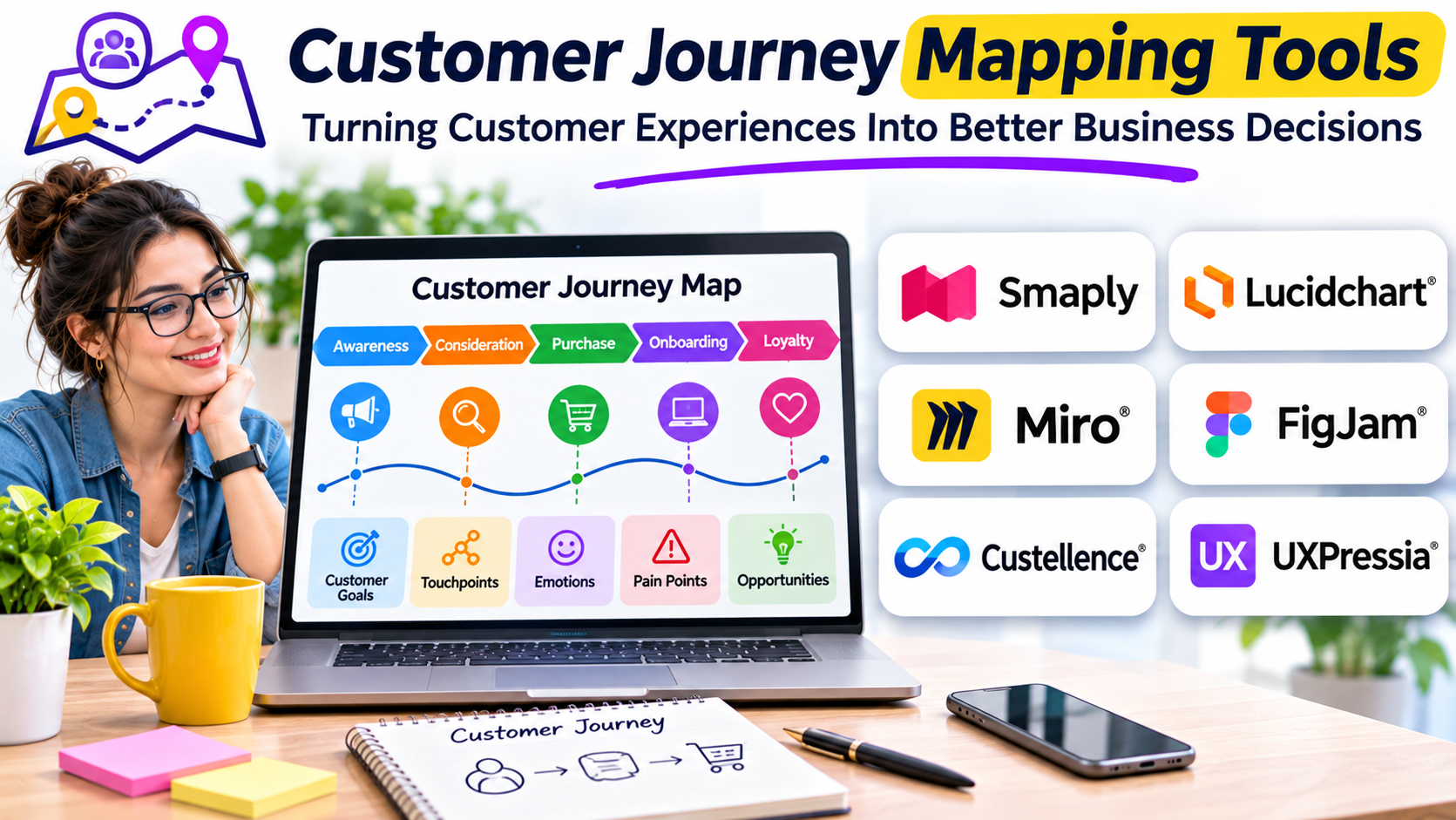
A customer can discover a product through an advertisement, compare options on a website, contact support, complete a purchase, and return weeks later with a question. Each interaction may involve a different team, platform, and business process.
For the customer, however, these interactions form one experience.
That difference explains why customer journey mapping matters. Organizations often measure individual touchpoints without understanding how those touchpoints connect. Marketing may report successful campaigns while customers struggle with onboarding. Sales may celebrate new contracts while support teams face repeated complaints about unmet expectations.
Customer journey mapping tools help organizations examine these disconnected experiences as a complete sequence. They provide a visual framework for understanding customer goals, actions, frustrations, expectations, and opportunities for improvement.
The challenge is choosing software that does more than produce attractive diagrams.
A useful journey mapping platform should help teams turn research into decisions, identify responsible stakeholders, and measure whether changes improve the customer experience.
What Are Customer Journey Mapping Tools?
Customer journey mapping tools are software applications used to visualize and analyze the experiences people have when interacting with a company, product, or service.
A journey map typically represents a specific customer scenario across several stages. It may include the customer’s actions, motivations, emotions, communication channels, obstacles, and desired outcomes.
For example, a subscription software company might map the experience of a new customer moving from product discovery to successful adoption.
The map could include:
- Discovering the product through search or recommendations.
- Comparing features and pricing.
- Registering for a trial.
- Configuring the product.
- Inviting team members.
- Contacting customer support.
- Deciding whether to subscribe.
- Renewing or canceling the subscription.
A journey mapping tool makes it easier to connect these activities and understand where the experience breaks down.
Unlike a conventional flowchart, a customer journey map considers the customer’s perspective rather than simply documenting how an internal process operates.
This distinction is important. A business process can function exactly as designed while still creating unnecessary work for customers.
Why Organizations Need Customer Journey Mapping
Customer experience problems rarely respect departmental boundaries.
Consider an online retailer experiencing a high number of abandoned purchases.
The marketing team may assume customers are concerned about pricing. The website team may suspect a confusing checkout process. Customer support may receive complaints about delivery information.
Without a shared understanding of the journey, each team may attempt to solve a different problem.
Journey mapping provides a common framework for examining what customers experience before, during, and after a particular interaction.
Identify friction between touchpoints
A customer may receive one delivery estimate on a product page and another during checkout.
Each page might work correctly in isolation. The inconsistency becomes visible only when the complete journey is examined.
Mapping helps teams identify these transitions and determine where communication or process improvements are necessary.
Connect qualitative and quantitative evidence
Analytics can reveal where customers leave a process. Interviews and support conversations can help explain why.
A journey map can bring these findings together.
For example, a decline in onboarding completion might appear alongside interview evidence showing that users do not understand a required configuration step.
Neither source alone provides the complete explanation.
Improve cross-functional coordination
Journey maps give product, marketing, operations, and customer support teams a shared view of customer problems.
Instead of debating departmental performance, teams can examine specific customer outcomes.
This creates a stronger basis for prioritizing improvements and assigning responsibility.
Support continuous improvement
A journey map should not become an archived presentation.
As products, customer expectations, and business processes change, organizations need to update their understanding.
Tools that support ongoing journey management can help maintain this connection between research and operational decisions.
The Main Types of Customer Journey Mapping Software
Not every journey mapping tool serves the same purpose.
The market includes flexible collaboration platforms, dedicated customer experience mapping applications, and enterprise systems designed to connect journeys with operational data.
Understanding these categories is more useful than comparing every product through a single feature checklist.
Visual collaboration platforms
Visual collaboration platforms provide flexible digital workspaces for diagrams, workshops, and team planning.
Tools such as Miro allow teams to create journey maps using templates, shapes, notes, and collaborative boards.
These platforms are particularly useful when journey mapping is part of a broader design or discovery process.
Their main advantage is flexibility. Teams can adapt the canvas to different projects without adopting a specialized customer experience management system.
The trade-off is that maintaining consistent maps across many departments may require additional governance and manual work.
Dedicated journey mapping platforms
Specialized platforms focus on customer journeys, personas, experience evidence, and related service design activities.
Smaply and UXPressia are examples of products built around these workflows.
They provide more structured environments for organizing customer experience information than a general-purpose whiteboard.
Dedicated tools may be preferable when journey mapping becomes a recurring organizational practice rather than an occasional workshop activity.
Enterprise journey management platforms
Larger organizations may need to manage multiple connected journeys across products, regions, and business units.
Their requirements often extend beyond visualization.
They may need ownership assignments, consistent journey classifications, performance indicators, controlled access, and links between customer problems and improvement initiatives.
At this level, the important decision is not simply which platform creates the clearest diagram.
It is whether the organization can maintain reliable customer experience knowledge over time.
Customer Journey Mapping Tools Worth Evaluating
The following products represent different approaches to journey mapping. They should be considered according to their intended workflows rather than treated as interchangeable alternatives.
Smaply: Structured Journey Mapping and Ongoing Management
Smaply focuses on creating structured journey maps and maintaining them as working customer experience resources.
Its journey mapping environment supports stages, steps, and different information lanes, including emotions, channels, metrics, and pain points.
This structure helps teams document more than a sequence of customer actions.
For example, a service organization could connect customer frustrations to particular journey stages and associate those problems with operational evidence.
Smaply also emphasizes ongoing journey management, including ownership, connected journeys, and performance indicators.
Where it fits: Organizations establishing a repeatable journey mapping practice, particularly when they need to maintain multiple related maps.
What to evaluate: Whether its governance model, evidence management, and workflow capabilities match the organization’s existing research and improvement processes.
UXPressia: Customer Experience Mapping and Persona Management
UXPressia provides tools for customer journey maps, personas, and related experience management activities.
Its approach is useful when organizations want to organize customer understanding around shared profiles and documented experiences.
For example, a business serving both individual consumers and enterprise buyers may need different journey maps for different customer groups.
Keeping these maps connected to consistent persona definitions can make research easier to reuse.
UXPressia also provides collaboration and organizational features intended to support teams managing customer experience assets.
Where it fits: Customer experience, research, and service design teams that need a dedicated environment for maps and personas.
What to evaluate: Collaboration permissions, export options, organizational controls, and the effort required to keep research evidence current.
Miro: Flexible Workshops and Collaborative Mapping
Miro approaches customer journey mapping through a broader visual collaboration environment.
Teams can begin with a journey map template and adapt it to their research methods.
This flexibility is valuable during discovery workshops, where participants may need to rearrange stages, group observations, or explore alternative customer scenarios.
Miro can also support adjacent activities such as brainstorming, process mapping, and service design.
Where it fits: Cross-functional teams that already use visual collaboration tools or need flexibility for different workshop formats.
What to evaluate: How maps will be standardized, maintained, and connected to ongoing customer experience improvement work.
A flexible board can support excellent research, but the organization still needs a process for keeping its findings useful.
Comparing the Different Approaches
| Evaluation area | General visual workspace | Dedicated mapping platform | Journey management platform |
|---|---|---|---|
| Primary purpose | Collaboration and visualization | Structured experience mapping | Continuous journey oversight |
| Typical users | Designers and project teams | CX and research specialists | CX leaders and cross-functional teams |
| Customization | Highly flexible | Structured around journeys | Structured around organizational needs |
| Research organization | Depends on implementation | More journey-focused | Emphasizes connected evidence |
| Governance | Often requires team conventions | Varies by product | Greater emphasis on ownership |
| Best starting point | Workshops and exploration | Repeatable mapping | Organization-wide improvement |
These categories overlap. A dedicated mapping product may also offer journey management capabilities, while a collaboration platform can support sophisticated research workflows.
The distinction is the amount of structure and operational continuity an organization needs.
Essential Features to Look For
A journey mapping tool should be evaluated against the actual work a team needs to perform.
Flexible journey stages
Customer journeys are not always linear.
A buyer might compare products several times, contact support before purchasing, or move between online and offline channels.
The software should accommodate realistic customer behavior without forcing every experience into a rigid funnel.
Persona and segment support
Different customers can experience the same service in different ways.
A first-time buyer may need reassurance and guidance. A returning customer may prioritize speed.
Useful mapping tools should help teams distinguish these experiences rather than combine conflicting needs into a single generic persona.
Evidence management
Journey maps become more credible when observations can be connected to supporting information.
Relevant evidence may include customer interviews, surveys, usability research, support records, or behavioral analytics.
Teams should be able to distinguish observed findings from assumptions.
This matters because a visually polished map can create false confidence when its underlying evidence is weak.
Collaboration and feedback
Journey mapping usually involves several departments.
Look for appropriate sharing permissions, commenting, editing controls, and presentation options.
The goal is to allow stakeholders to contribute without making the map difficult to manage.
Versioning and maintenance
Customer experiences change.
Organizations should understand how a platform handles revisions, historical versions, and updates.
A journey map created during a workshop may become misleading if it remains unchanged after a major product redesign.
Accessibility and sharing
Consider how employees will access the finished maps.
A useful platform should make it practical for relevant teams to find, understand, and reference customer experience information.
A sophisticated map has limited value if it remains accessible only to the research team that created it.
How to Build a Useful Customer Journey Map
The quality of the research process matters more than the appearance of the diagram.
A practical mapping exercise can follow six stages.
1. Define a specific customer scenario
Avoid beginning with an excessively broad goal such as mapping the entire customer lifecycle.
Instead, choose a defined experience.
For example:
“Understand how first-time customers complete their initial purchase through the mobile website.”
This creates a manageable research boundary.
2. Identify the customer group
Determine whose experience the map represents.
Different customer groups may have different motivations, technical abilities, expectations, and constraints.
Use available research to establish relevant distinctions.
Avoid inventing detailed personas without supporting evidence.
3. Gather customer evidence
Collect information from sources relevant to the selected journey.
These might include interviews, usability sessions, analytics, customer support conversations, and surveys.
Different sources answer different questions.
Analytics can identify patterns in behavior, while qualitative research can reveal customer motivations and misunderstandings.
4. Organize the journey into stages
Break the experience into meaningful steps.
For a retail purchase, these might include discovery, product evaluation, cart review, checkout, delivery, and post-purchase support.
The stages should reflect customer behavior rather than simply reproduce the company’s departmental structure.
5. Identify problems and opportunities
For each stage, document what customers are trying to achieve and what prevents them from succeeding.
Separate confirmed problems from potential explanations.
For example, repeated checkout errors are an observable problem. Assuming customers abandon checkout because they distrust the brand requires additional evidence.
6. Assign actions and measure outcomes
A journey map becomes operationally useful when findings lead to decisions.
For each important problem, establish an owner, a proposed improvement, and a way to evaluate the result.
This final step connects mapping with business performance.
A Practical Example: Improving Software Onboarding
Imagine a software company receiving complaints from customers who struggle to activate their accounts.
Its journey map identifies five stages:
- Registration.
- Email verification.
- Initial configuration.
- First successful task.
- Team invitation.
Research reveals that many customers understand registration but become confused during configuration.
Support conversations suggest that technical terminology creates uncertainty.
The company could respond by simplifying the setup instructions, improving contextual help, and testing a revised onboarding flow.
The team would then examine completion rates and customer feedback to determine whether the changes improved the experience.
The journey map provides the shared explanation for the problem.
It does not replace the testing required to validate the solution.
Common Mistakes That Reduce the Value of Journey Mapping
Mapping internal processes instead of customer experiences
Organizations sometimes create diagrams showing what employees do rather than what customers experience.
Internal processes matter, but they should support the customer perspective.
A service blueprint may be more appropriate when the primary objective is documenting front-office and back-office operations.
Treating assumptions as research findings
Workshop participants often have strong opinions about customer behavior.
These perspectives can help generate hypotheses, but they are not substitutes for customer evidence.
Maps should clearly distinguish assumptions, observations, and verified findings.
Creating one map for every customer
An overly broad map may conceal important differences between customer groups.
Segment journeys when needs or behaviors differ substantially.
Measuring everything without prioritizing anything
Adding dozens of metrics can make a journey map difficult to interpret.
Focus on indicators that help explain important customer outcomes.
Failing to maintain the map
Customer experience research loses value when teams cannot determine whether its findings remain relevant.
Assign ownership and establish a reasonable review process.
How Much Should Customer Journey Mapping Software Cost?
Pricing models vary across products and subscription tiers.
A basic mapping exercise may require little more than a collaborative whiteboard or an existing design tool.
Dedicated platforms may charge for users, workspaces, advanced functionality, or organizational capabilities.
The visible subscription fee is only one part of the cost.
Organizations should also consider:
- Time spent training employees.
- Research and data preparation.
- Administration and governance.
- Integration requirements.
- Ongoing map maintenance.
- Migration and export needs.
A lower-cost platform may be sufficient for occasional workshops.
A specialized system may offer better value when an organization needs consistent mapping across many teams.
The relevant question is whether the software reduces the work required to turn customer understanding into measurable improvements.
Choosing the Right Customer Journey Mapping Tool
Begin by identifying the maturity of the organization’s customer experience practice.
A small team conducting its first mapping workshop may benefit most from a flexible collaborative environment.
A research team managing multiple customer personas may prefer a dedicated mapping platform.
A larger organization coordinating customer experience initiatives across departments may need stronger governance, connected journeys, and performance tracking.
Before committing, conduct a pilot using a real customer scenario.
Ask participating teams to create a map, attach relevant evidence, identify an improvement opportunity, and update the map after new findings emerge.
Observe where the process becomes difficult.
The most valuable evaluation criteria are not necessarily the number of templates or visual customization options.
They are whether the platform helps people understand customer problems accurately, coordinate decisions, and maintain useful knowledge.
Making Journey Mapping Part of Everyday Decisions
Customer journey mapping works best when it connects research with ongoing business activity.
Product teams can use journey findings to prioritize usability improvements.
Support teams can identify recurring points of confusion.
Marketing teams can examine whether customer expectations match the experiences delivered after acquisition.
Operations teams can identify handoffs that create unnecessary delays.
These activities become more effective when organizations share a consistent understanding of the customer experience.
The right tool supports that understanding without becoming an additional administrative burden.
For teams beginning their journey mapping practice, a flexible platform may provide everything necessary. Organizations with established customer experience programs may benefit from more structured software.
The most important next step is to select one meaningful customer journey, gather credible evidence, and use the map to improve a specific outcome.
A journey map succeeds when it changes how an organization serves its customers—not merely when the diagram is complete.