Introduction
Modern software development depends on thousands of reusable libraries, frameworks, command-line utilities, and system components. Managing these dependencies manually can create compatibility problems, security vulnerabilities, and unnecessary maintenance work.
Package managers simplify software installation, updates, configuration, and removal. They help developers and system administrators obtain software from configured repositories while tracking versions and dependencies.
Different package managers serve different operating systems and development ecosystems. Some manage system-level applications, while others focus on programming language libraries, application environments, or cross-platform development tools.
Package management has also become an important part of software supply chain security. Organizations need to understand where dependencies originate, whether packages contain known vulnerabilities, and how updates affect production applications.
Modern package managers provide capabilities such as dependency resolution, version locking, repository configuration, integrity verification, and automated installation. However, the available security controls and operational workflows differ significantly between tools.
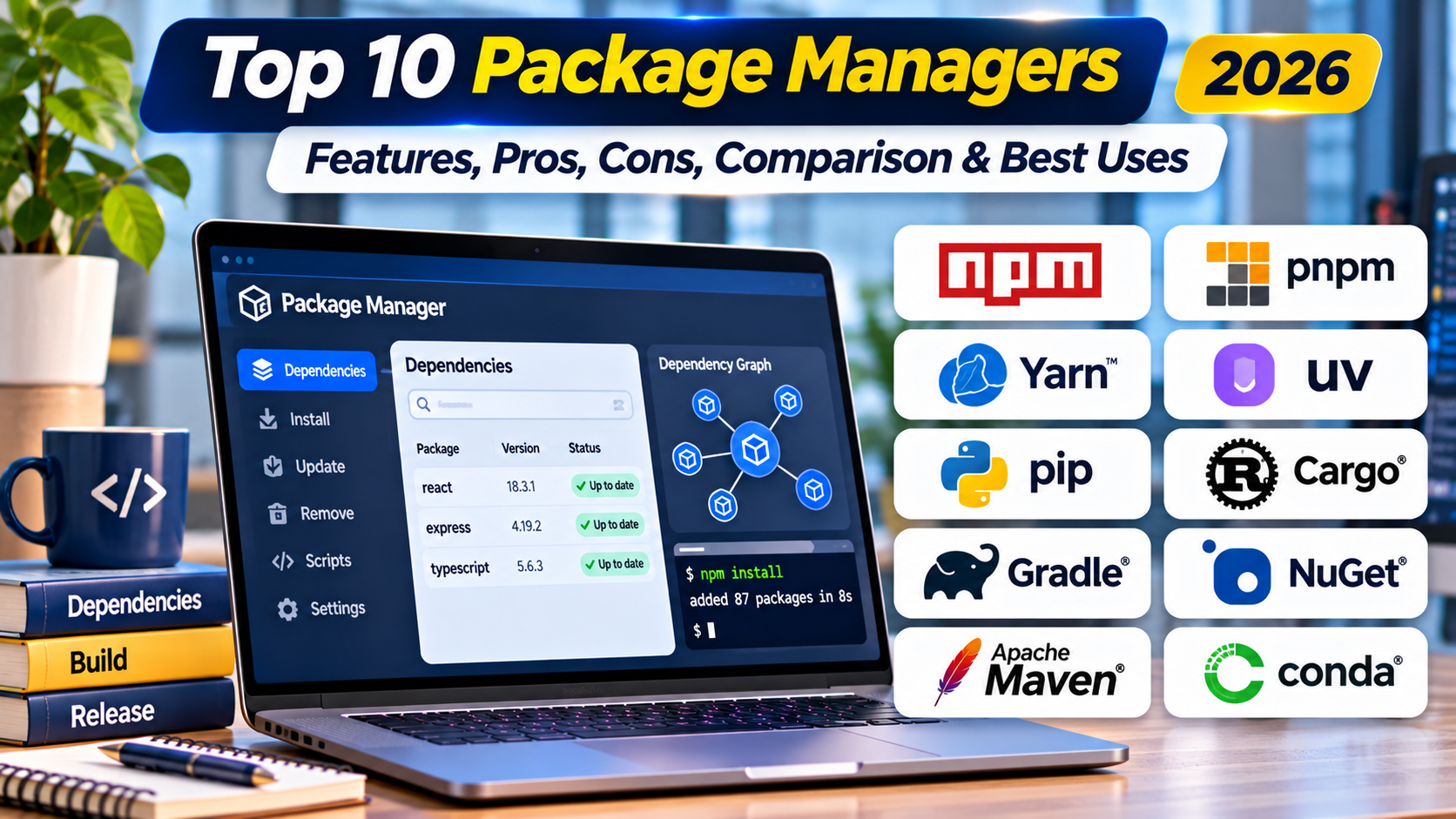
This article compares ten widely used package managers, including their features, benefits, limitations, use cases, and suitability for different development and administration environments. It also explains how organizations can select an appropriate package management approach.
What Are Package Managers?
Package managers are software tools that automate the installation, updating, configuration, and removal of software packages. A package may contain an application, library, development tool, or system component.
Package managers typically work with repositories that provide package files and associated metadata. They use this information to identify available versions, resolve dependencies, and perform supported installation operations.
Some package managers operate at the operating system level. Others manage dependencies for a particular programming language or application ecosystem.
How Package Managers Work
Package Repositories: Package managers obtain software and metadata from configured sources.
Dependency Resolution: Tools identify additional packages required by the requested software.
Version Management: Package managers support selecting, updating, or constraining software versions.
Installation Automation: Tools download and install packages using supported workflows.
Integrity Verification: Many package managers use checksums, signatures, or other mechanisms to verify package data.
Lockfiles: Some development package managers record exact dependency resolutions to improve reproducibility.
Package Removal: Tools uninstall packages and may remove dependencies that are no longer required.
Repository Configuration: Administrators can select trusted sources and control package availability.
Why Developers and Organizations Need Package Managers
Manual dependency management becomes difficult as applications and systems grow. Different components may require incompatible versions, and updates can introduce unexpected behavior.
Package managers reduce repetitive installation work and improve consistency. They also support automated development environments and infrastructure provisioning.
However, package managers do not automatically guarantee software security. Organizations must still evaluate repository trust, dependency vulnerabilities, package integrity, and update policies.
Top 10 Package Managers in 2026
The following tools represent operating system package managers, language-specific dependency managers, and cross-platform software management solutions. They are compared according to their intended ecosystems rather than ranked by universal performance.
1. npm
Short Description
npm is a package manager and ecosystem widely used for JavaScript and Node.js development. It provides command-line tools for installing, updating, and managing project dependencies.
Developers use npm to obtain reusable libraries, frameworks, build tools, and other packages. It is commonly included with Node.js installations and integrates with many JavaScript development workflows.
npm uses package manifests to describe project dependencies and configuration. Its lockfile mechanism records resolved dependency information to support more consistent installations across development and deployment environments.
The npm registry provides access to a large collection of JavaScript packages. Organizations can also configure private registries and supported access controls for internal development.
However, the size and openness of the ecosystem introduce software supply chain risks. Developers should review dependencies, maintain lockfiles, and apply appropriate security checks.
Key Features
- JavaScript Package Management: Installs and manages libraries used by Node.js and JavaScript applications.
- npm Registry Access: Provides access to a large ecosystem of published packages.
- Dependency Resolution: Resolves package requirements according to supported version constraints.
- package.json Configuration: Stores project dependencies, scripts, and package metadata.
- Package Lockfiles: Records resolved dependency information to improve installation consistency.
- Script Automation: Supports commands for testing, building, and other development tasks.
- Security Auditing: Provides commands for identifying reported vulnerabilities in dependency trees.
- Private Package Support: Enables organizations to use compatible private registries and controlled distribution workflows.
Benefits
npm simplifies JavaScript development by providing standardized dependency management. Teams can share project configurations and install required packages using consistent commands.
Its integration with Node.js makes it convenient for web development and backend services. Automated scripts also help standardize common development tasks.
Organizations benefit most when npm is combined with dependency review, controlled publishing, and reproducible installation practices.
Pros
- Widely supported in JavaScript development.
- Large package ecosystem.
- Integrated with Node.js.
- Supports dependency lockfiles.
- Useful for development automation.
- Compatible with private registries.
- Provides security auditing capabilities.
Cons
- Large dependency trees can increase complexity.
- Malicious or compromised packages remain a risk.
- Dependency conflicts may require investigation.
- Installation behavior depends on configuration.
- Registry availability can affect workflows.
Use Cases
Frontend Development: Developers can install libraries and build tools for web applications.
Node.js Backend Development: Teams can manage server-side JavaScript dependencies.
Build Automation: Projects can define repeatable development scripts.
Enterprise Package Distribution: Organizations can use private registries for internal packages.
Continuous Integration: Pipelines can install locked dependencies during automated builds.
Best For
npm is best suited for JavaScript developers, Node.js teams, frontend engineers, and organizations maintaining JavaScript applications.
2. Yarn
Short Description
Yarn is a JavaScript package manager designed to support dependency management and reproducible development workflows. It provides an alternative to npm for projects requiring different installation and workspace management approaches.
Yarn is widely associated with modern JavaScript applications and monorepo development. Its capabilities help teams manage dependencies across multiple related packages.
The platform includes lockfile-based dependency resolution and configurable installation strategies. Modern Yarn versions also support Plug’n’Play, which can change how applications resolve installed packages.
Yarn workspaces allow developers to organize multiple packages within a shared repository. This is useful for organizations maintaining related applications and libraries.
However, configuration and behavior vary between Yarn generations. Teams should understand the version and installation model used by their projects.
Key Features
- JavaScript Dependency Management: Installs and manages packages for supported JavaScript projects.
- Lockfile Support: Records resolved dependency versions for repeatable installations.
- Workspaces: Supports management of multiple packages within a shared repository.
- Plug’n’Play: Provides an alternative dependency resolution approach in supported configurations.
- Dependency Constraints: Helps teams enforce selected dependency rules.
- Caching: Supports reuse of downloaded package data.
- Script Execution: Runs configured project commands.
- Configuration Flexibility: Allows projects to select supported installation strategies.
Benefits
Yarn can improve consistency across complex JavaScript projects. Its workspace capabilities are useful for teams maintaining multiple related packages.
Modern installation strategies can also help organizations manage dependency structure more explicitly. This may reduce certain classes of dependency resolution problems.
Teams should select configurations based on framework compatibility and developer requirements.
Pros
- Strong monorepo support.
- Reproducible dependency management.
- Flexible installation strategies.
- Useful workspace capabilities.
- Supports caching.
- Integrates with modern JavaScript tooling.
Cons
- Differences between major versions can create confusion.
- Plug’n’Play may require compatibility adjustments.
- Configuration can be more complex than basic npm usage.
- Teams need consistent tooling versions.
- Migration from existing projects requires testing.
Use Cases
JavaScript Monorepos: Teams can manage multiple related packages.
Frontend Applications: Developers can maintain application dependencies.
Shared Component Libraries: Organizations can coordinate internal package development.
Continuous Integration: Pipelines can use consistent dependency installation workflows.
Large Development Teams: Projects can standardize package management rules.
Best For
Yarn is best suited for JavaScript teams, monorepo maintainers, and organizations requiring flexible dependency management.
3. pnpm
Short Description
pnpm is a JavaScript package manager that emphasizes efficient storage, dependency isolation, and workspace management. It is commonly used as an alternative to npm and Yarn.
The tool uses a content-addressable store to reduce unnecessary duplication of package files. This can improve storage efficiency when multiple projects depend on the same package versions.
pnpm also uses a dependency structure designed to limit access to packages that are not explicitly declared. This can help expose incorrect dependency assumptions in applications.
Its workspace support makes it suitable for monorepos containing multiple related projects. Developers can manage shared dependencies while maintaining clearer package boundaries.
However, its installation structure can reveal compatibility problems in tools that assume conventional dependency layouts. Organizations should test existing workflows before migrating.
Key Features
- Content-Addressable Storage: Reuses package content to reduce duplicated files.
- Efficient Installation: Supports storage-conscious dependency installation.
- Strict Dependency Structure: Helps prevent reliance on undeclared dependencies.
- Workspace Management: Supports multiple packages within a monorepo.
- Lockfile Support: Records resolved dependency information.
- Package Caching: Reuses stored package data where appropriate.
- Script Execution: Runs development and build commands.
- JavaScript Ecosystem Compatibility: Works with many Node.js and frontend development tools.
Benefits
pnpm can reduce disk usage across projects with overlapping dependencies. Its dependency structure may also improve project correctness by revealing undeclared package usage.
Large repositories can benefit from workspace management and consistent installation behavior. Teams can use these capabilities to improve development efficiency.
However, migration should include compatibility testing for existing build tools and frameworks.
Pros
- Efficient package storage.
- Strong workspace support.
- Encourages explicit dependency declarations.
- Supports reproducible installations.
- Useful for large JavaScript projects.
- Can reduce duplicated package files.
Cons
- Some tools assume traditional dependency layouts.
- Migration may reveal undeclared dependencies.
- Developers need familiarity with its installation model.
- Workspace configuration requires planning.
- Not intended for operating system package management.
Use Cases
Large JavaScript Monorepos: Teams can manage related projects efficiently.
Frontend Development: Developers can install application dependencies.
Continuous Integration: Pipelines can use locked package resolutions.
Shared Development Environments: Organizations can reduce duplicated dependency storage.
Dependency Hygiene: Teams can identify reliance on undeclared packages.
Best For
pnpm is best suited for JavaScript monorepos, performance-conscious development teams, and organizations seeking efficient dependency storage.
4. pip
Short Description
pip is a package installer widely used in the Python ecosystem. It enables developers to install and manage Python packages from compatible indexes and other supported sources.
The tool is commonly used with the Python Package Index, known as PyPI. Developers rely on pip to obtain libraries for web applications, automation, scientific computing, and machine learning.
pip supports installation from requirement files and version constraints. It is often combined with Python virtual environments to isolate dependencies between projects.
Its broad compatibility makes it a foundational tool for Python development. However, pip primarily handles package installation rather than providing every feature of a complete project management environment.
Organizations should combine pip with appropriate environment isolation, dependency locking strategies, and package security controls.
Key Features
- Python Package Installation: Installs packages into supported Python environments.
- PyPI Integration: Retrieves packages from the Python Package Index by default.
- Requirements Files: Supports installing dependencies described in text files.
- Version Constraints: Allows developers to specify supported package versions.
- Dependency Resolution: Resolves package requirements during installation.
- Virtual Environment Compatibility: Works with isolated Python environments.
- Alternative Package Sources: Supports configured package indexes and other installation sources.
- Command-Line Automation: Integrates into scripts and build pipelines.
Benefits
pip provides a straightforward method for installing Python libraries. Its broad ecosystem support makes it suitable for many development workflows.
Virtual environment integration helps developers avoid conflicts between unrelated projects. Requirement files also support repeatable setup procedures.
For stronger reproducibility, organizations may need additional dependency locking and environment management practices.
Pros
- Standard tool in Python development.
- Broad package ecosystem.
- Simple command-line interface.
- Compatible with virtual environments.
- Supports requirements files.
- Useful for automation and CI pipelines.
Cons
- Does not independently manage every aspect of Python environments.
- Reproducibility requires careful version management.
- Dependency conflicts can occur.
- Package installation may involve native build requirements.
- Untrusted packages can introduce security risks.
Use Cases
Python Application Development: Developers can install required libraries.
Machine Learning Projects: Teams can obtain supported Python packages.
Automation Scripts: Engineers can manage script dependencies.
Virtual Environments: Developers can isolate project installations.
CI Pipelines: Build systems can install Python dependencies automatically.
Best For
pip is best suited for Python developers, automation engineers, data scientists, and teams requiring standard Python package installation.
5. Poetry
Short Description
Poetry is a Python dependency management and packaging tool designed to provide a more integrated project workflow. It combines dependency resolution, project metadata management, and packaging capabilities.
The tool uses standardized Python project configuration through pyproject.toml. This allows developers to define dependencies and other project information in a central location.
Poetry maintains lockfile information to support consistent dependency installation. It also provides commands for managing project environments and building distributable packages.
Its integrated approach is particularly useful for teams developing Python applications or reusable libraries. Developers can manage dependencies and packaging without combining as many separate tools.
However, Poetry introduces its own workflow conventions. Teams should evaluate compatibility with existing build processes and deployment environments.
Key Features
- Python Dependency Management: Adds, updates, and removes project dependencies.
- Dependency Resolution: Resolves compatible package versions.
- Lockfile Support: Records resolved dependency versions.
- pyproject.toml Configuration: Uses centralized project metadata.
- Environment Management: Supports project-oriented Python environments.
- Package Building: Provides capabilities for creating distributable packages.
- Dependency Groups: Supports organizing dependencies for different purposes.
- Project Workflow Integration: Combines several development tasks within one tool.
Benefits
Poetry can simplify Python project management by combining related operations. Teams can use consistent commands for dependency changes, environment setup, and packaging.
Lockfiles improve reproducibility across development environments. Centralized configuration can also make project requirements easier to understand.
Organizations should establish clear version and deployment practices to avoid inconsistencies between local and production environments.
Pros
- Integrated Python project management.
- Supports dependency lockfiles.
- Centralized configuration.
- Useful for packaging Python libraries.
- Supports dependency groups.
- Encourages consistent development workflows.
Cons
- Adds workflow conventions beyond basic pip.
- Dependency resolution may require time for complex projects.
- Existing projects may need migration.
- Teams must maintain compatible Poetry versions.
- Not designed for system-level package management.
Use Cases
Python Application Development: Teams can manage project dependencies.
Library Publishing: Developers can build reusable Python packages.
Team Collaboration: Projects can share consistent dependency definitions.
CI Automation: Pipelines can install locked dependencies.
Development Environment Setup: Teams can standardize project configuration.
Best For
Poetry is best suited for Python application developers, library maintainers, and teams seeking integrated dependency and packaging workflows.
6. APT
Short Description
APT, or Advanced Package Tool, is a package management system widely used by Debian and Ubuntu-based Linux distributions. It manages software installation and updates through configured package repositories.
APT works with Debian package infrastructure and provides commands for installing, upgrading, and removing software. It is commonly used by Linux administrators and developers maintaining servers or workstations.
The tool handles dependency resolution and integrates with distribution-specific package policies. This helps maintain compatibility between installed software and the operating system.
APT is particularly useful for operating system maintenance and server provisioning. Administrators can automate package operations and use trusted repositories to distribute updates.
However, available software versions depend on configured repositories and distribution release policies. Organizations should also avoid adding untrusted repositories without appropriate review.
Key Features
- System Package Installation: Installs software packages on compatible Linux distributions.
- Dependency Resolution: Identifies required system packages.
- Repository Management: Uses configured package sources.
- System Updates: Supports package upgrades and security maintenance.
- Package Removal: Uninstalls packages and supports dependency cleanup.
- Package Metadata: Provides information about available software.
- Signature Verification: Uses repository trust mechanisms to protect package distribution.
- Automation Support: Integrates with shell scripts and infrastructure management tools.
Benefits
APT simplifies software maintenance across Debian-based systems. Administrators can manage large numbers of packages through standardized commands.
Distribution repositories provide coordinated package versions and updates. This helps maintain operating system stability.
Organizations benefit from using controlled repositories and established update procedures.
Pros
- Mature Linux package management system.
- Strong Debian and Ubuntu integration.
- Reliable dependency management.
- Supports repository signature verification.
- Useful for server automation.
- Well suited to operating system maintenance.
Cons
- Primarily limited to Debian-based distributions.
- Repository versions may lag behind upstream releases.
- Third-party repositories introduce trust concerns.
- Major distribution upgrades require planning.
- Not a replacement for language-specific dependency managers.
Use Cases
Ubuntu Server Administration: Administrators can install and update system software.
Linux Workstation Setup: Users can manage desktop applications and utilities.
Server Provisioning: Automation scripts can install required packages.
Security Updates: Teams can apply supported distribution updates.
Infrastructure Management: Organizations can standardize software across Linux systems.
Best For
APT is best suited for Debian and Ubuntu administrators, Linux infrastructure teams, and developers managing system packages.
7. DNF
Short Description
DNF is a package manager used in Fedora and several related RPM-based Linux environments. It provides software installation, dependency resolution, and system update capabilities.
The tool works with RPM package infrastructure and configured repositories. Administrators use it to manage software across supported Linux distributions.
DNF provides dependency resolution and package transaction management. These capabilities help organizations install and maintain software while respecting distribution-specific package requirements.
The platform is particularly relevant to Fedora and enterprise Linux environments using compatible DNF tooling. It supports command-line workflows and automation.
However, exact commands and capabilities may vary by distribution and DNF generation. Organizations should follow documentation appropriate to their operating system version.
Key Features
- RPM Package Management: Installs and manages compatible RPM packages.
- Dependency Resolution: Identifies required packages and version relationships.
- Repository Configuration: Supports management of package sources.
- System Updates: Provides commands for upgrading installed packages.
- Transaction Management: Handles package installation and removal operations.
- Package Information: Displays available package metadata.
- Automation: Supports administrative scripts and provisioning workflows.
- Security Maintenance: Helps administrators apply available package updates.
Benefits
DNF provides a standardized method for maintaining supported RPM-based Linux systems. Its dependency handling reduces manual package installation work.
Administrators can use it to manage software across compatible servers and workstations. Repository configuration also supports organizational software distribution policies.
Its effectiveness depends on appropriate repository management and update testing.
Pros
- Strong Fedora and RPM ecosystem integration.
- Supports dependency resolution.
- Useful for Linux system administration.
- Provides repository management.
- Suitable for automated maintenance.
- Supports structured package transactions.
Cons
- Distribution-specific behavior may vary.
- Not intended for Debian-based systems.
- Repository versions depend on release policies.
- Third-party sources can create compatibility risks.
- Major system changes require testing.
Use Cases
Fedora Workstations: Users can manage installed software.
Enterprise Linux Servers: Administrators can maintain compatible RPM-based environments.
System Provisioning: Teams can automate package installation.
Security Maintenance: Organizations can apply distribution updates.
Repository Administration: Teams can manage approved software sources.
Best For
DNF is best suited for Fedora users, RPM-based Linux administrators, and infrastructure teams managing compatible systems.
8. Homebrew
Short Description
Homebrew is a package manager widely used on macOS and also available for Linux. It simplifies installation of command-line utilities, developer tools, and selected desktop applications.
The tool provides a convenient way to obtain software that may not be included with the operating system. Developers frequently use it to install programming languages, database clients, build utilities, and other development dependencies.
Homebrew uses formulas to describe software packages and casks for supported application distribution workflows. These definitions help automate installation and maintenance.
Its ecosystem is particularly valuable for setting up development workstations. Teams can document required packages and reproduce selected workstation configurations.
However, Homebrew should not be treated as a complete operating system patch management solution. Organizations must still manage system updates and application security separately.
Key Features
- Command-Line Package Installation: Installs development tools and utilities.
- macOS Integration: Provides a convenient package management workflow on macOS.
- Linux Support: Supports compatible Linux environments.
- Formula-Based Packages: Uses package definitions for supported software.
- Cask Support: Manages selected desktop application installations.
- Package Updates: Provides commands for upgrading installed software.
- Brewfile Workflows: Supports documenting and restoring selected package configurations.
- Developer Tool Management: Simplifies setup of programming and infrastructure utilities.
Benefits
Homebrew can reduce the time required to configure development workstations. Developers can install commonly used tools through consistent commands.
Teams can also document package requirements to improve workstation setup consistency. This is useful when onboarding new engineers.
Organizations should still evaluate package sources and update practices.
Pros
- Convenient for macOS developers.
- Large collection of developer utilities.
- Supports command-line automation.
- Useful for workstation setup.
- Includes Linux compatibility.
- Supports reproducible package lists through Brewfiles.
Cons
- Not a complete operating system management system.
- Package versions may differ from vendor releases.
- Some installations require additional configuration.
- Third-party package definitions require review.
- Enterprise fleet management may need complementary tools.
Use Cases
Developer Workstation Setup: Teams can install required utilities.
macOS Development: Engineers can manage command-line tools.
Database Tool Installation: Developers can obtain supported database clients.
Team Onboarding: Organizations can document workstation dependencies.
Local Development Environments: Teams can standardize selected tools.
Best For
Homebrew is best suited for macOS developers, software engineers, and teams managing development workstation utilities.
9. Chocolatey
Short Description
Chocolatey is a package manager and software automation platform for Windows environments. It enables users and administrators to install, update, and manage supported software through command-line workflows.
The platform is particularly relevant to Windows development workstations and enterprise endpoint management. Organizations can use it to automate software deployment across compatible systems.
Chocolatey relies on package definitions and configured sources to manage installation operations. Its commercial offerings provide additional capabilities relevant to organizational software management.
The tool can help standardize software configurations and reduce manual installation effort. This is useful for development teams and IT administrators responsible for many Windows machines.
However, software installation behavior depends on package definitions and underlying installers. Organizations should evaluate package trust, licensing, and deployment requirements.
Key Features
- Windows Package Management: Installs and updates supported Windows software.
- Command-Line Automation: Supports scripted installation workflows.
- Package Repositories: Uses configured package sources.
- Software Upgrade Management: Provides commands for updating installed packages.
- Enterprise Deployment Capabilities: Offers commercial features for organizational software management.
- Package Creation: Supports packaging applications for distribution.
- Configuration Automation: Integrates with compatible infrastructure management workflows.
- Centralized Software Governance: Supports selected enterprise software control requirements.
Benefits
Chocolatey can simplify Windows software deployment and maintenance. Administrators can automate repetitive installation tasks.
Enterprise capabilities can support more controlled software distribution. Development teams can also use package scripts to standardize workstation setup.
Organizations should test package behavior and maintain approved sources.
Pros
- Designed for Windows software management.
- Supports command-line automation.
- Useful for enterprise deployment.
- Allows custom package creation.
- Integrates with configuration management.
- Reduces manual installation effort.
Cons
- Package quality can vary.
- Some applications require custom installation logic.
- Commercial features involve licensing costs.
- Windows-specific focus.
- Underlying installers may introduce inconsistencies.
Use Cases
Windows Workstation Setup: Teams can automate software installation.
Enterprise Software Deployment: IT departments can distribute approved applications.
Developer Onboarding: Organizations can standardize development tools.
Endpoint Maintenance: Administrators can manage selected software updates.
Custom Application Packaging: Teams can create packages for internal distribution.
Best For
Chocolatey is best suited for Windows administrators, enterprise IT teams, and organizations requiring automated software deployment.
10. Windows Package Manager (winget)
Short Description
Windows Package Manager, commonly accessed through winget, is Microsoft’s command-line package management solution for Windows. It provides a standardized method for discovering, installing, upgrading, and removing supported applications.
The tool is relevant to Windows users, developers, and IT administrators seeking automated software management. It integrates with supported Windows environments and package sources.
winget can help users install common applications without navigating multiple vendor download pages. It also supports scripting and configuration workflows.
The platform is particularly useful for workstation provisioning and routine application maintenance. Organizations can use supported capabilities to manage software more consistently.
However, application coverage and installation behavior depend on available manifests and installers. Enterprise deployment may still require complementary endpoint management systems.
Key Features
- Windows Application Installation: Installs supported software through command-line commands.
- Package Search: Helps users discover available applications.
- Software Upgrades: Supports updating installed applications.
- Package Removal: Provides commands for uninstalling supported software.
- Package Sources: Uses configured repositories and catalogs.
- Automation Support: Enables scripted software management.
- Configuration Capabilities: Supports selected repeatable workstation configuration workflows.
- Microsoft Ecosystem Integration: Works with supported Windows package management infrastructure.
Benefits
winget provides a convenient software management experience for Windows users. Its command-line interface supports repeatable installation and update procedures.
Developers can use it to configure new machines, while administrators can incorporate supported commands into automation workflows. It can also reduce manual software installation effort.
Organizations should verify package sources and test installations before broad deployment.
Pros
- Microsoft-supported Windows package manager.
- Convenient command-line interface.
- Supports installation and upgrades.
- Useful for workstation automation.
- Integrates with supported Windows environments.
- Provides package discovery capabilities.
Cons
- Primarily designed for Windows.
- Package coverage depends on available manifests.
- Installer behavior varies by application.
- Enterprise governance may require additional tools.
- Some software may not support every management operation.
Use Cases
Windows Workstation Provisioning: Administrators can install common applications.
Developer Setup: Engineers can configure development tools.
Application Updates: Users can upgrade supported software.
Automation Scripts: Teams can standardize installation procedures.
IT Support: Administrators can simplify routine software maintenance.
Best For
winget is best suited for Windows users, developers, and IT administrators seeking a Microsoft-supported package management workflow.
Comparison Table: Top 10 Package Managers
| Package Manager | Best For | Primary Ecosystem | Standout Feature | Pricing Model |
|---|---|---|---|---|
| npm | JavaScript development | Node.js / JavaScript | Large package registry | Free; paid registry services available |
| Yarn | JavaScript monorepos | JavaScript | Workspaces and flexible installation | Free / open source |
| pnpm | Efficient dependency management | JavaScript | Content-addressable storage | Free / open source |
| pip | Python package installation | Python | Broad PyPI compatibility | Free / open source |
| Poetry | Python project management | Python | Integrated dependency locking and packaging | Free / open source |
| APT | Debian and Ubuntu administration | Linux | Distribution package management | Free / open source |
| DNF | Fedora and RPM-based systems | Linux | RPM dependency and transaction management | Free / open source |
| Homebrew | macOS development | macOS / Linux | Developer utility installation | Free / open source |
| Chocolatey | Windows software automation | Windows | Scriptable deployment and enterprise capabilities | Free and commercial |
| winget | Windows application management | Windows | Microsoft-supported package workflows | Free |
Important Differences Between These Package Managers
npm, Yarn, and pnpm serve the JavaScript ecosystem. They provide overlapping dependency management capabilities but differ in installation strategies, workspace features, and package storage.
pip and Poetry serve Python developers. pip focuses on package installation, while Poetry offers a more integrated project and dependency management workflow.
APT and DNF manage operating system packages for different Linux distribution families. Homebrew focuses on developer utilities and applications, particularly on macOS.
Chocolatey and winget address Windows software management. Chocolatey offers established automation and commercial enterprise capabilities, while winget provides a Microsoft-supported command-line approach.
Which Package Manager Is Right for You?
1. Identify the Operating System or Programming Language
The most important selection factor is the environment being managed. JavaScript applications generally use npm-compatible package managers, while Python projects commonly use pip or integrated alternatives.
Operating system package managers should match the relevant platform. APT is appropriate for Debian-based systems, while DNF is relevant to supported RPM-based distributions.
2. Evaluate Dependency Complexity
Simple projects may require only basic package installation. Large applications and monorepos may need advanced dependency resolution and workspace management.
Teams should consider how frequently dependencies change and whether multiple projects share common libraries.
3. Consider Reproducibility
Consistent dependency installation is important for reliable development and deployment. Lockfiles and controlled version constraints can reduce unexpected differences.
Organizations should also maintain consistent runtime and package manager versions.
4. Assess Software Supply Chain Security
Package managers retrieve software from configured sources, which introduces trust considerations. Organizations should review repository permissions, package integrity mechanisms, and vulnerability scanning processes.
Dependency updates should be evaluated before production deployment. Package managers are only one part of software supply chain security.
5. Examine Automation Requirements
Development teams may need package installation during CI pipelines. IT administrators may require repeatable workstation or server provisioning.
The selected tool should support appropriate noninteractive workflows and predictable error handling.
6. Compare Performance and Storage Efficiency
Installation time and storage consumption may matter for large projects. Tools such as pnpm use storage-efficient approaches that can benefit certain development environments.
However, performance should be measured against realistic projects rather than assumed from general comparisons.
7. Consider Team Experience
A package manager should fit existing development practices. Introducing a new tool may require changes to documentation, automation, and developer workflows.
Organizations should balance potential improvements against migration costs.
Best Package Managers for Different Users
| User Type | Recommended Package Managers | Main Reason |
|---|---|---|
| JavaScript Beginners | npm | Standard Node.js integration |
| JavaScript Monorepo Teams | Yarn, pnpm | Workspace management |
| Storage-Conscious JavaScript Teams | pnpm | Efficient package storage |
| Python Developers | pip | Standard package installation |
| Python Library Maintainers | Poetry | Integrated packaging workflow |
| Ubuntu Administrators | APT | Debian-based system management |
| Fedora Administrators | DNF | RPM package management |
| macOS Developers | Homebrew | Developer utility installation |
| Windows Enterprise IT | Chocolatey | Software automation |
| Windows Developers | winget | Convenient application management |
Best for JavaScript Development
npm is a practical default for many JavaScript projects. Yarn and pnpm are strong alternatives when teams require different workspace or installation capabilities.
Best for Python Development
pip provides a standard package installation workflow. Poetry is suitable when teams prefer integrated dependency locking and project packaging.
Best for Linux Administration
APT and DNF are appropriate for their respective distribution ecosystems. Organizations should use supported repositories and follow distribution maintenance policies.
Best for macOS Workstations
Homebrew is useful for installing developer utilities and selected applications. It can simplify onboarding and local development setup.
Best for Windows Software Management
winget is convenient for supported Windows application workflows. Chocolatey may be more suitable when organizations require its specialized automation or enterprise capabilities.
Practical Example: Managing Dependencies for a Web Application
Consider a development team building a web application with a JavaScript frontend, Python backend, and Linux deployment environment. The team wants consistent dependencies across development, testing, and production.
Step 1: Identify the Technology Stack
The team documents the languages, frameworks, and operating systems used by the application. This helps determine which package managers are appropriate.
The frontend uses JavaScript, the backend uses Python, and the deployment environment runs Ubuntu.
Step 2: Select Package Managers
The team chooses pnpm for JavaScript dependencies, Poetry for Python project management, and APT for operating system packages.
Each tool serves a different layer of the application environment.
Step 3: Define Dependencies
Developers record application dependencies in the appropriate project configuration files. They distinguish runtime dependencies from development and testing tools.
This improves clarity and reduces unnecessary production packages.
Step 4: Create Lockfiles
The team generates lockfiles for application dependencies. These files record resolved package versions and support consistent installation.
Lockfiles are committed to version control where appropriate.
Step 5: Configure Trusted Sources
The organization establishes approved package repositories and access controls. Private packages are distributed through controlled internal sources where necessary.
Developers avoid introducing unknown repositories without review.
Step 6: Automate Installation
Continuous integration pipelines install dependencies using the selected package managers. The team uses reproducible installation commands and consistent runtime versions.
This reduces differences between developer machines and automated builds.
Step 7: Review Security
The team scans dependencies for known vulnerabilities and monitors relevant security advisories. Updates are tested before production deployment.
Security reviews also consider package ownership, maintenance, and supply chain risks.
Step 8: Maintain Dependencies
Developers establish a regular process for updating packages. Changes are reviewed, tested, and documented.
This approach helps the organization maintain consistent and secure application environments.
Frequently Asked Questions (FAQs)
1. What is a package manager?
A package manager is a tool that automates software installation, updates, and removal. It typically works with repositories and dependency information.
Package managers reduce manual work and help maintain consistent software environments.
2. Why are package managers important?
Modern applications depend on many external libraries and components. Managing these dependencies manually can be difficult and error-prone.
Package managers simplify installation and support more repeatable workflows.
3. What is dependency resolution?
Dependency resolution determines which additional packages and versions are required by requested software. It attempts to find a compatible set of dependencies.
Conflicting requirements can prevent successful resolution.
4. What is a package repository?
A package repository is a source that provides software packages and associated metadata. Package managers use repositories to discover and retrieve software.
Repositories may be public, private, or organization-managed.
5. What is a lockfile?
A lockfile records resolved dependency information for a project. It helps reproduce consistent package installations across environments.
The exact information and behavior depend on the package manager.
6. What is the difference between npm and Yarn?
Both manage JavaScript dependencies. They differ in installation strategies, configuration options, and workspace capabilities.
The best choice depends on project requirements and team preferences.
7. What is the difference between npm and pnpm?
npm and pnpm both manage JavaScript packages. pnpm emphasizes efficient package storage and a stricter dependency structure.
Organizations should compare compatibility and workflow requirements before switching.
8. What is the difference between pip and Poetry?
pip primarily installs Python packages. Poetry provides an integrated workflow for dependency management, locking, and packaging.
Both can be useful in Python development.
9. What is the difference between APT and DNF?
APT is commonly used on Debian-based Linux distributions. DNF is used in Fedora and compatible RPM-based environments.
They serve similar administrative purposes but operate within different package ecosystems.
10. Is Homebrew only available on macOS?
No. Homebrew supports macOS and compatible Linux environments.
Its popularity is particularly strong among macOS developers.
11. What is the difference between Chocolatey and winget?
Both manage software on Windows. Chocolatey provides package automation and commercial enterprise capabilities, while winget is Microsoft’s package management solution.
The appropriate choice depends on deployment requirements and organizational policies.
12. Are package managers secure?
Package managers can provide integrity checks and controlled installation workflows. However, they do not guarantee that every package is safe.
Organizations should use trusted sources and maintain dependency security practices.
13. Can package managers install malware?
Malicious packages can appear in public or compromised repositories. Installing untrusted packages can expose systems to security risks.
Package review, access controls, and security scanning help reduce exposure.
14. What is a private package registry?
A private package registry stores packages intended for controlled organizational use. It can help teams distribute internal libraries and manage access.
Private registries are common in enterprise development environments.
15. Can multiple package managers be used together?
Yes. Applications often require different package managers for operating system components and programming language dependencies.
However, using multiple managers for the same dependency set can create conflicts.
16. Which package manager is best for beginners?
The best choice depends on the environment. npm is a common starting point for JavaScript, while pip is widely used for Python.
Operating system users should generally follow the package management conventions of their platform.
17. Can package managers work offline?
Some package managers support offline or cached installation workflows. Availability depends on whether the required packages and metadata are already accessible.
Organizations should plan offline deployment requirements in advance.
18. How do package managers support CI/CD?
Package managers automate dependency installation during build and deployment pipelines. Lockfiles and controlled sources help improve consistency.
Organizations should also use caching and security checks where appropriate.
19. What are common package management problems?
Common challenges include dependency conflicts, outdated packages, repository outages, and incompatible software versions. Supply chain risks are another important concern.
Good version management and testing practices can reduce these problems.
20. What is the future of package management?
Package management is likely to place greater emphasis on reproducibility, software supply chain security, automation, and dependency transparency. Development teams increasingly need reliable ways to manage complex dependency graphs.
Organizations should select tools that fit their ecosystems while maintaining strong security and update procedures.
Conclusion
Package Managers simplify software installation, dependency resolution, updates, and maintenance across development and operating system environments. They are essential to modern software engineering and infrastructure administration.
npm, Yarn, and pnpm provide different approaches to JavaScript dependency management. pip and Poetry support Python development, while APT and DNF manage packages within their respective Linux ecosystems.
Homebrew provides convenient developer software management on macOS and Linux. Chocolatey and winget support Windows software installation and automation.
The right package manager depends on the operating system, programming language, dependency complexity, security requirements, and team workflows. Organizations should prioritize reproducible installations, trusted repositories, and consistent update procedures.
A well-managed package ecosystem improves development efficiency and operational reliability. Combining appropriate package managers with security scanning, version control, and automated testing creates a stronger foundation for maintaining modern software.