Introduction
Taking medicine consistently sounds simple until a daily routine changes.
A person may need one medicine with breakfast, another at a different time, and a third only on certain days. Travel, shift work, appointments, and unexpected interruptions can make those routines harder to maintain.
For someone managing several prescriptions, remembering whether a dose was already taken can become another challenge.
Medication adherence apps are designed to help people organize medication schedules, receive reminders, and keep records of doses.
However, a reminder notification is only one part of medication management.
An application must be understandable, dependable, and appropriate for the person’s actual medication routine. It should also protect sensitive information and avoid creating false confidence about whether medicine was taken correctly.
The best medication adherence app is not necessarily the one with the most functions. It is the one that supports a realistic routine without introducing unnecessary complexity or risk.
What Is a Medication Adherence App?
A medication adherence app is a digital tool that helps users follow prescribed or otherwise professionally recommended medication schedules.
Most applications allow users to enter medication names, doses, frequencies, and reminder times.
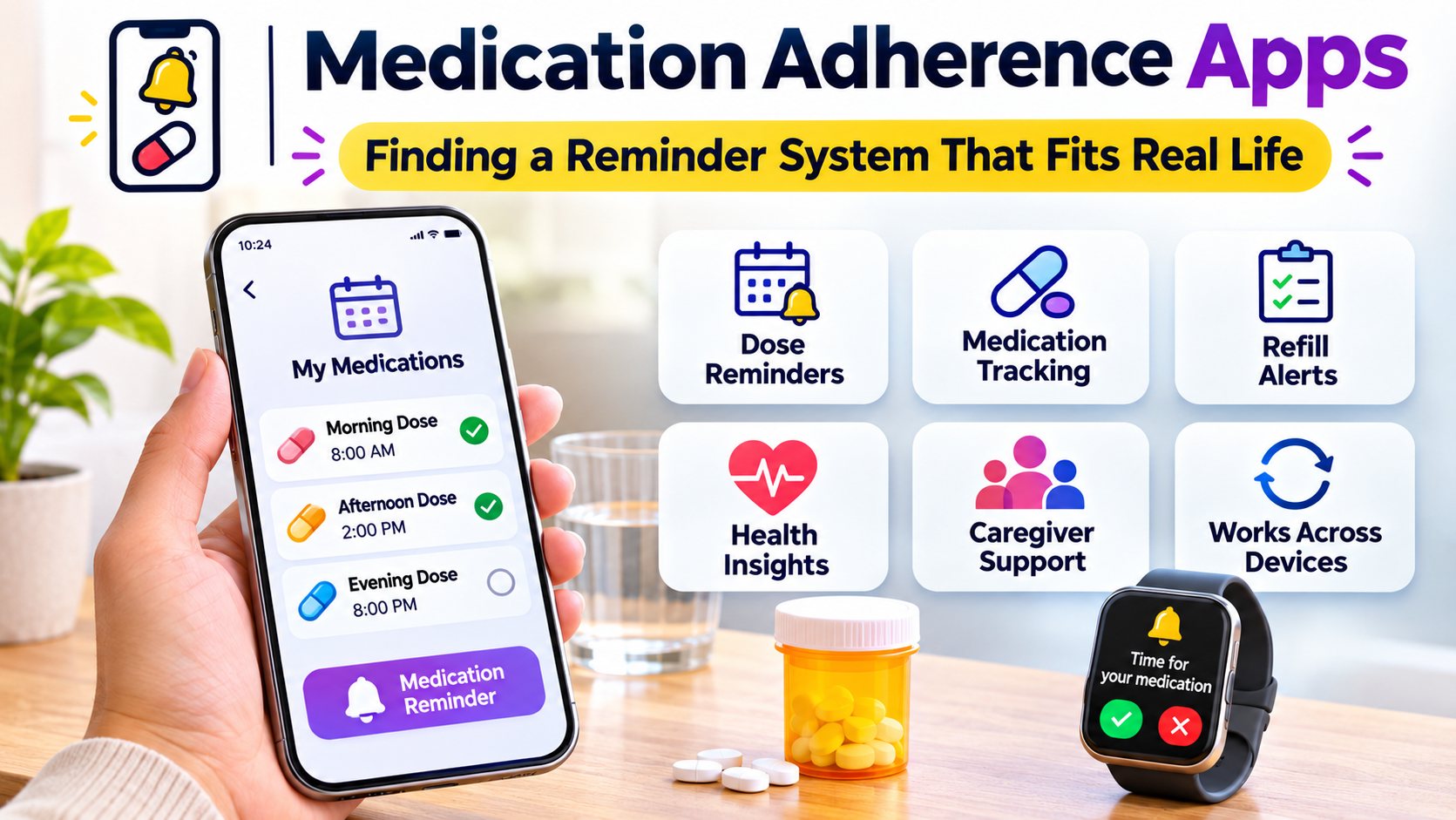
Some provide additional functions such as:
- Scheduled medication notifications.
- Dose confirmation and history.
- Refill reminders.
- Medication lists.
- Caregiver or family coordination.
- Symptom and health tracking.
- Reports that users can discuss with healthcare professionals.
- Multiple medication profiles.
- Calendar views and progress summaries.
The available features differ significantly.
Some applications focus almost entirely on reminders.
Others combine medication tracking with broader health journals or care coordination.
A few connect with pharmacies, healthcare organizations, or specialized medication devices.
These categories should not be treated as interchangeable.
Why People Miss Medication Doses
Forgetting is one reason people may miss medication, but it is not the only one.
Other barriers can include complicated schedules, unwanted effects, cost, difficulty obtaining refills, unclear instructions, or concerns about treatment.
An app may help with certain problems while having little effect on others.
For example, reminders can support someone who regularly forgets a scheduled dose.
They cannot solve a medication affordability problem.
Likewise, an application cannot determine whether a prescribed treatment remains appropriate for a person’s condition.
Understanding the barrier is more useful than assuming that every missed dose requires a stronger notification.
The Difference Between Reminders and Adherence
Medication adherence refers to how closely a person’s medication use follows an agreed treatment plan.
A reminder app may record whether a user confirms a dose.
However, pressing a button does not prove that the medication was actually taken.
A person may confirm a dose accidentally, forget to record it, or enter information later.
This distinction matters when interpreting adherence reports.
App-generated records can be useful for discussing medication routines with healthcare professionals, but they should not automatically be treated as verified administration records.
Reminder Reliability
Notifications depend on the device, operating system, application settings, and user permissions.
Battery-saving features, notification restrictions, and device changes can affect how reminders appear.
Users should test notifications before relying on an application for an important routine.
For time-critical medication, a backup method may be appropriate.
Features That Make a Medication App Useful
Flexible Scheduling
Medication schedules vary widely.
Some medicines are taken once daily. Others have multiple daily doses, specific intervals, or schedules that change over time.
An app should represent the prescribed schedule accurately.
Users should not force a complicated regimen into a simplified reminder pattern that changes the intended instructions.
If a schedule is unclear, a pharmacist or prescriber should clarify it.
Dose Confirmation
Dose confirmation helps users maintain a record of what they report taking.
A useful interface should distinguish between a completed dose, a missed dose, and a reminder that has not yet been addressed.
It should also avoid confusing a postponed notification with a clinically approved change in dose timing.
Refill Alerts
Running out of medication can interrupt treatment.
Some apps estimate when supplies may be low based on the information entered.
These estimates are only as reliable as the recorded quantities and usage.
Users should verify remaining supplies and allow enough time for refills, especially when prescriptions require authorization.
Medication History
A medication history can help users review their routine.
It may also provide useful context during healthcare appointments.
However, the history should clearly distinguish self-reported information from confirmed pharmacy or clinical records.
Accessibility
Accessibility can determine whether an app is genuinely useful.
Important considerations include readable text, clear controls, understandable notifications, and compatibility with assistive technologies.
An application with numerous features may be less suitable than a simpler one if the interface is difficult to use.
Medication Adherence Apps Worth Exploring
Several applications approach medication reminders in different ways.
Their suitability depends on individual needs, device compatibility, and available features.
Medisafe
Medisafe is a medication management application centered on reminders and medication routines.
It is relevant to people who want a dedicated tool for organizing prescribed medicines and recording doses.
Depending on the available version and service arrangement, users may find additional medication management or support features.
Before adopting it, verify the current feature set, subscription conditions, privacy practices, and device compatibility.
A user should also test how notifications behave when the phone is locked or operating in a battery-saving mode.
MyTherapy
MyTherapy combines medication reminders with health-related tracking features.
Its application includes medication scheduling, dose records, and options for monitoring selected health activities or measurements.
This approach may appeal to users who want to record more than medication intake.
For example, someone may want to keep a medication log alongside information they plan to discuss with a healthcare professional.
However, additional tracking should have a clear purpose.
Recording more information is not automatically beneficial if the data becomes difficult to interpret or maintain.
Apple Health Medications
Apple Health includes medication management features on supported Apple devices and software versions.
This can be convenient for users who prefer to keep medication reminders within an existing health application.
The main consideration is whether the supported scheduling and logging functions match the user’s routine.
Device compatibility and notification settings should be checked before depending on it.
Simpler Reminder Alternatives
Not everyone needs a dedicated medication application.
A phone alarm, calendar reminder, or other simple system may be sufficient for a straightforward medication schedule.
The advantage is familiarity.
The limitation is that general reminder tools may not provide structured medication histories, refill tracking, or caregiver features.
A simple approach can still be preferable when it is easier to use consistently.
Comparing Medication Reminder Approaches
| Approach | Main advantage | Important limitation |
|---|---|---|
| Dedicated medication app | Medication-specific schedules and records | Requires accurate setup and ongoing maintenance |
| Medication app with health tracking | Combines medication logs with other self-reported information | Can introduce unnecessary complexity |
| Built-in health application | Convenient within an existing device ecosystem | Features depend on device and software support |
| General phone alarms | Simple and familiar | Limited medication-specific documentation |
| Connected medication device | May provide additional device-based records | Requires compatible hardware and may add costs |
No approach is universally superior.
The correct choice depends on the medication schedule, user preferences, accessibility needs, and consequences of missed doses.
Setting Up an App Safely
The setup process deserves careful attention.
A reminder is only useful when it reflects the correct instructions.
Start With an Accurate Medication List
Users should gather their current medication information from reliable sources.
This may include prescription labels, an up-to-date medication list, or instructions confirmed by a healthcare professional.
The list should identify the medicine, prescribed dose, and relevant timing instructions.
People should not guess when information is unclear.
Enter the Schedule Carefully
The app should reflect the prescribed regimen.
Special instructions involving food, timing, or other medicines may need separate attention.
An application may not support every clinical instruction.
If the software cannot accurately represent the schedule, it should not be treated as the authoritative source.
Test Notifications
After setup, users should verify that reminders appear as expected.
They should also check sound, vibration, notification permissions, and other device settings.
A reminder that is technically scheduled but never noticed provides little practical value.
Establish a Backup
A backup can be useful if a phone is lost, its battery fails, or the application becomes unavailable.
The appropriate backup depends on the medication and the person’s circumstances.
For complicated or high-risk regimens, a pharmacist or clinician can help determine a suitable approach.
What to Do When a Dose Is Missed
A medication app may indicate that a scheduled dose was missed.
That information does not establish what the person should do next.
Instructions for missed doses vary by medicine, dose, timing, and clinical circumstances.
Users should follow the specific guidance provided by their prescriber, pharmacist, or approved medication information.
They should not automatically double a dose or change their schedule based on a generic application notification.
An app that offers broad advice without accounting for the medication and clinical context should be treated cautiously.
Caregiver and Family Features
Medication management sometimes involves family members or caregivers.
A caregiver may help organize reminders, monitor reported doses, or coordinate refills.
Some applications provide multiple profiles or sharing features.
However, sharing medication information introduces privacy and responsibility questions.
Who Is Responsible for Confirming a Dose?
A caregiver receiving a notification should understand whether the system reports a reminder, a self-confirmed dose, or an independently verified administration.
These are different events.
A shared app should not create the impression that someone has taken medication merely because another person received a notification.
Respecting Privacy and Independence
Medication information can reveal sensitive details about a person’s health.
Sharing should be appropriate, authorized, and limited to what is needed.
The application should support the person’s preferences and relevant decision-making arrangements.
Privacy and Data Security
Medication apps may store medicine names, schedules, health measurements, and personal details.
This information deserves careful protection.
Before choosing an app, users should examine its privacy policy and permissions.
Important questions include:
- What information does the app collect?
- Is an account required?
- Does the app share information with third parties?
- Can users export or delete their records?
- What happens when a subscription ends?
- Can other people access the information?
- How does the app protect stored and transmitted data?
Users should also understand that consumer health applications may be subject to different privacy rules from hospitals or healthcare providers.
Legal protections vary by jurisdiction and service.
A health-related app should not automatically be assumed to have the same obligations as a regulated clinical record system.
Avoiding Reminder Fatigue
Frequent notifications can become easy to ignore.
This is especially true when an app sends reminders for medication, water intake, exercise, meals, and unrelated wellness activities.
Users should distinguish essential medication reminders from optional tracking prompts.
A focused notification system may be easier to maintain.
Build Around an Existing Routine
For some people, medication reminders are more useful when associated with established daily activities.
However, any connection to meals or other routines must remain consistent with the medicine’s instructions.
A reminder system should reinforce the prescribed regimen, not modify it for convenience.
How to Evaluate an App Before Relying on It
A short trial can reveal important usability problems.
Begin by entering a medication schedule using accurate instructions.
Check whether the app represents every required dose correctly.
Then test the reminder experience across ordinary situations.
Consider what happens when the device is restarted, notifications are restricted, or the user changes time zones.
Time-zone handling can be particularly important for travelers.
Some medicines require specific timing considerations that should be discussed with a healthcare professional before travel.
Next, examine the dose history.
Can the user distinguish between completed, missed, and unconfirmed entries?
Finally, review the export and privacy options.
The goal is to establish whether the application can support the routine reliably without becoming a burden.
Understanding Costs and Subscription Features
Some medication apps provide basic reminders without charge and reserve additional features for paid plans.
Commercial arrangements can change.
Users should verify current subscription terms and whether essential features remain available without payment.
A paid application is not automatically more reliable or clinically appropriate.
Similarly, a free application is not necessarily inadequate.
The decision should depend on useful functionality, accessibility, privacy, and consistent operation.
When an App Is Not Enough
A reminder application cannot address every medication management problem.
People experiencing unwanted effects, confusing instructions, affordability difficulties, or repeated problems obtaining refills may need professional assistance.
A pharmacist or prescriber can help clarify instructions and identify appropriate next steps.
People should not stop, restart, or alter prescribed medication solely because an application suggests a change or shows an unusual pattern.
For some individuals, additional support may involve caregiver assistance, pharmacy services, packaging solutions, or other arrangements.
These approaches should be considered according to the person’s circumstances.
Frequently Asked Questions
Do medication adherence apps improve medication use?
They can help some people remember doses and organize medication routines. Their effectiveness depends on the individual, the reasons for missed doses, and how consistently the application is used.
Can a medication app tell whether a dose was actually taken?
Most ordinary reminder apps rely on user-entered confirmations. These records do not independently prove that medication was swallowed or administered.
Are medication reminder apps safe for older adults?
They may be useful when the interface is accessible and the schedule is set up correctly. Some people may benefit from caregiver support or a simpler reminder method.
Can medication apps replace advice from a pharmacist?
No. They can organize reminders and records, but they should not replace professional advice about medication use, missed doses, interactions, or treatment changes.
Are free medication reminder apps sufficient?
For a straightforward schedule, a free app or simple phone reminder may be adequate. More complex needs may require additional features or support.
Should users share medication records with family members?
Sharing can be helpful when appropriate and authorized. Users should understand what information is shared and how access is controlled.
Final Thoughts
Medication adherence apps can make medication routines easier to organize, particularly when several doses or prescriptions are involved.
Their value comes from reliable reminders, accurate schedules, understandable records, and an interface that people can use consistently.
The most suitable application is not necessarily the most complicated one.
A simple, dependable system that reflects professional instructions may be more useful than an elaborate health dashboard.
Users should select tools that support their existing care plans, protect personal information, and make it easier to discuss medication questions with qualified healthcare professionals.