Introduction
A researcher requests correspondence written by a prominent scientist. The archive holds several boxes of relevant material, but the letters are distributed across different folders. Some have detailed descriptions. Others appear only in a handwritten inventory.
The archivist knows that finding the right document requires more than searching for the scientist’s name.
The correspondence belongs to a larger body of records. Its arrangement, creator, original purpose, and relationship to other materials all influence how it should be understood.
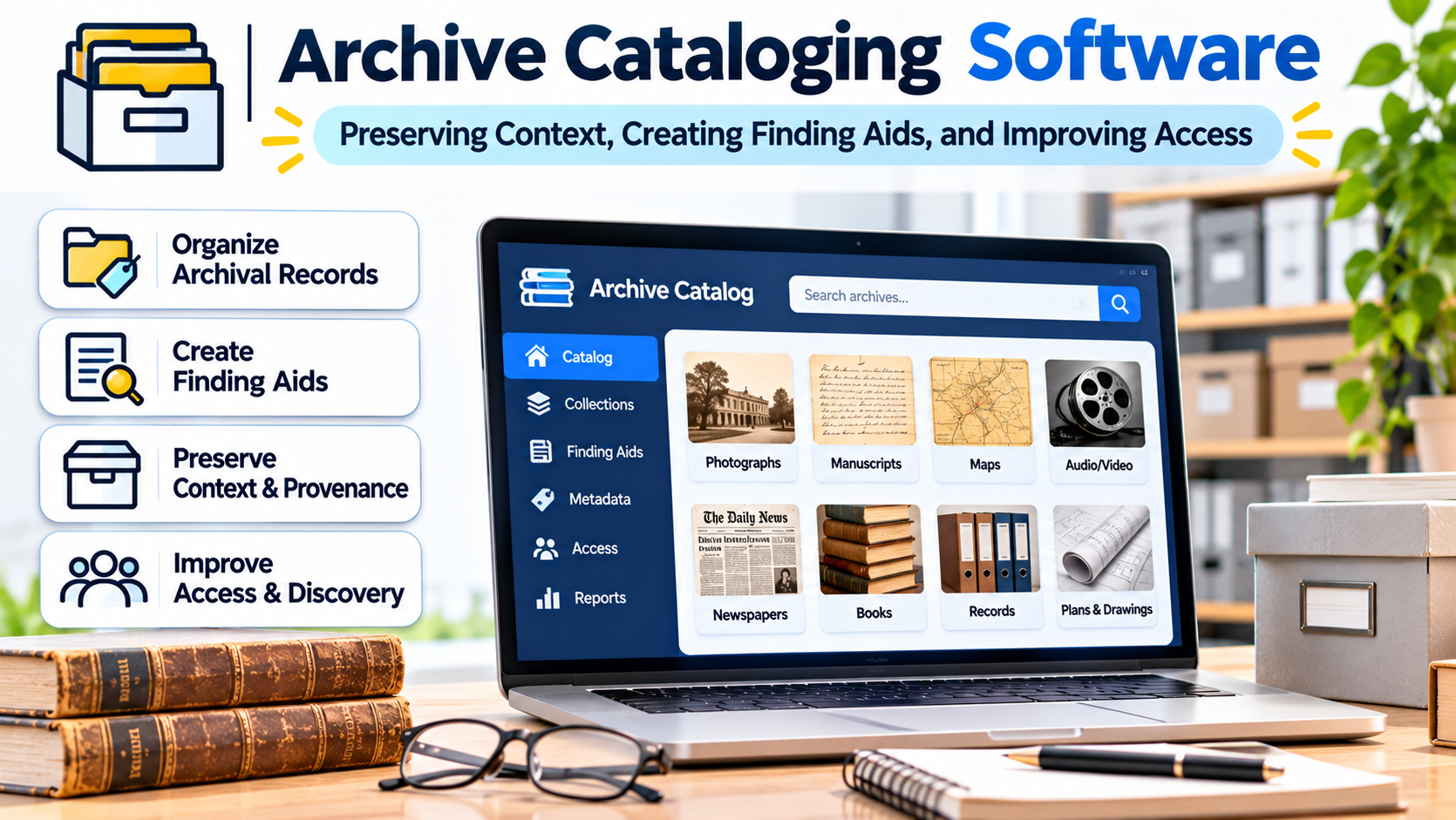
Archive cataloging software helps institutions document these relationships and make archival collections discoverable.
Unlike ordinary inventory systems, archival platforms must preserve context. They need to explain not only what a record contains but also where it came from, how it relates to other records, and whether access is restricted.
The strongest archival systems support professional description while making research easier and protecting the integrity of historical evidence.
What Is Archive Cataloging Software?
Archive cataloging software is designed to describe, organize, and provide access to archival collections.
It is used by universities, government archives, historical societies, corporate archives, cultural institutions, and specialist repositories.
Typical functions include accession records, collection descriptions, hierarchical arrangement, authority records, location management, and finding aid publication.
Some systems also support digital object descriptions, rights information, processing workflows, and researcher services.
Archive cataloging software is related to library management and museum collection management, but it serves a different descriptive model.
Libraries frequently catalog published items as individual resources.
Museums often document discrete objects and their histories.
Archives typically manage groups of records created or accumulated through the activities of people, families, or organizations.
The relationships between those records are central to archival description.
Why Archival Context Matters
Imagine an archive receives the records of a manufacturing company.
The collection includes board minutes, employee correspondence, financial records, photographs, and product designs.
Cataloging every document independently might make individual items searchable.
However, it could also obscure how the records were created and used.
A board minute may have greater significance when researchers understand its relationship to the company’s decision-making process.
An employee letter may belong to a series documenting a particular department.
Archival description therefore emphasizes provenance and original context.
Provenance
Provenance concerns the origin and custody of records.
Archivists need to identify who created or accumulated the material and document relevant custodial history.
This information helps researchers assess authenticity, purpose, and historical significance.
A cataloging system should preserve creator relationships even when collections contain records from multiple people or organizations.
Original order
Original order refers to the arrangement in which records were maintained by their creator, where that arrangement is meaningful and can reasonably be preserved.
It can provide evidence about how an organization or individual worked.
Archives do not always receive records in a complete or orderly condition.
Software should allow archivists to document arrangement decisions without presenting reconstructed structures as unquestionable historical facts.
Hierarchical Description Is a Core Requirement
Archival collections often have multiple descriptive levels.
A collection may contain series, subseries, files, and individual items.
For example:
- Collection: Records of a university department.
- Series: Administrative correspondence.
- Subseries: Faculty appointments.
- File: Appointment correspondence for a particular academic term.
- Item: A specific appointment letter.
The cataloging system should preserve these relationships.
It should also support descriptions at the level appropriate to the material.
Not every document requires an individual item record.
In many archives, collection-level or file-level description provides sufficient access.
Avoid unnecessary item-level cataloging
Detailed cataloging consumes staff time.
An archive with extensive unprocessed collections may serve researchers better by creating useful collection-level descriptions first.
The software should support this approach rather than forcing every item into an individual record.
This is particularly important when institutions need to reduce processing backlogs.
Finding Aids: The Researcher’s Route Into a Collection
A finding aid is a descriptive tool that helps researchers understand and navigate archival materials.
It may include the collection’s title, creator, dates, extent, scope, arrangement, access conditions, and container list.
A strong archival platform can help staff create and publish finding aids from structured data.
The public interface should make the hierarchy understandable.
Researchers need to see whether a search result represents an entire collection, a folder, or an individual document.
Why a search result needs context
Suppose a researcher searches for a family name and finds a folder description.
Without the surrounding collection information, the result may be difficult to interpret.
The interface should make it easy to navigate upward to the parent series and collection.
It should also show access restrictions and instructions for requesting material.
Discoverability requires more than keyword matching.
Archive Cataloging Software Options
Several established platforms illustrate different approaches to archival description and management.
ArchivesSpace
ArchivesSpace is an open-source archives information management application.
It supports functions including accessioning, archival description, arrangement, authority records, and access to archival materials.
The platform is relevant to university archives, special collections, and other repositories that need connected administrative and descriptive workflows.
Its ecosystem also includes a community of institutions and developers.
Organizations evaluating ArchivesSpace should test their finding aid structures, accession procedures, container management, and reporting requirements.
They should also assess hosting, technical support, integrations, and customization responsibilities.
AtoM
AtoM, short for Access to Memory, is an open-source, web-based archival description application.
It emphasizes standards-based description and public access.
The platform supports multilingual and multi-repository environments, making it relevant to institutions seeking shared archival discovery.
AtoM can be particularly interesting when an archive wants to publish structured descriptions using established archival standards.
Buyers should evaluate its administrative workflows, hosting requirements, import and export formats, and suitability for the institution’s processing model.
Access to Memory and ArchivesSpace: Different Emphases
Both platforms support archival description, but institutions should not assume that their workflows are identical.
ArchivesSpace provides a broad environment for archival administration and description.
AtoM places particular emphasis on standards-based archival descriptions and public access.
The practical choice depends on the archive’s internal processes, publication requirements, technical resources, and integration needs.
A detailed pilot is more useful than declaring one platform universally superior.
Commercial and specialist alternatives
Some organizations use commercial collection management products with archival modules or specialized archival management services.
These may be appropriate where an institution manages both museum objects and archival collections.
However, the software must support archival hierarchy, provenance, and finding aid requirements.
A generic collection database is not automatically an adequate archival cataloging platform.
Comparing Archival Software Approaches
| Approach | Potential advantage | Main consideration |
|---|---|---|
| Dedicated archival information system | Strong archival description and administration workflows | Configuration and training requirements |
| Public-access-focused archival platform | Structured online finding aids | Internal processing functionality must be evaluated |
| Shared multi-repository system | Coordinated discovery across institutions | Governance and descriptive consistency |
| Museum CMS with archival functions | Connected heritage collections | Depth of archival hierarchy support |
| Custom database | Tailored local workflows | Maintenance and standards interoperability |
The institution’s descriptive practices should determine the choice.
Archival Standards and Interoperability
Archival software should support the standards relevant to the institution’s work.
These may include ISAD(G), DACS, Encoded Archival Description, and Encoded Archival Context.
Each addresses a different part of the archival description environment.
ISAD(G) provides principles for describing archival materials.
DACS is a descriptive content standard used in relevant archival communities.
Encoded Archival Description, commonly called EAD, provides a structured format for representing archival finding aids.
Encoded Archival Context, including EAC-CPF, supports structured information about corporate bodies, people, and families.
Standards support consistency and exchange, but they do not automatically guarantee accurate descriptions.
Test imports and exports
An archive may need to move finding aids between systems or publish them through another service.
The software should support the required data formats.
However, successful export is not simply a matter of producing a valid file.
The archive must confirm that hierarchical relationships, identifiers, notes, and access conditions remain intact.
A standards-compliant export can still lose locally important information if fields are mapped poorly.
Authority Records and Connected Historical Knowledge
Authority records provide structured information about people, families, organizations, and sometimes other entities.
They help connect records that refer to the same creator under different names.
For example, a government department may have changed its name several times.
An authority record can help explain those relationships.
It may also connect the department to archival collections created during different periods.
This improves discovery and historical interpretation.
Why authority management needs governance
Archivists may encounter uncertain identities or conflicting historical evidence.
The system should allow authorized corrections and appropriate documentation.
Institutions also need consistent practices for creating and maintaining authority records.
Without governance, duplicate identities can undermine the benefits of structured description.
Managing Physical Containers and Storage
Archival materials frequently occupy boxes, folders, shelves, and storage locations.
The cataloging platform should connect descriptive records to the physical units that staff retrieve.
A researcher may request a particular folder from a collection.
The archivist needs to identify the correct box and storage location.
The system should also accommodate changes caused by rehousing, conservation, or storage reorganization.
Physical container management should not require rewriting the intellectual arrangement of a collection.
These are related but different structures.
Access Restrictions and Sensitive Records
Not every archival record is immediately available to every researcher.
Collections may contain personal information, confidential business records, legally restricted material, or information subject to donor agreements.
The system should document access conditions clearly.
It should also distinguish restrictions affecting an entire collection from those applying only to particular files.
A practical restriction example
A collection may contain publicly accessible correspondence and a restricted series of personnel files.
The archive should be able to publish the collection description while withholding sensitive details where necessary.
Staff must understand which records can be produced for researchers.
The software should support those decisions through permissions and descriptive controls.
However, the institution remains responsible for interpreting applicable laws and agreements.
Digital Archives Require Additional Infrastructure
Archives increasingly manage born-digital records such as email, documents, photographs, and databases.
Archive cataloging software can describe these materials, but description is not the same as digital preservation.
Long-term preservation may require integrity checking, format management, storage redundancy, and preservation event records.
Some institutions connect their archival catalog to a dedicated digital preservation system.
The relationship should be clear.
The catalog explains what the material is and how it can be discovered.
The preservation environment helps maintain the digital files over time.
Avoid treating cloud storage as a preservation strategy
A file stored in the cloud is not automatically preserved.
Institutions need to consider file integrity, backups, format sustainability, access controls, and recovery procedures.
They should also maintain links between descriptive records and the correct digital objects.
Public Discovery and Researcher Experience
The public catalog is often the main way researchers encounter an archive.
A good interface should support browsing by collection, creator, subject, and relevant descriptive levels.
Search results should provide enough context to prevent confusion.
The platform should also make access conditions understandable.
Researchers need to know whether material is digitized, available onsite, or subject to restrictions.
Test the discovery journey
Ask a researcher unfamiliar with the archive to find a particular collection.
Then ask them to identify the relevant box or digital item.
Observe whether the interface makes the hierarchy clear.
A system that works well for experienced archivists may still be difficult for public users.
Usability testing can reveal these problems before launch.
Migrating Legacy Finding Aids
Many archives maintain descriptions in word-processing files, spreadsheets, databases, or older cataloging systems.
Migration requires careful analysis.
A spreadsheet may contain collection titles and box numbers but omit relationships between series and files.
A word-processing finding aid may include rich narrative description that is difficult to convert into structured fields.
The project team must determine how these materials will map to the new system.
Preserve relationships during migration
A successful migration should retain collection hierarchies, creator associations, access restrictions, and physical locations.
Institutions should test representative collections with complex structures.
They should also validate public finding aids after conversion.
A migration can be technically successful while producing descriptions that are difficult for researchers to navigate.
Evaluating Costs and Institutional Capacity
Open-source archival software can offer flexibility, but it still requires resources.
Hosting, implementation, data migration, training, security, upgrades, and support all carry costs.
Some institutions use external hosting or service providers.
Others maintain their own infrastructure.
The appropriate model depends on staff expertise, budget, and service expectations.
Institutions should also plan for future exports and system replacement.
Archival descriptions are long-lived institutional assets.
They should remain accessible beyond the lifespan of any particular software deployment.
A Practical Evaluation Exercise
Before selecting a platform, prepare three representative collections.
The first should have a simple collection-level description.
The second should contain several series and detailed folder lists.
The third should include restricted records, authority relationships, and digital objects.
Ask the implementation team to import or create these collections.
Then test public discovery, staff editing, container retrieval, and data export.
The results will reveal whether the software supports the archive’s actual work.
Making Archival Knowledge Easier to Find Without Losing Its Meaning
Archive cataloging software should preserve the relationships that make archival records meaningful.
The right platform supports hierarchical description, provenance, authority management, physical retrieval, and responsible public access.
It should also help institutions manage backlogs and maintain descriptions as knowledge changes.
A searchable database is useful, but archival access requires more than search.
Researchers need context. Archivists need trustworthy records. Institutions need sustainable systems.
The best archive cataloging software connects all three without sacrificing the integrity of the collections it describes.