Introduction
Businesses increasingly rely on software-as-a-service applications to manage email, documents, customer relationships, collaboration, and operational records. Microsoft 365, Google Workspace, Salesforce, and other cloud applications may contain information essential to daily business operations.
Although SaaS providers operate the underlying infrastructure, customers remain responsible for many aspects of data protection. Accidental deletion, malicious changes, compromised accounts, incorrect retention policies, and application-specific limitations can create serious recovery challenges.
Remote backup for SaaS tools helps organizations maintain recoverable copies of information stored in cloud applications. These solutions can provide scheduled backups, historical versions, granular restoration, administrative controls, and retention policies.
The need for independent backup is particularly important when businesses require recovery beyond the native retention capabilities of their SaaS providers. Backup solutions can also support continuity planning and regulatory requirements.
However, not every SaaS backup product protects the same information. Some specialize in Microsoft 365, while others cover Salesforce, Google Workspace, or multiple applications.
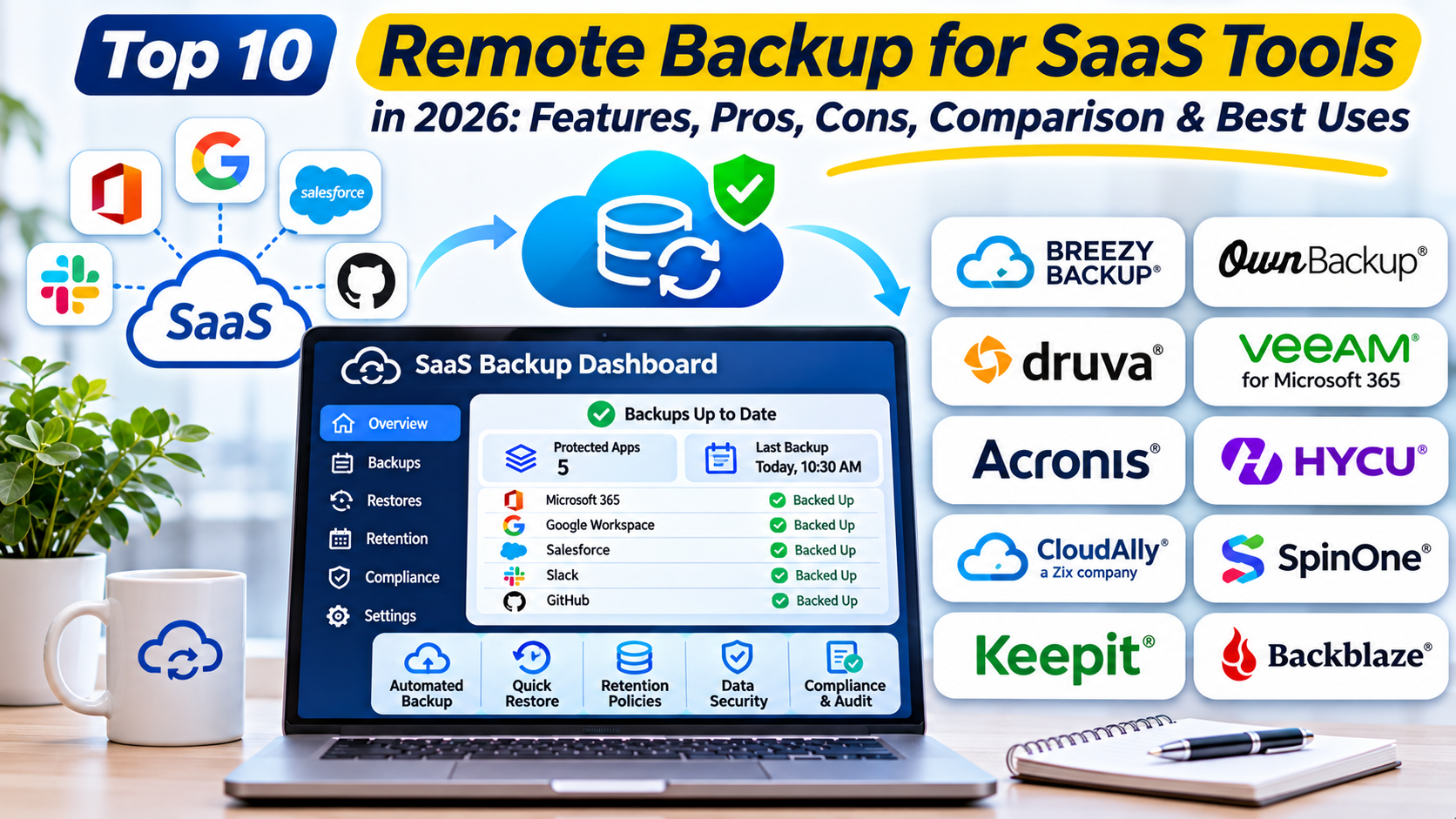
This guide compares ten SaaS backup solutions in 2026. It examines their capabilities, advantages, limitations, practical use cases, and suitability for different organizations.
What Are Remote Backup for SaaS Tools?
Remote backup for SaaS tools refers to software that creates and manages recoverable copies of data stored in cloud-hosted applications. These products typically use supported APIs, application integrations, or native backup infrastructure.
Unlike traditional endpoint backup, SaaS backup focuses on application data such as mailboxes, documents, collaboration records, customer information, and selected configuration objects.
Backup coverage varies significantly between platforms. For example, protecting a Microsoft 365 mailbox does not automatically mean that every Teams conversation, permission, or application setting is recoverable.
How SaaS Backup Works
Application Authorization: The backup service receives approved access to supported SaaS applications.
Data Discovery: It identifies protected users, workloads, and supported data objects.
Backup Scheduling: Policies determine when backup jobs run.
Data Capture: The platform copies supported information to its designated backup storage.
Version Retention: Historical recovery points are retained according to policy.
Security Controls: Encryption, administrative permissions, and storage protections help safeguard backups.
Recovery: Administrators restore supported items, users, or larger data sets.
Verification: Recovery tests confirm that protected information can be retrieved and used.
Why SaaS Backup Matters
SaaS applications may provide recycle bins, version history, and retention features, but these mechanisms are not always equivalent to independent backup. They can have different limits, dependencies, and recovery scopes.
An independent backup system can provide additional recovery options following deletion, corruption, malicious activity, or administrative mistakes. It can also help organizations preserve records according to approved business requirements.
Top 10 Remote Backup for SaaS Tools in 2026
1. Veeam Data Cloud for Microsoft 365
Short Description
Veeam Data Cloud for Microsoft 365 is a managed backup service designed to protect supported Microsoft 365 workloads. It covers important collaboration and productivity information, including Exchange, SharePoint, OneDrive, and Teams data within the product’s supported scope.
The platform is relevant to organizations that want a managed backup experience rather than operating all backup infrastructure themselves. Administrators can configure protection policies and perform recoveries through a centralized interface.
Veeam also offers self-managed Microsoft 365 backup software for organizations with different operational requirements. Buyers should distinguish between the managed service and self-managed offerings when comparing deployment options.
Its granular recovery capabilities are useful when employees accidentally delete messages or documents. Larger restoration workflows can support recovery after more extensive incidents.
However, backup frequency, storage options, workload coverage, and advanced protection features depend on the selected offering and plan.
Key Features
- Microsoft 365 Protection: Backs up supported Exchange, SharePoint, OneDrive, and Teams information.
- Granular Recovery: Restores selected items without requiring complete workload restoration.
- Managed Infrastructure: Reduces operational responsibility for backup service maintenance.
- Retention Policies: Preserves recovery points according to configured requirements.
- Security Controls: Supports encryption and administrative access restrictions.
- Recovery Search: Helps administrators locate protected information.
- Bulk Recovery: Supports larger restoration scenarios within product capabilities.
- Administrative Reporting: Provides visibility into backup operations.
Benefits
Veeam can reduce the complexity of protecting Microsoft 365 information. Its recovery tools help administrators respond to both routine deletion incidents and larger disruptions.
The managed service approach is useful for organizations that prefer to focus on recovery policies rather than backup infrastructure administration.
Pros
- Strong Microsoft 365 focus.
- Granular restoration.
- Managed service option.
- Centralized administration.
- Enterprise-oriented recovery capabilities.
- Configurable retention.
Cons
- Microsoft 365-centered offering.
- Pricing depends on protected users and plans.
- Workload coverage requires verification.
- Recovery performance varies by scenario.
- Not a universal backup solution for every SaaS application.
Use Cases
Deleted Email Recovery: Restore messages removed from employee mailboxes.
Document Recovery: Recover previous versions of business files.
Ransomware Response: Restore supported content after malicious changes.
Employee Departure: Preserve recoverable information according to retention policies.
Best For
Organizations that rely heavily on Microsoft 365 and require managed, granular backup and recovery.
2. AvePoint Cloud Backup
Short Description
AvePoint Cloud Backup provides cloud-oriented backup and recovery capabilities for supported SaaS and cloud environments. Its Microsoft 365 protection is particularly relevant to organizations managing large collaboration environments.
The platform focuses on automated protection and administrative recovery. It supports restoring selected content without requiring administrators to recover an entire environment.
AvePoint also offers governance and data management products that can complement backup workflows. Organizations should evaluate the backup product’s specific coverage rather than assuming every AvePoint capability is included.
Its centralized management approach can be useful for businesses with complex Microsoft 365 environments. Administrators can apply protection policies across supported workloads.
However, product editions, supported environments, and storage arrangements must be confirmed during procurement.
Key Features
- Automated backups for supported workloads.
- Granular item and workload restoration.
- Centralized administrative management.
- Configurable retention policies.
- Support for selected Microsoft 365 collaboration services.
- Recovery search and content selection.
- Security and access controls.
- Operational reporting.
Benefits
AvePoint can simplify recovery administration for collaboration-heavy organizations. Automated policies reduce dependence on manual backup processes.
Its broader Microsoft 365 ecosystem may also help organizations coordinate backup with information governance requirements.
Pros
- Broad Microsoft 365 protection.
- Automated backup workflows.
- Granular recovery.
- Centralized management.
- Enterprise-oriented capabilities.
Cons
- Licensing requires evaluation.
- Product coverage varies.
- Integration complexity may increase in large environments.
- Not every SaaS application is supported.
- Recovery scope differs by workload.
Use Cases
Recovering SharePoint documents, restoring deleted mailboxes, protecting collaboration data, and maintaining business continuity.
Best For
Enterprises and managed service providers with substantial Microsoft 365 backup requirements.
3. Druva
Short Description
Druva provides cloud-based data protection and cyber resilience capabilities across supported enterprise environments. Its SaaS protection offerings include selected cloud productivity and business applications.
The platform is designed around centralized management and cloud-delivered backup services. This can reduce the need for organizations to maintain dedicated backup infrastructure.
Druva is relevant to businesses that want to coordinate SaaS protection with endpoint, cloud workload, or other data resilience requirements. Its broader platform approach may simplify operational oversight.
The solution supports backup policies, recovery workflows, and security controls according to the protected workload. Organizations can use these capabilities to improve recovery readiness.
However, SaaS application coverage and recovery granularity must be evaluated individually. A single management platform does not imply identical protection across every application.
Key Features
- Cloud-delivered backup management.
- Protection for supported SaaS workloads.
- Policy-based backup scheduling.
- Granular recovery where supported.
- Centralized administration.
- Security and access controls.
- Retention management.
- Recovery reporting.
Benefits
Druva can consolidate protection operations across different environments. Its managed architecture may reduce infrastructure maintenance.
Organizations can use centralized policies to improve consistency across protected workloads.
Pros
- Cloud-native management.
- Broad data resilience approach.
- Centralized policies.
- Enterprise security controls.
- Reduced backup infrastructure overhead.
Cons
- SaaS coverage depends on product.
- Commercial licensing.
- Application-specific restore limitations.
- Requires careful policy design.
- Large deployments need operational planning.
Use Cases
Protecting supported collaboration applications, managing distributed backup policies, and supporting enterprise recovery programs.
Best For
Organizations seeking SaaS backup as part of a broader cloud data protection strategy.
4. Rubrik
Short Description
Rubrik provides enterprise data security and cyber resilience capabilities, including protection for selected SaaS environments. Its platform emphasizes recoverability, data security, and operational resilience.
Rubrik is relevant to organizations that view backup as part of ransomware recovery and broader cyber resilience planning. Supported SaaS protection can be coordinated with other protected workloads.
The platform offers administrative capabilities for managing backups, recovery, and security-related information. Its enterprise focus is useful where recovery operations must follow formal procedures.
Rubrik’s Microsoft 365 capabilities are particularly relevant to organizations requiring large-scale data protection. Specific workload and identity protection features depend on the purchased products.
However, organizations should not assume that every Rubrik product includes the same SaaS applications. Licensing and deployment scope require careful review.
Key Features
- Enterprise backup and recovery.
- Supported SaaS workload protection.
- Cyber resilience capabilities.
- Centralized administration.
- Recovery search and restoration.
- Security-focused backup controls.
- Policy management.
- Reporting and operational visibility.
Benefits
Rubrik can connect SaaS recovery with enterprise cyber resilience planning. This is useful when organizations need structured responses to data loss or destructive attacks.
Its centralized capabilities may help large teams maintain consistent protection policies.
Pros
- Enterprise resilience focus.
- Recovery management.
- Security-oriented capabilities.
- Centralized policies.
- Suitable for complex environments.
Cons
- Commercial pricing.
- Product scope varies.
- Enterprise deployment planning required.
- May be excessive for small organizations.
- SaaS-specific capabilities need validation.
Use Cases
Microsoft 365 protection, ransomware recovery planning, enterprise backup governance, and recovery readiness testing.
Best For
Large organizations integrating SaaS protection into an enterprise cyber resilience program.
5. Afi.ai
Short Description
Afi.ai is a cloud backup service focused on protecting supported SaaS application data. It is particularly relevant to Microsoft 365 and Google Workspace environments.
The platform provides automated backup and recovery capabilities through a managed service model. Administrators can configure protection and restore supported information when required.
Afi.ai is useful for organizations seeking granular recovery without operating traditional backup servers. Its cloud-oriented design can simplify deployment.
The service also provides administrative controls and visibility into protected data. These capabilities can help IT teams respond to deletion and recovery requests.
However, exact workload coverage and supported restoration methods should be tested before production adoption.
Key Features
- Microsoft 365 and Google Workspace protection.
- Automated backup policies.
- Granular recovery.
- Cloud-managed administration.
- Backup search.
- Retention configuration.
- Administrative access controls.
- Backup monitoring.
Benefits
Afi.ai can simplify SaaS backup for organizations using major productivity platforms. Its managed architecture reduces local infrastructure requirements.
Granular recovery can help minimize disruption from accidental deletion.
Pros
- SaaS-focused backup.
- Supports major productivity environments.
- Managed deployment.
- Granular restoration.
- Centralized administration.
Cons
- Application coverage is selective.
- Subscription costs.
- Restore functionality differs by workload.
- Requires appropriate SaaS permissions.
- Testing is necessary for complex recovery scenarios.
Use Cases
Recovering deleted documents, protecting mailboxes, restoring collaboration data, and supporting employee offboarding.
Best For
Small and midsize organizations requiring managed Microsoft 365 or Google Workspace backup.
6. Spanning Backup
Short Description
Spanning Backup provides cloud-to-cloud backup capabilities for supported business SaaS applications. Its offerings have historically focused on environments such as Microsoft 365, Google Workspace, and Salesforce.
The platform is designed to help organizations recover information after accidental deletion or other data loss events. Its application-specific backup workflows simplify routine protection.
Spanning is relevant to businesses that want an established SaaS backup approach without managing physical backup infrastructure. Administrators can configure policies and recover supported information.
Its functionality varies between applications because each SaaS platform exposes different data objects and APIs. Organizations should evaluate each workload independently.
Current product packaging, ownership, and licensing should be confirmed during procurement.
Key Features
- Cloud-to-cloud backup.
- Support for selected business SaaS applications.
- Automated protection.
- Granular recovery.
- Administrative management.
- Data retention.
- Recovery search.
- Operational reporting.
Benefits
Spanning can provide additional recovery options beyond native SaaS retention mechanisms. Its application-oriented approach can simplify administration.
It is particularly useful for organizations protecting a defined set of SaaS applications.
Pros
- SaaS-focused architecture.
- Automated backups.
- Granular recovery.
- Managed service model.
- Suitable for common business applications.
Cons
- Limited application portfolio compared with universal backup expectations.
- Product-specific licensing.
- Coverage varies by application.
- API dependencies affect protection.
- Current commercial terms require verification.
Use Cases
Salesforce data recovery, productivity application backup, and protection against accidental deletion.
Best For
Organizations seeking application-specific SaaS backup for supported platforms.
7. Keepit
Short Description
Keepit is a cloud data protection platform focused on backup and recovery for supported SaaS applications. It is relevant to organizations seeking independent protection for important cloud business data.
The platform provides managed backup services and administrative recovery workflows. Its architecture is intended to reduce dependence on the production SaaS environment for recovery.
Keepit supports multiple enterprise SaaS ecosystems, with exact coverage determined by its current product portfolio. Organizations can evaluate the platform for productivity, identity, and business application protection.
Its approach is useful when organizations want to separate backup administration from the systems being protected. This can support resilience planning.
However, customers must verify which objects, metadata, and permissions can be restored for each SaaS application.
Key Features
- SaaS application backup.
- Independent recovery infrastructure.
- Automated protection policies.
- Granular restoration.
- Retention management.
- Centralized administration.
- Security controls.
- Application-specific recovery workflows.
Benefits
Keepit can improve SaaS recoverability while reducing infrastructure maintenance. Its independent backup approach may support resilience against production-environment incidents.
Organizations can use it to establish consistent recovery procedures for supported applications.
Pros
- SaaS-focused data protection.
- Managed backup service.
- Independent recovery approach.
- Enterprise-oriented administration.
- Multiple application ecosystems.
Cons
- Coverage differs by SaaS platform.
- Commercial licensing.
- Recovery capabilities require testing.
- Administrative integration is necessary.
- Not every application object may be supported.
Use Cases
Microsoft 365 recovery, enterprise SaaS protection, identity data resilience, and compliance-oriented retention.
Best For
Enterprises prioritizing independent SaaS data protection and managed recovery.
8. Rewind
Short Description
Rewind provides backup and recovery services for selected SaaS business applications. Its product portfolio has included platforms used in commerce, accounting, development, and other business workflows.
The service focuses on protecting application records and helping organizations recover from unwanted changes. This is especially important when SaaS applications contain operational data that is difficult to recreate.
Rewind is relevant to businesses that depend on specialized SaaS platforms rather than only productivity suites. Its integrations are designed around supported application data models.
The platform can help restore information after accidental edits, deletions, or other incidents. However, restoration capabilities depend on the APIs and data structures of each application.
Organizations should confirm the current integration catalog and available recovery features before selecting the service.
Key Features
- Backup for supported SaaS applications.
- Application-specific integrations.
- Automated protection.
- Historical data recovery.
- Administrative restoration.
- Backup monitoring.
- Cloud-based management.
- Business continuity support.
Benefits
Rewind can protect operational records that are not covered by conventional Microsoft 365 backup tools. Its application-specific approach is useful for businesses with specialized SaaS dependencies.
Recovery capabilities may reduce the effort required to reconstruct deleted or changed information.
Pros
- Focus on business SaaS applications.
- Application-specific recovery.
- Automated backup.
- Managed service.
- Useful for specialized workflows.
Cons
- Coverage depends on integrations.
- Restoration scope varies.
- Subscription costs.
- API limitations may restrict recovery.
- Requires application-specific testing.
Use Cases
Recovering e-commerce records, protecting business application data, and reversing unintended changes.
Best For
Businesses using supported specialized SaaS applications that require independent recovery.
9. OwnBackup by Own Company
Short Description
OwnBackup, part of Own Company’s data protection portfolio, is particularly associated with Salesforce data backup and recovery. It helps organizations protect business-critical records and selected metadata.
Salesforce environments often contain complex relationships between customers, transactions, activities, and custom objects. Recovering these records requires more than simply downloading a database export.
OwnBackup provides capabilities intended to support backup, comparison, and recovery within supported Salesforce environments. These workflows can help administrators investigate data changes and restore affected records.
The platform is relevant to organizations with significant Salesforce investments. Its specialized approach addresses application data structures and relationships.
However, customers should verify current product branding, supported Salesforce clouds, metadata coverage, and licensing before deployment.
Key Features
- Salesforce data backup.
- Supported metadata protection.
- Historical recovery points.
- Data comparison capabilities.
- Granular restoration.
- Administrative controls.
- Recovery workflows.
- Operational reporting.
Benefits
OwnBackup can help organizations protect complex Salesforce records. Application-specific recovery tools may reduce the risk of incomplete or inconsistent restoration.
Its specialized capabilities are useful for Salesforce administrators managing critical customer information.
Pros
- Salesforce specialization.
- Data and metadata protection.
- Granular recovery.
- Historical comparisons.
- Enterprise administration.
Cons
- Primarily relevant to supported application ecosystems.
- Commercial pricing.
- Recovery planning requires Salesforce expertise.
- Complex relationships require validation.
- Not a universal SaaS backup platform.
Use Cases
Salesforce record recovery, accidental bulk deletion, metadata protection, and CRM continuity planning.
Best For
Organizations that depend heavily on Salesforce and require specialized data recovery.
10. Datto SaaS Protection
Short Description
Datto SaaS Protection is a cloud-to-cloud backup offering associated with Kaseya’s data protection portfolio. It is particularly relevant to managed service providers protecting supported productivity SaaS environments.
The platform provides backup and recovery workflows for selected Microsoft 365 and Google Workspace data. Its service-provider orientation supports administration across customer environments.
Managed service providers often need consistent backup policies and clear recovery procedures for multiple clients. Datto’s approach is designed to support these operational requirements.
The platform can help providers recover deleted information and maintain customer data protection services. Its suitability depends on supported workloads and current product packaging.
Organizations should verify licensing, retention, and application coverage before deployment.
Key Features
- Cloud-to-cloud SaaS backup.
- Microsoft 365 protection.
- Google Workspace protection.
- Automated backup policies.
- Granular recovery.
- Multi-customer administration.
- Retention management.
- Backup reporting.
Benefits
Datto SaaS Protection can simplify backup administration for managed service providers. Its centralized workflows support repeatable customer protection processes.
It is also relevant to businesses working with IT service providers for backup management.
Pros
- MSP-oriented administration.
- Supports major productivity suites.
- Automated backup.
- Granular recovery.
- Centralized operational workflows.
Cons
- Application coverage is limited.
- Commercial licensing.
- Restore scope varies by workload.
- Current packaging requires verification.
- Not a complete backup solution for all business systems.
Use Cases
Managed Microsoft 365 backup, Google Workspace recovery, customer backup services, and business continuity support.
Best For
Managed service providers and SMB-focused IT teams protecting supported productivity applications.
Comparison Table: Top 10 Remote Backup for SaaS Tools
| Tool | Primary Focus | Best For | Deployment | Pricing Model |
|---|---|---|---|---|
| Veeam Data Cloud | Microsoft 365 | Microsoft-centric organizations | Managed cloud | Subscription |
| AvePoint Cloud Backup | Microsoft 365 and supported cloud workloads | Enterprises | Cloud service | Commercial |
| Druva | SaaS and broader data protection | Enterprise IT | Cloud-managed | Subscription |
| Rubrik | Cyber resilience and SaaS protection | Large enterprises | Cloud-managed platform | Commercial |
| Afi.ai | Microsoft 365 and Google Workspace | SMBs | SaaS | Subscription |
| Spanning Backup | Selected business SaaS applications | SaaS administrators | SaaS | Subscription |
| Keepit | Enterprise SaaS data protection | Regulated organizations | Cloud service | Commercial |
| Rewind | Specialized SaaS applications | Commerce and business teams | SaaS | Subscription |
| OwnBackup | Salesforce | CRM-heavy organizations | SaaS | Commercial |
| Datto SaaS Protection | Productivity SaaS | Managed service providers | SaaS | Commercial |
Which Remote Backup for SaaS Tool Is Right for You?
1. Start With Application Coverage
Identify every SaaS application containing critical business data. A product designed for Microsoft 365 may not protect Salesforce, Shopify, or specialized operational platforms.
Evaluate supported data objects rather than relying only on application logos.
2. Assess Recovery Granularity
Some solutions restore individual files or messages, while others support larger workload recovery. The appropriate choice depends on likely incidents.
Test whether metadata, permissions, relationships, and historical versions can be restored.
3. Evaluate Backup Frequency
Backup schedules determine how much recent information could be lost during an incident. Organizations should define recovery point objectives for each application.
High-change environments may require more frequent protection than archival workloads.
4. Review Retention and Compliance
Retention policies should reflect legal, operational, and contractual requirements. Longer retention can improve recovery flexibility but may increase costs.
Backup retention should not be confused with legal hold or records management.
5. Examine Backup Security
Backup administrators often have access to sensitive business information. Strong authentication, role separation, encryption, and audit logging are important.
Organizations should also evaluate immutability and protection against malicious deletion where available.
6. Test Recovery Performance
A successful backup job does not guarantee an acceptable recovery experience. Organizations should test representative recovery scenarios.
Recovery time objectives should be measured under realistic conditions.
7. Compare Total Costs
Consider protected users, storage, retention, additional workloads, and support. A low entry price may not reflect the cost of protecting every required application.
Best Remote Backup for SaaS Tools for Different Users
| User Type | Recommended Tools | Main Reason |
|---|---|---|
| Microsoft 365 Administrators | Veeam, AvePoint | Productivity workload recovery |
| Small Businesses | Afi.ai | Managed SaaS backup |
| Large Enterprises | Rubrik, Druva | Broader resilience management |
| Salesforce Administrators | OwnBackup | Application-specific recovery |
| Managed Service Providers | Datto, AvePoint | Repeatable customer protection |
| Specialized SaaS Businesses | Rewind | Application-oriented backup |
| Regulated Organizations | Keepit, Rubrik | Enterprise recovery controls |
Practical Example: Protecting Microsoft 365 and Salesforce
A midsize company uses Microsoft 365 for collaboration and Salesforce for customer management. It wants independent recovery capabilities for both environments.
Step 1: Inventory Critical Data
The IT team identifies mailboxes, SharePoint sites, OneDrive files, Salesforce records, and important configuration information. Business owners assign recovery priorities.
Step 2: Define Recovery Objectives
The organization establishes acceptable data loss and recovery times for each workload. These objectives guide backup frequency and service selection.
Step 3: Select Compatible Backup Platforms
The team evaluates Microsoft 365 backup products and specialized Salesforce recovery tools. It verifies exact data object coverage.
Step 4: Configure Security
Administrators use dedicated service permissions, strong authentication, and approved access policies. Backup management rights are restricted.
Step 5: Establish Backup Policies
Protection schedules and retention periods are configured. The team verifies that all intended users and workloads are included.
Step 6: Test Granular Recovery
Administrators restore a deleted document, a mailbox item, and a Salesforce record in a controlled environment. They verify content and relationships.
Step 7: Monitor Backup Operations
The organization reviews failures, excluded workloads, and storage usage. Operational alerts are assigned to responsible teams.
Step 8: Perform Periodic Recovery Exercises
Recovery tests are repeated after major application or policy changes. Findings are incorporated into business continuity procedures.
Frequently Asked Questions (FAQs)
1. What is SaaS backup?
SaaS backup creates recoverable copies of information stored in supported cloud applications. It provides additional recovery options beyond native application features.
2. Why is SaaS backup necessary?
Organizations may need protection against accidental deletion, malicious changes, or retention limitations. Independent backup can improve recovery flexibility.
3. Does Microsoft 365 automatically provide complete backup?
Microsoft 365 provides native retention and recovery features, and Microsoft also offers backup capabilities. Organizations should evaluate whether these meet their specific recovery requirements.
4. Is SaaS backup different from cloud infrastructure backup?
Yes. SaaS backup protects application-level information, while infrastructure backup commonly protects virtual machines, disks, or other computing resources.
5. Can SaaS backup protect Salesforce?
Yes. Specialized products can protect supported Salesforce records and metadata.
6. Can SaaS backup recover deleted emails?
Many Microsoft 365 and Google Workspace backup products support email recovery. Exact capabilities depend on the application and product.
7. What is granular recovery?
Granular recovery restores selected items rather than an entire environment. Examples include individual files, messages, and records.
8. What is a recovery point objective?
A recovery point objective defines the maximum acceptable amount of data loss measured in time.
9. What is a recovery time objective?
A recovery time objective defines the target duration for restoring a service or data after disruption.
10. Does SaaS backup prevent ransomware?
Backup does not prevent an initial attack. It can provide recovery options when protected data is deleted or modified.
11. Are SaaS backups encrypted?
Many platforms support encryption in transit and at rest. Organizations should verify implementation details and key management.
12. Can backup protect application settings?
Some products protect selected settings and metadata. Coverage varies significantly by application.
13. Can backup replace legal hold?
Not necessarily. Backup and legal hold serve different purposes and should be evaluated separately.
14. How often should SaaS data be backed up?
Frequency depends on business requirements and supported service capabilities. Critical, frequently changing data may require more frequent protection.
15. Can SaaS backup support compliance?
It can support retention and recovery requirements. Compliance also depends on governance, access controls, and documented processes.
16. Is cloud-to-cloud backup secure?
It can be secure when properly configured and operated. Organizations should review permissions, encryption, storage controls, and provider practices.
17. Can one backup product protect every SaaS application?
Usually not. Application coverage depends on integrations and supported APIs.
18. What happens when a SaaS API changes?
Backup vendors may need to update integrations. Organizations should monitor compatibility and protection failures.
19. Should backups be tested?
Yes. Regular restoration tests confirm whether protected data can be recovered correctly.
20. What is the future of SaaS backup?
SaaS backup will continue developing around broader application coverage, cyber resilience, identity protection, and recovery automation.
Conclusion
Remote Backup for SaaS Tools helps organizations protect important information stored in cloud applications. These solutions provide recovery options for accidental deletion, malicious changes, and other data loss scenarios.
Veeam, AvePoint, Druva, Rubrik, Afi.ai, Spanning, Keepit, Rewind, OwnBackup, and Datto address different SaaS protection requirements.
The best solution depends on application coverage, recovery granularity, security, retention, administration, and total cost.
Organizations should evaluate backup products through practical recovery testing rather than relying only on feature descriptions. Reliable SaaS protection requires documented policies, secure administration, and regular verification.