Introduction
Many organizations depend on applications developed years or decades ago. These systems may continue supporting critical business processes, but their architectures, dependencies, and deployment methods can make maintenance difficult.
Older applications may rely on unsupported frameworks, tightly coupled components, manual deployments, or infrastructure that is expensive to operate. Such limitations can slow software delivery and increase operational risk.
Application modernization tools help teams analyze existing software, identify technical constraints, update dependencies, transform code, and adopt modern deployment environments. They can support activities ranging from framework upgrades to containerization and architectural refactoring.
Modernization does not necessarily mean replacing an entire application. Organizations may achieve useful improvements by upgrading runtimes, separating selected components, improving deployment automation, or moving to supported platforms.
However, modernization projects can introduce compatibility problems and unexpected costs. Tools can assist with analysis and transformation, but engineering teams remain responsible for validating application behavior.
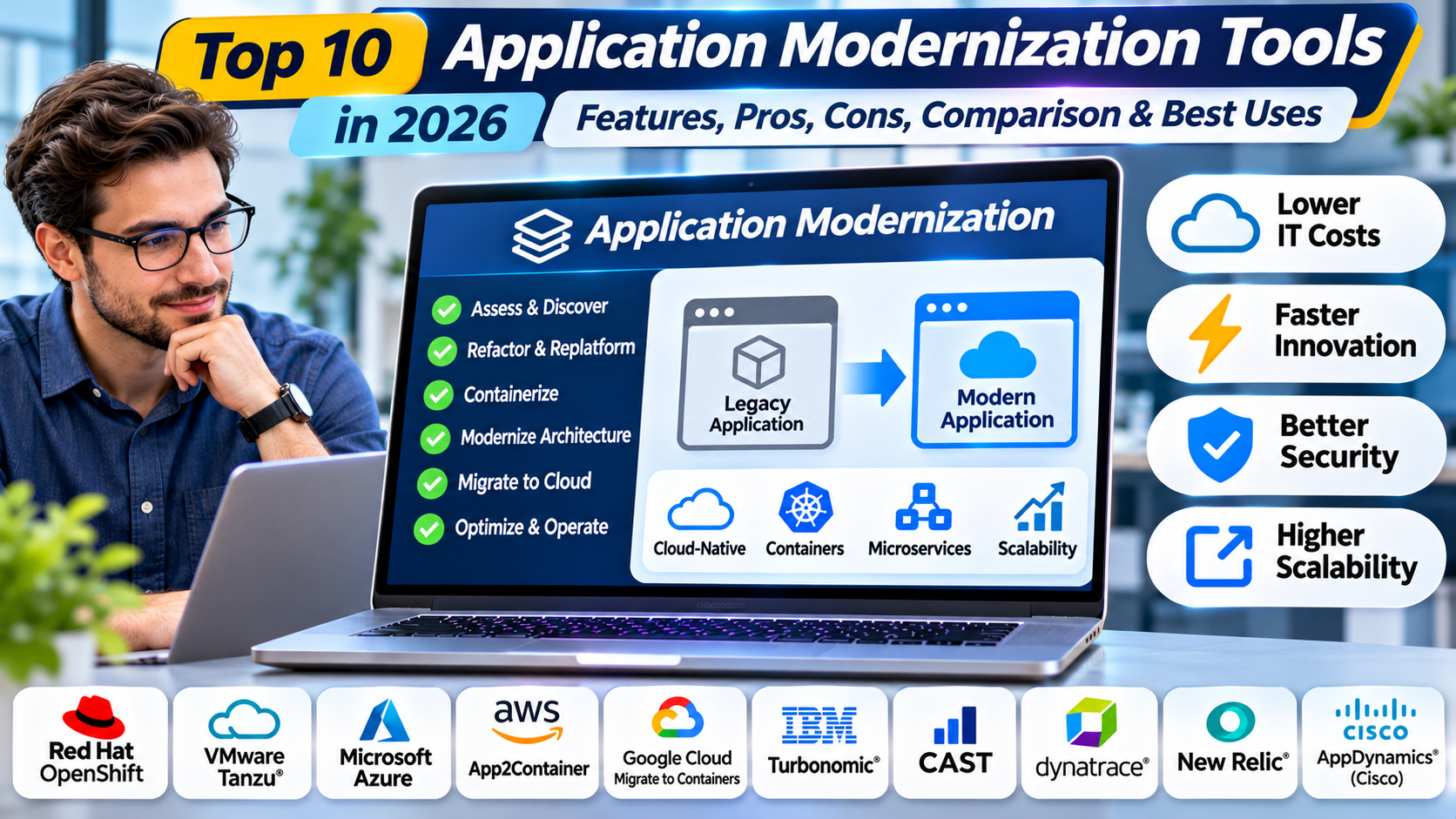
This guide compares ten application modernization tools in 2026, including their features, benefits, limitations, and practical use cases.
What Are Application Modernization Tools?
Application modernization tools are software products and frameworks that help organizations improve existing applications so they can operate effectively in contemporary technology environments.
They may analyze source code, identify dependencies, recommend changes, automate framework upgrades, or support migration to containers and managed platforms.
Some tools focus on specific programming languages, while others address entire application portfolios. Their effectiveness depends on access to source code, application architecture, and supported technologies.
How Application Modernization Tools Work
Application Discovery: Identify applications, runtimes, dependencies, and deployment environments.
Code Analysis: Examine source code and configuration for modernization issues.
Dependency Assessment: Identify outdated libraries, frameworks, and infrastructure relationships.
Modernization Planning: Select suitable approaches for each application.
Code Transformation: Apply supported automated or guided changes.
Platform Preparation: Configure modern runtimes, containers, or cloud environments.
Testing: Validate functionality, performance, and security.
Deployment: Release modernized applications through controlled processes.
Why Application Modernization Matters
Modernization can reduce dependence on unsupported technologies and improve software maintainability. It can also help organizations adopt automated testing, continuous delivery, and more flexible infrastructure.
However, the business case should be evaluated carefully. Modernization is most valuable when it addresses measurable operational, security, or delivery problems.
Top 10 Application Modernization Tools in 2026
1. Red Hat Migration Toolkit for Applications
Short Description
Red Hat Migration Toolkit for Applications is designed to analyze and support modernization of existing applications, particularly Java workloads. It helps teams identify technical issues and plan transformations toward supported modern environments.
The toolkit is relevant to organizations moving applications toward Red Hat OpenShift and related cloud-native platforms. It provides analysis capabilities that can identify migration effort and compatibility concerns.
Its rules-based approach helps developers locate application patterns requiring attention. This can include dependencies on older frameworks, application servers, and platform-specific technologies.
The toolkit also supports modernization planning across application portfolios. Architects can use its findings to prioritize work and coordinate engineering teams.
However, automated analysis does not guarantee that transformed applications will behave correctly. Developers must still implement and validate necessary changes.
Key Features
- Application Analysis: Examines supported source code and application artifacts.
- Migration Rules: Identifies technology-specific modernization issues.
- Effort Estimation: Helps estimate required engineering work.
- Portfolio Assessment: Supports analysis across multiple applications.
- Java Modernization: Focuses on supported enterprise Java scenarios.
- Containerization Guidance: Identifies relevant migration considerations.
- Developer Integration: Supports selected IDE and development workflows.
- Modernization Reporting: Produces actionable assessment findings.
Benefits
The toolkit helps organizations understand modernization complexity before committing to large changes. Its analysis reports can reduce manual investigation.
It is especially useful for teams managing numerous Java applications with different dependencies.
Pros
- Detailed Java modernization analysis.
- Rules-based assessments.
- Portfolio planning support.
- Red Hat ecosystem integration.
- Useful developer guidance.
- Supports modernization prioritization.
Cons
- Strongest fit for supported technology stacks.
- Does not fully automate application redesign.
- Findings require engineering review.
- Testing remains essential.
- Some capabilities depend on Red Hat subscriptions.
Use Cases
Java Application Migration: Identify outdated application server dependencies.
OpenShift Adoption: Assess applications for container-oriented deployment.
Portfolio Modernization: Prioritize applications by complexity.
Framework Upgrades: Identify source code patterns requiring changes.
Best For
Enterprise Java teams modernizing applications toward supported Red Hat and cloud-native environments.
2. IBM Application Modernization Accelerator
Short Description
IBM Application Modernization Accelerator provides capabilities for analyzing and modernizing enterprise applications. It is particularly relevant to organizations with substantial Java and IBM middleware investments.
The solution helps teams understand application dependencies and identify suitable modernization paths. It can support planning for runtime upgrades, container deployment, and related transformations.
Its assessment capabilities are useful when applications contain complex dependencies that are difficult to document manually. Engineering teams can use findings to estimate modernization work.
The platform also connects with IBM’s broader application modernization ecosystem. Related tools support specific runtime and architecture transformation scenarios.
However, organizations should evaluate which modernization capabilities are included in the selected offering. IBM’s modernization portfolio contains multiple related products with different functions.
Key Features
- Application portfolio analysis.
- Dependency assessment.
- Modernization recommendations.
- Enterprise Java support.
- Runtime migration guidance.
- Cloud and container planning.
- Technical effort assessment.
- IBM ecosystem integration.
Benefits
The platform can help enterprises organize modernization work across complex application portfolios. Its assessment capabilities support better prioritization.
It is particularly valuable when organizations need to modernize existing Java applications without losing essential business functionality.
Pros
- Enterprise application focus.
- Java modernization capabilities.
- Dependency analysis.
- Planning support.
- IBM middleware integration.
- Useful for complex portfolios.
Cons
- Product packaging requires review.
- Best fit may be IBM-oriented environments.
- Automated changes have limitations.
- Requires experienced engineering teams.
- Commercial licensing considerations.
Use Cases
WebSphere modernization, enterprise Java upgrades, application portfolio assessment, and container migration planning.
Best For
Large organizations modernizing enterprise Java and IBM application environments.
3. AWS Transform
Short Description
AWS Transform provides AWS-oriented transformation capabilities for selected migration and modernization scenarios. Its offerings address specific workloads and technologies rather than serving as a universal code modernization engine.
The platform is relevant to organizations modernizing infrastructure and applications as part of AWS adoption. Supported workflows can help reduce repetitive assessment and transformation activities.
AWS Transform capabilities vary by workload, and some focus on infrastructure migration rather than application source code changes. Organizations should select the appropriate capability for their modernization objective.
The platform can be useful when a modernization project combines rehosting, operating system changes, or other supported transformations. However, architectural redesign may still require substantial development work.
Teams should validate current service capabilities, supported source technologies, and availability before implementation.
Key Features
- Supported workload transformation workflows.
- AWS integration.
- Migration and modernization assistance.
- Assessment capabilities in selected scenarios.
- Automation for supported changes.
- Migration orchestration.
- Transformation reporting.
- Destination infrastructure integration.
Benefits
AWS Transform can simplify selected modernization activities within AWS environments. Its automation may reduce repetitive work during infrastructure transitions.
It is particularly useful when the organization’s target architecture is based on AWS services.
Pros
- AWS ecosystem integration.
- Workload-specific automation.
- Supports migration-related modernization.
- Useful for infrastructure transformation.
- Reduces selected manual activities.
Cons
- Not a universal modernization platform.
- Capabilities vary by workload.
- AWS-oriented.
- Requires technical validation.
- Application refactoring may remain manual.
Use Cases
AWS migration modernization, supported infrastructure transformations, and application transition planning.
Best For
Organizations modernizing supported workloads within AWS.
4. OpenRewrite
Short Description
OpenRewrite is an open-source automated code refactoring framework. It helps developers apply repeatable changes across supported source code and configuration files.
The framework is particularly relevant to Java modernization, including framework and dependency upgrades. It uses transformation recipes that define specific code changes.
OpenRewrite can reduce repetitive editing across large codebases. This is valuable when organizations need to update many repositories consistently.
Developers can use existing recipes or create custom transformations. The approach supports modernization tasks that would otherwise require extensive manual changes.
However, automated refactoring does not eliminate the need for tests and code review. Some transformations require application-specific decisions.
Key Features
- Automated source code transformations.
- Reusable modernization recipes.
- Java ecosystem support.
- Dependency upgrade assistance.
- Framework migration recipes.
- Build tool integration.
- Custom transformation development.
- Repeatable code changes.
Benefits
OpenRewrite helps teams apply consistent modernization changes across repositories. It can reduce repetitive development effort during upgrades.
Its recipe-based approach is particularly useful for large engineering organizations.
Pros
- Open source.
- Automated refactoring.
- Repeatable transformations.
- Useful for Java upgrades.
- Extensible recipes.
- Development workflow integration.
Cons
- Requires technical expertise.
- Language coverage varies.
- Custom recipes need maintenance.
- Not all changes can be automated.
- Comprehensive testing remains necessary.
Use Cases
Spring upgrades, Java dependency modernization, framework migration, and organization-wide code changes.
Best For
Development teams modernizing large Java codebases through automated refactoring.
5. Moderne
Short Description
Moderne is a commercial platform built around automated code transformation and analysis workflows. It is associated with the OpenRewrite ecosystem and focuses on applying changes across large code portfolios.
The platform is relevant to organizations managing many repositories. It helps engineering teams discover patterns and coordinate code modernization at scale.
Moderne can support large-scale dependency updates, framework transformations, and code maintenance campaigns. Its value comes from organizing changes beyond individual repositories.
The platform can help teams understand the impact of proposed transformations. Developers remain responsible for reviewing and validating generated changes.
However, organizations should evaluate commercial licensing and integration requirements. It may be unnecessary for small teams with only a few repositories.
Key Features
- Large-scale code analysis.
- Automated transformation workflows.
- OpenRewrite recipe integration.
- Multi-repository operations.
- Code search and discovery.
- Modernization campaign management.
- Development workflow integration.
- Transformation review support.
Benefits
Moderne can help organizations coordinate modernization across large software portfolios. It reduces the operational burden of applying similar changes repeatedly.
Its centralized approach is useful for platform engineering teams managing technical debt.
Pros
- Large-scale code modernization.
- Multi-repository workflows.
- Automated transformations.
- OpenRewrite integration.
- Useful for enterprise engineering.
Cons
- Commercial licensing.
- Requires engineering expertise.
- Not a complete architecture redesign tool.
- Integration effort.
- Changes still require testing.
Use Cases
Enterprise dependency upgrades, security-related code changes, framework modernization, and repository-wide transformations.
Best For
Large development organizations managing modernization across many code repositories.
6. CAST Highlight
Short Description
CAST Highlight is an application portfolio analysis platform that helps organizations assess software characteristics and modernization readiness. It provides insights into technical risks, cloud readiness, and application portfolio priorities.
The platform is useful for enterprises with numerous applications and limited visibility into their technical condition. Its analysis can support modernization investment decisions.
CAST Highlight examines supported application code and related information to produce portfolio-level insights. These findings can help identify applications requiring remediation or deeper investigation.
It is particularly relevant during modernization planning and cloud transformation programs. However, it does not replace detailed engineering analysis of complex systems.
Organizations should interpret assessment scores alongside business criticality and operational requirements.
Key Features
- Application portfolio analysis.
- Cloud readiness assessment.
- Software risk indicators.
- Technical debt visibility.
- Modernization prioritization.
- Portfolio reporting.
- Supported source code analysis.
- Transformation planning insights.
Benefits
CAST Highlight helps organizations make evidence-based modernization decisions. Its portfolio perspective is useful when resources must be allocated across many applications.
It can also identify technical concerns that deserve further investigation.
Pros
- Portfolio-level visibility.
- Cloud readiness analysis.
- Technical risk assessment.
- Modernization prioritization.
- Useful executive reporting.
Cons
- Primarily an assessment tool.
- Does not automatically refactor applications.
- Analysis depends on available inputs.
- Commercial licensing.
- Detailed remediation requires engineering work.
Use Cases
Application portfolio rationalization, modernization planning, cloud readiness assessment, and technical debt evaluation.
Best For
Enterprise architects and technology leaders prioritizing application modernization investments.
7. CAST Imaging
Short Description
CAST Imaging provides software architecture visualization and analysis capabilities. It helps teams understand relationships within complex applications.
The platform is relevant to organizations modernizing systems with limited documentation. It can reveal dependencies between application components and data structures.
Architecture visualization is particularly useful before decomposing monolithic applications. Engineers need to understand component relationships before making structural changes.
CAST Imaging can support modernization planning by identifying areas of coupling and complexity. However, architecture diagrams do not automatically determine the correct target design.
The tool is most useful when combined with source code analysis, domain knowledge, and application testing.
Key Features
- Software architecture visualization.
- Dependency mapping.
- Component relationship analysis.
- Application structure exploration.
- Modernization planning support.
- Technical complexity insights.
- Architecture documentation.
- Impact analysis.
Benefits
CAST Imaging can improve understanding of complex legacy applications. This reduces the risk of changing components without recognizing their dependencies.
Its visual approach helps architects and developers communicate modernization decisions.
Pros
- Architecture visibility.
- Dependency mapping.
- Useful for complex systems.
- Supports impact analysis.
- Helps modernization planning.
Cons
- Does not directly modernize code.
- Requires accurate analysis inputs.
- Commercial product.
- Architecture interpretation requires expertise.
- Not every dependency is necessarily visible.
Use Cases
Monolith analysis, architecture documentation, service decomposition planning, and legacy application assessment.
Best For
Architecture teams analyzing complex applications before major modernization work.
8. Google Cloud Migrate to Containers
Short Description
Google Cloud Migrate to Containers helps organizations move supported workloads into container-based environments. It is relevant to teams transitioning applications from virtual machines toward Kubernetes-oriented deployment.
The tool supports selected containerization workflows. This can reduce some manual effort involved in preparing applications for container deployment.
Containerization can improve deployment consistency and infrastructure flexibility. However, moving an application into a container does not automatically make it cloud-native.
Organizations still need to evaluate state management, networking, security, observability, and deployment automation. Some applications may require significant changes.
The tool is particularly relevant to Google Cloud-oriented modernization programs.
Key Features
- Supported workload containerization.
- VM-to-container migration assistance.
- Google Cloud integration.
- Kubernetes-oriented deployment.
- Migration assessment.
- Container artifact generation.
- Workload transformation support.
- Modernization workflow integration.
Benefits
Migrate to Containers can simplify selected steps in container adoption. It is useful for teams seeking an intermediate modernization stage before deeper refactoring.
The tool can help reduce manual packaging work for supported workloads.
Pros
- Container modernization focus.
- Google Cloud integration.
- Supports selected VM workloads.
- Reduces some manual transformation tasks.
- Useful for Kubernetes adoption.
Cons
- Source compatibility limitations.
- Google Cloud-oriented.
- Containerization is not complete modernization.
- Operational changes remain necessary.
- Application testing is essential.
Use Cases
VM-to-container transitions, Kubernetes adoption, and staged application modernization.
Best For
Organizations moving supported applications toward Google Cloud container environments.
9. IBM Mono2Micro
Short Description
IBM Mono2Micro is a technology associated with IBM’s application modernization portfolio. It helps analyze monolithic Java applications and identify potential service boundaries.
The tool is relevant to organizations considering decomposition of large applications into smaller services. Such projects require understanding how components interact and share data.
Mono2Micro uses analysis techniques to assist with identifying possible application partitions. These suggestions can inform architectural planning.
However, proposed service boundaries require validation against business domains, transaction requirements, and operational constraints. Automated partitioning cannot replace architectural judgment.
Organizations should confirm current availability and integration within IBM’s modernization offerings.
Key Features
- Monolithic application analysis.
- Java application focus.
- Service boundary recommendations.
- Application partitioning insights.
- Modernization planning.
- Architecture transformation support.
- IBM ecosystem integration.
- Technical analysis reporting.
Benefits
Mono2Micro can help teams explore decomposition options for complex applications. Its analysis may reveal relationships that are difficult to identify manually.
It is useful as a decision-support tool during architectural modernization.
Pros
- Focus on monolith decomposition.
- Java-oriented analysis.
- Architecture planning support.
- Potential service boundary insights.
- Useful for enterprise modernization.
Cons
- Specialized use case.
- Does not complete microservices migration automatically.
- Requires domain expertise.
- Availability and packaging need verification.
- Operational complexity may increase after decomposition.
Use Cases
Java monolith assessment, microservices planning, and enterprise architecture modernization.
Best For
Enterprise Java teams evaluating decomposition of monolithic applications.
10. GitHub Copilot App Modernization
Short Description
GitHub Copilot’s application modernization capabilities provide AI-assisted development workflows for supported modernization scenarios. They are relevant to developers updating legacy code and preparing applications for newer platforms.
The tools can help engineers understand existing code, identify changes, and perform selected modernization tasks. Their effectiveness depends on the supported language, environment, and workflow.
AI-assisted modernization can reduce time spent on repetitive investigation and editing. It can also help developers generate tests or explore unfamiliar code.
However, generated changes may contain errors, incomplete assumptions, or security problems. Human review and automated testing remain essential.
Organizations should verify current product availability, licensing, supported technology stacks, and enterprise data policies before adoption.
Key Features
- AI-assisted code understanding.
- Supported modernization workflows.
- Developer productivity assistance.
- Code change suggestions.
- Integration with development tools.
- Test generation assistance.
- Application upgrade support.
- Engineering workflow integration.
Benefits
AI-assisted tools can reduce repetitive modernization work. They are useful when developers need to understand unfamiliar legacy code.
Their strongest value comes when suggestions are combined with reliable tests and engineering review.
Pros
- Developer-oriented assistance.
- Useful for code exploration.
- Can accelerate repetitive tasks.
- Supports modernization workflows.
- Integrates with familiar development environments.
Cons
- Generated changes require validation.
- Support varies by technology.
- Licensing considerations.
- Security and data governance review required.
- Not a substitute for architectural expertise.
Use Cases
Legacy code understanding, framework upgrades, test development, and application modernization assistance.
Best For
Development teams using AI assistance to support carefully controlled modernization work.
Comparison Table: Top 10 Application Modernization Tools
| Tool | Primary Focus | Best For | Approach | Pricing |
|---|---|---|---|---|
| Red Hat MTA | Java migration analysis | Enterprise Java teams | Rules-based assessment | Subscription-related |
| IBM Modernization Accelerator | Enterprise Java modernization | IBM environments | Assessment and guidance | Commercial |
| AWS Transform | Supported AWS transformations | AWS teams | Workload-specific automation | Service-dependent |
| OpenRewrite | Automated refactoring | Java developers | Code transformation recipes | Open source |
| Moderne | Large-scale code transformation | Enterprise engineering | Multi-repository automation | Commercial |
| CAST Highlight | Portfolio assessment | Enterprise architects | Software analysis | Commercial |
| CAST Imaging | Architecture visualization | Architecture teams | Dependency mapping | Commercial |
| Migrate to Containers | Container migration | Google Cloud teams | Workload containerization | Cloud service |
| IBM Mono2Micro | Monolith decomposition | Java architecture teams | Service boundary analysis | Offering-dependent |
| GitHub Copilot App Modernization | AI-assisted modernization | Developers | AI development assistance | Licensing-dependent |
Which Application Modernization Tool Is Right for You?
1. Understand the Existing Application
Identify the programming language, framework, runtime, database, and deployment architecture. These factors determine which tools are technically suitable.
2. Define Modernization Objectives
Modernization may target security, maintainability, scalability, deployment speed, or infrastructure cost. Tools should be selected according to measurable objectives.
3. Choose the Transformation Depth
A runtime upgrade is different from containerization or architectural decomposition. More extensive changes typically introduce greater testing and operational requirements.
4. Evaluate Automation
Automated code changes can reduce repetitive work, but they cannot reliably resolve every business rule or architecture decision. Review and testing remain necessary.
5. Consider Application Dependencies
Applications may depend on external systems, databases, and undocumented interfaces. Dependency analysis helps reduce unintended failures.
6. Review Deployment Requirements
Modernized applications may require new CI/CD pipelines, monitoring, security policies, and operational skills.
7. Measure Results
Organizations should track maintainability, incident rates, deployment frequency, performance, and operating costs after modernization.
Best Application Modernization Tools for Different Users
| User Type | Recommended Tools | Main Reason |
|---|---|---|
| Enterprise Java Developers | Red Hat MTA, OpenRewrite | Java assessment and transformation |
| IBM Application Teams | IBM Modernization Accelerator | Enterprise runtime modernization |
| AWS Migration Teams | AWS Transform | AWS-specific transformation |
| Large Code Portfolios | Moderne | Multi-repository changes |
| Enterprise Architects | CAST Highlight, CAST Imaging | Assessment and architecture |
| Google Cloud Teams | Migrate to Containers | Container adoption |
| Monolith Modernization Teams | IBM Mono2Micro | Decomposition analysis |
| AI-Assisted Developers | GitHub Copilot | Development assistance |
Practical Example: Modernizing a Legacy Java Application
A company operates a Java application on an older application server. It wants to move to a supported runtime and improve deployment automation.
Step 1: Establish a Baseline
The team documents application functionality, dependencies, performance, and known technical problems. Existing tests are reviewed.
Step 2: Analyze the Application
A modernization assessment tool identifies outdated APIs, dependencies, and deployment constraints. Findings are categorized by severity and effort.
Step 3: Choose a Target Architecture
The team selects a supported Java runtime and container deployment approach. Architectural changes are limited to those justified by business requirements.
Step 4: Apply Automated Changes
OpenRewrite recipes or compatible tools update selected source code patterns. Developers review the changes.
Step 5: Resolve Manual Issues
Engineers address application-specific compatibility problems. Database and integration behavior is verified.
Step 6: Improve Testing
Automated regression and integration tests are expanded. Performance benchmarks are established.
Step 7: Deploy to a Test Environment
The modernized application is deployed using the new runtime and infrastructure. Security and operational requirements are validated.
Step 8: Release Gradually
The team performs a controlled production rollout. Monitoring and rollback procedures remain available.
Frequently Asked Questions (FAQs)
1. What is application modernization?
Application modernization updates existing software to improve maintainability, security, deployment, or compatibility.
2. Is modernization the same as migration?
No. Migration moves workloads or data, while modernization changes technology or architecture to meet new requirements.
3. What is application refactoring?
Refactoring changes software structure while aiming to preserve intended behavior.
4. Can modernization be automated?
Selected tasks can be automated. Complex architecture and business logic changes generally require engineering judgment.
5. What is a monolithic application?
A monolithic application combines multiple functions within a tightly integrated deployment structure.
6. What are microservices?
Microservices divide application capabilities into independently deployable services. They can improve flexibility but introduce distributed system complexity.
7. Does containerization modernize an application?
Containerization can modernize deployment operations. It does not automatically modernize application architecture.
8. What is technical debt?
Technical debt describes maintenance burdens and future costs associated with software design or implementation choices.
9. Why analyze dependencies?
Dependencies can create compatibility problems during upgrades. Analysis helps identify affected components.
10. What is OpenRewrite?
OpenRewrite is an automated code transformation framework that uses reusable recipes.
11. What is an application modernization assessment?
It evaluates software characteristics, dependencies, and modernization requirements.
12. Can AI modernize legacy code?
AI can assist with code understanding and selected changes. Generated results require review and testing.
13. Is modernization always necessary?
No. Stable applications may not justify expensive changes unless risks or business needs warrant them.
14. How should modernization projects be prioritized?
Prioritization should consider business value, security risk, technical complexity, and operating costs.
15. What is runtime modernization?
Runtime modernization moves applications to newer supported execution environments.
16. Can modernization improve security?
It can reduce risks associated with unsupported software and outdated dependencies. Security still requires ongoing maintenance.
17. Does modernization reduce cloud costs?
Not automatically. Architecture and resource choices determine actual spending.
18. What tests are needed?
Regression, integration, security, performance, and operational tests may all be relevant.
19. What is the biggest modernization risk?
A major risk is changing application behavior without adequate understanding or testing.
20. What is the future of application modernization?
Modernization will increasingly combine automated analysis, code transformation, AI assistance, and cloud platform integration.
Conclusion
Application Modernization Tools help organizations improve existing software while managing technical and operational risks. They support assessment, refactoring, runtime upgrades, containerization, and architecture planning.
Red Hat MTA, IBM modernization tools, OpenRewrite, Moderne, CAST products, and cloud-specific services address different stages of modernization.
The best solution depends on the existing technology stack, target architecture, automation requirements, and engineering capacity.
Organizations should modernize incrementally, maintain strong testing practices, and measure results against clear business objectives.