Introduction
Cloud migration involves moving applications, servers, databases, storage, or other technology resources from one environment to another. Organizations commonly migrate from on-premises infrastructure to public cloud platforms, although migrations can also occur between cloud providers.
The process can improve infrastructure flexibility and provide access to managed services. However, migration does not automatically reduce costs or improve application performance.
Cloud migration projects require careful assessment of application dependencies, networking, security, data transfer, and operational readiness. Moving a workload without understanding these requirements can create outages and unexpected expenses.
Cloud migration tools help organizations discover workloads, evaluate readiness, replicate data, coordinate migration activities, and validate destination environments. Different tools specialize in virtual machines, databases, storage, applications, or migration planning.
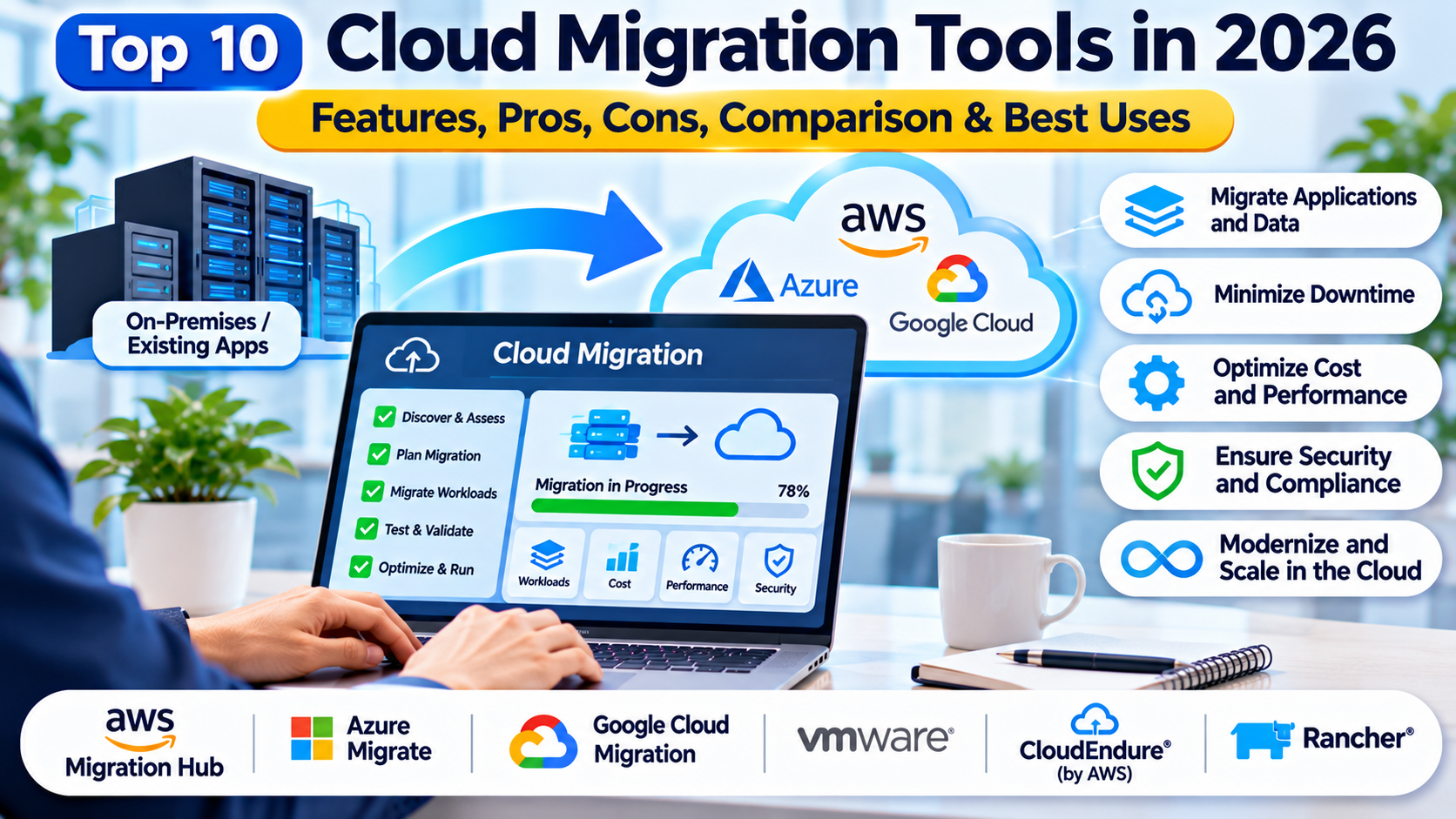
This article compares ten cloud migration tools in 2026, including their capabilities, limitations, and practical uses.
What Are Cloud Migration Tools?
Cloud migration tools are software platforms and services that assist with transferring workloads or data between computing environments. They may automate technical migration activities or support assessment and planning.
Some products focus on rehosting existing servers with minimal changes. Others help modernize applications, transfer databases, or move large volumes of storage.
How Cloud Migration Tools Work
Discovery: Identify existing servers, applications, databases, and dependencies.
Assessment: Evaluate cloud compatibility, costs, and migration readiness.
Planning: Group workloads into migration waves and define dependencies.
Replication: Copy supported data or server state to the destination.
Testing: Validate workloads in a controlled destination environment.
Cutover: Redirect production activity to the migrated workload.
Verification: Confirm application functionality, security, and performance.
Optimization: Adjust resources and configurations after migration.
Why Cloud Migration Tools Matter
Manual migration can be time-consuming and error-prone, particularly when organizations manage hundreds of interconnected systems. Automation can reduce repetitive tasks and improve visibility.
However, no migration platform eliminates the need for architecture decisions, application testing, and operational planning.
Top 10 Cloud Migration Tools in 2026
1. Azure Migrate
Short Description
Azure Migrate is Microsoft’s migration assessment and orchestration service for organizations moving supported workloads to Azure. It provides capabilities for discovery, readiness evaluation, planning, and migration.
The platform is particularly useful for businesses operating VMware, Hyper-V, physical servers, and supported database environments. It can help teams understand infrastructure requirements before committing to migration.
Azure Migrate integrates with related Microsoft migration services and tools. This allows organizations to coordinate assessment and execution through an Azure-oriented workflow.
Its assessment capabilities help estimate destination resource requirements and potential costs. However, estimates depend on the quality of collected information and selected assumptions.
The platform is best suited for Azure-bound migration projects rather than provider-neutral orchestration.
Key Features
- Infrastructure Discovery: Identifies supported source workloads.
- Readiness Assessment: Evaluates compatibility with Azure.
- Cost Estimation: Helps model destination infrastructure costs.
- Dependency Analysis: Supports planning for interconnected workloads.
- Migration Planning: Organizes migration activities.
- Server Migration: Integrates supported rehosting workflows.
- Database Migration Integration: Connects with related database services.
- Azure Integration: Supports destination-specific planning and execution.
Benefits
Azure Migrate provides a structured migration workflow for organizations adopting Azure. Its discovery and assessment capabilities help reduce uncertainty before execution.
The service is especially useful when infrastructure and application teams need a shared understanding of migration readiness.
Pros
- Strong Azure integration.
- Discovery and assessment.
- Cost planning.
- Supports multiple source environments.
- Migration orchestration.
- Useful for large infrastructure estates.
Cons
- Azure destination focus.
- Requires cloud architecture expertise.
- Cost estimates may differ from actual spending.
- Application remediation may remain manual.
- Complex dependencies require additional planning.
Use Cases
Migrating VMware servers, assessing on-premises infrastructure, planning Azure adoption, and coordinating migration waves.
Best For
Organizations migrating infrastructure and supported workloads to Microsoft Azure.
2. AWS Transform MGN
Short Description
AWS Transform MGN, formerly AWS Application Migration Service, supports rehosting applications from physical, virtual, and cloud-based source servers into AWS. It focuses on reducing manual server migration work.
The service uses replication and automated conversion capabilities to prepare supported workloads for Amazon EC2. This can help organizations migrate applications without immediately redesigning their architecture.
AWS Transform MGN is useful for large-scale rehosting programs involving numerous servers. Migration teams can coordinate replication, testing, and cutover activities.
The platform also supports selected modernization actions within its broader AWS workflow. However, rehosting remains distinct from fully refactoring an application into cloud-native services.
Organizations should evaluate operating system compatibility, network dependencies, licensing, and post-migration costs.
Key Features
- Continuous block-level replication.
- Supported server migration to Amazon EC2.
- Automated machine conversion.
- Test migration workflows.
- Cutover orchestration.
- Migration status monitoring.
- Integration with AWS infrastructure.
- Selected modernization actions.
Benefits
AWS Transform MGN can reduce the effort involved in server rehosting. Replication-based migration helps organizations prepare destination systems while source workloads remain operational.
Its automation is useful for repetitive migration tasks across many servers.
Pros
- Strong AWS integration.
- Automated server conversion.
- Continuous replication.
- Supports migration testing.
- Suitable for migration waves.
- Reduces manual rehosting work.
Cons
- AWS destination focus.
- Not a complete application refactoring platform.
- Requires network planning.
- Cloud costs must be assessed.
- Application compatibility still requires testing.
Use Cases
Data center exits, virtual machine migration, legacy server rehosting, and AWS infrastructure consolidation.
Best For
Organizations moving existing server-based applications to AWS with limited architectural changes.
3. Google Cloud Migration Center
Short Description
Google Cloud Migration Center helps organizations assess and plan migrations to Google Cloud. It focuses on workload discovery, infrastructure analysis, and migration decision support.
The platform is useful for teams that need to understand existing computing environments before moving workloads. It can help evaluate migration candidates and destination requirements.
Migration Center is primarily an assessment and planning capability rather than a universal workload transfer engine. Execution may involve other Google Cloud migration services.
Its analysis can support business cases and migration prioritization. Organizations can use collected information to compare deployment options.
However, successful execution still depends on selecting appropriate tools for virtual machines, databases, storage, and applications.
Key Features
- Workload discovery.
- Infrastructure assessment.
- Migration readiness analysis.
- Cost modeling.
- Migration planning information.
- Destination recommendations.
- Google Cloud integration.
- Assessment reporting.
Benefits
Migration Center helps organizations make informed decisions before moving workloads. Its assessment capabilities can reduce uncertainty about infrastructure requirements.
It is especially useful during early migration planning and business case development.
Pros
- Google Cloud focus.
- Discovery capabilities.
- Migration assessment.
- Cost analysis.
- Useful planning information.
- Supports structured decision-making.
Cons
- Not a complete migration execution tool.
- Destination-specific.
- Requires accurate inventory data.
- Application-level remediation remains necessary.
- Additional services are needed for many transfers.
Use Cases
Google Cloud migration assessments, infrastructure inventory, workload prioritization, and migration business cases.
Best For
Organizations planning substantial migrations to Google Cloud.
4. Google Cloud Migrate to Virtual Machines
Short Description
Migrate to Virtual Machines is a Google Cloud service designed to move supported virtual machine workloads into Google Cloud. It addresses infrastructure migration rather than complete application redesign.
The service helps organizations replicate and prepare supported source machines for deployment in Google Cloud. This can reduce manual migration activities.
It is relevant to teams moving virtualized workloads from compatible source environments. The service supports testing before production cutover.
Organizations can use it as part of a broader migration strategy involving networking, identity, and application validation. The service does not automatically resolve every application dependency.
Platform compatibility and source support should be verified before migration planning.
Key Features
- Virtual machine migration.
- Supported source integration.
- Workload replication.
- Migration testing.
- Cutover workflows.
- Google Cloud destination integration.
- Migration monitoring.
- Infrastructure transition support.
Benefits
The service simplifies selected virtual machine migrations into Google Cloud. Its managed workflow can reduce repetitive conversion and deployment work.
Testing capabilities help teams validate destination behavior before production transition.
Pros
- Purpose-built VM migration.
- Google Cloud integration.
- Replication support.
- Test migration capabilities.
- Useful for rehosting.
Cons
- Limited to supported VM scenarios.
- Not a full application modernization solution.
- Requires networking expertise.
- Application validation remains necessary.
- Destination-specific.
Use Cases
Virtual machine rehosting, infrastructure consolidation, and Google Cloud adoption.
Best For
Infrastructure teams migrating supported virtual machines to Google Cloud.
5. AWS DataSync
Short Description
AWS DataSync is a managed data transfer service for moving files and object data between supported storage systems and AWS services. It is especially relevant to storage migration projects.
The service can automate transfer operations and reduce manual scripting. It supports moving large data sets while providing transfer monitoring and verification capabilities.
AWS DataSync is not a complete application migration platform. It focuses on moving supported data between storage locations.
The service is useful when organizations need to migrate file shares, populate cloud storage, or synchronize data during a transition. It can also support recurring transfer workflows.
However, organizations must separately manage application consistency, permissions, and cutover requirements.
Key Features
- Managed data transfers.
- Supported file and object storage integrations.
- Transfer scheduling.
- Data verification.
- Transfer monitoring.
- Bandwidth management options.
- AWS storage integration.
- Automated transfer workflows.
Benefits
AWS DataSync reduces the operational effort required to move large storage data sets. Its verification capabilities help teams confirm transfer results.
It is useful as one component of a larger migration program.
Pros
- Managed transfer service.
- Supports large data volumes.
- Automated scheduling.
- Transfer verification.
- AWS integration.
- Operational monitoring.
Cons
- Not a complete application migration tool.
- Transfer costs apply.
- Source compatibility varies.
- Application cutover requires separate planning.
- Network throughput affects completion time.
Use Cases
File server migration, cloud storage adoption, data center exits, and storage consolidation.
Best For
Organizations moving substantial file or object storage data into AWS.
6. Carbonite Migrate
Short Description
Carbonite Migrate is a workload migration solution associated with OpenText’s data protection portfolio. It has been used to move supported physical, virtual, and cloud workloads between environments.
The platform focuses on replication-based migration and reducing downtime during transitions. This makes it relevant to organizations moving production servers.
Carbonite Migrate can help replicate workload data while source systems continue operating. Administrators can then coordinate the transition to the destination.
Its approach is useful when organizations want to avoid lengthy manual rebuilds. However, application consistency and target compatibility remain important.
Current product availability, supported operating systems, and commercial packaging should be verified before procurement.
Key Features
- Workload migration.
- Replication-based transfer.
- Supported physical and virtual environments.
- Cutover coordination.
- Migration monitoring.
- Data synchronization.
- Infrastructure transition support.
- Operational controls.
Benefits
Replication-based migration can reduce downtime compared with some manual approaches. It also helps organizations move supported workloads without rebuilding every component.
The solution is useful for infrastructure-focused migration programs.
Pros
- Workload migration focus.
- Replication capabilities.
- Supports selected heterogeneous environments.
- Useful for server transitions.
- Cutover-oriented workflows.
Cons
- Compatibility must be confirmed.
- Commercial licensing.
- Requires infrastructure expertise.
- Application testing remains essential.
- Product availability should be verified.
Use Cases
Server migration, data center consolidation, and workload relocation.
Best For
Infrastructure teams requiring replication-based migration of supported servers.
7. VMware HCX
Short Description
VMware HCX is a workload mobility and migration technology for compatible VMware environments. It supports moving workloads between connected infrastructure locations.
The platform is relevant to organizations with substantial VMware investments. It can help migrate virtual machines while maintaining selected network and operational requirements.
HCX provides migration methods for different workload transition scenarios. Its capabilities can support data center consolidation and hybrid cloud movement.
The solution is particularly useful when migration involves compatible VMware-based environments. It is not intended as a universal migration engine for every hypervisor or cloud service.
Organizations should evaluate licensing, infrastructure compatibility, and network architecture before deployment.
Key Features
- VMware workload mobility.
- Supported migration methods.
- Network extension capabilities.
- Hybrid cloud integration.
- Migration orchestration.
- Workload transition management.
- Compatibility with supported VMware environments.
- Operational monitoring.
Benefits
VMware HCX can simplify workload mobility between compatible VMware environments. Its networking capabilities may reduce some migration complexity.
It is useful for organizations preserving VMware-based operational models during migration.
Pros
- VMware specialization.
- Multiple migration approaches.
- Network mobility features.
- Hybrid cloud use cases.
- Suitable for large VMware estates.
Cons
- VMware ecosystem dependency.
- Licensing considerations.
- Infrastructure requirements.
- Network complexity.
- Limited relevance outside supported environments.
Use Cases
VMware data center migration, hybrid cloud expansion, and infrastructure consolidation.
Best For
Enterprises moving workloads between compatible VMware environments.
8. CloudEndure Disaster Recovery
Short Description
CloudEndure Disaster Recovery was a replication-based disaster recovery technology acquired by AWS. Its migration-related capabilities influenced subsequent AWS workload migration services.
The product is important historically because organizations may encounter it in older migration documentation and infrastructure inventories. However, it should not be treated as a current general-purpose migration recommendation without checking its lifecycle status.
For new AWS server migration projects, AWS Transform MGN is the more relevant service to evaluate. Existing CloudEndure deployments require a supported transition plan.
Its replication architecture illustrates how continuous synchronization can support infrastructure movement. Nevertheless, disaster recovery and migration have different operational objectives.
Organizations should prioritize currently supported services rather than adopting discontinued or legacy offerings.
Key Features
- Historical replication-based recovery.
- Supported workload synchronization.
- Disaster recovery orchestration.
- Cloud infrastructure integration.
- Recovery testing.
- Cutover-related workflows.
- Server replication concepts.
- Legacy deployment transition considerations.
Benefits
CloudEndure illustrates a widely used replication-based approach to workload mobility. Its relevance today is primarily to existing environments and migration history.
Organizations with legacy deployments can use lifecycle reviews to identify replacement requirements.
Pros
- Established replication architecture.
- Historical AWS migration relevance.
- Familiar to some infrastructure teams.
Cons
- Legacy product status.
- Not recommended for new deployment without support confirmation.
- Replacement planning may be required.
- Limited relevance to modern procurement.
- Current service alternatives are preferable.
Use Cases
Legacy migration inventory, historical environment assessment, and transition planning.
Best For
Organizations reviewing existing CloudEndure-related environments rather than selecting a new migration platform.
9. Zerto
Short Description
Zerto is a disaster recovery and workload mobility platform associated with HPE. Its replication and orchestration capabilities can support selected infrastructure migration scenarios.
The platform is relevant to organizations requiring low-disruption workload transitions. It can help maintain synchronized copies of supported workloads before migration.
Zerto is primarily known for disaster recovery and continuous data protection. Migration use cases should therefore be evaluated alongside its broader resilience capabilities.
The platform can be useful when organizations already use Zerto for recovery operations. However, supported source and destination combinations vary.
Organizations should verify compatibility, licensing, and migration requirements before relying on it for a cloud transition.
Key Features
- Workload replication.
- Migration orchestration.
- Recovery-oriented workflows.
- Supported cloud integration.
- Workload mobility.
- Operational monitoring.
- Recovery testing.
- Data protection capabilities.
Benefits
Zerto can help organizations coordinate workload transitions while maintaining recovery capabilities. This is useful for infrastructure teams managing critical systems.
Its replication approach may reduce disruption in supported scenarios.
Pros
- Strong replication capabilities.
- Recovery and migration workflows.
- Enterprise infrastructure focus.
- Useful for critical workloads.
- Operational visibility.
Cons
- Commercial licensing.
- Migration is not its only purpose.
- Compatibility varies.
- Requires infrastructure expertise.
- Application validation remains necessary.
Use Cases
Cloud workload relocation, data center migration, and infrastructure resilience projects.
Best For
Enterprises combining workload mobility with disaster recovery requirements.
10. RackWare RMM
Short Description
RackWare RMM is a workload migration and management platform designed for moving supported systems across physical, virtual, and cloud environments. It provides capabilities for replication, migration, and related infrastructure workflows.
The platform is relevant to organizations managing heterogeneous infrastructure. Its approach can support transitions involving different source and destination environments.
RackWare RMM helps administrators coordinate workload movement and reduce repetitive migration tasks. It can also support selected disaster recovery and workload management scenarios.
Its value is particularly relevant when organizations need flexibility across infrastructure environments. However, supported configurations must be confirmed individually.
Migration teams should evaluate application dependencies, network configuration, licensing, and post-migration operations.
Key Features
- Workload migration.
- Cross-environment support.
- Replication capabilities.
- Migration orchestration.
- Infrastructure discovery.
- Cutover management.
- Workload monitoring.
- Cloud migration workflows.
Benefits
RackWare RMM can support migration across heterogeneous infrastructure. Its orchestration capabilities help teams manage complex workload transitions.
It is useful for organizations that do not want to rely exclusively on a single cloud provider’s migration services.
Pros
- Heterogeneous infrastructure support.
- Workload migration focus.
- Replication capabilities.
- Useful for enterprise transitions.
- Flexible migration scenarios.
Cons
- Commercial licensing.
- Compatibility requires validation.
- Deployment expertise needed.
- Application modernization remains separate.
- Complex migrations require detailed planning.
Use Cases
Multi-environment migration, cloud adoption, server consolidation, and workload relocation.
Best For
Organizations requiring workload migration across varied infrastructure environments.
Comparison Table: Top 10 Cloud Migration Tools
| Tool | Primary Focus | Best For | Destination Approach | Pricing |
|---|---|---|---|---|
| Azure Migrate | Discovery and Azure migration | Azure adopters | Azure | Service and resource costs |
| AWS Transform MGN | Server rehosting | AWS adopters | AWS | Usage-based |
| Google Cloud Migration Center | Assessment | Google Cloud planners | Google Cloud | Service-dependent |
| Migrate to Virtual Machines | VM migration | Google Cloud infrastructure teams | Google Cloud | Usage-based |
| AWS DataSync | Storage transfer | Data migration teams | AWS-oriented | Usage-based |
| Carbonite Migrate | Workload replication | Infrastructure teams | Supported environments | Commercial |
| VMware HCX | VMware mobility | VMware enterprises | Compatible VMware environments | Licensing-dependent |
| CloudEndure | Legacy replication technology | Existing legacy deployments | Historical AWS scenarios | Legacy |
| Zerto | Recovery and workload mobility | Enterprise IT | Supported environments | Commercial |
| RackWare RMM | Heterogeneous migration | Multi-environment organizations | Multiple environments | Commercial |
Which Cloud Migration Tool Is Right for You?
1. Define the Migration Strategy
Rehosting moves workloads with relatively few changes. Replatforming modifies selected infrastructure components, while refactoring changes application architecture.
The migration tool should match the intended strategy rather than determine it.
2. Identify Source and Destination Compatibility
A tool must support the source operating system, virtualization platform, storage type, and destination environment. Compatibility should be verified before procurement.
3. Analyze Dependencies
Applications may rely on databases, shared storage, network services, and external integrations. Migration planning must account for these dependencies.
4. Define Downtime Requirements
Some migrations tolerate scheduled outages, while others require extensive replication and controlled cutover. Recovery objectives and business constraints should guide selection.
5. Evaluate Security
Migration tools may require privileged access to source and destination environments. Credentials, network connections, and transferred data must be protected.
6. Model Cloud Costs
Include compute, storage, networking, licensing, support, and migration operations. Cloud adoption should be evaluated against realistic usage patterns.
7. Plan Post-Migration Operations
Monitoring, backup, access control, patching, and incident response must be established in the destination environment.
Best Cloud Migration Tools for Different Users
| User Type | Recommended Tools | Main Reason |
|---|---|---|
| Azure Migration Teams | Azure Migrate | Azure planning and execution |
| AWS Server Migration Teams | AWS Transform MGN | Automated rehosting |
| Google Cloud Planners | Migration Center | Assessment |
| Google Cloud VM Teams | Migrate to Virtual Machines | VM transition |
| Storage Migration Teams | AWS DataSync | Managed data transfer |
| VMware Administrators | VMware HCX | Workload mobility |
| Disaster Recovery Teams | Zerto | Replication and recovery |
| Heterogeneous Infrastructure Teams | RackWare RMM | Cross-environment migration |
Practical Example: Migrating an On-Premises Application to the Cloud
A company operates a business application on several virtual machines. It wants to move the application to a public cloud while maintaining availability.
Step 1: Inventory the Environment
The team identifies servers, databases, storage, networking, and external integrations. Application owners document dependencies.
Step 2: Assess Migration Readiness
A migration assessment tool collects workload information. Engineers identify unsupported configurations and potential remediation requirements.
Step 3: Choose the Migration Approach
The organization selects rehosting for the initial transition. More extensive modernization is planned separately.
Step 4: Prepare the Destination
Cloud networking, identity policies, monitoring, and backup services are configured. Security teams review access permissions.
Step 5: Begin Replication
A compatible migration tool synchronizes supported server data. Administrators monitor replication status and errors.
Step 6: Test the Migrated Environment
The team validates application functionality, database connectivity, performance, and security. Test findings are resolved before cutover.
Step 7: Execute Cutover
A scheduled migration window is used to transition production traffic. A rollback plan remains available.
Step 8: Optimize and Decommission
After successful verification, the organization reviews resource sizing and operating costs. Source infrastructure is retired only after approved validation.
Frequently Asked Questions (FAQs)
1. What is cloud migration?
Cloud migration moves workloads or data between computing environments, often from on-premises infrastructure to a public cloud.
2. What is a cloud migration tool?
It is software that supports migration assessment, planning, replication, transfer, or execution.
3. What is rehosting?
Rehosting moves an application to another infrastructure environment with limited architectural changes.
4. What is replatforming?
Replatforming changes selected application infrastructure or runtime components without completely redesigning the application.
5. What is refactoring?
Refactoring changes application code or architecture to meet new technical or operational requirements.
6. Can migration tools prevent downtime?
Some tools reduce downtime through replication and controlled cutover. No tool guarantees zero downtime in every scenario.
7. Does cloud migration automatically reduce costs?
No. Costs depend on architecture, usage, licensing, and operational practices.
8. What is workload discovery?
Workload discovery identifies infrastructure components and relevant configuration information before migration.
9. What is dependency mapping?
Dependency mapping identifies relationships between applications, servers, databases, and services.
10. Can databases be migrated separately?
Yes. Database-specific migration services often provide more suitable capabilities than server migration tools.
11. What is a migration wave?
A migration wave is a planned group of workloads moved during a defined phase.
12. What is cutover?
Cutover is the transition from the source environment to the destination environment.
13. Why is migration testing important?
Testing identifies functionality, compatibility, performance, and security problems before production transition.
14. Can migration tools move physical servers?
Some products support physical-to-cloud migration. Compatibility depends on the tool.
15. Is cloud migration secure?
It can be secure with appropriate access controls, encryption, configuration, and validation.
16. What is a rollback plan?
A rollback plan defines how to return to a previous operational state if migration fails.
17. Can organizations migrate between cloud providers?
Yes. Cross-cloud migration is possible, although service differences can complicate the process.
18. What is the difference between migration and disaster recovery?
Migration permanently or intentionally relocates workloads. Disaster recovery focuses on restoring operations after disruption.
19. How long does cloud migration take?
Duration depends on workload complexity, data volume, dependencies, and organizational readiness.
20. What is the future of cloud migration tools?
Migration platforms will continue improving automation, assessment, dependency analysis, and modernization integration.
Conclusion
Cloud Migration Tools help organizations assess, transfer, and validate workloads moving between computing environments. Their capabilities range from infrastructure discovery to server replication and storage transfer.
Azure Migrate, AWS Transform MGN, and Google Cloud migration services support provider-specific migration workflows. VMware HCX, Zerto, RackWare RMM, and other products address specialized infrastructure scenarios.
The best tool depends on source compatibility, destination architecture, downtime requirements, security, and operational costs.
Successful cloud migration requires more than moving workloads. Organizations must validate applications, establish destination operations, and optimize infrastructure after cutover.