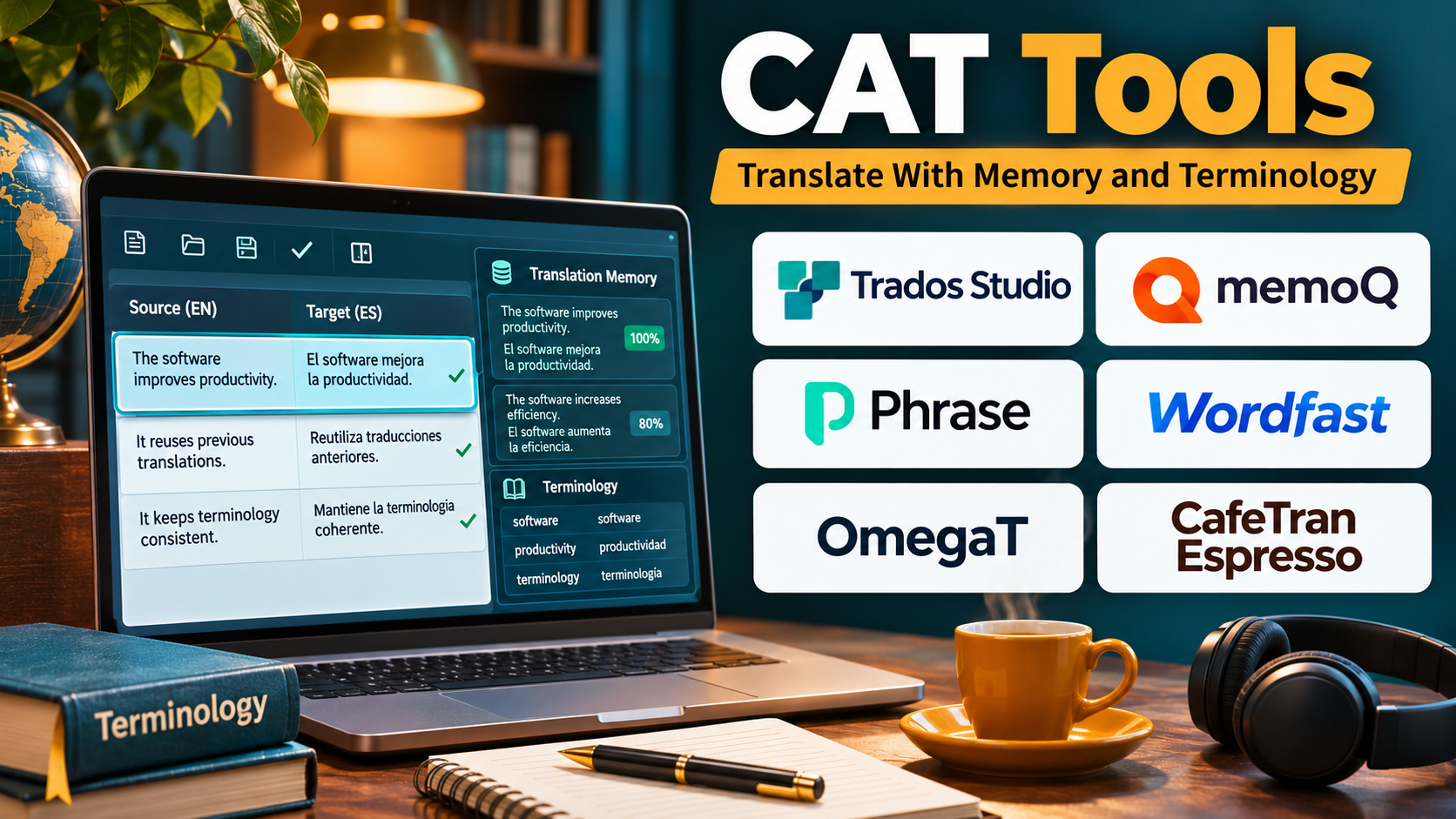
Introduction
Professional translation requires accuracy, consistency, efficiency, and careful attention to context.
Translators working on technical manuals, legal agreements, software interfaces, medical documents, and multilingual websites must maintain consistent terminology while meeting deadlines.
Traditional translation methods often involve manually comparing source and target documents, searching previous translations, and checking repeated expressions.
These tasks become increasingly difficult as projects grow.
Computer-assisted translation tools help translators manage these challenges through structured editing environments and reusable linguistic resources.
Modern CAT software can divide documents into translation segments, retrieve previously translated sentences, suggest approved terminology, integrate machine translation, and identify formatting errors.
Some applications are designed for independent translators. Others provide cloud collaboration, enterprise translation management, or specialized localization workflows.
Choosing the right CAT tool requires understanding file compatibility, translation memory capabilities, terminology management, quality assurance, collaboration, security, and overall cost.
This guide examines ten established CAT tools, explains their advantages and limitations, and provides practical guidance for selecting the most suitable solution.
What Are CAT Tools?
Computer-assisted translation tools are software applications that support human translators throughout the translation process.
They organize source and target text into structured segments and provide resources that improve productivity and consistency.
CAT tools do not necessarily translate content automatically.
Instead, they assist translators by presenting relevant information and managing repetitive tasks.
How CAT Tools Work
A typical CAT workflow includes:
- Importing the source document.
- Dividing content into translation segments.
- Searching translation memories for matching text.
- Displaying approved terminology.
- Providing machine translation suggestions when configured.
- Allowing the translator to edit each segment.
- Saving approved translations into translation memory.
- Running automated quality checks.
- Exporting the translated document.
- Reviewing the final document in its original format.
Important CAT Tool Components
Translation memory: Stores translated segments for reuse.
Terminology database: Maintains approved words and expressions.
Segment editor: Displays source and target content in a structured workspace.
Concordance search: Finds previous translations containing selected expressions.
Machine translation integration: Provides automated suggestions that translators can review.
Quality assurance: Checks numbers, tags, punctuation, terminology, and formatting.
File filters: Preserve document structures during translation.
Collaboration: Allows translators, editors, and project managers to coordinate work.
Top 10 CAT Tools
1. Trados Studio
Best For: Professional translators, translation agencies, and organizations handling complex multilingual documentation.
Short Description
Trados Studio is a professional CAT application associated with RWS.
It provides a comprehensive translation environment built around translation memories, terminology resources, document processing, and quality assurance.
Translators can import supported documents, work through segmented text, and reuse previously approved translations.
The software is particularly relevant to professionals who regularly receive structured translation packages from agencies and enterprise clients.
Trados Studio also supports terminology workflows through related RWS technologies, including MultiTerm.
Its professional ecosystem is valuable for organizations managing large technical and specialized translation projects.
However, the software requires training, and buyers should evaluate the differences between desktop and cloud-connected offerings.
Key Features
- Translation memory: Stores and retrieves previous translations to reduce repetitive work.
- Fuzzy matching: Identifies similar segments that translators can adapt.
- Terminology integration: Provides approved vocabulary through compatible terminology resources.
- Bilingual editor: Displays source and target segments in an organized workspace.
- Quality assurance: Checks selected formatting, terminology, and consistency issues.
- File format support: Processes a broad range of professional translation formats.
- Machine translation integration: Incorporates supported automated translation providers.
- Project packages: Supports structured exchanges with translation agencies.
- Concordance search: Helps translators investigate previous wording decisions.
Benefits
Trados Studio helps translators maintain consistency across large projects.
Its package compatibility and established professional workflows are valuable when collaborating with language service providers.
Pros
- Comprehensive professional CAT functionality.
- Strong translation memory management.
- Extensive terminology support.
- Useful agency interoperability.
- Suitable for complex documents.
Cons
- Requires training.
- Licensing costs need evaluation.
- Desktop workflows have operating-system requirements.
- Advanced features can be overwhelming.
- Collaboration may require additional services.
Use Cases
Technical manuals: Reuse repeated instructions and terminology.
Agency translation: Process structured client packages.
Legal documents: Maintain consistent expressions across related files.
Best Suited For
Professional translators and translation organizations requiring mature desktop CAT capabilities.
2. memoQ translator pro
Best For: Freelancers and professional translation teams needing flexible linguistic resources and project compatibility.
Short Description
memoQ translator pro is a professional CAT application designed to support translation, terminology management, and document processing.
It provides a structured editor that helps translators manage segments and access previous translations.
One of memoQ’s distinguishing strengths is its approach to linguistic resources, including translation memories, term bases, and reference materials.
Its LiveDocs functionality can make existing bilingual and reference content useful during translation.
memoQ is particularly relevant to translators working with technical documentation, complex file formats, and agency assignments.
The wider memoQ ecosystem also provides collaborative translation management capabilities.
However, individual translators should distinguish desktop translator functionality from enterprise server and management products.
Key Features
- Translation memory: Reuses previous translations across projects.
- LiveDocs: Makes compatible reference documents searchable during translation.
- Terminology management: Supports approved terms and specialized vocabulary.
- Segment editor: Organizes translation and review.
- Quality assurance: Checks numbers, tags, terminology, and consistency.
- Project interoperability: Supports compatible professional translation packages.
- Machine translation plugins: Adds automated translation suggestions.
- Concordance search: Finds previously translated expressions.
- Collaborative options: Connects with supported memoQ team environments.
Benefits
memoQ provides extensive linguistic context and resource management.
It is useful for translators who handle recurring terminology and work with different agency workflows.
Pros
- Strong translation memory capabilities.
- Useful reference-document features.
- Detailed terminology support.
- Professional file compatibility.
- Comprehensive QA.
Cons
- Desktop environment requires familiarization.
- Licensing costs must be considered.
- Advanced configuration can be complex.
- Collaboration may require additional infrastructure.
- Not designed primarily for casual translation.
Use Cases
Technical translation: Manage repeated specialized vocabulary.
Freelance agency work: Handle bilingual packages.
Long-term clients: Build reusable translation resources.
Best Suited For
Professional freelancers and translation teams prioritizing linguistic resource control.
3. Phrase TMS
Best For: Translators and organizations seeking browser-based CAT editing within managed localization workflows.
Short Description
Phrase TMS is a cloud-based translation management platform with a professional translation editing environment.
It combines CAT functionality with project management, terminology, translation memory, and automation.
Translators can work with assigned jobs while accessing shared linguistic resources.
Project managers can coordinate translation, review, and delivery through centralized workflows.
Phrase is especially relevant to organizations with distributed language teams or recurring localization projects.
Its broader platform ecosystem also addresses software localization and related language technologies.
However, organizations should evaluate the exact Phrase products and subscriptions needed for their workflow.
Key Features
- Web CAT editor: Supports translation through a browser-based environment.
- Translation memory: Shares approved segments across projects.
- Terminology resources: Provides approved vocabulary.
- Machine translation: Integrates automated translation engines.
- Quality assurance: Identifies selected technical and linguistic issues.
- Project management: Coordinates assignments and progress.
- Workflow automation: Reduces repetitive project administration.
- Content integrations: Connects with supported business systems.
- Collaboration: Supports distributed translation teams.
Benefits
Phrase TMS combines translation editing with centralized workflow management.
Its cloud environment can simplify collaboration across locations.
Pros
- Browser-based access.
- Integrated project management.
- Shared translation resources.
- Automation capabilities.
- Suitable for distributed teams.
Cons
- Subscription requirements vary.
- Internet access is important for cloud workflows.
- Enterprise configuration may be complex.
- Some advanced features depend on product selection.
- Package compatibility must be tested.
Use Cases
Distributed translation: Coordinate remote linguists.
Enterprise localization: Manage recurring translation work.
Content translation: Connect multilingual content workflows.
Best Suited For
Translation teams seeking cloud collaboration and managed localization.
4. Wordfast Pro
Best For: Independent translators seeking a professional desktop CAT environment.
Short Description
Wordfast Pro is a standalone CAT application designed for professional translation work.
It provides translation memory, terminology management, a bilingual editing interface, and quality assurance capabilities.
The software supports a range of document and bilingual translation formats.
Its workflow is relevant to freelancers who want a dedicated translation environment without adopting a large enterprise localization system.
Wordfast Pro can help translators reuse previous work and maintain terminology across client projects.
Its quality checking functionality supports identification of selected translation problems.
However, translators should confirm file compatibility and licensing terms against their specific client requirements.
Key Features
- Translation memory: Stores and retrieves translated segments.
- Bilingual editor: Provides structured source and target editing.
- Terminology management: Maintains approved vocabulary.
- Fuzzy matches: Suggests similar previous translations.
- Transcheck: Checks selected terminology, number, and formatting issues.
- File format support: Handles supported document and bilingual formats.
- Machine translation integration: Connects with compatible providers.
- Project organization: Manages files and translation resources.
Benefits
Wordfast Pro offers core professional CAT capabilities in a dedicated desktop application.
It can be suitable for freelancers who prefer predictable translation workflows.
Pros
- Professional translation memory.
- Useful terminology tools.
- Cross-platform orientation.
- Integrated QA.
- Suitable for independent work.
Cons
- Collaboration features are more limited than enterprise platforms.
- Interface preferences vary.
- Some client package formats require verification.
- Licensing must be compared.
- Advanced automation is less extensive than enterprise TMS platforms.
Use Cases
Freelance translation: Handle client documents.
Recurring projects: Reuse translation memories.
Technical content: Apply terminology consistently.
Best Suited For
Independent professional translators seeking desktop CAT software.
5. OmegaT
Best For: Budget-conscious translators and technical users seeking open-source CAT software.
Short Description
OmegaT is an open-source CAT application that provides translation memory and glossary-based translation assistance.
It is designed to support human translation through structured segment editing.
OmegaT can process supported document formats and maintain reusable translation memories.
Its open-source licensing makes it attractive to students, freelancers, and organizations seeking control over their translation environment.
The software also supports extensions and integrations that can enhance translation workflows.
However, its interface and configuration may feel less polished than some commercial alternatives.
Users should also test complex document formatting before relying on it for critical deliverables.
Key Features
- Open-source licensing: Allows use without commercial license fees.
- Translation memory: Stores and reuses translated segments.
- Glossary support: Provides approved vocabulary.
- Fuzzy matching: Identifies similar source segments.
- Concordance search: Finds relevant previous translations.
- File filters: Processes compatible source formats.
- Machine translation connections: Supports configured translation services.
- Extensibility: Allows scripts and plugins.
- Team workflows: Supports selected collaborative project approaches.
Benefits
OmegaT lowers the financial barrier to professional translation technology.
It is useful for learners and translators comfortable managing their own tools.
Pros
- Free and open source.
- Cross-platform availability.
- Translation memory support.
- Customizable environment.
- Useful for independent study.
Cons
- Interface requires familiarization.
- Some advanced workflows need technical configuration.
- Complex file handling should be tested.
- Commercial support options differ.
- Enterprise management is not its main focus.
Use Cases
Student training: Learn CAT fundamentals.
Independent translation: Build translation memories.
Open-source projects: Translate compatible documents.
Best Suited For
Translators seeking a customizable, open-source CAT application.
6. MateCat
Best For: Freelancers and small teams seeking accessible browser-based translation.
Short Description
MateCat is a web-based CAT platform with an open-source technology foundation.
It provides translation memory, machine translation integration, and collaborative translation capabilities.
Its browser-based workflow makes it convenient for translators who prefer not to install a full desktop CAT application.
MateCat is particularly relevant to smaller projects and teams that want to begin translating quickly.
Its editor presents segments alongside translation suggestions and relevant resources.
The platform can support efficient translation workflows, although sensitive content requires careful evaluation of hosting and data handling.
Key Features
- Browser-based editor: Enables translation without a traditional desktop installation.
- Translation memory: Reuses previous translations.
- Machine translation integration: Provides automated suggestions.
- Segment editing: Organizes source and target text.
- Collaborative workflows: Supports shared translation activity.
- Quality checks: Detects selected translation issues.
- Project creation: Simplifies translation job setup.
- Open-source foundation: Supports technical customization opportunities.
Benefits
MateCat provides an accessible way to use CAT functionality.
Its cloud-oriented interface can reduce initial setup effort.
Pros
- Accessible browser workflow.
- Open-source foundation.
- Useful translation suggestions.
- Suitable for smaller teams.
- Supports collaboration.
Cons
- Internet dependence for hosted use.
- Data handling requires review.
- Advanced enterprise governance may be limited.
- Format compatibility should be tested.
- Some workflows require technical expertise.
Use Cases
Freelance assignments: Translate common documents.
Small teams: Collaborate on multilingual content.
Training: Introduce translators to CAT workflows.
Best Suited For
Freelancers and small teams seeking an approachable web CAT environment.
7. CafeTran Espresso
Best For: Experienced translators who prefer configurable desktop workflows.
Short Description
CafeTran Espresso is a professional CAT application designed around customizable translation workflows.
It provides translation memory, terminology management, and integration with supported translation resources.
Its interface allows translators to organize linguistic information according to personal preferences.
CafeTran is particularly relevant to independent professionals who want control over their editing environment.
It can also support work involving bilingual formats from other CAT ecosystems.
However, its flexibility introduces a learning curve, and translators should test interoperability with client deliverables.
Key Features
- Translation memory: Reuses approved translations.
- Terminology support: Maintains specialized vocabulary.
- Customizable interface: Allows personalized workspace organization.
- Fuzzy matching: Retrieves similar segments.
- Concordance: Searches linguistic resources.
- Machine translation integration: Connects with supported providers.
- Bilingual format support: Works with selected professional exchange formats.
- Quality checking: Helps identify translation issues.
Benefits
CafeTran provides flexibility for translators with established working preferences.
It can combine multiple linguistic resources in one editing environment.
Pros
- Highly configurable.
- Useful translation memory.
- Cross-platform orientation.
- Professional terminology support.
- Suitable for experienced freelancers.
Cons
- Initial learning curve.
- Interface complexity.
- Enterprise collaboration is not its primary focus.
- Format compatibility requires testing.
- Licensing options should be reviewed.
Use Cases
Freelance translation: Customize the editing workflow.
Agency assignments: Work with compatible bilingual files.
Technical content: Combine translation memories and glossaries.
Best Suited For
Experienced independent translators who value customization.
8. Smartcat
Best For: Teams combining AI translation, human editing, and language service collaboration.
Short Description
Smartcat is a cloud-based language AI and translation platform that includes browser-based translation editing capabilities.
It combines automated translation, linguistic resources, and collaborative production workflows.
Organizations can use Smartcat to process multilingual content and coordinate human review.
The platform also connects language work with broader service and project workflows.
Its approach is particularly relevant to businesses seeking to combine translation technology with external linguistic expertise.
However, buyers should distinguish CAT editing capabilities from broader AI translation and service offerings.
Key Features
- Browser translation editor: Supports human editing of translated content.
- AI translation: Produces automated translation drafts.
- Translation memory: Reuses approved translations.
- Glossaries: Maintains terminology.
- Collaboration: Coordinates translators and reviewers.
- Document processing: Supports selected content formats.
- Workflow automation: Reduces repetitive project tasks.
- Language service integration: Supports collaboration with linguistic providers.
- Project tracking: Provides visibility into translation activity.
Benefits
Smartcat combines translation editing with automated language workflows.
It can help organizations coordinate AI-assisted translation and human review in one environment.
Pros
- Cloud-based collaboration.
- AI-assisted translation.
- Integrated linguistic resources.
- Useful business workflows.
- Supports external contributors.
Cons
- Pricing and usage arrangements require evaluation.
- AI output needs review.
- Enterprise configuration may be complex.
- Data governance needs assessment.
- Dedicated desktop CAT users may prefer other interfaces.
Use Cases
Business translation: Localize corporate documents.
Marketing content: Combine automated translation with editing.
Distributed language teams: Coordinate contributors.
Best Suited For
Organizations combining AI translation and professional human review.
9. Across Translator Edition
Best For: Translators working with organizations that use Across Language Server.
Short Description
Across Translator Edition is a CAT environment associated with the Across translation technology ecosystem.
It provides structured translation editing, translation memory, and terminology support.
The software is relevant to translators who receive projects from clients operating within Across-managed workflows.
Its integration with centralized language resources helps translators maintain consistency.
Across also emphasizes controlled translation processes and terminology governance.
This makes the ecosystem relevant to specialized enterprise content.
However, the software is less attractive when clients do not use Across or when interoperability with unrelated CAT environments is the main requirement.
Key Features
- Segment editor: Supports structured translation.
- Translation memory: Reuses previous translations.
- Terminology integration: Provides approved expressions.
- Project connectivity: Supports Across-managed assignments.
- Quality checks: Identifies selected translation issues.
- Centralized resources: Uses compatible enterprise linguistic assets.
- Workflow control: Supports managed translation processes.
- Document processing: Handles supported translation formats.
Benefits
Across Translator Edition provides a consistent environment for translators working within the Across ecosystem.
Centralized resources help organizations control terminology and translation decisions.
Pros
- Integrated enterprise translation.
- Terminology control.
- Centralized resources.
- Useful for specialized clients.
- Structured workflows.
Cons
- Strong ecosystem dependence.
- Less attractive for unrelated client workflows.
- Requires training.
- Deployment arrangements vary.
- Licensing should be confirmed.
Use Cases
Enterprise assignments: Translate Across-managed projects.
Technical translation: Apply approved terminology.
Controlled workflows: Follow client-specific translation procedures.
Best Suited For
Translators and organizations working within the Across environment.
10. XTM Cloud
Best For: Enterprise translation teams requiring collaborative CAT editing and workflow governance.
Short Description
XTM Cloud is an enterprise translation management platform that includes a browser-based translation editing environment.
It combines professional CAT capabilities with workflow automation and project management.
Translators can access translation memories, terminology resources, and machine translation suggestions.
Project managers can coordinate translation assignments, review stages, and multilingual delivery.
XTM is particularly relevant to enterprises with large localization programs involving multiple suppliers.
Its centralized approach supports governance and consistent linguistic resource use.
However, smaller independent translators may find its enterprise orientation more extensive than necessary.
Key Features
- Web CAT editor: Supports browser-based translation.
- Translation memory: Reuses approved segments.
- Terminology management: Provides controlled vocabulary.
- Machine translation integration: Supplies automated suggestions.
- Quality assurance: Detects selected translation errors.
- Workflow management: Coordinates translation and review.
- Vendor collaboration: Supports external language teams.
- Content connectors: Integrates with supported enterprise systems.
- Reporting: Provides project visibility.
Benefits
XTM Cloud connects translation editing with enterprise localization management.
It can help standardize workflows across departments and language suppliers.
Pros
- Enterprise-oriented CAT capabilities.
- Centralized linguistic resources.
- Workflow automation.
- Collaboration support.
- Useful governance.
Cons
- Complex for small projects.
- Enterprise pricing requires evaluation.
- Implementation may require specialist support.
- Internet access is important.
- Configuration effort can be substantial.
Use Cases
Global enterprises: Coordinate multilingual translation.
Language service providers: Manage distributed translators.
Regulated documentation: Apply controlled review processes.
Best Suited For
Large organizations requiring integrated translation and project governance.
Comparison Table: Top 10 CAT Tools
| Tool | Primary Strength | Platform Approach | Best For | Main Limitation |
|---|---|---|---|---|
| Trados Studio | Professional CAT ecosystem | Desktop/cloud-connected | Agency professionals | Learning curve |
| memoQ | Linguistic resources | Desktop/server ecosystem | Freelancers and LSPs | Configuration complexity |
| Phrase TMS | Cloud CAT and automation | Cloud | Distributed teams | Subscription complexity |
| Wordfast Pro | Independent translation | Desktop | Freelancers | Limited enterprise scope |
| OmegaT | Open-source translation | Desktop | Budget-conscious users | Technical setup |
| MateCat | Accessible web CAT | Browser | Small teams | Hosted-data considerations |
| CafeTran Espresso | Customizable translation | Desktop | Experienced freelancers | Learning curve |
| Smartcat | AI and human workflows | Cloud | Business translation teams | Service-model complexity |
| Across Translator Edition | Controlled enterprise translation | Client/server ecosystem | Across customers | Ecosystem dependence |
| XTM Cloud | Enterprise CAT governance | Cloud | Global organizations | Implementation effort |
How to Choose the Right CAT Tool
1. Identify Your Translation Work
A freelance translator handling Word documents has different needs from an enterprise translating software and technical manuals.
2. Check File Compatibility
Test the exact file formats your clients use, including bilingual exchange files and translation packages.
3. Evaluate Translation Memory
Assess fuzzy matching, concordance, memory sharing, and resource import.
4. Review Terminology Management
A CAT tool should make approved terminology easy to find and apply.
5. Test Quality Assurance
Check whether the software identifies number mismatches, missing tags, untranslated content, and terminology violations.
6. Evaluate Machine Translation Integration
Consider provider choice, confidentiality, editing workflow, and additional costs.
7. Examine Collaboration
Teams may need shared translation memories, assignments, review stages, and permission controls.
8. Consider Operating Systems
Confirm compatibility with your computers and preferred working environment.
9. Calculate Total Cost
Include licenses, subscriptions, training, integrations, and maintenance.
10. Run a Real Project Pilot
Import a representative file, translate it, perform QA, and export the finished document.
Best CAT Software by User Type
| User Type | Recommended Tool | Reason |
|---|---|---|
| Agency translators | Trados Studio | Professional package workflows |
| Technical freelancers | memoQ | Linguistic resource depth |
| Remote translation teams | Phrase TMS | Cloud collaboration |
| Independent professionals | Wordfast Pro | Dedicated desktop CAT |
| Open-source users | OmegaT | Free, customizable software |
| Small web-based teams | MateCat | Accessible browser editor |
| CAT power users | CafeTran Espresso | Customizable workspace |
| AI-assisted business teams | Smartcat | Translation and human review |
| Across client translators | Across Translator Edition | Native ecosystem compatibility |
| Enterprise localization teams | XTM Cloud | Centralized governance |
Practical Example: Translating a 200-Page Technical Manual
A manufacturing company needs to translate a technical manual into four languages.
Step 1: Prepare the Source
Technical writers finalize the approved source document.
Step 2: Select the CAT Environment
The company tests Trados Studio, memoQ, and Phrase against its file formats and supplier workflows.
Step 3: Import Previous Translations
Existing translation memories are cleaned and loaded.
Step 4: Create Terminology Resources
Engineers approve specialized component names and safety expressions.
Step 5: Segment the Manual
The CAT tool organizes source content into translation units.
Step 6: Translate
Professional translators use memory matches and approved terminology.
Step 7: Review Machine Suggestions
Any machine-generated content receives appropriate human review.
Step 8: Perform QA
The team checks terminology, numbers, units, tags, and missing segments.
Step 9: Export and Inspect
The translated manual is reviewed for layout and formatting.
Step 10: Update Resources
Approved translations are saved for future revisions.
Expected Outcome
The company establishes reusable linguistic resources and reduces repeated work during future manual updates.
Frequently Asked Questions
1. What does CAT stand for?
CAT means computer-assisted translation.
2. Do CAT tools translate automatically?
They primarily assist human translators, although many integrate machine translation.
3. What is translation memory?
Translation memory stores previously translated segments for reuse.
4. Which CAT tools are suitable for beginners?
OmegaT, MateCat, and selected browser-based platforms can provide accessible starting points.
5. Which CAT tools are commonly used by professionals?
Trados Studio, memoQ, Wordfast, Phrase, and other professional CAT environments are widely relevant.
6. Are free CAT tools available?
Yes. OmegaT and MateCat provide open-source options.
7. Can CAT tools translate PDFs?
Some support PDF import, but scanned or complex PDFs may require preparation and layout reconstruction.
8. What is fuzzy matching?
Fuzzy matching identifies source segments that resemble previously translated content.
9. Can CAT tools work offline?
Some desktop CAT tools support offline workflows. Cloud-based platforms generally require connectivity.
10. What is the difference between CAT software and a TMS?
CAT software primarily supports translation editing, while a TMS coordinates broader translation operations. Many platforms combine both.
Conclusion
CAT tools help translators improve consistency, reuse previous work, and manage complex multilingual documents.
Trados Studio and memoQ provide comprehensive professional environments.
Phrase TMS, Smartcat, and XTM Cloud combine translation editing with cloud collaboration.
Wordfast Pro and CafeTran Espresso serve independent translators, while OmegaT and MateCat offer open-source options.
Across Translator Edition supports translation within its enterprise ecosystem.
The right choice depends on client compatibility, linguistic resources, project complexity, collaboration, and budget.
A successful CAT workflow combines suitable technology with professional translation judgment and quality review.