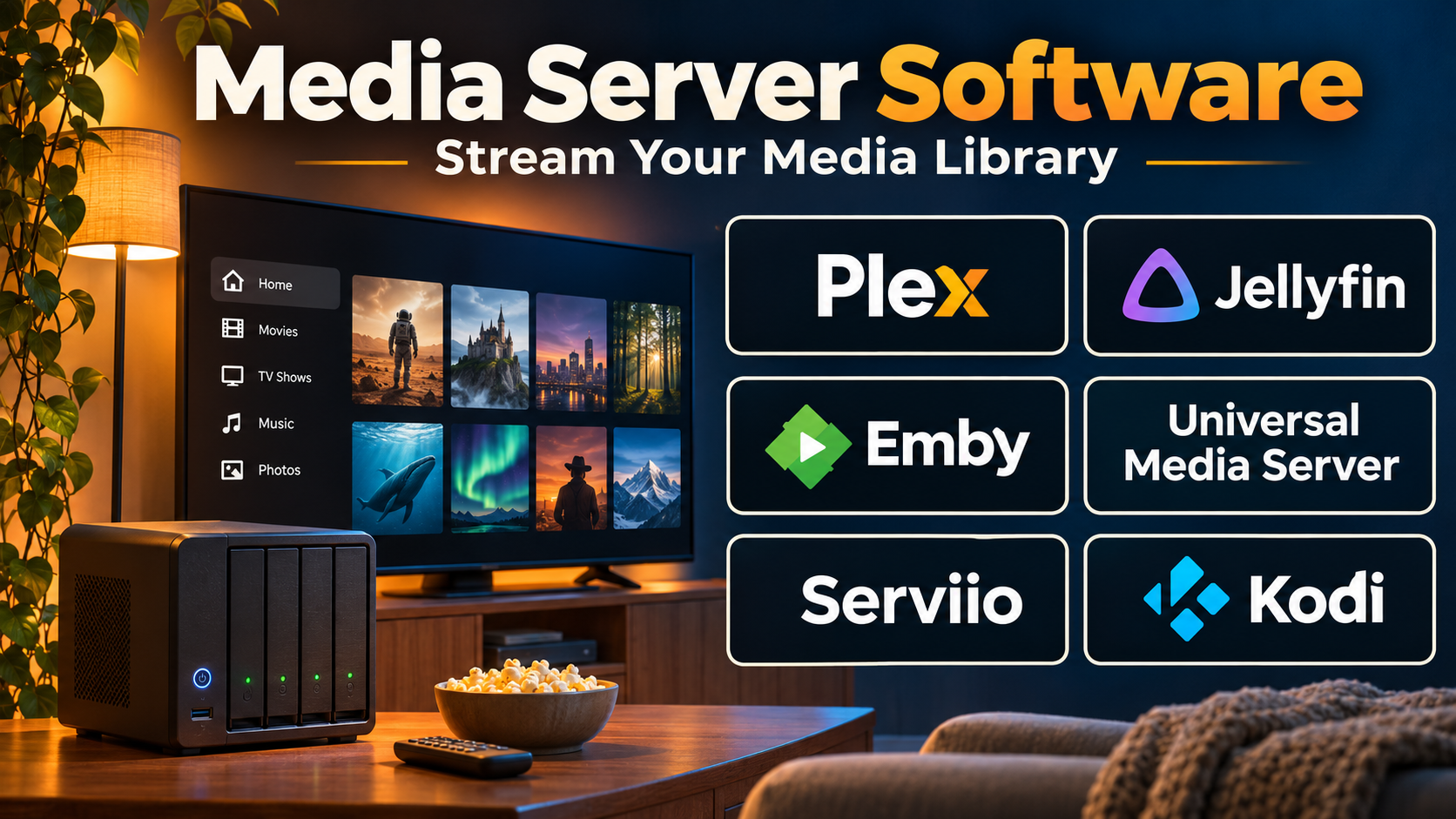
Introduction
Media server software plays an important role in how video, audio, and other digital media reach users across networks and devices.
Businesses use media servers to distribute live broadcasts, deliver on-demand video, and support custom streaming applications. Individuals use them to organize personal media collections and access content from televisions, computers, smartphones, and other compatible devices.
Although these applications share the term media server, their capabilities vary considerably.
Some products focus on personal media libraries, including movies, television recordings, music, and photographs. Others provide infrastructure for real-time video streaming, adaptive delivery, transcoding, and professional broadcasting.
Choosing the wrong type of media server can create unnecessary complexity, performance problems, or limitations when usage grows.
This guide examines ten established media server solutions, compares their technical strengths, and explains how to choose software based on streaming requirements, infrastructure resources, and operational priorities.
What Is Media Server Software?
Media server software is an application or service that stores, organizes, processes, or distributes digital media to connected clients.
Depending on its architecture, a media server may provide a searchable content library, stream video over local networks, deliver internet broadcasts, convert media formats, or manage live video connections.
Main Types of Media Servers
Personal media servers organize privately owned media collections and provide playback across supported devices.
DLNA and UPnP media servers allow compatible devices to discover and play media over local networks.
Live streaming media servers ingest video streams and distribute them to viewers through supported streaming protocols.
Real-time communication servers support interactive applications requiring low-latency audio and video delivery.
Enterprise media infrastructure provides scalable streaming, access management, and operational monitoring.
How Media Servers Work
A typical media server receives or locates source media, processes it when necessary, and delivers the content to compatible playback applications.
For personal libraries, the server scans files, extracts metadata, organizes content, and makes it accessible through client applications.
For live streaming, the server receives a video feed, processes or repackages the stream, and distributes it using supported protocols.
Media servers may also perform transcoding when a receiving device cannot play the original format.
Important technical considerations include network bandwidth, storage speed, CPU and GPU capacity, supported codecs, concurrent viewers, and stream latency.
Top 10 Media Server Software
1. Plex Media Server
Best For: Personal media libraries, home entertainment, and convenient playback across multiple devices.
Short Description
Plex Media Server is a media management and streaming application designed to organize personal media collections and make them available through compatible playback devices.
Users install the server on a supported computer, network-attached storage device, or other compatible system and point it toward their media files.
Plex scans the content, organizes libraries, retrieves available metadata, and presents media through a polished interface.
Its client ecosystem supports playback across many types of devices, making it attractive to households and individuals who want a centralized entertainment library.
Plex also offers additional media services and optional subscription features. However, users should distinguish local media-server capabilities from the company’s broader streaming offerings.
Key Features
- Automatic library organization: Scans media folders and arranges content into browsable collections.
- Metadata enrichment: Adds available artwork, descriptions, and media information.
- Multi-device playback: Provides applications for supported televisions, computers, and mobile devices.
- Remote streaming: Allows configured access to personal libraries outside the local network.
- Media transcoding: Converts content when supported clients cannot play original files.
- User profiles: Supports managed access and personalized viewing experiences.
- Library sharing: Allows authorized users to access selected media collections.
- Playback management: Supports progress tracking and convenient media navigation.
Benefits
Plex simplifies the process of turning scattered media files into an organized entertainment library.
Its client applications reduce the need for users to manually browse file systems or configure playback software on every device.
Automatic metadata and library organization also improve the experience of managing large collections.
Pros
- Polished interface and broad client support.
- Convenient media organization.
- Suitable for nontechnical users.
- Supports local and remote playback.
- Useful metadata and library features.
Cons
- Some features require a paid subscription or other entitlement.
- Remote access may require network configuration.
- Transcoding can consume substantial processing resources.
- Account and service dependencies may not suit fully offline environments.
Use Cases
Home entertainment: Stream a personal movie collection to televisions and computers.
Family media libraries: Organize approved content for household members.
Remote viewing: Access a personal media collection while traveling, subject to configuration and connectivity.
Best Suited For
Individuals and households seeking an accessible, feature-rich personal media server.
2. Jellyfin
Best For: Open-source, self-hosted media streaming with strong control over infrastructure and personal data.
Short Description
Jellyfin is a free and open-source media server that allows users to organize and stream personal media collections.
It is designed around self-hosting and user control, without requiring a commercial subscription to unlock its core server functionality.
Users can install Jellyfin on supported operating systems and connect it to local media directories.
The platform provides library management, metadata handling, user accounts, and playback through supported clients.
Jellyfin is particularly attractive to technically comfortable users who prefer open-source software and want to control their media environment.
Its flexibility comes with additional responsibility for server administration, network security, and maintenance.
Key Features
- Open-source architecture: Allows inspection, modification, and community-driven development.
- Self-hosted libraries: Keeps media organization under the server owner’s control.
- Media metadata: Organizes collections with artwork and descriptive information.
- Multi-user support: Provides separate accounts and access permissions.
- Transcoding support: Converts media for compatible playback when needed.
- Hardware acceleration: Can use supported hardware to improve processing efficiency.
- Client applications: Supports playback through available apps and browsers.
- Plugin ecosystem: Extends functionality through compatible community additions.
Benefits
Jellyfin provides substantial flexibility without requiring a recurring server subscription.
Its self-hosted architecture allows users to control storage, configuration, and access.
The open-source model also supports customization and community participation.
Pros
- Free and open-source.
- No mandatory subscription for core functionality.
- Strong self-hosting flexibility.
- Supports multiple media types.
- Active community ecosystem.
Cons
- Requires server setup and maintenance.
- Client experiences vary across platforms.
- Remote access needs careful security configuration.
- Some advanced tasks require technical knowledge.
Use Cases
Private home streaming: Maintain a locally controlled entertainment library.
Home laboratories: Experiment with media infrastructure and hardware acceleration.
Community projects: Build customized media experiences using open-source components.
Best Suited For
Self-hosting enthusiasts, technically capable households, and organizations prioritizing control over convenience.
3. Emby Server
Best For: Personal media management with a combination of configurable server controls and polished playback features.
Short Description
Emby Server is a media management application that organizes personal video, audio, and other supported content into accessible libraries.
It provides a centralized server environment with playback through compatible client applications.
Emby combines library organization, user management, metadata handling, and transcoding capabilities.
Its interface and administrative options make it suitable for users who want more control than basic file sharing while retaining a convenient viewing experience.
Emby offers both free functionality and premium capabilities through its commercial licensing model.
Key Features
- Centralized media libraries: Organizes content into structured collections.
- Metadata management: Adds descriptive information and artwork.
- User permissions: Controls access to libraries and features.
- Device compatibility: Supports playback through compatible client applications.
- Media transcoding: Converts content for supported playback environments.
- Live TV functionality: Supports compatible television-related workflows.
- Remote access: Allows configured playback outside local networks.
- Administrative controls: Provides settings for library and user management.
Benefits
Emby offers a balance between ease of use and configurable server administration.
Its user-management features support households with different viewing preferences.
The platform also provides a structured approach to managing diverse media collections.
Pros
- Organized and accessible interface.
- Flexible user management.
- Useful media playback capabilities.
- Supports multiple media categories.
- Suitable for dedicated home servers.
Cons
- Selected capabilities require Emby Premiere.
- Not intended for large commercial broadcast operations.
- Requires ongoing server maintenance.
- Device support and features may vary.
Use Cases
Family media sharing: Provide controlled access to household libraries.
Home theater systems: Centralize media for compatible entertainment devices.
Personal video archives: Organize recordings and stored media.
Best Suited For
Home users seeking configurable media management with optional premium functionality.
4. Universal Media Server
Best For: Local-network media sharing using DLNA and UPnP-compatible devices.
Short Description
Universal Media Server is an open-source application designed to stream media from a computer to compatible devices on a local network.
Its primary focus is straightforward media sharing through established discovery and playback protocols.
Users can expose selected media directories to supported televisions, consoles, and other playback devices.
The software can also use media-processing tools to improve compatibility when direct playback is unavailable.
Universal Media Server is particularly useful for households that want local media access without building a sophisticated browser-based streaming service.
Key Features
- DLNA support: Enables discovery by compatible playback devices.
- UPnP integration: Supports local-network media communication.
- Media transcoding: Helps adapt incompatible formats.
- Device compatibility profiles: Improves playback for supported renderers.
- Media folder sharing: Makes selected directories available.
- Cross-platform operation: Supports multiple desktop operating systems.
- Web interface: Provides additional access and administration options.
- Open-source development: Supports community contributions and customization.
Benefits
Universal Media Server provides a practical method for sharing local media without relying on a commercial streaming platform.
Its protocol-oriented design is useful for devices with built-in DLNA capabilities.
Pros
- Free and open-source.
- Suitable for local-network streaming.
- Supports a range of compatible devices.
- Relatively straightforward for basic sharing.
- Useful transcoding options.
Cons
- Less polished library experience than Plex.
- Device compatibility can require adjustments.
- Not designed for large internet broadcasts.
- Limited enterprise video management functionality.
Use Cases
Smart television playback: Share videos from a household computer.
Local music streaming: Access compatible audio files across a network.
Legacy device support: Deliver media to older DLNA-capable equipment.
Best Suited For
Users prioritizing straightforward local media sharing over advanced streaming portals.
5. Serviio
Best For: Home-network media distribution to smart televisions, consoles, and compatible playback devices.
Short Description
Serviio is a media server focused on distributing digital content across local networks.
It uses DLNA-oriented capabilities to make media libraries accessible through supported consumer electronics.
The software can organize video, audio, and images while applying media compatibility processing when necessary.
Serviio is particularly relevant to households with several different playback devices and a preference for local media sharing.
Its straightforward architecture makes it a useful alternative to more elaborate media-center platforms.
Key Features
- DLNA media delivery: Streams content to compatible network devices.
- Media library indexing: Organizes selected files for discovery.
- Transcoding: Converts media when playback compatibility requires it.
- Device profiles: Adapts delivery for supported hardware.
- Metadata support: Provides descriptive media information.
- Multiple media types: Supports video, audio, and image collections.
- Remote-access options: Provides additional access capabilities in supported editions.
- Server administration: Allows configuration of libraries and devices.
Benefits
Serviio helps users reuse existing home-network hardware for media playback.
Its device-oriented approach can simplify streaming to televisions without installing complex applications on every screen.
Pros
- Practical DLNA functionality.
- Supports different media categories.
- Useful device compatibility options.
- Suitable for home networks.
- Relatively lightweight deployment.
Cons
- Some capabilities require a paid edition.
- Limited modern collaboration features.
- Not suitable for large-scale public streaming.
- Interface may feel technical to new users.
Use Cases
Household video sharing: Stream locally stored movies.
Music libraries: Distribute audio to compatible devices.
Multi-device environments: Serve media to televisions and consoles.
Best Suited For
Home users seeking reliable local-network media delivery.
6. Wowza Streaming Engine
Best For: Professional live streaming infrastructure and customizable streaming deployments.
Short Description
Wowza Streaming Engine is media server software designed for professional video streaming applications.
Unlike personal media-library products, Wowza focuses on receiving, processing, and distributing streaming media.
Organizations can use it to build live streaming systems, custom video services, and other workflows requiring control over streaming infrastructure.
Its configurable architecture supports a range of streaming protocols and deployment environments.
Wowza is particularly useful for technical teams that need control over how streams enter, move through, and leave their media infrastructure.
Key Features
- Live stream ingestion: Receives streams through supported protocols.
- Streaming protocol support: Connects different publishing and playback workflows.
- Adaptive streaming workflows: Supports delivery to varying network conditions.
- Transcoding options: Helps prepare streams for different output requirements.
- Server-side configuration: Provides control over streaming behavior.
- API and integration capabilities: Connects streaming operations with custom systems.
- Monitoring: Supports operational visibility into streaming activity.
- Deployment flexibility: Enables infrastructure choices based on organizational needs.
Benefits
Wowza gives organizations greater control over streaming infrastructure than general-purpose video hosting platforms.
It supports customized workflows where media transport and server configuration are important.
Pros
- Professional streaming functionality.
- Configurable architecture.
- Supports custom streaming applications.
- Useful protocol interoperability.
- Suitable for technical operations teams.
Cons
- Requires streaming infrastructure expertise.
- Licensing and infrastructure costs must be considered.
- Not a ready-made personal media library.
- Scaling and maintenance remain operational responsibilities.
Use Cases
Live event streaming: Deliver professional broadcasts.
Custom video services: Build specialized streaming applications.
Enterprise broadcasting: Operate controlled media delivery environments.
Best Suited For
Streaming engineers and organizations requiring configurable professional media infrastructure.
7. Ant Media Server
Best For: Low-latency and real-time video streaming applications.
Short Description
Ant Media Server is streaming server software designed for applications requiring live video delivery and interactive viewing experiences.
Its capabilities include WebRTC-based streaming and other supported distribution methods.
WebRTC is particularly important for applications where viewers need to receive video with minimal delay.
Ant Media Server can support interactive broadcasts, virtual events, and custom video applications.
Its developer-oriented approach makes it useful for teams building specialized streaming products rather than simply managing a personal media collection.
Key Features
- WebRTC streaming: Supports low-latency real-time video delivery.
- Live stream ingestion: Accepts compatible video inputs.
- Adaptive bitrate capabilities: Helps accommodate different viewer conditions.
- Recording: Supports storing live content for later playback.
- Streaming APIs: Enables application integration.
- Scalable deployment options: Supports architectures designed for larger audiences.
- Monitoring: Provides operational insight into streaming services.
- Multiple playback methods: Supports different client and delivery requirements.
Benefits
Ant Media Server is well suited to applications where traditional high-latency streaming is insufficient.
Its real-time capabilities can improve interaction between presenters and viewers.
Pros
- Strong low-latency focus.
- Supports WebRTC workflows.
- Suitable for custom applications.
- Developer integration capabilities.
- Flexible streaming architecture.
Cons
- Requires technical implementation.
- Advanced scaling needs infrastructure planning.
- Not designed as a simple home media library.
- Commercial edition features and licensing require evaluation.
Use Cases
Interactive live events: Deliver streams with low delay.
Virtual classrooms: Support real-time educational experiences.
Video-enabled applications: Build custom streaming products.
Best Suited For
Developers and streaming teams requiring real-time video delivery.
8. Nimble Streamer
Best For: Lightweight professional streaming infrastructure and protocol-oriented media delivery.
Short Description
Nimble Streamer is media server software designed to handle live and on-demand streaming workloads.
It focuses on efficient media processing and delivery through supported streaming protocols.
The software can be deployed within controlled server environments and integrated into larger streaming architectures.
Its relatively lightweight approach makes it attractive to technical teams that want to build customized media delivery infrastructure.
Nimble Streamer is particularly relevant where operational efficiency and protocol support are more important than a polished consumer media-library interface.
Key Features
- Live streaming: Processes and distributes compatible live streams.
- On-demand delivery: Supports playback of stored media.
- Streaming protocol support: Connects multiple media transport workflows.
- Media repackaging: Converts supported stream packaging without always requiring full re-encoding.
- Transcoding integrations: Supports additional processing workflows.
- Server management: Provides administrative configuration.
- Monitoring capabilities: Helps operators observe streaming activity.
- Infrastructure flexibility: Supports deployment in custom server environments.
Benefits
Nimble Streamer provides a focused streaming component for custom media infrastructure.
Its protocol and packaging capabilities can reduce unnecessary processing in suitable workflows.
Pros
- Lightweight server-oriented architecture.
- Useful streaming protocol support.
- Suitable for custom deployments.
- Supports live and on-demand use cases.
- Integrates into larger media systems.
Cons
- Requires streaming knowledge.
- Not a consumer-oriented media center.
- Some capabilities depend on related services or licensing.
- Operational responsibility remains with the deployment team.
Use Cases
Internet broadcasting: Deliver live channels.
Streaming infrastructure: Build custom distribution pipelines.
Media repackaging: Adapt supported incoming streams for playback systems.
Best Suited For
Streaming infrastructure teams and technically capable service providers.
9. Red5 Pro
Best For: Real-time interactive streaming applications requiring scalable, low-latency delivery.
Short Description
Red5 Pro provides streaming server technology for applications where real-time media communication is important.
It focuses on low-latency streaming and infrastructure designed to distribute interactive video to larger audiences.
This makes it relevant to use cases such as interactive events, remote participation, and applications requiring rapid video delivery.
Its infrastructure-oriented design allows development teams to build specialized streaming experiences.
Compared with ordinary media-library servers, Red5 Pro requires a stronger understanding of networking, streaming protocols, and application architecture.
Key Features
- Real-time streaming: Supports low-latency media delivery.
- WebRTC capabilities: Enables compatible interactive video workflows.
- Scalable streaming architecture: Supports distribution across infrastructure resources.
- Streaming APIs: Integrates media services with custom applications.
- Live publishing: Accepts compatible live video sources.
- Playback integration: Supports application-specific viewer experiences.
- Infrastructure controls: Allows configuration of streaming deployments.
- Operational monitoring: Helps teams manage streaming environments.
Benefits
Red5 Pro supports applications where reducing streaming delay is a primary requirement.
Its scalable architecture can help teams design interactive experiences for larger audiences.
Pros
- Strong real-time streaming orientation.
- Suitable for interactive applications.
- Supports custom integration.
- Scalable architecture options.
- Developer-focused capabilities.
Cons
- Requires technical expertise.
- Commercial licensing must be evaluated.
- Not suitable for basic personal media management.
- Infrastructure complexity can increase with scale.
Use Cases
Interactive broadcasts: Deliver live video with minimal delay.
Real-time applications: Build audience participation features.
Specialized streaming services: Create custom low-latency delivery systems.
Best Suited For
Engineering teams building interactive video products and real-time streaming infrastructure.
10. MediaMTX
Best For: Open-source streaming protocol conversion, camera streams, and lightweight self-hosted streaming infrastructure.
Short Description
MediaMTX is an open-source media server and proxy designed to publish, read, record, and route live video streams.
It is particularly useful for developers, system administrators, and video infrastructure teams working with streaming protocols.
The software can serve as a central component between video sources and playback clients.
For example, it can help distribute camera streams to applications using different supported protocols.
MediaMTX emphasizes practical streaming infrastructure rather than rich media-library management.
Its open-source architecture makes it useful for experimentation, custom integrations, and production deployments where teams can manage the underlying infrastructure.
Key Features
- Multi-protocol streaming: Supports several common live media protocols.
- Stream proxying: Relays media between compatible sources and clients.
- WebRTC support: Enables supported browser-oriented streaming workflows.
- RTSP capabilities: Supports common IP camera and network video use cases.
- Stream recording: Stores compatible live streams.
- Authentication options: Helps control access to streams.
- Configuration-driven deployment: Supports infrastructure automation.
- Open-source architecture: Enables customization and community development.
Benefits
MediaMTX provides a focused way to connect streaming sources and consumers.
It is useful when applications require protocol interoperability without a complete enterprise video platform.
Its relatively compact architecture also supports deployment in constrained or specialized environments.
Pros
- Free and open-source.
- Supports multiple streaming protocols.
- Useful for IP cameras and custom applications.
- Lightweight infrastructure component.
- Suitable for automated deployments.
Cons
- Does not provide a complete media-library experience.
- Requires technical configuration.
- Large-scale distribution needs additional architecture.
- Full transcoding workflows generally require external processing components.
Use Cases
IP camera distribution: Deliver camera feeds to compatible applications.
Streaming development: Build and test custom video pipelines.
Protocol bridging: Connect streaming sources with different playback environments.
Best Suited For
Developers, system administrators, and organizations building lightweight streaming infrastructure.
Comparison Table: Top 10 Media Server Software
| Software | Main Focus | Best For | Open Source | Technical Complexity |
|---|---|---|---|---|
| Plex | Personal media libraries | Home entertainment | No | Low–Medium |
| Jellyfin | Self-hosted media | Privacy-focused users | Yes | Medium |
| Emby | Managed personal libraries | Home media enthusiasts | No | Low–Medium |
| Universal Media Server | DLNA streaming | Local networks | Yes | Medium |
| Serviio | Device-oriented streaming | Smart TV households | No | Low–Medium |
| Wowza Streaming Engine | Professional streaming | Businesses | No | High |
| Ant Media Server | Low-latency streaming | Real-time applications | Community edition | High |
| Nimble Streamer | Streaming infrastructure | Streaming providers | No | High |
| Red5 Pro | Real-time video | Interactive applications | No | High |
| MediaMTX | Protocol bridging | Developers, IP cameras | Yes | Medium–High |
How to Choose the Right Media Server Software
1. Identify the Media Server Category
Determine whether the goal is managing personal media, distributing live broadcasts, or building a real-time application.
These requirements should guide the shortlist before comparing individual features.
2. Evaluate Supported Protocols
For local media sharing, DLNA support may be sufficient.
Professional streaming deployments may require RTMP, RTSP, HLS, WebRTC, or other protocols.
Protocol compatibility should be tested with actual sources and playback devices.
3. Assess Transcoding Requirements
Some devices cannot directly play certain codecs or media containers.
Transcoding solves compatibility problems but may require significant CPU or GPU resources.
Estimate the number of simultaneous conversions expected during peak usage.
4. Consider Latency
Traditional streaming may tolerate several seconds of delay.
Interactive applications often require much lower latency.
Choose software based on the actual delay requirements of the application.
5. Review Scalability
A personal media server may support only a few simultaneous users.
A commercial streaming service may need to serve thousands of viewers.
Evaluate the architecture required to scale beyond one server.
6. Examine Security
Consider authentication, encryption, access permissions, network exposure, and update practices.
Avoid exposing administrative interfaces directly to the public internet.
7. Compare Deployment Options
Some solutions run on consumer computers or NAS devices.
Others require dedicated servers, cloud instances, load balancers, and monitoring infrastructure.
8. Calculate Operating Costs
Include software licensing, hardware, storage, bandwidth, electricity, cloud infrastructure, and maintenance.
Open-source software can reduce licensing expenses but does not eliminate operating costs.
Best Media Server Software by User Type
| User Type | Recommended Software | Main Reason |
|---|---|---|
| Home entertainment users | Plex | Convenient media experience |
| Open-source enthusiasts | Jellyfin | Self-hosting control |
| Families requiring managed libraries | Emby | User and library management |
| DLNA device users | Universal Media Server | Local-network compatibility |
| Smart TV households | Serviio | Device-oriented streaming |
| Professional broadcasters | Wowza Streaming Engine | Streaming infrastructure |
| Real-time application developers | Ant Media Server | Low-latency capabilities |
| Streaming service operators | Nimble Streamer | Efficient media delivery |
| Interactive video developers | Red5 Pro | Real-time streaming architecture |
| IP camera integrators | MediaMTX | Protocol interoperability |
Practical Example: Building a Media Server for a Small Training Company
Consider a training business that wants to deliver recorded courses to employees and selected customers.
The company currently stores video files on a shared drive, but users experience inconsistent playback and difficulty locating lessons.
Step 1: Define the Audience
The company identifies internal employees and authorized customers as separate viewer groups.
Step 2: Estimate Media Volume
Administrators inventory existing recordings and estimate storage growth.
They also identify expected concurrent viewers.
Step 3: Determine Streaming Requirements
The company requires browser playback, reliable access controls, and on-demand delivery.
Real-time interaction is not currently necessary.
Step 4: Select an Appropriate Architecture
The technical team evaluates whether a managed video platform would be simpler than self-hosting.
If self-hosting is required, it tests a suitable media server and supporting web application.
Step 5: Prepare the Infrastructure
Administrators configure storage, processing resources, network access, and monitoring.
Step 6: Organize Content
Lessons receive consistent titles, categories, and course identifiers.
Step 7: Implement Authentication
Access controls restrict customer content to authorized users.
Step 8: Test Playback
The team tests videos on desktop and mobile devices under different network conditions.
Step 9: Monitor Performance
Administrators track bandwidth, server utilization, playback failures, and transcoding activity.
Step 10: Plan for Growth
The company reviews whether increased demand requires caching, additional servers, or managed distribution services.
Expected Outcome
A properly designed system can improve media accessibility, simplify administration, and provide more predictable playback.
The final results depend on infrastructure sizing, network quality, and implementation.
Frequently Asked Questions
1. What is media server software?
Media server software stores, organizes, processes, or distributes digital media to connected devices and applications.
2. What is the best media server for home use?
Plex, Jellyfin, and Emby are popular choices. Plex emphasizes convenience, Jellyfin emphasizes open-source control, and Emby combines library management with optional premium features.
3. Is Jellyfin completely free?
Jellyfin’s core software is free and open-source. Users still pay for any hardware, storage, electricity, or cloud infrastructure they operate.
4. What is the difference between Plex and Jellyfin?
Plex provides a polished commercial ecosystem with optional paid capabilities. Jellyfin emphasizes open-source development and self-hosted control.
5. What is a DLNA media server?
A DLNA media server shares compatible media with devices on a local network using standardized discovery and playback mechanisms.
6. Can a media server support live streaming?
Yes. Professional products such as Wowza, Ant Media Server, Nimble Streamer, and Red5 Pro support live streaming workflows.
7. What is transcoding in a media server?
Transcoding converts media into a different format, codec, resolution, or bitrate to meet playback requirements.
8. Does a media server need a powerful computer?
Hardware requirements depend on media resolution, concurrent viewers, transcoding activity, and streaming architecture. Direct playback usually requires fewer processing resources than multiple simultaneous transcodes.
9. Can media servers be accessed remotely?
Many can support remote access. Administrators should configure authentication, encryption, network protection, and appropriate permissions.
10. Which media server is best for developers?
MediaMTX is useful for lightweight protocol-oriented workflows. Ant Media Server and Red5 Pro are relevant to real-time applications, while Wowza and Nimble Streamer support professional streaming infrastructure.
Conclusion
Media server software supports a wide range of needs, from household entertainment libraries to sophisticated real-time streaming systems.
Plex, Jellyfin, and Emby provide personal media management. Universal Media Server and Serviio emphasize local-network distribution.
Wowza Streaming Engine and Nimble Streamer serve professional streaming environments, while Ant Media Server and Red5 Pro focus on low-latency applications.
MediaMTX offers a lightweight open-source foundation for protocol bridging and custom streaming pipelines.
The best media server depends on whether the priority is ease of use, self-hosting control, device compatibility, low latency, or scalable streaming infrastructure.
A successful implementation begins with clearly defined playback requirements, realistic infrastructure planning, and careful testing under expected workloads.