Introduction
Software engineering teams increasingly depend on cloud infrastructure, containers, deployment pipelines, security controls, and operational tooling. Although these technologies improve flexibility, they can also make routine development tasks unnecessarily complicated.
Developers may need to understand infrastructure configuration, deployment permissions, networking, observability, and organizational policies before delivering a simple application change.
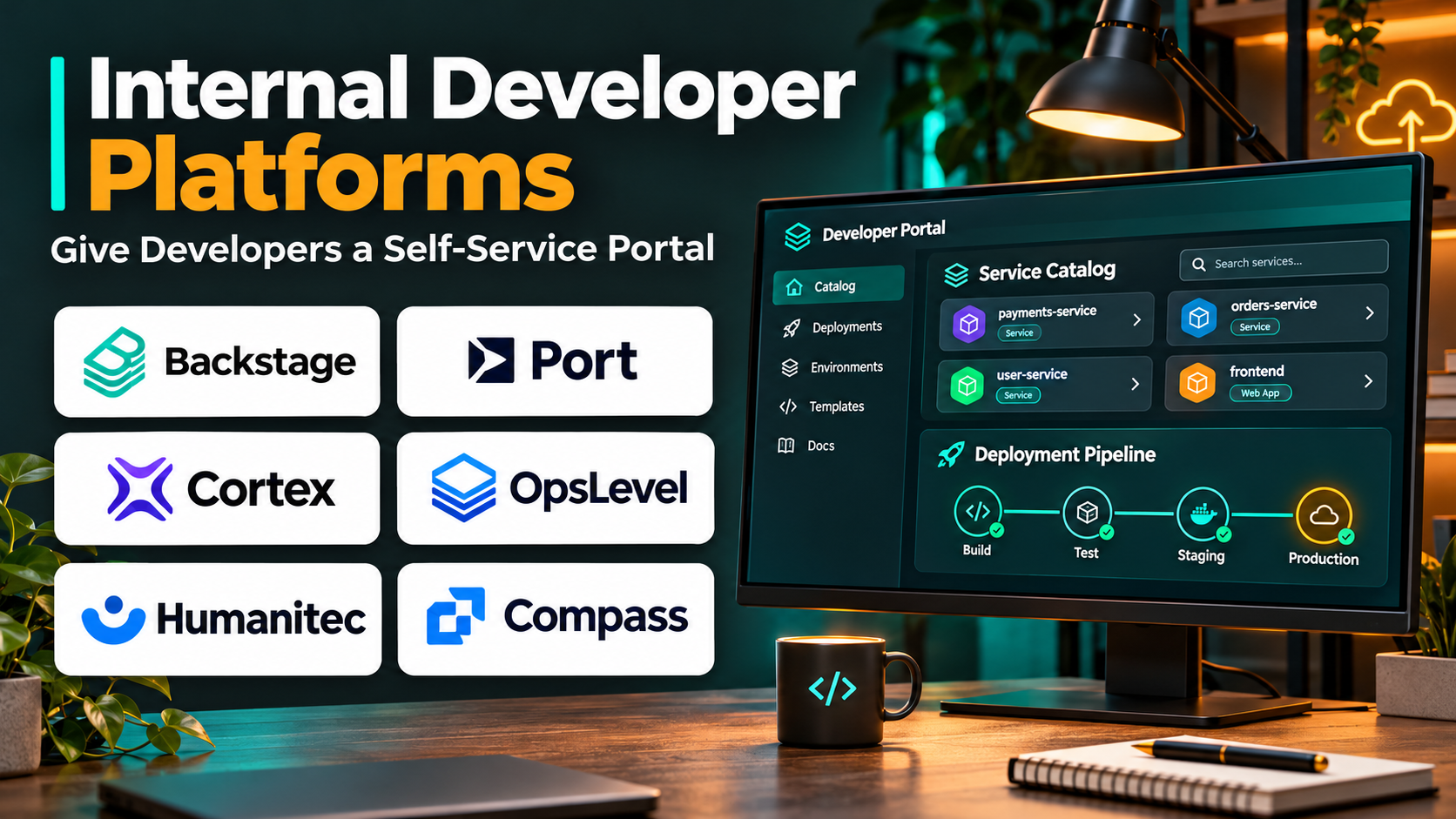
Internal Developer Platforms (IDPs) address this challenge by providing standardized, self-service workflows that simplify how developers build, deploy, and operate software.
Rather than forcing every engineering team to manage infrastructure independently, an IDP provides reusable capabilities, approved templates, and automated processes.
A well-designed platform can improve developer productivity, reduce operational inconsistencies, and strengthen engineering governance. However, successful implementation requires more than installing a developer portal. Organizations must also define ownership, platform services, security boundaries, and support processes.
This guide examines ten established internal developer platform solutions, including their features, benefits, limitations, and practical applications.
What Are Internal Developer Platforms?
An Internal Developer Platform is a collection of integrated tools, services, and workflows that enables developers to perform common engineering tasks through standardized self-service interfaces.
These tasks may include creating applications, provisioning environments, deploying services, configuring infrastructure, managing secrets, and accessing operational information.
An IDP usually sits between application developers and the underlying infrastructure.
Platform engineering teams build and maintain the platform, while application teams consume its capabilities.
Internal Developer Platforms vs. Developer Portals
These terms are related but not interchangeable.
An Internal Developer Platform provides the operational capabilities needed to deliver and run software.
An Internal Developer Portal provides a user-facing interface for discovering services, documentation, templates, and workflows.
A developer portal may be one component of an IDP.
For example, Backstage can provide a developer portal while other systems handle infrastructure provisioning and deployment.
Why Organizations Use IDPs
Internal developer platforms can provide several advantages:
- Reduce repetitive infrastructure configuration.
- Standardize application delivery workflows.
- Improve developer self-service.
- Strengthen security and policy enforcement.
- Reduce dependency on centralized operations teams.
- Improve visibility into engineering services.
- Support consistent development environments.
- Simplify onboarding for new engineers.
- Encourage reusable engineering practices.
The objective is not to eliminate infrastructure complexity entirely. It is to manage that complexity centrally and expose useful abstractions to developers.
Top 10 Internal Developer Platforms
1. Humanitec
Short Description
Humanitec is a platform engineering solution designed to help organizations create and operate internal developer platforms.
It focuses on separating application requirements from infrastructure implementation. Developers can describe the resources their applications need without managing every underlying cloud configuration.
Platform engineering teams define reusable infrastructure configurations and establish how application requirements map to approved resources.
This approach can reduce inconsistencies between development teams and simplify the management of complex infrastructure environments.
Humanitec is particularly relevant for organizations operating containerized applications across multiple environments or infrastructure providers.
Its value comes from helping teams establish standardized provisioning workflows while retaining control over the underlying technology stack.
Key Features
- Infrastructure Orchestration: Coordinates resource provisioning through defined platform configurations.
- Application Resource Definitions: Allows applications to express infrastructure requirements.
- Reusable Resource Configurations: Standardizes common infrastructure patterns.
- Environment Management: Supports consistent resource delivery across environments.
- Self-Service Infrastructure: Reduces manual provisioning requests.
- Platform APIs: Enables integration with developer workflows and automation.
- Infrastructure Abstraction: Separates developer requirements from implementation details.
- Policy-Oriented Configuration: Helps platform teams establish approved provisioning patterns.
- Integration Support: Works with compatible infrastructure and delivery tooling.
Benefits
Humanitec can reduce duplicated infrastructure work and improve consistency across engineering teams. Platform engineers retain control over provisioning standards while developers receive simpler workflows.
Pros
- Strong infrastructure orchestration focus
- Supports reusable platform configurations
- Useful for complex cloud environments
- Reduces infrastructure knowledge required from application teams
- Encourages standardized provisioning
Cons
- Requires a mature platform engineering approach.
- Initial resource modeling takes planning.
- Does not eliminate the need for infrastructure expertise.
- Organizations must maintain integrations and platform definitions.
Use Cases
A financial technology company can establish approved database and service configurations that application teams request through standardized workflows.
A large engineering organization can reduce duplicated infrastructure definitions across multiple product teams.
Best For: Enterprises and platform engineering teams building standardized, infrastructure-focused IDPs.
2. Port
Short Description
Port is an internal developer portal platform that helps organizations build a unified interface for engineering services, infrastructure resources, and developer workflows.
It is especially useful when engineering information is distributed across source control, cloud services, CI/CD systems, and operational tools.
Port enables teams to define a software catalog that represents applications, services, infrastructure, and their relationships.
Developers can use this catalog to understand ownership, operational status, and available actions.
The platform also supports self-service workflows that connect developer requests to existing automation.
Port is best understood as a portal and orchestration interface within a broader IDP architecture rather than a replacement for every underlying infrastructure system.
Key Features
- Software Catalog: Organizes applications, services, and infrastructure resources.
- Custom Data Models: Represents organization-specific engineering entities.
- Self-Service Actions: Exposes approved workflows to developers.
- Scorecards: Evaluates services against defined engineering standards.
- Ownership Tracking: Identifies responsible teams and service maintainers.
- Integration Framework: Connects information from engineering systems.
- Workflow Automation: Triggers supported external processes.
- Developer Dashboards: Presents relevant operational information.
- Governance Visibility: Tracks adherence to organizational expectations.
Benefits
Port improves discoverability and gives developers a consistent entry point for common engineering activities.
Pros
- Flexible service catalog
- Customizable engineering data model
- Useful self-service workflows
- Strong visibility into service ownership
- Supports governance and engineering standards
Cons
- Requires integrations with operational systems.
- Catalog quality depends on data maintenance.
- Advanced modeling introduces administrative complexity.
- Infrastructure execution remains dependent on connected tooling.
Use Cases
An engineering organization can create a central catalog showing every production service, its owner, deployment information, and operational standards.
Developers can also trigger approved environment provisioning workflows through self-service actions.
Best For: Organizations seeking a customizable developer portal and centralized engineering service catalog.
3. Backstage
Short Description
Backstage is an open-source developer portal framework originally developed at Spotify.
It provides a foundation for creating internal developer portals that centralize engineering services, documentation, templates, and integrations.
Backstage is particularly attractive to organizations that want extensive control over their developer experience.
Rather than adopting a completely predefined portal, engineering teams can customize the interface and extend its capabilities through plugins.
Its software catalog helps developers discover services and understand ownership relationships.
Software templates can standardize project creation, while documentation capabilities help teams keep technical knowledge accessible.
However, Backstage is not a complete infrastructure platform by itself. Organizations must integrate it with deployment, provisioning, and operational systems to deliver broader IDP functionality.
Key Features
- Software Catalog: Centralizes service and component information.
- Software Templates: Standardizes application and service creation.
- Plugin Architecture: Extends portal functionality.
- TechDocs: Supports documentation integrated into the developer portal.
- Ownership Metadata: Tracks teams and engineering components.
- API Catalog: Helps developers discover internal APIs.
- Search Capabilities: Improves engineering information discovery.
- Integration Support: Connects compatible development tools.
- Customizable Interface: Allows organizations to build tailored experiences.
Benefits
Backstage gives organizations a flexible foundation for improving developer experience without being restricted to a single commercial platform architecture.
Pros
- Open-source foundation
- Extensive customization potential
- Large integration ecosystem
- Strong service catalog concept
- Useful software templates
Cons
- Requires engineering resources to deploy and maintain.
- Plugin compatibility needs management.
- Infrastructure automation must be integrated separately.
- Long-term ownership can become substantial.
Use Cases
A technology company can build a developer portal that combines service ownership, documentation, project templates, and deployment links.
A platform team can create approved application templates that automatically initialize repositories and standard project configurations.
Best For: Engineering organizations seeking an extensible, self-managed developer portal foundation.
4. Cortex
Short Description
Cortex is an internal developer portal focused on service visibility, engineering standards, and operational accountability.
It helps organizations understand what services they operate, who owns them, and whether they satisfy defined reliability and security expectations.
The platform is particularly useful for engineering teams that struggle with fragmented service inventories and inconsistent operational practices.
Cortex provides a centralized view of software components and enables teams to establish scorecards for engineering standards.
These standards can cover areas such as documentation, ownership, observability, and operational readiness.
By making expectations visible, Cortex can help organizations improve consistency without relying exclusively on manual reviews.
Key Features
- Service Catalog: Maintains visibility into engineering services.
- Ownership Management: Connects services with responsible teams.
- Engineering Scorecards: Evaluates services against defined standards.
- Operational Readiness Tracking: Highlights missing requirements.
- Developer Workflows: Supports standardized engineering actions.
- Integration Capabilities: Collects information from connected tools.
- Service Metadata: Organizes operational and technical context.
- Standards Reporting: Tracks progress toward engineering goals.
- Developer Visibility: Helps teams discover relevant service information.
Benefits
Cortex helps organizations turn engineering standards into measurable, actionable requirements.
Pros
- Strong service ownership visibility
- Useful engineering scorecards
- Supports operational governance
- Centralizes engineering information
- Helps prioritize service improvements
Cons
- Requires accurate service metadata.
- Scorecards must reflect meaningful standards.
- Not a complete infrastructure provisioning system.
- Organizations need processes for maintaining catalog quality.
Use Cases
A large SaaS company can monitor whether production services have documented owners, runbooks, and observability coverage.
Engineering leaders can use scorecards to identify teams needing additional operational support.
Best For: Engineering organizations prioritizing service catalogs, ownership, and operational standards.
5. Harness Internal Developer Portal
Short Description
Harness Internal Developer Portal provides a centralized developer experience that connects service catalogs, templates, and engineering workflows.
It is designed to help teams simplify software delivery while integrating with development and deployment systems.
Organizations can use the portal to make approved engineering processes easier to discover and execute.
This can include creating services, accessing documentation, and initiating standardized delivery workflows.
The platform is particularly relevant for businesses already using Harness delivery capabilities, although integration requirements should still be evaluated.
Harness Internal Developer Portal emphasizes bringing developer-facing workflows into a unified environment.
Its effectiveness depends on how well the portal is connected to the organization’s existing infrastructure and automation.
Key Features
- Developer Service Catalog: Organizes software components.
- Software Templates: Standardizes new project creation.
- Self-Service Workflows: Exposes approved engineering actions.
- Documentation Integration: Improves access to technical information.
- Delivery Tool Integration: Connects supported CI/CD processes.
- Developer Portal Interface: Centralizes engineering activities.
- Ownership Information: Provides service accountability.
- Extensibility: Supports customization through compatible components.
- Workflow Standardization: Encourages consistent development practices.
Benefits
Harness Internal Developer Portal can reduce tool fragmentation and simplify access to established engineering workflows.
Pros
- Centralized developer experience
- Useful integration with delivery workflows
- Supports standardized service creation
- Relevant to organizations using Harness
- Helps improve engineering discoverability
Cons
- Benefits depend on integration depth.
- Platform configuration requires planning.
- Some workflows may rely on other Harness products.
- Existing tool investments affect total cost.
Use Cases
A DevOps team can create a portal where developers generate standardized services and initiate approved delivery workflows.
An organization using Harness can consolidate access to service information and deployment processes.
Best For: Engineering teams seeking a developer portal closely connected to software delivery automation.
6. Qovery
Short Description
Qovery is a cloud application deployment platform that helps developers deploy and manage applications using existing cloud infrastructure.
It emphasizes self-service environments and simplified deployment workflows.
Developers can use Qovery to reduce the operational work involved in configuring infrastructure for applications.
The platform provides an abstraction over supported cloud and Kubernetes environments, making common deployment activities more accessible.
Qovery is particularly relevant for teams that want developers to create environments without repeatedly requesting infrastructure assistance.
Its scope is more deployment-oriented than broad developer portal platforms, so organizations may combine it with catalogs and documentation systems.
Key Features
- Self-Service Environments: Enables developers to create application environments.
- Cloud Deployment Automation: Simplifies application delivery.
- Kubernetes Integration: Works with supported container infrastructure.
- Environment Configuration: Manages application-specific settings.
- Database Deployment Support: Simplifies supported data service provisioning.
- Deployment Visibility: Provides insight into application deployments.
- Team Access Controls: Supports controlled engineering access.
- Automation Interfaces: Connects deployment processes with workflows.
- Infrastructure Abstraction: Reduces direct exposure to cloud complexity.
Benefits
Qovery can accelerate environment creation and reduce repetitive deployment administration.
Pros
- Developer-friendly deployment workflows
- Useful self-service environments
- Reduces routine infrastructure configuration
- Suitable for cloud-native applications
- Supports faster development iteration
Cons
- Focused more on deployment than full portal governance.
- Cloud architecture still requires expertise.
- Compatibility depends on supported environments.
- Cost includes underlying infrastructure expenses.
Use Cases
A SaaS development team can create temporary environments for testing features.
A growing engineering organization can standardize application deployments across development and production environments.
Best For: Cloud-native teams seeking simplified application deployment and environment management.
7. Cycloid
Short Description
Cycloid is a platform engineering and infrastructure management solution that helps organizations standardize cloud provisioning and developer self-service.
It is designed for teams that want to provide reusable infrastructure workflows while maintaining governance over cloud resources.
Cycloid supports the creation of standardized infrastructure patterns that developers can consume through controlled interfaces.
This approach can reduce manual infrastructure requests and improve consistency between teams.
The platform is relevant for organizations managing cloud infrastructure, infrastructure-as-code processes, and cost visibility.
Cycloid is especially useful when platform engineering goals include both developer productivity and infrastructure governance.
Key Features
- Infrastructure Self-Service: Enables approved resource provisioning.
- Infrastructure-as-Code Integration: Supports reusable provisioning workflows.
- Service Catalog: Makes approved infrastructure patterns discoverable.
- Cloud Management: Coordinates supported cloud environments.
- Cost Visibility: Helps teams understand infrastructure spending.
- Environment Management: Supports consistent configurations.
- Workflow Automation: Reduces manual operational steps.
- Governance Controls: Reinforces approved infrastructure practices.
- Developer Interfaces: Simplifies access to platform capabilities.
Benefits
Cycloid helps teams standardize infrastructure consumption while maintaining visibility into cloud resources and costs.
Pros
- Strong infrastructure governance orientation
- Useful self-service capabilities
- Supports infrastructure-as-code practices
- Provides cloud cost visibility
- Suitable for platform engineering programs
Cons
- Requires infrastructure standardization.
- Platform setup can involve multiple integrations.
- Cloud cost controls still need organizational processes.
- Smaller teams may prefer simpler deployment tools.
Use Cases
An enterprise can provide standardized cloud environments through approved templates.
A platform team can reduce manual provisioning tickets while tracking infrastructure consumption.
Best For: Organizations combining infrastructure self-service with cloud governance and cost management.
8. Mia-Platform
Short Description
Mia-Platform is a platform engineering solution designed to support application development, deployment, and management through standardized workflows.
It emphasizes helping organizations build cloud-native applications using reusable components and platform services.
Developers can work within a managed environment that provides approved patterns for creating and operating software.
This can improve consistency across applications and reduce the need for individual teams to recreate infrastructure and delivery configurations.
Mia-Platform is particularly relevant for enterprises pursuing cloud-native modernization and microservices development.
Its broader platform approach may be valuable when organizations need a coordinated development environment rather than a standalone developer catalog.
Key Features
- Developer Console: Centralizes application management activities.
- Cloud-Native Development Support: Helps teams build container-based services.
- Reusable Components: Encourages standardized application architecture.
- Deployment Workflows: Supports application delivery processes.
- Microservices Management: Organizes distributed application components.
- API-Oriented Architecture: Supports service integration patterns.
- Environment Configuration: Manages application environments.
- Platform Governance: Establishes consistent development practices.
- Integration Capabilities: Connects supported development infrastructure.
Benefits
Mia-Platform helps organizations create a more consistent environment for developing and operating cloud-native applications.
Pros
- Broad cloud-native platform focus
- Supports reusable development patterns
- Useful for microservices architectures
- Encourages standardization
- Relevant to enterprise modernization
Cons
- Adoption may require architectural changes.
- Teams must learn platform-specific workflows.
- Implementation can be complex.
- Organizations should assess ecosystem compatibility.
Use Cases
An enterprise can standardize microservices development across multiple teams.
A platform engineering group can provide reusable application components and deployment workflows.
Best For: Enterprises developing cloud-native applications and modernizing software architectures.
9. Kratix
Short Description
Kratix is an open-source framework for building platform-as-a-product capabilities around Kubernetes and GitOps-oriented workflows.
It allows platform teams to define reusable services that developers can request through standardized interfaces.
Kratix uses the concept of Promises to describe platform capabilities and the workflows required to fulfill them.
A Promise might represent a database, application environment, or other infrastructure service.
This model enables platform engineers to package operational knowledge into reusable capabilities.
Kratix is especially relevant for organizations that want to build a customizable Kubernetes-centered IDP rather than purchase a complete commercial platform.
Key Features
- Promises: Defines reusable platform capabilities.
- Self-Service Resource Requests: Enables developers to consume approved services.
- Kubernetes Integration: Operates within Kubernetes-based architectures.
- GitOps Compatibility: Supports declarative delivery approaches.
- Workflow Pipelines: Automates platform service fulfillment.
- Reusable Platform Definitions: Standardizes infrastructure offerings.
- Extensibility: Allows teams to define custom capabilities.
- Declarative Configuration: Supports infrastructure management through defined state.
- Open-Source Foundation: Provides control over platform implementation.
Benefits
Kratix helps platform teams package infrastructure expertise into repeatable services while retaining architectural flexibility.
Pros
- Open-source approach
- Strong Kubernetes alignment
- Reusable platform capabilities
- Flexible infrastructure abstractions
- Suitable for custom IDP development
Cons
- Requires Kubernetes expertise.
- Teams must build much of the surrounding developer experience.
- Operational ownership remains internal.
- Smaller organizations may find implementation demanding.
Use Cases
A platform team can create a reusable database Promise that provisions approved resources through automated workflows.
A Kubernetes-focused organization can establish a service catalog of standardized platform capabilities.
Best For: Kubernetes platform engineers building customizable, declarative internal platforms.
10. Akuity
Short Description
Akuity provides enterprise-focused GitOps and Kubernetes application delivery capabilities, including solutions built around the Argo ecosystem.
Its role in an internal developer platform is primarily associated with deployment automation and operational delivery workflows.
Organizations can use Akuity to simplify the management of application delivery across Kubernetes environments.
This is especially useful when platform teams want to standardize GitOps practices and reduce the burden of maintaining delivery infrastructure.
Akuity is not a complete developer portal or general-purpose IDP on its own.
Instead, it can serve as an important delivery component within a broader platform architecture that includes service catalogs, infrastructure provisioning, and developer self-service.
Key Features
- GitOps Delivery: Supports declarative application deployment workflows.
- Argo Ecosystem Integration: Builds on established Kubernetes delivery technologies.
- Application Deployment Management: Helps coordinate Kubernetes releases.
- Operational Visibility: Provides insight into deployment activity.
- Environment Management: Supports delivery across Kubernetes environments.
- Deployment Standardization: Encourages consistent release practices.
- Automation Support: Reduces repetitive delivery administration.
- Enterprise Operations: Supports managed delivery requirements.
- Platform Integration: Can connect with broader developer platform workflows.
Benefits
Akuity can help organizations establish more reliable GitOps delivery processes while reducing operational overhead.
Pros
- Strong GitOps orientation
- Relevant to Kubernetes environments
- Supports standardized delivery workflows
- Useful within platform engineering architectures
- Reduces some delivery management complexity
Cons
- Not a complete standalone IDP.
- Requires Kubernetes and GitOps knowledge.
- Infrastructure provisioning needs separate capabilities.
- Best suited to organizations adopting Argo-based delivery.
Use Cases
A platform engineering team can provide standardized Kubernetes application delivery through GitOps workflows.
An enterprise can integrate Akuity with a developer portal to give teams controlled deployment capabilities.
Best For: Kubernetes engineering teams using GitOps as a core component of their internal developer platform.
Internal Developer Platforms Comparison Table
| Tool | Primary Strength | Deployment Focus | Best Fit |
|---|---|---|---|
| Humanitec | Infrastructure orchestration | Cloud infrastructure | Enterprise IDPs |
| Port | Developer portal and catalog | Integrations | Platform visibility |
| Backstage | Extensible developer portal | Self-managed | Custom portals |
| Cortex | Service catalog and standards | Integrated tooling | Engineering governance |
| Harness IDP | Developer workflows | CI/CD integrations | Delivery-focused teams |
| Qovery | Self-service environments | Cloud and Kubernetes | Cloud-native teams |
| Cycloid | Infrastructure self-service | Cloud and IaC | Infrastructure governance |
| Mia-Platform | Cloud-native application platform | Containers and microservices | Enterprise modernization |
| Kratix | Reusable platform capabilities | Kubernetes | Custom platform engineering |
| Akuity | GitOps application delivery | Kubernetes | GitOps-based platforms |
These products serve different layers of the IDP architecture. Portal products, infrastructure orchestrators, and deployment systems should not be treated as identical substitutes.
How to Choose the Right Internal Developer Platform
1. Identify Your Platform Engineering Problems
Begin with measurable developer friction.
Common problems include slow environment provisioning, inconsistent deployments, fragmented documentation, and unclear service ownership.
Select a platform that directly addresses the most expensive problems.
2. Define Your Platform Architecture
Determine whether your organization needs a complete platform experience or specific capabilities.
A typical architecture may combine a developer portal, infrastructure orchestration, deployment automation, and observability.
3. Evaluate Infrastructure Compatibility
Review support for your cloud providers, Kubernetes clusters, infrastructure-as-code tools, and CI/CD systems.
Avoid selecting a platform that requires unnecessary architectural migration.
4. Assess Developer Self-Service
Developers should be able to complete common tasks without waiting for manual approval in every situation.
However, self-service must still operate within appropriate security and governance boundaries.
5. Examine Security and Compliance
Evaluate identity integration, access controls, auditability, secrets management, and policy enforcement.
Confirm which controls are native and which depend on external systems.
6. Consider Platform Maintenance
Open-source frameworks provide flexibility but require internal ownership.
Commercial platforms may reduce certain maintenance responsibilities while introducing licensing costs and vendor dependencies.
7. Measure Developer Experience
Track environment provisioning time, deployment lead time, platform adoption, support requests, and developer satisfaction.
Avoid treating portal logins as the primary measure of success.
8. Start With a Limited Platform Offering
Build one useful golden path before attempting to standardize every engineering workflow.
A successful initial service can establish confidence and provide a foundation for expansion.
Best Internal Developer Platform by User Type
| User Type | Recommended Tool | Reason |
|---|---|---|
| Enterprise platform engineers | Humanitec | Infrastructure abstraction |
| Developer experience teams | Port | Customizable service catalog |
| Open-source engineering teams | Backstage | Extensible portal framework |
| Engineering governance teams | Cortex | Service standards and scorecards |
| Harness customers | Harness IDP | Delivery workflow integration |
| Cloud-native startups | Qovery | Simplified deployment |
| Infrastructure governance teams | Cycloid | Self-service and cost visibility |
| Enterprise modernization teams | Mia-Platform | Cloud-native application workflows |
| Kubernetes platform builders | Kratix | Reusable platform services |
| GitOps-focused teams | Akuity | Kubernetes delivery automation |
Practical Example: Building an IDP for a Growing Engineering Organization
Consider a software company with 150 developers working across 25 application teams.
Creating a new service requires manual infrastructure requests, repository configuration, and deployment setup.
The company wants developers to create production-ready services through a standardized process.
Step 1: Map the Existing Workflow
The platform team documents every step required to launch a service.
It identifies repetitive activities involving repositories, CI/CD pipelines, databases, permissions, and monitoring.
Step 2: Define a Golden Path
The team creates an approved service template containing:
- Repository structure
- Build and test pipeline
- Deployment configuration
- Logging and monitoring
- Security defaults
- Service ownership metadata
The golden path should simplify common cases without preventing justified exceptions.
Step 3: Select Platform Components
The organization chooses a developer portal such as Backstage or Port.
It combines the portal with infrastructure orchestration and deployment tools appropriate to its existing environment.
Step 4: Automate Service Creation
A developer selects a service template and supplies basic information.
The platform initializes the repository, registers the service, and triggers approved provisioning workflows.
Step 5: Apply Governance
Security policies control resource access, deployment permissions, and approved infrastructure configurations.
The platform records service ownership and operational metadata.
Step 6: Pilot With Two Teams
The company introduces the platform to two application teams.
It observes how developers use the workflow and identifies unnecessary complexity.
Step 7: Measure Results
The platform team tracks:
- Time required to create a new service
- Manual provisioning requests
- Deployment lead time
- Developer satisfaction
- Platform workflow success rate
- Security policy compliance
For example, reducing service setup time from three working days to two hours would represent a substantial improvement, assuming the comparison includes equivalent tasks.
Step 8: Expand Gradually
The team introduces additional golden paths for databases, scheduled jobs, and background workers.
Each capability receives documentation, ownership, support procedures, and ongoing maintenance.
Frequently Asked Questions
1. What is the primary purpose of an IDP?
An IDP simplifies software development and delivery by providing standardized, self-service access to engineering capabilities.
2. Is an internal developer platform the same as a developer portal?
No. A developer portal is typically an interface for discovering and accessing engineering capabilities.
An IDP includes the underlying services, automation, and workflows required to deliver those capabilities.
3. Is Backstage a complete internal developer platform?
Backstage is primarily a developer portal framework.
It can form an important part of an IDP, but infrastructure provisioning and operational automation usually require additional integrations.
4. Which IDP is best for Kubernetes?
Humanitec, Kratix, Qovery, and Akuity are relevant options for different Kubernetes-related requirements.
The correct choice depends on whether the priority is provisioning, deployment, or reusable platform services.
5. Can small companies benefit from IDPs?
Yes, but smaller teams should avoid unnecessary complexity.
A lightweight deployment platform and a few standardized templates may provide more value than a large custom portal.
6. What is a golden path in platform engineering?
A golden path is a recommended, supported workflow for completing a common engineering task.
It usually includes approved templates, automation, security defaults, and documentation.
7. Do IDPs replace DevOps engineers?
No. IDPs change how infrastructure and operational expertise are delivered.
Platform and DevOps engineers still design, operate, secure, and improve the underlying systems.
8. What is platform engineering?
Platform engineering is the practice of building internal products and services that help software teams deliver applications more efficiently.
It treats developers as customers of an internal platform.
9. How should organizations measure IDP success?
Useful metrics include developer task completion time, deployment lead time, platform adoption, support demand, and operational reliability.
Metrics should reflect actual developer outcomes.
10. What are the main challenges of IDP implementation?
Common challenges include unclear ownership, excessive abstraction, weak documentation, integration complexity, and insufficient developer feedback.
11. Are open-source IDPs better than commercial platforms?
Neither approach is universally better.
Open-source solutions provide flexibility and control, while commercial platforms may offer managed functionality and support.
The right choice depends on engineering capacity, governance requirements, and total cost.
12. Can an IDP support multiple cloud providers?
Yes, depending on its architecture and integrations.
Organizations should verify provider compatibility and understand which abstractions remain portable.
Final Thoughts
Internal developer platforms can improve software delivery by turning complex engineering tasks into standardized, self-service workflows.
Humanitec emphasizes infrastructure orchestration, while Port, Backstage, Cortex, and Harness Internal Developer Portal focus on developer-facing interfaces and engineering workflows.
Qovery and Cycloid simplify infrastructure consumption, Mia-Platform supports cloud-native development, Kratix enables reusable Kubernetes platform capabilities, and Akuity provides GitOps-oriented delivery functionality.
The most effective IDP is not necessarily the platform with the largest feature list.
It is the platform that solves meaningful developer problems, fits the existing architecture, and can be maintained as a reliable internal product.
Organizations should begin with a small number of valuable golden paths, measure their impact, and expand platform capabilities based on demonstrated developer needs.