Introduction
Data migration is a critical activity during cloud adoption, database modernization, application replacement, and enterprise system consolidation. Organizations must move information between systems while preserving accuracy, relationships, and business continuity.
Migration projects can involve structured databases, cloud storage, files, application records, or large analytical data sets. Each type of information introduces different technical and operational requirements.
Data migration tools help organizations extract information, transform formats, transfer records, validate results, and coordinate cutover activities. Some specialize in database replication, while others focus on storage transfer or enterprise data integration.
The complexity of data migration often comes from differences between source and destination systems. Data types, schemas, character encoding, permissions, relationships, and transaction behavior may not align automatically.
Migration also introduces security and governance concerns. Sensitive information must remain protected throughout extraction, transfer, staging, and validation.
Selecting the right tool requires understanding data volume, source compatibility, destination architecture, downtime requirements, and transformation complexity.
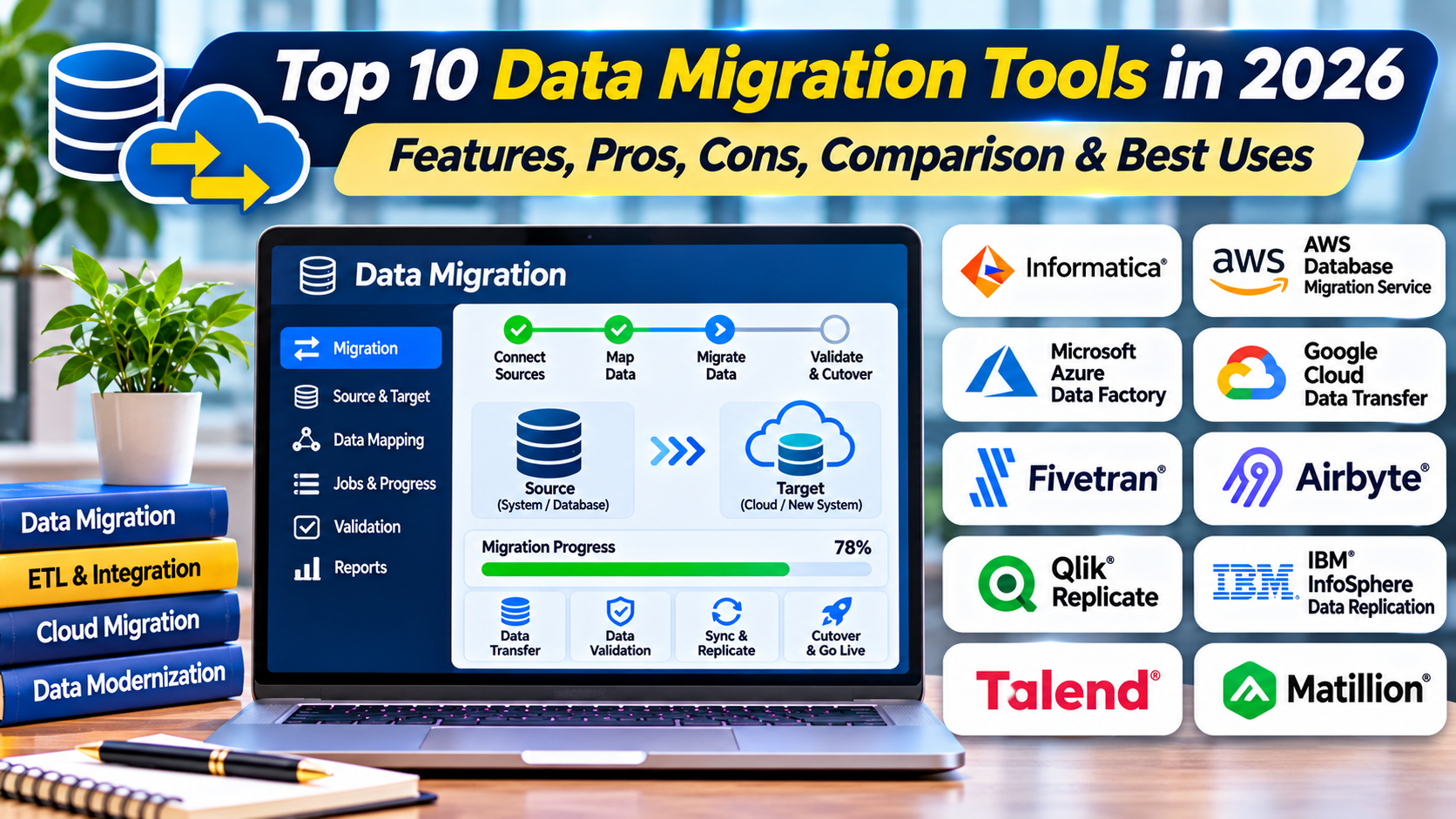
This article compares ten data migration tools in 2026. It examines their features, benefits, limitations, practical applications, and suitability for different organizations.
What Are Data Migration Tools?
Data migration tools are software applications and services that help transfer information from one system or storage environment to another. They may support one-time migrations, recurring synchronization, or continuous replication during a transition.
Some tools specialize in relational databases. Others handle files, object storage, SaaS application records, or large enterprise data pipelines.
Migration should be distinguished from backup and routine integration. Backup preserves recoverable copies, while migration typically aims to establish a new authoritative destination.
How Data Migration Tools Work
Source Assessment: Identify data structures, volumes, dependencies, and quality issues.
Schema Mapping: Match source fields and structures to destination requirements.
Extraction: Read supported data from the source environment.
Transformation: Convert formats, data types, or values when necessary.
Transfer: Move data through approved network or storage channels.
Synchronization: Capture ongoing changes when downtime must be minimized.
Validation: Compare records, totals, relationships, and business rules.
Cutover: Transition applications to the destination data environment.
Why Data Migration Tools Matter
Manual data migration can create errors, inconsistent records, and prolonged downtime. Specialized tools provide automation and repeatable workflows.
However, automation cannot compensate for poorly defined data requirements. Successful migration depends on data quality, governance, and thorough validation.
Top 10 Data Migration Tools in 2026
1. AWS Database Migration Service
Short Description
AWS Database Migration Service, commonly called AWS DMS, helps organizations migrate supported databases and analytical data workloads to compatible destinations. It is particularly relevant to organizations adopting AWS database services.
The service supports selected homogeneous and heterogeneous database migrations. Homogeneous migration typically involves similar database engines, while heterogeneous migration may require schema and data type conversion.
AWS DMS can support ongoing replication through change data capture. This is useful when source databases must remain operational during migration.
The service is often combined with schema conversion tools for migrations between different database engines. Database administrators must still validate compatibility, application queries, and transaction behavior.
AWS DMS is useful for cloud database modernization, but it is not a universal solution for every data source or transformation requirement.
Key Features
- Database Migration: Transfers data between supported database engines.
- Change Data Capture: Replicates selected ongoing source changes.
- Homogeneous Migration: Supports compatible same-engine transitions.
- Heterogeneous Migration: Supports selected cross-engine scenarios.
- AWS Integration: Works with supported AWS database services.
- Migration Monitoring: Provides task status and operational metrics.
- Replication Configuration: Supports different migration modes.
- Validation Capabilities: Provides selected data verification options.
Benefits
AWS DMS can reduce manual database migration work. Its replication capabilities help organizations limit downtime during supported transitions.
Integration with AWS services is useful for organizations moving databases to managed cloud environments.
Pros
- Managed migration service.
- Supports multiple database engines.
- Change data capture.
- AWS integration.
- Useful for low-downtime migration.
- Migration monitoring.
- Supports heterogeneous scenarios.
Cons
- AWS-oriented architecture.
- Schema conversion may require additional tools.
- Not all database objects are migrated identically.
- Replication requires careful configuration.
- Usage costs and network dependencies apply.
Use Cases
Database Cloud Migration: Move supported databases to AWS.
Database Engine Transition: Transfer data between compatible database technologies.
Low-Downtime Migration: Replicate ongoing changes before cutover.
Application Modernization: Support database transitions during platform upgrades.
Best For
Organizations migrating supported databases into AWS environments.
2. Azure Database Migration Service
Short Description
Azure Database Migration Service provides capabilities for migrating supported databases into Azure database environments. It is relevant to organizations modernizing Microsoft SQL Server and other compatible database workloads.
The service supports selected migration scenarios through Azure’s broader database migration ecosystem. Administrators can assess compatibility and plan destination configurations.
Azure Database Migration Service helps automate portions of database transfer and cutover. Its capabilities vary by source engine, destination service, and migration mode.
The service is particularly useful for organizations moving database workloads from on-premises infrastructure to Azure. It can form part of a larger application migration program.
However, administrators must evaluate schema compatibility, application dependencies, and supported migration paths before execution.
Key Features
- Azure Database Migration: Supports compatible database transitions.
- Migration Assessment Integration: Helps evaluate readiness.
- Supported Online Migration: Enables lower-downtime approaches in selected scenarios.
- Offline Migration: Supports planned transfer windows.
- Azure Database Integration: Works with supported managed database services.
- Migration Monitoring: Tracks relevant operations.
- Database Compatibility Planning: Supports transition assessment.
- Cutover Workflows: Assists with supported production transitions.
Benefits
Azure Database Migration Service can simplify database migration within Microsoft cloud environments. Its integration with Azure services supports coordinated planning.
The service is especially useful for SQL Server-oriented modernization programs.
Pros
- Azure integration.
- Database migration focus.
- Supports selected online and offline approaches.
- Useful for SQL Server migrations.
- Managed service capabilities.
- Migration monitoring.
Cons
- Azure destination focus.
- Supported scenarios vary.
- Schema remediation may be necessary.
- Requires database expertise.
- Application validation remains essential.
Use Cases
SQL Server migration, Azure database adoption, database consolidation, and cloud application modernization.
Best For
Organizations moving supported database workloads to Microsoft Azure.
3. Google Cloud Database Migration Service
Short Description
Google Cloud Database Migration Service helps organizations move supported databases to compatible Google Cloud destinations. It provides managed migration workflows for selected relational database environments.
The service is relevant to organizations adopting Google Cloud SQL, AlloyDB, and other supported database services. Exact source and destination combinations depend on current service capabilities.
Database Migration Service can support continuous migration approaches for selected workloads. This helps organizations prepare destination databases while source systems continue operating.
The platform reduces some operational complexity associated with database transfer. However, it does not automatically resolve every schema, extension, or application compatibility issue.
Organizations should verify database versions, replication requirements, and destination limitations before migration.
Key Features
- Managed database migration.
- Supported relational database sources.
- Google Cloud database integration.
- Continuous migration in supported scenarios.
- Migration configuration.
- Operational monitoring.
- Destination preparation.
- Cutover support.
Benefits
The service simplifies selected database migrations to Google Cloud. Managed replication can reduce the amount of custom migration infrastructure required.
It is particularly useful for organizations standardizing on Google Cloud database services.
Pros
- Google Cloud integration.
- Managed migration workflows.
- Supports selected continuous migrations.
- Database-oriented capabilities.
- Useful for cloud adoption.
Cons
- Destination-specific.
- Source support varies.
- Schema compatibility requires review.
- Migration limitations depend on engine.
- Application testing remains necessary.
Use Cases
Cloud SQL migration, AlloyDB adoption, relational database modernization, and database consolidation.
Best For
Organizations moving supported relational databases to Google Cloud.
4. Fivetran
Short Description
Fivetran is a managed data movement platform that connects supported data sources to analytical destinations. It is widely used for building data pipelines into cloud warehouses and other supported platforms.
Although Fivetran is primarily a data integration service, it can support migration scenarios involving analytical data consolidation. Its connectors reduce the need for custom extraction scripts.
The platform automates selected schema handling, synchronization, and pipeline maintenance tasks. This is useful when organizations need to move data from multiple SaaS applications or databases.
Fivetran is particularly relevant to analytics modernization and warehouse migration. It is less suitable for direct replacement of operational databases requiring complex transactional cutover.
Organizations should evaluate connector coverage, transformation needs, and consumption-based pricing.
Key Features
- Managed data connectors.
- SaaS and database source integration.
- Automated synchronization.
- Schema handling.
- Analytical destination support.
- Pipeline monitoring.
- Incremental data movement.
- Managed connector maintenance.
Benefits
Fivetran reduces custom engineering work for supported analytical data movement. Its managed connectors can accelerate consolidation into cloud warehouses.
It is useful when migration involves multiple operational and SaaS data sources.
Pros
- Broad connector ecosystem.
- Managed pipelines.
- Automated synchronization.
- Analytics-oriented.
- Reduced connector maintenance.
- Cloud warehouse integration.
Cons
- Not a universal operational database migration tool.
- Consumption costs.
- Connector limitations.
- Complex transformations may need additional systems.
- Not designed for every transactional cutover scenario.
Use Cases
Data warehouse migration, SaaS analytics consolidation, and cloud analytical platform adoption.
Best For
Data engineering teams moving supported source data into analytical platforms.
5. Informatica Intelligent Data Management Cloud
Short Description
Informatica Intelligent Data Management Cloud provides enterprise data integration, management, and governance capabilities. Its data movement features can support complex migration projects.
The platform is relevant to organizations moving information between enterprise applications, databases, and cloud environments. It provides tools for extraction, transformation, mapping, and orchestration.
Informatica is particularly useful when migration requires substantial data cleansing or restructuring. Organizations can apply transformation logic before loading data into destination systems.
Its broader data management capabilities can also support data quality and governance requirements. These functions are important when migrating critical enterprise records.
However, Informatica is a broad platform rather than a simple migration utility. Licensing, architecture, and implementation effort should be evaluated carefully.
Key Features
- Enterprise data integration.
- Data mapping and transformation.
- Cloud and on-premises connectivity.
- Data quality capabilities.
- Workflow orchestration.
- Metadata management.
- Data pipeline monitoring.
- Governance integration.
Benefits
Informatica can support complex migration programs requiring more than basic data transfer. Its transformation and quality capabilities help address inconsistent source information.
It is especially relevant to large organizations with diverse systems.
Pros
- Enterprise integration capabilities.
- Extensive transformation support.
- Data quality integration.
- Broad connectivity.
- Governance features.
- Suitable for complex migrations.
Cons
- Commercial licensing.
- Implementation complexity.
- Requires specialized skills.
- May be excessive for simple migrations.
- Performance tuning may be necessary.
Use Cases
ERP migration, CRM data consolidation, data warehouse modernization, and enterprise system replacement.
Best For
Large enterprises requiring complex data transformation and migration governance.
6. Qlik Replicate
Short Description
Qlik Replicate is a data replication platform designed for moving data between supported databases, data warehouses, and other destinations. It emphasizes change data capture and ongoing synchronization.
The platform is useful for migration projects that require limited downtime. It can replicate source changes while destination environments are prepared.
Qlik Replicate is relevant to heterogeneous database environments. It supports selected source and destination combinations without requiring extensive custom replication code.
Its replication capabilities can also support data integration and analytics workflows. However, replication alone does not guarantee that destination schemas or application behavior are compatible.
Organizations should validate supported database versions, transaction semantics, and replication latency.
Key Features
- Change data capture.
- Database replication.
- Heterogeneous source and destination support.
- Continuous synchronization.
- Replication monitoring.
- Migration cutover assistance.
- Data movement automation.
- Enterprise integration support.
Benefits
Qlik Replicate can reduce downtime during supported database transitions. Its ongoing replication helps keep destination systems synchronized before cutover.
The platform is useful when organizations require controlled migration across different database technologies.
Pros
- Strong CDC focus.
- Supports heterogeneous databases.
- Continuous replication.
- Enterprise-oriented.
- Useful for low-downtime migration.
- Operational monitoring.
Cons
- Commercial licensing.
- Schema conversion may require additional tools.
- Replication configuration requires expertise.
- Source database load must be considered.
- Not a complete data quality platform.
Use Cases
Database migration, warehouse modernization, ongoing replication, and low-downtime cutover.
Best For
Organizations requiring continuous data replication across supported database environments.
7. Striim
Short Description
Striim is a real-time data integration and streaming platform that supports change data capture and continuous data movement. It can be used for database migration and analytical data synchronization.
The platform is relevant to organizations that need to move data while source systems remain active. Its streaming approach supports ongoing updates to compatible destinations.
Striim provides capabilities for data ingestion, transformation, and delivery. These functions can help teams manage complex migration pipelines.
It is particularly useful when migration is part of a broader real-time data architecture. However, streaming systems introduce operational complexity and require careful monitoring.
Organizations should evaluate source compatibility, delivery guarantees, latency, and error handling.
Key Features
- Real-time data movement.
- Change data capture.
- Streaming pipelines.
- Data transformation.
- Supported database connectors.
- Cloud destination integration.
- Pipeline monitoring.
- Continuous synchronization.
Benefits
Striim can help organizations migrate data while maintaining ongoing source activity. Its streaming capabilities support low-latency synchronization.
The platform can also serve longer-term integration requirements after migration.
Pros
- Real-time data integration.
- CDC capabilities.
- Streaming transformations.
- Supports migration and integration.
- Enterprise-oriented architecture.
Cons
- Commercial pricing.
- Requires streaming expertise.
- Operational complexity.
- Connector support varies.
- Not necessary for simple one-time transfers.
Use Cases
Database modernization, real-time cloud migration, streaming analytics, and continuous data synchronization.
Best For
Organizations requiring real-time migration pipelines and ongoing data integration.
8. AWS DataSync
Short Description
AWS DataSync is a managed data transfer service for moving supported file and object data between storage environments. It is particularly relevant to cloud storage migration.
The service automates transfer operations and provides monitoring and verification capabilities. This can reduce the need for custom transfer scripts.
AWS DataSync supports selected on-premises storage systems and AWS storage services. It can also support certain transfers involving other compatible storage endpoints.
Its capabilities are useful for large file collections and recurring synchronization. However, it does not provide database schema conversion or transactional migration.
Organizations should evaluate transfer throughput, storage permissions, network costs, and destination behavior.
Key Features
- Managed file transfers.
- Object storage migration.
- Transfer scheduling.
- Data verification.
- Bandwidth management.
- AWS storage integration.
- Transfer monitoring.
- Automated synchronization.
Benefits
AWS DataSync simplifies large storage migration projects. Its verification features help administrators confirm transferred data.
It is useful when data migration involves files rather than structured database records.
Pros
- Managed service.
- Supports large storage transfers.
- Transfer verification.
- Automated scheduling.
- AWS integration.
- Operational monitoring.
Cons
- Not a database migration platform.
- Usage and transfer costs.
- Source compatibility varies.
- Network limitations affect throughput.
- Application consistency requires separate planning.
Use Cases
File server migration, cloud storage consolidation, archive transfer, and data center exit projects.
Best For
Organizations migrating substantial file or object storage data.
9. Talend Data Integration
Short Description
Talend Data Integration, part of Qlik’s broader data integration portfolio, provides tools for building data pipelines and transformations. It is relevant to organizations migrating data between heterogeneous systems.
The platform supports extraction, transformation, and loading workflows. These capabilities can help teams restructure information before importing it into new applications or databases.
Talend is particularly useful when migration requires custom business rules and data cleansing. Developers can design repeatable jobs for complex data movement.
Its integration capabilities can support both one-time migrations and ongoing data pipelines. However, operational database replication may require additional technologies.
Organizations should verify current product packaging, supported connectors, and licensing.
Key Features
- Data extraction.
- Transformation workflows.
- Data loading.
- Connector integration.
- Data quality support.
- Job orchestration.
- Pipeline monitoring.
- Custom transformation logic.
Benefits
Talend can help organizations handle complex data transformation requirements. Its pipeline design capabilities are useful when source and destination schemas differ.
It is particularly relevant to migration projects involving inconsistent or fragmented information.
Pros
- Flexible ETL capabilities.
- Broad integration approach.
- Custom transformations.
- Data quality support.
- Suitable for heterogeneous environments.
- Repeatable migration jobs.
Cons
- Requires data engineering expertise.
- Commercial product considerations.
- Not a universal CDC solution.
- Complex pipelines need maintenance.
- Product packaging may change.
Use Cases
ERP data migration, database consolidation, warehouse transformation, and enterprise data integration.
Best For
Data engineering teams requiring flexible transformation pipelines during migration.
10. Airbyte
Short Description
Airbyte is a data integration platform with open-source and managed offerings. It provides connectors for extracting data from supported sources and loading it into compatible destinations.
The platform is particularly relevant to modern data engineering teams. It can support migration projects involving analytical databases, cloud warehouses, and SaaS data sources.
Airbyte offers connector-based synchronization and configuration options. Teams can use supported connectors or develop custom integrations when necessary.
Its architecture is useful for organizations seeking flexibility in data movement. However, it is primarily an integration platform rather than a complete transactional database migration service.
Organizations should evaluate connector maturity, synchronization behavior, deployment requirements, and data consistency.
Key Features
- Source and destination connectors.
- Data synchronization.
- Open-source availability.
- Managed cloud options.
- Custom connector development.
- Incremental data movement.
- Pipeline configuration.
- Monitoring and operational controls.
Benefits
Airbyte provides flexibility for data movement across supported systems. Its connector ecosystem can reduce the effort required to build analytical migration pipelines.
Open-source deployment options may appeal to teams seeking greater infrastructure control.
Pros
- Open-source option.
- Flexible connectors.
- Managed and self-hosted approaches.
- Custom integration support.
- Useful for analytics migration.
- Developer-oriented ecosystem.
Cons
- Connector quality varies.
- Operational management may be necessary.
- Not a universal transactional migration tool.
- Data validation requires planning.
- Complex transformations may need other systems.
Use Cases
Cloud warehouse migration, SaaS data consolidation, analytical data movement, and custom integration pipelines.
Best For
Data engineering teams seeking flexible connector-based migration and integration.
Comparison Table: Top 10 Data Migration Tools
| Tool | Primary Focus | Best For | Migration Approach | Pricing |
|---|---|---|---|---|
| AWS DMS | Database migration | AWS database teams | Replication and CDC | Usage-based |
| Azure Database Migration Service | Azure databases | Microsoft environments | Managed migration | Service-dependent |
| Google Cloud Database Migration Service | Google Cloud databases | Google Cloud teams | Managed migration | Service-dependent |
| Fivetran | Analytical data movement | Analytics teams | Managed connectors | Consumption-based |
| Informatica IDMC | Enterprise data transformation | Large enterprises | ETL and orchestration | Commercial |
| Qlik Replicate | Database replication | Low-downtime migrations | CDC | Commercial |
| Striim | Real-time data movement | Streaming environments | CDC and streaming | Commercial |
| AWS DataSync | File and object transfer | Storage migration teams | Managed transfer | Usage-based |
| Talend Data Integration | ETL migration | Data engineering teams | Transformation pipelines | Commercial |
| Airbyte | Connector-based movement | Modern data teams | ELT synchronization | Open source and paid |
Which Data Migration Tool Is Right for You?
1. Identify Data Types
Structured databases, files, SaaS records, and analytical data require different migration methods. Tool selection should begin with source and destination compatibility.
2. Evaluate Schema Differences
Migrations between different database engines may require schema conversion. Data types, constraints, indexes, and stored procedures need careful review.
3. Define Downtime Requirements
Some migrations can use a planned outage, while others require continuous replication. Change data capture can reduce downtime in supported scenarios.
4. Assess Data Quality
Migration can expose duplicate records, missing values, and inconsistent formats. Data cleansing should occur before or during the transition.
5. Plan Security Controls
Sensitive data should be protected during extraction, staging, transfer, and validation. Access should be limited to authorized personnel.
6. Verify Data Integrity
Record counts alone may not prove successful migration. Organizations should compare relationships, business rules, checksums where appropriate, and representative application results.
7. Evaluate Operational Costs
Consider licensing, data transfer, storage, compute resources, engineering time, and post-migration operations.
8. Prepare Rollback Procedures
Migration plans should define how to recover from failed cutover or inconsistent destination data. Rollback feasibility depends on the application and synchronization approach.
Best Data Migration Tools for Different Users
| User Type | Recommended Tools | Main Reason |
|---|---|---|
| AWS Database Teams | AWS DMS | Database migration and CDC |
| Azure Database Teams | Azure Database Migration Service | Azure integration |
| Google Cloud Database Teams | Google Cloud Database Migration Service | Managed cloud migration |
| Analytics Engineers | Fivetran, Airbyte | Connector-based data movement |
| Enterprise Data Teams | Informatica, Talend | Complex transformations |
| Low-Downtime Database Teams | Qlik Replicate | Continuous replication |
| Real-Time Data Teams | Striim | Streaming and CDC |
| Storage Administrators | AWS DataSync | File and object transfers |
Practical Example: Migrating an On-Premises Database to the Cloud
A retail company operates a transactional database on-premises. It wants to move to a managed cloud database while minimizing disruption.
Step 1: Inventory the Database
Administrators document tables, indexes, stored procedures, users, integrations, and data volumes. They identify critical transactions.
Step 2: Assess Compatibility
The team compares source and destination database features. Unsupported objects and data types are identified.
Step 3: Clean Source Data
Duplicate records and known inconsistencies are reviewed. Data quality rules are established.
Step 4: Prepare the Destination
The destination database is configured with appropriate security, networking, backup, and monitoring.
Step 5: Perform Initial Migration
A compatible migration tool transfers existing records. Administrators monitor errors and performance.
Step 6: Enable Ongoing Replication
Change data capture keeps the destination synchronized while the source remains operational.
Step 7: Validate Data
The team compares record counts, critical values, relationships, and representative transactions.
Step 8: Execute Cutover
Application writes are coordinated according to the migration plan. Final changes are synchronized before the destination becomes authoritative.
Step 9: Monitor Production
The team validates application performance, data consistency, and operational metrics.
Step 10: Retire the Source
Source systems are decommissioned only after formal acceptance and retention requirements are satisfied.
Frequently Asked Questions (FAQs)
1. What is data migration?
Data migration transfers information from one system or storage environment to another.
2. What is a data migration tool?
It is software that assists with extracting, transforming, transferring, validating, or synchronizing data.
3. What is the difference between ETL and ELT?
ETL transforms data before loading it into the destination. ELT loads data before performing selected transformations.
4. What is change data capture?
Change data capture identifies and transfers selected changes made to source data.
5. Can data migration happen without downtime?
Some scenarios support low-downtime migration through replication. Complete elimination of downtime is not guaranteed.
6. What is schema migration?
Schema migration changes or transfers database structures such as tables, columns, and constraints.
7. What is data mapping?
Data mapping defines how source fields correspond to destination fields.
8. Why is data validation important?
Validation helps confirm that migrated information remains accurate, complete, and usable.
9. Can data migration tools clean data?
Some platforms provide cleansing and transformation capabilities. Others focus primarily on transfer.
10. What is database replication?
Database replication copies supported data or changes between database systems.
11. What is a full-load migration?
A full-load migration transfers an initial complete set of supported data.
12. What is incremental migration?
Incremental migration transfers selected changes after an initial data load.
13. Can migration tools move files?
Yes. Storage-focused tools support file and object data transfers.
14. Is data migration secure?
It can be secure with appropriate encryption, access controls, monitoring, and handling procedures.
15. What causes migration failures?
Common causes include incompatible schemas, insufficient permissions, network failures, and data quality problems.
16. Can data migration tools replace backups?
No. Migration and backup serve different purposes. Reliable recovery copies should be maintained during migration.
17. How should migration tools be tested?
Teams should perform representative transfers, verify data integrity, and test application behavior.
18. What is a migration rollback?
Rollback restores an earlier operational state when migration cannot proceed safely.
19. How long does data migration take?
Duration depends on data volume, transformation complexity, transfer capacity, and downtime requirements.
20. What is the future of data migration?
Data migration tools will continue improving automation, schema analysis, continuous replication, and cloud integration.
Conclusion
Data Migration Tools help organizations transfer information between databases, applications, storage systems, and analytical platforms. Their capabilities range from simple data movement to complex transformation and continuous replication.
AWS DMS, Azure Database Migration Service, and Google Cloud Database Migration Service focus on supported cloud database transitions. Fivetran, Informatica, Qlik Replicate, Striim, Talend, and Airbyte address different integration and replication requirements.
AWS DataSync provides specialized file and object storage transfer capabilities.
The best tool depends on data types, compatibility, transformation needs, downtime requirements, security, and cost.
Organizations should prioritize accurate data mapping, controlled migration procedures, comprehensive validation, and reliable rollback planning. These practices are essential for maintaining business continuity during data transitions.