Introduction
Traditional application hosting requires organizations to provision servers, configure operating systems, manage infrastructure capacity, and maintain deployment environments.
These responsibilities can consume substantial engineering time.
Even when applications run in the cloud, teams may still need to manage virtual machines, container clusters, scaling policies, and operating system updates.
Serverless platforms offer a different approach.
They allow developers to deploy application code or supported workloads without directly managing the underlying server infrastructure.
The cloud platform handles many infrastructure responsibilities, including resource allocation, workload execution, and automatic scaling.
This model can simplify development and reduce operational overhead.
Serverless computing is particularly useful for event-driven applications, APIs, background processing, scheduled tasks, and workloads with variable demand.
However, serverless platforms differ in execution models, supported programming languages, deployment methods, networking capabilities, pricing, and operational limitations.
Some platforms focus on individual functions. Others run containers, web applications, edge workloads, or distributed application components.
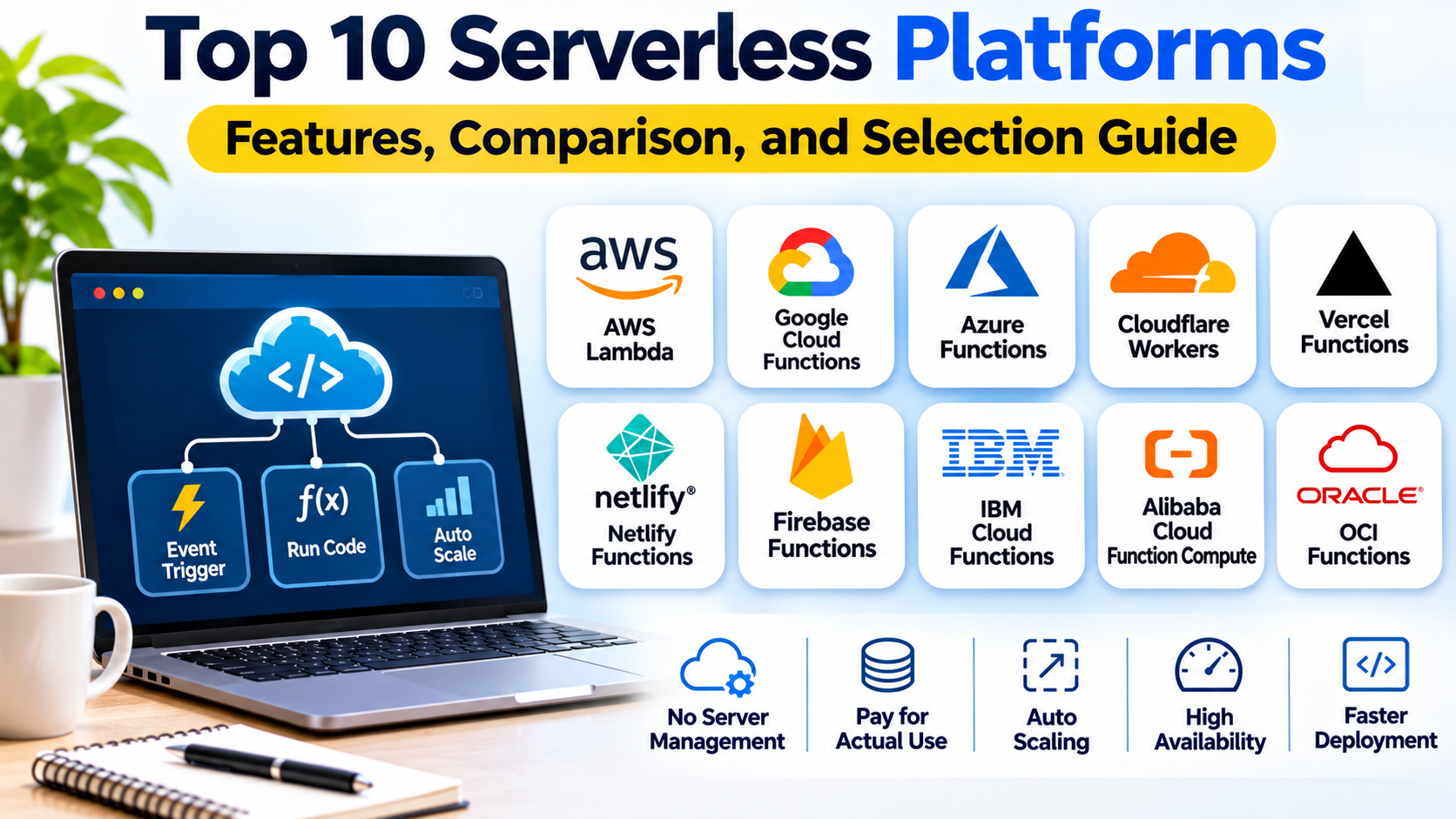
This guide compares ten serverless platforms and explains how organizations can select an appropriate solution for cloud-native development.
1. What Are Serverless Platforms?
Serverless platforms are cloud computing environments that allow developers to run applications or functions without directly provisioning and managing the underlying servers.
The term serverless does not mean servers are absent.
Physical and virtual infrastructure still exists, but the platform provider manages much of the operational complexity.
How Serverless Computing Works
A typical serverless workflow includes:
- Developers write application code or package a supported workload.
- The code is deployed to a serverless platform.
- The platform configures execution resources.
- An event, request, or schedule triggers execution.
- The platform allocates processing capacity.
- Application logic runs.
- Results are returned or stored.
- Resources scale according to platform behavior and workload demand.
Common Serverless Models
Function-as-a-Service: Runs individual functions in response to events or requests.
Serverless containers: Runs containerized applications without requiring users to manage the underlying server fleet.
Edge serverless computing: Executes application logic near users through geographically distributed infrastructure.
Serverless application hosting: Provides managed deployment and scaling for web applications or backend services.
Benefits of Serverless Architecture
Serverless platforms can reduce infrastructure administration and simplify scaling.
Some services charge according to requests, execution duration, or consumed resources.
However, serverless computing does not automatically guarantee lower costs.
Workloads with sustained resource demand, expensive external dependencies, or inefficient execution patterns may be more economical on other infrastructure models.
2. Top 10 Serverless Platforms
1. AWS Lambda
Best For: Event-driven functions and applications integrated with AWS services.
Overview
AWS Lambda is a managed serverless compute service that executes code in response to supported events and requests.
It is one of the most established technologies in the Function-as-a-Service category.
Developers can create functions using supported runtimes and deploy them without managing conventional application servers.
Lambda integrates with numerous AWS services.
For example, an online retailer can configure a Lambda function to process an event when a customer uploads a document to Amazon S3.
The function might validate the file, extract metadata, and store processing results in a database.
Lambda can also support API backends, scheduled automation, stream processing, and operational workflows.
The service automatically manages execution environments according to configured limits and incoming demand.
Developers remain responsible for application code, permissions, resource settings, and monitoring.
Key Features
- Event-driven function execution.
- Managed runtime environments.
- Automatic scaling.
- Integration with AWS services.
- Multiple supported programming languages.
- Configurable memory and execution settings.
- Logging and monitoring integration.
- Identity and access management controls.
Advantages
AWS Lambda integrates deeply with the AWS ecosystem.
It is particularly useful for event-driven workflows that connect multiple cloud services.
Its managed execution model reduces server administration.
Limitations
Execution duration, resource limits, and concurrency behavior must be considered.
Cold starts and dependency initialization can affect latency.
Applications with long-running or continuously active workloads may require other compute models.
Ideal Users
AWS developers, cloud architects, automation engineers, and organizations building event-driven applications.
2. Google Cloud Run
Best For: Serverless container applications and HTTP services.
Overview
Google Cloud Run is a managed compute platform that runs supported containerized applications and functions.
It allows developers to deploy workloads without managing a Kubernetes cluster or conventional server fleet.
Cloud Run is especially attractive to teams that want the flexibility of container packaging combined with managed scaling.
For example, a development team can package a Python API into a container and deploy it to Cloud Run.
The platform handles request routing and resource allocation according to configured settings.
Cloud Run supports web applications, APIs, background processing, and other supported execution patterns.
Its container-oriented model gives developers control over application dependencies and runtime packaging.
This can make migration from existing containerized applications easier than rewriting every workload as an individual function.
Key Features
- Managed container execution.
- Automatic scaling.
- HTTP application hosting.
- Container image deployment.
- Configurable concurrency.
- Cloud service integrations.
- Logging and monitoring.
- Identity and access controls.
Advantages
Cloud Run supports familiar container development workflows.
It is useful for teams seeking serverless operations without adopting a function-only programming model.
Limitations
Resource limits, request timeouts, and scaling behavior must be evaluated.
Applications that depend on persistent local state require architectural changes.
Ideal Users
Google Cloud developers, API teams, and organizations deploying containerized services.
3. Microsoft Azure Functions
Best For: Event-driven applications within Microsoft Azure.
Overview
Azure Functions is a serverless compute service that allows developers to execute code in response to events and triggers.
It is particularly relevant to organizations using Azure infrastructure and Microsoft development technologies.
Azure Functions supports several programming languages and integrates with Azure services.
For example, a business can use Azure Functions to process messages arriving through Azure Service Bus.
The function can validate the message, perform business logic, and update a supported data store.
Azure Functions also supports HTTP-triggered endpoints, scheduled tasks, and event processing workflows.
Different hosting plans provide different scaling, networking, and execution characteristics.
Organizations should select a hosting model that matches their performance and operational requirements.
Key Features
- Event-driven functions.
- Multiple supported runtimes.
- Azure service integrations.
- HTTP and scheduled triggers.
- Managed scaling options.
- Identity integration.
- Monitoring and logging.
- Deployment automation support.
Advantages
Azure Functions integrates naturally with Microsoft cloud services.
It is useful for organizations already operating Azure applications and development pipelines.
Limitations
Hosting plans differ in execution limits, pricing, and scaling behavior.
Cold starts and dependency management may require additional design work.
Ideal Users
Microsoft developers, Azure architects, and enterprises building event-driven cloud applications.
4. Cloudflare Workers
Best For: Edge computing and globally distributed application logic.
Overview
Cloudflare Workers is a serverless execution platform designed to run application logic across Cloudflare’s distributed network.
It is especially relevant to applications requiring request processing close to users.
Workers can handle HTTP requests, modify responses, implement APIs, and integrate with supported Cloudflare services.
For example, a global website can use Workers to perform request authentication, personalize selected responses, or implement lightweight API logic.
Its edge-oriented architecture can reduce the distance between users and certain application processing tasks.
Cloudflare Workers uses a runtime model different from conventional virtual machine or container hosting.
Developers should understand the supported APIs, execution constraints, and storage integrations.
Key Features
- Distributed edge execution.
- HTTP request processing.
- Serverless application deployment.
- JavaScript and TypeScript ecosystem support.
- Integration with Cloudflare services.
- Routing and request transformation.
- Automatic scaling.
- Logging and observability options.
Advantages
Cloudflare Workers is useful for latency-sensitive applications and globally distributed request processing.
It reduces the need to operate application servers across many regions.
Limitations
Runtime compatibility and execution limits differ from conventional server environments.
Applications requiring specialized native dependencies or long-running processing may need alternative architectures.
Ideal Users
Frontend developers, API engineers, global SaaS providers, and teams building edge applications.
5. Vercel
Best For: Frontend applications and serverless web deployment workflows.
Overview
Vercel is a cloud platform focused on deploying modern web applications.
It provides managed hosting, deployment automation, and serverless execution capabilities.
Vercel is particularly relevant to teams building applications with modern frontend frameworks.
For example, a development team can connect a Git repository to Vercel and deploy a web application through an automated workflow.
The platform can manage application builds, hosting, routing, and supported server-side execution.
Vercel also provides capabilities for edge execution and application performance optimization.
Its developer-oriented workflow reduces the infrastructure administration required for many web projects.
However, teams should understand the differences between static hosting, serverless functions, and other execution features.
Key Features
- Git-based deployments.
- Managed web application hosting.
- Serverless functions.
- Edge execution capabilities.
- Preview deployments.
- Framework integrations.
- Global content delivery.
- Deployment monitoring.
Advantages
Vercel simplifies web application deployment and collaboration.
It is particularly convenient for frontend-focused development teams.
Limitations
Execution and pricing limits depend on the selected plan and workload.
Complex backend systems may require additional cloud infrastructure.
Ideal Users
Frontend developers, SaaS startups, and teams building modern web applications.
6. Netlify
Best For: Web application hosting and serverless frontend workflows.
Overview
Netlify is a cloud development platform that combines web application deployment with serverless and edge capabilities.
It is particularly relevant to websites and frontend applications that need automated deployment workflows.
Developers can connect source repositories and configure build and deployment processes.
Netlify also supports functions that allow selected backend logic to run without maintaining separate application servers.
For example, a business website can use a serverless function to process contact form submissions and forward information to an approved backend service.
Netlify provides deployment previews and other collaboration features that support iterative development.
Its platform is designed to simplify web delivery rather than replace every category of enterprise backend infrastructure.
Key Features
- Git-connected deployment workflows.
- Serverless functions.
- Edge functions.
- Managed web hosting.
- Deployment previews.
- Build automation.
- Global content delivery.
- Environment configuration.
Advantages
Netlify provides an approachable workflow for modern web development.
It is useful when teams want frontend hosting and lightweight backend functionality within one platform.
Limitations
Execution limits and available integrations vary by plan.
Large backend workloads may require separate infrastructure.
Ideal Users
Web developers, digital agencies, and teams building content-driven or frontend-oriented applications.
7. DigitalOcean Functions
Best For: Straightforward serverless functions for smaller cloud applications.
Overview
DigitalOcean Functions is a serverless computing service that allows developers to execute code without directly managing servers.
It is designed to support event-driven and request-based application logic.
For example, a startup can use DigitalOcean Functions to process incoming webhook requests, perform scheduled operations, or connect application services.
The service fits into the broader DigitalOcean cloud ecosystem.
This can be useful for organizations already using DigitalOcean infrastructure and seeking a simpler approach to selected backend workloads.
Developers should evaluate supported runtimes, execution behavior, and integration requirements.
Key Features
- Serverless function execution.
- Managed compute infrastructure.
- Supported language runtimes.
- HTTP-triggered functions.
- Deployment tooling.
- Cloud service integration.
- Execution configuration.
- Operational logging.
Advantages
DigitalOcean Functions offers a relatively straightforward entry point into serverless computing.
It can complement applications already hosted on DigitalOcean.
Limitations
Its ecosystem is narrower than those of major hyperscale cloud providers.
Teams should verify current service availability, runtime support, and execution limits.
Ideal Users
Startups, independent developers, and small cloud engineering teams.
8. Alibaba Cloud Function Compute
Best For: Event-driven serverless workloads in Alibaba Cloud environments.
Overview
Alibaba Cloud Function Compute is a managed serverless compute service designed to execute application code without direct server administration.
It supports event-driven workflows and integration with supported Alibaba Cloud services.
For example, an organization operating an application on Alibaba Cloud can use Function Compute to process storage events, API requests, or background tasks.
The platform manages execution resources and scaling according to the selected configuration.
Function Compute is particularly relevant to organizations using Alibaba Cloud infrastructure or operating applications in regions where Alibaba Cloud is an important provider.
It supports multiple development and deployment approaches.
Key Features
- Event-driven function execution.
- Managed infrastructure.
- Automatic scaling.
- HTTP and event triggers.
- Cloud service integration.
- Supported programming runtimes.
- Logging and monitoring.
- Deployment configuration options.
Advantages
Function Compute integrates with Alibaba Cloud services.
It can support scalable event processing without dedicated server management.
Limitations
Platform compatibility and regional availability must be evaluated.
Organizations should review execution limits and integration requirements.
Ideal Users
Alibaba Cloud customers, regional cloud application teams, and developers building event-driven services.
9. Knative
Best For: Kubernetes-based serverless workloads with infrastructure control.
Overview
Knative is an open-source project that provides components for building serverless capabilities on Kubernetes.
It is particularly relevant to organizations that want serverless-style deployment and scaling while retaining control over their Kubernetes infrastructure.
Knative Serving supports deploying and managing request-driven workloads.
Knative Eventing provides capabilities for event-driven application architectures.
For example, an enterprise operating its own Kubernetes clusters can use Knative to run containerized services with automatic scaling behavior.
This approach allows organizations to adopt selected serverless patterns without relying entirely on a proprietary managed compute service.
However, Knative does not remove the need to operate the underlying Kubernetes platform.
Key Features
- Kubernetes-native serverless components.
- Container-based workloads.
- Request-driven scaling.
- Scale-to-zero capabilities.
- Event-driven architecture support.
- Declarative configuration.
- Kubernetes integration.
- Open-source extensibility.
Advantages
Knative provides flexibility and infrastructure control.
It is useful for organizations seeking portable serverless patterns on Kubernetes.
Limitations
Operating Kubernetes and Knative requires platform engineering expertise.
Networking, scaling, and eventing components introduce operational complexity.
Ideal Users
Kubernetes platform teams, enterprises with private cloud infrastructure, and organizations building internal developer platforms.
10. OpenFaaS
Best For: Self-hosted Function-as-a-Service and container-based function deployment.
Overview
OpenFaaS is a framework for building and operating serverless functions on supported infrastructure.
It is particularly relevant to organizations that want to run function-based workloads within environments they control.
OpenFaaS uses container-oriented deployment concepts and provides tooling for packaging and executing functions.
For example, an engineering team can create a function that processes uploaded images or handles webhook events.
The function can then run on an OpenFaaS deployment integrated with the team’s infrastructure.
OpenFaaS provides a way to adopt serverless development patterns without requiring every workload to run on a public cloud FaaS service.
Its suitability depends on deployment architecture, operational requirements, and the selected edition.
Key Features
- Function deployment framework.
- Container-based execution.
- HTTP-triggered functions.
- Kubernetes integration.
- Function templates.
- Scaling capabilities.
- Deployment tooling.
- Self-hosted infrastructure control.
Advantages
OpenFaaS provides flexibility for organizations seeking self-hosted serverless capabilities.
It allows teams to integrate functions with existing container infrastructure.
Limitations
Organizations remain responsible for much of the underlying infrastructure.
Features, licensing, and operational capabilities vary across offerings.
Ideal Users
Platform engineers, Kubernetes teams, and organizations building self-hosted serverless environments.
3. Serverless Platforms Comparison Table
| Platform | Best For | Execution Model | Primary Strength |
|---|---|---|---|
| AWS Lambda | AWS event-driven applications | Managed functions | AWS ecosystem integration |
| Google Cloud Run | Containerized services | Managed containers/functions | Container flexibility |
| Azure Functions | Microsoft cloud workloads | Managed functions | Azure integration |
| Cloudflare Workers | Edge applications | Edge runtime | Distributed execution |
| Vercel | Frontend applications | Managed web/serverless | Developer workflow |
| Netlify | Web applications | Managed web/serverless | Simple deployments |
| DigitalOcean Functions | Smaller cloud workloads | Managed functions | Straightforward deployment |
| Alibaba Function Compute | Alibaba Cloud applications | Managed functions | Alibaba ecosystem |
| Knative | Kubernetes serverless | Self-managed containers | Infrastructure control |
| OpenFaaS | Self-hosted functions | Container-based functions | Deployment flexibility |
These platforms support different serverless models. Function runtimes, container services, edge environments, and managed web hosting should be compared according to workload requirements rather than treated as identical products.
4. How to Choose the Right Serverless Platform
Identify the Workload Type
Determine whether the application requires short event-driven functions, HTTP APIs, containerized services, background jobs, or edge processing.
Different serverless platforms specialize in different execution patterns.
Evaluate Runtime Compatibility
Check supported programming languages, libraries, frameworks, and native dependencies.
Container-based platforms may provide greater packaging flexibility.
Review Scaling Behavior
Understand how the platform handles sudden traffic increases, concurrency, cold starts, and scale-to-zero behavior.
Measure performance under realistic workloads.
Evaluate Execution Limits
Review maximum execution duration, memory, CPU, request size, and networking constraints.
Some workloads are unsuitable for short-lived function environments.
Consider State Management
Serverless execution environments should generally not be treated as durable storage locations.
Applications often require external databases, object storage, caches, or messaging systems.
Assess Security
Review identity permissions, secret management, network access, encryption, and execution isolation.
Functions should receive only the permissions required for their tasks.
Compare Pricing Models
Estimate request volume, execution duration, memory allocation, network transfer, and supporting service costs.
Compare serverless pricing against continuously running infrastructure for sustained workloads.
Evaluate Portability
Cloud-specific integrations can accelerate development but may increase migration effort.
Container-oriented platforms may provide greater flexibility for selected workloads.
5. Practical Example: Building a Serverless Document Processing Application
Consider a company that receives customer documents through a web application.
The business needs to validate uploads, extract basic metadata, store files securely, and notify employees when processing is complete.
The workload is unpredictable.
Some days involve only a few documents, while others involve thousands.
Step 1: Identify Processing Events
The application uploads documents to secure object storage.
A storage event triggers the processing workflow.
Step 2: Select a Serverless Platform
The engineering team evaluates AWS Lambda, Azure Functions, and Google Cloud Run.
Step 3: Design Processing Components
The workflow includes file validation, metadata extraction, database updates, and notification delivery.
Step 4: Configure Event Triggers
The cloud platform invokes the processing component when a supported upload event occurs.
Step 5: Implement Security Controls
The function receives restricted permissions to access only the required storage and database resources.
Step 6: Handle Processing Failures
The team configures retries, dead-letter handling where supported, and idempotent processing logic.
Step 7: Monitor Execution
Engineers track invocation counts, errors, execution duration, and processing delays.
Step 8: Test Scaling
The organization simulates large batches of document uploads.
Step 9: Review Costs
The team measures compute usage, storage costs, network traffic, and supporting service expenses.
This architecture can reduce idle infrastructure costs while allowing the application to respond to changing processing demand.
6. Benefits and Challenges of Serverless Platforms
Major Benefits
Reduced server administration: Providers manage much of the underlying compute infrastructure.
Automatic scaling: Supported workloads can scale according to requests or events.
Faster development: Teams can focus more on application logic.
Usage-based pricing: Some workloads incur little compute cost when inactive.
Event-driven integration: Serverless services work well with messaging, storage, and cloud events.
Deployment flexibility: Functions and managed containers support different application patterns.
Common Challenges
Cold starts: New execution environments may introduce additional latency.
Execution limits: Some platforms restrict runtime duration and resource consumption.
Vendor dependency: Applications using provider-specific services may be harder to migrate.
Debugging complexity: Distributed functions can be difficult to troubleshoot without effective observability.
Cost unpredictability: Unexpected traffic or inefficient code can increase usage charges.
State management: Durable state usually requires external services.
Concurrency limits: Sudden demand can exceed configured quotas or overwhelm downstream dependencies.
7. Frequently Asked Questions
What is the best serverless platform?
AWS Lambda is a strong choice for AWS event-driven workloads. Google Cloud Run suits containerized applications, Azure Functions integrates with Microsoft cloud services, and Cloudflare Workers supports edge execution.
What does serverless mean?
Serverless means developers can run supported workloads without directly managing the underlying server infrastructure.
Is serverless computing always cheaper?
No. Costs depend on workload duration, traffic, resource consumption, and supporting services.
What is the difference between serverless and containers?
Containers package applications and dependencies. Serverless describes an infrastructure management and execution model. Some serverless platforms run containers.
What is Function-as-a-Service?
Function-as-a-Service executes individual functions in response to events or requests using managed infrastructure.
Can serverless platforms host APIs?
Yes. Many platforms support HTTP endpoints and API backends.
What is a serverless cold start?
A cold start occurs when a platform must initialize a new execution environment before processing a request.
Are serverless applications secure?
They can be secure when permissions, secrets, dependencies, and network access are properly managed.
Can serverless platforms run long-running applications?
Some platforms support longer-running workloads than others. Execution limits and pricing must be evaluated.
Is Kubernetes serverless?
Kubernetes itself is a container orchestration platform. Technologies such as Knative can add serverless-style capabilities.
8. Conclusion
Serverless platforms help organizations develop and operate applications without directly managing every aspect of compute infrastructure.
AWS Lambda and Azure Functions provide managed event-driven execution.
Google Cloud Run offers serverless container hosting, while Cloudflare Workers supports globally distributed edge processing.
Vercel and Netlify simplify web application deployment and selected serverless backend workflows.
DigitalOcean Functions and Alibaba Cloud Function Compute provide additional managed cloud options.
Knative and OpenFaaS support organizations seeking greater control over serverless execution infrastructure.
The right platform depends on application architecture, runtime requirements, scaling behavior, security, cost, and operational expertise.
Organizations should evaluate serverless technologies through realistic performance testing and detailed cost analysis.
When selected carefully, serverless computing can simplify operations, support variable workloads, and accelerate cloud-native application development.