Introduction
Businesses increasingly depend on cloud hosting to run websites, applications, databases, development environments, and critical digital services.
Traditional hosting often requires organizations to purchase or lease fixed infrastructure capacity.
Cloud hosting provides more flexible access to compute, storage, networking, and related services.
Organizations can provision virtual machines, deploy applications, scale infrastructure, and manage resources through cloud management interfaces and APIs.
This flexibility is useful for businesses experiencing changing traffic patterns or rapid growth.
However, choosing a cloud hosting provider involves more than comparing server prices.
Organizations must evaluate reliability, data center locations, network performance, security, managed services, scalability, support, and long-term operating costs.
Some providers offer extensive enterprise cloud ecosystems, while others emphasize straightforward virtual private servers and predictable infrastructure management.
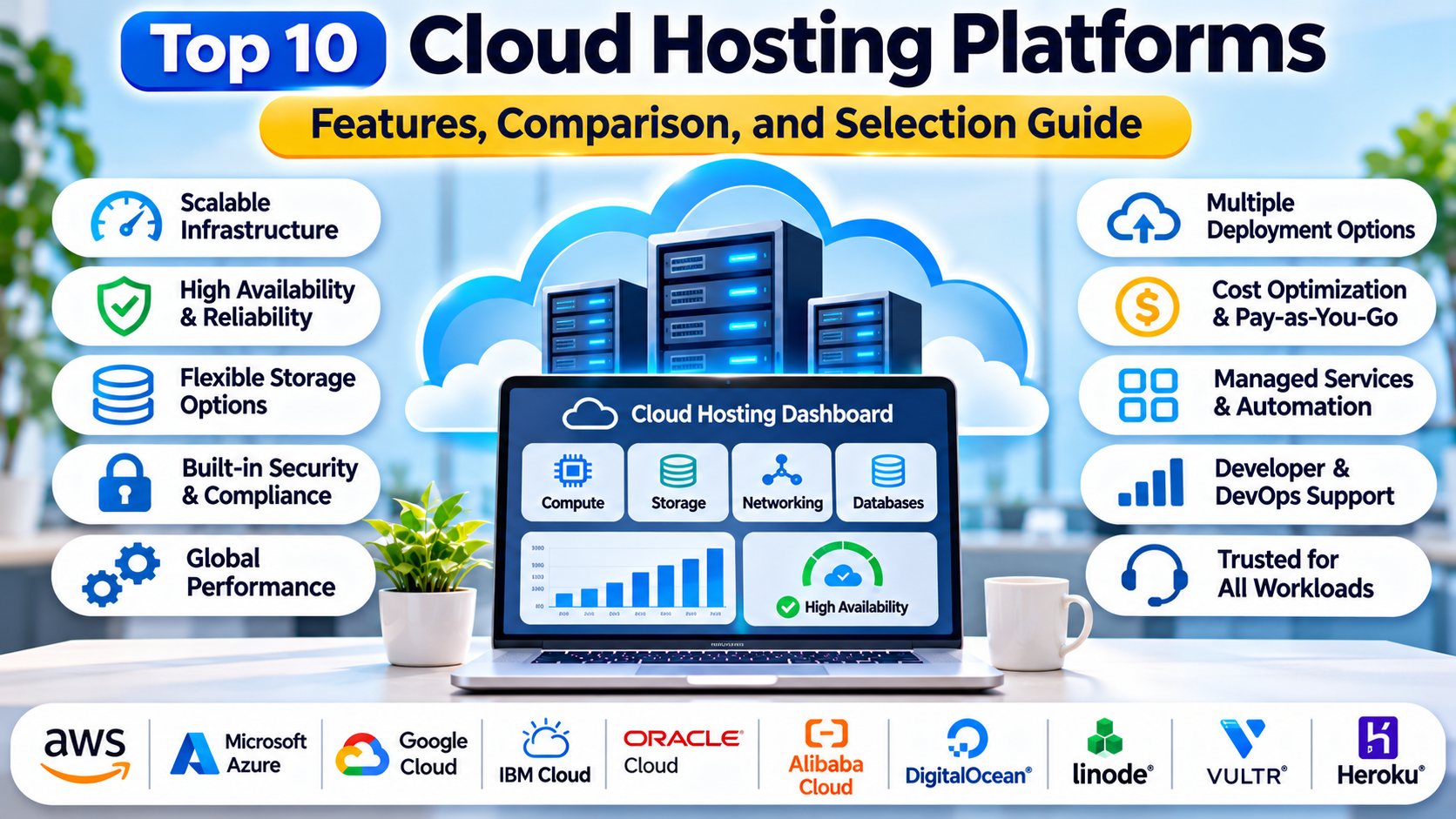
This guide compares ten cloud hosting platforms and explains how organizations can select the right infrastructure for their websites and applications.
1. What Are Cloud Hosting Platforms?
Cloud hosting platforms provide computing resources through cloud infrastructure.
Instead of relying exclusively on a single physical server, customers can provision virtualized or dedicated resources within a provider’s infrastructure.
Common cloud hosting services include:
- Virtual machines.
- Cloud storage.
- Virtual networking.
- Load balancers.
- Managed databases.
- Container hosting.
- Backup and snapshot services.
- Security controls.
- Monitoring and logging.
- Infrastructure automation APIs.
How Cloud Hosting Works
A typical cloud hosting workflow includes:
- An organization selects a cloud provider.
- Engineers choose a region and compute configuration.
- Virtual machines or application resources are provisioned.
- Networking and security rules are configured.
- Applications and data are deployed.
- Monitoring and backups are enabled.
- Resources are scaled according to demand.
- Costs and performance are reviewed regularly.
Cloud Hosting vs. Shared Hosting
Shared hosting typically provides limited access to a preconfigured hosting environment.
Cloud hosting often offers greater control over compute resources, networking, and application configuration.
Cloud Hosting vs. PaaS
Cloud hosting can include Infrastructure-as-a-Service, where customers manage virtual machines and operating systems.
PaaS provides a higher-level managed application environment.
Many cloud providers offer both models.
Cloud Hosting vs. Dedicated Servers
Dedicated servers provide access to physical hardware allocated to one customer.
Cloud virtual machines offer virtualized resources that can often be provisioned and resized more flexibly.
The appropriate model depends on workload and operational requirements.
2. Top 10 Cloud Hosting Platforms
1. Amazon Web Services
Best For: Enterprise cloud infrastructure and large application ecosystems.
Overview
Amazon Web Services, commonly called AWS, provides a broad portfolio of cloud infrastructure and application services.
Its cloud hosting capabilities include Amazon EC2 virtual machines, storage, networking, databases, load balancing, and container services.
AWS is especially relevant to organizations building complex applications that require integration with multiple managed services.
For example, an e-commerce company can host its application on EC2 instances, store files in Amazon S3, use managed databases, and distribute traffic through load balancers.
AWS also supports infrastructure automation, identity management, monitoring, and security controls.
Its extensive service catalog provides flexibility for different architectures.
However, this breadth introduces complexity.
Organizations must carefully design networking, permissions, resource allocation, and cost controls.
Key Features
- EC2 virtual machines.
- Multiple compute instance families.
- Global cloud regions.
- Object and block storage.
- Virtual networking.
- Load balancing.
- Managed databases.
- Infrastructure automation and monitoring.
Advantages
AWS offers extensive infrastructure and managed service options.
It supports applications ranging from small websites to complex enterprise systems.
Its ecosystem provides flexibility for future expansion.
Limitations
Pricing can be difficult to estimate for complex workloads.
The service catalog and configuration options require technical expertise.
Ideal Users
Enterprises, SaaS companies, cloud architects, and organizations building large-scale applications.
2. Microsoft Azure
Best For: Microsoft-oriented enterprise infrastructure and hybrid cloud.
Overview
Microsoft Azure is a cloud computing platform providing virtual machines, storage, networking, databases, and application services.
It is particularly relevant to organizations using Microsoft technologies.
Azure Virtual Machines support a range of operating systems and compute configurations.
For example, a company operating Windows-based business applications can deploy virtual machines in Azure and integrate them with Microsoft identity and networking services.
Azure also supports Linux workloads, container platforms, and managed databases.
Its hybrid cloud capabilities make it attractive to enterprises operating both on-premises and cloud infrastructure.
Organizations can use Azure management tools to automate resource deployment and monitor infrastructure health.
Key Features
- Azure Virtual Machines.
- Windows and Linux hosting.
- Virtual networking.
- Managed storage.
- Load balancing.
- Identity integration.
- Hybrid infrastructure capabilities.
- Monitoring and automation.
Advantages
Azure integrates well with Microsoft enterprise environments.
It supports hybrid infrastructure and a broad range of application workloads.
Limitations
Complex resource configurations can increase operational overhead.
Costs depend on compute selection, storage, networking, and licensing.
Ideal Users
Enterprise IT departments, Microsoft technology teams, and organizations managing hybrid cloud infrastructure.
3. Google Cloud
Best For: Cloud applications, data platforms, and scalable compute infrastructure.
Overview
Google Cloud provides cloud hosting through services such as Compute Engine, Cloud Storage, networking, and managed application infrastructure.
Compute Engine allows organizations to run virtual machines with configurable resource profiles.
For example, a software company can deploy application servers on Compute Engine and integrate them with Google Cloud databases, monitoring, and networking services.
Google Cloud is particularly relevant to organizations combining application hosting with analytics, machine learning, or container infrastructure.
Its networking and managed service ecosystem supports complex application architectures.
However, organizations should select services according to workload requirements rather than adopting unnecessary platform components.
Key Features
- Compute Engine virtual machines.
- Multiple machine families.
- Cloud storage.
- Virtual networking.
- Load balancing.
- Managed databases.
- Container platform integration.
- Monitoring and infrastructure automation.
Advantages
Google Cloud provides flexible compute infrastructure.
It integrates well with data analytics and cloud-native development services.
Limitations
The breadth of available services requires architectural planning.
Costs depend on resource configuration and usage patterns.
Ideal Users
Cloud-native businesses, data engineering organizations, and application development teams.
4. DigitalOcean
Best For: Developer-friendly cloud servers and small business hosting.
Overview
DigitalOcean is a cloud infrastructure provider known for straightforward virtual machine hosting and developer-oriented services.
Its virtual machines, called Droplets, allow customers to deploy Linux-based application environments with relatively simple configuration workflows.
For example, a startup can provision a Droplet to host a web application, configure a database, and connect the system to cloud storage.
DigitalOcean also offers managed databases, Kubernetes, object storage, and application hosting services.
Its interface and documentation are designed to make cloud infrastructure approachable.
DigitalOcean is especially attractive to developers who want control over servers without navigating an extremely large service catalog.
Key Features
- Droplet virtual machines.
- Cloud storage.
- Managed databases.
- Kubernetes services.
- Virtual networking.
- Load balancers.
- Backups and snapshots.
- API and automation support.
Advantages
DigitalOcean provides a straightforward cloud hosting experience.
It is useful for small teams seeking manageable infrastructure.
Limitations
Its enterprise service catalog is smaller than those of major hyperscale providers.
Specialized infrastructure requirements may require external services.
Ideal Users
Startups, independent developers, small businesses, and web hosting teams.
5. Vultr
Best For: Flexible cloud virtual machines and infrastructure deployment across multiple locations.
Overview
Vultr is a cloud infrastructure provider offering virtual machines, storage, networking, and related hosting services.
It is relevant to organizations seeking configurable cloud servers with direct infrastructure control.
For example, a software company can deploy application servers in selected Vultr locations to support users in different regions.
Vultr provides management interfaces and APIs for provisioning and operating infrastructure.
Its compute offerings support different workload profiles.
Organizations can also use related services for storage, networking, and application infrastructure.
Vultr is particularly attractive to teams comfortable managing their own operating systems and application stacks.
Key Features
- Cloud virtual machines.
- Multiple infrastructure locations.
- Compute configuration options.
- Block and object storage services.
- Virtual networking.
- Cloud firewalls.
- Snapshots and backups.
- API-based management.
Advantages
Vultr provides flexible infrastructure deployment options.
It supports straightforward virtual machine administration.
Limitations
Customers remain responsible for operating system management and many security tasks.
Available managed services differ from those of larger cloud providers.
Ideal Users
Developers, hosting providers, and organizations seeking configurable cloud servers.
6. Akamai Cloud Computing
Best For: Developer cloud infrastructure and applications connected to distributed delivery services.
Overview
Akamai Cloud Computing includes infrastructure services associated with the Linode cloud platform.
It provides virtual machines, storage, networking, and related cloud capabilities.
For example, a development team can deploy a Linux application server and connect it to managed infrastructure services.
Akamai’s broader networking and delivery ecosystem may be relevant to organizations requiring additional edge-related capabilities.
Its cloud infrastructure offerings are useful for teams that want relatively direct control over virtual machines and application hosting.
However, product naming, service availability, and regional capabilities should be verified before adoption.
Key Features
- Cloud compute instances.
- Linux server hosting.
- Block and object storage.
- Virtual networking.
- Load balancing options.
- Kubernetes-related services.
- Infrastructure APIs.
- Monitoring and management tools.
Advantages
Akamai Cloud Computing offers developer-oriented infrastructure.
It can complement applications requiring distributed delivery capabilities.
Limitations
The service portfolio differs from hyperscale cloud ecosystems.
Organizations should verify current product availability and regional support.
Ideal Users
Developers, hosting teams, and organizations seeking flexible cloud infrastructure.
7. Hetzner Cloud
Best For: Cost-conscious virtual server hosting and infrastructure control.
Overview
Hetzner Cloud provides virtual servers and supporting cloud infrastructure services.
It is particularly attractive to organizations seeking straightforward compute resources with direct administrative control.
For example, a software development team can provision Linux servers for application hosting, testing, or internal services.
Hetzner Cloud provides infrastructure capabilities such as networking, storage volumes, and load balancing.
Its virtual machine approach allows customers to configure operating systems and applications according to their requirements.
Organizations should evaluate data center locations, network latency, support requirements, and data residency needs.
The lowest advertised compute price does not necessarily represent the total cost of a production deployment.
Key Features
- Cloud virtual servers.
- Compute configuration options.
- Private networking.
- Storage volumes.
- Load balancers.
- Snapshots and backups.
- Infrastructure APIs.
- Firewall capabilities.
Advantages
Hetzner Cloud is attractive to teams prioritizing straightforward infrastructure and cost control.
It provides direct management of virtual servers.
Limitations
Geographic coverage and managed service options may not match those of larger providers.
Customers must manage operating systems, applications, and many security responsibilities.
Ideal Users
Developers, hosting providers, small businesses, and technically capable infrastructure teams.
8. OVHcloud
Best For: European cloud infrastructure and flexible hosting options.
Overview
OVHcloud provides cloud hosting, virtual infrastructure, dedicated servers, and related services.
It is relevant to organizations seeking infrastructure options across public cloud and dedicated hosting models.
For example, a European software company can use OVHcloud virtual machines to host business applications while evaluating data residency requirements.
OVHcloud also provides networking, storage, and other infrastructure capabilities.
Its portfolio supports organizations that need flexibility between virtualized and dedicated resources.
However, product characteristics differ across service families.
Teams should carefully distinguish public cloud instances, VPS hosting, and dedicated server offerings.
Key Features
- Public cloud compute.
- VPS hosting.
- Dedicated servers.
- Cloud storage.
- Virtual networking.
- Backup options.
- Infrastructure APIs.
- Regional hosting choices.
Advantages
OVHcloud provides several infrastructure deployment models.
It is relevant to organizations evaluating European hosting options.
Limitations
Management interfaces and operational responsibilities differ across products.
Teams must review regional availability and service-specific features.
Ideal Users
European businesses, hosting providers, and organizations seeking flexible infrastructure deployment.
9. Oracle Cloud Infrastructure
Best For: Enterprise workloads and Oracle-oriented application environments.
Overview
Oracle Cloud Infrastructure, commonly called OCI, provides compute, storage, networking, databases, and other cloud services.
It supports virtual machines and bare-metal compute options.
OCI is particularly relevant to organizations running Oracle databases or enterprise applications.
For example, a business operating an Oracle-based financial system can evaluate OCI for application hosting and database infrastructure.
OCI also supports general-purpose Linux and Windows workloads.
Its infrastructure services include networking, storage, identity management, and monitoring.
Organizations should evaluate compute architecture, licensing, regional availability, and workload compatibility.
Key Features
- Virtual machine compute.
- Bare-metal compute.
- Cloud storage.
- Virtual networking.
- Load balancing.
- Oracle database integration.
- Identity and security services.
- Monitoring and automation.
Advantages
OCI integrates with Oracle enterprise technologies.
It offers flexible compute options for different workloads.
Limitations
Some services require familiarity with Oracle’s cloud architecture.
Licensing and workload-specific costs require careful evaluation.
Ideal Users
Oracle customers, enterprise IT teams, and organizations running database-intensive applications.
10. UpCloud
Best For: Performance-focused cloud servers and straightforward infrastructure hosting.
Overview
UpCloud is a cloud infrastructure provider offering virtual servers, storage, networking, and related services.
It is relevant to organizations seeking configurable cloud compute without adopting a very large managed service ecosystem.
For example, a software company can use UpCloud servers to host an API backend, internal applications, or development environments.
UpCloud provides management tools and APIs for infrastructure provisioning.
Its infrastructure model allows customers to configure operating systems and application services directly.
Organizations should evaluate performance, regional availability, storage requirements, and total hosting costs.
Key Features
- Cloud virtual servers.
- Compute configuration options.
- Cloud storage.
- Private networking.
- Firewall capabilities.
- Backup and snapshot options.
- Infrastructure APIs.
- Server management tools.
Advantages
UpCloud provides flexible virtual server hosting.
It can suit organizations seeking direct infrastructure control.
Limitations
Its managed service ecosystem is narrower than those of major hyperscale providers.
Customers must manage application software, operating systems, and many operational responsibilities.
Ideal Users
Developers, hosting teams, and businesses requiring configurable cloud servers.
3. Cloud Hosting Platforms Comparison Table
| Platform | Best For | Primary Hosting Model | Key Strength |
|---|---|---|---|
| AWS | Enterprise applications | Broad cloud infrastructure | Extensive service ecosystem |
| Microsoft Azure | Microsoft environments | Enterprise cloud | Hybrid integration |
| Google Cloud | Cloud-native applications | Broad cloud infrastructure | Data and application services |
| DigitalOcean | Developers and startups | Cloud VMs and managed services | Simplicity |
| Vultr | Flexible virtual servers | Cloud compute | Deployment options |
| Akamai Cloud | Developer infrastructure | Cloud VMs and services | Distributed ecosystem |
| Hetzner Cloud | Cost-conscious hosting | Cloud VMs | Infrastructure value |
| OVHcloud | European infrastructure | Public cloud, VPS, dedicated | Hosting model flexibility |
| Oracle Cloud Infrastructure | Enterprise databases | Cloud VMs and bare metal | Oracle integration |
| UpCloud | Configurable servers | Cloud VMs | Direct infrastructure control |
The comparison focuses on general cloud hosting suitability. Actual performance and cost depend on selected instance types, regions, storage, networking, and workload characteristics.
4. How to Choose the Right Cloud Hosting Platform
Identify the Workload
Determine whether the infrastructure will host websites, APIs, databases, enterprise applications, or development environments.
Select the Appropriate Compute Model
Choose between shared virtual machines, dedicated compute, managed application hosting, and container platforms.
Evaluate Data Center Locations
Select regions based on user latency, legal requirements, and service availability.
Compare Performance
Benchmark CPU, memory, storage throughput, and network performance using realistic workloads.
Review Reliability
Evaluate redundancy options, availability zones, backup services, and disaster recovery capabilities.
Assess Security
Review network isolation, identity controls, encryption, patch management, and security monitoring.
Consider Managed Services
Determine whether the organization needs managed databases, Kubernetes, messaging, or application hosting.
Calculate Total Ownership Cost
Include compute, storage, bandwidth, public IP addresses, backups, support, and engineering labor.
5. Practical Example: Moving an Online Store to Cloud Hosting
Consider an online retailer currently operating its website on a single traditional hosting server.
Traffic increases significantly during promotional campaigns.
The company wants greater flexibility and improved availability.
Step 1: Assess current infrastructure.
Engineers measure application traffic, resource consumption, database performance, and storage requirements.
Step 2: Define availability targets.
The company determines acceptable downtime and recovery requirements.
Step 3: Compare providers.
The team evaluates AWS, DigitalOcean, Google Cloud, and Vultr.
Step 4: Select a deployment architecture.
The application is separated into web, application, and database components where appropriate.
Step 5: Configure networking.
Engineers establish private networks, firewall rules, and secure administrative access.
Step 6: Deploy the application.
The website and supporting services are migrated to cloud infrastructure.
Step 7: Configure backups.
Automated backups and recovery procedures are implemented.
Step 8: Add monitoring.
The team tracks application health, resource utilization, and error rates.
Step 9: Test scaling.
Engineers simulate promotional traffic and evaluate infrastructure capacity.
Step 10: Review costs.
The organization compares actual usage with budget forecasts.
The resulting architecture provides greater flexibility, although reliable operations still depend on correct configuration and ongoing maintenance.
6. Benefits and Challenges of Cloud Hosting Platforms
Major Benefits
Flexible provisioning: Infrastructure resources can often be created quickly.
Scalability: Organizations can increase or reduce capacity as requirements change.
Geographic choice: Applications can be deployed closer to users.
Infrastructure automation: APIs and infrastructure-as-code tools support repeatable deployments.
Resilience options: Cloud services can support redundant architectures.
Service integration: Managed databases, storage, and networking can simplify infrastructure design.
Common Challenges
Cost complexity: Network transfer, storage, and optional services can increase bills.
Security responsibilities: Customers remain responsible for many configuration and application security tasks.
Vendor dependency: Provider-specific services can complicate migration.
Operational complexity: Large cloud environments require governance and monitoring.
Data transfer: Moving large datasets between providers can be expensive and time-consuming.
Regional limitations: Service availability and performance vary by location.
7. Frequently Asked Questions
What is the best cloud hosting platform?
AWS, Azure, and Google Cloud offer extensive infrastructure ecosystems. DigitalOcean, Vultr, Hetzner, and other providers can be attractive for straightforward virtual server hosting.
What is cloud hosting?
Cloud hosting provides computing resources through cloud infrastructure rather than requiring organizations to own and operate physical servers.
Is cloud hosting better than shared hosting?
Cloud hosting often provides greater flexibility and control. Shared hosting can remain suitable for simple websites with limited requirements.
What is the difference between VPS and cloud hosting?
A VPS is a virtual server. Cloud hosting is a broader category that can include virtual machines, managed applications, storage, networking, and other services.
Is cloud hosting secure?
Cloud platforms provide security capabilities, but customers must configure access, networks, operating systems, and applications appropriately.
Can cloud hosting support e-commerce websites?
Yes. Cloud infrastructure can support online stores, payment integrations, databases, and scalable web applications.
Does cloud hosting automatically prevent downtime?
No. Availability depends on architecture, redundancy, monitoring, backups, and recovery procedures.
Is cloud hosting expensive?
Costs vary significantly by provider, resource configuration, region, and usage.
Can cloud servers run Windows and Linux?
Many providers support both operating systems, although availability depends on the selected service.
How should businesses compare cloud hosting costs?
Compare complete monthly costs, including compute, storage, bandwidth, backups, support, and operational labor.
8. Conclusion
Cloud hosting platforms provide flexible infrastructure for modern websites, applications, and enterprise systems.
AWS, Microsoft Azure, and Google Cloud offer extensive service ecosystems for complex workloads.
DigitalOcean and Vultr emphasize accessible virtual server hosting.
Akamai Cloud Computing, Hetzner Cloud, OVHcloud, and UpCloud provide additional infrastructure choices with different regional and operational strengths.
Oracle Cloud Infrastructure is particularly relevant to organizations using Oracle enterprise technologies.
The right provider depends on workload requirements, geographic needs, performance, security, scalability, and total ownership cost.
Organizations should test realistic application workloads, review disaster recovery requirements, and calculate full infrastructure expenses.
A carefully selected cloud hosting platform can support business growth while providing the flexibility needed for evolving digital services.