Introduction
Application Programming Interfaces, commonly called APIs, connect modern software systems.
They allow websites, mobile applications, cloud services, payment platforms, and business applications to exchange information.
When an API fails, the consequences can extend across several applications. Customers may experience unsuccessful payments, missing information, login problems, or unavailable services.
API testing tools help developers and quality assurance teams identify these problems before they affect users.
These tools validate API requests, responses, authentication, data structures, error handling, and integration behavior.
Some API testing solutions focus on manual exploration. Others provide automated regression testing, contract validation, service virtualization, or continuous integration capabilities.
Choosing the right tool requires understanding the APIs being tested, the team’s programming skills, and the software delivery process.
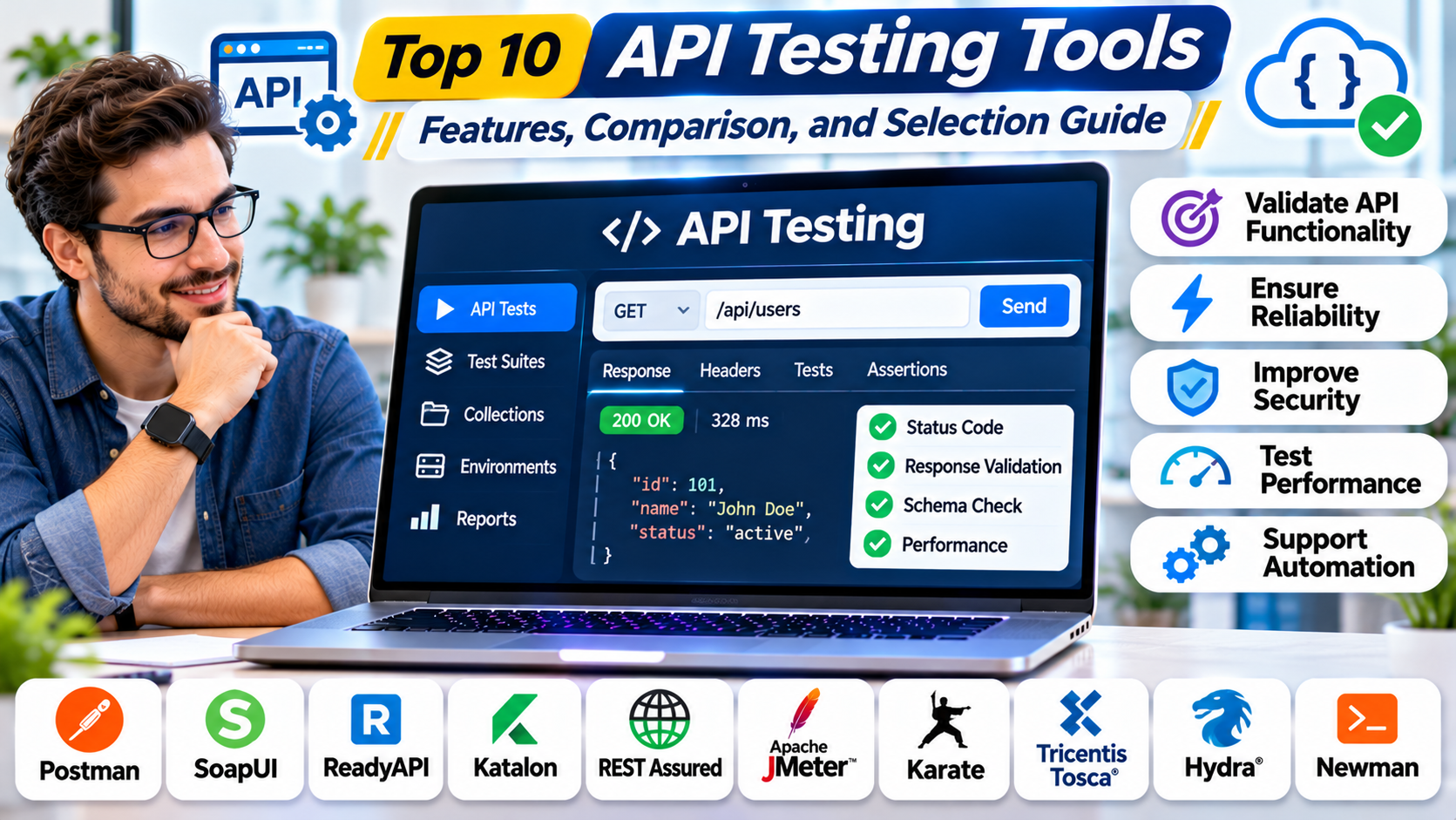
This guide compares ten API testing tools, explains their strengths and limitations, and provides practical guidance for selecting an effective testing solution.
1. What Are API Testing Tools?
API testing tools are software applications or frameworks used to verify that APIs behave according to defined requirements.
They allow teams to send requests to API endpoints, inspect responses, and confirm that systems process information correctly.
Unlike user interface testing, API testing interacts directly with application services.
This can make it easier to identify backend defects without relying on a complete graphical interface.
Common Types of API Testing
Functional testing: Confirms that API endpoints perform their intended operations.
Integration testing: Verifies that APIs communicate correctly with databases, external services, and other applications.
Regression testing: Ensures that existing functionality continues working after software changes.
Contract testing: Checks whether API interactions follow agreed request and response specifications.
Security testing: Evaluates authentication, authorization, input validation, and other security-related behavior.
Performance testing: Measures API response times, throughput, and behavior under load.
Negative testing: Sends invalid or unexpected inputs to verify that errors are handled safely and predictably.
How API Testing Works
A typical API testing workflow includes:
- Identifying the endpoint and expected behavior.
- Configuring the request method and parameters.
- Adding authentication credentials where required.
- Sending the request.
- Inspecting response status, headers, and content.
- Validating expected values and data structures.
- Recording test results.
- Repeating tests automatically after code changes.
A strong API testing strategy combines different testing methods rather than relying on one tool or a single collection of requests.
2. Top 10 API Testing Tools
1. Postman
Best For: API development, collaborative testing, and automated API workflows.
Overview
Postman is an API development and testing platform used to create requests, inspect responses, organize collections, and automate validation.
Its graphical interface makes API testing accessible to developers and testers with different levels of programming experience.
Users can create requests for supported API protocols, configure headers, manage authentication, and inspect returned data.
Postman also supports reusable collections, variables, scripts, and collaborative workspaces.
These capabilities help teams maintain organized API testing assets across development environments.
For example, a development team can create a collection covering user registration, authentication, product retrieval, and order submission.
The same collection can then be executed against development, staging, and other authorized environments.
Postman also provides command-line capabilities that allow supported tests to run within automated delivery workflows.
Key Features
- Graphical API request builder.
- API collections and reusable environments.
- Automated assertions and scripts.
- Authentication configuration.
- API documentation capabilities.
- Collaboration and workspace management.
- Command-line test execution.
- Integration with development workflows.
Advantages
Postman is approachable for beginners while providing capabilities for sophisticated API testing.
Its collection model supports collaboration between developers, testers, and API consumers.
Limitations
Large test suites can become difficult to organize without consistent standards.
Teams should review workspace governance, subscription costs, and data-sharing requirements.
Ideal Users
Software developers, QA engineers, API teams, and organizations requiring collaborative API testing.
2. Insomnia
Best For: API debugging, request exploration, and developer-focused testing.
Overview
Insomnia is an API client and testing platform designed to help developers interact with APIs and inspect their behavior.
It provides a workspace for organizing requests, managing environments, configuring authentication, and examining responses.
Insomnia is particularly useful during API development because developers can quickly experiment with endpoints without building a separate test application.
The platform supports several API technologies, making it relevant to teams working beyond conventional REST interfaces.
Developers can use Insomnia to validate API behavior during implementation and troubleshooting.
For example, a backend engineer investigating a failed authentication request can adjust headers, tokens, and request bodies while comparing responses.
Insomnia also offers automation capabilities that can support testing within development pipelines.
Key Features
- API request creation and execution.
- REST and other supported API protocol workflows.
- Environment and variable management.
- Authentication testing.
- Response inspection.
- Request organization.
- Automated testing capabilities.
- Command-line workflow integration.
Advantages
Insomnia provides a developer-friendly environment for API exploration.
Its interface is useful for debugging complex requests and managing multiple environments.
Limitations
Teams should evaluate collaboration features and automation workflows against their specific requirements.
Some capabilities depend on the product edition and deployment configuration.
Ideal Users
Backend developers, API engineers, and teams prioritizing interactive debugging.
3. SmartBear ReadyAPI
Best For: Enterprise API functional testing and complex service validation.
Overview
SmartBear ReadyAPI is a commercial API testing platform designed for organizations with demanding functional and integration testing requirements.
It is particularly relevant to enterprises that maintain large API portfolios, including REST and SOAP services.
ReadyAPI provides capabilities for designing test scenarios, validating responses, and automating API interactions.
Teams can use it to test business processes that involve multiple service calls.
For example, an insurance application might require separate API interactions for customer verification, policy creation, premium calculation, and payment processing.
ReadyAPI can help organize tests that validate these connected workflows.
The platform is also useful when testers need structured testing capabilities without writing every test entirely in application code.
Key Features
- REST and SOAP API testing.
- Functional test automation.
- Data-driven testing.
- Reusable test scenarios.
- API response validation.
- Test reporting.
- Integration with delivery pipelines.
- Support for complex service workflows.
Advantages
ReadyAPI provides comprehensive testing functionality suited to enterprise environments.
It is especially valuable when organizations must maintain complex service tests across several applications.
Limitations
Commercial licensing can be expensive for smaller teams.
Advanced workflows may require training and careful test-suite maintenance.
Ideal Users
Enterprise QA departments, financial institutions, insurance companies, and organizations testing complex APIs.
4. Apache JMeter
Best For: API load testing and performance evaluation.
Overview
Apache JMeter is an open-source testing application commonly used to evaluate application and API performance.
It can generate requests against supported services and measure how systems behave under different workload conditions.
JMeter is particularly relevant when organizations need to determine whether APIs can handle expected traffic.
For example, an online retailer preparing for a major sales event might simulate thousands of requests against product and checkout APIs.
The resulting measurements can help identify slow responses, error rates, and infrastructure bottlenecks.
JMeter supports configurable test plans, assertions, parameterization, and reporting.
Although it can perform functional checks, its primary value in this comparison is performance and load testing.
Key Features
- HTTP API request testing.
- Load and stress testing.
- Configurable test plans.
- Parameterized requests.
- Response assertions.
- Performance reporting.
- Distributed testing options.
- Extensible plugin ecosystem.
Advantages
JMeter is open source and offers substantial flexibility.
It can support repeatable performance experiments across different workload patterns.
Limitations
Large test plans can become difficult to maintain.
Performance tests require careful load-generator sizing and realistic workload design.
JMeter is not a complete substitute for dedicated API contract or functional testing frameworks.
Ideal Users
Performance engineers, QA teams, and organizations validating API scalability.
5. REST Assured
Best For: Automated REST API testing in Java projects.
Overview
REST Assured is a Java library designed to simplify the testing and validation of REST APIs.
It allows developers to express HTTP requests and response assertions directly in Java test code.
This makes REST Assured attractive to organizations already using Java-based development and testing frameworks.
Rather than maintaining tests in a separate graphical application, teams can keep API tests alongside application source code.
These tests can participate in code review, version control, and automated build processes.
For example, a Java development team can create automated tests that verify customer creation, authentication, order processing, and error handling.
REST Assured works with common Java testing ecosystems, allowing teams to reuse established development practices.
Key Features
- Java-based REST API testing.
- Fluent request and assertion syntax.
- HTTP method support.
- Authentication testing.
- JSON and XML response validation.
- Integration with Java test frameworks.
- CI/CD compatibility.
- Reusable test utilities.
Advantages
REST Assured fits naturally into Java development workflows.
It gives developers detailed control over test implementation and maintenance.
Limitations
Java programming knowledge is required.
It does not provide the same visual request exploration experience as dedicated graphical API clients.
Ideal Users
Java developers, automation engineers, and backend teams maintaining code-based test suites.
6. Karate
Best For: API automation using readable test scenarios.
Overview
Karate is an open-source testing framework that supports API testing through a domain-specific language.
Its approach allows teams to describe API interactions using readable scenarios rather than writing every operation as conventional application code.
Karate is useful for teams that want structured automated testing while reducing the amount of custom test framework development.
Test scenarios can include requests, expected responses, authentication behavior, and data validation.
Karate also supports broader testing capabilities, including selected UI automation and performance-related integrations.
For example, a QA engineer can define a scenario that creates a user, authenticates that user, retrieves account information, and validates the response.
The framework can execute these scenarios automatically within development pipelines.
Key Features
- Readable API test scenarios.
- HTTP request automation.
- JSON and XML validation.
- Data-driven testing.
- Reusable test features.
- Authentication support.
- Parallel test execution.
- CI/CD integration.
Advantages
Karate can make API test scenarios easier to understand for teams with mixed technical backgrounds.
It reduces the need to build some common testing utilities from scratch.
Limitations
Complex scenarios still require technical understanding.
Teams must learn Karate’s syntax and establish maintainable test design practices.
Ideal Users
QA automation engineers, API testing teams, and organizations seeking readable automated tests.
7. SoapUI
Best For: SOAP API testing and traditional web service validation.
Overview
SoapUI is an API testing application known for its support for SOAP and REST web services.
It is particularly relevant to organizations that maintain established enterprise applications built around SOAP-based integrations.
SOAP services often use formal contracts and XML messages, which can require specialized testing capabilities.
SoapUI helps testers create requests, inspect service responses, and validate expected behavior.
For example, an enterprise resource planning system might expose SOAP services for invoices, customer records, and purchase orders.
SoapUI can help testers validate these services before integration changes are deployed.
The open-source SoapUI application should be distinguished from the broader commercial ReadyAPI platform.
Key Features
- SOAP web service testing.
- REST API request testing.
- WSDL-based workflows.
- XML response validation.
- Functional assertions.
- Test suite organization.
- Request parameterization.
- Scriptable testing capabilities.
Advantages
SoapUI is useful for organizations maintaining SOAP integrations.
Its support for service contracts helps teams validate traditional enterprise APIs.
Limitations
Its interface and workflow may feel less streamlined than newer API clients.
Some advanced enterprise testing features belong to commercial products rather than the open-source application.
Ideal Users
Enterprise integration testers, SOAP developers, and organizations maintaining legacy web services.
8. Bruno
Best For: Git-friendly API testing and local-first development workflows.
Overview
Bruno is an API client designed around local files and version-controlled API collections.
Its approach differs from platforms that primarily store testing assets in hosted workspaces.
Bruno allows teams to maintain API requests and related configuration as files within their development projects.
This is useful when organizations want API testing assets to follow the same version-control practices as application code.
Developers can review request changes through pull requests, maintain separate branches, and track modifications over time.
For example, a software team developing a new payment API can store its Bruno collection alongside the application repository.
When an endpoint changes, the related request and assertions can be updated in the same development workflow.
Bruno also supports command-line execution for automation.
Key Features
- Local-first API collections.
- Git-compatible file storage.
- REST API testing.
- Environment management.
- Request scripting and assertions.
- Command-line execution.
- Offline-friendly workflows.
- Developer-oriented interface.
Advantages
Bruno provides transparent version control for API testing assets.
It is attractive to teams that prefer repository-based collaboration.
Limitations
Organizations seeking extensive hosted collaboration and enterprise management features should compare available capabilities carefully.
Some workflows require familiarity with Git and local project organization.
Ideal Users
Developers, DevOps teams, and organizations adopting Git-based testing practices.
9. Hoppscotch
Best For: Lightweight API exploration and collaborative request testing.
Overview
Hoppscotch is an API development and testing platform that provides a streamlined interface for working with APIs.
Its browser-based experience is useful when developers need to create and execute requests without configuring a large desktop testing environment.
Hoppscotch supports multiple API interaction styles and provides tools for managing requests and environments.
It is particularly relevant to development teams that value speed and simplicity during API exploration.
For example, a frontend developer can use Hoppscotch to verify that a new backend endpoint returns the expected JSON structure.
The developer can then adjust request parameters, authentication settings, and environment variables as needed.
Hoppscotch also offers capabilities for organizing requests and supporting team workflows.
Key Features
- Browser-based API client.
- REST API request testing.
- Support for additional API protocols.
- Request collections.
- Environment variables.
- Authentication configuration.
- Response inspection.
- Collaboration and automation options.
Advantages
Hoppscotch is approachable and convenient for rapid API exploration.
Its lightweight interface can reduce setup time.
Limitations
Browser security restrictions can affect direct requests to some endpoints.
Advanced enterprise requirements may require additional configuration or deployment options.
Ideal Users
Frontend developers, API developers, and teams seeking a lightweight testing environment.
10. Schemathesis
Best For: Automated API testing based on OpenAPI specifications.
Overview
Schemathesis is an API testing tool that generates test cases from API schemas.
It is particularly useful when organizations maintain OpenAPI specifications and want to test whether implementations behave correctly.
Traditional API tests often focus on examples manually selected by developers.
Schemathesis takes a different approach by generating varied inputs from the API specification.
This can help uncover unexpected behavior, invalid response structures, and edge cases that manually written tests may overlook.
For example, a customer registration endpoint may define specific field types, length limits, and response codes.
Schemathesis can generate different request combinations to evaluate how the implementation handles valid and invalid inputs.
Its automated approach makes it valuable as a complement to conventional regression testing.
Key Features
- OpenAPI-based test generation.
- Property-based testing techniques.
- Automated input variation.
- Response schema validation.
- Negative testing.
- Command-line execution.
- CI/CD integration.
- Failure reproduction support.
Advantages
Schemathesis can identify unexpected API behavior beyond manually selected test examples.
It is useful for improving coverage when API specifications are maintained accurately.
Limitations
The quality of generated tests depends partly on the completeness and accuracy of API specifications.
It does not replace business-specific functional assertions or end-to-end integration testing.
Ideal Users
API platform engineers, automation testers, and teams maintaining specification-driven APIs.
3. API Testing Tools Comparison Table
| Tool | Best For | Testing Approach | Primary Strength |
|---|---|---|---|
| Postman | Collaborative API development | GUI and automation | Collections and teamwork |
| Insomnia | API debugging | Interactive and automated | Developer experience |
| ReadyAPI | Enterprise API testing | Functional automation | Complex service workflows |
| Apache JMeter | API performance | Load testing | Workload simulation |
| REST Assured | Java REST APIs | Code-based automation | Java integration |
| Karate | Readable automation | Scenario-based testing | Structured test definitions |
| SoapUI | SOAP services | Functional testing | SOAP and WSDL support |
| Bruno | Git-based API testing | Local files and CLI | Version-controlled collections |
| Hoppscotch | Lightweight API exploration | Browser-based client | Fast request testing |
| Schemathesis | Schema-driven testing | Generated test cases | Edge-case discovery |
These tools address overlapping but different testing requirements. A comprehensive API quality strategy may use more than one.
4. How to Choose the Right API Testing Tool
Identify the API Protocols
Start by determining whether your organization primarily uses REST, SOAP, GraphQL, gRPC, or other API technologies.
Choose a tool that supports the required protocols and authentication methods.
Match the Tool to Testing Objectives
Functional testing, contract validation, security testing, and load testing solve different problems.
For example, Postman may be useful for functional exploration, while JMeter is more suitable for generating performance workloads.
Consider Team Programming Skills
Teams comfortable with Java may prefer REST Assured.
Teams seeking readable scenarios may evaluate Karate.
Developers who prefer graphical clients may find Postman or Insomnia easier to adopt.
Evaluate CI/CD Integration
Automated API tests should run consistently during software delivery.
Check whether the platform supports command-line execution, test reporting, environment configuration, and failure handling.
Review Test Maintenance
A good API testing solution should make it easy to update tests as applications evolve.
Consider reusable assertions, environment variables, version control, and shared test data.
Assess Collaboration Requirements
Large teams may need shared workspaces, access controls, and centralized reporting.
Repository-oriented teams may prefer tools that store test definitions alongside application code.
Evaluate Security
API tests often require credentials, tokens, and access to sensitive environments.
Use secure secret management, restricted permissions, and appropriately isolated test systems.
Avoid storing production credentials directly in test collections or source repositories.
Calculate Total Cost
Consider licensing, infrastructure, training, maintenance, and engineering effort.
An open-source framework may have no software licensing fee but still require significant development time.
5. Practical Example: Testing an E-Commerce API
Consider an online store with APIs for customer accounts, product catalogs, shopping carts, payments, and order tracking.
The development team wants to reduce production defects.
Step 1: Identify Critical Endpoints
The team documents important operations, including:
- User registration and login.
- Product searches.
- Shopping cart updates.
- Order creation.
- Payment processing.
- Refund requests.
- Order status retrieval.
Step 2: Define Expected Behavior
For each endpoint, engineers document valid inputs, expected responses, authentication requirements, and error conditions.
Step 3: Select Testing Tools
The team chooses Postman for interactive testing and REST Assured for Java-based automated regression tests.
It also uses JMeter for performance testing.
Step 4: Create Functional Tests
Testers verify that customers can create accounts, add products to carts, and submit orders.
They also test invalid requests and missing authentication credentials.
Step 5: Automate Regression Testing
The team integrates API tests into its CI/CD pipeline.
Tests run after relevant application changes.
Step 6: Perform Performance Testing
Engineers simulate increasing request volumes against selected endpoints.
They measure response times, throughput, and error rates.
Step 7: Validate Security Behavior
The team verifies that users cannot access another customer’s orders and that unauthorized requests receive appropriate responses.
Specialized security testing supplements these functional checks.
Step 8: Monitor Test Results
Developers review failures, investigate regressions, and update tests when API contracts change.
This approach helps the retailer identify defects earlier and improve the reliability of its services.
6. Benefits and Challenges of API Testing Tools
Major Benefits
Earlier defect detection: API tests can identify backend problems before user interface testing begins.
Faster regression testing: Automated suites reduce repeated manual validation.
Improved integration reliability: Tests verify that connected applications exchange information correctly.
Better developer productivity: Engineers can inspect requests and responses directly.
Stronger release confidence: Consistent testing helps teams evaluate software changes before deployment.
Improved contract compliance: Schema and contract checks help prevent unexpected interface changes.
Common Challenges
Test maintenance: API changes can require frequent updates to assertions and test data.
Authentication complexity: Tokens, permissions, and session handling can complicate test execution.
Environment differences: Development, staging, and production environments may behave differently.
Unstable test data: Shared databases and changing records can create unreliable results.
Incomplete coverage: Successful response checks do not guarantee that all business requirements are satisfied.
Performance interpretation: Load testing results can be misleading when test environments do not reflect realistic infrastructure.
Organizations should combine API testing with code reviews, security assessments, monitoring, and other software quality practices.
7. Frequently Asked Questions
What is the best API testing tool?
Postman is a practical option for collaborative API development and functional testing. REST Assured is useful for Java automation, while ReadyAPI supports complex enterprise workflows. The best choice depends on requirements.
What is the difference between API testing and UI testing?
API testing validates application services directly. UI testing checks behavior through the graphical interface. Both are important for complete application testing.
Can API testing be automated?
Yes. Tools such as REST Assured, Karate, Postman, and Schemathesis support automated API testing.
Are there free API testing tools?
Yes. Bruno, Hoppscotch, REST Assured, Karate, SoapUI, Apache JMeter, and Schemathesis provide open-source options. Other platforms may offer free plans with limitations.
What is REST API testing?
REST API testing verifies endpoints that commonly use HTTP methods such as GET, POST, PUT, PATCH, and DELETE.
Can API testing tools detect security vulnerabilities?
Some tools can validate security-related behavior, but general API testing does not replace specialized security testing or penetration testing.
What is API contract testing?
Contract testing verifies that API providers and consumers follow agreed interface expectations, including request formats and response structures.
Can API tests run in CI/CD pipelines?
Yes. Many testing tools support command-line execution and integration with automated build and deployment workflows.
Is API performance testing different from functional testing?
Yes. Functional testing checks correctness, while performance testing measures behavior under different workloads.
Do API testing tools require programming knowledge?
Not always. Graphical tools can support manual testing with limited coding. Advanced automation and framework-based testing often require programming skills.
8. Conclusion
API testing tools help organizations build more reliable software by validating application interfaces before problems reach customers.
Postman and Insomnia provide flexible environments for API exploration and development.
ReadyAPI and SoapUI support complex enterprise service testing, while Apache JMeter focuses on performance evaluation.
REST Assured and Karate offer code-oriented and scenario-based automation.
Bruno and Hoppscotch provide developer-friendly alternatives for organizing and executing API requests.
Schemathesis adds schema-driven test generation that can uncover unexpected edge cases.
The right API testing solution depends on protocol support, automation requirements, collaboration preferences, and the team’s technical capabilities.
Organizations should prioritize repeatable tests, secure credential management, realistic test environments, and continuous integration.
A well-designed API testing strategy improves software quality, reduces integration failures, and supports safer application releases.