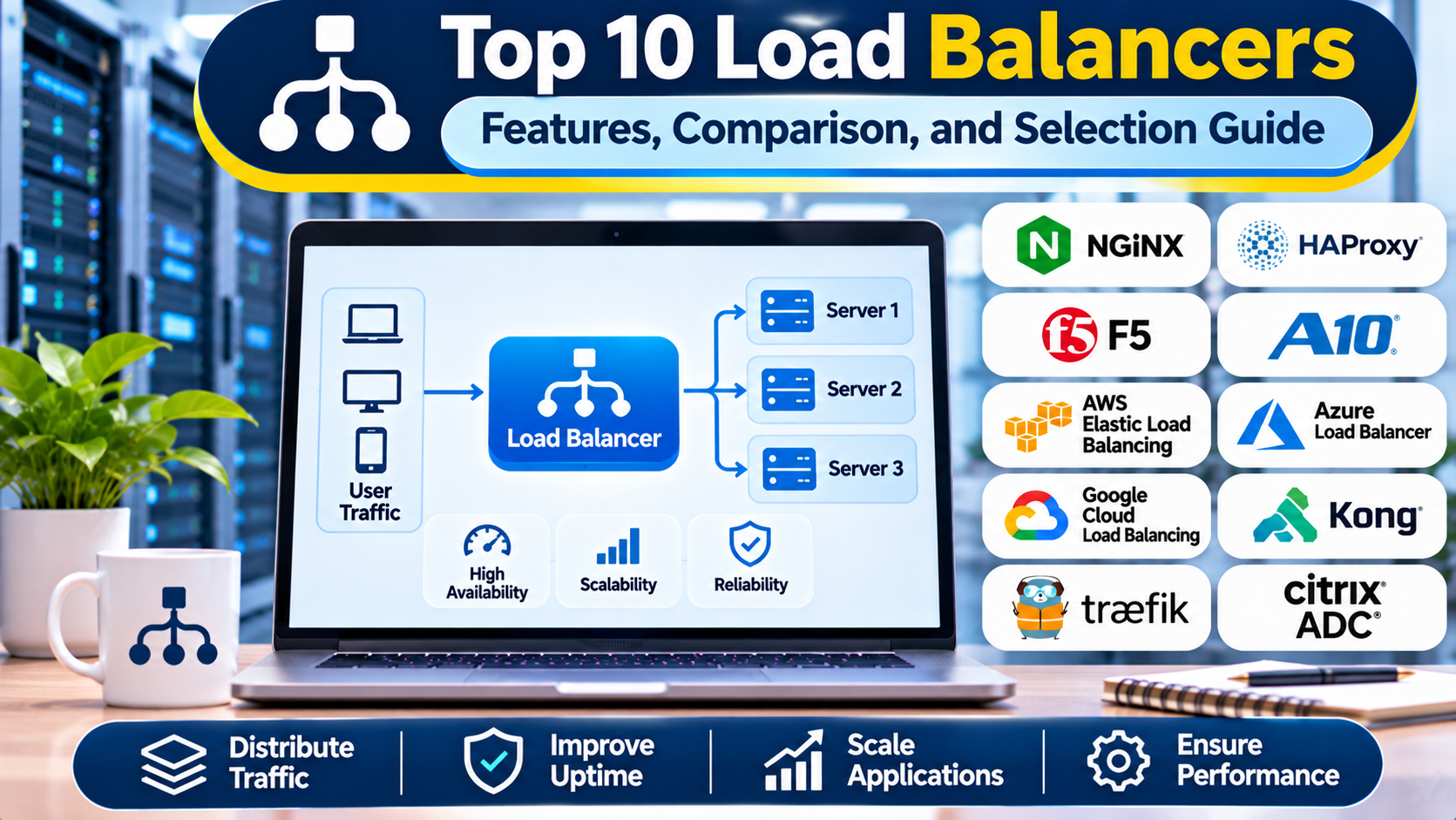
Introduction
Modern applications must remain responsive even when thousands of users access them at the same time. Online stores, banking platforms, streaming applications, and enterprise software all depend on infrastructure that can handle changing traffic volumes.
Running an application on a single server creates serious limitations. When demand increases, the server may become overloaded. If the server fails, users may lose access to the application entirely.
Load balancers help solve these problems by distributing incoming network connections or application requests across multiple servers.
They can improve resource utilization, support application availability, and help organizations scale services without directing every request to one machine.
However, not all load balancers offer the same capabilities.
Some operate at the network transport layer, while others inspect HTTP requests and make application-aware routing decisions. Certain products focus on cloud-native infrastructure, while others provide enterprise application delivery, advanced security, and centralized traffic management.
Choosing the right load balancer requires understanding application requirements, expected traffic patterns, infrastructure architecture, and operational capabilities.
This guide explores ten load balancing solutions, compares their strengths and limitations, and explains how to select the most appropriate technology for modern applications.
1. What Are Load Balancers?
A load balancer is a networking component that distributes incoming traffic across multiple backend servers or application instances.
Instead of allowing clients to connect directly to individual servers, the load balancer provides a common entry point.
When a request arrives, the load balancer selects an appropriate destination according to configured routing policies.
How Load Balancing Works
A typical load balancing workflow includes:
- A user sends a request to an application.
- The request reaches a load balancer.
- The load balancer evaluates available backend servers.
- Health checks identify servers capable of handling requests.
- A routing algorithm selects a destination.
- The request reaches the selected backend.
- The response returns to the client.
- Monitoring systems record traffic and performance information.
Common Load Balancing Algorithms
Round robin: Distributes requests across servers in sequence.
Weighted round robin: Assigns more requests to servers with greater configured capacity.
Least connections: Prefers servers handling fewer active connections.
Least response time: Uses observed performance to help select responsive destinations.
IP hash: Uses client address information to select a backend, which can support certain session-affinity requirements.
Consistent hashing: Helps maintain relatively stable mappings between requests and backend servers as infrastructure changes.
The available algorithms depend on the selected product and deployment configuration.
Layer 4 vs. Layer 7 Load Balancing
Layer 4 load balancing makes decisions using transport-level information such as IP addresses, ports, and TCP or UDP connections.
Layer 7 load balancing understands application protocols such as HTTP and can route traffic according to paths, headers, hostnames, and other request attributes.
Both approaches are valuable. Layer 4 may suit connection-oriented workloads, while Layer 7 provides greater control over web application traffic.
2. Top 10 Load Balancers
1. HAProxy
Best For: High-performance HTTP and TCP load balancing.
Overview
HAProxy is an established open-source load balancer and proxy technology used in demanding application environments.
It supports both TCP and HTTP traffic, making it suitable for a wide range of services.
Organizations commonly deploy HAProxy in front of web servers, application clusters, databases, and internal services.
Its routing capabilities allow administrators to distribute requests according to server health, connection counts, request attributes, and configured policies.
HAProxy is particularly useful when engineering teams require detailed control over traffic handling.
For example, an online retailer can place HAProxy in front of multiple checkout application servers. If one server becomes unhealthy, the load balancer can stop directing new requests to that instance.
HAProxy also supports connection management, TLS termination, traffic regulation, and operational statistics.
Its configuration model is powerful, although sophisticated environments require careful testing and administration.
Key Features
- Layer 4 and Layer 7 load balancing.
- Multiple traffic distribution algorithms.
- Active backend health checks.
- TLS termination and connection management.
- HTTP routing and header manipulation.
- Session persistence options.
- Rate limiting and traffic controls.
- Runtime management and monitoring capabilities.
Advantages
HAProxy offers detailed traffic management and strong flexibility.
It is especially attractive to organizations that want a self-managed solution without relying entirely on a cloud provider.
Limitations
Complex configurations require networking expertise.
High availability for the load balancer itself must be designed separately through redundancy and failover mechanisms.
Ideal Users
DevOps engineers, platform teams, hosting providers, and enterprises operating high-traffic applications.
2. NGINX
Best For: Web application load balancing and reverse proxy deployments.
Overview
NGINX is a web server, reverse proxy, and load balancing platform commonly used in modern web infrastructure.
It can distribute HTTP traffic across multiple backend application servers while also handling web requests and other proxy responsibilities.
NGINX is useful for organizations that want to combine application routing, static content delivery, TLS termination, and load balancing within a common infrastructure component.
For example, a SaaS application might use NGINX to route requests to several application instances while serving selected static assets directly.
NGINX can also direct different URL paths to separate backend services.
This makes it relevant to architectures where frontend applications, APIs, and internal services must share a common public entry point.
The open-source product provides core load balancing capabilities, while commercial NGINX offerings provide additional enterprise features.
Key Features
- HTTP load balancing.
- Reverse proxy functionality.
- TLS termination.
- Request routing.
- Static content serving.
- Connection and timeout controls.
- Caching capabilities.
- Integration with container and cloud environments.
Advantages
NGINX combines several important web infrastructure functions.
Its broad adoption and established configuration patterns make it useful for many application architectures.
Limitations
Some advanced traffic management and monitoring features depend on product edition.
Complex dynamic service environments may require additional automation or integration.
Ideal Users
Web developers, SaaS providers, DevOps teams, and organizations operating HTTP-based applications.
3. F5 BIG-IP Local Traffic Manager
Best For: Enterprise application delivery and advanced traffic management.
Overview
F5 BIG-IP Local Traffic Manager, commonly called BIG-IP LTM, is an enterprise application delivery solution.
It is designed for organizations that require sophisticated traffic policies, application availability, and infrastructure control.
BIG-IP LTM supports application-aware routing, load balancing, SSL/TLS processing, and health monitoring.
It is often deployed in large enterprise data centers and hybrid infrastructure environments.
For example, a financial institution might use BIG-IP LTM to distribute traffic across critical application clusters while enforcing specific persistence and routing policies.
The platform supports detailed traffic management rules that allow administrators to customize application delivery behavior.
F5 also offers related application security and management technologies, although those capabilities should not automatically be assumed to be included with every LTM deployment.
Key Features
- Layer 4 and Layer 7 traffic management.
- Advanced load balancing policies.
- Application health monitoring.
- SSL/TLS processing.
- Session persistence.
- Programmable traffic rules.
- Enterprise deployment options.
- Integration with broader application delivery services.
Advantages
BIG-IP LTM provides extensive control for complex enterprise applications.
It is well suited to organizations with strict operational and availability requirements.
Limitations
Licensing and infrastructure costs can be substantial.
Administration often requires specialized training and experienced networking teams.
Ideal Users
Banks, telecommunications providers, large enterprises, and organizations operating critical business applications.
4. AWS Elastic Load Balancing
Best For: Managed load balancing for AWS applications.
Overview
AWS Elastic Load Balancing is a managed service family that distributes incoming traffic across supported AWS resources.
Its offerings include Application Load Balancer, Network Load Balancer, and Gateway Load Balancer.
Each serves different networking requirements.
Application Load Balancer is designed for HTTP and HTTPS workloads and supports application-aware routing.
Network Load Balancer handles transport-level workloads requiring TCP, UDP, or related connection handling.
Gateway Load Balancer is designed for deploying and scaling supported network appliances.
AWS manages much of the load balancing infrastructure, reducing the need for organizations to operate dedicated proxy servers.
For example, a cloud-hosted application can use an Application Load Balancer to distribute traffic across multiple application instances deployed in different availability zones.
AWS Elastic Load Balancing also integrates with other AWS infrastructure and monitoring services.
Key Features
- Managed load balancing services.
- Layer 4 and Layer 7 options.
- Application health checks.
- AWS Auto Scaling integration.
- TLS support.
- Host-based and path-based routing for supported offerings.
- Cloud monitoring integration.
- Multi-availability-zone deployment support.
Advantages
AWS Elastic Load Balancing reduces infrastructure maintenance.
It fits naturally into AWS application architectures.
Limitations
It is primarily intended for AWS workloads.
Costs depend on the selected service, usage, traffic characteristics, and related infrastructure.
Ideal Users
AWS customers, cloud architects, SaaS providers, and organizations operating managed cloud applications.
5. Google Cloud Load Balancing
Best For: Google Cloud applications and global traffic distribution.
Overview
Google Cloud Load Balancing provides managed load balancing services for applications running on Google Cloud and supported hybrid environments.
It includes application and network load balancing options with different deployment scopes.
Some offerings use Google’s global infrastructure to route traffic across regions.
This can be valuable for applications serving users in multiple geographic locations.
For example, an international application can use a global external Application Load Balancer to direct requests toward suitable backend resources according to configured routing and health policies.
Google Cloud also provides integrations with its compute, container, monitoring, and security services.
Organizations should select the appropriate load balancer type based on protocol requirements, regional architecture, and application behavior.
Key Features
- Managed application and network load balancing.
- Global and regional deployment options.
- Health checking.
- HTTP and HTTPS routing.
- TLS termination.
- Cloud infrastructure integration.
- Traffic management policies.
- Monitoring and logging capabilities.
Advantages
Google Cloud Load Balancing is useful for globally distributed applications.
Its managed architecture reduces the burden of operating dedicated load balancing infrastructure.
Limitations
Configuration options vary across product types.
Organizations must evaluate pricing, backend compatibility, and cloud dependency.
Ideal Users
Google Cloud customers, global SaaS businesses, and cloud-native application teams.
6. Azure Load Balancer
Best For: Layer 4 load balancing in Microsoft Azure.
Overview
Azure Load Balancer is a managed Layer 4 load balancing service for distributing TCP and UDP traffic.
It is commonly used to support applications running on Azure virtual machines and other compatible resources.
The service distributes connections according to configured rules and backend pool membership.
Azure Load Balancer is particularly relevant when organizations need transport-level load distribution without application-layer HTTP inspection.
For example, an enterprise running a custom TCP application across several Azure virtual machines can use Azure Load Balancer to distribute incoming connections.
The service supports health probes that help identify backend instances capable of receiving traffic.
Azure also offers Application Gateway and other traffic management products for requirements that extend beyond Layer 4 functionality.
Key Features
- Layer 4 load balancing.
- TCP and UDP traffic support.
- Public and internal deployment options.
- Backend pools.
- Health probes.
- Load balancing rules.
- Azure networking integration.
- High-availability architecture support.
Advantages
Azure Load Balancer is a straightforward choice for transport-level workloads in Azure.
It integrates with the surrounding Azure networking ecosystem.
Limitations
It does not provide the same application-aware HTTP routing capabilities as a Layer 7 load balancer.
Organizations needing URL routing or web application firewall capabilities should evaluate other Azure services.
Ideal Users
Azure infrastructure teams, enterprise IT departments, and organizations operating TCP or UDP applications.
7. Traefik Proxy
Best For: Dynamic container environments and microservices.
Overview
Traefik Proxy is a reverse proxy and load balancer designed to work with modern application platforms.
It is especially relevant to containerized environments where services are frequently created, updated, or removed.
Traditional proxy configurations may require administrators to manually update backend server lists.
Traefik can discover routing information from supported infrastructure providers and adjust its configuration dynamically.
For example, a development team running applications in Docker can use Traefik to route requests to services based on container configuration.
In Kubernetes environments, Traefik can integrate with supported routing resources and service definitions.
Traefik also supports TLS management, middleware, and multiple traffic routing strategies.
Key Features
- Dynamic service discovery.
- HTTP and TCP routing.
- Container platform integration.
- Load balancing policies.
- TLS certificate automation.
- Middleware capabilities.
- Kubernetes integration.
- Monitoring and observability support.
Advantages
Traefik reduces manual configuration in dynamic environments.
It is particularly convenient for teams using containers and infrastructure automation.
Limitations
Complex traffic policies require careful configuration.
Some enterprise capabilities depend on commercial products or editions.
Ideal Users
Cloud-native developers, Kubernetes operators, and DevOps teams managing containerized applications.
8. Envoy Proxy
Best For: Microservices traffic management and cloud-native networking.
Overview
Envoy is an open-source proxy designed for modern distributed applications.
It can operate as an edge proxy, load balancer, or service-to-service communication component.
Envoy is especially relevant to microservices architectures where application instances change frequently and traffic behavior must be controlled dynamically.
It supports sophisticated routing, service discovery integrations, health checking, and detailed observability.
For example, an organization can deploy Envoy in front of multiple API services and configure traffic distribution according to service health and routing policies.
Envoy is also commonly used as a data plane component in service mesh architectures.
Its dynamic configuration APIs allow external control planes to update traffic behavior without requiring manually maintained static configurations.
Key Features
- Layer 4 and Layer 7 proxy capabilities.
- Advanced load balancing policies.
- Dynamic configuration APIs.
- Service discovery integration.
- Health checking.
- TLS and mutual TLS support.
- Traffic observability.
- Service mesh compatibility.
Advantages
Envoy provides extensive flexibility for distributed application networking.
Its dynamic configuration model is well suited to cloud-native platforms.
Limitations
Envoy can be complex to operate directly.
Large deployments often require a dedicated control plane and strong platform engineering practices.
Ideal Users
Platform engineering teams, service mesh operators, and organizations building large microservices architectures.
9. Citrix NetScaler
Best For: Enterprise application delivery and security-focused networking.
Overview
NetScaler is an application delivery platform that provides load balancing, traffic management, and related networking capabilities.
It is commonly considered by organizations that require centralized control over enterprise application access and delivery.
NetScaler supports application-aware routing, SSL/TLS processing, health monitoring, and traffic optimization.
For example, an enterprise running several internal business applications can use NetScaler to distribute user requests across available backend servers.
The platform is also relevant to organizations delivering virtual applications and other business-critical services.
NetScaler is available in different deployment models, allowing organizations to select architectures that fit their infrastructure requirements.
Key Features
- Application load balancing.
- Layer 4 and Layer 7 traffic management.
- SSL/TLS processing.
- Health monitoring.
- Session persistence.
- Traffic optimization.
- Enterprise management capabilities.
- Integration with related application delivery services.
Advantages
NetScaler supports complex enterprise application delivery requirements.
It is particularly useful where networking, application access, and availability must be managed together.
Limitations
Licensing and administration can be complex.
Some security and advanced functionality require specific editions or additional components.
Ideal Users
Large enterprises, virtual application environments, and organizations with specialized application delivery requirements.
10. Cloudflare Load Balancing
Best For: Global traffic distribution and internet-facing application availability.
Overview
Cloudflare Load Balancing is a managed service that distributes traffic across configured origins.
It is especially relevant to organizations with applications deployed in multiple data centers or cloud regions.
Unlike a traditional load balancer running directly inside a private network, Cloudflare operates through its distributed edge infrastructure.
The service can monitor origin health and direct traffic according to configured policies.
For example, a company operating application infrastructure in two geographic regions can configure Cloudflare to distribute traffic between those locations.
If a monitored origin becomes unhealthy, the service can route eligible traffic toward other available origins.
Cloudflare Load Balancing can also complement other Cloudflare networking and security services.
Key Features
- Global traffic steering.
- Origin health monitoring.
- Geographic routing options.
- Failover policies.
- Weighted traffic distribution.
- Cloudflare infrastructure integration.
- Traffic analytics.
- Managed service operation.
Advantages
Cloudflare Load Balancing is useful for internet-facing applications distributed across locations.
It can simplify global traffic management without requiring organizations to operate their own global load balancing infrastructure.
Limitations
Traffic behavior depends on the selected routing and steering policies.
Costs and available capabilities should be evaluated according to traffic volume and product plan.
Ideal Users
Global websites, SaaS providers, e-commerce businesses, and organizations requiring multi-region availability.
3. Load Balancers Comparison Table
| Tool | Best For | Deployment Model | Key Strength |
|---|---|---|---|
| HAProxy | High-performance applications | Self-managed | Advanced traffic control |
| NGINX | Web applications | Self-managed/commercial | Web routing and proxying |
| F5 BIG-IP LTM | Enterprise application delivery | Appliance/virtual/cloud | Advanced enterprise policies |
| AWS ELB | AWS workloads | Managed cloud | AWS integration |
| Google Cloud Load Balancing | Global cloud applications | Managed cloud | Global routing |
| Azure Load Balancer | Azure TCP/UDP workloads | Managed cloud | Layer 4 networking |
| Traefik Proxy | Containers and microservices | Self-managed | Dynamic configuration |
| Envoy Proxy | Cloud-native networking | Self-managed/control plane | Programmable traffic management |
| NetScaler | Enterprise delivery | Appliance/virtual/cloud | Application delivery controls |
| Cloudflare Load Balancing | Multi-region internet applications | Managed edge | Global traffic steering |
The comparison identifies typical architectural strengths rather than universal performance rankings.
4. How to Choose the Right Load Balancer
Determine the Required Network Layer
Choose Layer 4 when transport-level connection distribution is sufficient.
Choose Layer 7 when routing must consider HTTP paths, hostnames, headers, or application behavior.
Some platforms support both approaches.
Evaluate Traffic Volume and Patterns
Measure expected requests per second, concurrent connections, bandwidth, and traffic spikes.
Benchmark candidate products using realistic workloads.
Check Health Monitoring
A load balancer should detect unhealthy backends and stop sending eligible traffic to them.
Review health-check frequency, failure thresholds, and recovery behavior.
Consider Infrastructure Compatibility
Managed cloud load balancers are convenient for cloud-native workloads.
Self-managed technologies may offer more portability across on-premises and multi-cloud environments.
Evaluate Security Capabilities
Assess TLS handling, access controls, rate limiting, logging, and integration with application security systems.
A load balancer alone does not replace a complete application security strategy.
Review Operational Complexity
Consider configuration management, observability, software updates, and high-availability design.
The load balancer itself must not become an unprotected single point of failure.
Calculate Total Cost
Include licensing, cloud usage, bandwidth, support, engineering time, and monitoring infrastructure.
5. Practical Example: Scaling an E-Commerce Application
Consider an online retailer that experiences significant traffic increases during promotional campaigns.
Its application currently runs on one server.
During busy periods, users experience slow checkout responses.
The company decides to deploy multiple application instances behind a load balancer.
Step 1: Assess the workload.
Engineers measure traffic volume, concurrent sessions, request latency, and application resource consumption.
Step 2: Select a platform.
The team compares HAProxy, NGINX, and a managed cloud load balancer.
Step 3: Deploy additional application instances.
The retailer creates several identical backend servers.
Step 4: Configure health checks.
The load balancer periodically verifies that each application instance is ready to receive requests.
Step 5: Select a distribution policy.
The team starts with round-robin routing and evaluates other policies using realistic traffic tests.
Step 6: Handle application sessions.
Engineers move session information into shared storage where appropriate, reducing dependence on individual servers.
Step 7: Perform load testing.
The team simulates expected promotional traffic and evaluates system behavior.
Step 8: Configure redundancy.
The load balancing entry point is designed to survive component failures.
Step 9: Monitor production traffic.
Dashboards track request rates, errors, latency, and backend health.
The resulting architecture can support greater application capacity and improve resilience, provided the databases and other dependencies can also handle the increased demand.
6. Benefits and Challenges of Load Balancers
Major Benefits
Improved availability: Traffic can be redirected away from unhealthy backend instances.
Better resource utilization: Requests can be distributed across multiple servers.
Horizontal scalability: Organizations can add application instances as demand grows.
Operational flexibility: Teams can remove instances for maintenance without necessarily interrupting the entire service.
Traffic control: Application-aware load balancers can support routing policies, staged deployments, and request management.
Common Challenges
Configuration complexity: Incorrect routing or health-check settings can create outages.
Session management: Applications that depend on local session state may require architectural changes.
Additional infrastructure cost: Managed services and dedicated appliances introduce expenses.
Observability requirements: Teams must monitor both load balancers and backend applications.
Failure concentration: An improperly designed load balancing layer can become a single point of failure.
Backend limitations: Load balancing does not automatically solve database bottlenecks or inefficient application code.
7. Frequently Asked Questions
What is the best load balancer?
HAProxy and NGINX are strong options for many self-managed applications. Cloud-native organizations may prefer managed services from AWS, Google Cloud, or Azure. The best choice depends on traffic requirements and infrastructure.
What is the difference between Layer 4 and Layer 7 load balancing?
Layer 4 distributes transport-level connections. Layer 7 can inspect application-level information, such as HTTP paths and headers, to make routing decisions.
Does load balancing improve website speed?
It can improve response times when overloaded application instances are a bottleneck. Performance also depends on databases, network latency, application design, and caching.
Can load balancers prevent downtime?
They can reduce the impact of individual backend failures. Complete availability also requires redundant load balancers and resilient supporting infrastructure.
What is session persistence?
Session persistence directs related requests toward a particular backend according to configured affinity rules.
Are open-source load balancers suitable for production?
Yes. HAProxy, NGINX, Traefik, and Envoy can support production deployments when properly configured, monitored, and maintained.
What is global load balancing?
Global load balancing distributes or steers traffic across application locations, regions, or data centers.
Can load balancers support Kubernetes?
Yes. Several load balancing technologies integrate with Kubernetes networking and ingress architectures.
Is a load balancer the same as a reverse proxy?
Not exactly. A reverse proxy forwards client requests to backend services. Load balancing is one capability that a reverse proxy may provide.
How many load balancers does an application need?
That depends on availability requirements and architecture. Critical applications generally need a redundant entry point rather than a single unprotected load balancer.
8. Conclusion
Load balancers are essential components of scalable and resilient application infrastructure.
HAProxy and NGINX offer flexible self-managed traffic distribution. F5 BIG-IP LTM and NetScaler address complex enterprise application delivery requirements.
AWS Elastic Load Balancing, Google Cloud Load Balancing, and Azure Load Balancer provide managed options for cloud workloads.
Traefik and Envoy are particularly relevant to dynamic, cloud-native architectures, while Cloudflare Load Balancing supports global traffic steering.
The right solution depends on protocol requirements, infrastructure compatibility, traffic patterns, operational expertise, and total ownership cost.
Organizations should test realistic workloads, configure meaningful health checks, and design redundancy into the load balancing layer.
A properly implemented load balancing strategy helps applications handle growth, recover from component failures, and deliver more consistent user experiences.