Introduction
Every successful digital product begins with decisions about structure.
Before designers choose colors, typography, illustrations, or animations, they need to determine how information and functionality should be organized.
Where should navigation appear? Which information belongs on the home screen? How should users move between tasks?
Wireframing helps teams answer these questions before investing in detailed visual design or software development.
A wireframe is a simplified representation of a website or application interface.
It typically shows content areas, navigation elements, buttons, forms, and layout relationships without extensive visual styling.
This simplicity is valuable.
When stakeholders review a polished design, discussions may become dominated by colors and aesthetics. Wireframes encourage attention to usability, information hierarchy, and workflow clarity.
Wireframing tools make it easier to create, share, revise, and organize these early interface structures.
Some tools specialize in intentionally rough sketches. Others combine wireframes with diagrams, collaboration, prototyping, or AI-assisted interface generation.
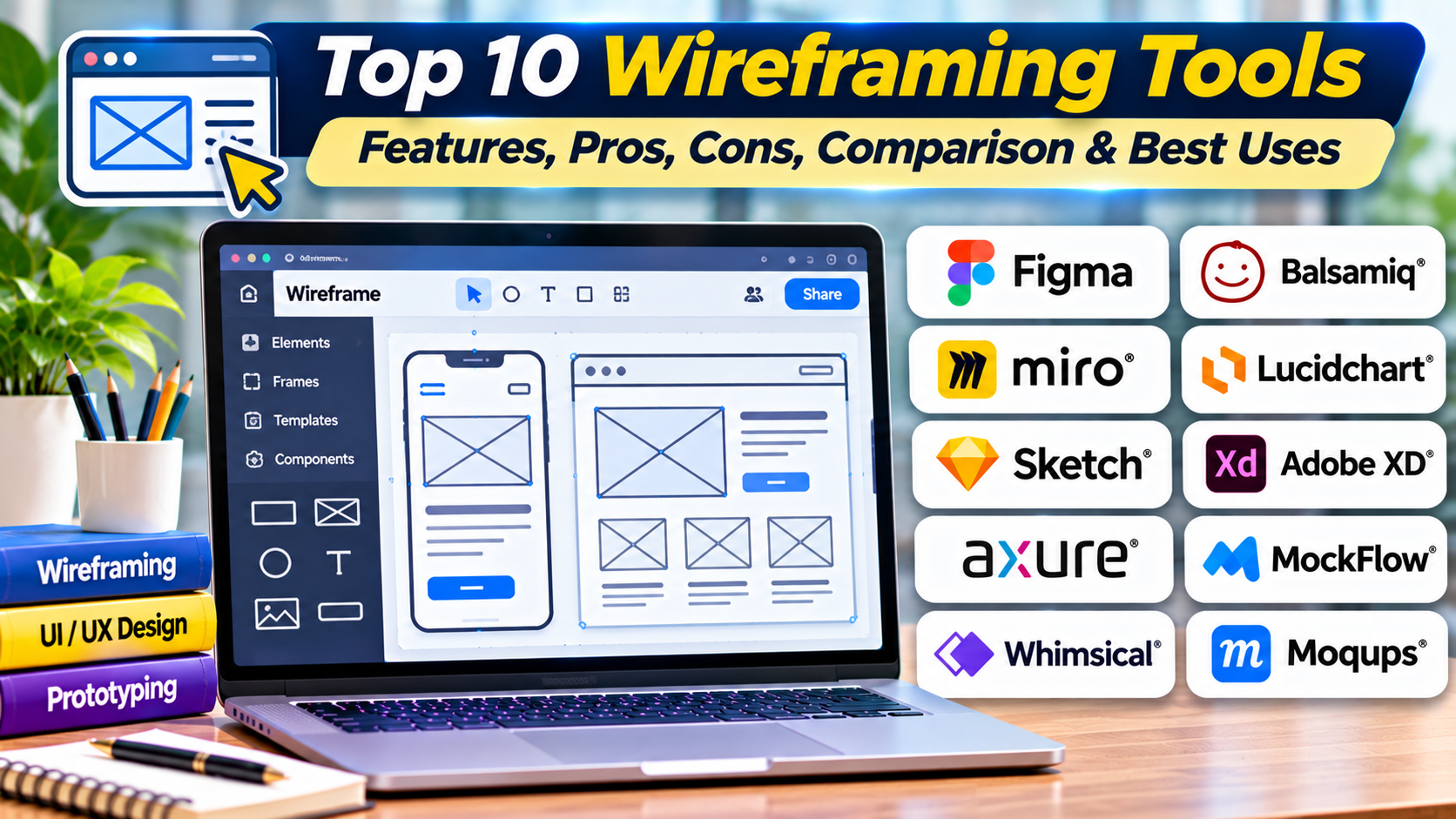
This guide compares ten wireframing tools and explains how to choose software for website planning, mobile application design, product discovery, and collaborative UX workflows.
What Are Wireframing Tools?
Wireframing tools are software applications used to create simplified visual representations of digital interfaces.
They help teams plan how content, navigation, and interactive elements should be arranged before detailed implementation.
Low-Fidelity Wireframes
Low-fidelity wireframes use simple shapes, labels, and placeholders.
They are useful for early product discussions because they can be created and changed quickly.
Mid-Fidelity Wireframes
Mid-fidelity wireframes include more specific layouts, spacing, content hierarchy, and interface controls.
They communicate greater detail without requiring final visual styling.
High-Fidelity Wireframes
High-fidelity wireframes resemble detailed interface designs but may still focus primarily on structure and functionality.
At this stage, the distinction between a wireframe and a mockup can become less clear.
Common Wireframing Activities
Page layout planning: Determining where content and controls belong.
Information hierarchy: Identifying which elements deserve the most attention.
Navigation planning: Organizing menus, categories, and links.
User flow mapping: Showing how users move between screens.
Requirements communication: Translating product ideas into visual structures.
Stakeholder review: Gathering feedback before detailed design.
Responsive planning: Considering how layouts adapt to different screens.
Wireframe vs. Mockup vs. Prototype
A wireframe primarily communicates structure.
A mockup communicates the intended visual appearance.
A prototype demonstrates selected interactions or behavior.
These deliverables may overlap, and some software supports all three.
Top 10 Wireframing Tools
1. Balsamiq
Short Description
Balsamiq is a wireframing tool designed specifically for low-fidelity interface planning.
Its visual style intentionally resembles hand-drawn sketches.
This approach helps teams focus on layout, navigation, and functionality rather than polished aesthetics.
For example, a startup designing a food delivery application may use Balsamiq to create rough screens for restaurant discovery, cart management, and order tracking.
Stakeholders can review the structure without assuming that the visual design is final.
Balsamiq provides a library of common interface elements that makes wireframe creation straightforward.
Its specialization is valuable during early product discovery, although teams will generally need another tool for detailed visual design and advanced interaction prototyping.
Key Features
- Low-Fidelity Wireframes: Creates intentionally rough interface layouts.
- Sketch-Style Components: Keeps attention on structure.
- UI Element Library: Provides common interface controls.
- Drag-and-Drop Editing: Simplifies wireframe creation.
- Screen Organization: Helps manage multiple interface views.
- Basic Linking: Supports selected navigation demonstrations.
- Collaboration: Enables review and feedback through supported workflows.
- Export Options: Shares wireframes with stakeholders.
- Rapid Iteration: Makes structural changes easy.
Benefits
Balsamiq reduces the temptation to spend too much time polishing early concepts.
Its simple visual language encourages discussion of user needs and interface structure.
It is particularly useful for teams that want fast feedback before detailed design.
Pros
- Purpose-built for wireframing.
- Easy to learn.
- Rapid layout creation.
- Clear low-fidelity appearance.
- Useful component library.
- Suitable for early stakeholder reviews.
Cons
- Limited high-fidelity design capabilities.
- Not intended for complex interactive prototypes.
- Advanced design systems require other tools.
- Commercial licensing.
- Limited motion and animation features.
Use Cases
Startup planning: Exploring initial application layouts.
Website redesign: Comparing navigation structures.
Requirements workshops: Turning discussions into visual concepts.
Best For
Balsamiq is suitable for UX designers, product managers, business analysts, and teams focused on early-stage wireframing.
2. Figma
Short Description
Figma is a collaborative design platform that supports wireframing alongside detailed UI design and prototyping.
It allows teams to begin with simple layouts and progressively refine them into more complete interface designs.
For example, a product team may create grayscale wireframes for a customer portal before adding components, typography, and visual styling.
Because wireframes and detailed designs can exist in the same workspace, teams may avoid unnecessary file transfers.
Figma is especially useful when wireframing is one stage within a broader product design process.
However, its extensive capabilities can be excessive for teams that only need quick sketches.
Key Features
- Flexible Design Canvas: Creates wireframes and detailed interfaces.
- Reusable Components: Maintains common layout elements.
- Auto Layout: Supports flexible interface structures.
- Wireframe Libraries: Uses available component resources.
- Collaborative Editing: Allows multiple contributors to work together.
- Comments: Collects stakeholder feedback.
- Prototype Linking: Connects wireframes into navigable flows.
- Version History: Supports review of design changes.
- Developer Handoff: Allows wireframes to evolve toward implementation-ready designs.
Benefits
Figma supports a continuous workflow from wireframe to detailed interface.
Its collaboration features help teams review concepts quickly.
Reusable components can also reduce repetitive layout work.
Pros
- Wireframing and UI design in one platform.
- Real-time collaboration.
- Reusable components.
- Prototype linking.
- Large resource ecosystem.
- Suitable for complete product design workflows.
Cons
- More complex than dedicated wireframing tools.
- Advanced features may require paid plans.
- Large files require organization.
- Teams may overdesign early concepts.
- Cloud-oriented workflows may not suit every organization.
Use Cases
Product design: Moving from wireframes to polished interfaces.
Mobile applications: Planning multi-screen flows.
Team collaboration: Reviewing interface structures.
Best For
Figma is suitable for product teams that want wireframing integrated with broader UI design.
3. Whimsical
Short Description
Whimsical is a collaborative visual workspace supporting wireframes, flowcharts, diagrams, and related planning activities.
It is useful when interface design must be connected to broader product thinking.
For example, a product manager may create a user flow showing account registration and then develop wireframes for the corresponding screens.
Keeping these materials in a shared environment helps stakeholders understand both the structure and the intended journey.
Whimsical emphasizes speed and clarity rather than detailed visual design.
Its combination of diagrams and wireframes makes it particularly valuable for early product planning.
However, complex interactive prototypes and production-level UI design may require complementary software.
Key Features
- Wireframe Creation: Builds simplified interface layouts.
- Flowcharts: Maps processes and user journeys.
- Collaborative Canvas: Supports shared planning.
- UI Components: Provides common wireframe elements.
- Drag-and-Drop Editing: Enables rapid layout changes.
- Visual Organization: Connects related planning materials.
- Templates: Accelerates common diagrams.
- Comments and Sharing: Supports stakeholder review.
- Cross-Functional Planning: Combines interface and process discussions.
Benefits
Whimsical helps teams connect user flows with screen layouts.
Its visual simplicity makes it accessible to product managers and business stakeholders.
Pros
- Wireframes and flowcharts.
- Fast interface planning.
- Collaboration.
- Easy-to-use canvas.
- Templates.
- Suitable for cross-functional teams.
Cons
- Limited advanced UI design capabilities.
- Not a full design system platform.
- Complex prototypes need other tools.
- Commercial limits vary by plan.
- Detailed developer handoff may require additional software.
Use Cases
Product discovery: Mapping flows and screens.
Business process design: Connecting workflows to interfaces.
Team workshops: Developing early product concepts.
Best For
Whimsical is suitable for product managers, UX teams, and organizations combining wireframes with visual planning.
4. Moqups
Short Description
Moqups is a browser-based visual collaboration platform that supports wireframes, mockups, diagrams, and prototypes.
It provides tools for creating interface structures and communicating product requirements.
For example, a business software company may use Moqups to design a reporting dashboard with tables, filters, navigation, and summary cards.
The team can review the layout before deciding on visual styling or implementation details.
Moqups is useful for organizations that want a shared workspace covering several early design activities.
Its accessible interface makes it practical for designers and non-designers.
However, advanced product design systems and complex interaction logic may require specialized tools.
Key Features
- Wireframe Editor: Creates structured interface layouts.
- UI Element Libraries: Provides common controls and components.
- Mockup Capabilities: Supports more detailed visual concepts.
- Diagramming: Creates process and structure diagrams.
- Basic Prototyping: Connects selected screens and interactions.
- Collaboration: Supports shared project work.
- Comments: Collects stakeholder feedback.
- Templates: Accelerates interface planning.
- Project Organization: Maintains related design assets.
Benefits
Moqups combines several early product planning activities.
Teams can create wireframes, diagrams, and simple prototypes without switching between many applications.
Pros
- Browser-based.
- Wireframes and diagrams.
- UI libraries.
- Collaboration.
- Templates.
- Basic prototyping.
Cons
- Less powerful for advanced UI systems.
- Complex interactions require another platform.
- Commercial pricing.
- Detailed developer handoff may need complementary tools.
- Large projects require organization.
Use Cases
Dashboard planning: Structuring data-heavy interfaces.
Website redesign: Developing page layouts.
Stakeholder workshops: Reviewing interface requirements.
Best For
Moqups is suitable for small and medium-sized product teams seeking a combined wireframing and diagramming workspace.
5. MockFlow
Short Description
MockFlow is a wireframing and product design planning platform.
It provides tools for creating interface structures, organizing design ideas, and collaborating on early product concepts.
MockFlow is particularly relevant when teams want to produce wireframes quickly using reusable UI elements.
For example, a retail software company may use MockFlow to sketch inventory screens, product tables, and checkout interfaces.
These wireframes help stakeholders confirm functional requirements before designers create detailed mockups.
MockFlow supports structured planning workflows that can reduce ambiguity during early development discussions.
Its strength is rapid interface planning rather than advanced animation or production-level frontend development.
Key Features
- Wireframe Creation: Builds simplified interface layouts.
- UI Component Libraries: Provides reusable controls.
- Templates: Speeds up common screen designs.
- Page Organization: Manages related wireframes.
- Collaboration: Supports shared review.
- Comments: Collects feedback.
- Diagramming Workflows: Supports related product planning.
- Export and Sharing: Communicates designs to stakeholders.
- Iterative Editing: Makes structural revisions straightforward.
Benefits
MockFlow helps teams translate requirements into visual layouts quickly.
Its templates and component resources reduce repetitive work.
Pros
- Dedicated wireframing capabilities.
- UI libraries.
- Templates.
- Collaboration.
- Rapid iteration.
- Suitable for product planning.
Cons
- Limited advanced interaction prototyping.
- Detailed visual design may require another tool.
- Commercial plan restrictions.
- Smaller ecosystem than major UI platforms.
- Complex design systems need additional software.
Use Cases
Retail software: Planning inventory and checkout screens.
Business applications: Drafting forms and tables.
Early product discovery: Exploring alternative layouts.
Best For
MockFlow is suitable for product managers, analysts, and UX teams creating structured wireframes.
6. Miro
Short Description
Miro is a collaborative visual workspace used for brainstorming, mapping, planning, and product discovery.
Although it is not exclusively a wireframing application, it supports wireframe-related workflows through templates, shapes, and visual collaboration.
Miro is particularly useful when interface planning is part of a larger workshop.
For example, a distributed product team may map customer journeys, identify pain points, and sketch proposed interface layouts during a remote session.
The shared canvas helps participants contribute ideas and discuss alternatives.
Miro’s main strength is collaborative thinking and visual organization.
Teams requiring detailed UI design or precise component specifications will usually need a dedicated interface design platform later.
Key Features
- Collaborative Whiteboard: Supports real-time team planning.
- Wireframe Templates: Provides starting points for interface concepts.
- Shapes and Elements: Builds simple screen layouts.
- User Journey Mapping: Connects interface ideas with customer experiences.
- Flow Diagrams: Models navigation and processes.
- Workshop Tools: Supports collaborative sessions.
- Comments and Feedback: Collects stakeholder input.
- Integrations: Connects with supported work management tools.
- Visual Organization: Groups related research and design materials.
Benefits
Miro makes wireframing accessible during collaborative workshops.
It helps teams connect user problems, journeys, and interface ideas in one space.
Pros
- Strong collaboration.
- Large visual canvas.
- Workshop support.
- Wireframe templates.
- User journey mapping.
- Cross-functional accessibility.
Cons
- Not primarily a precise UI design editor.
- Limited advanced prototyping.
- Large boards can become difficult to navigate.
- Detailed design systems require another platform.
- Paid features may be necessary for larger teams.
Use Cases
Remote workshops: Creating wireframes collaboratively.
Customer journey planning: Connecting pain points to interface ideas.
Product discovery: Exploring early solutions.
Best For
Miro is suitable for distributed product teams, facilitators, and organizations using wireframes during collaborative planning.
7. Wireframe.cc
Short Description
Wireframe.cc is a minimalist wireframing application designed for rapid interface sketches.
Its simplified editing approach reduces the number of controls and visual distractions.
This makes it useful for designers who want to communicate a layout without spending time configuring a complex design environment.
For example, a freelance web designer may use Wireframe.cc to sketch a homepage with navigation, a hero section, content blocks, and a contact form.
The wireframe can be shared with a client for structural feedback.
Wireframe.cc is intentionally limited compared with comprehensive UI design platforms.
That limitation is part of its value for early-stage planning, although teams will need other software for detailed design and advanced interactions.
Key Features
- Minimalist Editor: Focuses on essential wireframing actions.
- Simple Shapes: Builds layouts from basic elements.
- Low-Fidelity Design: Encourages structural exploration.
- Quick Editing: Supports rapid changes.
- Color Controls: Allows selected visual differentiation.
- Screen Layout Planning: Organizes common page sections.
- Sharing: Communicates wireframes through supported methods.
- Project Saving: Maintains work according to available plan capabilities.
- Focused Workflow: Reduces interface complexity.
Benefits
Wireframe.cc helps users create wireframes quickly.
Its simplicity encourages teams to prioritize structure over decoration.
Pros
- Minimal learning curve.
- Fast wireframe creation.
- Simple interface.
- Low-fidelity focus.
- Useful for individual designers.
- Limited visual distractions.
Cons
- Restricted advanced design capabilities.
- Limited component management.
- Not suitable for complex prototypes.
- Collaboration is less extensive than larger platforms.
- Detailed UI design requires another tool.
Use Cases
Freelance website projects: Sketching page layouts.
Early concept reviews: Communicating structural ideas.
Rapid iteration: Comparing simple interface arrangements.
Best For
Wireframe.cc is suitable for freelancers, students, and designers seeking a minimalist wireframing experience.
8. Penpot
Short Description
Penpot is an open-source interface design platform that supports wireframing, visual design, and prototyping.
It provides a collaborative environment for teams creating web and application interfaces.
Penpot is particularly relevant to organizations that value open-source software and deployment control.
For example, a public-sector technology team may use Penpot to create wireframes for a citizen services portal.
The team can refine those layouts into more detailed designs while maintaining reusable components.
Penpot’s broader design capabilities allow wireframes to evolve into production-oriented interface specifications.
However, teams looking only for very quick sketches may prefer a simpler dedicated wireframing tool.
Key Features
- Open-Source Design Environment: Supports openly developed interface workflows.
- Wireframe Creation: Builds early layouts.
- Vector Editing: Supports more detailed design.
- Reusable Components: Maintains consistent elements.
- Collaborative Editing: Enables team participation.
- Interactive Prototyping: Connects interface screens.
- Design Libraries: Organizes reusable assets.
- Self-Hosting: Supports relevant infrastructure requirements.
- Developer Inspection: Communicates implementation-related details.
Benefits
Penpot allows teams to begin with wireframes and continue toward detailed interface design.
Its open-source model can support organizations seeking greater control over design infrastructure.
Pros
- Open-source.
- Self-hosting.
- Wireframing and UI design.
- Reusable components.
- Collaboration.
- Prototyping.
Cons
- More complex than lightweight wireframing tools.
- Self-hosting requires maintenance.
- Ecosystem differences may affect migration.
- Advanced team workflows require evaluation.
- Not every organization needs its broader capabilities.
Use Cases
Public-sector applications: Planning service interfaces.
Open-source software: Collaborating on application layouts.
Product development: Moving from wireframes to detailed designs.
Best For
Penpot is suitable for open-source teams and organizations wanting wireframing within a broader interface design environment.
9. Visily
Short Description
Visily is an AI-assisted interface design platform supporting wireframes, mockups, and collaborative product planning.
It is designed to make interface creation accessible to users without extensive professional design experience.
For example, a product manager may need to communicate the structure of a new inventory management dashboard.
Visily can help create an initial layout from supported inputs and templates.
The product manager can then adjust the wireframe and share it with designers and engineers.
Its AI-assisted workflows can accelerate early ideation.
However, generated designs should be reviewed carefully for usability, accessibility, and consistency with actual product requirements.
Key Features
- AI-Assisted Wireframing: Generates draft layouts from supported inputs.
- Templates: Provides starting points for common screens.
- Visual Editing: Refines generated designs.
- UI Component Resources: Supports reusable interface elements.
- Mockup Creation: Develops more detailed concepts.
- Collaboration: Enables team review.
- Reference-Based Design: Supports selected visual input workflows.
- Prototype Sharing: Communicates screen relationships.
- Rapid Iteration: Helps compare layout alternatives.
Benefits
Visily helps non-designers communicate interface ideas more effectively.
Its AI features can reduce time spent creating initial layouts.
Pros
- AI-assisted wireframing.
- Accessible to non-designers.
- Templates.
- Collaborative editing.
- Mockup capabilities.
- Rapid concept generation.
Cons
- AI-generated layouts require review.
- Advanced design systems may need other tools.
- Complex interactions require specialist software.
- Output quality varies by input.
- Usage limits depend on the plan.
Use Cases
Product requirements: Visualizing feature ideas.
Dashboard planning: Creating initial layouts.
Startup concepts: Exploring product screens quickly.
Best For
Visily is suitable for product managers, business analysts, and teams creating early interface concepts.
10. Lucidchart
Short Description
Lucidchart is a diagramming platform used to create flowcharts, process maps, system diagrams, and related visual documentation.
Although it is not primarily a dedicated wireframing application, it can support interface planning through shapes, templates, and diagramming workflows.
Lucidchart is particularly useful when wireframes must be connected to business processes or technical system designs.
For example, an enterprise team may map a customer approval process and create simplified interface layouts for each stage.
This helps stakeholders understand how screens relate to underlying workflows.
Lucidchart’s strengths lie in structured diagrams and collaboration.
Teams requiring detailed visual design, component libraries, or advanced interaction prototypes will generally need complementary software.
Key Features
- Diagramming Canvas: Creates structured visual representations.
- Flowcharts: Maps user and business processes.
- Wireframe-Related Templates: Supports simplified interface planning.
- Shape Libraries: Provides reusable diagram elements.
- Collaboration: Enables shared editing and review.
- Process Mapping: Connects interface concepts with workflows.
- Comments: Collects stakeholder feedback.
- Integrations: Connects with supported business tools.
- Documentation Sharing: Communicates process and interface plans.
Benefits
Lucidchart helps teams connect interface structures with broader system and business requirements.
Its diagramming capabilities are valuable during complex workflow planning.
Pros
- Strong process diagrams.
- Collaborative editing.
- Flowchart capabilities.
- Structured visual planning.
- Business tool integrations.
- Useful enterprise documentation.
Cons
- Not a specialized UI design platform.
- Limited high-fidelity interface capabilities.
- Complex prototyping requires other tools.
- Wireframe component resources are less central.
- Commercial features depend on plan.
Use Cases
Enterprise workflows: Mapping approval processes and related screens.
Business analysis: Connecting requirements to interface concepts.
System planning: Showing relationships between processes and user interactions.
Best For
Lucidchart is suitable for business analysts and enterprise teams combining process diagrams with basic wireframes.
Comparison Table: Top 10 Wireframing Tools
| Tool | Best For | Supported Platforms | Standout Feature | Pricing Model |
|---|---|---|---|---|
| Balsamiq | Low-fidelity wireframes | Supported desktop and cloud workflows | Sketch-style interfaces | Commercial |
| Figma | Wireframes to detailed UI | Web and desktop | Integrated product design | Free and paid |
| Whimsical | Wireframes and user flows | Web | Combined diagramming and wireframing | Free and paid |
| Moqups | Wireframes and mockups | Web | Multi-purpose visual workspace | Free and paid |
| MockFlow | Structured wireframing | Web | UI libraries and templates | Free and paid |
| Miro | Collaborative workshops | Web and supported applications | Shared visual canvas | Free and paid |
| Wireframe.cc | Minimalist wireframes | Web | Simple low-fidelity editor | Free and paid |
| Penpot | Open-source product design | Web, self-hosted | Wireframing through detailed UI | Free and commercial options |
| Visily | AI-assisted wireframing | Web | Rapid generated layouts | Free and paid |
| Lucidchart | Process-oriented planning | Web | Workflow and interface diagrams | Free and paid |
Which Wireframing Tool Is Right for You?
For Beginners
Balsamiq and Wireframe.cc provide straightforward environments for learning interface structure.
For Professional Product Designers
Figma and Penpot allow wireframes to evolve into detailed designs and prototypes.
For Product Managers
Whimsical, MockFlow, and Visily support rapid visual communication of product requirements.
For Collaborative Workshops
Miro provides a shared canvas for brainstorming, journey mapping, and interface exploration.
For Combined Wireframes and Diagrams
Moqups and Whimsical support several planning activities in one workspace.
For Business Process Documentation
Lucidchart is useful when screen planning must be connected to structured workflows.
For Open-Source Requirements
Penpot provides an option for teams seeking open-source design infrastructure.
For AI-Assisted Concept Creation
Visily can accelerate initial layout exploration, but generated designs still require validation.
Important Selection Criteria
Consider:
- Ease of learning.
- Low-fidelity editing speed.
- Available UI elements.
- Screen and project organization.
- User flow support.
- Collaboration and comments.
- Prototype capabilities.
- Export and sharing options.
- Integration with detailed design tools.
- Licensing and total cost.
Best Wireframing Tools for Different Users
| User Type | Recommended Tool | Reason |
|---|---|---|
| Beginner UX designer | Balsamiq | Clear low-fidelity approach |
| Product designer | Figma | Wireframes through detailed design |
| Product manager | Whimsical | Wireframes and flows |
| Small product team | Moqups | Combined planning tools |
| Business analyst | MockFlow | Structured interface layouts |
| Workshop facilitator | Miro | Collaborative ideation |
| Freelance web designer | Wireframe.cc | Minimalist wireframing |
| Open-source team | Penpot | Flexible design environment |
| Startup founder | Visily | AI-assisted concepts |
| Enterprise process analyst | Lucidchart | Process-oriented diagrams |
Practical Example: Wireframing an E-commerce Mobile Application
Consider a retailer planning a new mobile shopping application.
The product must support product discovery, search, product details, cart management, checkout, and order tracking.
Step 1: Define Business Goals
The retailer wants customers to find products and complete purchases with minimal friction.
Step 2: Identify User Needs
Researchers investigate common shopping behaviors, navigation expectations, and checkout difficulties.
Step 3: Map User Journeys
The team uses Whimsical to map product discovery, cart management, and purchase flows.
Step 4: Create Low-Fidelity Wireframes
Designers use Balsamiq to sketch the home screen, category pages, product details, and checkout.
Step 5: Establish Information Hierarchy
The team identifies essential content for each screen.
For example, the product page prioritizes images, price, availability, variants, and the purchase action.
Step 6: Review Navigation
Stakeholders evaluate whether users can move between categories, search results, and product details.
Step 7: Identify Missing States
The team adds wireframes for empty carts, unavailable products, validation errors, and order confirmation.
Step 8: Conduct Early Usability Testing
Participants review basic flows and attempt realistic shopping tasks.
Step 9: Revise the Structure
Designers simplify navigation and reduce unnecessary checkout steps.
Step 10: Move to Detailed Design
Approved wireframes are recreated or refined in Figma.
Step 11: Build an Interactive Prototype
The team connects screens and evaluates the proposed shopping experience.
Step 12: Prepare for Development
Developers receive approved flows, interface requirements, and component guidance.
This process demonstrates how wireframing helps teams identify structural problems before investing in detailed design and implementation.
Frequently Asked Questions (FAQs)
1. What is wireframing?
Wireframing is the process of creating simplified interface layouts to plan structure, navigation, and functionality.
2. Why are wireframes important?
They help teams identify structural problems and communicate requirements before detailed design.
3. What is a low-fidelity wireframe?
A low-fidelity wireframe uses simple shapes and placeholders to communicate basic layout ideas.
4. What is a high-fidelity wireframe?
A high-fidelity wireframe contains more detailed interface structure and may approach the appearance of a mockup.
5. What is the difference between a wireframe and a mockup?
A wireframe focuses on structure, while a mockup emphasizes visual appearance.
6. What is the difference between wireframing and prototyping?
Wireframing plans interface structure, while prototyping demonstrates selected interactions.
7. Can beginners create wireframes?
Yes. Tools such as Balsamiq and Wireframe.cc provide accessible starting points.
8. Do wireframes need colors?
No. Many wireframes use grayscale to keep attention on layout and information hierarchy.
9. Can wireframes be interactive?
Yes. Some platforms support screen linking and basic interaction demonstrations.
10. Can AI generate wireframes?
Yes. AI-assisted tools can generate draft layouts, but the results require human review.
11. Should wireframes include real content?
Realistic content is often helpful when it affects layout, comprehension, or task completion.
Placeholder content may be sufficient during very early exploration.
12. How detailed should a wireframe be?
The level of detail should match the decisions being evaluated.
Early wireframes should remain easy to change.
13. Can wireframes improve usability?
They can help teams identify structural problems early, especially when evaluated with representative users.
14. What should happen after wireframing?
Teams commonly refine approved layouts into visual designs, interactive prototypes, and implementation specifications.
15. Which wireframing tool is best overall?
The best tool depends on whether the team needs rapid sketches, collaboration, user flows, detailed design integration, or AI-assisted concepts.
Final Thoughts
Wireframing tools help teams plan digital products before investing in detailed design and development.
Balsamiq and Wireframe.cc emphasize simple low-fidelity layouts.
Figma and Penpot support broader interface design workflows, while Whimsical, Moqups, and MockFlow combine wireframing with related planning activities.
Miro is useful for collaborative workshops, Visily supports AI-assisted concepts, and Lucidchart connects interface planning with business processes.
The most effective wireframing tool is not necessarily the one with the most features.
It is the one that helps teams clarify requirements, evaluate alternatives, and identify usability problems while changes are still inexpensive.
Good wireframes create a stronger foundation for prototypes, visual design, and reliable software development.