Introduction
Recipes often become scattered across cookbooks, websites, handwritten notes, screenshots, and social media posts.
Finding a favorite dish can become surprisingly difficult when ingredients, instructions, and cooking notes are stored in different places.
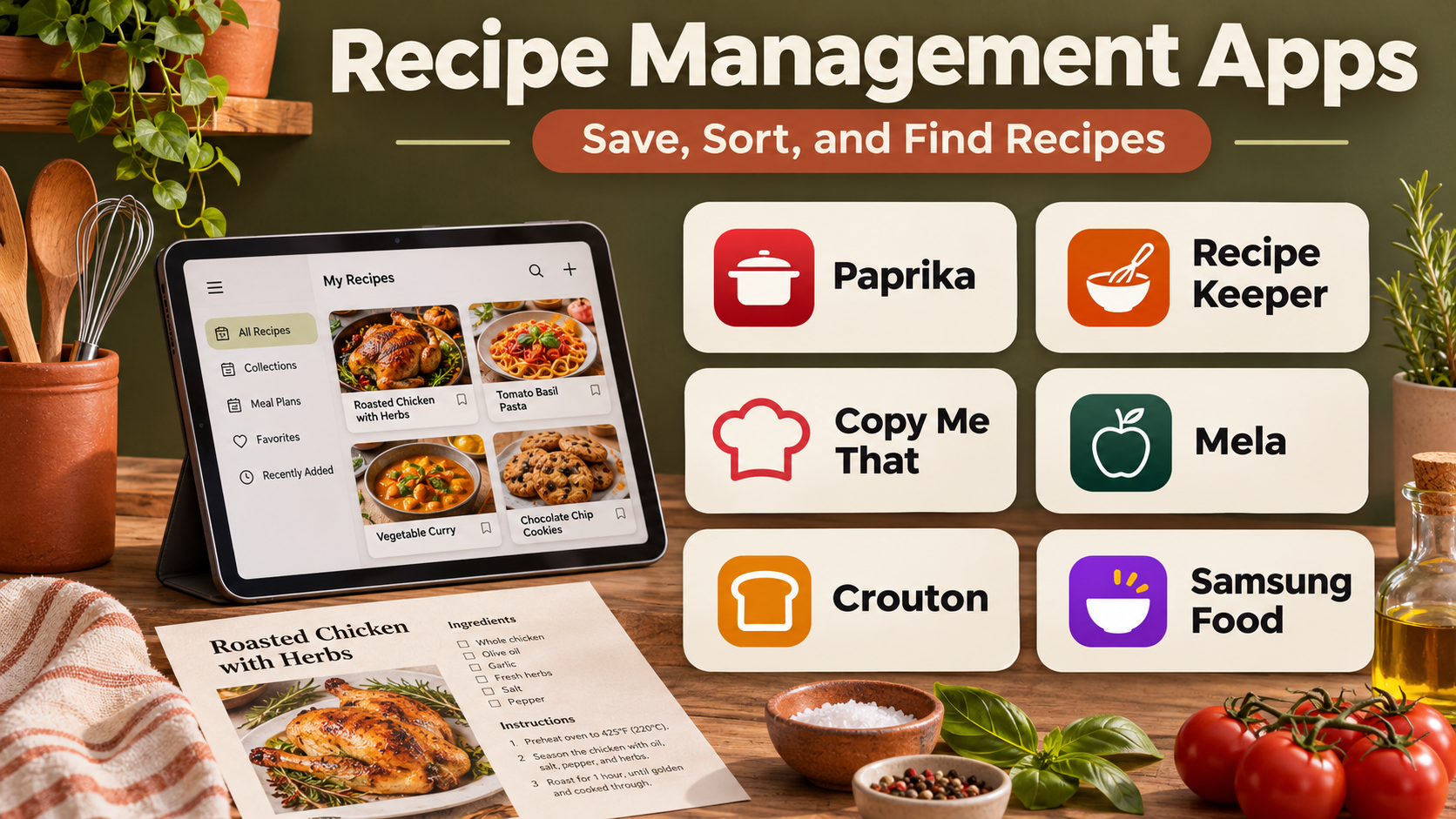
Recipe management apps solve this problem by providing a central system for saving, organizing, searching, and reusing recipes.
Modern platforms can import recipes from websites, store personal cooking instructions, adjust ingredient quantities, generate shopping lists, and connect recipes with weekly meal plans.
Some applications focus on personal digital cookbooks. Others combine recipe storage with household meal planning, grocery organization, and shared access.
The best recipe management system should make everyday cooking easier without creating unnecessary administrative work.
A home cook may prioritize simple recipe imports and a convenient shopping list. A family may need shared meal plans and ingredient coordination. An enthusiastic cook may prefer detailed tagging, scaling, and personal cooking notes.
This guide compares ten established recipe management applications, explains their capabilities and limitations, and provides practical guidance for selecting the right solution.
What Are Recipe Management Apps?
Recipe management apps are digital tools that help users collect, store, organize, and retrieve cooking recipes.
They replace disconnected recipe files with searchable collections containing ingredients, instructions, preparation notes, and other useful details.
Typical features include:
- Saving recipes from websites.
- Creating personal recipes.
- Organizing recipes into categories.
- Searching by name, ingredient, or tag.
- Adjusting serving quantities.
- Generating grocery lists.
- Planning meals.
- Adding cooking notes.
- Sharing recipes with household members.
- Accessing recipes across supported devices.
Some applications also provide offline access, nutritional estimates, and pantry-related tools.
Recipe management apps should preserve useful source information when importing recipes, and users should respect copyright restrictions when sharing published recipe content.
Top 10 Recipe Management Apps
1. Paprika Recipe Manager
Short Description
Paprika Recipe Manager is a dedicated recipe organization application designed to help users save recipes, plan meals, and manage grocery shopping.
It is known for combining practical cooking features with a relatively focused interface.
Users can import recipes from supported websites, create personal entries, and organize their collections into categories.
Paprika also supports ingredient scaling, meal planning, and shopping lists.
Its integrated approach makes it particularly useful for home cooks who want one application for recipe storage and everyday cooking preparation.
Unlike platforms built primarily around recipe discovery, Paprika emphasizes managing a personal recipe collection.
Key Features
- Recipe Import: Saves recipes from supported websites.
- Personal Recipe Creation: Stores original cooking instructions.
- Recipe Categories: Organizes dishes into searchable collections.
- Ingredient Scaling: Adjusts quantities for different serving sizes.
- Meal Planning: Assigns recipes to planned meals.
- Grocery Lists: Converts recipe ingredients into shopping items.
- Cooking Mode: Keeps recipe instructions accessible during preparation.
- Cloud Synchronization: Supports compatible devices and accounts.
- Recipe Notes: Stores personal modifications and observations.
Benefits
Paprika reduces the effort required to move from recipe discovery to grocery shopping and meal preparation.
Pros
- Comprehensive recipe organization.
- Convenient website importing.
- Useful ingredient scaling.
- Integrated meal planning.
- Strong grocery list functionality.
- Suitable for long-term recipe collections.
Cons
- Licensing can differ across platforms.
- Interface prioritizes functionality over social discovery.
- Import quality depends on website structure.
- Advanced household collaboration may require additional coordination.
Use Cases
Paprika is useful for home cooks maintaining a personal digital cookbook, planning weekly meals, and generating grocery lists.
For example, a household can save favorite dinner recipes, organize them by cuisine, and prepare a combined grocery list before shopping.
Best For: Home cooks seeking comprehensive recipe management and meal planning.
2. Recipe Keeper
Short Description
Recipe Keeper is a recipe organization application that helps users collect recipes from websites, documents, and personal sources.
It emphasizes flexibility in how recipes are entered and stored.
Users can save cooking instructions, organize recipes into categories, and create meal plans and shopping lists.
Its support for different recipe input methods makes it particularly useful for digitizing older family recipes or collecting instructions from multiple sources.
Recipe Keeper is relevant to users who want to build a lasting personal cookbook without relying exclusively on online recipe websites.
Key Features
- Website Recipe Import: Captures supported online recipes.
- Manual Recipe Entry: Stores original cooking instructions.
- Recipe Scanning: Supports extracting recipes from images or documents in compatible workflows.
- Category Organization: Groups recipes by type.
- Meal Planner: Schedules dishes across days.
- Shopping Lists: Creates grocery lists from selected recipes.
- Recipe Scaling: Adjusts ingredient quantities.
- Cross-Device Access: Supports compatible platforms and synchronization.
- Recipe Sharing: Provides options for exporting or sharing recipes.
Benefits
Recipe Keeper simplifies the process of converting scattered recipes into an organized digital collection.
Pros
- Flexible recipe input.
- Useful for family recipes.
- Integrated shopping lists.
- Meal planning support.
- Straightforward organization.
Cons
- Feature availability can vary by platform.
- Scanned text may require correction.
- Some capabilities require paid access.
- Collaboration features are less extensive than specialized household platforms.
Use Cases
Recipe Keeper is suitable for digitizing handwritten recipes, building family cookbooks, and organizing online cooking resources.
Best For: Users collecting recipes from both digital and physical sources.
3. AnyList
Short Description
AnyList is a grocery list and meal planning application that also provides recipe management functionality.
Its main advantage is the connection between saved recipes and collaborative shopping lists.
Users can organize recipes, plan meals, and add ingredients to shared grocery lists.
This makes AnyList especially useful for households where multiple people participate in shopping and meal preparation.
Rather than functioning only as a personal cookbook, AnyList helps coordinate practical household tasks.
Its collaborative grocery features may be more valuable than extensive recipe editing tools for many families.
Key Features
- Recipe Collection: Stores personal and imported recipes.
- Website Import: Saves recipes from supported sources.
- Shared Grocery Lists: Allows household members to coordinate shopping.
- Meal Planning: Organizes planned dishes.
- Ingredient Transfer: Adds recipe ingredients to grocery lists.
- List Categories: Organizes shopping items.
- Household Collaboration: Supports shared list workflows.
- Device Synchronization: Keeps supported information updated across devices.
Benefits
AnyList connects recipe organization with the everyday logistics of household shopping.
Pros
- Strong grocery list features.
- Useful household collaboration.
- Convenient recipe-to-list workflow.
- Straightforward meal planning.
- Practical everyday interface.
Cons
- Some recipe features require premium access.
- Less focused on advanced recipe metadata.
- Not primarily a recipe discovery platform.
- Household members may need compatible accounts or devices.
Use Cases
AnyList works well for families coordinating grocery shopping, weekly dinners, and shared meal plans.
Best For: Households prioritizing collaborative grocery lists and recipes.
4. Copy Me That
Short Description
Copy Me That is a recipe clipping and organization platform designed to help users save recipes from websites and manage personal cooking collections.
It emphasizes convenient recipe capture and organization.
Users can collect recipes, categorize them, create shopping lists, and plan meals.
The platform is particularly useful for people who regularly discover recipes while browsing food websites.
Its recipe clipping approach reduces the need to manually copy ingredients and instructions into separate documents.
However, imported recipes should still be reviewed for formatting and completeness.
Key Features
- Recipe Clipping: Imports recipes from supported websites.
- Personal Collections: Organizes saved recipes.
- Recipe Editing: Allows adjustments to stored instructions.
- Search and Tags: Helps locate dishes.
- Meal Planning: Supports planning recipes across days.
- Shopping Lists: Converts ingredients into grocery items.
- Recipe Notes: Stores cooking observations.
- Recipe Access: Supports compatible browser and mobile workflows.
Benefits
Copy Me That helps users convert online recipe discoveries into a practical cooking library.
Pros
- Convenient web clipping.
- Useful recipe organization.
- Shopping list integration.
- Meal planning capabilities.
- Suitable for large online recipe collections.
Cons
- Import accuracy varies by website.
- Advanced features may require payment.
- Less suitable for users seeking extensive social discovery.
- Manual cleanup may be necessary.
Use Cases
Copy Me That is useful for collecting recipes from food blogs and organizing them into a personal digital cookbook.
Best For: Users who frequently save recipes from websites.
5. Plan to Eat
Short Description
Plan to Eat is a meal planning platform that combines recipe organization, calendar-based planning, and grocery list generation.
It is designed around a practical workflow: save recipes, plan meals, and shop for ingredients.
The application is particularly relevant to households that want a repeatable weekly meal planning system.
Users can import recipes, organize their collections, and assign meals to specific days.
Ingredients from planned recipes can then be consolidated into shopping lists.
Its strength lies in connecting recipe management with planning rather than emphasizing recipe discovery alone.
Key Features
- Recipe Import: Saves recipes from supported sources.
- Recipe Collection: Organizes personal cooking instructions.
- Meal Planning Calendar: Assigns recipes to dates.
- Shopping List Generation: Builds grocery lists from planned meals.
- Ingredient Consolidation: Helps combine shopping requirements.
- Recipe Search: Locates saved dishes.
- Personal Notes: Stores cooking adjustments.
- Planning Workflows: Supports repeatable meal planning routines.
Benefits
Plan to Eat reduces the administrative effort involved in organizing weekly meals and grocery shopping.
Pros
- Strong meal planning workflow.
- Useful shopping list generation.
- Convenient recipe import.
- Calendar-based organization.
- Good for repeatable household routines.
Cons
- Subscription-based access.
- Less focused on advanced cooking instruction.
- Requires regular planning to deliver full value.
- Some users may prefer simpler recipe-only tools.
Use Cases
Plan to Eat is suitable for weekly household meal planning and grocery preparation.
Best For: Users who want recipe management tightly integrated with meal planning.
6. Samsung Food
Short Description
Samsung Food is a recipe discovery, organization, and meal planning platform that brings together saved recipes, cooking inspiration, and grocery-related workflows.
It evolved from the Whisk recipe platform and is part of Samsung’s food technology ecosystem.
The application helps users collect recipes, explore meal ideas, and organize cooking plans.
Its combination of recipe discovery and management distinguishes it from applications focused exclusively on personal recipe storage.
Users can also access selected planning and shopping capabilities.
Feature availability may vary by region, subscription, and supported integrations.
Key Features
- Recipe Discovery: Helps users explore cooking ideas.
- Recipe Saving: Stores selected recipes.
- Recipe Collections: Organizes dishes.
- Meal Planning: Supports planning meals.
- Shopping Lists: Creates ingredient-based lists.
- Recipe Personalization: Offers selected adjustment features.
- Community Features: Supports recipe sharing and discovery.
- Ecosystem Integration: Connects with eligible Samsung food-related services.
Benefits
Samsung Food combines recipe inspiration and practical planning within one platform.
Pros
- Strong recipe discovery.
- Convenient saved collections.
- Meal planning tools.
- Shopping list support.
- Modern interface.
Cons
- Regional feature differences.
- Some capabilities require premium access.
- Not all integrations work everywhere.
- Less suitable for users seeking fully local recipe storage.
Use Cases
Samsung Food works well for users who enjoy discovering new recipes and organizing them into weekly cooking plans.
Best For: Users seeking recipe discovery alongside planning and organization.
7. CookBook
Short Description
CookBook is a recipe management application designed to help users import, organize, and maintain personal cooking collections.
It supports recipe capture from different sources and provides tools for editing and managing stored dishes.
The platform is particularly relevant to users who want to build a structured digital cookbook over time.
CookBook also includes planning and shopping functionality in supported versions.
Its combination of recipe organization and practical cooking features makes it a flexible option for home kitchens.
Users should evaluate the specific platform and subscription offering before adoption.
Key Features
- Recipe Import: Captures recipes from supported websites.
- Recipe Scanning: Supports compatible image-based recipe capture.
- Personal Recipe Editing: Allows manual adjustments.
- Category Organization: Groups dishes by type.
- Ingredient Scaling: Adjusts quantities for different servings.
- Meal Planning: Supports scheduled meals.
- Shopping Lists: Organizes ingredients.
- Cross-Device Access: Supports compatible platforms.
- Recipe Search: Retrieves dishes from saved collections.
Benefits
CookBook helps users consolidate recipes and move efficiently from storage to preparation.
Pros
- Flexible recipe collection.
- Multiple import methods.
- Useful organization.
- Ingredient scaling.
- Meal planning support.
Cons
- Pricing depends on the selected offering.
- Import and scanning accuracy varies.
- Some features require internet access.
- Users should verify device compatibility.
Use Cases
CookBook is suitable for personal recipe archives, digitizing printed recipes, and weekly cooking preparation.
Best For: Home cooks seeking flexible digital cookbook organization.
8. Mela
Short Description
Mela is a recipe management application designed for users within the Apple ecosystem.
It focuses on collecting, organizing, and using recipes through a clean, streamlined interface.
Users can save recipes from supported sources and maintain personal cooking collections.
Mela is particularly appealing to users who value simple design and integration with Apple devices.
Its focused approach avoids many of the social and discovery features found in larger food platforms.
However, it is less suitable for households using a mixture of Android and Apple devices.
Key Features
- Recipe Import: Saves recipes from supported websites.
- Personal Cookbook: Stores original and imported recipes.
- Recipe Organization: Maintains structured collections.
- Ingredient Lists: Displays recipe ingredients clearly.
- Cooking Instructions: Provides accessible preparation steps.
- Apple Ecosystem Support: Works across compatible Apple devices.
- Recipe Editing: Allows personal modifications.
- Shopping Support: Provides grocery-related workflows.
Benefits
Mela offers a streamlined recipe management experience for users who prefer Apple-focused applications.
Pros
- Clean interface.
- Focused recipe organization.
- Convenient Apple integration.
- Useful recipe importing.
- Minimal unnecessary features.
Cons
- Apple ecosystem dependency.
- Limited cross-platform flexibility.
- Fewer community features.
- Not designed for extensive household management.
Use Cases
Mela is useful for Apple users who want an organized personal cookbook with straightforward recipe access.
Best For: iPhone, iPad, and Mac users seeking minimalist recipe management.
9. Pestle
Short Description
Pestle is a recipe management and cooking assistance application that emphasizes recipe saving, preparation guidance, and practical kitchen workflows.
It is designed to help users move from finding a recipe to preparing the dish.
Pestle supports recipe importing and presents cooking instructions in a format intended for use while preparing food.
Its cooking-oriented interface can be useful for users who frequently follow digital recipes in the kitchen.
The platform also includes selected planning and organizational features.
Users should review current platform compatibility and subscription requirements.
Key Features
- Recipe Import: Saves supported online recipes.
- Recipe Collections: Organizes saved dishes.
- Guided Cooking: Presents instructions in a cooking-friendly format.
- Ingredient Organization: Displays required ingredients.
- Recipe Scaling: Adjusts quantities in supported workflows.
- Meal Planning: Supports selected planning features.
- Shopping Lists: Helps prepare ingredient purchases.
- Device Integration: Works with supported Apple devices and features.
Benefits
Pestle connects recipe storage with a convenient cooking experience.
Pros
- Cooking-focused interface.
- Useful recipe importing.
- Organized preparation steps.
- Convenient ingredient access.
- Modern design.
Cons
- Platform availability is limited.
- Some features require payment.
- Smaller ecosystem than established alternatives.
- Import accuracy depends on source formatting.
Use Cases
Pestle is useful for people who regularly cook from online recipes and want guided digital instructions.
Best For: Apple users seeking recipe management with cooking assistance.
10. Mealie
Short Description
Mealie is an open-source, self-hosted recipe management and meal planning application.
It is designed for users who want control over their recipe data and hosting environment.
Mealie provides recipe organization, website importing, meal planning, and shopping list functionality through a web-based interface.
Its self-hosted architecture makes it particularly relevant to technically comfortable users and households that maintain their own servers.
Unlike conventional cloud applications, Mealie requires users to manage deployment, updates, backups, and security.
For those comfortable with that responsibility, it offers considerable flexibility and control.
Key Features
- Self-Hosted Recipe Library: Stores recipes on user-managed infrastructure.
- Website Import: Captures recipes from supported sources.
- Recipe Categories: Organizes dishes into collections.
- Meal Planning: Supports scheduling recipes.
- Shopping Lists: Creates ingredient-based lists.
- Household Management: Supports shared recipe workflows.
- Web Interface: Provides browser-based access.
- API Capabilities: Enables selected integrations and automation.
- Data Control: Allows users to manage hosting and backups.
Benefits
Mealie provides a flexible recipe management platform for users who prioritize self-hosting and data ownership.
Pros
- Open-source software.
- Self-hosted data control.
- Recipe importing.
- Meal planning support.
- Useful household features.
- Integration potential.
Cons
- Requires technical setup.
- Users manage hosting and security.
- Backups require planning.
- Maintenance responsibility is higher than with managed apps.
- Remote access requires appropriate configuration.
Use Cases
Mealie is useful for technically experienced households, home server users, and people seeking an independently hosted recipe collection.
Best For: Self-hosting enthusiasts who want control over recipe data.
Recipe Management Apps Comparison Table
| App | Primary Strength | Meal Planning | Best For |
|---|---|---|---|
| Paprika | Complete recipe organization | Yes | Home cooks |
| Recipe Keeper | Flexible recipe capture | Yes | Family recipes |
| AnyList | Collaborative grocery lists | Yes | Households |
| Copy Me That | Website recipe clipping | Yes | Online recipe collectors |
| Plan to Eat | Calendar-based planning | Yes | Weekly meal planners |
| Samsung Food | Recipe discovery | Yes | Recipe explorers |
| CookBook | Digital cookbook management | Yes | Recipe archivists |
| Mela | Minimalist Apple experience | Limited/planning workflow dependent | Apple users |
| Pestle | Guided cooking experience | Supported features | Active home cooks |
| Mealie | Self-hosted recipe library | Yes | Technical users |
How to Choose the Right Recipe Management App
Step 1: Identify Your Recipe Sources
Determine whether most recipes come from websites, printed books, handwritten notes, or personal creations.
Step 2: Test Recipe Importing
Import several recipes from websites you regularly use.
Check ingredient quantities, instructions, cooking times, and images.
Step 3: Evaluate Organization
Look for categories, tags, search functions, and personal notes that match the size of your collection.
Step 4: Check Ingredient Scaling
If you frequently change serving sizes, test whether quantities adjust correctly.
Remember that cooking times and certain seasonings may not scale proportionally.
Step 5: Review Grocery List Features
Determine whether ingredients can be combined, categorized, and shared conveniently.
Step 6: Consider Household Collaboration
Families may need shared recipe access and synchronized shopping lists.
Step 7: Assess Data Portability
Check whether recipes can be exported or backed up in a reusable format.
Step 8: Compare Costs and Maintenance
Include subscriptions, platform licenses, cloud storage, and self-hosting responsibilities.
Best Recipe Management App by User Type
| User Type | Recommended App | Reason |
|---|---|---|
| Everyday home cooks | Paprika | Complete recipe workflow |
| Family recipe collectors | Recipe Keeper | Flexible input methods |
| Shared households | AnyList | Collaborative shopping |
| Online recipe collectors | Copy Me That | Convenient web clipping |
| Weekly meal planners | Plan to Eat | Calendar and grocery integration |
| Recipe discovery enthusiasts | Samsung Food | Inspiration and organization |
| Digital cookbook builders | CookBook | Flexible recipe storage |
| Minimalist Apple users | Mela | Clean Apple-focused design |
| Guided cooking users | Pestle | Cooking-oriented instructions |
| Self-hosting enthusiasts | Mealie | Open-source data control |
Practical Example: Creating a Digital Family Cookbook
Consider a household with recipes stored across websites, notebooks, and photographs.
Step 1: Select a Recipe Manager
Choose Recipe Keeper for flexible recipe entry or Paprika for an integrated cooking workflow.
Step 2: Create Recipe Categories
Organize dishes into groups such as breakfast, lunch, dinner, desserts, and family favorites.
Step 3: Import Online Recipes
Save frequently used recipes from supported websites.
Step 4: Digitize Personal Recipes
Enter handwritten instructions and review any automatically extracted text.
Step 5: Standardize Measurements
Check ingredient units, serving quantities, and preparation instructions.
Step 6: Add Personal Notes
Record substitutions, cooking adjustments, and family preferences.
Step 7: Build a Weekly Meal Plan
Select recipes based on available time, ingredients, and household preferences.
Step 8: Generate a Shopping List
Combine required ingredients and remove items already available at home.
Step 9: Share the Collection
Provide appropriate access to household members through supported sharing features.
Step 10: Maintain Backups
Export or back up the recipe collection where the platform allows it.
This process creates a practical digital cookbook that can grow and improve over time.
Frequently Asked Questions
1. What is the best recipe management app?
Paprika is a strong all-around option, while AnyList is particularly useful for shared grocery lists and Plan to Eat emphasizes meal planning.
2. Can recipe apps import recipes from websites?
Yes. Many platforms can extract ingredients and instructions from supported websites.
3. Can I save handwritten recipes?
Some applications support scanning or image-based import, while others allow manual entry.
4. Do recipe apps create grocery lists?
Many do. The level of automation and collaboration varies.
5. Can recipe apps adjust serving sizes?
Several platforms support ingredient scaling, although users should verify quantities and cooking instructions.
6. Are there free recipe management apps?
Yes. Some offer free features, while Mealie provides an open-source self-hosted option.
7. Can family members share recipes?
Many applications support sharing, but permissions and synchronization capabilities differ.
8. What is the best app for Apple users?
Mela, Pestle, and Paprika are relevant options depending on desired features.
9. Can recipe apps work offline?
Some provide offline recipe access. Availability depends on the platform and synchronization settings.
10. Is self-hosted recipe management worthwhile?
It can be useful for technically comfortable users who value data control and can maintain their own infrastructure.
11. Can I export my recipes to another application?
Some platforms support exports, but formats and attachment portability vary.
12. Do recipe apps calculate nutritional information?
Some do, although calculations depend on ingredient databases, serving sizes, and recipe details.
Conclusion
Recipe management apps help transform scattered cooking information into organized, searchable, and reusable collections.
Paprika provides a comprehensive personal cooking workflow. Recipe Keeper supports flexible recipe capture, while AnyList and Plan to Eat connect recipes with shopping and meal planning.
Samsung Food emphasizes discovery, Mela and Pestle offer focused Apple experiences, and Mealie provides an open-source self-hosted alternative.
The right platform depends on how recipes are collected, how often meals are planned, whether household collaboration is important, and how much control users want over their data.
A well-organized recipe library saves time, reduces repeated work, and makes favorite meals easier to prepare.