Introduction
Good sleep supports attention, memory, physical recovery, emotional well-being, and daily performance. Yet many people struggle to understand their sleeping patterns, maintain consistent schedules, or recognize habits that affect their rest.
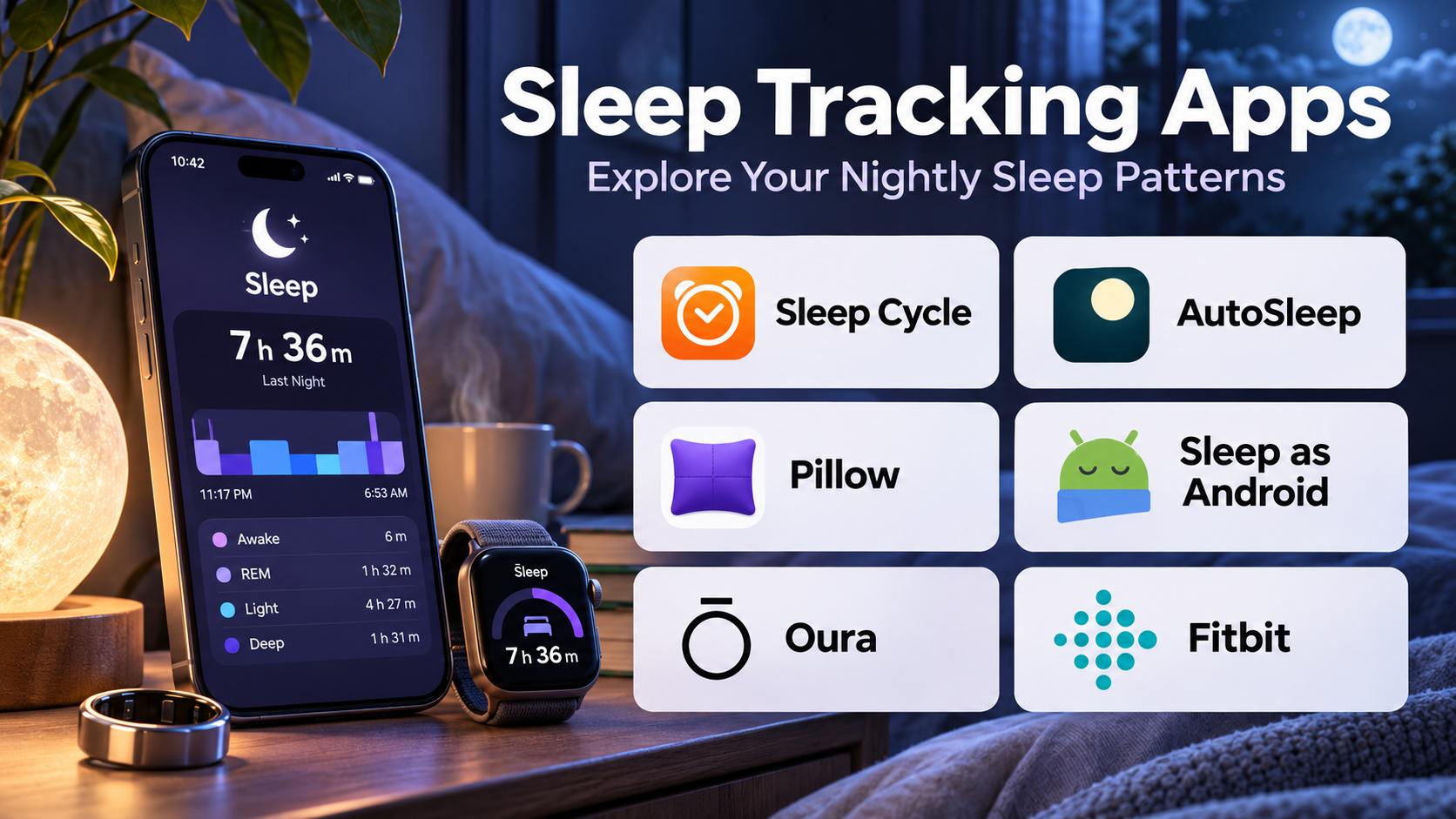
Sleep tracking apps help users observe sleep duration, bedtime consistency, nighttime interruptions, and other indicators of sleep behavior.
Some applications use smartphone sensors to estimate sleep activity. Others connect with smartwatches, fitness trackers, smart rings, or dedicated sleep monitoring devices.
Modern sleep tracking platforms may provide estimated sleep stages, overnight heart rate trends, respiratory information, sleep scores, personalized recommendations, and long-term visual reports.
However, these measurements are not equally reliable. Consumer sleep tracking apps estimate many sleep characteristics indirectly, and their results should not be interpreted as clinical diagnoses.
A device may estimate that someone spent a particular amount of time in deep sleep, but this does not mean it has measured brain activity in the same way as a clinical sleep study.
The most useful sleep tracking app is therefore not necessarily the one displaying the greatest number of metrics. It is the platform that helps users identify meaningful patterns without creating unnecessary concern about nightly scores.
This guide compares ten established sleep tracking applications, explains their features and limitations, and provides practical guidance for choosing a suitable solution.
What Are Sleep Tracking Apps?
Sleep tracking apps are software applications that record, estimate, analyze, or visualize information about a person’s sleep.
They may use motion sensors, microphones, heart rate measurements, wearable devices, or manually entered sleep records.
Depending on the application and connected hardware, users may be able to monitor:
- Estimated sleep duration.
- Bedtime and wake-up consistency.
- Nighttime movement.
- Estimated sleep stages.
- Overnight heart rate.
- Respiratory trends.
- Sleep efficiency estimates.
- Snoring or environmental sounds.
- Daily sleep scores.
- Long-term sleep patterns.
Some apps also include smart alarms, sleep diaries, relaxation content, and recommendations for improving sleep routines.
Sleep tracking tools are most useful for identifying trends over time. Individual nightly readings can be affected by device placement, sensor limitations, software algorithms, and unusual circumstances.
Persistent insomnia, excessive daytime sleepiness, breathing interruptions, or other concerning symptoms require professional assessment rather than reliance on an app.
Top 10 Sleep Tracking Apps
1. Sleep Cycle
Short Description
Sleep Cycle is a smartphone-based sleep tracking application known for its sleep analysis and smart alarm functionality.
It uses supported smartphone sensing capabilities to estimate sleep-related activity and identify patterns during the night.
The application is particularly appealing to users who want to explore sleep tracking without necessarily purchasing a dedicated wearable device.
Sleep Cycle presents sleep information through charts and summaries that help users compare sleep duration and consistency across multiple nights.
Its smart alarm feature aims to wake users during a selected time window based on estimated sleep activity.
However, smartphone-based measurements are indirect. Sleep Cycle cannot independently provide the same level of physiological information as a clinical sleep assessment.
Key Features
- Sleep Monitoring: Estimates nighttime sleep activity using supported smartphone sensors.
- Smart Alarm: Provides a wake-up window intended to support a more comfortable morning routine.
- Sleep Duration Reports: Displays estimated time spent sleeping.
- Sleep Trend Charts: Helps users compare patterns across nights.
- Snoring Analysis: Offers supported nighttime sound monitoring capabilities.
- Sleep Notes: Allows users to associate habits or events with sleep records.
- Sleep Statistics: Summarizes historical sleep information.
- Wellness Integrations: Supports selected health and device ecosystems.
Benefits
Sleep Cycle provides an accessible introduction to sleep tracking and encourages users to pay attention to bedtime consistency.
Pros
- Does not always require dedicated wearable hardware.
- User-friendly sleep reports.
- Smart alarm functionality.
- Useful historical trend visualization.
- Convenient smartphone experience.
Cons
- Sensor estimates are not clinical measurements.
- Accuracy depends on device placement and environment.
- Some capabilities require a subscription.
- Sound monitoring may raise privacy concerns.
- Smart alarms may not suit every sleep schedule.
Use Cases
Sleep Cycle works well for people who want to monitor general sleep patterns, experiment with consistent bedtimes, and use a flexible morning alarm.
Best For: Smartphone users seeking accessible sleep tracking and smart alarm features.
2. AutoSleep
Short Description
AutoSleep is a sleep tracking application designed primarily for users within the Apple Watch and iPhone ecosystem.
It uses compatible Apple Watch data to estimate sleep duration, sleep quality indicators, and overnight physiological trends.
AutoSleep is particularly relevant to users who already wear an Apple Watch regularly and want more detailed sleep reporting.
The application provides visual summaries and configurable metrics that can help users understand changes in their sleep routines.
Its interface contains substantial information, making it attractive to data-oriented users.
However, the number of available metrics can also create a learning curve, and users should avoid interpreting proprietary sleep ratings as medical findings.
Key Features
- Automatic Sleep Detection: Uses compatible Apple Watch data to estimate sleep periods.
- Sleep Duration Analysis: Summarizes estimated sleeping time.
- Sleep Quality Indicators: Presents app-defined sleep metrics.
- Heart Rate Trends: Uses available overnight heart rate information.
- Historical Reports: Displays changes across multiple nights.
- Apple Health Integration: Works with supported Apple health data.
- Configurable Settings: Allows adjustments to selected tracking preferences.
- Visual Dashboards: Presents detailed sleep-related charts.
Benefits
AutoSleep expands the reporting available to Apple Watch users and supports detailed exploration of sleep consistency.
Pros
- Strong Apple Watch focus.
- Detailed visual reporting.
- Automatic tracking.
- Useful long-term comparisons.
- Suitable for data-oriented users.
Cons
- Requires compatible Apple devices.
- Depends on wearable sensor estimates.
- Detailed interface can feel complicated.
- Does not diagnose sleep disorders.
Use Cases
AutoSleep is useful for Apple Watch owners who want detailed sleep reports and comparisons with other health metrics.
Best For: Apple Watch users seeking extensive sleep analysis.
3. Sleep as Android
Short Description
Sleep as Android is a sleep tracking and smart alarm application designed for Android users.
It combines sleep monitoring, alarm customization, wearable integrations, and sleep-related behavioral tools.
The application is particularly useful for people who prefer a highly configurable experience.
Users can explore sleep trends, connect supported devices, and customize alarms according to their preferences.
Sleep as Android also provides features intended to encourage users to become more alert when dismissing an alarm.
Its flexibility is a major strength, although initial setup may be more complicated than with simpler sleep applications.
Key Features
- Sleep Tracking: Estimates sleep patterns through supported sensors and devices.
- Smart Alarm: Offers configurable wake-up timing.
- Wearable Integration: Connects with selected Android-compatible devices.
- Sleep Graphs: Displays estimated nighttime activity.
- Snoring Detection: Supports selected sound-monitoring features.
- Alarm Challenges: Provides optional tasks for alarm dismissal.
- Sleep Statistics: Summarizes historical sleep patterns.
- Automation Options: Supports configurable routines and integrations.
Benefits
Sleep as Android offers extensive customization for users who want control over both tracking and morning alarms.
Pros
- Highly configurable.
- Android-focused experience.
- Broad device integration options.
- Flexible alarm tools.
- Detailed historical reports.
Cons
- Interface can be complex.
- Hardware compatibility varies.
- Advanced functionality may require payment.
- Sensor-based estimates have limitations.
Use Cases
Sleep as Android works well for Android users who want customized alarms, wearable tracking, and sleep habit analysis.
Best For: Android users seeking customizable sleep tracking.
4. Fitbit
Short Description
Fitbit provides sleep tracking through its compatible wearable devices and companion application.
The platform combines sleep estimates with broader activity and wellness information.
Users can review estimated sleep duration, sleep stage information where supported, and trends across multiple nights.
Fitbit is particularly relevant to people who already use wearable devices for activity tracking and want sleep information within the same ecosystem.
Its integrated approach allows users to observe relationships between daily activity patterns and nighttime rest.
However, Fitbit sleep measurements remain consumer estimates, and available metrics depend on device capabilities and subscription offerings.
Key Features
- Wearable Sleep Detection: Uses compatible Fitbit sensors.
- Sleep Duration Tracking: Estimates total sleeping time.
- Sleep Stage Estimates: Displays supported stage classifications.
- Sleep Scores: Provides app-defined sleep summaries.
- Heart Rate Monitoring: Uses available overnight heart rate data.
- Historical Trends: Tracks sleep patterns across multiple days.
- Activity Integration: Connects sleep reports with broader wellness metrics.
- Sleep Guidance: Provides selected educational and recommendation features.
Benefits
Fitbit helps users view sleep alongside physical activity and other wearable health trends.
Pros
- Integrated activity and sleep tracking.
- Convenient wearable ecosystem.
- Accessible visual summaries.
- Useful long-term trends.
- Broad consumer familiarity.
Cons
- Requires compatible hardware for full functionality.
- Some insights may require a subscription.
- Estimated stages are not clinical measurements.
- Device comfort and charging affect tracking consistency.
Use Cases
Fitbit suits people who want combined sleep, activity, and wellness tracking.
Best For: Fitness tracker users seeking integrated sleep information.
5. Oura
Short Description
Oura is a health tracking platform centered on a smart ring and companion application.
It emphasizes sleep trends, recovery-related information, and physiological measurements collected through the ring.
Oura is particularly appealing to users who prefer a ring rather than a wrist-worn tracker.
Its application presents estimated sleep duration, sleep timing, sleep stages, and related overnight metrics.
The platform also provides readiness-oriented information that connects sleep with broader recovery patterns.
Although Oura offers detailed consumer health insights, its scores should not be treated as medical diagnoses or definitive measures of recovery.
Key Features
- Ring-Based Sleep Tracking: Uses compatible smart ring sensors.
- Sleep Duration Estimates: Summarizes nightly sleep.
- Sleep Stage Analysis: Provides estimated sleep stage information.
- Overnight Heart Rate: Tracks supported physiological trends.
- Heart Rate Variability: Displays available HRV information.
- Readiness Indicators: Summarizes selected recovery-related metrics.
- Sleep Timing Reports: Helps users review bedtime consistency.
- Long-Term Trends: Provides historical visualizations.
Benefits
Oura offers detailed sleep and recovery information in a compact wearable format.
Pros
- Comfortable alternative to some wrist devices.
- Detailed overnight trends.
- Integrated recovery information.
- Strong sleep-focused presentation.
- Useful historical analysis.
Cons
- Requires smart ring hardware.
- Subscription considerations.
- Ring sizing and comfort matter.
- Scores can be overinterpreted.
- Not a substitute for clinical testing.
Use Cases
Oura is suitable for users who want continuous sleep and recovery tracking without wearing a smartwatch.
Best For: Smart ring users interested in sleep and recovery trends.
6. WHOOP
Short Description
WHOOP is a wearable-based performance and recovery platform that includes extensive sleep tracking functionality.
It is designed around the relationship between sleep, physical strain, and recovery.
WHOOP is especially relevant to athletes and physically active users who want to monitor how their routines relate to recovery-oriented metrics.
The platform provides sleep-related reports and recommendations informed by its proprietary models.
Its emphasis on performance makes it different from applications focused primarily on bedtime relaxation.
However, users should understand that recovery scores and sleep recommendations are algorithmic estimates rather than individualized medical conclusions.
Key Features
- Wearable Sleep Tracking: Uses compatible WHOOP hardware.
- Sleep Duration Estimates: Tracks nightly sleep.
- Sleep Performance Metrics: Summarizes sleep against app-defined targets.
- Recovery Analysis: Connects overnight metrics with recovery indicators.
- Heart Rate Variability: Uses supported HRV measurements.
- Sleep Recommendations: Provides estimated sleep need guidance.
- Strain Integration: Relates activity strain to recovery-oriented reporting.
- Historical Trends: Helps users compare patterns over time.
Benefits
WHOOP helps active users examine relationships between sleep schedules, training activity, and recovery indicators.
Pros
- Performance-focused insights.
- Integrated strain and recovery reporting.
- Detailed wearable data.
- Useful for tracking long-term trends.
- Designed for regular use.
Cons
- Ongoing membership costs.
- Requires compatible wearable hardware.
- Recovery metrics are indirect estimates.
- May be excessive for casual sleep tracking.
- Can encourage excessive attention to scores.
Use Cases
WHOOP is useful for athletes, fitness enthusiasts, and people monitoring sleep alongside physical training.
Best For: Active users interested in sleep and performance trends.
7. Apple Health and Apple Watch Sleep
Short Description
Apple provides sleep scheduling and tracking features through the Health app and compatible Apple Watch devices.
The ecosystem allows users to maintain sleep schedules and review sleep information alongside other health data.
With compatible hardware, users can view estimated sleep duration and supported sleep stage information.
Apple’s approach is particularly convenient for people already using an iPhone and Apple Watch.
Rather than requiring a separate third-party application, its built-in features provide a foundation for sleep monitoring.
Users who want highly specialized sleep analysis may still prefer dedicated apps.
Key Features
- Sleep Scheduling: Supports planned bedtimes and wake-up times.
- Apple Watch Tracking: Uses compatible wearable sensors.
- Sleep Duration Reports: Displays estimated sleeping time.
- Sleep Stage Estimates: Shows supported sleep classifications.
- Health Data Integration: Combines sleep with other available health information.
- Sleep Focus: Supports bedtime notification management.
- Historical Charts: Displays sleep patterns over time.
- Data Sharing Controls: Provides supported health information permissions.
Benefits
Apple’s built-in sleep features offer convenient tracking for existing Apple device users.
Pros
- Integrated Apple ecosystem.
- No separate sleep app required for basic features.
- Useful scheduling tools.
- Familiar Health interface.
- Compatible with broader health tracking.
Cons
- Full functionality requires compatible Apple hardware.
- Less specialized than some dedicated sleep apps.
- Wearable charging affects data collection.
- Consumer estimates are not diagnostic.
Use Cases
Apple Health works well for users who want basic sleep tracking and schedule management within their existing devices.
Best For: iPhone and Apple Watch users seeking integrated sleep tracking.
8. SleepScore
Short Description
SleepScore is a sleep tracking platform focused on helping users understand sleep patterns and develop healthier sleep routines.
It provides sleep analysis and personalized guidance based on available tracking information.
The application has offered smartphone-based contactless monitoring approaches, although users should confirm current device and regional support.
SleepScore emphasizes understandable reports rather than requiring users to interpret raw sensor measurements.
Its recommendations may help users review sleep-related habits and environmental factors.
However, its scores remain estimates and should not be used to diagnose insomnia, sleep apnea, or other disorders.
Key Features
- Sleep Analysis: Provides estimated sleep information.
- Sleep Scores: Summarizes nightly tracking results.
- Sleep Duration Reports: Displays estimated sleeping time.
- Historical Trends: Helps identify patterns over time.
- Personalized Guidance: Offers selected sleep improvement suggestions.
- Sleep Goals: Supports routine-oriented targets.
- Educational Resources: Provides information about sleep habits.
- Tracking Reports: Presents accessible sleep summaries.
Benefits
SleepScore focuses on turning sleep estimates into understandable information and practical routine guidance.
Pros
- Sleep-focused interface.
- Accessible reporting.
- Practical educational content.
- Trend-oriented insights.
- Useful for sleep habit awareness.
Cons
- Device support may vary.
- Some features may require payment.
- Estimates depend on tracking conditions.
- Recommendations are not medical treatment.
Use Cases
SleepScore is useful for users who want sleep habit guidance and easy-to-understand nightly reports.
Best For: Users prioritizing sleep education and routine improvement.
9. SleepWatch
Short Description
SleepWatch is a sleep tracking application designed around Apple Watch data and sleep-related analytics.
It provides automatic tracking and visual reports intended to help users recognize sleep patterns.
The application is relevant to people who want more specialized sleep analysis than the basic information displayed in Apple Health.
SleepWatch combines nightly summaries with longer-term trends and selected coaching features.
Its reports can help users review consistency and changes in sleep behavior.
However, proprietary metrics should be interpreted as informational indicators rather than clinical measurements.
Key Features
- Automatic Sleep Tracking: Uses compatible Apple Watch information.
- Sleep Duration Analysis: Summarizes estimated sleep time.
- Sleep Trend Reports: Displays historical patterns.
- Sleep Quality Indicators: Provides app-defined sleep metrics.
- Heart Rate Analysis: Uses supported overnight measurements.
- Sleep Coaching: Offers selected habit-oriented guidance.
- Apple Health Integration: Connects with supported health information.
- Visual Analytics: Presents sleep information through charts.
Benefits
SleepWatch provides additional sleep reporting for users already collecting data with Apple Watch.
Pros
- Apple Watch integration.
- Automatic sleep estimates.
- Detailed trend visualization.
- Convenient mobile reporting.
- Useful for long-term comparisons.
Cons
- Apple ecosystem dependency.
- Premium features may require payment.
- Scores can be difficult to interpret.
- Not intended for medical diagnosis.
Use Cases
SleepWatch suits Apple Watch users who want more detailed sleep analytics and habit tracking.
Best For: Apple Watch owners seeking additional sleep insights.
10. Pillow
Short Description
Pillow is a sleep tracking application designed for Apple devices, with support for compatible Apple Watch sleep monitoring.
It combines sleep analysis, audio-related features, and visual sleep reports.
Pillow is particularly relevant to users who want a dedicated sleep application within the Apple ecosystem.
The platform offers sleep summaries and historical information that can help users observe changes in sleep duration and consistency.
Selected features also support alarms and nighttime audio analysis.
As with other consumer sleep applications, users should treat stage classifications and sleep scores as estimates rather than definitive physiological measurements.
Key Features
- Sleep Tracking: Uses supported Apple device data.
- Sleep Duration Reports: Estimates total sleeping time.
- Sleep Stage Visualization: Displays supported sleep stage estimates.
- Audio Recording: Offers selected nighttime sound monitoring.
- Smart Alarm: Provides compatible wake-up features.
- Sleep History: Tracks patterns across multiple nights.
- Apple Health Integration: Works with supported health data.
- Sleep Insights: Presents app-defined sleep summaries.
Benefits
Pillow combines sleep reporting and audio-related features in an Apple-focused application.
Pros
- Convenient Apple integration.
- Visual sleep reports.
- Optional audio monitoring.
- Useful sleep history.
- Dedicated sleep interface.
Cons
- Primarily suited to Apple users.
- Premium access may be required.
- Audio features raise privacy considerations.
- Sleep stage estimates have limitations.
Use Cases
Pillow works well for Apple users who want dedicated sleep reports, smart alarms, and optional sound tracking.
Best For: Apple ecosystem users seeking sleep analysis and nighttime audio features.
Sleep Tracking Apps Comparison Table
| App | Tracking Method | Main Strength | Best For |
|---|---|---|---|
| Sleep Cycle | Smartphone sensors | Smart alarm | General users |
| AutoSleep | Apple Watch | Detailed analytics | Apple Watch owners |
| Sleep as Android | Phone and supported wearables | Customization | Android users |
| Fitbit | Fitbit wearables | Activity integration | Fitness users |
| Oura | Smart ring | Sleep and recovery trends | Ring users |
| WHOOP | Dedicated wearable | Performance recovery | Athletes |
| Apple Health | Apple Watch | Built-in integration | Apple users |
| SleepScore | Supported phone tracking | Sleep guidance | Habit improvement |
| SleepWatch | Apple Watch | Historical reporting | Data-oriented Apple users |
| Pillow | Apple devices | Sleep and audio analysis | Apple users |
How to Choose the Right Sleep Tracking App
Step 1: Determine Whether You Need Hardware
Some applications work with smartphones, while others require compatible wearables.
Consider whether you are comfortable wearing a device overnight.
Step 2: Identify Useful Metrics
Sleep duration and bedtime consistency may be more actionable than complicated proprietary scores.
Choose measurements that support your actual goals.
Step 3: Understand Accuracy Limitations
Consumer devices estimate sleep through indirect signals.
Do not assume that more detailed charts mean greater clinical accuracy.
Step 4: Evaluate Device Compatibility
Confirm that the application works with your phone, smartwatch, ring, or fitness tracker.
Step 5: Review Privacy
Sleep data can reveal personal routines and health-related patterns.
Check permissions, data retention, account requirements, and sharing controls.
Step 6: Compare Total Costs
Consider hardware purchases, subscriptions, replacement devices, and premium reporting features.
Step 7: Avoid Excessive Monitoring
If tracking makes you anxious about sleep, consider reducing the number of metrics you review or stopping tracking.
Best Sleep Tracking App by User Type
| User Type | Recommended App | Reason |
|---|---|---|
| Smartphone-only users | Sleep Cycle | Accessible tracking |
| Apple Watch data enthusiasts | AutoSleep | Detailed reporting |
| Android power users | Sleep as Android | Customization |
| Fitness tracker owners | Fitbit | Integrated wellness data |
| Smart ring users | Oura | Ring-based tracking |
| Athletes | WHOOP | Recovery-oriented metrics |
| Apple users seeking simplicity | Apple Health | Built-in features |
| Sleep habit learners | SleepScore | Educational guidance |
| Apple Watch trend trackers | SleepWatch | Historical analysis |
| Users interested in audio monitoring | Pillow | Sound-related features |
Practical Example: Monitoring Sleep Consistency Over Four Weeks
Step 1: Choose a Compatible App
Select a platform based on existing devices and privacy preferences.
Step 2: Establish a Baseline
Track typical sleep timing for approximately one week without making major routine changes.
Step 3: Record Bedtime and Wake Time
Focus on consistent scheduling rather than interpreting every nightly sleep score.
Step 4: Note Relevant Habits
Record factors such as late caffeine intake, unusual work schedules, or evening screen use.
Step 5: Make One Manageable Change
For example, try maintaining a more consistent wake-up time.
Step 6: Review Weekly Trends
Compare sleep timing and personal daytime experience rather than relying on a single score.
Step 7: Evaluate Comfort and Usefulness
Determine whether the tracking process helps or creates unnecessary concern.
Step 8: Seek Professional Guidance When Needed
Persistent sleep problems or concerning symptoms should be discussed with a qualified healthcare professional.
Frequently Asked Questions
1. Are sleep tracking apps accurate?
They can estimate useful patterns, but accuracy varies by device, metric, and individual circumstances.
2. Can a sleep app diagnose sleep apnea?
No. Consumer sleep tracking apps should not be used as substitutes for clinical evaluation.
3. Do I need a smartwatch to track sleep?
No. Some applications use smartphone sensors, although wearable devices can provide additional measurements.
4. What is the best sleep tracking app for iPhone?
Apple Health, AutoSleep, SleepWatch, and Pillow are relevant options depending on hardware and desired features.
5. What is the best sleep tracking app for Android?
Sleep as Android and Sleep Cycle are options worth evaluating.
6. Are sleep stages measured accurately?
Consumer sleep stages are algorithmic estimates and may differ from clinical sleep study measurements.
7. Can tracking sleep improve sleep quality?
Tracking may help identify habits, but collecting data alone does not guarantee better sleep.
8. Should I trust a sleep score?
Treat it as an app-specific summary rather than a definitive measure of sleep health.
9. Is it safe to record nighttime audio?
Review privacy permissions, recording storage, and whether other people may be captured.
10. Can sleep tracking create anxiety?
Yes. Excessive attention to scores may increase worry for some users.
11. Which app is best for athletes?
WHOOP, Oura, and Fitbit provide sleep information alongside activity or recovery-related metrics.
12. When should I consult a doctor?
Seek professional advice for persistent sleep difficulties, severe daytime sleepiness, suspected breathing problems during sleep, or other concerning symptoms.
Conclusion
Sleep tracking apps can help users understand bedtime consistency, estimated sleep duration, and long-term patterns.
Sleep Cycle offers smartphone-based tracking, while AutoSleep and SleepWatch provide specialized Apple Watch reporting. Fitbit, Oura, and WHOOP connect sleep estimates with broader wellness or performance information.
The most useful platform depends on hardware compatibility, privacy preferences, cost, and the measurements that support meaningful decisions.
Sleep tracking should provide perspective rather than pressure. Long-term habits, daytime functioning, and appropriate medical guidance remain more important than achieving a perfect nightly score.