Introduction
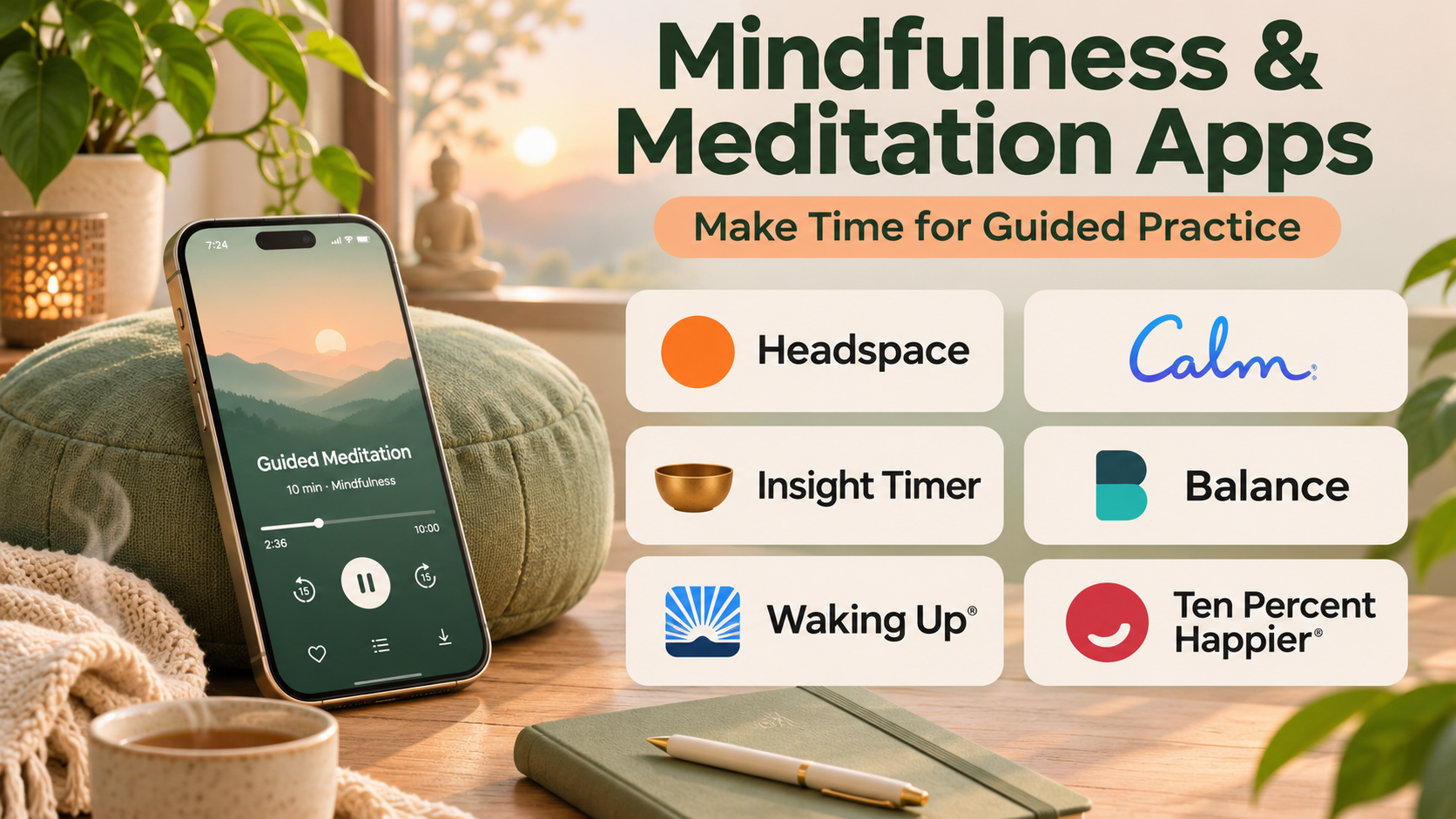
Mindfulness and meditation have become increasingly accessible through mobile applications that offer guided exercises, breathing practices, relaxation sessions, and structured meditation programs.
These applications help users explore mindfulness without requiring extensive experience or attendance at in-person classes.
Many people use meditation apps to establish daily routines, practice focused attention, manage everyday stress, or prepare for sleep. Others use them to learn specific meditation techniques or explore mindfulness as part of a broader wellness routine.
However, mindfulness applications differ significantly in their teaching methods, content libraries, subscription models, and intended audiences.
Some prioritize short, beginner-friendly sessions. Others provide extensive courses, unguided meditation timers, specialized breathing exercises, or lessons from experienced meditation teachers.
Choosing the right platform requires more than comparing the number of available recordings. Users should consider instructional quality, personal comfort, accessibility, privacy, and whether the app encourages a sustainable practice.
It is also important to recognize that meditation is not a universal solution for mental health difficulties. Some users experience discomfort, heightened anxiety, or distress during particular exercises. Meditation applications should not replace appropriate professional care.
This guide compares ten established mindfulness and meditation apps, explains their features and limitations, and provides practical guidance for selecting a suitable platform.
What Are Mindfulness & Meditation Apps?
Mindfulness and meditation apps are digital applications that provide tools and instruction for developing attention, awareness, relaxation, and contemplative practices.
Mindfulness generally involves paying attention to present-moment experiences with an attitude of openness and reduced judgment.
Meditation refers to a broader collection of practices that may involve attention training, breathing awareness, body scanning, compassion, visualization, or other techniques.
Although the terms are often used together, mindfulness and meditation are not identical.
Common app capabilities include:
- Guided meditation sessions.
- Beginner meditation courses.
- Breathing exercises.
- Body scan practices.
- Sleep-oriented relaxation recordings.
- Meditation timers.
- Progress tracking.
- Reminders and routine planning.
- Teacher-led programs.
- Offline listening in supported plans.
Some platforms emphasize secular mindfulness instruction, while others incorporate traditional contemplative practices or broader personal development content.
The effectiveness of an app depends partly on how consistently and comfortably a person uses it. A smaller, well-structured library may be more valuable than thousands of recordings that are difficult to navigate.
Top 10 Mindfulness & Meditation Apps
1. Headspace
Short Description
Headspace is a mindfulness and meditation platform known for its accessible teaching style, guided exercises, and structured introductory programs.
The app is designed to make meditation approachable for users who have little or no previous experience.
Headspace offers guided sessions covering foundational mindfulness skills, breathing awareness, stress-related experiences, focus, and relaxation.
Its structured approach can help beginners understand what to practice rather than simply choosing from an extensive collection of unrelated recordings.
The platform also offers sleep-oriented content and additional wellness resources.
Headspace is especially useful for people who prefer clear instruction, predictable routines, and a friendly presentation style.
However, users who want advanced contemplative instruction or extensive free access may prefer alternatives.
Key Features
- Beginner Meditation Courses: Introduces basic mindfulness concepts through structured lessons.
- Guided Meditation: Provides spoken instructions for attention and awareness exercises.
- Breathing Practices: Offers exercises centered on breathing and relaxation.
- Sleep Content: Includes sleep-oriented audio and relaxation sessions.
- Short Sessions: Provides options for users with limited time.
- Mindfulness Programs: Organizes content around different everyday needs.
- Routine Support: Encourages regular practice through reminders and progress features.
- Mobile Access: Makes guided sessions available through supported devices.
- Additional Wellness Content: Offers related resources depending on the subscription and region.
Benefits
Headspace reduces the uncertainty beginners often experience when starting meditation.
Its guided structure helps users establish a consistent routine without needing to research meditation techniques independently.
Pros
- Beginner-friendly instruction.
- Clear course organization.
- Approachable presentation.
- Variety of session lengths.
- Useful sleep and relaxation content.
- Suitable for building regular routines.
Cons
- Full access generally requires a subscription.
- Some users may prefer less structured instruction.
- Advanced practitioners may want greater technical depth.
- Content availability can vary by plan or region.
Use Cases
Headspace is useful for introductory meditation, short workday mindfulness breaks, and structured personal wellness routines.
For example, a beginner can follow a short introductory course and gradually increase practice duration as the exercises become familiar.
Best For: Beginners who want structured, approachable meditation instruction.
2. Calm
Short Description
Calm is a meditation and relaxation application that combines guided mindfulness sessions with sleep-oriented audio, breathing exercises, and ambient sound content.
Its broad wellness focus makes it suitable for users who want meditation and relaxation resources within one application.
Calm offers guided practices alongside sleep stories, music, and soundscapes designed to support a relaxing environment.
This variety is particularly appealing to users who enjoy different forms of audio-based relaxation rather than following only traditional meditation courses.
The platform can also support people who want to develop a short evening wind-down routine.
However, users should distinguish relaxing audio content from formal meditation instruction, since these activities serve different purposes.
Key Features
- Guided Meditation: Provides instructor-led mindfulness exercises.
- Sleep Stories: Offers narrated content intended for bedtime listening.
- Breathing Exercises: Supports paced breathing and relaxation.
- Relaxation Music: Includes audio designed for quiet listening.
- Nature Soundscapes: Provides ambient background sounds.
- Daily Sessions: Offers recurring guided mindfulness content.
- Meditation Programs: Organizes exercises into themed collections.
- Progress Features: Supports routine tracking and practice consistency.
Benefits
Calm combines meditation instruction and relaxation content, making it useful for users who want flexibility in their wellness routines.
Pros
- Extensive relaxation content.
- Strong sleep-oriented library.
- Attractive interface.
- Variety of guided sessions.
- Multiple audio formats.
Cons
- Subscription required for much of the library.
- Broad content selection may feel overwhelming.
- Less focused on advanced meditation theory.
- Sleep content does not guarantee improved sleep outcomes.
Use Cases
Calm is suitable for evening relaxation, guided mindfulness, breathing exercises, and sleep preparation routines.
Best For: Users seeking meditation alongside sleep stories and relaxation audio.
3. Insight Timer
Short Description
Insight Timer is a meditation platform known for its extensive collection of guided practices, meditation teachers, and timer-based sessions.
It is particularly appealing to users who want access to a wide variety of meditation approaches.
The platform includes content from teachers with different backgrounds and instructional styles.
Users can explore mindfulness, compassion practices, breathing exercises, and other contemplative traditions.
Its meditation timer is useful for people who prefer independent practice without continuous spoken guidance.
Insight Timer also offers a substantial selection of accessible content, although advanced courses and certain features may require payment.
Because its library is broad, users should evaluate teacher qualifications and select practices appropriate to their experience.
Key Features
- Meditation Timer: Supports independent meditation sessions.
- Guided Practice Library: Provides a large collection of instructor-led recordings.
- Teacher Discovery: Allows users to explore different meditation instructors.
- Practice Categories: Organizes sessions by topic and technique.
- Meditation Courses: Offers structured learning content.
- Ambient Audio: Includes music and sound-based meditation resources.
- Community Features: Supports selected social and group experiences.
- Practice Tracking: Helps users monitor meditation activity.
- Session Customization: Provides timer settings and related options.
Benefits
Insight Timer offers flexibility for users who want to explore multiple meditation styles before committing to a particular approach.
Pros
- Extensive guided content.
- Useful free resources.
- Dedicated meditation timer.
- Diverse teacher selection.
- Suitable for different experience levels.
Cons
- Content quality varies across contributors.
- Large library can be difficult to navigate.
- Some features require payment.
- Users must evaluate instructor suitability.
Use Cases
Insight Timer works well for independent meditation, teacher exploration, daily practice, and users who prefer customizable timers.
Best For: Users seeking extensive content variety and flexible meditation options.
4. Waking Up
Short Description
Waking Up is a meditation and contemplative learning application associated with Sam Harris.
It combines guided meditation practice with discussions about consciousness, attention, awareness, and contemplative philosophy.
Unlike applications focused primarily on relaxation, Waking Up emphasizes meditation as a method of examining subjective experience.
Its educational content explores both practical techniques and conceptual questions surrounding mindfulness.
This approach can appeal to users who want a deeper intellectual understanding of meditation.
However, its teaching style may feel abstract to beginners who simply want short relaxation exercises.
Key Features
- Introductory Course: Introduces foundational meditation techniques.
- Daily Meditation: Provides recurring guided practices.
- Contemplative Lessons: Explores awareness and subjective experience.
- Teacher Conversations: Includes discussions with meditation practitioners and thinkers.
- Practice Collections: Organizes meditation techniques into structured series.
- Theory Content: Connects practical meditation with philosophical topics.
- Progress Support: Helps users maintain a learning routine.
- Audio Learning: Provides educational material beyond guided meditation.
Benefits
Waking Up connects meditation practice with deeper conceptual learning, helping interested users explore why particular techniques are used.
Pros
- Strong educational orientation.
- Structured meditation instruction.
- Thought-provoking lessons.
- Suitable for contemplative exploration.
- Combines theory and practice.
Cons
- Subscription-based model.
- Some concepts can feel abstract.
- Less focused on general relaxation entertainment.
- Teaching approach may not appeal to every user.
Use Cases
Waking Up is useful for contemplative study, attention training, and users interested in the philosophy of consciousness.
Best For: Users seeking deeper meditation theory alongside guided practice.
5. Ten Percent Happier
Short Description
Ten Percent Happier is a meditation platform designed to present mindfulness in a practical and accessible way.
It is particularly relevant to users who are skeptical about meditation or prefer straightforward explanations over spiritual or highly abstract language.
The platform features guided sessions, courses, and instruction from experienced meditation teachers.
Its approach emphasizes applying mindfulness skills to ordinary experiences such as distraction, stress, difficult emotions, and interpersonal situations.
The teaching style can be useful for people who want practical guidance without making meditation a central philosophical pursuit.
Key Features
- Guided Meditation: Provides teacher-led mindfulness sessions.
- Beginner Instruction: Introduces meditation through accessible explanations.
- Teacher-Led Courses: Organizes learning into structured programs.
- Practical Mindfulness Lessons: Connects meditation with everyday situations.
- Short Practices: Supports users with limited time.
- Meditation Education: Explains techniques and common challenges.
- Audio Sessions: Makes instruction available through mobile listening.
- Routine Support: Encourages continued practice.
Benefits
Ten Percent Happier helps make meditation approachable for users who want practical instruction without extensive philosophical framing.
Pros
- Clear and practical teaching.
- Accessible to skeptical beginners.
- Experienced meditation instructors.
- Structured courses.
- Everyday mindfulness focus.
Cons
- Subscription costs.
- Less emphasis on ambient relaxation content.
- Teaching style may feel too conversational for some users.
- Content selection is narrower than large open libraries.
Use Cases
The platform is useful for professionals exploring mindfulness, beginners who want practical explanations, and users learning to respond more thoughtfully to everyday distractions.
Best For: Practical-minded beginners and users who prefer straightforward meditation instruction.
6. Balance
Short Description
Balance is a meditation application that emphasizes personalized practice and guided learning.
It uses onboarding information and user feedback to adapt aspects of the meditation experience.
This personalized approach is intended to make meditation feel more relevant to a user’s experience level, goals, and preferences.
Balance offers guided sessions, structured plans, and relaxation-oriented content.
Its approach can help beginners who are uncertain about which meditation exercises to choose.
However, personalization depends on the information provided and does not amount to a clinical assessment or guarantee specific wellness outcomes.
Key Features
- Personalized Plans: Adjusts recommended practice content based on user input.
- Guided Meditation: Provides structured meditation instruction.
- Beginner Training: Introduces foundational techniques.
- Session Feedback: Uses responses to refine aspects of the experience.
- Breathing Exercises: Includes breath-focused practices.
- Relaxation Sessions: Offers calming audio exercises.
- Practice Progression: Supports gradual skill development.
- Daily Practice Support: Encourages consistent engagement.
Benefits
Balance simplifies the process of selecting meditation exercises by guiding users toward relevant sessions.
Pros
- Personalized experience.
- Accessible for beginners.
- Structured learning plans.
- Convenient guided sessions.
- Supports gradual progression.
Cons
- Subscription requirements vary.
- Personalization has practical limits.
- Smaller content ecosystem than some competitors.
- Users should review privacy practices for personal wellness data.
Use Cases
Balance is useful for beginners who want guided recommendations, structured daily practice, and gradual meditation development.
Best For: Users who prefer personalized meditation plans.
7. Medito
Short Description
Medito is a free meditation application developed with an emphasis on accessible mindfulness education.
It provides guided practices, introductory courses, and meditation resources without requiring a conventional premium subscription for its core content.
This approach makes it particularly relevant to students, beginners, and users who want to explore meditation without recurring financial commitments.
Medito offers a straightforward learning experience focused on foundational mindfulness skills.
Its relatively simple presentation can be an advantage for people who prefer practical exercises without extensive commercial wellness features.
However, users seeking a very large teacher marketplace or advanced personalization may find other platforms more suitable.
Key Features
- Free Guided Meditation: Provides accessible meditation sessions.
- Beginner Courses: Introduces foundational mindfulness techniques.
- Daily Practices: Supports regular meditation routines.
- Breathing Exercises: Offers breath-focused instruction.
- Sleep-Oriented Content: Includes selected relaxation resources.
- Meditation Timer: Supports independent practice.
- Structured Learning: Organizes exercises into approachable sequences.
- Accessible Interface: Emphasizes straightforward navigation.
Benefits
Medito lowers the financial barrier to beginning and maintaining a mindfulness practice.
Pros
- Free core meditation content.
- Beginner-friendly courses.
- Straightforward interface.
- Practical mindfulness instruction.
- No need for an expensive subscription.
Cons
- Smaller content library than some commercial competitors.
- Limited advanced personalization.
- Fewer entertainment-oriented relaxation features.
- Specialized content may be less extensive.
Use Cases
Medito is suitable for students, budget-conscious users, and beginners seeking a structured introduction to mindfulness.
Best For: Users who want accessible meditation instruction without subscription costs.
8. Smiling Mind
Short Description
Smiling Mind is a mindfulness platform developed with an emphasis on accessible mental well-being education.
It is particularly known for mindfulness resources intended for children, young people, families, and educational settings.
The platform provides guided practices designed to help users develop attention, awareness, and emotional literacy.
Its educational orientation makes it distinct from applications primarily focused on premium relaxation audio.
Smiling Mind can be useful for families and educators who want age-appropriate mindfulness activities.
However, meditation content should be introduced thoughtfully, especially for children who may respond differently to particular exercises.
Key Features
- Guided Mindfulness: Provides structured attention and awareness exercises.
- Age-Appropriate Content: Includes resources for different developmental stages.
- Family Resources: Supports shared mindfulness learning.
- Educational Programs: Offers mindfulness materials for learning environments.
- Structured Sessions: Organizes exercises into practical programs.
- Attention Practices: Introduces focus and awareness techniques.
- Emotional Awareness: Includes activities related to recognizing feelings.
- Accessible Learning: Emphasizes approachable mindfulness education.
Benefits
Smiling Mind makes mindfulness education more accessible in family and educational contexts.
Pros
- Strong educational focus.
- Family-oriented resources.
- Accessible guided practices.
- Age-conscious content.
- Useful for introductory mindfulness learning.
Cons
- Less focused on advanced adult meditation.
- Smaller entertainment and sleep-audio selection.
- Educational activities may require adult guidance.
- Not a substitute for professional child mental health care.
Use Cases
Smiling Mind can support family mindfulness activities, classroom-based learning, and introductory meditation for young people.
Best For: Families, educators, and users seeking accessible mindfulness education.
9. Buddhify
Short Description
Buddhify is a meditation application designed around practical mindfulness activities that can fit into everyday life.
Rather than requiring users to follow a single lengthy daily program, it organizes meditation sessions around situations and activities.
This approach is useful for people who want to practice mindfulness while commuting, taking breaks, walking, or navigating ordinary routines.
Buddhify emphasizes bringing attention and awareness into daily experiences.
Its structure can appeal to users who find it difficult to maintain a formal seated meditation schedule.
However, people seeking extensive meditation theory or highly structured long-term courses may prefer another platform.
Key Features
- Situation-Based Meditation: Organizes practices around everyday activities.
- Guided Sessions: Provides spoken meditation instruction.
- Short Practices: Offers exercises suitable for limited time.
- Daily Life Mindfulness: Encourages awareness during routine activities.
- Practice Categories: Helps users select sessions for specific contexts.
- Accessible Navigation: Makes it easy to locate relevant exercises.
- Independent Practice Support: Encourages mindfulness outside formal sessions.
- Portable Learning: Supports meditation through mobile devices.
Benefits
Buddhify helps users incorporate mindfulness into daily activities rather than treating meditation as a separate obligation.
Pros
- Practical daily-life focus.
- Useful short sessions.
- Distinctive activity-based organization.
- Suitable for busy routines.
- Accessible meditation concepts.
Cons
- Smaller library than major subscription platforms.
- Less extensive advanced instruction.
- Limited personalization compared with some alternatives.
- Pricing and platform support should be checked.
Use Cases
Buddhify is useful for mindfulness during breaks, walking, commuting as a passenger, and other everyday activities where attention can be practiced safely.
Best For: Busy users who want situational mindfulness exercises.
10. Healthy Minds Program
Short Description
Healthy Minds Program is a meditation and well-being application developed by Healthy Minds Innovations, associated with research originating at the University of Wisconsin–Madison’s Center for Healthy Minds.
The platform emphasizes structured training in awareness, connection, insight, and purpose.
It combines guided meditation with educational lessons intended to help users understand the skills being practiced.
Its educational framework is especially appealing to people who want a systematic introduction to well-being practices.
The program is accessible without a conventional paid subscription, making it a useful alternative to commercial meditation libraries.
Although the program is informed by scientific research, individual results vary, and it should not be treated as a medical treatment.
Key Features
- Structured Learning: Organizes practices into a defined educational framework.
- Awareness Training: Introduces attention and mindfulness exercises.
- Connection Practices: Explores compassion and interpersonal awareness.
- Insight Lessons: Encourages reflection on thoughts and experiences.
- Purpose-Oriented Content: Includes practices connected to meaning and values.
- Guided Meditation: Provides instructor-led exercises.
- Educational Audio: Explains the concepts behind practices.
- Practice Tracking: Supports routine development.
- Accessible Core Content: Makes its main program available without a conventional subscription fee.
Benefits
Healthy Minds Program provides a structured and educational approach to mindfulness that extends beyond relaxation exercises.
Pros
- Accessible core program.
- Research-informed framework.
- Clear learning structure.
- Combines lessons and meditation.
- Suitable for reflective practice.
Cons
- Less entertainment-oriented content.
- Structured curriculum may not appeal to everyone.
- Limited emphasis on large teacher marketplaces.
- Does not replace professional mental health support.
Use Cases
Healthy Minds Program is useful for users interested in systematic mindfulness education, reflective practices, and developing a consistent meditation routine.
Best For: Users seeking a structured, research-informed mindfulness program.
Mindfulness & Meditation Apps Comparison Table
| App | Main Strength | Content Approach | Best Fit |
|---|---|---|---|
| Headspace | Beginner instruction | Structured courses | New meditators |
| Calm | Relaxation and sleep audio | Broad wellness library | Relaxation-focused users |
| Insight Timer | Content variety | Teacher-led library and timer | Flexible practitioners |
| Waking Up | Contemplative education | Theory and guided practice | Reflective learners |
| Ten Percent Happier | Practical teaching | Teacher-led courses | Skeptical beginners |
| Balance | Personalization | Adaptive guided plans | Personalized learning |
| Medito | Free accessibility | Guided courses | Budget-conscious users |
| Smiling Mind | Mindfulness education | Family and educational content | Families and educators |
| Buddhify | Everyday mindfulness | Situation-based sessions | Busy users |
| Healthy Minds Program | Structured well-being learning | Educational framework | Systematic learners |
How to Choose the Right Mindfulness & Meditation App
Step 1: Define Your Primary Goal
Determine whether you want to learn meditation, build a daily routine, explore contemplative practices, or use relaxation exercises.
A meditation app should match your actual goal rather than simply offer the largest content library.
Step 2: Evaluate Your Experience Level
Beginners may benefit from structured courses that explain basic techniques.
Experienced practitioners may prefer customizable timers, specialized teachers, or advanced practice collections.
Step 3: Consider Session Duration
Choose an app that offers sessions compatible with your schedule.
Short sessions can help establish a routine, while longer practices may suit users who want more sustained attention training.
Step 4: Assess Instructional Style
Listen to sample sessions and consider whether the instructor’s language, pace, and approach feel comfortable.
A technically sophisticated app is not useful if its teaching style consistently discourages practice.
Step 5: Review Accessibility
Check for transcripts, captions where available, adjustable audio settings, device compatibility, and other relevant accessibility features.
Step 6: Examine Privacy Practices
Meditation apps may collect information about routines, preferences, and wellness-related activities.
Review account requirements, data handling practices, and available privacy controls.
Step 7: Compare Subscription Costs
Determine whether the free content is sufficient or whether paid courses offer meaningful additional value.
Step 8: Evaluate Your Experience Over Time
After a few weeks, consider whether the app supports a comfortable and sustainable routine.
Avoid treating streaks, minutes, or completion scores as measures of personal worth or mental health.
Best Mindfulness & Meditation App by User Type
| User Type | Recommended App | Reason |
|---|---|---|
| First-time meditators | Headspace | Structured beginner instruction |
| Relaxation-focused users | Calm | Broad relaxation audio |
| Independent practitioners | Insight Timer | Meditation timer and teacher variety |
| Philosophy-oriented learners | Waking Up | Contemplative theory |
| Skeptical beginners | Ten Percent Happier | Practical explanations |
| Users wanting personalized plans | Balance | Guided personalization |
| Budget-conscious users | Medito | Accessible free content |
| Families and educators | Smiling Mind | Educational mindfulness resources |
| Busy professionals | Buddhify | Situation-based practices |
| Structured learning enthusiasts | Healthy Minds Program | Organized educational framework |
Practical Example: Building a Sustainable Meditation Routine
Consider a beginner who wants to introduce mindfulness into a busy daily schedule.
Step 1: Select a Beginner-Friendly App
Choose Headspace, Medito, or Healthy Minds Program based on instructional preference and budget.
Step 2: Start With a Short Session
Begin with approximately five minutes of guided meditation.
The objective is to become familiar with the practice rather than achieve a particular mental state.
Step 3: Choose a Consistent Time
Select a convenient period, such as after breakfast or before beginning work.
Step 4: Practice Basic Attention Awareness
Follow the instructor’s guidance and gently return attention when distracted.
Distraction is a normal part of meditation, not evidence of failure.
Step 5: Adjust the Practice When Necessary
If focusing on breathing feels uncomfortable, consider a different anchor, such as sounds or physical contact with a chair.
Stop or change the exercise if it causes distress.
Step 6: Review the Experience Weekly
Consider whether the sessions feel useful, manageable, and compatible with daily responsibilities.
Step 7: Explore Different Techniques
Try body scanning, compassion meditation, or unguided practice if appropriate.
Step 8: Avoid Excessive Progress Tracking
Use reminders and streaks only when they support the routine.
Step 9: Reassess After Several Weeks
Decide whether to continue, change instructors, explore another app, or practice independently.
A sustainable meditation routine should remain flexible enough to accommodate changing schedules and personal needs.
Frequently Asked Questions
1. What is the best meditation app for beginners?
Headspace, Medito, and Balance offer approachable guided learning experiences. The best choice depends on teaching preferences, pricing, and desired structure.
2. Are free meditation apps effective?
Free applications can provide useful meditation instruction. Cost alone does not determine the quality of a mindfulness practice.
3. What is the difference between mindfulness and meditation?
Mindfulness refers to a quality of awareness, while meditation includes various structured practices that may cultivate mindfulness or other mental skills.
4. Can meditation apps help with stress?
Some people find mindfulness practices helpful for managing everyday stress. Results vary, and apps should not replace appropriate care for significant mental health concerns.
5. How long should beginners meditate?
A few minutes can be a reasonable starting point. Users can adjust duration according to comfort and experience.
6. Are meditation apps suitable for children?
Some apps offer age-appropriate resources. Adults should evaluate content suitability and provide guidance when needed.
7. Do meditation apps improve sleep?
Relaxation content may help some people wind down, but apps do not guarantee better sleep or treat sleep disorders.
8. Is guided meditation better than unguided meditation?
Guided sessions can help beginners learn techniques, while unguided sessions may suit people comfortable practicing independently.
9. Can meditation cause uncomfortable experiences?
Yes. Some people experience increased anxiety, distress, or uncomfortable thoughts during meditation. They should modify or stop the practice and seek qualified support when appropriate.
10. Should I subscribe to a premium meditation app?
A subscription may be worthwhile when the additional content supports regular use. Free platforms can also provide sufficient instruction.
11. How do I know whether a meditation app is right for me?
Consider whether its teaching style, session length, accessibility, cost, and overall experience fit your preferences.
12. Can meditation apps replace therapy?
No. Meditation apps are wellness resources, not substitutes for assessment or treatment by qualified mental health professionals.
Conclusion
Mindfulness and meditation apps make contemplative practices more accessible through guided instruction, structured courses, timers, and relaxation content.
Headspace offers a practical introduction for beginners, while Calm emphasizes relaxation and sleep-oriented audio. Insight Timer provides broad content variety, and Waking Up explores deeper contemplative concepts.
Medito and Healthy Minds Program offer accessible alternatives for users who prefer structured learning without conventional subscription costs.
The most suitable application is one that provides understandable instruction, respects personal comfort, and supports a sustainable practice.
Rather than selecting software based solely on popularity or content volume, users should prioritize teaching quality, accessibility, privacy, and personal fit.