Introduction
Academic writing requires clarity, accuracy, logical organization, and careful use of evidence. Whether preparing a university assignment, dissertation, research paper, or journal manuscript, writers must communicate complex ideas while following established scholarly conventions.
Academic writing tools help researchers improve grammar, organize arguments, manage drafts, collaborate with colleagues, and prepare manuscripts for submission.
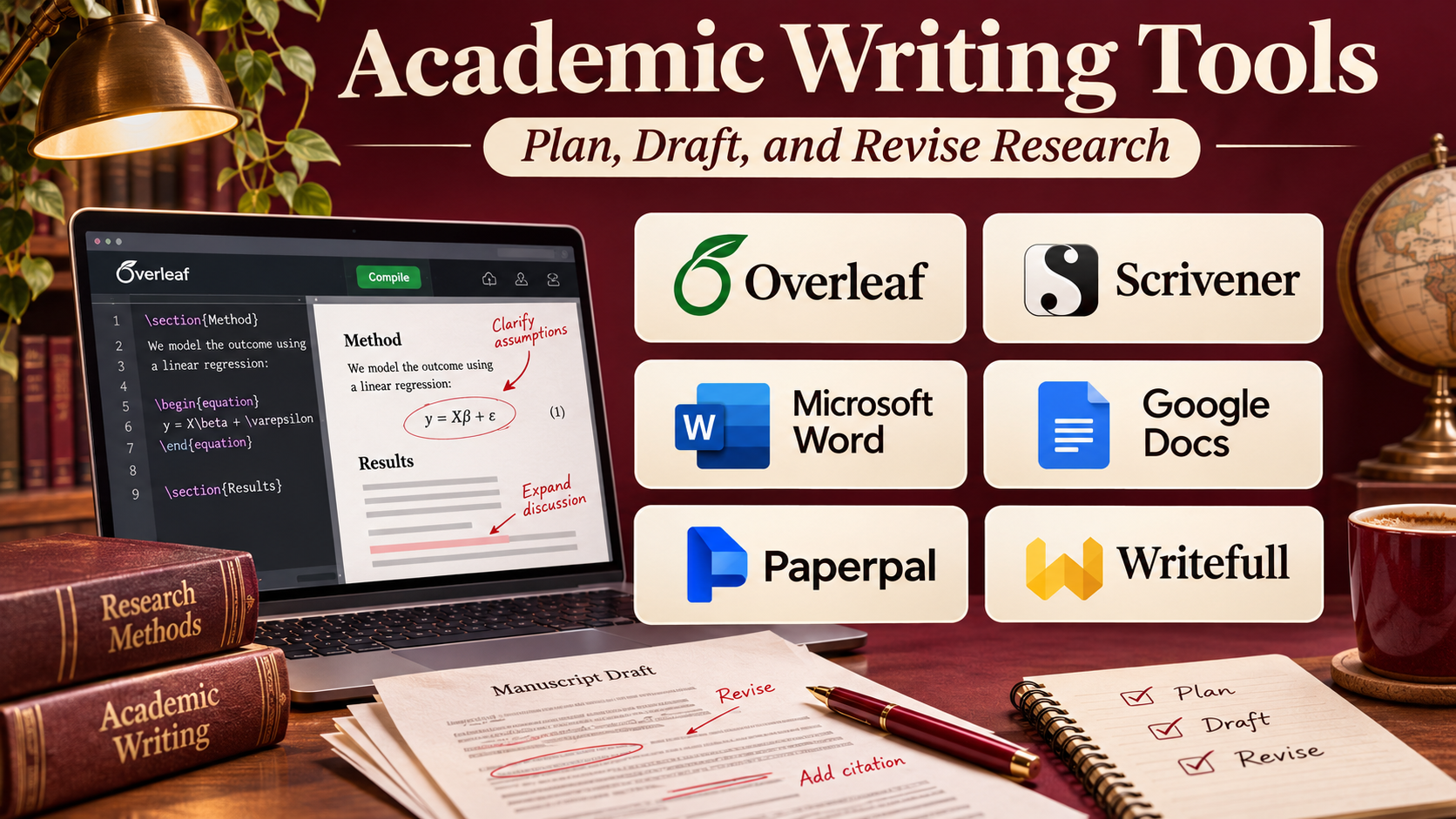
These tools serve different purposes. Some focus on language correction and sentence clarity. Others specialize in academic editing, manuscript preparation, collaborative writing, or LaTeX document production.
AI-powered writing assistants have expanded the capabilities available to academic authors. They can suggest revisions, identify unclear passages, and help improve readability. However, they also introduce important concerns involving fabricated citations, inaccurate interpretations, confidentiality, and academic integrity.
A reliable academic writing workflow should use software to support the author’s judgment rather than replace original research, critical thinking, or scholarly responsibility.
This guide compares ten academic writing tools, examines their strengths and limitations, and explains how to select software for different academic requirements.
What Are Academic Writing Tools?
Academic writing tools are applications that assist with drafting, editing, formatting, reviewing, and preparing scholarly documents.
They can help writers improve language quality, maintain document consistency, collaborate on manuscripts, and follow publication requirements.
Unlike ordinary word processors, many academic writing tools offer specialized features for formal writing, technical documentation, scientific manuscripts, and research communication.
Common capabilities include:
- Grammar and spelling correction.
- Academic tone and clarity suggestions.
- Sentence restructuring and readability improvement.
- Manuscript organization and formatting.
- Collaborative editing and commenting.
- LaTeX document preparation.
- Terminology and language consistency checks.
- AI-assisted revision and proofreading.
- Document version tracking.
- Export to common academic document formats.
Not every tool offers all these capabilities. Some are specialized editors, while others are complete writing environments.
Academic authors should also review institutional policies before using generative AI, especially when handling unpublished research or confidential manuscripts.
Top 10 Academic Writing Tools
1. Grammarly
Short Description
Grammarly is a digital writing assistant that helps users improve grammar, spelling, punctuation, clarity, and communication style.
Although it is not exclusively designed for academic writing, it is widely applicable to university assignments, research drafts, literature reviews, and professional scholarly communication.
Grammarly can identify language errors and suggest alternative phrasing in supported writing environments. This helps academic writers improve readability without repeatedly switching between separate editing applications.
Its suggestions are especially useful during early proofreading and final language review. However, formal academic writing requires careful evaluation because a suggested rewrite may change technical meaning, weaken disciplinary terminology, or oversimplify a scientific statement.
Grammarly is best treated as an editing assistant rather than a source of scholarly evidence.
Key Features
- Grammar Correction: Identifies grammatical errors and recommends corrections.
- Spelling Review: Detects misspellings and common typographical mistakes.
- Punctuation Suggestions: Helps improve punctuation consistency.
- Clarity Recommendations: Highlights sentences that may be difficult to understand.
- Tone Analysis: Evaluates how writing may be perceived by readers.
- Writing Integrations: Works within supported browsers, editors, and applications.
- Generative Writing Assistance: Provides drafting and rewriting support in eligible offerings.
- Style Improvements: Suggests more concise or readable phrasing.
- Writing Feedback: Helps users identify recurring language issues.
Benefits
Grammarly can reduce basic proofreading time and improve the readability of academic drafts.
It is particularly helpful for writers who want continuous language feedback while working in familiar applications.
Pros
- Easy to use.
- Broad writing application support.
- Useful grammar and clarity feedback.
- Accessible to students and professionals.
- Supports multiple stages of editing.
Cons
- Not specialized in every academic discipline.
- Suggestions can alter technical meaning.
- Advanced features may require payment.
- Does not independently verify research claims.
- AI-generated text may conflict with academic policies.
Use Cases
Grammarly is useful for proofreading essays, improving dissertation chapter clarity, reviewing research correspondence, and editing manuscript drafts.
For example, a postgraduate student can use Grammarly to identify wordy sentences before manually checking whether the revised wording preserves the intended scientific meaning.
Best For: Students and researchers seeking general-purpose grammar, clarity, and proofreading assistance.
2. Paperpal
Short Description
Paperpal is an AI-powered academic writing assistant designed specifically for researchers and scholarly authors.
It focuses on improving academic language, manuscript readability, and research writing quality.
Unlike general-purpose writing assistants, Paperpal emphasizes academic terminology, scholarly communication, and the expectations of research publishing.
Researchers can use it to review manuscript language, improve sentence structure, and refine sections before journal submission.
Its academic orientation is valuable for authors who write in English as an additional language or who need to improve the clarity of technically complex manuscripts.
However, language suggestions still require expert review. The author remains responsible for research accuracy, appropriate citations, and compliance with journal policies.
Key Features
- Academic Language Editing: Suggests improvements suited to scholarly writing.
- Grammar Review: Identifies grammar and sentence construction problems.
- Clarity Improvement: Helps make complicated passages easier to understand.
- Paraphrasing Assistance: Offers alternative wording for supported text.
- Academic Tone Support: Helps maintain formal scholarly language.
- Writing Assistance: Supports drafting and revision activities.
- Manuscript Review: Helps identify language issues before submission.
- Research-Oriented Features: Provides additional academic writing support according to the selected offering.
- Document Workflow Integration: Supports compatible research writing environments.
Benefits
Paperpal can help researchers improve manuscript presentation and reduce the time spent on repetitive language editing.
Pros
- Designed for academic writing.
- Focuses on scholarly language.
- Useful for manuscript preparation.
- Helps improve readability.
- Supports researchers who need English-language editing assistance.
Cons
- Some capabilities require paid access.
- Cannot validate every scientific claim.
- AI suggestions require human review.
- Discipline-specific terminology may still need correction.
- Feature availability varies by plan.
Use Cases
Paperpal is suitable for journal manuscripts, dissertation chapters, research abstracts, and scholarly editing.
Best For: Researchers preparing formal academic manuscripts for publication.
3. Writefull
Short Description
Writefull is an academic language assistance platform developed to support scientific and scholarly writing.
It provides language feedback informed by academic writing patterns and is particularly relevant to researchers preparing technical manuscripts.
Writefull helps authors identify grammatical problems, improve academic phrasing, and review language consistency.
It is useful when writers need more specialized feedback than ordinary spelling and grammar checkers provide.
The platform supports research writing environments, including selected word-processing and LaTeX workflows.
Researchers should evaluate its recommendations carefully because language patterns that are common in published papers are not automatically appropriate for every research context.
Key Features
- Academic Language Feedback: Reviews writing using scholarly language patterns.
- Grammar Suggestions: Identifies grammatical problems.
- Sentence Improvement: Recommends clearer academic phrasing.
- Terminology Support: Helps improve discipline-appropriate wording.
- Academic Writing Integrations: Supports compatible writing environments.
- Paraphrasing Assistance: Provides alternative formulations.
- Writing Consistency: Helps identify inconsistent language.
- Manuscript Editing: Supports revision before submission.
Benefits
Writefull can improve academic language consistency and help researchers refine technical manuscripts.
Pros
- Academic writing specialization.
- Useful for scientific manuscripts.
- Supports technical writing environments.
- Helps improve phrasing.
- Suitable for researchers working with formal English.
Cons
- Not a replacement for scientific peer review.
- Some features require subscriptions.
- Integration availability should be checked.
- Suggestions may not fit specialized terminology.
Use Cases
Writefull is appropriate for scientific articles, conference papers, dissertation writing, and technical manuscript revision.
Best For: Scientific researchers seeking academically focused language feedback.
4. Trinka AI
Short Description
Trinka AI is a writing assistant designed for academic, technical, and formal professional communication.
It emphasizes grammar correction, formal tone, terminology consistency, and language issues common in research manuscripts.
Trinka is particularly relevant to scientific authors who need to maintain precise technical language while improving readability.
Its editing approach can help researchers identify sentence-level problems that general writing tools may overlook.
The platform also offers additional writing and document review capabilities, depending on the selected product.
Authors should verify all suggested changes to ensure that technical terminology and scientific meaning remain accurate.
Key Features
- Academic Grammar Correction: Reviews grammar in scholarly contexts.
- Technical Language Support: Helps refine scientific and technical phrasing.
- Formal Tone Suggestions: Encourages professional academic expression.
- Consistency Checks: Identifies selected terminology and style inconsistencies.
- Sentence Clarity: Highlights unclear constructions.
- Document Editing: Supports manuscript language review.
- Writing Integrations: Works through supported editing environments.
- Advanced Writing Checks: Offers additional research-focused checks in eligible plans.
Benefits
Trinka helps researchers improve technical language and prepare more consistent academic documents.
Pros
- Academic and technical focus.
- Useful formal language suggestions.
- Supports manuscript editing.
- Helps identify consistency issues.
- Relevant to scientific writing.
Cons
- Advanced functionality may require payment.
- Does not replace subject-matter review.
- Suggestions may require substantial verification.
- Integration coverage varies.
Use Cases
Trinka works well for technical reports, journal submissions, scientific manuscripts, and academic editing.
Best For: Researchers working with formal scientific and technical language.
5. Overleaf
Short Description
Overleaf is an online LaTeX writing and collaboration platform widely used for scientific, mathematical, and technical documents.
Unlike grammar-focused writing assistants, Overleaf provides an environment for creating structured academic manuscripts using LaTeX.
LaTeX is a document preparation system particularly well suited to mathematical equations, technical formatting, bibliographies, and complex academic layouts.
Overleaf removes much of the difficulty associated with installing and maintaining a local LaTeX environment.
Researchers can collaborate on documents, manage source files, and use templates for journals, conference papers, theses, and other academic publications.
It is especially useful for research groups that need consistent formatting and shared access to technical manuscripts.
Key Features
- Online LaTeX Editor: Creates technical documents through a browser.
- Real-Time Collaboration: Supports shared manuscript editing.
- Document Templates: Provides templates for common academic formats.
- Equation Typesetting: Produces high-quality mathematical expressions.
- Bibliography Integration: Supports LaTeX citation workflows.
- Document Compilation: Generates formatted PDF output.
- Version History: Helps track document changes according to plan capabilities.
- File Management: Organizes manuscript source files and supporting materials.
- Project Sharing: Enables collaboration with academic coauthors.
Benefits
Overleaf simplifies technical document production and collaborative LaTeX writing.
Pros
- Strong mathematical typesetting.
- Excellent for technical manuscripts.
- Browser-based collaboration.
- Academic templates.
- Consistent document formatting.
Cons
- LaTeX requires learning.
- Less intuitive for traditional word-processing users.
- Some collaboration features depend on subscription level.
- Complex compilation errors can be difficult to resolve.
Use Cases
Overleaf is useful for mathematics papers, engineering dissertations, computer science conference submissions, and collaborative scientific manuscripts.
Best For: Researchers who need LaTeX, technical formatting, and collaborative document preparation.
6. QuillBot
Short Description
QuillBot is a writing assistance platform that offers paraphrasing, grammar correction, summarization, and related language tools.
Students and academic writers may use it to examine alternative sentence structures and improve readability.
Its paraphrasing capabilities can be useful when revising awkward original sentences or exploring clearer ways to express an idea.
However, academic use requires caution. Paraphrasing another author’s work does not eliminate the obligation to cite the original source.
Users must also avoid presenting automatically rewritten material as original analysis when institutional rules prohibit that practice.
QuillBot is most useful as a controlled revision assistant rather than an automatic academic content generator.
Key Features
- Paraphrasing: Suggests alternative sentence formulations.
- Grammar Checking: Identifies language errors.
- Summarization: Condenses selected text.
- Writing Modes: Offers different rewriting approaches according to plan.
- Sentence Fluency: Helps improve awkward phrasing.
- Vocabulary Alternatives: Suggests different word choices.
- Writing Integrations: Supports selected browser and editor workflows.
- Additional Writing Utilities: Provides related writing tools within its platform.
Benefits
QuillBot can help writers improve sentence clarity and explore alternative wording during revision.
Pros
- Accessible interface.
- Useful paraphrasing support.
- Multiple writing utilities.
- Helps revise unclear sentences.
- Convenient for quick editing tasks.
Cons
- Paraphrases may change meaning.
- Can encourage inappropriate source rewriting.
- Does not guarantee originality.
- Advanced modes may require payment.
- Not a substitute for academic reasoning.
Use Cases
QuillBot can support revision of original draft sentences, language practice, and readability improvement.
Best For: Students seeking controlled paraphrasing and general writing revision assistance.
7. ProWritingAid
Short Description
ProWritingAid is an editing and writing analysis platform designed to help users improve grammar, style, readability, and document consistency.
It provides broader writing feedback than basic spelling correction, making it useful for authors who want to understand recurring weaknesses in their drafts.
Academic writers can use ProWritingAid to identify lengthy sentences, repeated expressions, unclear wording, and structural language issues.
Its reports can be especially useful when reviewing long documents such as dissertations and research reports.
However, its editing recommendations are not exclusively designed for scholarly writing, so technical terminology and academic conventions require manual review.
Key Features
- Grammar Checking: Identifies grammatical mistakes.
- Style Analysis: Reviews sentence construction and word choice.
- Readability Reports: Highlights difficult passages.
- Repetition Detection: Finds repeated words and phrases.
- Sentence Length Analysis: Identifies excessively long constructions.
- Consistency Checking: Helps maintain consistent language patterns.
- Writing Reports: Provides detailed feedback about writing habits.
- Editor Integrations: Supports compatible writing applications.
Benefits
ProWritingAid helps writers understand their editing patterns and improve document readability over time.
Pros
- Detailed writing reports.
- Strong style analysis.
- Useful for long documents.
- Helps identify repetitive language.
- Supports self-editing.
Cons
- Some reports may be overwhelming.
- Not exclusively academic.
- Advanced features require paid access.
- Suggestions may conflict with technical writing conventions.
Use Cases
ProWritingAid is suitable for dissertation editing, research reports, academic book chapters, and extensive manuscript revision.
Best For: Writers who want detailed style and readability analysis.
8. LanguageTool
Short Description
LanguageTool is a multilingual grammar, spelling, and style checking platform.
It is particularly useful for academic writers who work in more than one language or need proofreading support across different writing environments.
LanguageTool helps identify language errors and improve sentence clarity while supporting a broad range of languages.
Its accessibility makes it relevant to international researchers, students, and academic teams working across linguistic boundaries.
Although it is useful for language review, it does not replace specialized scholarly editing or expert evaluation of academic arguments.
Key Features
- Grammar Checking: Detects grammatical problems.
- Spelling Correction: Identifies spelling errors.
- Multilingual Support: Works across numerous languages.
- Style Suggestions: Recommends selected readability improvements.
- Punctuation Review: Helps identify punctuation mistakes.
- Browser Integration: Provides writing assistance in supported browser environments.
- Editor Compatibility: Supports selected document and writing applications.
- Language Preferences: Allows users to configure supported language settings.
Benefits
LanguageTool supports multilingual proofreading and helps writers maintain language quality across different document types.
Pros
- Broad language coverage.
- Accessible editing tools.
- Useful browser integration.
- Suitable for international writers.
- Flexible deployment options.
Cons
- Academic specialization is limited.
- Advanced suggestions may require payment.
- Language coverage varies in depth.
- Does not validate research content.
Use Cases
LanguageTool is useful for multilingual academic writing, university assignments, research correspondence, and proofreading.
Best For: Researchers and students who need multilingual grammar assistance.
9. Microsoft Word
Short Description
Microsoft Word is a widely used document editing application that remains central to academic writing and manuscript collaboration.
Although it is a general-purpose word processor, its reviewing, formatting, citation, and document management capabilities make it important in scholarly workflows.
Researchers can prepare long documents, use structured headings, manage tables, insert references, and exchange tracked revisions with collaborators.
Word is especially valuable in academic environments where supervisors, editors, and coauthors expect editable documents with comments and tracked changes.
It also works with major reference management platforms, extending its usefulness for citation-heavy manuscripts.
Key Features
- Document Editing: Supports academic drafting and revision.
- Track Changes: Records suggested edits.
- Comments: Enables reviewer feedback.
- Heading Styles: Structures long manuscripts.
- Table and Figure Tools: Supports document illustrations and tabular data.
- Citation Features: Provides built-in references and integrations with citation managers.
- Spelling and Grammar: Offers language review capabilities.
- Collaboration: Supports shared editing through compatible Microsoft services.
- Document Export: Produces common submission formats.
Benefits
Microsoft Word offers a familiar academic writing environment with strong review and collaboration capabilities.
Pros
- Widely accepted document format.
- Strong editing and review features.
- Compatible with major reference managers.
- Useful for long manuscripts.
- Familiar to many academic collaborators.
Cons
- Advanced academic formatting can require careful setup.
- Complex equations may be easier in LaTeX.
- Some features depend on Microsoft 365 licensing.
- Large collaborative documents can become difficult to manage.
Use Cases
Word is suitable for theses, dissertations, journal manuscripts, academic reports, and supervisor-reviewed drafts.
Best For: Academic writers who need familiar document editing and structured collaboration.
10. Google Docs
Short Description
Google Docs is a cloud-based document editor that emphasizes collaborative writing, comments, and accessible document sharing.
It is useful for academic teams preparing shared manuscripts, research proposals, literature reviews, and classroom assignments.
Google Docs allows multiple contributors to edit the same document, reducing the need to exchange separate draft files.
Its commenting and suggestion features support peer review and collaborative revision.
Although it is less specialized for complex scientific typesetting than LaTeX, it provides an accessible writing environment for many academic projects.
Key Features
- Real-Time Editing: Allows multiple users to work simultaneously.
- Comments: Supports reviewer discussions.
- Suggestion Mode: Records proposed edits without immediately replacing original text.
- Version History: Helps users review earlier document states.
- Cloud Storage: Keeps documents accessible through supported accounts.
- Document Sharing: Provides configurable collaboration access.
- Writing Assistance: Offers built-in editing features and eligible AI capabilities.
- Export Options: Supports common document formats.
- Reference Manager Compatibility: Works with supported citation management integrations.
Benefits
Google Docs simplifies collaboration and reduces document version confusion in group writing projects.
Pros
- Easy collaborative editing.
- Accessible interface.
- Automatic document saving.
- Useful commenting system.
- Convenient sharing.
Cons
- Less powerful for advanced scientific typesetting.
- Some academic formatting requires workarounds.
- Internet access improves the full collaborative experience.
- Complex manuscripts may need another final production tool.
Use Cases
Google Docs is appropriate for group assignments, research proposals, shared literature reviews, and collaborative drafting.
Best For: Academic teams prioritizing accessible real-time collaboration.
Academic Writing Tools Comparison Table
| Tool | Primary Function | Academic Specialization | Best Use |
|---|---|---|---|
| Grammarly | Grammar and clarity | Moderate | General proofreading |
| Paperpal | Scholarly language editing | High | Journal manuscripts |
| Writefull | Academic language feedback | High | Scientific writing |
| Trinka AI | Technical language editing | High | Formal research documents |
| Overleaf | LaTeX writing | High | Technical manuscripts |
| QuillBot | Paraphrasing and revision | Moderate | Sentence rewriting |
| ProWritingAid | Style analysis | Moderate | Long-form editing |
| LanguageTool | Multilingual proofreading | Moderate | Multilingual writing |
| Microsoft Word | Document production | Broad | Manuscripts and dissertations |
| Google Docs | Collaborative drafting | Broad | Team writing |
How to Choose the Right Academic Writing Tool
Step 1: Define Your Main Writing Problem
Determine whether you need grammar correction, manuscript formatting, collaboration, language editing, or advanced technical typesetting.
Step 2: Consider Your Academic Discipline
Scientific and mathematical disciplines may benefit from LaTeX tools, while other fields may prefer Word-based workflows.
Step 3: Evaluate Language Support
International researchers should assess whether the tool understands their preferred writing language and academic terminology.
Step 4: Review Institutional AI Policies
Check whether your university, supervisor, publisher, or research organization permits specific AI-assisted writing activities.
Step 5: Protect Confidential Research
Review data retention, document processing, and privacy policies before uploading unpublished manuscripts or sensitive information.
Step 6: Test Editing Accuracy
Submit a sample academic passage and evaluate whether suggestions preserve technical meaning.
Step 7: Consider Collaboration and Export
Make sure the software supports the formats and review processes required by your coauthors or target journal.
Best Academic Writing Tool by User Type
| User Type | Recommended Tool | Reason |
|---|---|---|
| Undergraduate students | Grammarly | General language support |
| Journal manuscript authors | Paperpal | Academic editing focus |
| Scientific researchers | Writefull | Scholarly language feedback |
| Technical academic writers | Trinka AI | Formal technical editing |
| Mathematics researchers | Overleaf | LaTeX and equations |
| Students revising original prose | QuillBot | Sentence alternatives |
| Dissertation authors | ProWritingAid | Detailed style reports |
| Multilingual researchers | LanguageTool | Multiple language support |
| Supervisor-reviewed writers | Microsoft Word | Track Changes and comments |
| Collaborative student teams | Google Docs | Real-time shared editing |
Practical Example: Preparing a Research Manuscript for Submission
Consider a research team preparing a journal article.
Step 1: Develop the Manuscript Outline
Define the research question, introduction, methodology, results, discussion, and conclusion.
Step 2: Select a Writing Environment
Use Microsoft Word for a conventional editorial workflow or Overleaf for a LaTeX-based manuscript.
Step 3: Draft the Research Content
Write the manuscript using verified research findings, original analysis, and properly attributed sources.
Step 4: Review Academic Language
Use Paperpal or Writefull to identify grammar and clarity issues.
Step 5: Check Technical Meaning
Confirm that proposed language changes preserve scientific accuracy.
Step 6: Coordinate Coauthor Feedback
Use comments, tracked changes, or shared editing to collect revisions.
Step 7: Verify Citations and Evidence
Check every cited source, quotation, data point, and bibliographic record.
Step 8: Apply Journal Formatting
Follow the target journal’s structure, word limits, figure requirements, and reference style.
Step 9: Review AI Disclosure Requirements
Document any AI assistance that must be disclosed under institutional or publisher policies.
Step 10: Complete Final Quality Control
Review the final exported manuscript for formatting, terminology, tables, references, and submission readiness.
Frequently Asked Questions
1. What is the best academic writing tool?
The best tool depends on the task. Paperpal and Writefull focus on scholarly language, while Overleaf supports technical manuscript production.
2. Can AI writing tools write academic papers?
They can assist with drafting and editing, but researchers remain responsible for originality, evidence, factual accuracy, and academic integrity.
3. Is Grammarly suitable for academic writing?
Yes. Grammarly can improve grammar and clarity, although it does not replace discipline-specific editing.
4. What is the difference between Paperpal and Grammarly?
Paperpal emphasizes scholarly writing, while Grammarly serves a broader range of professional and personal writing tasks.
5. Which tool is best for writing scientific equations?
Overleaf is a strong choice for documents requiring extensive mathematical notation and LaTeX formatting.
6. Can academic writing tools detect plagiarism?
Some platforms offer originality-related features, but these should not be treated as definitive assessments of academic misconduct.
7. Are AI paraphrasing tools acceptable in universities?
Policies vary. Students should follow institutional requirements and properly cite any source ideas they use.
8. Can academic writing tools improve English-language manuscripts?
Yes. Specialized editing platforms can help improve grammar, clarity, and formal academic expression.
9. Should researchers upload unpublished manuscripts to AI tools?
Only after reviewing confidentiality obligations, research agreements, institutional policies, and the provider’s data handling practices.
10. Do academic writing tools replace human editors?
No. Human editors and subject experts remain important for evaluating argument quality, scientific accuracy, and publication readiness.
Conclusion
Academic writing tools can improve productivity, language quality, and manuscript collaboration when used appropriately.
Paperpal, Writefull, and Trinka AI offer specialized academic editing support. Grammarly, LanguageTool, and ProWritingAid provide broader proofreading and style analysis. Overleaf, Microsoft Word, and Google Docs support different approaches to document production and collaboration.
The strongest academic writing workflow often combines a suitable document editor with carefully selected language assistance.
Software should improve the presentation of scholarly work while leaving evidence evaluation, intellectual responsibility, and final editorial decisions with the author.