Introduction
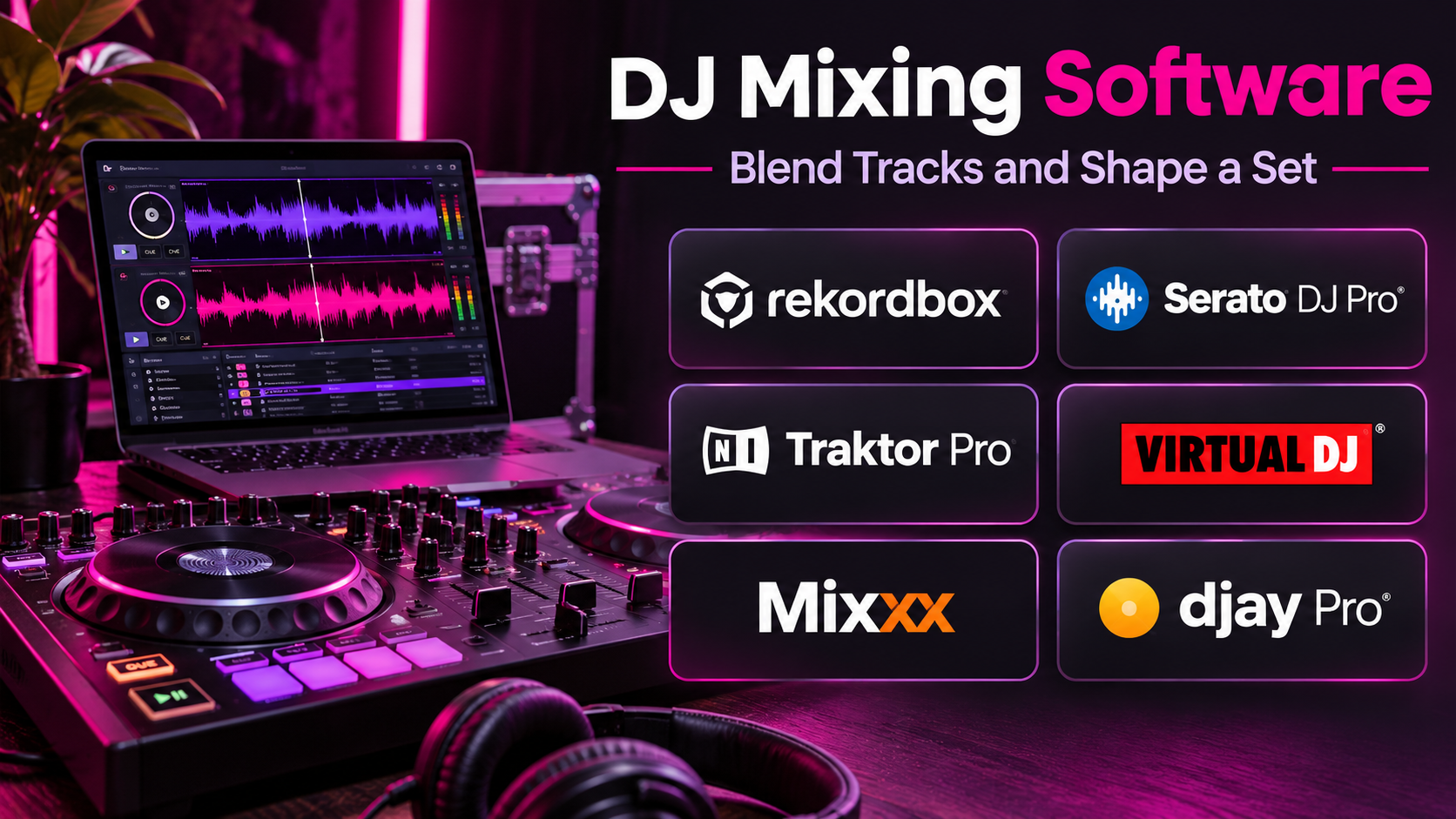
DJ mixing software has transformed how performers prepare, mix, and present music. Modern DJs can organize large music libraries, synchronize tracks, create transitions, trigger samples, and control effects through computers and compatible hardware.
Whether performing at a club, hosting a private event, broadcasting a live set, or practicing at home, selecting the right DJ software can significantly influence the workflow.
Different applications serve different performance styles.
Some emphasize traditional two-deck mixing and straightforward library management. Others provide advanced performance features, real-time stem separation, video mixing, four-deck workflows, or close integration with specific controllers.
A beginner may prefer a simple interface with automatic beat matching and accessible hardware. A professional club DJ may prioritize reliable library preparation, hardware compatibility, and consistent performance across venues.
The right platform should support the performer’s preferred mixing style while remaining dependable under real performance conditions.
This guide compares ten DJ mixing software applications, explains their features and limitations, and provides practical guidance for selecting a suitable solution.
What Is DJ Mixing Software?
DJ mixing software is an application that allows users to prepare, play, manipulate, and transition between audio tracks.
It typically provides virtual decks, waveforms, tempo controls, cue points, looping, effects, and music library management.
DJ software can operate with a mouse and keyboard, but many users connect compatible DJ controllers, mixers, or media players for more tactile control.
Common capabilities include:
- Multiple virtual decks.
- Beat matching and synchronization.
- Tempo and pitch adjustment.
- Hot cues and loops.
- Audio effects.
- Music library organization.
- Track analysis.
- Waveform visualization.
- Recording.
- Controller integration.
- Stem separation.
- Samplers and performance pads.
- Streaming service integrations.
Some applications also support video mixing, karaoke, or lighting control.
Software capabilities depend on the selected edition, connected hardware, licensing, and supported operating system.
Top 10 DJ Mixing Software
1. Serato DJ Pro
Short Description
Serato DJ Pro is a professional DJ performance application widely associated with controller-based mixing and digital vinyl workflows.
It provides a performance-focused interface with virtual decks, waveforms, cue points, loops, effects, and library management.
Serato is particularly appealing to DJs who want responsive hardware integration and a familiar live performance workflow.
Its ecosystem includes compatible controllers, mixers, and digital vinyl systems.
The platform also offers stem-related functionality and expansion capabilities in supported configurations.
However, hardware compatibility and feature availability depend on the connected equipment and applicable licenses.
Key Features
- Virtual Decks: Supports mixing across multiple decks in compatible configurations.
- Beat Matching: Provides tempo analysis and synchronization tools.
- Hot Cues: Allows instant access to selected track positions.
- Looping: Supports repeatable performance sections.
- Effects: Provides creative audio processing.
- Stems: Supports selected real-time separation workflows.
- Digital Vinyl Support: Works with compatible DVS hardware.
- Music Library Management: Organizes tracks, crates, and playlists.
- Hardware Integration: Connects with supported DJ controllers and mixers.
Benefits
Serato DJ Pro provides a reliable performance-oriented environment for mixing, scratching, and controller-based DJing.
Its broad hardware ecosystem makes it relevant to both mobile and professional performers.
Pros
- Established professional workflow.
- Strong controller support.
- Digital vinyl capabilities.
- Useful cue and loop controls.
- Performance-oriented interface.
- Creative stem functionality.
Cons
- Licensing requirements vary by hardware.
- Some features require additional purchases.
- Hardware compatibility must be checked.
- Advanced workflows require practice.
- Not designed primarily for full music production.
Use Cases
Serato DJ Pro is suitable for club performances, mobile DJ events, scratching, and professional controller setups.
For example, a wedding DJ can organize music into crates for different parts of an event, prepare cue points, and mix tracks through a supported controller.
Best For: Professional DJs seeking strong controller and digital vinyl integration.
2. rekordbox
Short Description
rekordbox is a DJ software platform associated with AlphaTheta and Pioneer DJ hardware ecosystems.
It supports music preparation, library management, performance workflows, and compatibility with supported DJ equipment.
One of its major strengths is preparing tracks for use with compatible club media players.
DJs can analyze tracks, configure cue points, organize playlists, and prepare performance media.
Its performance mode also supports mixing through compatible controllers and equipment.
rekordbox is particularly useful for performers who regularly use club-oriented DJ hardware.
Key Features
- Track Analysis: Identifies tempo and musical information.
- Library Management: Organizes playlists and collections.
- Cue Point Preparation: Saves performance markers.
- Beat Grids: Supports synchronized mixing.
- Performance Mode: Provides software-based mixing.
- Hardware Integration: Works with supported controllers and players.
- Export Workflows: Prepares music for compatible standalone equipment.
- Effects and Loops: Supports creative transitions.
- Cloud Features: Offers eligible synchronization and library services.
Benefits
rekordbox connects track preparation with performance workflows across compatible DJ equipment.
Pros
- Strong club equipment ecosystem.
- Useful track preparation.
- Playlist organization.
- Hardware compatibility.
- Professional performance features.
- Convenient export workflows.
Cons
- Subscription requirements vary.
- Some features depend on hardware.
- Ecosystem compatibility should be checked.
- Advanced configuration can be complex.
- Cloud features may involve additional costs.
Use Cases
rekordbox is useful for club DJs, festival performers, and users preparing music for compatible media players.
Best For: DJs working within the AlphaTheta and Pioneer DJ ecosystem.
3. Traktor Pro
Short Description
Traktor Pro is a professional DJ mixing application developed by Native Instruments.
It emphasizes creative mixing, effects, looping, and flexible performance configurations.
Traktor is particularly appealing to DJs who want detailed control over sound manipulation.
Its performance environment supports traditional mixing alongside more experimental approaches.
The platform integrates with compatible controllers and other DJ hardware.
However, users should verify current hardware compatibility and the exact capabilities of their selected Traktor version.
Key Features
- Multiple Decks: Supports flexible mixing configurations.
- Beat Synchronization: Provides tempo and beat grid tools.
- Advanced Effects: Offers extensive sound processing.
- Looping: Supports creative repetition.
- Hot Cues: Provides instant performance markers.
- Remix-Oriented Workflows: Supports creative manipulation of audio elements.
- Controller Mapping: Allows compatible hardware customization.
- Track Analysis: Supports music preparation.
- Library Management: Organizes performance collections.
Benefits
Traktor Pro offers detailed creative control for DJs who want more than basic track transitions.
Pros
- Strong effects engine.
- Flexible performance options.
- Creative looping.
- Controller customization.
- Suitable for electronic music.
Cons
- Learning curve.
- Hardware setup may require configuration.
- Workflow differs from some club-standard systems.
- Compatibility varies by equipment.
- Advanced features may be excessive for beginners.
Use Cases
Traktor Pro is useful for electronic music DJs, creative performers, and users experimenting with layered mixes.
Best For: DJs prioritizing effects, loops, and creative performance control.
4. VirtualDJ
Short Description
VirtualDJ is a versatile DJ application supporting audio mixing, video mixing, karaoke-oriented workflows, and extensive hardware compatibility.
It is designed for both personal and professional use.
VirtualDJ provides conventional deck controls alongside features for managing complex event entertainment.
Its broad capabilities make it particularly appealing to mobile DJs who need to accommodate different types of performances.
The software also includes stem separation and automation features in supported configurations.
However, the large feature set may initially feel overwhelming.
Key Features
- Audio Mixing: Supports multiple virtual decks.
- Video Mixing: Provides video performance capabilities.
- Stem Separation: Supports selected track component manipulation.
- Automatic Mixing: Offers automated transition workflows.
- Controller Support: Works with many compatible devices.
- Effects: Provides audio and video processing.
- Library Management: Organizes large music collections.
- Karaoke Features: Supports eligible event entertainment workflows.
- Recording and Broadcasting: Offers supported output options.
Benefits
VirtualDJ provides a flexible platform for performers who work across different event formats.
Pros
- Broad feature set.
- Video mixing.
- Extensive hardware support.
- Stem functionality.
- Useful mobile DJ workflows.
- Flexible performance configuration.
Cons
- Interface complexity.
- Licensing depends on usage.
- Advanced settings require learning.
- Some features may be unnecessary for traditional DJs.
- Hardware behavior should be tested before events.
Use Cases
VirtualDJ is useful for weddings, private events, karaoke entertainment, and video-based performances.
Best For: Mobile DJs seeking versatile entertainment features.
5. djay Pro
Short Description
djay Pro is a DJ application developed by Algoriddim.
It provides a modern mixing interface with support for compatible controllers, music libraries, and selected streaming services.
The software emphasizes accessibility while offering advanced performance features.
Its Neural Mix technology supports separating musical components in compatible workflows.
djay Pro is particularly appealing to users who want to mix on supported computers, tablets, or mobile devices.
However, available features and streaming integrations vary by platform, subscription, and licensing arrangements.
Key Features
- Virtual Decks: Provides traditional DJ mixing controls.
- Neural Mix: Supports separation of musical components.
- Automatic Beat Matching: Assists with tempo synchronization.
- Controller Integration: Works with supported hardware.
- Music Library Access: Organizes local and eligible streaming content.
- Effects: Supports creative transitions.
- Looping and Cue Points: Provides performance controls.
- Mobile Mixing: Supports compatible mobile devices.
- Recording: Offers recording in supported configurations.
Benefits
djay Pro combines accessible design with advanced mixing capabilities.
Pros
- Modern interface.
- Strong mobile experience.
- Creative stem separation.
- Useful automatic mixing assistance.
- Compatible hardware options.
Cons
- Subscription requirements.
- Feature differences across platforms.
- Streaming limitations.
- Hardware support varies.
- Some advanced features require capable devices.
Use Cases
djay Pro is useful for beginners, mobile performers, and DJs seeking portable mixing workflows.
Best For: Users seeking modern DJ software across supported devices.
6. Mixxx
Short Description
Mixxx is a free, open-source DJ mixing application.
It provides traditional DJ performance features without requiring a commercial software subscription.
Mixxx supports virtual decks, beat synchronization, cue points, looping, effects, and compatible hardware controllers.
Its open-source model makes it particularly appealing to beginners and technically comfortable users.
The platform also supports digital vinyl workflows in compatible configurations.
Although it offers substantial functionality, users may need to configure hardware mappings and troubleshoot compatibility themselves.
Key Features
- Virtual Decks: Supports track mixing.
- Beat Synchronization: Helps align track tempos.
- Hot Cues: Provides performance markers.
- Looping: Supports repeated track sections.
- Effects: Offers audio processing.
- Controller Mapping: Supports compatible DJ hardware.
- Digital Vinyl Support: Works with eligible timecode setups.
- Music Library Management: Organizes tracks.
- Open-Source Software: Provides a transparent development model.
Benefits
Mixxx provides an accessible entry into DJ mixing without subscription costs.
Pros
- Free and open-source.
- Core professional mixing features.
- Cross-platform availability.
- Controller support.
- Digital vinyl options.
- Suitable for learning.
Cons
- Hardware configuration may require effort.
- Smaller commercial support ecosystem.
- Some advanced features differ from paid platforms.
- Interface preferences vary.
- Users may need community documentation.
Use Cases
Mixxx is useful for students, hobbyists, and DJs learning performance fundamentals.
Best For: Beginners and open-source enthusiasts.
7. Engine DJ
Short Description
Engine DJ is a music library and performance ecosystem associated with compatible standalone DJ hardware.
It emphasizes track preparation, library organization, and integration with supported equipment.
Engine DJ Desktop helps users prepare music collections for performance on compatible devices.
Engine DJ OS provides performance functionality on eligible standalone hardware.
This distinction is important because the desktop application is not simply a conventional laptop-based DJ mixing platform.
Its value is strongest for users who own or plan to use compatible Engine DJ equipment.
Key Features
- Library Preparation: Organizes tracks for performance.
- Track Analysis: Processes tempo and related information.
- Playlist Management: Creates performance collections.
- Cue Points: Prepares track markers.
- Beat Grids: Supports synchronized performance.
- Hardware Integration: Connects with supported standalone devices.
- Performance Media Export: Prepares compatible storage media.
- Metadata Management: Maintains track information.
- Ecosystem Features: Supports eligible hardware-based capabilities.
Benefits
Engine DJ connects music preparation with standalone DJ hardware workflows.
Pros
- Strong compatible hardware integration.
- Useful library preparation.
- Standalone performance ecosystem.
- Track analysis.
- Suitable for hardware-centered setups.
Cons
- Desktop application is primarily for preparation.
- Requires compatible hardware for full performance workflows.
- Limited relevance outside its ecosystem.
- Features vary by device.
- Hardware costs must be considered.
Use Cases
Engine DJ is useful for DJs performing with compatible Denon DJ and related Engine DJ devices.
Best For: Standalone hardware users.
8. Mixvibes Cross DJ
Short Description
Cross DJ is a DJ mixing application from Mixvibes designed for straightforward mixing and performance.
It provides virtual decks, beat synchronization, effects, cue points, and music library functionality.
Cross DJ is particularly relevant to users who want an accessible application for learning and everyday mixing.
Its interface emphasizes traditional DJ controls.
Different versions and platforms may provide different capabilities, so users should verify current availability and licensing.
It is less specialized in large-scale professional performance ecosystems than some leading alternatives.
Key Features
- Virtual Decks: Supports basic track mixing.
- Beat Matching: Helps align tempos.
- Waveform Display: Visualizes track structure.
- Cue Points: Marks important positions.
- Looping: Repeats selected sections.
- Audio Effects: Supports creative transitions.
- Music Library Access: Organizes tracks.
- Controller Compatibility: Supports selected hardware configurations.
Benefits
Cross DJ offers an approachable mixing environment for users developing DJ skills.
Pros
- Accessible interface.
- Core mixing features.
- Suitable for practice.
- Beat synchronization.
- Traditional DJ workflow.
Cons
- Feature availability varies by edition.
- Smaller hardware ecosystem.
- Less extensive professional tooling.
- Current platform compatibility should be checked.
- Limited advanced collaboration.
Use Cases
Cross DJ is useful for casual mixing, practice sessions, and introductory DJ performance.
Best For: Beginners seeking conventional DJ controls.
9. Ableton Live
Short Description
Ableton Live is primarily a digital audio workstation, but it is also widely used for live electronic music performance and DJ-style sets.
It offers a different workflow from traditional two-deck DJ software.
Instead of relying only on virtual turntables, performers can arrange clips, loops, stems, and effects within a flexible performance environment.
Ableton Live is particularly useful for artists who combine DJing with live remixing, original productions, and hardware instruments.
Its Session View allows performers to trigger musical material dynamically.
However, it requires more preparation and technical knowledge than conventional DJ mixing applications.
Key Features
- Session View: Triggers audio and MIDI clips.
- Audio Warping: Aligns musical material to tempo.
- Effects: Provides extensive audio processing.
- Live Looping: Supports layered performance.
- MIDI Integration: Connects compatible controllers and instruments.
- Track Arrangement: Prepares structured performance sets.
- Audio Recording: Captures performances and original material.
- Automation: Controls effects and musical parameters.
- Production Tools: Supports original music creation.
Benefits
Ableton Live allows performers to combine DJ mixing with live music production and creative remixing.
Pros
- Extremely flexible performance environment.
- Strong effects.
- Live remixing.
- Music production integration.
- Extensive controller possibilities.
- Suitable for hybrid performances.
Cons
- Not conventional DJ software.
- Steep learning curve.
- Higher setup complexity.
- Licensing costs.
- Requires substantial preparation.
Use Cases
Ableton Live is useful for electronic artists, live remix performers, and hybrid DJ-production sets.
Best For: Performers combining DJing with live electronic music production.
10. MixMeister Fusion
Short Description
MixMeister Fusion is a DJ mixing application historically associated with timeline-based mix preparation.
Its workflow differs from conventional live deck mixing.
Users can arrange tracks along a timeline and prepare transitions with greater emphasis on structured sequencing.
This approach is useful for DJs who want to build planned mixes rather than improvise every transition during performance.
However, prospective users should verify current product support, operating system compatibility, and licensing before adoption.
Its historical relevance is strongest in prepared mix workflows.
Key Features
- Timeline Mixing: Arranges tracks sequentially.
- Tempo Matching: Helps align musical timing.
- Transition Planning: Supports prepared crossfades.
- Track Arrangement: Organizes mix sequences.
- Audio Effects: Provides selected processing options.
- Mix Recording: Supports output preparation.
- Library Management: Organizes source tracks.
- Set Preparation: Supports structured performance planning.
Benefits
MixMeister Fusion illustrates a preparation-oriented approach to DJ mixing.
Pros
- Timeline-based workflow.
- Useful for planned mixes.
- Detailed transition preparation.
- Suitable for structured sets.
- Distinct from traditional deck mixing.
Cons
- Current support should be verified.
- Compatibility may be limited.
- Less suitable for spontaneous club performance.
- Smaller modern ecosystem.
- Feature development status requires confirmation.
Use Cases
MixMeister Fusion is relevant to DJs preparing continuous mixes and structured audio sequences.
Best For: Users interested in timeline-based mixing, subject to compatibility verification.
DJ Mixing Software Comparison Table
| Software | Main Strength | Performance Style | Best For |
|---|---|---|---|
| Serato DJ Pro | Controller and DVS integration | Live deck mixing | Professional DJs |
| rekordbox | Club hardware preparation | Club and controller workflows | Club DJs |
| Traktor Pro | Effects and creative mixing | Electronic performance | Creative DJs |
| VirtualDJ | Versatility | Audio, video, and events | Mobile DJs |
| djay Pro | Accessible modern features | Mobile and controller mixing | Beginners and mobile users |
| Mixxx | Open-source mixing | Traditional deck mixing | Budget-conscious DJs |
| Engine DJ | Standalone hardware ecosystem | Hardware-centered performance | Standalone DJs |
| Cross DJ | Straightforward mixing | Conventional DJing | Learners |
| Ableton Live | Live remixing | Hybrid production performance | Electronic artists |
| MixMeister Fusion | Timeline preparation | Prepared mixes | Structured mix creators |
How to Choose the Right DJ Mixing Software
Step 1: Identify Your Performance Style
Decide whether you primarily perform at clubs, private events, home sessions, or live electronic shows.
Step 2: Check Hardware Compatibility
Verify that your controller, mixer, audio interface, or standalone device is supported.
Step 3: Evaluate Music Library Management
Test track analysis, playlists, cue points, and export workflows.
Step 4: Review Performance Features
Determine whether you need stems, effects, samplers, video mixing, or digital vinyl support.
Step 5: Test Audio Stability
Evaluate latency, CPU usage, and performance under realistic conditions.
Step 6: Consider Streaming Limitations
Streaming service availability, offline use, recording rights, and licensing restrictions vary.
Step 7: Compare Costs
Include software licenses, subscriptions, expansion packs, and required hardware.
Step 8: Practice Before Performing
Use the complete setup during rehearsal rather than introducing untested software at a live event.
Best DJ Mixing Software by User Type
| User Type | Recommended Software | Reason |
|---|---|---|
| Club DJs | rekordbox | Compatible club hardware workflows |
| Scratch DJs | Serato DJ Pro | DVS and performance integration |
| Electronic music DJs | Traktor Pro | Effects and creative controls |
| Wedding DJs | VirtualDJ | Versatile event features |
| Mobile beginners | djay Pro | Accessible interface |
| Open-source users | Mixxx | Free mixing capabilities |
| Standalone hardware owners | Engine DJ | Hardware integration |
| Entry-level learners | Cross DJ | Traditional mixing workflow |
| Live electronic performers | Ableton Live | Clip-based performance |
| Prepared mix creators | MixMeister Fusion | Timeline-oriented workflow |
Practical Example: Preparing a 60-Minute DJ Set
Consider a DJ preparing a one-hour electronic music performance.
Step 1: Select the Software
Choose rekordbox, Serato DJ Pro, or Traktor Pro based on available hardware.
Step 2: Import Music
Create a collection of suitable tracks.
Step 3: Analyze the Tracks
Review tempo, beat grids, and available musical information.
Step 4: Organize the Set
Group tracks by energy, style, and approximate tempo.
Step 5: Set Cue Points
Mark useful introductions, transitions, and breakdowns.
Step 6: Practice Transitions
Test combinations of tracks and adjust tempo alignment.
Step 7: Prepare Effects
Select effects that support the performance without overwhelming the music.
Step 8: Test the Hardware
Check audio routing, headphone cueing, controller response, and output levels.
Step 9: Prepare a Backup
Maintain a suitable backup music source and contingency plan.
Step 10: Rehearse the Complete Set
Practice under conditions similar to the intended performance.
Frequently Asked Questions
1. What is the best DJ mixing software?
Serato DJ Pro, rekordbox, and Traktor Pro are strong professional options for different workflows.
2. What is the best free DJ software?
Mixxx is a capable free, open-source DJ application.
3. Is rekordbox better than Serato?
rekordbox is particularly useful for compatible club hardware, while Serato is strong for controller and DVS workflows.
4. Can beginners use DJ software without a controller?
Many applications support basic mixing with a computer, although controllers provide more tactile control.
5. What is beat matching?
Beat matching aligns the timing and tempo of tracks to support smoother transitions.
6. What are DJ stems?
Stems are separate musical components, such as vocals or drums, that can be manipulated independently.
7. Can DJ software work with streaming music?
Some applications support selected streaming services, subject to licensing and connectivity requirements.
8. Is Ableton Live a DJ application?
It is primarily music production software but can support sophisticated DJ-style live performances.
9. Can DJ software record a mix?
Many applications provide recording features, although streaming and licensing restrictions may apply.
10. What software is suitable for weddings?
VirtualDJ and Serato DJ Pro are relevant options depending on the event workflow.
11. Does expensive software guarantee better performance?
No. Reliability, preparation, hardware compatibility, and skill are more important than price alone.
12. What should I test before buying?
Hardware support, latency, library management, performance features, and licensing requirements.
Conclusion
DJ mixing software provides the foundation for digital music performance.
Serato DJ Pro and rekordbox support established professional workflows, while Traktor Pro emphasizes creative mixing.
VirtualDJ offers versatility for event entertainment, djay Pro provides accessible modern features, and Mixxx offers a capable open-source alternative.
Engine DJ serves compatible standalone hardware, while Ableton Live supports hybrid performance and music production.
The best application depends on performance style, hardware compatibility, reliability, and preferred creative tools.
A well-prepared DJ using suitable software will generally achieve better results than someone relying on advanced features without a consistent workflow.