Introduction
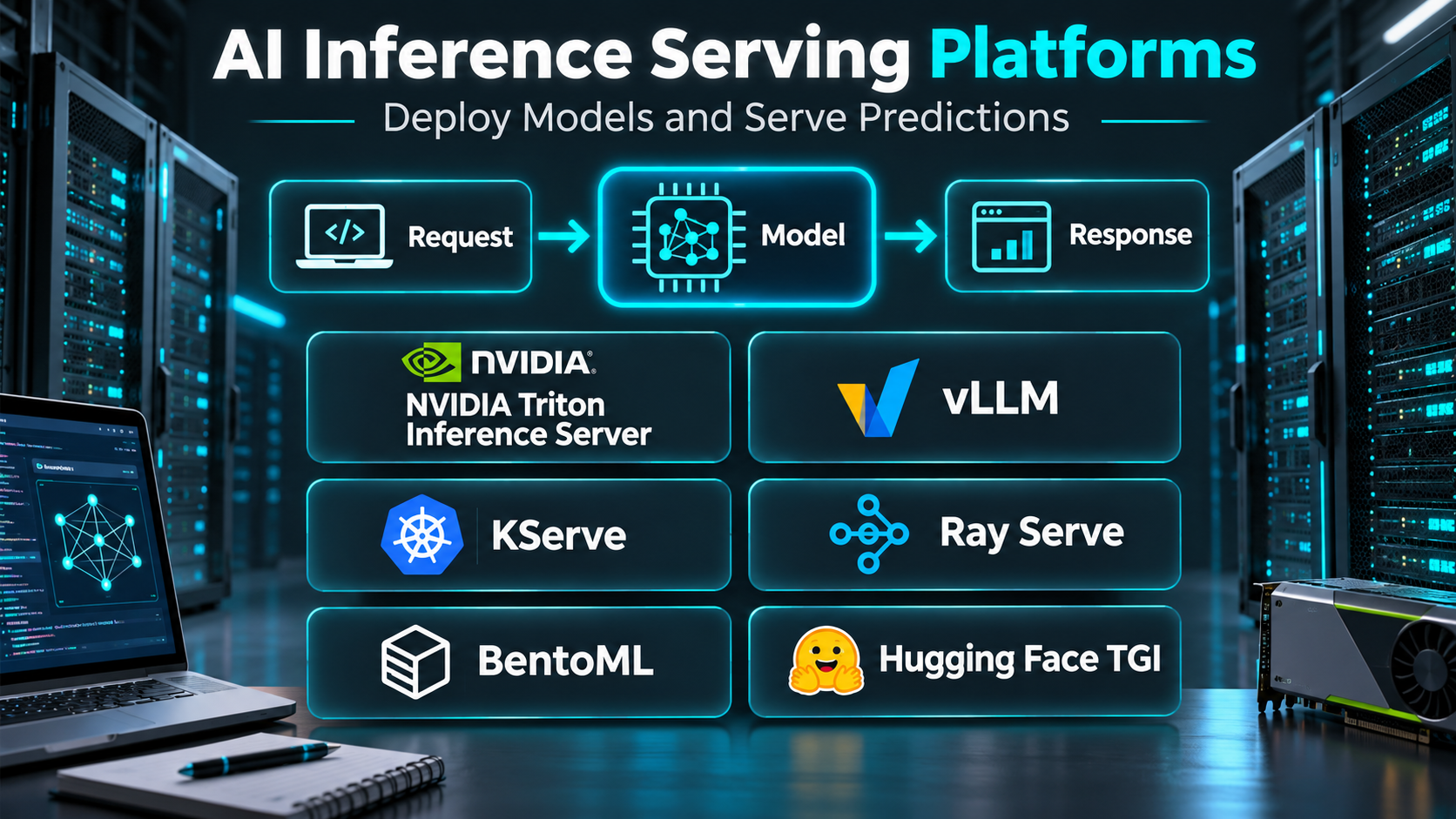
Training an artificial intelligence model is only one part of building a production AI application. Once a model has been developed, it must be deployed in an environment where applications and users can submit requests and receive predictions.
This process is known as AI inference serving.
Inference serving platforms provide the infrastructure and software needed to run trained models reliably.
They help organizations manage model loading, request routing, hardware resources, concurrency, scaling, monitoring, and deployment operations.
The requirements vary considerably between workloads.
A small classification model may run efficiently on a CPU-based service. A large language model may require multiple GPUs, optimized memory management, request batching, and distributed execution.
Some platforms provide managed cloud endpoints. Others are open-source serving engines that organizations deploy on their own infrastructure.
The best solution depends on model architecture, latency requirements, throughput, infrastructure preferences, operational expertise, and cost constraints.
This guide compares ten AI inference serving platforms, explains their features and limitations, and provides practical guidance for selecting production-ready model serving infrastructure.
What Are AI Inference Serving Platforms?
AI inference serving platforms are systems that make trained machine learning models available for prediction requests.
They typically expose models through APIs or other supported serving interfaces.
When an application submits a request, the serving system processes the input, runs the model, and returns the output.
For generative AI applications, this may involve generating text, images, or other content.
For traditional machine learning, inference may produce classifications, forecasts, recommendations, or numerical predictions.
Common capabilities include:
- Model deployment.
- API endpoint management.
- Request routing.
- CPU and GPU execution.
- Dynamic batching.
- Model versioning.
- Autoscaling.
- Load balancing.
- Monitoring and metrics.
- Distributed inference.
- Model optimization.
- Security controls.
- Hardware resource management.
- Deployment automation.
Inference serving platforms should be distinguished from model training frameworks.
Training systems optimize model parameters. Serving systems focus on executing trained models efficiently and reliably.
Some platforms support both activities, but their operational requirements remain different.
Top 10 AI Inference Serving Platforms
1. NVIDIA Triton Inference Server
Short Description
NVIDIA Triton Inference Server is an open-source model serving system designed to deploy machine learning and deep learning models across supported hardware environments.
It supports multiple model frameworks and provides capabilities for high-performance inference.
Triton is particularly relevant to organizations serving computer vision, natural language processing, recommendation, and other machine learning workloads.
Its architecture supports model repositories, request batching, concurrent execution, and performance monitoring.
Triton can run in containerized infrastructure and integrate with broader deployment systems.
However, optimal performance requires understanding model characteristics, GPU memory, concurrency, and serving configuration.
Key Features
- Multi-Framework Support: Serves models from supported machine learning frameworks and backends.
- Dynamic Batching: Combines compatible requests to improve throughput.
- Concurrent Execution: Supports multiple model instances.
- Model Repositories: Organizes deployable model artifacts.
- HTTP and gRPC APIs: Exposes supported inference interfaces.
- GPU and CPU Execution: Supports compatible hardware configurations.
- Model Ensembles: Connects multiple processing stages.
- Metrics: Provides operational performance information.
- Model Management: Supports model loading and version-oriented workflows.
Benefits
Triton helps organizations serve diverse model workloads through a consistent infrastructure layer.
Dynamic batching and concurrent execution can improve hardware utilization when configured appropriately.
Pros
- Multi-framework support.
- Strong GPU integration.
- Dynamic batching.
- Production-oriented serving features.
- Open-source availability.
- Useful monitoring interfaces.
- Supports complex inference pipelines.
Cons
- Requires infrastructure expertise.
- Performance tuning can be complex.
- GPU environments increase operational costs.
- Not a fully managed cloud service.
- Configuration differs by model backend.
Use Cases
Triton is useful for computer vision APIs, recommendation systems, deep learning inference, and organizations serving several model types.
For example, an image processing company can deploy classification and object detection models through a shared inference infrastructure.
Best For: Organizations requiring high-performance, multi-framework model serving.
2. vLLM
Short Description
vLLM is an open-source inference and serving engine designed for large language models.
It focuses on efficient text generation and high-throughput request processing.
One of its important architectural contributions is PagedAttention, which improves management of key-value cache memory during generation.
vLLM supports continuous batching and compatible model-serving interfaces.
These capabilities make it relevant to organizations deploying chatbots, language model APIs, and generative AI services.
However, performance depends on model compatibility, GPU hardware, request patterns, and configuration.
Key Features
- PagedAttention: Manages attention cache memory efficiently.
- Continuous Batching: Schedules generation requests dynamically.
- OpenAI-Compatible APIs: Supports compatible API serving workflows.
- Model Support: Runs many supported language model architectures.
- Distributed Inference: Supports selected multi-GPU configurations.
- Streaming Output: Returns generated tokens incrementally.
- Quantization Support: Works with supported reduced-precision formats.
- Serving Configuration: Provides controls for execution and memory usage.
- High-Throughput Generation: Optimizes supported workloads for concurrent requests.
Benefits
vLLM can improve large language model serving efficiency through optimized scheduling and memory management.
Pros
- Designed for LLM inference.
- Efficient cache management.
- Continuous batching.
- Open-source.
- API compatibility.
- Suitable for high-concurrency workloads.
Cons
- Model compatibility varies.
- Requires GPU and deployment expertise.
- Performance tuning is workload-specific.
- Not a complete managed deployment platform.
- Rapid development requires version management.
Use Cases
vLLM is useful for self-hosted chat applications, internal language model APIs, and production generative AI services.
Best For: Teams optimizing large language model throughput.
3. Hugging Face Text Generation Inference
Short Description
Hugging Face Text Generation Inference, commonly called TGI, is a serving toolkit developed for deploying text generation models.
It provides optimized inference capabilities for supported transformer-based models.
TGI has been used for language model serving with features such as batching, token streaming, and distributed execution.
Its integration with the Hugging Face ecosystem makes it relevant to organizations using compatible open-weight models.
However, teams should verify current project maintenance status, compatibility, and recommended alternatives before choosing it for a new deployment.
Its value depends on both model support and the long-term operational requirements of the organization.
Key Features
- Text Generation Serving: Exposes supported language models through inference interfaces.
- Continuous Batching: Improves processing of concurrent generation requests.
- Token Streaming: Delivers incremental output.
- Transformer Integration: Supports compatible model architectures.
- Distributed Execution: Provides selected multi-GPU capabilities.
- Optimized Attention: Uses supported inference optimizations.
- Metrics: Exposes operational information.
- Container Deployment: Supports packaged serving environments.
- Model Configuration: Provides runtime and generation settings.
Benefits
TGI provides an established architecture for optimized text generation serving.
Pros
- Purpose-built for text generation.
- Hugging Face ecosystem compatibility.
- Streaming support.
- Batching capabilities.
- Distributed inference options.
- Useful reference implementation.
Cons
- Current maintenance status should be checked.
- Model compatibility varies.
- Requires infrastructure management.
- Performance depends on hardware.
- Other serving engines may offer better support for specific workloads.
Use Cases
TGI is relevant to teams operating compatible language models and maintaining existing Hugging Face serving infrastructure.
Best For: Teams with compatible transformer-serving workflows, subject to current support verification.
4. KServe
Short Description
KServe is an open-source Kubernetes-native model serving platform designed for scalable machine learning inference.
It provides infrastructure for deploying models through standardized serving resources.
KServe supports multiple inference runtimes and can integrate with Kubernetes networking, autoscaling, and observability systems.
Its architecture is particularly useful for organizations that already operate Kubernetes clusters.
KServe helps teams manage model deployment as part of a broader cloud-native platform.
However, it requires substantial Kubernetes knowledge and careful configuration of networking, storage, security, and runtime components.
Key Features
- Kubernetes-Native Deployment: Uses Kubernetes resources for model serving.
- Inference Services: Defines deployable model endpoints.
- Multiple Runtimes: Supports compatible inference engines.
- Autoscaling: Integrates with supported scaling mechanisms.
- Traffic Management: Supports selected rollout and routing workflows.
- Model Storage Integration: Loads artifacts from compatible sources.
- Observability Integration: Connects with monitoring infrastructure.
- Serverless-Oriented Capabilities: Supports eligible scale-to-zero configurations.
- Custom Runtimes: Allows organizations to extend serving functionality.
Benefits
KServe provides a consistent deployment layer for model serving within Kubernetes environments.
Pros
- Kubernetes integration.
- Flexible runtime support.
- Scalable architecture.
- Cloud-native deployment.
- Extensible design.
- Suitable for platform engineering teams.
Cons
- Significant operational complexity.
- Requires Kubernetes expertise.
- Networking and storage setup can be demanding.
- Scaling behavior depends on configuration.
- May be excessive for small applications.
Use Cases
KServe is useful for enterprise ML platforms, multi-model deployments, and Kubernetes-based AI infrastructure.
Best For: Organizations operating Kubernetes-native machine learning platforms.
5. BentoML
Short Description
BentoML is a framework and platform ecosystem for packaging and serving machine learning models as production services.
It emphasizes the developer workflow between model code and deployable inference APIs.
BentoML supports Python-based service definitions, model packaging, and deployment-oriented tooling.
It can be used with different machine learning frameworks and inference engines.
Its flexibility makes it useful for teams building custom inference services that combine model execution with application logic.
However, production deployment still requires decisions about infrastructure, scaling, security, and monitoring.
Key Features
- Service Definitions: Creates inference services using Python.
- Model Packaging: Bundles models and dependencies.
- API Serving: Exposes inference functionality.
- Framework Integration: Supports different model ecosystems.
- Deployment Tooling: Provides packaging and deployment workflows.
- Resource Configuration: Supports runtime resource requirements.
- Inference Composition: Connects model execution with application logic.
- Containerization: Supports deployable service artifacts.
- Scaling Options: Integrates with supported deployment environments.
Benefits
BentoML simplifies the process of converting model code into deployable services.
Pros
- Developer-friendly Python workflow.
- Flexible model integration.
- Useful packaging.
- Custom inference logic.
- Supports multiple deployment approaches.
- Suitable for application-specific APIs.
Cons
- Infrastructure management may still be required.
- Performance depends on the underlying inference runtime.
- Advanced deployment requires operational expertise.
- Feature availability varies across offerings.
- Not solely an LLM optimization engine.
Use Cases
BentoML is useful for custom prediction APIs, multimodel applications, and teams building model-backed services.
Best For: Developers packaging machine learning models into production APIs.
6. Ray Serve
Short Description
Ray Serve is a scalable model serving library built on the Ray distributed computing ecosystem.
It is designed for deploying inference applications that may require multiple models, processing stages, or distributed execution.
Ray Serve supports Python-based deployment definitions and configurable scaling.
Its architecture is particularly relevant to complex AI applications involving preprocessing, model inference, and postprocessing.
It can also support language model serving workflows through compatible integrations.
However, distributed execution introduces operational complexity and requires careful resource management.
Key Features
- Python Deployment Definitions: Creates model-serving components.
- Distributed Execution: Uses Ray infrastructure.
- Autoscaling: Adjusts replicas according to configured policies.
- Model Composition: Connects multiple processing stages.
- Request Routing: Distributes inference requests.
- Resource Allocation: Configures CPU and GPU requirements.
- Framework Flexibility: Supports different model execution systems.
- Application Deployment: Packages connected inference components.
- Monitoring Integration: Provides operational observability options.
Benefits
Ray Serve supports scalable AI applications with complex processing requirements.
Pros
- Flexible Python development.
- Distributed serving.
- Multi-stage application support.
- Autoscaling capabilities.
- Broad framework compatibility.
- Suitable for complex inference systems.
Cons
- Distributed systems learning curve.
- Infrastructure management.
- Resource tuning can be difficult.
- More complexity than simple API serving.
- Requires careful production observability.
Use Cases
Ray Serve is useful for recommendation pipelines, multimodel systems, and distributed generative AI applications.
Best For: Teams building complex distributed inference applications.
7. TensorFlow Serving
Short Description
TensorFlow Serving is an open-source model serving system designed primarily for TensorFlow-based machine learning models.
It provides production-oriented inference interfaces and model management capabilities.
TensorFlow Serving is particularly useful for organizations with established TensorFlow training pipelines.
It supports serving models through compatible APIs and managing model versions.
Its architecture emphasizes predictable model execution rather than broad generative AI orchestration.
However, teams using multiple frameworks may prefer more flexible serving platforms.
Key Features
- TensorFlow Model Serving: Deploys compatible TensorFlow models.
- Model Versioning: Supports multiple model versions.
- gRPC and REST Interfaces: Provides inference endpoints.
- Model Loading: Manages supported model artifacts.
- Batching: Supports configured request batching.
- Production Deployment: Runs in compatible server environments.
- Performance Optimization: Supports efficient execution for suitable workloads.
- Model Management: Controls available models and versions.
Benefits
TensorFlow Serving provides a specialized deployment path for TensorFlow models.
Pros
- Strong TensorFlow integration.
- Production-oriented architecture.
- Model versioning.
- Standard serving interfaces.
- Open-source.
- Suitable for established ML systems.
Cons
- Primarily TensorFlow-focused.
- Less flexible for heterogeneous frameworks.
- Infrastructure management required.
- Not designed specifically for modern LLM serving.
- Deployment configuration requires expertise.
Use Cases
TensorFlow Serving is useful for classification, forecasting, recommendation, and other TensorFlow-based prediction systems.
Best For: Teams maintaining TensorFlow production pipelines.
8. TorchServe
Short Description
TorchServe is a model serving framework historically developed for deploying PyTorch models.
It supports model packaging, inference endpoints, and operational serving features.
TorchServe is relevant to organizations with existing PyTorch serving deployments.
However, the project has entered limited-maintenance status, making it important to assess security, compatibility, and long-term support before new adoption.
For new projects, teams should compare actively maintained alternatives such as Triton, BentoML, KServe, or suitable custom serving infrastructure.
Its historical importance lies in providing a standardized model-serving approach for PyTorch.
Key Features — Historically Supported
- PyTorch Model Serving: Deploys compatible PyTorch models.
- Model Archives: Packages models and handlers.
- Inference APIs: Exposes prediction endpoints.
- Custom Handlers: Supports preprocessing and postprocessing.
- Model Management: Loads and unloads models.
- Batch Inference: Supports configured request batching.
- Metrics: Exposes operational information.
- Worker Management: Controls inference execution processes.
Benefits
TorchServe provided a structured serving workflow for PyTorch applications.
Pros
- PyTorch-oriented design.
- Model packaging.
- Custom handlers.
- Standard APIs.
- Useful historical deployment patterns.
Cons
- Limited-maintenance status.
- Long-term support concerns.
- New deployments should consider alternatives.
- Infrastructure management required.
- Compatibility and security require careful review.
Use Cases
TorchServe is mainly relevant to organizations maintaining existing PyTorch model-serving infrastructure.
Best For: Legacy PyTorch deployments with a documented maintenance strategy.
9. Amazon SageMaker AI
Short Description
Amazon SageMaker AI is a managed machine learning platform from AWS that includes model deployment and inference capabilities.
It provides infrastructure for hosting machine learning models through managed endpoints and other supported inference options.
SageMaker AI is particularly useful for organizations that want cloud-managed deployment rather than operating every serving component independently.
It supports different inference patterns, including real-time, asynchronous, and batch-oriented workloads.
The platform integrates with other AWS services for identity, monitoring, storage, and infrastructure management.
However, cloud resource consumption and configuration choices can significantly affect cost.
Key Features
- Managed Endpoints: Hosts compatible models through AWS infrastructure.
- Real-Time Inference: Supports low-latency prediction APIs.
- Asynchronous Inference: Handles suitable longer-running requests.
- Batch Transform: Processes offline prediction workloads.
- Autoscaling: Adjusts eligible endpoint capacity.
- Model Deployment: Supports model artifacts and containers.
- Monitoring Integration: Connects with AWS observability services.
- Security Integration: Uses supported AWS identity and network controls.
- Hardware Options: Provides compatible CPU and accelerator instances.
Benefits
SageMaker AI reduces some infrastructure management responsibilities through managed deployment services.
Pros
- Managed infrastructure.
- Multiple inference patterns.
- AWS ecosystem integration.
- Autoscaling options.
- Enterprise security controls.
- Suitable for production ML.
Cons
- Cloud costs can become substantial.
- AWS expertise is valuable.
- Configuration complexity.
- Vendor dependency.
- Model and hardware compatibility require verification.
Use Cases
SageMaker AI is useful for enterprise prediction APIs, cloud-hosted ML models, and organizations already using AWS.
Best For: AWS-based teams seeking managed model deployment.
10. Google Vertex AI
Short Description
Google Vertex AI is a managed machine learning and generative AI platform on Google Cloud.
It includes capabilities for deploying compatible models and exposing them through managed prediction endpoints.
Vertex AI supports traditional machine learning serving as well as access to supported generative AI models.
Its managed infrastructure can reduce the operational burden of deployment, scaling, and integration.
Vertex AI is particularly useful for organizations already using Google Cloud services.
However, pricing, model availability, regional support, and endpoint behavior vary across products and deployment types.
Key Features
- Managed Prediction Endpoints: Hosts compatible deployed models.
- Model Registry Integration: Supports model lifecycle workflows.
- Autoscaling: Adjusts eligible serving resources.
- Batch Prediction: Processes offline inference workloads.
- Generative AI Services: Provides access to supported foundation models.
- Monitoring: Offers selected operational insights.
- Google Cloud Integration: Connects with storage, identity, and other services.
- Security Controls: Supports enterprise access and network configurations.
- Hardware Options: Provides compatible compute and accelerator resources.
Benefits
Vertex AI provides managed inference infrastructure integrated with Google Cloud.
Pros
- Managed deployment.
- Traditional ML and generative AI capabilities.
- Cloud integration.
- Scaling options.
- Enterprise security features.
- Suitable for production applications.
Cons
- Cloud pricing complexity.
- Google Cloud dependency.
- Regional and model availability differences.
- Deployment configuration requires expertise.
- Costs depend heavily on workload.
Use Cases
Vertex AI is useful for managed prediction APIs, enterprise AI applications, and organizations deploying models within Google Cloud.
Best For: Google Cloud teams seeking managed inference services.
AI Inference Serving Platforms Comparison Table
| Platform | Deployment Model | Main Strength | Best For |
|---|---|---|---|
| NVIDIA Triton | Self-managed | Multi-framework performance | GPU inference |
| vLLM | Self-managed | High-throughput LLM serving | Generative AI |
| Hugging Face TGI | Self-managed | Transformer text generation | Existing TGI deployments |
| KServe | Kubernetes-native | Standardized model deployment | Platform teams |
| BentoML | Flexible | Model packaging and APIs | Developers |
| Ray Serve | Distributed | Complex inference applications | Advanced AI systems |
| TensorFlow Serving | Self-managed | TensorFlow deployment | TensorFlow teams |
| TorchServe | Legacy self-managed | PyTorch serving | Existing deployments |
| Amazon SageMaker AI | Managed cloud | AWS model endpoints | AWS organizations |
| Google Vertex AI | Managed cloud | Google Cloud inference | Google Cloud organizations |
How to Choose the Right AI Inference Serving Platform
Step 1: Identify the Model Type
Determine whether the workload involves traditional machine learning, computer vision, large language models, or multimodal systems.
Step 2: Define Performance Requirements
Measure acceptable latency, throughput, concurrency, and availability.
Step 3: Evaluate Hardware Requirements
Estimate CPU, GPU, accelerator memory, and storage needs.
Step 4: Choose Managed or Self-Managed Infrastructure
Managed services reduce some operational responsibilities. Self-managed systems provide greater infrastructure control.
Step 5: Test Model Compatibility
Confirm that the serving runtime supports the model architecture, format, precision, and required operators.
Step 6: Benchmark Real Workloads
Use realistic input sizes, output lengths, concurrency, and traffic patterns.
Step 7: Review Scaling Behavior
Evaluate autoscaling, cold starts, batching, and resource utilization.
Step 8: Assess Security
Review authentication, authorization, network isolation, model artifact security, and data handling.
Step 9: Calculate Total Cost
Include compute, accelerators, storage, networking, monitoring, and operational labor.
Step 10: Plan Deployment Maintenance
Establish versioning, rollback, observability, and incident response procedures.
Best AI Inference Serving Platform by User Type
| User Type | Recommended Platform | Reason |
|---|---|---|
| GPU infrastructure teams | NVIDIA Triton | Multi-framework performance |
| LLM application developers | vLLM | Efficient text generation |
| Existing TGI operators | Hugging Face TGI | Compatible serving workflow |
| Kubernetes platform engineers | KServe | Kubernetes-native deployment |
| Python ML developers | BentoML | Service packaging |
| Distributed AI teams | Ray Serve | Multi-stage serving |
| TensorFlow organizations | TensorFlow Serving | Framework specialization |
| Legacy PyTorch deployments | TorchServe | Existing serving infrastructure |
| AWS enterprises | Amazon SageMaker AI | Managed AWS endpoints |
| Google Cloud enterprises | Vertex AI | Managed cloud inference |
Practical Example: Deploying a Customer Support Language Model
Consider an organization deploying an open-weight language model to support an internal customer service application.
Step 1: Define the Application Requirements
Identify expected request volume, response latency, data sensitivity, and uptime requirements.
Step 2: Select a Compatible Model
Choose a model that meets quality and licensing requirements.
Step 3: Estimate Hardware Needs
Evaluate model memory requirements, context length, and concurrent usage.
Step 4: Select the Serving Engine
Consider vLLM for optimized language model serving.
Step 5: Prepare the Infrastructure
Provision compatible GPU resources and configure secure network access.
Step 6: Deploy the Model
Load the model through the selected serving engine.
Step 7: Expose an API
Configure an authenticated inference endpoint.
Step 8: Benchmark Performance
Measure time to first token, generation throughput, request latency, and memory utilization.
Step 9: Add Monitoring
Track errors, resource usage, latency, and service availability.
Step 10: Implement Operational Controls
Define scaling, rollback, incident response, and model update procedures.
Step 11: Evaluate Output Quality
Test representative customer service questions and monitor inappropriate or incorrect responses.
Step 12: Review Costs
Compare infrastructure expenses with actual application usage.
This workflow helps separate model quality decisions from deployment performance and operational reliability.
Frequently Asked Questions
1. What is AI inference serving?
AI inference serving is the process of running trained models to generate predictions or outputs for applications.
2. What is the best inference serving platform?
The answer depends on the workload. Triton is strong for multi-framework inference, while vLLM specializes in language model serving.
3. What is the difference between training and inference?
Training updates model parameters. Inference uses trained parameters to process new inputs.
4. What is dynamic batching?
Dynamic batching combines compatible requests to improve execution efficiency.
5. What is continuous batching?
Continuous batching allows generation workloads to admit and process requests dynamically during execution.
6. What is the best platform for large language models?
vLLM is a strong option for many supported open-weight LLM workloads.
7. Is Kubernetes required for inference serving?
No. Kubernetes is useful for some environments but is not required for every deployment.
8. Can inference run without GPUs?
Yes. Many traditional ML models and smaller workloads can run on CPUs.
9. What is model serving latency?
Latency is the time required to process an inference request and return an output.
10. What is the difference between Triton and vLLM?
Triton supports a broad range of model frameworks, while vLLM specializes in efficient large language model inference.
11. Are managed inference platforms more expensive?
Not necessarily. Costs depend on utilization, infrastructure, operational labor, and workload requirements.
12. Is TorchServe recommended for new projects?
Its limited-maintenance status makes actively maintained alternatives preferable for many new deployments.
13. What should be monitored in production?
Latency, throughput, error rates, resource utilization, availability, and model output quality.
14. How can inference costs be reduced?
Possible approaches include batching, model optimization, quantization, right-sized hardware, and workload-aware scaling.
15. Can multiple models share the same serving infrastructure?
Yes. Several platforms support multi-model deployments, subject to resource and runtime constraints.
Conclusion
AI inference serving platforms provide the infrastructure needed to turn trained models into production applications.
NVIDIA Triton supports diverse model workloads, while vLLM specializes in efficient language model serving.
KServe and Ray Serve support complex deployment environments, and BentoML simplifies model packaging and API development.
TensorFlow Serving remains relevant for TensorFlow-based systems, while managed services such as Amazon SageMaker AI and Google Vertex AI reduce some infrastructure responsibilities.
Organizations should also evaluate project maintenance and long-term support before adopting a serving engine.
The best inference platform depends on model compatibility, latency, throughput, hardware utilization, operational complexity, and cost.
Successful model serving requires more than deploying an endpoint. It requires continuous measurement, secure infrastructure, reliable scaling, and disciplined production operations.