Introduction
Planning meals can become a repetitive and time-consuming responsibility. Choosing recipes, checking available ingredients, preparing grocery lists, and coordinating household preferences all require attention.
Without a reliable system, households may repeatedly purchase the same ingredients, forget essential groceries, or struggle to decide what to prepare.
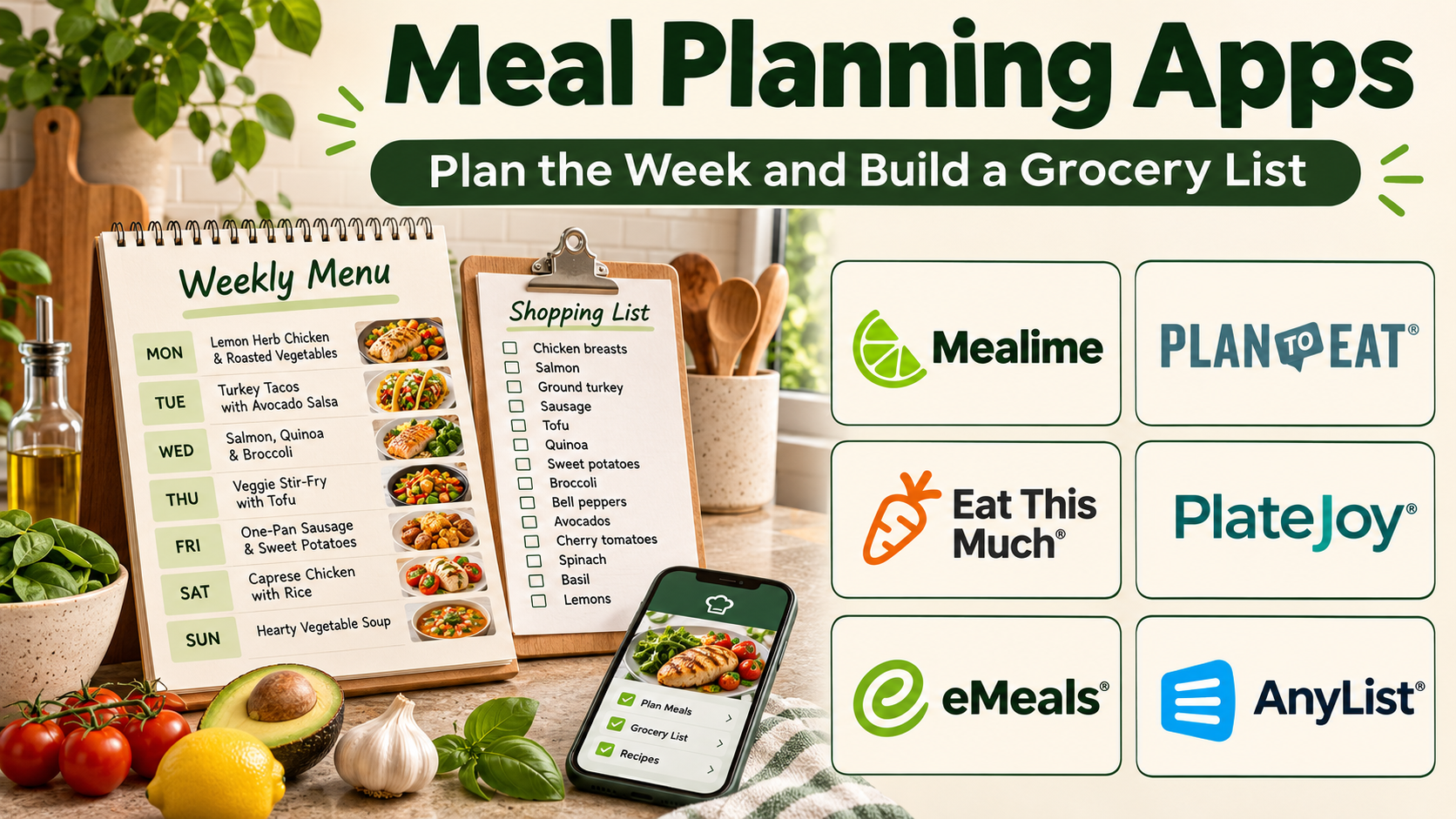
Meal planning apps simplify these activities by connecting recipes, schedules, shopping lists, and food preferences in one digital workflow.
Some platforms focus on weekly meal calendars and grocery organization. Others provide personalized recipe suggestions, nutritional information, or automated meal plans based on selected preferences.
The right meal planning application depends on household size, cooking habits, dietary requirements, available preparation time, and budget.
A family preparing meals for several people may prioritize shared shopping lists. A busy professional may prefer quick recipes and automatic planning. Someone managing medically necessary dietary restrictions may need carefully verified ingredients and professional guidance.
This guide compares ten established meal planning applications, explains their capabilities and limitations, and provides practical guidance for selecting the right platform.
What Are Meal Planning Apps?
Meal planning apps are digital applications that help users organize meals over a defined period.
They typically combine recipe selection, scheduling, ingredient organization, and grocery preparation.
A meal planning platform may allow users to assign breakfast, lunch, dinner, and snacks to specific days.
More advanced applications can generate meal suggestions, adjust serving sizes, and consolidate ingredients into shopping lists.
Common capabilities include:
- Weekly and monthly meal calendars.
- Recipe discovery and storage.
- Automated meal suggestions.
- Grocery list generation.
- Ingredient consolidation.
- Serving-size adjustments.
- Dietary preference filters.
- Household collaboration.
- Nutritional estimates.
- Meal preparation scheduling.
Meal planning applications can reduce decision fatigue, but they do not automatically guarantee balanced nutrition, lower grocery costs, or reduced food waste.
Those outcomes depend on the quality of the plan and how consistently it is used.
Top 10 Meal Planning Apps
1. Mealime
Short Description
Mealime is a meal planning application designed to simplify the process of choosing meals and preparing grocery lists.
It focuses on practical recipes, configurable preferences, and streamlined weekly planning.
Users can select meals from a recipe collection and generate shopping lists based on the chosen dishes.
The platform is particularly appealing to individuals and households that want a straightforward planning process without maintaining a large personal recipe database.
Mealime also supports selected dietary preferences and ingredient exclusions.
However, users with allergies or medically necessary dietary restrictions should verify ingredients independently rather than relying exclusively on automated filters.
Key Features
- Personalized Meal Selection: Suggests meals according to selected preferences and household settings.
- Recipe Library: Provides cooking instructions and ingredient information.
- Grocery List Generation: Converts selected recipes into shopping requirements.
- Ingredient Consolidation: Helps combine overlapping ingredients.
- Serving Adjustments: Supports meal planning for different household sizes.
- Dietary Preferences: Filters recipes using supported dietary settings.
- Cooking Instructions: Presents preparation steps in an accessible format.
- Weekly Planning: Organizes selected meals into a practical cooking schedule.
Benefits
Mealime reduces the time spent deciding what to cook and preparing grocery lists.
Its guided workflow is especially useful for people who want meal planning without extensive manual organization.
Pros
- Beginner-friendly interface.
- Convenient recipe selection.
- Automatic grocery lists.
- Practical cooking instructions.
- Useful preference settings.
- Suitable for recurring weekly planning.
Cons
- Some features require premium access.
- Recipe selection depends on the available library.
- Less flexible for extensive personal recipe archives.
- Dietary filters require independent verification.
- Regional ingredient availability can vary.
Use Cases
Mealime works well for weekly dinner planning, grocery preparation, and reducing repeated meal decisions.
For example, a two-person household can select five dinners, generate a shopping list, and prepare ingredients before the working week begins.
Best For: Individuals and small households seeking convenient weekly meal planning.
2. Plan to Eat
Short Description
Plan to Eat is a recipe management and meal planning platform built around a structured calendar and shopping workflow.
It allows users to collect recipes from different sources, schedule them, and generate grocery lists.
Unlike applications that primarily recommend recipes, Plan to Eat emphasizes organizing a personal collection of familiar dishes.
This approach is useful for households that regularly prepare their own recipes and want a predictable planning routine.
Users can build weekly plans around their schedules, available ingredients, and cooking preferences.
Its calendar-based system is particularly effective for people who prefer deciding meals in advance.
Key Features
- Recipe Importing: Saves recipes from supported websites.
- Personal Recipe Library: Organizes original and collected dishes.
- Meal Planning Calendar: Assigns recipes to specific days.
- Shopping List Generation: Creates ingredient lists from planned meals.
- Ingredient Consolidation: Helps combine grocery requirements.
- Recipe Search: Locates saved dishes efficiently.
- Serving Adjustments: Supports planning appropriate quantities.
- Reusable Planning: Makes it easier to repeat familiar meal schedules.
Benefits
Plan to Eat connects personal recipes with structured meal calendars and grocery preparation.
Pros
- Strong calendar-based planning.
- Flexible personal recipe storage.
- Useful grocery list generation.
- Suitable for repeatable meal routines.
- Supports household organization.
Cons
- Subscription required.
- Less focused on automated recipe recommendations.
- Requires an initial recipe collection for maximum value.
- Planning remains largely user-directed.
Use Cases
Plan to Eat is suitable for families maintaining a collection of favorite recipes and preparing weekly grocery lists.
Best For: Households that prefer planning meals from their own recipes.
3. Paprika Recipe Manager
Short Description
Paprika Recipe Manager combines recipe storage, meal planning, grocery lists, and cooking support.
It is especially useful for home cooks who want complete control over their recipe collections.
Users can import recipes from websites, create personal dishes, organize recipes into categories, and schedule meals.
Its meal planning capabilities work closely with its recipe management tools.
This makes Paprika valuable for households that repeatedly prepare favorite dishes while occasionally adding new recipes.
Unlike platforms centered on automatic meal generation, Paprika gives users direct control over the planning process.
Key Features
- Recipe Importing: Captures recipes from supported websites.
- Personal Cookbook: Stores original recipes.
- Meal Calendar: Organizes planned dishes.
- Grocery Lists: Generates shopping requirements.
- Ingredient Scaling: Adjusts quantities for different servings.
- Recipe Categories: Groups dishes by cuisine, meal type, or preference.
- Cooking Mode: Keeps instructions accessible during preparation.
- Synchronization: Supports recipe access across compatible devices.
Benefits
Paprika provides an integrated workflow from recipe collection to meal preparation.
Pros
- Comprehensive recipe management.
- Useful meal planning calendar.
- Strong grocery list functionality.
- Ingredient scaling.
- Flexible organization.
- Suitable for long-term use.
Cons
- Licensing differs across platforms.
- Limited automatic meal recommendations.
- Initial recipe organization requires effort.
- Collaboration is less extensive than some household-focused alternatives.
Use Cases
Paprika works well for home cooks organizing recipes, planning family dinners, and maintaining grocery lists.
Best For: Experienced home cooks who want integrated recipe and meal management.
4. Eat This Much
Short Description
Eat This Much is an automated meal planning platform designed to generate meal suggestions based on configurable nutrition preferences.
Users can enter dietary preferences, food exclusions, meal frequency, and other planning parameters.
The platform then creates meal plans intended to match those settings.
Its automated approach is particularly appealing to people who prefer suggestions rather than manually selecting every recipe.
Eat This Much also provides grocery planning and meal organization capabilities.
However, automatically generated nutrition targets are not individualized medical advice, and users should review plans for adequacy, practicality, and personal suitability.
Key Features
- Automated Meal Generation: Creates meal suggestions based on configured preferences.
- Nutrition Targets: Uses selected energy and macronutrient settings.
- Dietary Filters: Supports different eating preferences.
- Food Exclusions: Allows selected ingredient restrictions.
- Meal Frequency Settings: Configures the number of daily meals.
- Grocery Lists: Generates shopping requirements.
- Recipe Customization: Supports selected meal adjustments.
- Planning Reports: Displays nutritional estimates for planned meals.
Benefits
Eat This Much reduces manual planning by automatically generating meal combinations.
Pros
- Automated meal suggestions.
- Configurable preferences.
- Integrated grocery planning.
- Useful nutritional estimates.
- Suitable for structured meal schedules.
Cons
- Generated meals may not match personal tastes.
- Nutritional estimates require verification.
- Some features require payment.
- Restrictive targets may not suit everyone.
- Medical dietary needs require professional oversight.
Use Cases
Eat This Much is useful for people who want automated meal suggestions within selected dietary preferences.
Best For: Users seeking automated meal plan generation.
5. Samsung Food
Short Description
Samsung Food combines recipe discovery, meal planning, saved recipe collections, and grocery-related tools.
It is designed for users who want cooking inspiration alongside practical organization.
The platform allows users to explore recipes and save dishes for future preparation.
Selected planning features help users organize meals and prepare shopping lists.
Samsung Food also offers personalization and connected food ecosystem capabilities in supported regions.
Its discovery-oriented approach makes it particularly appealing to people who enjoy trying new dishes.
Key Features
- Recipe Discovery: Helps users find cooking ideas.
- Saved Collections: Stores favorite recipes.
- Meal Planning: Organizes selected dishes.
- Shopping Lists: Creates ingredient requirements.
- Recipe Personalization: Supports selected adjustments.
- Food Preferences: Uses supported preference settings.
- Community Features: Enables recipe discovery and sharing.
- Ecosystem Integration: Connects with eligible Samsung services.
Benefits
Samsung Food combines meal inspiration with planning and recipe organization.
Pros
- Broad recipe discovery.
- Modern interface.
- Useful saved collections.
- Grocery planning features.
- Connected ecosystem options.
Cons
- Feature availability varies by region.
- Some capabilities require premium access.
- Not every recipe matches local ingredient availability.
- Less suitable for users wanting fully offline storage.
Use Cases
Samsung Food is useful for households exploring new recipes and organizing weekly meals.
Best For: Users who want recipe inspiration and meal planning in one platform.
6. AnyList
Short Description
AnyList is a grocery organization and meal planning application with strong household collaboration features.
It combines shared shopping lists, recipe storage, and meal scheduling.
Its primary advantage is helping multiple household members coordinate food-related tasks.
Users can maintain shared grocery lists and add ingredients from saved recipes.
This makes it useful for families where different people shop, cook, or contribute to meal planning.
AnyList prioritizes practical coordination rather than extensive nutritional analysis.
Key Features
- Shared Grocery Lists: Allows multiple household members to update shopping items.
- Recipe Storage: Saves cooking instructions.
- Recipe Importing: Captures supported online recipes.
- Meal Planning: Schedules dishes.
- Ingredient Transfer: Adds recipe ingredients to shopping lists.
- List Categories: Organizes groceries by type.
- Device Synchronization: Updates supported shared information.
- Household Collaboration: Supports coordinated planning.
Benefits
AnyList reduces duplicate shopping and improves coordination between household members.
Pros
- Excellent shared shopping workflow.
- Convenient recipe integration.
- Straightforward interface.
- Useful for families.
- Practical synchronization.
Cons
- Some features require premium access.
- Limited nutritional analysis.
- Less emphasis on automatic meal suggestions.
- Household collaboration depends on supported account arrangements.
Use Cases
AnyList is useful for families coordinating grocery shopping and weekly meal schedules.
Best For: Households prioritizing collaborative shopping and meal planning.
7. eMeals
Short Description
eMeals is a meal planning service that provides curated meal plans and grocery shopping support.
It is designed to reduce the effort involved in selecting recipes for the week.
Users can choose from supported meal planning styles and access recipes organized around those preferences.
The platform also offers shopping list workflows and selected grocery service integrations.
Its curated approach is useful for people who prefer receiving meal suggestions rather than maintaining a large personal recipe library.
However, grocery integration availability depends on location and supported retailers.
Key Features
- Curated Meal Plans: Provides organized meal suggestions.
- Recipe Collections: Offers cooking instructions.
- Dietary Plan Options: Supports selected food preferences.
- Grocery Lists: Creates shopping requirements.
- Retailer Integrations: Connects with supported grocery services.
- Weekly Planning: Organizes meals into repeatable schedules.
- Recipe Selection: Allows users to choose among available dishes.
- Mobile Access: Supports meal planning through compatible devices.
Benefits
eMeals reduces weekly meal decision-making and connects selected recipes with shopping preparation.
Pros
- Convenient curated plans.
- Useful grocery workflow.
- Multiple meal styles.
- Reduces planning effort.
- Suitable for busy households.
Cons
- Subscription required.
- Retailer integrations vary by region.
- Limited control compared with fully manual planning.
- Recipe selection depends on available plans.
Use Cases
eMeals works well for households that want prepared weekly meal suggestions and shopping lists.
Best For: Busy families seeking curated meal plans.
8. PlateJoy
Short Description
PlateJoy is a personalized meal planning platform focused on generating meal recommendations according to user preferences.
It considers selected household information, dietary preferences, and meal planning requirements.
The platform aims to reduce planning effort by suggesting meals and organizing ingredients.
PlateJoy can be useful for users who want more personalization than a static recipe collection provides.
Its meal planning workflow also includes grocery-related features.
However, users should confirm current service availability and subscription terms before selecting the platform.
Key Features
- Personalized Meal Plans: Generates suggestions based on configured preferences.
- Household Settings: Supports planning for different household needs.
- Dietary Preferences: Incorporates selected eating patterns.
- Recipe Recommendations: Suggests meals.
- Grocery Lists: Organizes required ingredients.
- Meal Scheduling: Helps structure weekly meals.
- Preference Adjustments: Allows users to refine planning settings.
- Nutrition Information: Provides selected nutritional estimates.
Benefits
PlateJoy reduces manual recipe selection through personalized planning.
Pros
- Personalized recommendations.
- Household-oriented planning.
- Grocery list support.
- Convenient recipe selection.
- Useful for repeatable routines.
Cons
- Subscription considerations.
- Service availability should be verified.
- Personalization cannot account for every preference.
- Nutritional estimates are not clinical recommendations.
Use Cases
PlateJoy is suitable for households seeking personalized meal planning without manually choosing every recipe.
Best For: Users interested in personalized meal recommendations.
9. BigOven
Short Description
BigOven is a recipe management and meal planning platform with a large recipe-oriented ecosystem.
It helps users discover recipes, organize favorites, plan meals, and prepare shopping lists.
BigOven is particularly useful for people who enjoy browsing recipe ideas while maintaining a collection of familiar dishes.
Its planning capabilities connect recipe selection with household grocery preparation.
The platform also includes features intended to help users make use of available ingredients.
However, recipe quality and nutritional completeness vary across contributed content.
Key Features
- Recipe Discovery: Provides access to a broad recipe collection.
- Personal Recipe Storage: Saves favorite dishes.
- Meal Planning: Schedules recipes.
- Shopping Lists: Generates grocery requirements.
- Ingredient-Based Search: Helps locate recipes using available foods.
- Recipe Organization: Groups saved dishes.
- Recipe Sharing: Supports selected sharing workflows.
- Mobile Access: Provides recipe and planning tools on supported devices.
Benefits
BigOven combines recipe inspiration with practical meal planning.
Pros
- Extensive recipe collection.
- Useful meal planning.
- Ingredient-based discovery.
- Shopping list integration.
- Suitable for home cooks.
Cons
- Premium features may require payment.
- Recipe quality varies.
- Interface may feel busy.
- Not primarily designed for detailed nutritional planning.
Use Cases
BigOven is useful for recipe discovery, weekly meal scheduling, and using available ingredients.
Best For: Home cooks who want a large recipe library with planning tools.
10. Prepear
Short Description
Prepear is a recipe organization and meal planning platform focused on helping users coordinate recipes, meal schedules, and grocery preparation.
It combines cooking inspiration with practical planning workflows.
Users can save recipes, organize meals, and generate shopping lists from selected dishes.
The platform is relevant to people who want a visually guided planning experience.
Its emphasis on recipes and household organization makes it suitable for everyday meal preparation.
Users should confirm current platform availability and supported features before adoption.
Key Features
- Recipe Saving: Organizes selected recipes.
- Meal Planning: Schedules meals.
- Shopping Lists: Creates ingredient requirements.
- Recipe Discovery: Helps users find cooking ideas.
- Recipe Organization: Groups favorite dishes.
- Planning Interface: Provides visual meal organization.
- Ingredient Management: Supports grocery preparation.
- Mobile Workflow: Makes meal plans accessible through supported devices.
Benefits
Prepear connects recipe collection and meal planning in a convenient workflow.
Pros
- Recipe-centered planning.
- Grocery list generation.
- Accessible interface.
- Useful meal organization.
- Suitable for household routines.
Cons
- Current service availability requires verification.
- Feature depth may vary.
- Less specialized in nutrient analysis.
- Subscription or account requirements may apply.
Use Cases
Prepear works well for users who want recipe organization and weekly meal scheduling.
Best For: Home cooks seeking recipe-based meal planning.
Meal Planning Apps Comparison Table
| App | Primary Strength | Planning Approach | Best For |
|---|---|---|---|
| Mealime | Simple meal selection | Guided | Beginners |
| Plan to Eat | Personal recipes | Calendar-based | Families |
| Paprika | Recipe organization | Manual planning | Home cooks |
| Eat This Much | Automated suggestions | Nutrition-target-based | Automated planning |
| Samsung Food | Recipe discovery | Inspiration-led | Recipe explorers |
| AnyList | Shared grocery lists | Collaborative | Households |
| eMeals | Curated meal plans | Preplanned suggestions | Busy families |
| PlateJoy | Personalization | Preference-based | Personalized planning |
| BigOven | Recipe library | Recipe-based | Cooking enthusiasts |
| Prepear | Recipe organization | Visual planning | Everyday cooks |
How to Choose the Right Meal Planning App
Step 1: Identify Your Planning Style
Decide whether you prefer selecting meals manually, receiving automatic recommendations, or using curated weekly plans.
Step 2: Consider Household Size
Check whether serving sizes and shopping lists can accommodate everyone.
Step 3: Evaluate Dietary Preferences
Review ingredient filters, allergy information, and the flexibility of recipe adjustments.
Step 4: Test Grocery List Generation
Choose several meals and examine whether the app creates an accurate, organized shopping list.
Step 5: Assess Recipe Flexibility
Determine whether you can import family recipes, modify ingredients, and reuse favorite meals.
Step 6: Review Regional Availability
Check local ingredient availability, measurement units, and grocery retailer integrations.
Step 7: Compare Costs
Consider subscriptions, premium features, and any connected grocery service requirements.
Step 8: Test a Full Week
Use the application for seven days before deciding whether it saves meaningful time.
Best Meal Planning App by User Type
| User Type | Recommended App | Reason |
|---|---|---|
| Beginners | Mealime | Guided planning |
| Family recipe users | Plan to Eat | Personal recipe calendar |
| Experienced home cooks | Paprika | Flexible recipe organization |
| Automated planning users | Eat This Much | Generated meal suggestions |
| Recipe explorers | Samsung Food | Discovery features |
| Shared households | AnyList | Collaborative lists |
| Busy families | eMeals | Curated weekly plans |
| Personalization seekers | PlateJoy | Preference-based recommendations |
| Cooking enthusiasts | BigOven | Extensive recipe discovery |
| Visual planners | Prepear | Recipe-based planning |
Practical Example: Planning Five Weeknight Dinners
Consider a household that wants to organize five dinners while reducing repeated grocery trips.
Step 1: Select a Meal Planning App
Choose Mealime for guided planning or Plan to Eat for personal recipes.
Step 2: Review the Weekly Schedule
Identify evenings with limited cooking time.
Step 3: Select Five Recipes
Choose dishes with realistic preparation times and accessible ingredients.
Step 4: Check Existing Ingredients
Review pantry, refrigerator, and freezer supplies.
Step 5: Generate a Shopping List
Combine ingredients from the selected recipes.
Step 6: Adjust Quantities
Check serving sizes and avoid purchasing unnecessary amounts.
Step 7: Plan Preparation Tasks
Identify ingredients that can be washed, chopped, or prepared in advance.
Step 8: Follow the Meal Calendar
Use the plan as a guide while allowing changes when circumstances require them.
Step 9: Record Useful Adjustments
Save substitutions, preparation notes, and household preferences.
Step 10: Review the Week
Evaluate whether planning reduced decision-making, shopping effort, or unused ingredients.
Frequently Asked Questions
1. What is the best meal planning app?
Mealime is useful for guided planning, while Plan to Eat and Paprika are strong options for organizing personal recipes.
2. Are free meal planning apps available?
Yes. Several applications offer free features, although advanced planning may require payment.
3. Can meal planning apps create grocery lists?
Most dedicated meal planning applications offer shopping list functionality.
4. Can apps plan meals automatically?
Yes. Platforms such as Eat This Much generate suggestions using configured preferences.
5. Are meal planning apps suitable for families?
Yes. Shared lists, serving adjustments, and household preferences can support family planning.
6. Can meal planning apps accommodate food allergies?
Some offer filters, but users must independently verify ingredients and cross-contact risks.
7. Do meal planning apps reduce food waste?
They may help when users plan realistic quantities and account for existing ingredients.
8. Can I add my own recipes?
Many applications support personal recipes, although the level of flexibility varies.
9. Are meal planning apps useful for beginners?
Yes. Guided recipe selection and grocery lists can make cooking routines easier.
10. Do meal planning apps replace nutrition professionals?
No. Medical dietary requirements and individualized nutrition concerns require appropriate professional guidance.
11. Can meal plans be changed during the week?
Most applications allow users to revise planned meals.
12. What matters most when selecting an app?
Practicality, recipe suitability, shopping list accuracy, and ease of regular use are more important than feature count alone.
Conclusion
Meal planning apps help users organize recipes, reduce repeated decisions, and prepare grocery lists more efficiently.
Mealime offers convenient guided planning, while Plan to Eat and Paprika provide greater control over personal recipe collections.
Eat This Much emphasizes automated suggestions, and AnyList supports collaborative household shopping.
The best platform depends on cooking preferences, household requirements, available time, and desired automation.
A useful meal planning system should remain flexible, practical, and easy to maintain rather than becoming another complicated household task.