Introduction
Local customers often discover businesses through search engines, digital maps, business directories, and location-based applications. Before visiting a store or booking a service, they may check an address, telephone number, opening hours, reviews, or directions.
When this information is inaccurate, customers may contact the wrong location, arrive outside business hours, or choose a competitor.
Maintaining accurate business information becomes especially challenging for organizations with several branches. Each location may appear across numerous digital platforms, and updates must remain consistent.
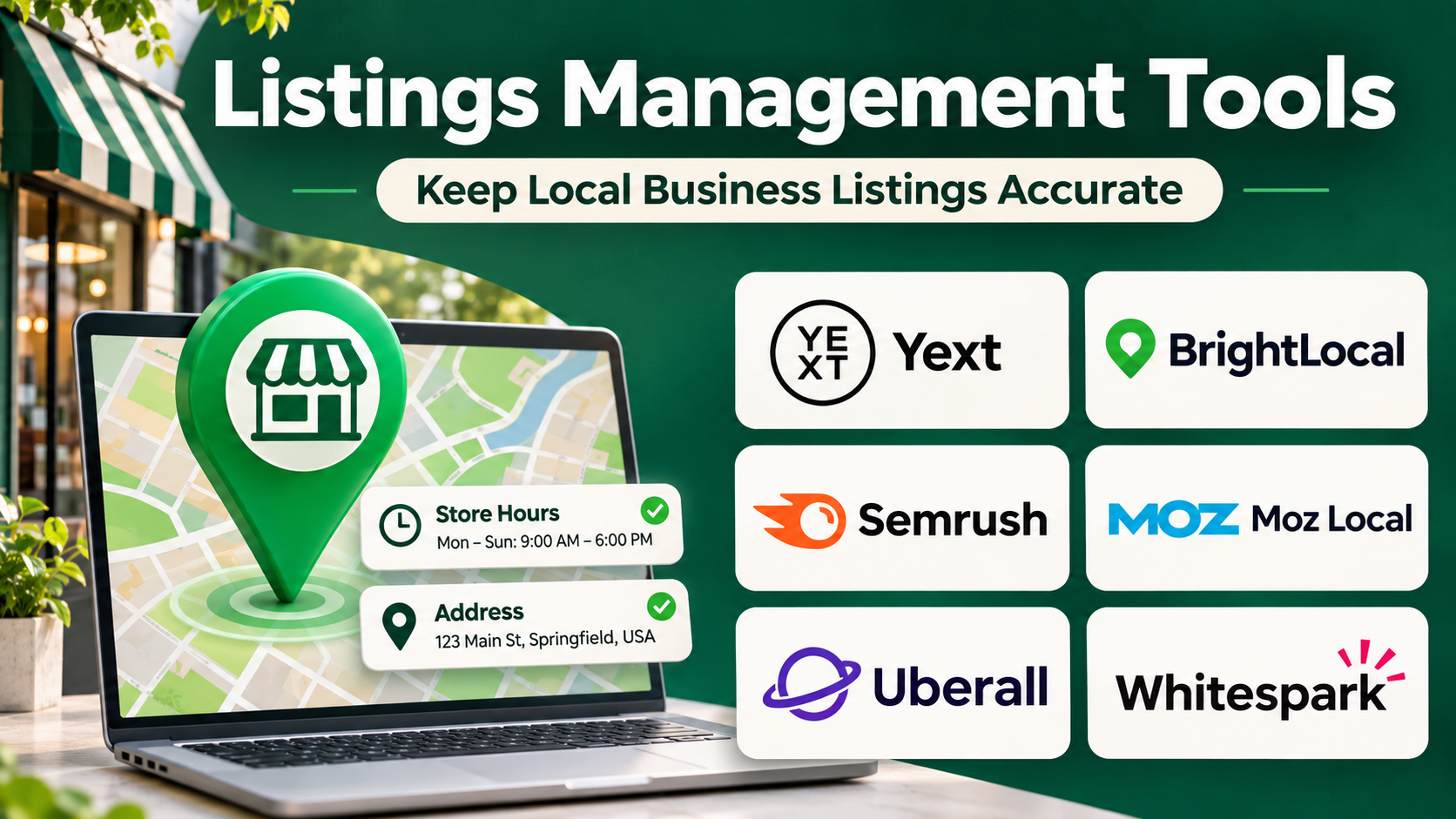
Listings management tools help businesses organize, publish, synchronize, and monitor location information across supported directories and search services.
Some platforms focus on enterprise location data management. Others provide local SEO reporting, citation building, duplicate detection, review management, or agency workflows.
Choosing the right solution requires evaluating publisher coverage, synchronization methods, location volume, reporting, and ongoing data ownership.
This guide compares ten established listings management platforms and explains how businesses can select software that improves information accuracy and supports a stronger local digital presence.
What Are Listings Management Tools?
Listings management tools are software platforms that help organizations maintain business information across online directories, search engines, maps, and other location discovery services.
A business listing commonly includes its name, address, phone number, website, business category, opening hours, and other location-specific details.
These platforms help organizations manage that information from a centralized interface and distribute updates to supported publishers.
How Listings Management Works
A typical process begins with creating a verified master record for each business location.
The platform then identifies supported publishing destinations and synchronizes relevant information.
Depending on the service, businesses may also monitor listing accuracy, identify duplicates, manage reviews, and evaluate local search performance.
Why Accurate Listings Matter
Consistent business information supports customer confidence and reduces avoidable service problems.
It also helps search and mapping platforms understand a business’s location and operating details.
However, listings software cannot guarantee higher local search rankings. Visibility depends on numerous factors, including relevance, distance, prominence, and the quality of the business’s broader online presence.
Main Benefits
- Centralized business data: Maintain location details in one system.
- Fewer inconsistencies: Reduce conflicting addresses and phone numbers.
- Faster updates: Coordinate changes to hours, services, and location details.
- Multi-location scalability: Manage many branches more efficiently.
- Duplicate awareness: Identify potentially conflicting listings.
- Local reporting: Monitor selected visibility and listing metrics.
- Customer experience: Help customers find accurate information.
- Operational governance: Establish consistent location data ownership.
Top 10 Listings Management Tools
1. Yext
Best For: Enterprises and multi-location businesses requiring centralized digital presence management.
Short Description
Yext is a digital presence platform that helps organizations maintain business information across supported search engines, maps, directories, and other publishing environments.
Its listings capabilities are particularly relevant to companies managing large numbers of physical locations.
Instead of manually editing each location across numerous platforms, businesses can manage structured location data through a centralized system.
Yext also provides related capabilities involving reviews, local pages, and digital experience management through available offerings.
For large organizations, centralized governance can reduce errors when branches change hours, addresses, services, or contact information.
However, organizations should understand how publisher synchronization, subscriptions, and data persistence work before selecting the platform.
Key Features
- Centralized location database: Maintains structured business information for supported locations.
- Publisher synchronization: Distributes eligible data to connected publishing services.
- Location updates: Coordinates changes to hours, contact information, and other details.
- Multi-location administration: Supports organizations with numerous branches.
- Duplicate listing workflows: Helps identify and address selected listing conflicts.
- Review-related capabilities: Connects location management with supported review workflows.
- Analytics: Provides visibility into selected digital presence indicators.
- API and integration support: Connects location information with compatible business systems.
- Governance controls: Helps organizations coordinate location data management.
Benefits
Yext reduces the administrative effort of maintaining business information across many digital channels.
Its centralized approach is useful for organizations that require consistent data standards.
Pros
- Strong enterprise location management.
- Broad publisher connectivity.
- Centralized updates.
- Multi-location workflows.
- Related reputation capabilities.
Cons
- Subscription costs may be significant.
- Publisher support differs by market.
- Some features require additional products.
- Data persistence after cancellation should be reviewed.
Use Cases
Retail chains can coordinate store opening hours. Restaurant groups can update holiday schedules. Healthcare networks can manage facility information.
Best Suited For: Enterprises, franchise groups, and multi-location brands.
2. Uberall
Best For: Global businesses combining location listings, local engagement, and digital presence analytics.
Short Description
Uberall is a location marketing platform that helps multi-location organizations manage their online presence across supported directories and discovery channels.
Its capabilities support centralized business information, location visibility, reviews, and local customer engagement.
Uberall is particularly relevant to companies operating across several markets, where location information may need to be maintained in different languages and publisher environments.
The platform can help regional and corporate teams coordinate changes while preserving consistent brand standards.
It also connects listings management with broader location marketing activities.
Organizations should evaluate regional publisher coverage and the capabilities included in their selected subscription.
Key Features
- Location data management: Organizes business information across locations.
- Directory synchronization: Publishes eligible updates through supported integrations.
- Multi-location governance: Supports corporate and regional management.
- Review management: Connects listings with customer feedback workflows.
- Local engagement: Supports selected location-based communication activities.
- Location analytics: Evaluates digital presence indicators.
- Duplicate management: Helps address conflicting listings.
- Integration capabilities: Connects with supported enterprise systems.
Benefits
Uberall helps organizations manage location visibility and customer engagement together.
Pros
- Multi-location orientation.
- International use cases.
- Listings and review integration.
- Centralized governance.
- Local marketing capabilities.
Cons
- Implementation requires planning.
- Publisher coverage varies by region.
- Enterprise pricing requires evaluation.
- Small businesses may not need its full functionality.
Use Cases
International retail networks, restaurant franchises, automotive dealerships, and distributed service organizations.
Best Suited For: Global enterprises and multi-location marketing departments.
3. BrightLocal
Best For: Local SEO agencies and small businesses requiring citation management and local search reporting.
Short Description
BrightLocal is a local SEO platform that provides citation tracking, listing-related services, local rank monitoring, audits, and reputation tools.
It is especially relevant to agencies managing local search programs for multiple clients.
BrightLocal helps businesses identify inconsistent directory information and evaluate opportunities to improve their local digital presence.
Its citation services can support the creation or correction of business listings through available workflows.
The platform also provides reporting tools that help agencies communicate local SEO performance.
However, businesses should distinguish between ongoing synchronization services and citation-building or cleanup activities, as these approaches may involve different processes and costs.
Key Features
- Citation tracking: Identifies business references across supported directories.
- Citation building services: Supports creation and correction of selected listings.
- Local rank tracking: Measures visibility for selected searches and locations.
- Local SEO audits: Evaluates relevant local search factors.
- Review monitoring: Tracks supported customer review sources.
- Agency reporting: Produces local SEO performance summaries.
- Location organization: Helps manage multiple business locations.
- Competitor analysis: Supports selected local search comparisons.
Benefits
BrightLocal connects listings management with broader local SEO measurement.
It is useful when businesses want to evaluate directory accuracy alongside search visibility.
Pros
- Strong local SEO reporting.
- Citation analysis.
- Agency-friendly workflows.
- Local ranking tools.
- Review-related capabilities.
Cons
- Not every service provides continuous synchronization.
- Some citation work involves separate fees.
- Publisher coverage varies.
- Enterprise location management may require other platforms.
Use Cases
Local SEO audits, agency citation cleanup, business listing consistency checks, and local search reporting.
Best Suited For: Local SEO agencies, consultants, and SMBs.
4. Semrush Local
Best For: Marketing teams combining listings management with SEO research and reporting.
Short Description
Semrush Local provides local marketing capabilities associated with the broader Semrush ecosystem.
Its tools help businesses manage location information, monitor selected local visibility indicators, and coordinate reputation-related activities.
Semrush Local is particularly relevant to organizations already using Semrush for SEO research and reporting.
Connecting local listings with broader search marketing workflows can simplify reporting and campaign planning.
Businesses can use the platform to address inconsistent location information and monitor selected local performance metrics.
However, listing distribution coverage, geographic availability, and subscription requirements should be evaluated separately from other Semrush products.
Key Features
- Listings management: Helps distribute and maintain business information.
- Location data organization: Centralizes relevant business details.
- Local visibility tracking: Evaluates selected local search indicators.
- Review monitoring: Supports customer feedback awareness.
- Local marketing reports: Summarizes performance information.
- SEO ecosystem integration: Connects local work with broader search workflows.
- Competitor insights: Supports selected local market analysis.
- Multi-location support: Organizes eligible location portfolios.
Benefits
Semrush Local can reduce workflow fragmentation for businesses already using Semrush.
Pros
- Integration with SEO workflows.
- Listings management.
- Local visibility reporting.
- Review-related capabilities.
- Suitable for agencies.
Cons
- Publisher coverage depends on market.
- Additional subscriptions may be necessary.
- Enterprise governance may be limited relative to specialized suites.
- Listings performance should not be confused with ranking guarantees.
Use Cases
Local SEO campaigns, agency reporting, small business directory management, and search marketing operations.
Best Suited For: SEO agencies and marketing teams.
5. Moz Local
Best For: Businesses seeking straightforward location data distribution and listing accuracy monitoring.
Short Description
Moz Local is a local listings management solution designed to help businesses maintain consistent location information across supported online directories.
It provides a focused approach to local business data management and selected reputation-related workflows.
Businesses can use Moz Local to distribute location information and identify inconsistencies across connected publishers.
Its straightforward positioning can appeal to organizations that want dedicated listings functionality without implementing a complex enterprise digital presence platform.
Moz Local is also relevant to marketing professionals familiar with the broader Moz SEO ecosystem.
However, businesses should verify publisher coverage, market availability, and package capabilities.
Key Features
- Business listing distribution: Sends location information to supported publishers.
- Location profile management: Organizes essential business details.
- Listing accuracy monitoring: Helps identify inconsistencies.
- Duplicate awareness: Supports detection of selected listing conflicts.
- Review monitoring: Provides reputation-related capabilities where included.
- Location updates: Coordinates changes to supported business data.
- Reporting: Summarizes listing-related activity.
- Local SEO support: Helps maintain foundational local business information.
Benefits
Moz Local simplifies the maintenance of business listing information for eligible markets.
Pros
- Focused listings management.
- Straightforward workflows.
- Business data consistency.
- Local SEO relevance.
- Reporting capabilities.
Cons
- Geographic coverage may be limited.
- Publisher support varies.
- Not a full enterprise location marketing suite.
- Subscription details require evaluation.
Use Cases
Small business listing management, local directory cleanup, and location data updates.
Best Suited For: SMBs and local marketing professionals.
6. Synup
Best For: Agencies and multi-location businesses managing listings, reviews, and local marketing workflows.
Short Description
Synup is a local marketing and digital presence platform offering listings management and related capabilities.
It helps businesses organize location information and coordinate updates across supported online destinations.
The platform is relevant to agencies that manage local digital presence for multiple clients.
It also supports reputation and marketing-related workflows through available products.
Synup can help reduce repetitive administration when businesses maintain numerous listings.
However, agencies should evaluate client management, white-label options, and publisher integrations according to their requirements.
Key Features
- Listings synchronization: Publishes business information through supported channels.
- Location management: Organizes business details across branches.
- Review monitoring: Supports customer feedback workflows.
- Agency account management: Helps coordinate multiple client accounts.
- Reporting: Provides local presence performance summaries.
- Workflow automation: Reduces repetitive listing tasks.
- Digital presence monitoring: Helps identify location information issues.
- Integration support: Connects with eligible marketing systems.
Benefits
Synup combines listings management with related local marketing activities.
Pros
- Agency-oriented workflows.
- Location data management.
- Review integration.
- Multi-location support.
- Reporting.
Cons
- Feature availability depends on package.
- Publisher coverage varies.
- Implementation requirements differ by account size.
- Broader enterprise needs may require additional tools.
Use Cases
Agency local SEO services, franchise listings, and multi-location digital presence management.
Best Suited For: Marketing agencies and growing multi-location businesses.
7. SOCi
Best For: Franchise organizations coordinating listings, local marketing, and reputation management.
Short Description
SOCi is a multi-location marketing platform designed for businesses with distributed locations.
Its capabilities support local business information management alongside review management, social engagement, and location-specific marketing.
SOCi is particularly relevant when corporate teams need consistent digital standards while allowing local managers to handle day-to-day activities.
The platform can help organizations coordinate updates across branches and monitor selected location performance indicators.
This combination is valuable for franchises where inaccurate location information can affect customer experience across a large network.
However, deployment requires clear governance and careful mapping of business locations.
Key Features
- Listings management: Maintains supported location information.
- Multi-location governance: Coordinates corporate and branch responsibilities.
- Local marketing workflows: Supports location-specific campaigns.
- Review management: Connects customer feedback with digital presence.
- Social media capabilities: Supports selected localized social activities.
- Automation: Reduces repetitive operational work.
- Location analytics: Compares digital presence indicators.
- Permissions: Helps manage distributed team access.
Benefits
SOCi helps franchise networks coordinate local marketing and business information at scale.
Pros
- Franchise-oriented functionality.
- Centralized governance.
- Listings and review integration.
- Location-level reporting.
- Broader local marketing capabilities.
Cons
- Complex for single-location businesses.
- Implementation requires coordination.
- Commercial pricing varies.
- Some capabilities may require additional products.
Use Cases
Restaurant franchise listings, retail store information, and corporate location governance.
Best Suited For: Franchises and multi-location enterprises.
8. Localo
Best For: Small businesses and local SEO practitioners optimizing Google Business Profile visibility.
Short Description
Localo is a local SEO platform focused on helping businesses understand and improve their local search presence.
It is particularly relevant to organizations managing Google Business Profile information and local visibility.
The platform offers guidance and monitoring features intended to help users identify local optimization opportunities.
Unlike broad directory synchronization platforms, Localo’s emphasis is more closely connected to Google-oriented local search workflows.
This can make it useful for businesses whose customers primarily discover them through Google Search and Maps.
However, businesses requiring extensive cross-directory synchronization should evaluate additional platforms.
Key Features
- Google Business Profile support: Helps manage selected local profile activities.
- Local visibility tracking: Monitors relevant search performance indicators.
- Optimization guidance: Suggests improvements to local presence.
- Competitor analysis: Supports selected local comparisons.
- Business profile monitoring: Helps identify changes and opportunities.
- Local SEO reporting: Summarizes relevant performance.
- Task guidance: Organizes optimization activities.
- Small-business workflows: Provides accessible local marketing support.
Benefits
Localo helps smaller organizations focus on practical local search improvements.
Pros
- Google-focused local SEO.
- Accessible optimization guidance.
- Competitor visibility insights.
- Useful for small businesses.
- Practical reporting.
Cons
- Not a broad enterprise listings network.
- Limited cross-directory focus.
- Search results vary by location.
- Optimization suggestions do not guarantee rankings.
Use Cases
Google Business Profile optimization, local visibility monitoring, and small business search marketing.
Best Suited For: Local businesses and SEO consultants.
9. Whitespark
Best For: Local SEO specialists requiring citation research, listing cleanup, and local search analysis.
Short Description
Whitespark provides local SEO tools and services focused on business citations, local search visibility, and related optimization activities.
Its offerings are useful for businesses seeking to identify relevant directories and improve the accuracy of business information.
Whitespark is particularly relevant to SEO professionals who want targeted citation work rather than only automated directory synchronization.
Its services can support listing creation, correction, and local search research.
The platform is also useful for analyzing local visibility and identifying opportunities for stronger business presence.
However, organizations should distinguish between citation services and continuous listings management subscriptions.
Key Features
- Citation discovery: Helps identify relevant business listing opportunities.
- Citation building services: Supports creation of selected business listings.
- Listing cleanup: Helps correct inaccurate directory information.
- Local rank tracking: Measures selected local search positions.
- Local SEO research: Supports location-based optimization.
- Competitor citation analysis: Helps identify directory opportunities.
- Reporting: Summarizes selected local SEO findings.
- Specialized services: Provides assistance with citation-related tasks.
Benefits
Whitespark helps organizations address foundational local SEO issues through targeted citation work.
Pros
- Specialized citation expertise.
- Local search research.
- Listing cleanup services.
- Competitor citation insights.
- Useful for agencies.
Cons
- Not primarily an enterprise synchronization platform.
- Services may involve separate fees.
- Manual citation work can take time.
- Rankings cannot be guaranteed.
Use Cases
Citation audits, directory cleanup, local SEO campaigns, and agency optimization projects.
Best Suited For: Local SEO specialists, consultants, and agencies.
10. Advice Local
Best For: Agencies and businesses requiring listings distribution and local presence management.
Short Description
Advice Local provides local presence management services and technology focused on business listings and directory distribution.
Its offerings help organizations manage business information across supported online publishers.
The service is relevant to agencies and businesses that need structured location data distribution.
It can help reduce inconsistent contact information and support recurring listing management activities.
Advice Local is particularly useful when organizations want listings services that can be incorporated into broader local marketing programs.
However, businesses should verify publisher coverage, reseller arrangements, reporting capabilities, and data management policies.
Key Features
- Listings distribution: Publishes business information to supported directories.
- Location data management: Organizes business profile information.
- Directory coverage: Supports selected online publishing destinations.
- Agency services: Provides options relevant to marketing service providers.
- Listing accuracy workflows: Helps address inconsistent information.
- Multi-location support: Organizes multiple business profiles.
- Reporting: Summarizes listing-related activity.
- Service integration: Supports broader local marketing operations.
Benefits
Advice Local helps organizations coordinate business listing distribution through a structured service environment.
Pros
- Listings-focused offering.
- Agency relevance.
- Business data distribution.
- Multi-location support.
- Local presence management.
Cons
- Publisher coverage requires verification.
- Commercial arrangements vary.
- Not a complete local marketing analytics suite.
- Some requirements may involve additional services.
Use Cases
Agency listing services, business directory management, and local presence programs.
Best Suited For: Marketing agencies and businesses with recurring listings needs.
Listings Management Tools Comparison Table
| Platform | Primary Strength | Broad Listings Distribution | Best For |
|---|---|---|---|
| Yext | Enterprise digital presence | Yes | Large enterprises |
| Uberall | Global location marketing | Yes | International brands |
| BrightLocal | Citation management and reporting | Service-dependent | SEO agencies |
| Semrush Local | Listings and SEO workflows | Yes, in supported markets | Marketing teams |
| Moz Local | Listing accuracy | Yes, in supported markets | SMBs |
| Synup | Agency local marketing | Yes | Agencies |
| SOCi | Franchise location management | Yes | Multi-location brands |
| Localo | Google-focused optimization | Limited broader directory focus | Local businesses |
| Whitespark | Citation research and cleanup | Service-based | SEO specialists |
| Advice Local | Listings distribution | Yes | Agencies and businesses |
How to Choose the Best Listings Management Tool
1. Define Your Geographic Requirements
Publisher networks vary by country. Verify coverage in every market where the business operates.
2. Review Publisher Integrations
Identify which search engines, mapping services, and directories the platform actually supports.
3. Understand Synchronization Methods
Some platforms continuously synchronize data. Others provide one-time citation creation or cleanup services.
4. Evaluate Multi-location Management
Businesses with many locations need structured location records, bulk updates, and permissions.
5. Investigate Duplicate Listings
Determine whether the provider can identify and resolve conflicting profiles.
6. Examine Data Ownership
Ask what happens to business listings and updates when a subscription ends.
7. Review Local SEO Analytics
Look for relevant location visibility and accuracy indicators without assuming that software guarantees rankings.
8. Consider Review Management
Some organizations benefit from managing listings and customer reviews together.
9. Compare Total Costs
Evaluate location fees, directory distribution charges, citation services, and implementation costs.
10. Run a Location Audit
Test the platform using several representative business locations before adopting it across the organization.
Best Listings Management Software by User Type
| User Type | Suggested Platform | Reason |
|---|---|---|
| Enterprise retailers | Yext | Centralized location data |
| International brands | Uberall | Global location marketing |
| Local SEO agencies | BrightLocal | Citation analysis and reporting |
| Existing Semrush users | Semrush Local | Integrated SEO workflows |
| Small businesses | Moz Local | Focused listing management |
| Multi-client agencies | Synup | Agency workflows |
| Franchise organizations | SOCi | Location governance |
| Google-focused businesses | Localo | Local profile optimization |
| Citation specialists | Whitespark | Targeted citation services |
| Listings service agencies | Advice Local | Distribution services |
Practical Example: Managing Listings for a Retail Chain
A retail company operates 25 stores across several cities.
Some store listings contain outdated telephone numbers and incorrect weekend hours.
Step 1: Create a Master Location Database
The company verifies the official name, address, telephone number, website, and operating hours for each store.
Step 2: Audit Existing Listings
The marketing team identifies inconsistent information across supported directories.
Step 3: Prioritize Critical Errors
Incorrect addresses and telephone numbers receive immediate attention.
Step 4: Select a Listings Platform
The team evaluates publisher coverage, synchronization capabilities, reporting, and location-based pricing.
Step 5: Connect Locations
All 25 store records are added to the platform and mapped to appropriate business profiles.
Step 6: Correct Inconsistencies
The company submits approved information to supported publishers.
Step 7: Address Duplicate Profiles
Potential duplicate listings are reviewed and corrected through appropriate publisher processes.
Step 8: Monitor Results
Suppose an audit produces the following hypothetical findings:
| Metric | Before Cleanup | After Cleanup |
|---|---|---|
| Listings audited | 250 | 250 |
| Accurate listings | 175 | 235 |
| Accuracy rate | 70% | 94% |
| Listings with incorrect hours | 35 | 6 |
| Listings with incorrect phone numbers | 20 | 4 |
The new accuracy rate is:
235 ÷ 250 × 100 = 94%
These figures are illustrative.
Step 9: Establish Ongoing Ownership
Store managers submit changes through an approved internal process.
Step 10: Review Customer Impact
The company monitors location-related customer complaints and relevant local search indicators.
Common Mistakes to Avoid
Using inconsistent business names: Different naming conventions can create confusion.
Ignoring regional directories: Relevant publishers differ by market.
Assuming immediate updates: Publishers may process changes at different speeds.
Failing to review duplicates: Conflicting profiles can remain visible.
Confusing citations with rankings: Directory accuracy is only one part of local SEO.
Neglecting subscription terms: Businesses should understand data persistence and ongoing maintenance requirements.
Frequently Asked Questions
1. What is listings management software?
It is software that helps businesses maintain consistent location information across supported online directories and search services.
2. What does NAP mean in local SEO?
NAP stands for name, address, and phone number.
3. Why is listing accuracy important?
Accurate information helps customers find, contact, and visit businesses.
4. Which platform is best for enterprise businesses?
Yext and Uberall are strong candidates for large location portfolios.
5. Which tools are suitable for local SEO agencies?
BrightLocal, Whitespark, Synup, and Advice Local are worth evaluating.
6. Can listings software improve Google rankings?
It can support accurate business information, but no platform can guarantee higher rankings.
7. What is a local citation?
A citation is an online reference to a business, commonly including its name, address, or phone number.
8. Can listings tools remove duplicate profiles?
Some provide duplicate detection and resolution workflows, subject to publisher policies.
9. How frequently should listings be updated?
Whenever important business information changes, with periodic audits to identify errors.
10. Do these platforms support international locations?
Some do, but publisher coverage varies by country.
11. What is the difference between listings management and citation building?
Listings management often involves ongoing data maintenance, while citation building focuses on creating or correcting business references.
12. Can businesses manage holiday hours?
Many platforms support operating-hour updates through eligible publisher integrations.
13. Do listings tools include review management?
Some provide review monitoring and response capabilities.
14. What happens when a subscription ends?
Data persistence and continued synchronization depend on the provider and publisher arrangements.
15. What is the most important selection factor?
Reliable support for the directories and geographic markets where customers actually discover the business.
Final Thoughts
Listings management tools help businesses maintain accurate location information across digital discovery channels.
Yext and Uberall provide broad enterprise location management. BrightLocal, Whitespark, and Localo support specialized local SEO activities.
Semrush Local and Moz Local offer listings-related workflows for marketing teams, while Synup, SOCi, and Advice Local address agency or multi-location requirements.
The best platform depends on geographic coverage, publisher integrations, location volume, and the organization’s need for continuous synchronization.
Accurate business information improves the customer experience and creates a stronger foundation for local digital marketing.