Introduction
Lead generation is only the first step in building an effective sales pipeline. Businesses also need accurate information about the people and organizations they want to reach.
A lead record containing only a name and email address rarely provides enough context for meaningful qualification. Sales teams may need to understand the prospect’s company, job responsibilities, industry, location, organizational size, and potential business requirements.
Lead enrichment tools help organizations add relevant information to existing lead and account records.
These platforms combine business databases, professional information, company intelligence, and automated data matching to improve customer records.
Some tools specialize in professional contact discovery. Others focus on company attributes, technology usage, CRM enrichment, or multi-provider data workflows.
Modern enrichment platforms may also provide APIs, automated CRM updates, data validation, and signals that help teams prioritize prospects.
However, more data does not automatically produce better sales outcomes. Information must be accurate, relevant, appropriately sourced, and used in accordance with applicable privacy and marketing requirements.
This guide compares ten established lead enrichment tools, examines their strengths and limitations, and explains how businesses can select the right solution for improving lead quality.
What Are Lead Enrichment Tools?
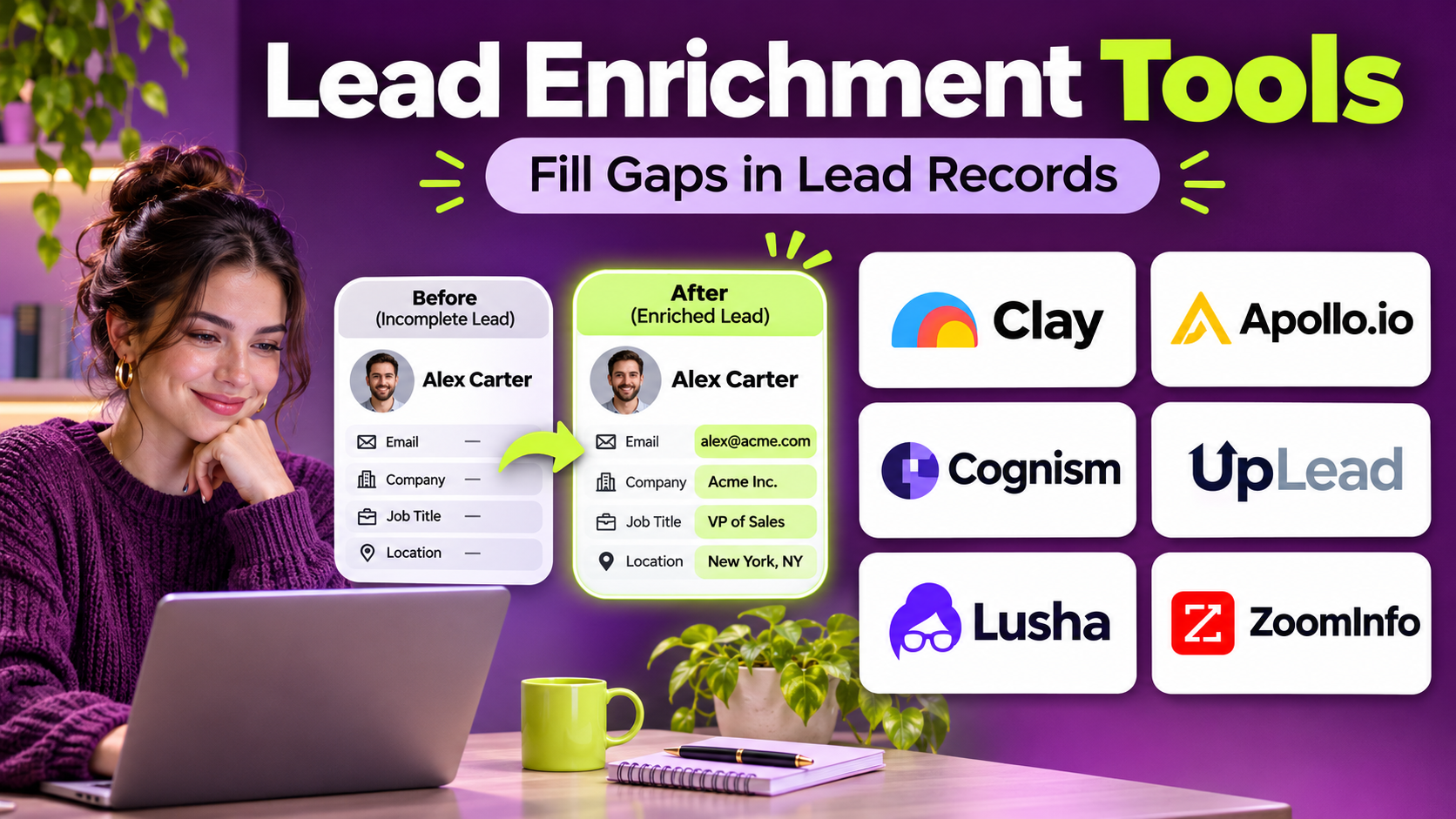
Lead enrichment tools are software platforms that add useful information to existing prospect or customer records.
For example, a prospect may complete a website form using a business email address.
An enrichment platform may identify the associated company and provide available business information such as industry, employee count, headquarters location, or company website.
Depending on the platform and permitted data sources, enrichment may also include professional roles, contact details, technologies used, or other relevant attributes.
Common Types of Lead Enrichment Data
Firmographic Data: Company size, industry, location, and revenue-related information.
Professional Data: Job titles, departments, seniority, and professional contact information.
Technographic Data: Technologies or software products associated with an organization.
Contact Validation Data: Signals that help evaluate email or telephone information.
Company Hierarchy Data: Relationships between parent organizations, subsidiaries, and business units.
Intent-Related Signals: Indicators of research activity associated with selected topics.
CRM Context: Existing account relationships, ownership, engagement, and opportunity information.
Benefits of Lead Enrichment
Effective enrichment can help businesses:
- Reduce manual prospect research.
- Improve CRM record completeness.
- Support more relevant lead qualification.
- Segment audiences using business characteristics.
- Identify suitable accounts.
- Improve sales routing.
- Reduce duplicate data entry.
- Support personalized communication.
- Maintain more consistent customer information.
These benefits depend on data quality and responsible implementation.
Top 10 Lead Enrichment Tools
1. ZoomInfo
Short Description
ZoomInfo is a B2B intelligence platform that provides company and professional contact information for sales, marketing, and revenue operations teams.
Its enrichment capabilities help organizations supplement existing CRM records with available business information.
ZoomInfo is particularly relevant for established B2B organizations that manage large account databases and require detailed company intelligence.
Sales teams can use the platform to research organizations, identify relevant professional roles, and improve account records.
Revenue operations teams can use enrichment workflows to support segmentation, routing, and account management.
ZoomInfo also offers broader prospecting and go-to-market capabilities, making it suitable for organizations seeking a comprehensive intelligence ecosystem.
However, data coverage varies by region and company type. Businesses should evaluate accuracy, permitted uses, and the total cost of the required capabilities.
Key Features
- Company Enrichment: Adds available firmographic information to business records.
- Professional Contact Data: Provides information about relevant business contacts.
- CRM Integration: Connects intelligence with supported sales systems.
- Company Search: Helps identify organizations matching selected criteria.
- Organizational Information: Supports research into professional roles and company structures.
- Data Updates: Helps refresh selected business information.
- Account Intelligence: Provides context for prospect qualification.
- Segmentation Support: Enables targeting using business attributes.
- Go-to-Market Integration: Connects enrichment with broader revenue workflows.
Benefits
ZoomInfo helps teams reduce manual research and improve the information available for account qualification.
It is especially useful when sales and marketing teams require consistent business intelligence.
Pros
- Broad B2B intelligence capabilities.
- Useful company and contact enrichment.
- Supports enterprise sales workflows.
- CRM integration options.
- Strong account research functionality.
Cons
- Enterprise licensing can be expensive.
- Data coverage varies geographically.
- Individual records may be outdated.
- Integration and governance require planning.
Use Cases
A software company can enrich inbound demo requests with company size and industry information.
A revenue operations team can update incomplete account records before assigning territories.
Best For: Enterprise B2B teams seeking comprehensive company and professional data enrichment.
2. Apollo.io
Short Description
Apollo.io combines B2B prospect intelligence with sales engagement capabilities.
Its enrichment-related functionality helps teams improve prospect information and connect data with outreach workflows.
Apollo is particularly relevant for startups and growing B2B sales organizations that want contact discovery, enrichment, and engagement in one environment.
Sales representatives can research companies, identify professional contacts, and organize prospect records.
Teams can also connect supported data with CRM systems to reduce manual updates.
Apollo’s broader sales engagement capabilities make it useful when enriched information will immediately support prospecting.
However, organizations should verify contact accuracy and understand the platform’s credit, usage, and data handling policies.
Key Features
- Contact Enrichment: Adds available professional information to prospect records.
- Company Data: Provides relevant firmographic attributes.
- Prospect Discovery: Helps identify business contacts.
- CRM Integration: Connects prospect information with sales records.
- Contact Search Filters: Supports segmentation by professional criteria.
- Sales Engagement: Coordinates supported outreach workflows.
- Data Management: Helps organize prospect information.
- Account Research: Provides company context.
- Workflow Automation: Reduces repetitive prospecting administration.
Benefits
Apollo helps sales teams combine lead research with subsequent prospecting activities.
Pros
- Integrated intelligence and engagement.
- Useful for growing sales teams.
- Flexible prospect search.
- CRM connectivity.
- Supports outbound workflows.
Cons
- Contact accuracy varies.
- Credits and usage limits require review.
- Not all geographic markets have equal coverage.
- Outreach compliance remains the user’s responsibility.
Use Cases
A SaaS company can enrich a prospect list before assigning leads to sales development representatives.
A sales team can identify relevant professional roles at target companies.
Best For: Growing B2B sales teams seeking enrichment alongside prospecting and outreach.
3. Cognism
Short Description
Cognism is a B2B sales intelligence platform focused on helping businesses identify professional contacts and research organizations.
Its data capabilities can support lead enrichment and account qualification.
Cognism is particularly relevant for companies conducting outbound prospecting across multiple markets.
Sales teams can use available professional and company information to improve existing prospect records.
Revenue operations teams can evaluate how this information supports CRM completeness and segmentation.
Cognism also emphasizes compliance-related considerations in its market positioning.
Nevertheless, organizations must independently determine whether their data collection and marketing activities satisfy applicable legal requirements.
The platform is best suited to businesses that need professional contact intelligence rather than general consumer enrichment.
Key Features
- Professional Contact Intelligence: Provides available business contact information.
- Company Research: Adds organizational context.
- CRM Enrichment: Supports improvement of sales records.
- Prospect Search: Identifies relevant professional audiences.
- Account Segmentation: Supports filtering using business characteristics.
- Data Quality Features: Helps assess contact information.
- Sales Workflow Integration: Connects intelligence with prospecting.
- Regional Prospecting Support: Provides coverage across supported markets.
- Contact Management: Helps organize relevant prospect data.
Benefits
Cognism helps B2B teams improve contact information and reduce manual prospect research.
Pros
- Strong B2B contact intelligence focus.
- Useful for outbound sales.
- Supports account qualification.
- CRM integration capabilities.
- Relevant for multi-market prospecting.
Cons
- Coverage differs by region.
- Contact details require verification.
- Enterprise pricing may be significant.
- Compliance depends on actual usage practices.
Use Cases
A business services company can enrich account records with relevant professional contacts.
A sales team can research decision-makers within selected industries.
Best For: B2B outbound organizations requiring professional contact intelligence.
4. Clearbit
Short Description
Clearbit is known for company identification and data enrichment capabilities that help businesses understand organizations associated with website visitors and lead records.
Clearbit became part of HubSpot, and its capabilities have been incorporated into the broader HubSpot ecosystem.
Businesses evaluating Clearbit should therefore assess the current HubSpot product offering rather than assume every historical standalone feature remains available.
Its enrichment approach is particularly relevant for inbound marketing, lead qualification, and CRM data improvement.
For example, a business may use company information associated with a work email address to reduce form fields or improve lead routing.
Clearbit-related capabilities can also support account identification and audience segmentation.
The strongest fit is typically an organization seeking enrichment closely connected to marketing and CRM workflows.
Key Features
- Company Identification: Associates available business information with relevant records.
- Firmographic Enrichment: Adds organizational attributes.
- Email Domain Matching: Supports identification of associated companies.
- CRM Data Improvement: Helps complete selected account records.
- Lead Qualification: Supports assessment using company characteristics.
- Audience Segmentation: Enables grouping by firmographic criteria.
- Marketing Workflow Integration: Connects enrichment with campaign processes.
- Website Visitor Context: Supports company-level identification where available.
- HubSpot Ecosystem Connectivity: Aligns enrichment with supported HubSpot functionality.
Benefits
Clearbit-related enrichment capabilities can help businesses improve inbound lead context without requiring lengthy forms.
Pros
- Strong company enrichment heritage.
- Useful for inbound marketing.
- Relevant firmographic information.
- HubSpot ecosystem alignment.
- Supports lead routing and segmentation.
Cons
- Standalone product availability has changed.
- Current capabilities depend on HubSpot packaging.
- Company matching may be incomplete.
- Organizations should verify feature availability before purchasing.
Use Cases
A B2B SaaS company can use company information to qualify demo requests.
A marketing team can segment leads by company size and industry.
Best For: HubSpot-centered organizations seeking company enrichment and inbound lead intelligence.
5. Clay
Short Description
Clay is a data workflow and go-to-market enrichment platform that helps teams combine information from multiple sources.
It is particularly relevant for organizations that need flexible enrichment processes rather than relying on a single database.
Clay allows users to build structured tables and workflows that collect, transform, and organize prospect information.
Teams can connect supported data providers and apply conditional logic to determine how records are enriched.
This approach can help organizations improve coverage by combining complementary sources.
Clay also supports AI-assisted workflows that can help classify or research business information.
However, flexible workflows require careful design. Poor matching rules, excessive data requests, or unverified AI outputs can introduce errors and unnecessary costs.
Key Features
- Multi-Source Enrichment: Connects information from supported providers.
- Workflow Tables: Organizes prospect data and enrichment steps.
- Conditional Logic: Controls which enrichment actions run.
- Data Transformation: Standardizes selected record fields.
- AI-Assisted Research: Supports classification and research workflows.
- CRM Integration: Connects enriched records with supported systems.
- Automation: Reduces manual enrichment tasks.
- Provider Flexibility: Allows different sources for different requirements.
- Workflow Customization: Supports specialized go-to-market processes.
Benefits
Clay helps teams create enrichment workflows tailored to their specific data requirements.
Pros
- Flexible multi-provider approach.
- Useful workflow automation.
- Supports complex enrichment processes.
- Relevant for revenue operations.
- Customizable data handling.
Cons
- Requires workflow design expertise.
- Usage costs need monitoring.
- Provider quality varies.
- AI-generated data requires validation.
Use Cases
A revenue operations team can combine company information, technology attributes, and contact data.
A sales organization can enrich incomplete records using multiple sources in a controlled sequence.
Best For: Technical revenue operations and growth teams seeking customizable enrichment workflows.
6. People Data Labs
Short Description
People Data Labs provides business and professional data products, including APIs and datasets that can support enrichment workflows.
It is particularly relevant for organizations building custom data applications or large-scale enrichment processes.
Developers can use supported APIs to retrieve available information about people and companies.
Data teams can integrate these capabilities into internal systems, CRM pipelines, or analytics environments.
People Data Labs is useful when businesses need programmatic control over enrichment rather than a primarily manual prospecting interface.
However, API-based enrichment requires engineering resources, matching logic, security controls, and careful evaluation of permitted data uses.
Key Features
- Person Enrichment API: Supports retrieval of available professional data.
- Company Enrichment API: Provides organizational information.
- Search APIs: Enables structured data discovery.
- Developer Integration: Connects enrichment with applications.
- Bulk Data Workflows: Supports large-scale data processing approaches.
- Matching Capabilities: Associates input records with available data.
- Structured Responses: Provides machine-readable enrichment results.
- Data Pipeline Integration: Supports internal data operations.
- Custom Applications: Enables organization-specific enrichment systems.
Benefits
People Data Labs gives technical teams programmatic access to enrichment data.
Pros
- API-first approach.
- Useful for custom systems.
- Supports large-scale workflows.
- Provides structured data.
- Flexible integration possibilities.
Cons
- Requires engineering expertise.
- Matching accuracy varies.
- Usage and licensing costs need review.
- Privacy and permitted-use obligations are important.
Use Cases
A software company can enrich customer account records through an internal application.
A data engineering team can build a controlled enrichment pipeline for approved business records.
Best For: Developers and data teams building custom enrichment systems.
7. Lusha
Short Description
Lusha is a B2B prospecting and contact intelligence platform that helps sales teams identify professional contacts and obtain available business information.
It is particularly useful for representatives who need accessible prospect research capabilities.
Lusha provides contact discovery features and supports integration with sales workflows.
Teams can use available information to supplement existing lead records and identify relevant stakeholders.
Its interface and prospecting orientation make it attractive for organizations seeking a practical alternative to complex enterprise intelligence platforms.
However, contact coverage and accuracy vary by geography, industry, and professional role.
Organizations should also review usage credits and applicable data protection requirements.
Key Features
- Contact Discovery: Finds available professional contact information.
- Company Information: Provides relevant organizational details.
- Prospect Search: Supports targeted research.
- CRM Integration: Connects data with supported sales systems.
- Contact Enrichment: Helps improve selected prospect records.
- Browser-Based Prospecting: Supports research within compatible workflows.
- Lead List Management: Organizes selected contacts.
- Data Export: Supports permitted use of prospect information.
- Usage Management: Tracks available enrichment or contact credits.
Benefits
Lusha helps sales representatives reduce manual prospect research and organize business contact information.
Pros
- Accessible prospecting experience.
- Useful professional contact data.
- Supports CRM workflows.
- Suitable for smaller sales teams.
- Practical contact research.
Cons
- Credit limits require monitoring.
- Data coverage varies.
- Not a comprehensive enterprise data platform.
- Contact details may become outdated.
Use Cases
A sales representative can enrich a list of target account contacts.
A small B2B team can research relevant decision-makers before outreach.
Best For: Small and mid-sized sales teams seeking accessible contact enrichment.
8. UpLead
Short Description
UpLead is a B2B prospecting platform that provides company and professional contact information.
Its capabilities can support lead enrichment, list building, and outbound sales preparation.
UpLead is particularly relevant for teams that want searchable business data without adopting a broad enterprise revenue intelligence suite.
Sales representatives can filter companies and contacts using relevant criteria.
The platform also emphasizes email verification capabilities within its product offering.
Businesses can use this information to improve the completeness and usefulness of prospect records.
However, verified contact information does not automatically establish permission to send marketing communications.
Teams should evaluate geographic coverage, accuracy, and integration requirements before deployment.
Key Features
- B2B Contact Database: Supports professional contact discovery.
- Company Search: Identifies relevant organizations.
- Lead Enrichment: Adds available business information.
- Email Verification: Supports evaluation of contact email deliverability.
- Prospect Filters: Segments contacts by selected criteria.
- CRM Integration: Connects data with sales systems.
- List Building: Organizes target prospect groups.
- Data Export: Supports approved prospecting workflows.
- Account Research: Provides organizational context.
Benefits
UpLead helps sales teams prepare more relevant prospect lists and reduce manual research.
Pros
- Focused B2B prospecting capabilities.
- Useful search filters.
- Email verification orientation.
- Supports CRM workflows.
- Suitable for targeted outbound campaigns.
Cons
- Database coverage varies.
- Usage limits require review.
- Not a full marketing automation platform.
- Email verification does not establish consent.
Use Cases
A software vendor can enrich a list of companies matching its ideal customer profile.
A sales team can research professional contacts within target industries.
Best For: B2B sales teams seeking contact discovery with verification capabilities.
9. LeadIQ
Short Description
LeadIQ is a sales prospecting platform designed to help representatives capture professional contact information and connect it with sales workflows.
It is particularly relevant for sales development teams that research prospects while working across professional networking and CRM environments.
LeadIQ helps users organize prospect information and reduce repetitive manual data entry.
Its capabilities can support contact capture, enrichment, and integration with sales engagement tools.
The platform is useful for teams that want a streamlined process for moving researched prospects into approved sales systems.
However, organizations should evaluate data accuracy, available integrations, and platform usage requirements.
Key Features
- Contact Capture: Helps collect available professional prospect information.
- Prospect Enrichment: Adds relevant business details.
- CRM Integration: Connects captured contacts with customer records.
- Sales Engagement Integration: Supports compatible outreach workflows.
- Prospect Research: Helps representatives identify relevant people.
- Data Organization: Structures captured lead information.
- Workflow Efficiency: Reduces manual record creation.
- Contact Information Management: Supports prospect record updates.
- Team Prospecting: Helps standardize lead research processes.
Benefits
LeadIQ helps outbound sales teams move from prospect research to organized sales workflows more efficiently.
Pros
- Strong prospecting workflow orientation.
- Useful CRM connectivity.
- Reduces manual entry.
- Relevant for SDR teams.
- Supports contact research.
Cons
- Less suited to broad enterprise data enrichment.
- Data coverage varies.
- Depends on compatible workflows.
- Contact information requires verification.
Use Cases
An SDR can capture a researched prospect and add the record to the CRM.
A sales team can standardize prospect collection before launching targeted campaigns.
Best For: SDR teams seeking efficient prospect capture and enrichment.
10. FullContact
Short Description
FullContact provides identity resolution and data enrichment capabilities that help organizations connect and improve customer information.
Its approach differs from tools focused primarily on outbound B2B contact discovery.
FullContact is more relevant for businesses seeking identity-related data capabilities and customer record enrichment across digital systems.
Organizations may use supported services to improve customer data consistency and connect records where permitted.
Its capabilities can be useful in customer data platforms, marketing systems, and identity resolution workflows.
However, the platform’s relevance depends heavily on the organization’s data sources, use cases, and privacy requirements.
Businesses should evaluate current product capabilities and ensure identity-related processing is appropriate and lawful.
Key Features
- Identity Resolution: Supports matching information across records.
- Data Enrichment: Adds available attributes to supported customer data.
- API Connectivity: Enables programmatic integration.
- Customer Data Integration: Supports connected data workflows.
- Record Matching: Helps associate related information.
- Data Standardization: Supports more consistent customer records.
- Marketing Data Applications: Connects with supported audience workflows.
- Data Processing: Supports structured enrichment operations.
- Privacy-Oriented Controls: Requires appropriate governance for identity data use.
Benefits
FullContact helps organizations improve customer data consistency through enrichment and identity-related capabilities.
Pros
- Identity resolution specialization.
- Useful API capabilities.
- Supports customer data workflows.
- Relevant for complex data environments.
- Helps address fragmented records.
Cons
- Less focused on conventional B2B prospecting.
- Implementation may require technical expertise.
- Identity data creates significant privacy obligations.
- Current feature scope should be verified.
Use Cases
A customer data team can improve record consistency across approved systems.
A marketing technology organization can evaluate identity resolution for permitted customer data workflows.
Best For: Data-driven organizations requiring customer identity resolution and enrichment.
Lead Enrichment Tools Comparison Table
| Platform | Primary Strength | Ideal Users | Main Consideration |
|---|---|---|---|
| ZoomInfo | Enterprise B2B intelligence | Large revenue teams | Licensing cost |
| Apollo.io | Prospecting and engagement | Growing sales teams | Data accuracy |
| Cognism | Professional contact data | Outbound teams | Regional coverage |
| Clearbit | Company enrichment | HubSpot marketers | Current packaging |
| Clay | Multi-source workflows | Revenue operations | Workflow complexity |
| People Data Labs | API enrichment | Developers | Engineering effort |
| Lusha | Contact discovery | SMB sales teams | Usage credits |
| UpLead | B2B data and verification | Outbound teams | Database coverage |
| LeadIQ | Prospect capture | SDR teams | Workflow dependence |
| FullContact | Identity resolution | Data teams | Privacy requirements |
How to Choose the Right Lead Enrichment Tool
1. Define Required Data Fields
Identify which attributes improve qualification and routing.
Avoid collecting information that does not support a legitimate business purpose.
2. Evaluate Data Accuracy
Test a representative sample of existing records against the enrichment provider.
3. Review Geographic Coverage
A provider with strong coverage in one market may perform poorly in another.
4. Examine Matching Methods
Determine whether the platform matches records using email domains, company names, identifiers, or other permitted attributes.
5. Evaluate CRM Integration
Look for controlled updates, duplicate handling, field mapping, and conflict management.
6. Consider Multi-Provider Enrichment
Different sources may provide complementary coverage.
However, additional providers increase costs and data governance complexity.
7. Review Privacy and Permitted Use
Understand data provenance, lawful processing requirements, retention, and marketing restrictions.
8. Assess Automation
Determine whether enrichment should occur at form submission, record creation, scheduled intervals, or manual review.
9. Calculate Total Cost
Include subscriptions, API requests, credits, engineering, and data maintenance.
10. Measure Business Value
Evaluate improvements in qualification accuracy, CRM completeness, routing efficiency, and sales outcomes.
Best Lead Enrichment Software by User Type
| User Type | Recommended Platform | Reason |
|---|---|---|
| Enterprise sales teams | ZoomInfo | Broad B2B intelligence |
| Startup SDR teams | Apollo.io | Integrated prospecting |
| International B2B teams | Cognism | Professional data focus |
| HubSpot marketers | Clearbit-related capabilities | Company enrichment |
| Revenue operations teams | Clay | Flexible workflows |
| Developers | People Data Labs | Programmatic APIs |
| Small sales teams | Lusha | Accessible contact research |
| Outbound prospecting teams | UpLead | Contact discovery |
| SDR workflow teams | LeadIQ | Prospect capture |
| Customer data teams | FullContact | Identity resolution |
Practical Example: Improving Inbound Lead Qualification
Consider a B2B software company receiving 2,000 demo requests each month.
Many submissions contain only a name, email address, and short message.
Step 1: Define Qualification Criteria
The company identifies relevant industries, employee counts, and geographic markets.
Step 2: Review Existing Data
The revenue operations team examines CRM completeness and duplicate records.
Step 3: Select an Enrichment Provider
The company tests ZoomInfo, Clay, and HubSpot enrichment capabilities.
Step 4: Run a Sample Evaluation
A representative sample of records is enriched.
The team measures matching accuracy and useful field coverage.
Step 5: Configure CRM Field Mapping
Approved enrichment fields are mapped to the appropriate CRM properties.
Step 6: Protect Existing Verified Information
The workflow avoids overwriting reliable customer-provided information without review.
Step 7: Introduce Automated Routing
Leads matching selected criteria are assigned to appropriate sales teams.
Step 8: Monitor Data Quality
The team reviews incorrect matches and stale records.
Step 9: Measure Improvement
Suppose the proportion of leads with complete qualification fields increases from 55% to 85%.
This hypothetical improvement represents 30 percentage points.
Step 10: Refine the Workflow
The company removes unnecessary enrichment fields and adjusts matching rules.
Frequently Asked Questions
1. What is lead enrichment?
Lead enrichment adds useful information to existing prospect records.
2. What is the difference between enrichment and lead generation?
Lead generation identifies or captures prospects. Enrichment improves information about those prospects.
3. What is firmographic data?
Firmographic data describes organizations through attributes such as industry, size, and location.
4. What is technographic data?
Technographic data describes technologies associated with a company.
5. Which tool is best for enterprise enrichment?
ZoomInfo is a strong candidate for enterprise B2B intelligence.
6. Which platform supports custom enrichment workflows?
Clay is useful for combining multiple data sources and building flexible processes.
7. Which tool is suitable for developers?
People Data Labs provides API-oriented enrichment capabilities.
8. Can enrichment tools update CRM records?
Many support CRM integration or API-based updates.
9. Is enriched data always accurate?
No. Data may be incomplete, incorrectly matched, or outdated.
10. Can enrichment improve lead scoring?
Yes, relevant business attributes can support qualification models.
11. Is lead enrichment legal?
Legality depends on data sources, jurisdiction, processing purposes, and applicable privacy rules.
12. What is waterfall enrichment?
Waterfall enrichment checks multiple data sources in a defined sequence until suitable information is found.
13. How often should records be enriched?
The appropriate frequency depends on how quickly relevant information changes and the cost of updates.
14. What affects enrichment pricing?
Costs may depend on subscriptions, credits, API calls, record volume, and data categories.
15. What is the biggest enrichment mistake?
Adding large amounts of unverified information without considering accuracy, relevance, or lawful use.
Final Thoughts
Lead enrichment tools help businesses improve the completeness and usefulness of prospect information.
ZoomInfo, Apollo, Cognism, Lusha, UpLead, and LeadIQ focus strongly on B2B prospect intelligence.
Clay provides flexible multi-source workflows, while People Data Labs supports programmatic enrichment.
Clearbit-related capabilities are relevant within the HubSpot ecosystem, and FullContact emphasizes identity-related data workflows.
The right solution depends on required data, accuracy, integration, budget, and governance.
Organizations should measure enrichment success by improved business decisions rather than the number of fields added to each record.