Introduction
Businesses invest significant resources in attracting users, developing software features, and improving customer experiences. However, even valuable product improvements can go unnoticed when customers do not receive relevant information at the right moment.
Traditional email campaigns and external notifications are useful, but they often operate outside the product experience. Users may overlook these messages or receive them when the information is no longer relevant.
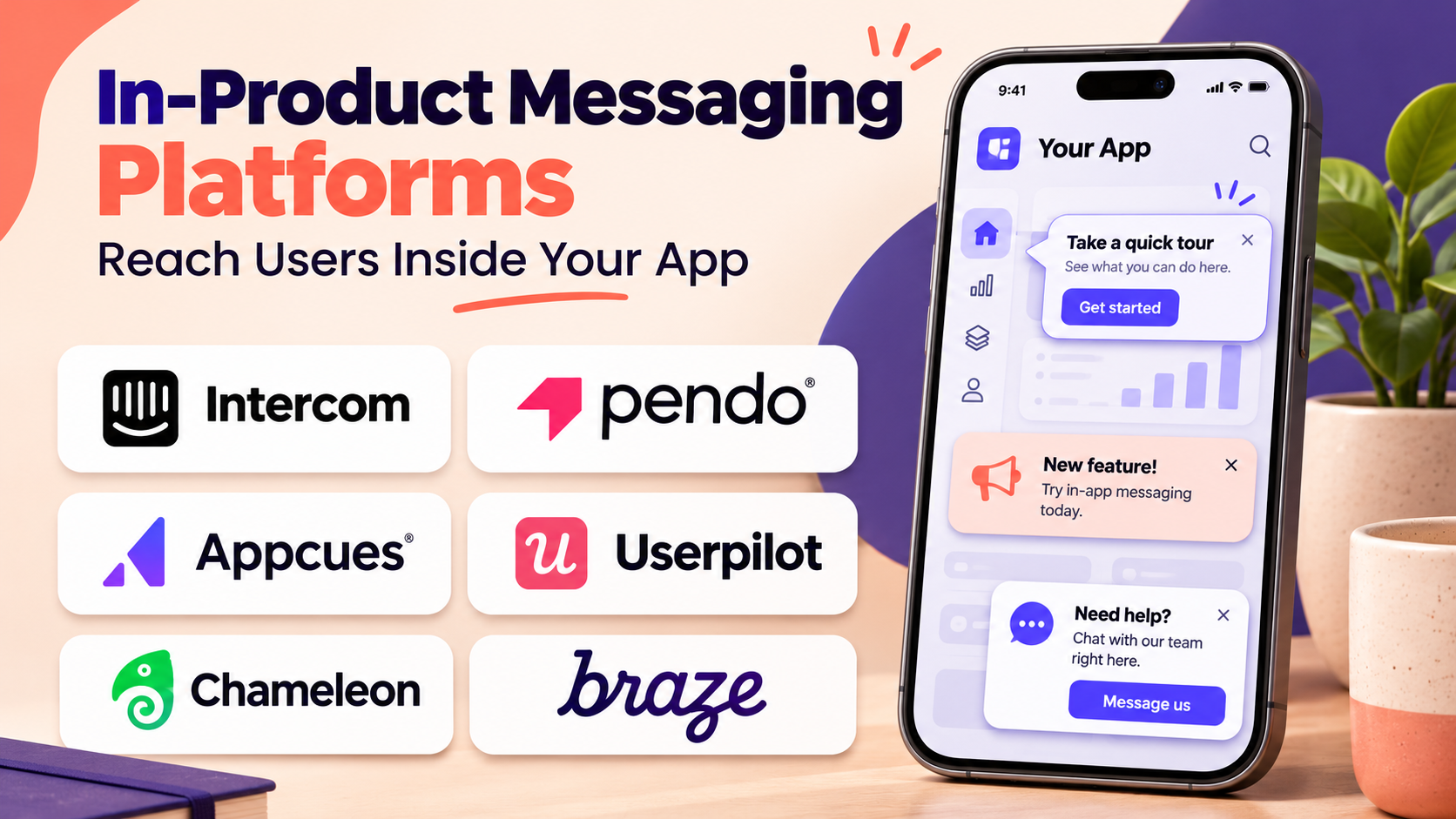
In-product messaging platforms solve this problem by delivering contextual communication directly inside websites, mobile applications, and software products.
These platforms allow organizations to announce features, guide users through workflows, encourage product adoption, collect feedback, and communicate important updates.
Modern solutions offer audience segmentation, behavioral triggers, personalized messages, interactive components, and engagement analytics.
Some focus on SaaS onboarding and feature adoption. Others specialize in mobile engagement, customer messaging, or multichannel lifecycle communication.
Choosing the right platform requires understanding how messaging fits into the customer journey, which channels are necessary, and how success will be measured.
This guide compares ten established in-product messaging platforms, explaining their features, benefits, limitations, ideal users, and practical applications.
What Are In-product Messaging Platforms?
In-product messaging platforms are software solutions that enable businesses to communicate with users directly within a digital product.
Messages appear while customers interact with a website, mobile application, or SaaS interface.
Common formats include banners, pop-ups, modals, tooltips, slideouts, embedded cards, notifications, and contextual announcements.
For example, a project management application might display a message introducing a new reporting dashboard to users who frequently review project performance.
A mobile shopping application might show an in-app promotion to customers who have added products to their carts.
A SaaS platform might notify administrators about a security setting that requires attention.
In-product Messaging vs. Push Notifications
In-product messages generally appear when users are actively interacting with an application.
Push notifications can reach users outside the application, subject to device permissions and delivery conditions.
In-product messaging is especially useful for contextual education and engagement, while push notifications are useful for bringing users back to an application.
Why In-product Messaging Matters
Effective in-product communication can help businesses:
- Increase awareness of new features.
- Guide users toward valuable actions.
- Improve onboarding experiences.
- Communicate important service updates.
- Collect contextual feedback.
- Encourage trial-to-paid conversion.
- Support customer retention initiatives.
- Reduce unnecessary support questions.
- Personalize customer engagement.
However, excessive messaging can create distraction and reduce trust. Successful implementations prioritize relevance, timing, and user control.
Top 10 In-product Messaging Platforms
1. Appcues
Short Description
Appcues is a product adoption platform that enables businesses to create contextual in-app messaging and guided experiences.
It is particularly useful for SaaS organizations that want to communicate product updates while helping users complete meaningful actions.
Product teams can create announcements, tooltips, modals, and other interactive experiences without building every component through custom application code.
Appcues also supports user segmentation and behavioral targeting, allowing organizations to present messages based on customer characteristics or product activity.
This makes the platform valuable for communicating with users at different stages of their journey.
For example, new users might receive setup guidance, while experienced customers receive targeted announcements about advanced functionality.
Appcues is best suited to organizations that view in-product messaging as part of a broader product adoption strategy.
Key Features
- In-App Announcements: Communicates product changes and important updates directly inside applications.
- Behavioral Targeting: Displays messages based on user activity and defined conditions.
- Audience Segmentation: Delivers different experiences to different customer groups.
- Modals and Slideouts: Presents important information using prominent interface components.
- Tooltips and Hotspots: Explains specific features without requiring lengthy announcements.
- Onboarding Checklists: Connects messaging with guided activation workflows.
- Engagement Analytics: Measures interactions with in-app experiences.
- Feedback Collection: Supports contextual surveys and user input.
- Integration Capabilities: Connects supported product analytics and customer engagement systems.
Benefits
Appcues helps product teams communicate with users in context rather than relying exclusively on email.
It also allows businesses to connect announcements with interactive guidance, making it easier for customers to act on new information.
Pros
- Accessible no-code message creation
- Strong contextual targeting
- Combines messaging and product onboarding
- Useful for feature adoption
- Supports product-led growth workflows
Cons
- Advanced targeting requires reliable user data.
- Pricing may increase with product usage.
- Not intended to replace a comprehensive customer support platform.
- Complex interface customization may require engineering.
Use Cases
A SaaS company can announce a new reporting feature to customers who regularly use analytics.
A product team can introduce an upgraded workflow through a short announcement followed by an interactive walkthrough.
Best For: SaaS product teams seeking contextual messaging integrated with onboarding and feature adoption.
2. Pendo
Short Description
Pendo is a product experience platform that combines in-app guidance, product analytics, and customer feedback.
Its in-product messaging capabilities are especially useful for organizations that want to base communication decisions on observed user behavior.
Rather than delivering identical announcements to every customer, teams can analyze product engagement and identify audiences that would benefit from specific information.
Pendo supports contextual guides that introduce features, explain workflows, and communicate product updates.
Its analytics capabilities help organizations evaluate whether users engage with the announced functionality after receiving guidance.
This makes Pendo relevant for mature SaaS products and enterprise applications where product adoption requires ongoing education.
The platform is particularly valuable when messaging effectiveness must be evaluated alongside broader product usage metrics.
Key Features
- In-App Guides: Delivers contextual product communication.
- Product Analytics: Provides insights into feature usage and engagement.
- Audience Segmentation: Targets messages to relevant users.
- Feature Adoption Measurement: Evaluates whether announced capabilities gain usage.
- Guide Analytics: Tracks engagement with messaging experiences.
- Resource Centers: Provides contextual access to help and product information.
- Feedback Collection: Captures customer input.
- Behavior-Based Guidance: Supports messaging informed by product activity.
- Product Experience Reporting: Connects communication with broader engagement trends.
Benefits
Pendo helps teams identify where messaging is needed and assess whether it influences meaningful product behavior.
Pros
- Strong product analytics
- Useful behavioral targeting
- Supports feature adoption initiatives
- Suitable for complex SaaS applications
- Combines messaging and product insights
Cons
- Implementation requires planning.
- Advanced analytics may introduce a learning curve.
- Costs can be significant for smaller teams.
- Not designed primarily for broad marketing campaign management.
Use Cases
An enterprise software company can identify customers who have not adopted a new dashboard and introduce targeted guidance.
A product team can evaluate whether an in-app announcement improves usage of an underutilized feature.
Best For: Analytics-focused SaaS and enterprise product organizations.
3. Userpilot
Short Description
Userpilot combines in-app engagement, product analytics, and customer feedback capabilities.
It helps businesses communicate with users based on their behavior and stage in the product journey.
The platform supports announcements, contextual prompts, and guided experiences designed to encourage users to complete important actions.
Product teams can use behavioral analytics to understand which users need assistance and when a message is most likely to be relevant.
Userpilot is particularly useful for product-led growth organizations that depend on activation, feature discovery, and self-service adoption.
Its combination of analytics and engagement tools enables teams to improve messaging through ongoing measurement.
Instead of treating messages as isolated campaigns, organizations can connect them with customer journey outcomes.
Key Features
- In-App Engagement Experiences: Creates contextual communication inside products.
- User Segmentation: Targets customers based on defined properties and behavior.
- Behavioral Triggers: Displays messages after relevant user actions.
- Product Analytics: Examines how users interact with product features.
- Funnel Analysis: Identifies points where customers abandon workflows.
- In-App Surveys: Collects feedback within the product experience.
- Feature Adoption Tracking: Measures engagement with important functionality.
- Onboarding Guidance: Combines messaging with interactive education.
- Engagement Reporting: Evaluates message interactions and related outcomes.
Benefits
Userpilot helps organizations use behavioral insights to create more relevant product communication.
Pros
- Combines messaging and analytics
- Useful segmentation capabilities
- Strong product-led growth alignment
- Supports onboarding and adoption
- Enables data-informed improvements
Cons
- Requires accurate event tracking.
- Some analytics capabilities require additional configuration.
- Pricing may not suit very small businesses.
- Advanced workflows need careful planning.
Use Cases
A subscription software company can display an upgrade message after users repeatedly interact with a feature restricted by their plan.
A product team can encourage customers to complete an important setup task after identifying an incomplete workflow.
Best For: Product-led SaaS businesses seeking behavior-driven in-product messaging.
4. Intercom
Short Description
Intercom is a customer service and engagement platform that supports communication across in-app messaging, support conversations, and related customer interaction workflows.
Its messaging capabilities are particularly useful for businesses that want to connect proactive communication with customer support.
Organizations can communicate product information, provide contextual assistance, and help users reach support resources from within their applications.
Intercom also supports automated customer service experiences, including AI-powered assistance through its broader product ecosystem.
This makes it relevant for companies that want in-product communication to support both engagement and problem resolution.
Unlike platforms focused primarily on product tours, Intercom emphasizes customer conversations and service workflows.
It is especially suitable when businesses need users to respond to messages or continue a conversation with support teams.
Key Features
- In-App Messenger: Provides an embedded customer communication interface.
- Proactive Messaging: Delivers targeted information to users.
- Audience Targeting: Supports communication with selected customer segments.
- Customer Conversations: Enables ongoing interactions with users.
- Automated Assistance: Supports automated responses and service workflows.
- Help Content Integration: Makes support resources accessible.
- Conversation Management: Organizes customer interactions.
- Engagement Reporting: Provides visibility into communication activity.
- Support Integrations: Connects messaging with customer service processes.
Benefits
Intercom helps businesses combine proactive product communication with responsive customer assistance.
Pros
- Strong customer messaging capabilities
- Integrates communication with support
- Supports conversational engagement
- Useful automation capabilities
- Suitable for SaaS customer relationships
Cons
- Pricing can become complex.
- Some advanced capabilities have separate costs.
- Not primarily designed for interactive product tours.
- Requires careful coordination to avoid excessive messaging.
Use Cases
A SaaS company can notify customers about a service change and provide a direct route to support.
A business can display contextual assistance when users encounter a complicated configuration process.
Best For: SaaS businesses combining in-product messaging, customer support, and conversational engagement.
5. OneSignal
Short Description
OneSignal is a customer engagement platform that supports push notifications, in-app messages, email, and other supported communication channels.
Its in-app messaging capabilities are particularly relevant for mobile applications and customer engagement programs.
Businesses can create targeted messages that appear while users interact with an application.
These messages can promote features, communicate offers, request feedback, or encourage customers to complete actions.
OneSignal is especially useful when organizations want to coordinate in-app communication with external notification channels.
For example, a mobile application might use push notifications to bring users back and in-app messages to guide them toward a specific action.
Its multichannel orientation makes it more suitable for lifecycle engagement than a platform focused exclusively on SaaS product tours.
Key Features
- In-App Messages: Displays contextual communication within supported applications.
- Push Notifications: Reaches users outside active application sessions.
- Audience Segmentation: Targets specific customer groups.
- Message Personalization: Adapts content using available user data.
- Automated Journeys: Coordinates supported engagement workflows.
- Campaign Analytics: Measures delivery and engagement performance.
- Experimentation: Supports testing of messaging approaches.
- Mobile SDKs: Enables integration with supported mobile environments.
- Multichannel Engagement: Coordinates communication across available channels.
Benefits
OneSignal helps businesses manage customer engagement across multiple channels while maintaining contextual communication inside applications.
Pros
- Strong mobile engagement focus
- Supports in-app and push communication
- Useful audience segmentation
- Suitable for lifecycle campaigns
- Offers multichannel capabilities
Cons
- SDK integration requires technical work.
- Advanced automation may depend on subscription level.
- Not a complete product onboarding platform.
- Message effectiveness depends on reliable audience data.
Use Cases
A retail mobile application can display personalized offers to active shoppers.
A subscription application can introduce new features through in-app messages and coordinate follow-up notifications.
Best For: Mobile application businesses and teams combining in-app messaging with push notification campaigns.
6. Braze
Short Description
Braze is a customer engagement platform designed for personalized communication across multiple channels.
It supports in-app messaging as part of broader customer lifecycle orchestration.
Organizations can use Braze to coordinate communication across mobile applications, websites, email, push notifications, and other supported channels.
Its strengths include customer segmentation, event-driven engagement, personalization, and journey management.
Braze is particularly relevant for consumer-facing businesses with substantial customer activity and sophisticated lifecycle marketing requirements.
Rather than focusing on simple feature announcements, it enables organizations to design coordinated engagement programs based on customer behavior.
The platform is especially valuable when in-app messages form one component of a larger personalized customer journey.
Key Features
- In-App Messaging: Delivers contextual communication during application sessions.
- Journey Orchestration: Coordinates customer interactions across channels.
- Behavioral Segmentation: Groups users based on activity and attributes.
- Personalization: Adapts content to relevant customer information.
- Event-Based Campaigns: Responds to defined customer actions.
- Experimentation: Tests alternative messaging strategies.
- Engagement Analytics: Measures campaign interactions and outcomes.
- Multichannel Messaging: Supports coordinated communication.
- Data Integrations: Connects customer engagement with supported data systems.
Benefits
Braze helps businesses create coordinated, personalized customer communication rather than managing isolated messaging campaigns.
Pros
- Strong lifecycle marketing capabilities
- Advanced segmentation
- Multichannel orchestration
- Useful personalization options
- Suitable for large customer engagement programs
Cons
- Implementation can be complex.
- Enterprise investment may be substantial.
- Requires a reliable customer data strategy.
- Smaller businesses may not need its full capabilities.
Use Cases
A streaming application can recommend content based on customer engagement patterns.
An e-commerce business can coordinate in-app promotions with email and push campaigns throughout the customer lifecycle.
Best For: Consumer applications and enterprises requiring sophisticated lifecycle engagement.
7. Customer.io
Short Description
Customer.io is a customer engagement platform that helps businesses automate personalized communication based on customer data and behavior.
It supports in-app messaging within a broader messaging and journey automation environment.
The platform is particularly useful for organizations that want to coordinate lifecycle communication using event-driven workflows.
Teams can define customer segments and trigger communication when users perform specific actions or meet defined conditions.
Customer.io is relevant for SaaS businesses, digital services, and subscription products that need structured engagement programs.
Its workflow-oriented approach makes it suitable for organizations that already collect meaningful customer events.
Rather than serving exclusively as a visual onboarding tool, it focuses on connecting customer data with personalized communication.
Key Features
- In-App Messaging: Communicates with active users.
- Event-Based Automation: Triggers messages from customer activity.
- Customer Segmentation: Organizes audiences using behavioral data.
- Journey Workflows: Coordinates customer communication sequences.
- Personalized Content: Adapts messages to customer attributes.
- Campaign Analytics: Measures engagement and conversion outcomes.
- Multichannel Communication: Supports coordinated lifecycle campaigns.
- Data Integrations: Connects supported customer data sources.
- Experimentation: Helps evaluate alternative communication approaches.
Benefits
Customer.io helps organizations build automated messaging programs that respond to meaningful customer behavior.
Pros
- Flexible event-driven workflows
- Useful lifecycle automation
- Strong segmentation approach
- Supports personalized engagement
- Suitable for data-oriented teams
Cons
- Requires reliable customer event data.
- Workflow design can become complex.
- Not focused primarily on interactive walkthroughs.
- Advanced use cases may require technical support.
Use Cases
A subscription platform can display a message encouraging customers to complete account configuration.
A SaaS company can coordinate onboarding emails with contextual in-app communication.
Best For: Data-driven SaaS and subscription businesses requiring automated lifecycle messaging.
8. Chameleon
Short Description
Chameleon is a product adoption platform that helps businesses create customized in-app experiences.
Its messaging capabilities are designed to feel integrated with the surrounding application interface.
The platform supports tooltips, product tours, launchers, and survey experiences that can communicate information at relevant moments.
Chameleon is especially useful for SaaS companies that prioritize product design consistency.
Instead of displaying generic announcements, teams can create contextual messages that match the visual language of their applications.
The platform also supports targeting based on user characteristics and behavior.
This makes it relevant for feature announcements, onboarding assistance, and ongoing product education.
Key Features
- In-App Experiences: Creates contextual product communication.
- Customizable Tooltips: Explains interface features.
- Product Tours: Guides users through important workflows.
- Launchers: Provides contextual access to messages and resources.
- Microsurveys: Collects focused feedback.
- Audience Segmentation: Targets relevant users.
- Behavioral Triggers: Responds to product activity.
- Engagement Analytics: Measures experience interactions.
- Visual Customization: Aligns messages with product design.
Benefits
Chameleon helps businesses deliver product communication that feels consistent with their application experience.
Pros
- Strong visual customization
- Contextual message targeting
- Useful product education components
- Supports feature adoption
- Suitable for design-conscious teams
Cons
- Detailed customization requires effort.
- Not a full multichannel marketing platform.
- Advanced workflows can become complex.
- Some capabilities depend on subscription level.
Use Cases
A design software company can introduce new interface functionality through customized tooltips.
A SaaS product can display contextual announcements to customers who use specific features.
Best For: SaaS teams prioritizing polished, contextual in-product communication.
9. UserGuiding
Short Description
UserGuiding is a digital adoption platform that helps organizations create in-app guidance and product communication without extensive development.
It provides announcements, product tours, tooltips, checklists, and resource centers.
The platform is particularly useful for businesses that want to improve communication with users while also supporting onboarding.
Teams can create targeted experiences that explain product changes and direct customers toward important actions.
UserGuiding is relevant for startups and growing SaaS businesses that need practical engagement features.
Its focus on accessible content creation makes it attractive when product managers and customer success teams need to maintain messaging independently.
However, organizations requiring advanced multichannel lifecycle orchestration may need additional systems.
Key Features
- In-App Announcements: Communicates product updates.
- Product Tours: Introduces new functionality.
- Tooltips: Provides contextual explanations.
- Onboarding Checklists: Organizes important tasks.
- Resource Centers: Makes assistance accessible.
- User Segmentation: Targets selected audiences.
- Feedback Collection: Captures customer input.
- Engagement Analytics: Measures message interactions.
- No-Code Editing: Simplifies content maintenance.
Benefits
UserGuiding enables smaller teams to create and update in-product communication without building custom interfaces.
Pros
- Accessible no-code tools
- Useful onboarding and messaging combination
- Supports self-service assistance
- Practical for growing SaaS businesses
- Straightforward content creation
Cons
- Advanced customization may be limited.
- Not a complete customer engagement suite.
- Analytics capabilities may be narrower than specialist platforms.
- Feature access varies by subscription.
Use Cases
A startup can announce product improvements through an in-app notification.
A business application can guide users through a new configuration process using a short walkthrough.
Best For: Startups and small SaaS teams seeking accessible in-product messaging and onboarding.
10. Beamer
Short Description
Beamer is a product communication platform focused on announcing updates, sharing release information, and collecting customer feedback.
It is particularly useful for businesses that want a structured way to communicate product changes.
Beamer supports announcement feeds, notification experiences, and other product update communication components.
Instead of relying exclusively on release notes hidden in documentation, organizations can make updates visible directly inside their applications.
This helps customers discover new features and understand product improvements.
Beamer is especially relevant for SaaS companies with frequent releases and active product development.
Its focus is narrower than comprehensive customer engagement platforms, making it a practical option when product announcements are the primary requirement.
Key Features
- Product Announcements: Communicates new features and updates.
- Changelog Feeds: Organizes release information.
- In-App Notifications: Makes updates visible inside products.
- Audience Targeting: Supports relevant announcement delivery.
- Feedback Collection: Captures reactions and customer input.
- Engagement Analytics: Measures interactions with announcements.
- Customizable Widgets: Adapts product communication components.
- Announcement Management: Organizes ongoing product updates.
- Integration Support: Connects communication with supported workflows.
Benefits
Beamer helps businesses improve product update visibility and maintain a consistent communication process.
Pros
- Strong product announcement focus
- Useful changelog functionality
- Straightforward communication workflows
- Supports feature discovery
- Suitable for frequent product releases
Cons
- Narrower scope than full engagement platforms.
- Not designed for complex onboarding journeys.
- Advanced lifecycle marketing requires other tools.
- Engagement measurement may need additional product analytics.
Use Cases
A SaaS company can maintain a product changelog and notify users when new features become available.
A product team can collect reactions to recently released functionality.
Best For: SaaS businesses prioritizing release announcements, changelogs, and feature communication.
In-product Messaging Platforms Comparison Table
| Platform | Primary Strength | Main Messaging Focus | Ideal Users |
|---|---|---|---|
| Appcues | Contextual product guidance | In-app adoption | SaaS product teams |
| Pendo | Analytics-driven messaging | Feature adoption | Enterprise SaaS |
| Userpilot | Behavioral engagement | Product-led growth | SaaS growth teams |
| Intercom | Conversational messaging | Customer support and engagement | Customer-facing SaaS |
| OneSignal | Mobile engagement | In-app and push | Mobile applications |
| Braze | Lifecycle orchestration | Multichannel engagement | Consumer enterprises |
| Customer.io | Event-driven automation | Customer journeys | Data-driven SaaS |
| Chameleon | Visual customization | Contextual product experiences | Design-focused SaaS |
| UserGuiding | Accessible in-app guidance | Onboarding and announcements | Startups and SMBs |
| Beamer | Product updates | Changelogs and announcements | SaaS release teams |
These platforms have different priorities. A business seeking product education may prefer a different solution from one requiring advanced mobile lifecycle marketing.
How to Choose the Right In-product Messaging Platform
1. Define the Communication Objective
Identify whether the primary requirement is onboarding, feature announcements, customer support, lifecycle engagement, or conversion optimization.
Different platforms specialize in different objectives.
2. Identify Supported Channels
Determine whether messages must appear in web applications, mobile applications, or both.
If email and push notifications are also required, evaluate multichannel engagement capabilities.
3. Evaluate Audience Segmentation
Relevant messaging depends on accurate targeting.
Look for the ability to segment users by product behavior, account attributes, subscription level, and engagement history.
4. Review Message Formats
Consider whether your product needs banners, modals, embedded cards, tooltips, conversational interfaces, or announcement feeds.
Choose formats appropriate to the user experience.
5. Examine Behavioral Automation
Event-based messaging can improve relevance.
For example, a user who completes a workflow may receive guidance about the next logical action.
6. Assess Analytics and Experimentation
Measure message engagement alongside meaningful business outcomes.
Useful metrics include feature activation, conversion, retention, task completion, and support demand.
7. Consider Accessibility
Messages should support keyboard navigation, screen readers, appropriate contrast, and responsive layouts.
Important content should not become inaccessible because of a poorly implemented modal or overlay.
8. Control Message Frequency
Too many messages can overwhelm users.
Look for targeting rules, suppression logic, and frequency controls.
9. Evaluate Privacy and Security
Review customer data handling, consent requirements, access controls, and integration security.
Avoid using sensitive information in messaging without an appropriate legal and operational basis.
10. Compare Total Cost
Consider subscription fees, user volume, message volume, channel charges, implementation work, and ongoing administration.
A platform with a lower starting price may become more expensive as engagement grows.
Best In-product Messaging Software by User Type
| User Type | Recommended Platform | Why It Fits |
|---|---|---|
| SaaS product managers | Appcues | Contextual product guidance |
| Product analytics teams | Pendo | Behavioral insights |
| Product-led growth teams | Userpilot | Engagement and activation |
| Customer support teams | Intercom | Conversational assistance |
| Mobile app marketers | OneSignal | In-app and push engagement |
| Enterprise lifecycle marketers | Braze | Advanced journey orchestration |
| Data-driven growth teams | Customer.io | Event-based messaging |
| Design-focused SaaS teams | Chameleon | Customizable experiences |
| Small SaaS businesses | UserGuiding | Accessible messaging components |
| Product release teams | Beamer | Changelogs and announcements |
Practical Example: Launching an In-product Messaging Campaign
Consider a SaaS analytics platform introducing a new automated reporting feature.
The company wants existing customers to discover the feature and use it successfully.
Step 1: Define the Campaign Goal
The team defines success as customers creating their first automated report.
Message views alone are not considered sufficient evidence of adoption.
Step 2: Identify the Target Audience
The company targets customers who:
- Have access to automated reporting.
- Regularly use existing reporting features.
- Have not created an automated report.
- Have not dismissed the announcement repeatedly.
This prevents irrelevant messages from reaching customers who have already adopted the feature.
Step 3: Select the Messaging Platform
The team evaluates Appcues, Pendo, and Userpilot.
It selects a platform that supports behavioral targeting and can measure relevant product events.
Step 4: Design the Message
The initial announcement explains the benefit of automated reports.
It includes a clear action inviting users to create their first report.
The message avoids lengthy explanations and unnecessary promotional language.
Step 5: Add Contextual Guidance
When a user selects the action, the application opens the reporting workflow.
A short interactive guide explains how to choose a report, configure its schedule, and save the automation.
Step 6: Configure Frequency Rules
The announcement appears only to eligible users.
Once someone creates an automated report, the system stops displaying the introductory message.
Step 7: Test the Experience
The team verifies that the message works across supported browsers and screen sizes.
It also checks accessibility, navigation, and event tracking.
Step 8: Run an Experiment
Eligible users are divided into comparable groups.
One group receives the new in-product message, while the other continues with the existing experience.
The team measures report creation rates over a defined period.
Step 9: Evaluate Performance
Important metrics include:
- Message exposure
- Action click-through rate
- Automated report creation
- Time to first report
- Feature usage after activation
- Message dismissal rate
- Customer feedback
Suppose the feature activation rate rises from 20% to 27% in the exposed group.
This hypothetical result represents a seven-percentage-point increase, or 35% relative improvement.
The team should still evaluate statistical uncertainty and potential differences between groups.
Step 10: Improve and Expand
The company reviews customer feedback and refines the message.
It may later introduce advanced reporting guidance to users who have successfully created their first automated report.
This approach creates a progressive product education journey rather than a single announcement.
Frequently Asked Questions
1. What is an in-product messaging platform?
An in-product messaging platform enables businesses to display contextual communication directly inside websites, mobile applications, or software products.
2. What is the difference between in-app messaging and in-product messaging?
The terms are often used interchangeably.
In-app messaging commonly refers to communication within mobile or software applications, while in-product messaging can also include broader web-based product experiences.
3. Which platform is best for SaaS product announcements?
Appcues, Userpilot, Pendo, Chameleon, and Beamer are relevant options.
Beamer is particularly focused on release communication, while the others support broader adoption workflows.
4. Which platform is best for mobile applications?
OneSignal and Braze are strong candidates for mobile engagement.
The choice depends on campaign complexity, personalization requirements, channel coverage, and budget.
5. Can in-product messaging improve customer retention?
Relevant communication can help users discover value, complete important tasks, and remain informed.
However, retention also depends on product quality, customer needs, pricing, and support.
6. Do in-product messaging platforms require coding?
Many provide visual editors for message creation.
Initial SDK installation, event tracking, advanced targeting, and custom integrations may still require development work.
7. What types of in-product messages are most common?
Common formats include banners, modals, slideouts, tooltips, hotspots, embedded cards, announcement feeds, and conversational messages.
8. How should businesses measure message effectiveness?
Businesses should measure meaningful outcomes such as feature activation, conversion, task completion, and customer retention.
Views and clicks are useful diagnostic metrics but should not be the only measures of success.
9. What is behavioral targeting?
Behavioral targeting displays messages based on user actions or activity patterns.
For example, a message may appear when a customer repeatedly visits a feature but has not completed its setup.
10. Can in-product messaging replace email marketing?
No. The channels serve different purposes.
In-product messaging reaches active users in context, while email can communicate with customers outside active application sessions.
11. How often should in-product messages appear?
Frequency depends on message importance, user behavior, and product context.
Businesses should establish frequency limits and avoid repeatedly interrupting users with low-priority announcements.
12. What is the difference between Intercom and Appcues?
Intercom emphasizes customer conversations, support, and engagement.
Appcues focuses more directly on contextual product guidance, onboarding, and adoption experiences.
13. Are in-product messages suitable for enterprise software?
Yes. Enterprise applications can use them for feature education, workflow guidance, compliance reminders, and important operational announcements.
Messages should be designed carefully to avoid disrupting critical work.
14. What are the main implementation challenges?
Common challenges include poor targeting data, excessive messaging, inconsistent event tracking, accessibility problems, and difficulty connecting engagement metrics to business outcomes.
15. How can businesses avoid annoying users?
They should prioritize relevance, provide clear value, use frequency limits, respect dismissals, and stop showing messages after the desired action is complete.
Final Thoughts
In-product messaging platforms help businesses communicate with customers at moments when information is most relevant.
Appcues, Pendo, Userpilot, Chameleon, and UserGuiding are particularly useful for contextual product education and adoption.
Intercom connects messaging with customer conversations, while OneSignal, Braze, and Customer.io support broader engagement programs.
Beamer provides a focused solution for product announcements and release communication.
The right platform depends on whether the organization prioritizes feature adoption, customer assistance, mobile engagement, or lifecycle marketing.
Businesses should begin with a clear communication goal, identify the appropriate audience, and measure actual customer outcomes.
When implemented thoughtfully, in-product messaging can become a valuable part of the customer experience rather than another source of distraction.