Introduction
Businesses increasingly use conversational interfaces to answer customer questions, qualify leads, automate internal requests, and guide users through digital services. However, developing a reliable chatbot from scratch can require substantial expertise in natural language processing, application integration, interface design, and workflow management.
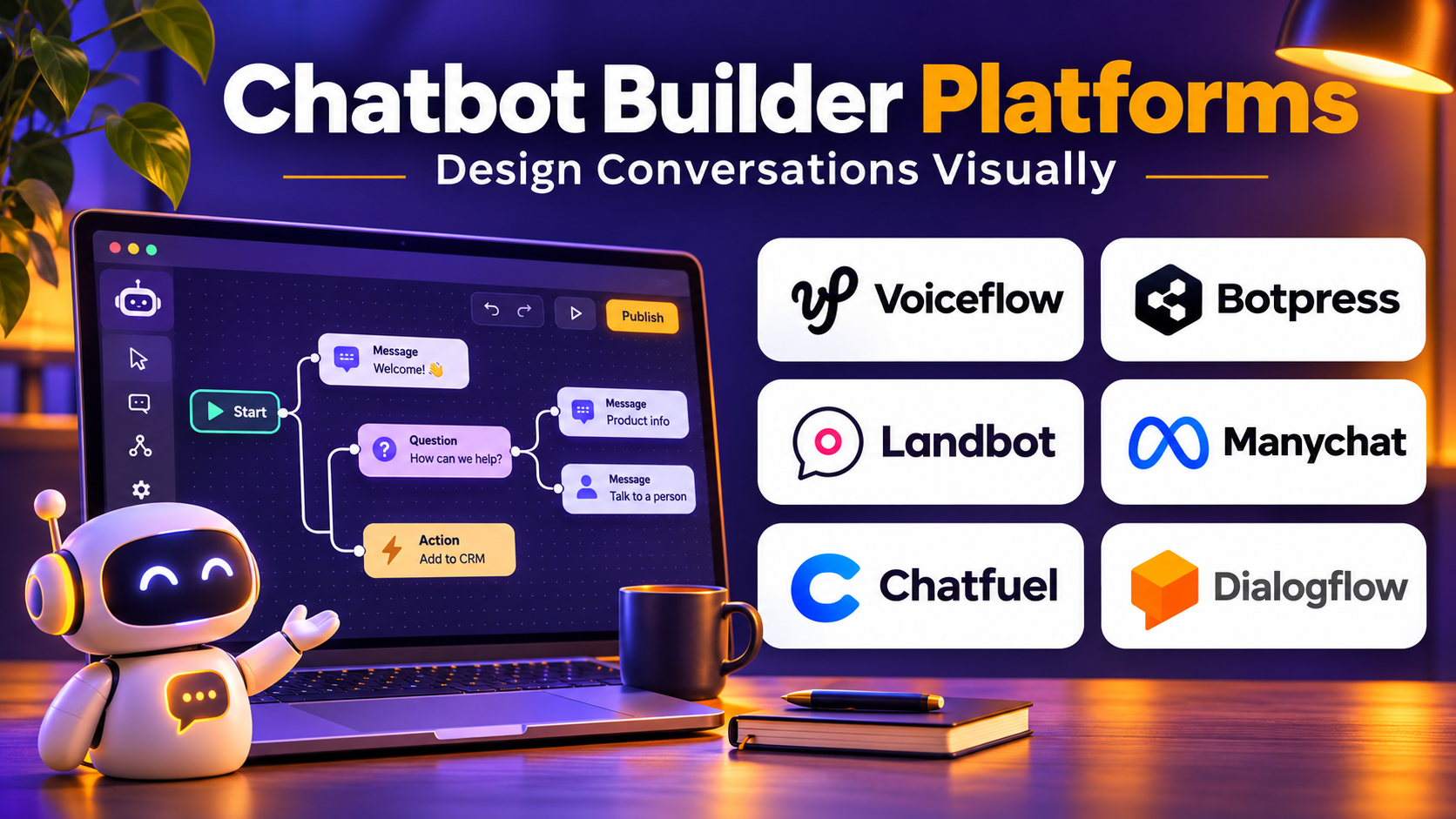
Chatbot builder platforms simplify this process by providing tools for designing, testing, deploying, and maintaining conversational applications.
Some platforms offer visual editors that allow nontechnical teams to create rule-based conversations. Others provide developer frameworks, AI model integrations, knowledge retrieval, and advanced orchestration capabilities.
Modern chatbot builders can support customer service, sales automation, employee assistance, appointment scheduling, and internal knowledge access. Their capabilities vary significantly, particularly when a chatbot must perform actions rather than simply provide information.
Choosing the right platform requires evaluating conversation design, AI capabilities, integration flexibility, deployment channels, security, testing, and long-term maintenance.
This guide compares ten established chatbot builder platforms, explains their strengths and limitations, and provides practical guidance for selecting and implementing a conversational solution.
What Are Chatbot Builder Platforms?
Chatbot builder platforms are development environments that help organizations create conversational software applications.
They provide tools for defining conversation logic, connecting knowledge sources, integrating external systems, and deploying chatbots through supported channels.
A simple chatbot may answer frequently asked questions using predefined responses. A more advanced system may retrieve information from business documents, interpret natural-language requests, and perform authorized actions through APIs.
Types of Chatbot Builders
No-Code Chatbot Builders
These platforms provide visual interfaces that allow users to build conversational workflows without extensive programming.
Low-Code Chatbot Builders
Low-code solutions combine visual design with scripts, APIs, and custom logic.
Developer-Focused Frameworks
These tools provide libraries, APIs, and runtime components for building highly customized conversational systems.
Generative AI Chatbot Builders
These platforms integrate large language models, knowledge retrieval, and tool execution to create flexible conversational experiences.
Enterprise Conversational AI Platforms
Enterprise solutions emphasize governance, identity, integrations, testing, scalability, and operational management.
Benefits of Chatbot Builder Platforms
Chatbot builders can reduce development time, standardize conversational workflows, simplify deployment, and make automation more accessible.
They also help organizations maintain conversational experiences as business requirements change.
However, a visual builder does not eliminate the need for testing, data governance, or careful workflow design.
Top 10 Chatbot Builder Platforms
1. Voiceflow
Short Description
Voiceflow is a collaborative platform for designing, building, and deploying conversational AI agents.
It provides a visual environment where teams can create conversation flows, configure knowledge-based responses, and connect external services.
Voiceflow is particularly useful for organizations that want product managers, conversation designers, and developers to collaborate on AI assistant development.
The platform supports structured conversation design while allowing teams to introduce AI-generated responses where appropriate.
This combination makes it suitable for customer service assistants, product guidance, lead qualification, and other conversational applications.
Voiceflow is especially valuable when conversation quality, prototyping, and iterative improvement are important parts of the development process.
Key Features
- Visual Conversation Builder: Designs conversational workflows through a graphical interface.
- AI Agent Development: Supports AI-powered conversational experiences.
- Knowledge Sources: Connects assistants with configured informational content.
- API Integrations: Enables communication with external systems.
- Conversation Variables: Stores and uses relevant interaction context.
- Testing Tools: Allows teams to simulate conversational behavior.
- Collaboration: Supports shared development and review.
- Deployment Interfaces: Makes assistants available through supported channels.
- Workflow Logic: Combines structured decisions with AI responses.
Benefits
Voiceflow helps teams move from conversational prototypes to deployable assistants without developing every interaction from scratch.
Its visual environment also improves collaboration between technical and nontechnical contributors.
Pros
- Strong visual conversation design
- Suitable for collaborative development
- Supports AI and structured workflows
- Useful for prototyping
- Flexible API connectivity
Cons
- Complex integrations may require developers.
- AI behavior requires systematic testing.
- Usage and deployment costs need evaluation.
- Highly specialized workflows may require custom infrastructure.
Use Cases
A SaaS company can build a product support assistant that answers documentation questions and routes customers to relevant resources.
A sales organization can create a conversational qualification workflow that collects requirements before transferring prospects to a representative.
Best For: Teams seeking collaborative visual design for conversational AI agents.
2. Botpress
Short Description
Botpress is a platform for building AI-powered chatbots and conversational agents with configurable workflows and integrations.
It is particularly relevant for developers and technical teams that want more control than a basic no-code chatbot builder provides.
Botpress combines visual conversation design with extensibility, enabling organizations to create assistants that use knowledge sources and interact with external applications.
The platform can support customer service, internal assistance, and business process automation.
Its developer-oriented capabilities make it useful when conversational applications require custom actions or sophisticated logic.
However, organizations must still manage prompt quality, integration permissions, testing, and operational reliability.
Key Features
- Visual Studio: Builds and manages conversational workflows.
- AI-Powered Conversations: Supports natural-language interactions.
- Knowledge Bases: Uses configured information for answering questions.
- Custom Actions: Extends chatbot behavior through application logic.
- API Connectivity: Integrates with external systems.
- Conversation State: Maintains relevant workflow information.
- Testing Environment: Supports iterative assistant development.
- Deployment Channels: Publishes bots through supported interfaces.
- Developer Extensibility: Enables more advanced customization.
Benefits
Botpress provides a balance between visual development and technical flexibility.
Organizations can build practical assistants while retaining options for custom integration and workflow logic.
Pros
- Flexible AI chatbot development
- Strong developer customization
- Visual workflow capabilities
- Useful knowledge integration
- Supports complex automation
Cons
- Advanced implementations require technical expertise.
- AI responses need monitoring.
- Integration maintenance can become demanding.
- Usage costs may vary with activity.
Use Cases
An enterprise can build an internal assistant that retrieves approved policy information and creates authorized service requests.
A digital business can create a customer chatbot that combines FAQs with account-related workflows.
Best For: Developers and technical teams building customizable AI chatbots.
3. Google Dialogflow CX
Short Description
Google Dialogflow CX is a conversational AI development platform designed for building structured virtual agents.
It uses a flow-based approach to manage complex conversations, making it suitable for applications that require predictable state transitions and carefully defined interaction paths.
Dialogflow CX is particularly relevant for organizations building customer service assistants with multiple topics, conditions, and fulfillment requirements.
Developers can define conversation flows, pages, intents, parameters, and webhook integrations.
The platform is also connected to the broader Google Cloud ecosystem, making it attractive to organizations already operating cloud services there.
Its structured architecture can provide useful control, but it introduces a learning curve compared with simpler chatbot builders.
Key Features
- Flow-Based Conversation Design: Organizes complex dialogue structures.
- Intent Recognition: Identifies supported customer requests.
- Entity Extraction: Captures relevant information from conversations.
- State Management: Maintains conversation progress.
- Webhook Fulfillment: Connects conversations with external systems.
- Testing Tools: Supports evaluation of defined conversation paths.
- Multilingual Capabilities: Supports multiple languages and locales.
- Cloud Integration: Works with supported Google Cloud services.
- Conversation Analytics: Provides operational insights into agent interactions.
Benefits
Dialogflow CX helps organizations build structured conversational applications with defined control over dialogue behavior.
Pros
- Strong conversation state management
- Suitable for complex workflows
- Enterprise cloud integration
- Supports multilingual applications
- Useful for structured customer service
Cons
- Steeper learning curve than simple visual builders.
- Conversation design requires careful planning.
- Usage-based pricing needs monitoring.
- Integration work may require cloud development expertise.
Use Cases
An airline can build a virtual assistant for booking information and flight-related inquiries.
A telecommunications company can create a structured troubleshooting assistant with multiple diagnostic paths.
Best For: Enterprises and developers building complex, structured conversational agents.
4. Microsoft Copilot Studio
Short Description
Microsoft Copilot Studio is a low-code platform for creating and customizing AI agents and conversational experiences.
It is particularly relevant for organizations using Microsoft 365, Power Platform, Dynamics 365, and related enterprise systems.
The platform allows teams to configure conversational topics, knowledge sources, actions, and workflows.
Its integration with Microsoft’s business application ecosystem makes it useful for internal assistants and customer-facing automation.
Organizations can create agents that answer questions from approved knowledge sources and interact with supported business processes.
Copilot Studio is especially attractive when identity, permissions, and application integration are already managed within the Microsoft environment.
However, licensing, connector availability, and governance requirements should be reviewed before implementation.
Key Features
- Low-Code Agent Builder: Creates conversational agents through visual tools.
- Knowledge Grounding: Uses configured business information.
- Conversation Topics: Defines structured interaction paths.
- Power Platform Integration: Connects agents with compatible workflows.
- Business Application Connectivity: Integrates supported Microsoft services.
- Generative AI Capabilities: Supports flexible natural-language assistance.
- Agent Actions: Enables approved operations through connected tools.
- Analytics: Monitors conversational performance.
- Enterprise Governance: Supports organizational access and administration controls.
Benefits
Copilot Studio helps organizations build AI agents that operate within existing Microsoft business workflows.
Pros
- Strong Microsoft ecosystem integration
- Low-code development environment
- Useful enterprise identity integration
- Supports knowledge and action-based agents
- Suitable for internal business automation
Cons
- Licensing can be complex.
- Advanced workflows may require Power Platform expertise.
- Connector limitations must be evaluated.
- Governance is essential for sensitive data access.
Use Cases
A human resources team can create an employee assistant that answers leave policy questions.
An IT department can build an agent that guides employees through support procedures and initiates approved service workflows.
Best For: Microsoft-centered organizations building enterprise conversational agents.
5. Amazon Lex
Short Description
Amazon Lex is an AWS service for building conversational interfaces using natural language understanding and speech-related capabilities.
It is designed for developers who want to integrate conversational applications with AWS infrastructure and business systems.
Amazon Lex supports intent-based interactions that collect information and trigger defined fulfillment processes.
It is particularly useful for customer service automation, appointment workflows, and conversational interfaces connected to cloud applications.
Organizations can integrate Lex with AWS Lambda and other supported services to implement business logic.
Its cloud-native approach provides flexibility, but development teams must design and maintain the surrounding application architecture.
Amazon Lex is best suited to organizations comfortable with AWS services and infrastructure management.
Key Features
- Intent Recognition: Identifies supported user requests.
- Slot Filling: Collects required conversation parameters.
- Conversation Management: Guides users through defined workflows.
- Speech and Text Interfaces: Supports conversational interactions through compatible channels.
- AWS Lambda Integration: Executes custom fulfillment logic.
- AWS Ecosystem Connectivity: Integrates with supported cloud services.
- Multilingual Support: Supports available languages and locales.
- Versioning and Deployment: Manages bot configurations.
- Usage-Based Infrastructure: Supports cloud service consumption models.
Benefits
Amazon Lex enables developers to create conversational applications without building the underlying language understanding service independently.
Pros
- Strong AWS integration
- Suitable for structured conversational workflows
- Supports voice and text interfaces
- Flexible fulfillment logic
- Cloud-native architecture
Cons
- Requires development expertise.
- Conversation design can become complex.
- Costs depend on usage and related AWS services.
- Less accessible to purely nontechnical teams.
Use Cases
A contact center can build an assistant that collects customer information before routing a call.
A cloud application can provide a conversational interface for checking service status and initiating approved operations.
Best For: AWS developers building structured conversational applications.
6. Rasa
Short Description
Rasa is a conversational AI framework and platform ecosystem designed for organizations that require substantial control over assistant development.
It is particularly relevant for teams with strong engineering capabilities and demanding requirements around deployment, customization, or data handling.
Rasa supports the creation of conversational systems using structured dialogue logic and language understanding components.
Organizations can integrate assistants with internal services, databases, and business workflows.
Its customizable architecture makes it suitable for specialized enterprise applications where a simple hosted chatbot builder may not provide sufficient flexibility.
However, this flexibility comes with engineering responsibilities involving infrastructure, testing, model behavior, and ongoing maintenance.
Key Features
- Custom Conversation Logic: Supports organization-specific dialogue behavior.
- Natural Language Understanding: Interprets supported user intents and information.
- Business Logic Integration: Connects assistants with external applications.
- Deployment Control: Supports enterprise deployment requirements.
- Conversation State Management: Maintains interaction context.
- Custom Components: Extends assistant behavior.
- Testing Capabilities: Supports conversation validation.
- Workflow Orchestration: Coordinates multi-step interactions.
- Enterprise Customization: Allows substantial architectural control.
Benefits
Rasa provides flexibility for organizations that need tailored conversational systems and greater control over implementation.
Pros
- High customization potential
- Suitable for complex enterprise requirements
- Supports controlled deployment architectures
- Extensible conversation logic
- Strong developer orientation
Cons
- Requires significant technical expertise.
- Maintenance responsibilities can be substantial.
- Implementation is more demanding than simple no-code tools.
- Enterprise functionality and support may require commercial offerings.
Use Cases
A healthcare administration organization can build an assistant for nonclinical scheduling and service information with controlled system access.
A large enterprise can create internal workflow assistants integrated with proprietary applications.
Best For: Engineering teams requiring customizable conversational AI architectures.
7. Landbot
Short Description
Landbot is a no-code conversational experience platform focused on building interactive chat workflows.
It is particularly useful for marketing, lead generation, customer engagement, and structured information collection.
Landbot provides a visual builder that allows teams to design conversational experiences without writing extensive code.
Organizations can create chat-based forms, qualification flows, appointment requests, and customer guidance experiences.
Its approach is especially effective when the objective is to move users through a clear sequence of questions and actions.
Landbot is less focused on highly customized enterprise AI orchestration than developer-oriented platforms.
For businesses seeking accessible conversational workflows, however, it can provide a practical starting point.
Key Features
- No-Code Flow Builder: Creates conversational experiences visually.
- Conversational Forms: Collects information through interactive dialogue.
- Lead Qualification: Guides prospects through structured questions.
- Conditional Logic: Changes conversation paths based on responses.
- Website Embedding: Integrates chat experiences into websites.
- Messaging Channel Support: Connects with supported communication channels.
- External Integrations: Transfers data to compatible business systems.
- Conversation Analytics: Measures engagement and completion.
- Templates: Accelerates common chatbot use cases.
Benefits
Landbot makes conversational workflow creation accessible to marketing and business teams.
Pros
- User-friendly visual editor
- Useful lead generation workflows
- Accessible without extensive coding
- Strong conversational form capabilities
- Suitable for rapid experimentation
Cons
- Complex AI agents may require additional systems.
- Advanced business integrations can need technical work.
- Conversation-based pricing requires evaluation.
- Less suited to deeply customized enterprise applications.
Use Cases
A software company can qualify inbound leads by collecting company size, requirements, and purchase timelines.
A service provider can build an interactive appointment request experience.
Best For: Marketing teams, agencies, and businesses building no-code conversational workflows.
8. Manychat
Short Description
Manychat is a conversational automation platform focused on messaging-based customer engagement and marketing.
It is particularly relevant for businesses communicating with audiences through supported social messaging channels.
Manychat allows organizations to create automated conversations, respond to common inquiries, and guide customers through marketing or sales interactions.
Its visual automation capabilities make it accessible to nontechnical users.
Businesses can use Manychat to collect leads, provide information, and coordinate messaging workflows.
Unlike general-purpose enterprise chatbot frameworks, Manychat is closely aligned with messaging engagement and channel-specific automation.
Organizations should verify current channel capabilities and comply with the policies governing each messaging platform.
Key Features
- Visual Automation Builder: Creates structured messaging workflows.
- Messaging Channel Integrations: Supports available social and messaging platforms.
- Automated Responses: Handles common customer interactions.
- Audience Segmentation: Organizes contacts based on relevant attributes.
- Lead Collection: Captures prospect information.
- Conditional Workflows: Personalizes conversation paths.
- Campaign Automation: Supports messaging engagement programs.
- Performance Analytics: Measures interaction outcomes.
- Business Integrations: Connects with supported external services.
Benefits
Manychat helps businesses automate repetitive messaging interactions and manage conversational marketing campaigns.
Pros
- Accessible visual automation
- Strong messaging engagement focus
- Useful for lead generation
- Suitable for small businesses
- Supports campaign workflows
Cons
- Channel policies restrict some activities.
- Not designed for complex enterprise AI agents.
- Automation capabilities vary by channel.
- Messaging costs and contact limits require review.
Use Cases
An online retailer can automate responses to common product inquiries.
A marketing agency can build messaging-based lead qualification workflows for clients.
Best For: Social media marketers, creators, agencies, and messaging-focused businesses.
9. Flowise
Short Description
Flowise is an open-source visual development platform for building applications based on large language models and AI agent workflows.
It is particularly relevant for developers who want to create conversational AI systems using configurable model integrations and knowledge retrieval components.
Flowise provides a visual environment for connecting language models, prompts, retrieval systems, and tools.
This makes it useful for prototyping retrieval-augmented generation applications and internal knowledge assistants.
Organizations can use Flowise to build conversational workflows that retrieve information from approved data sources and generate contextual responses.
However, production deployments require attention to authentication, infrastructure, model costs, security, and operational monitoring.
Flowise is best suited to technically capable teams rather than organizations seeking a completely managed customer service product.
Key Features
- Visual AI Workflow Builder: Connects AI components graphically.
- Language Model Integrations: Supports compatible model providers.
- Knowledge Retrieval: Builds retrieval-augmented applications.
- Vector Database Connectivity: Integrates supported retrieval systems.
- Agent Workflows: Coordinates AI tools and actions.
- API Deployment: Exposes applications through supported interfaces.
- Custom Components: Extends workflow capabilities.
- Open-Source Foundation: Supports self-managed implementations.
- Workflow Testing: Helps developers evaluate AI application behavior.
Benefits
Flowise accelerates experimentation with conversational AI architectures and reduces the amount of custom orchestration code required for prototypes.
Pros
- Open-source flexibility
- Strong LLM workflow orientation
- Useful for RAG applications
- Visual development interface
- Supports technical customization
Cons
- Production operations require engineering.
- Model behavior needs evaluation.
- Security configuration is essential.
- Not a turnkey customer support suite.
Use Cases
A company can create an internal documentation assistant connected to a vector database.
A developer team can prototype an AI chatbot that retrieves information and invokes approved tools.
Best For: Developers building customizable LLM-powered chatbot applications.
10. Dify
Short Description
Dify is an open-source platform for developing and operating applications powered by large language models.
It provides tools for building conversational assistants, knowledge-based applications, workflows, and AI agents.
Dify is particularly relevant for teams that want to move from experimental AI prototypes toward more structured applications.
Its visual development environment supports model configuration, knowledge retrieval, and workflow orchestration.
Organizations can create assistants that answer questions using internal information or perform controlled tasks through connected tools.
Dify also provides application management and operational capabilities that help teams evaluate AI behavior.
As with other LLM development platforms, production success depends on model selection, data quality, security, and careful testing.
Key Features
- Visual Application Builder: Creates AI-powered applications.
- Chatbot Development: Supports conversational interfaces.
- Knowledge Bases: Connects assistants with configured documents.
- RAG Workflows: Retrieves relevant information for AI responses.
- Model Management: Supports compatible language model providers.
- Workflow Orchestration: Coordinates multi-step application logic.
- Tool Integration: Connects applications with supported actions.
- Application APIs: Enables integration with external systems.
- Observability and Evaluation: Helps teams inspect application behavior.
Benefits
Dify provides a structured environment for building and managing LLM-powered conversational applications.
Pros
- Open-source development option
- Strong knowledge-based chatbot capabilities
- Visual workflow design
- Supports multiple AI application patterns
- Useful for technical product teams
Cons
- Self-hosting requires infrastructure expertise.
- Production security needs careful configuration.
- AI usage costs depend on model providers.
- Complex applications require engineering and evaluation.
Use Cases
An organization can create an internal policy assistant using approved documents.
A software company can develop a knowledge-based customer assistant connected to product documentation.
Best For: Developers and AI application teams building knowledge-based conversational systems.
Chatbot Builder Platforms Comparison Table
| Platform | Primary Strength | Development Approach | Ideal Users |
|---|---|---|---|
| Voiceflow | Collaborative conversation design | Visual and low-code | Product and AI teams |
| Botpress | Custom AI chatbots | Visual and developer-oriented | Technical teams |
| Dialogflow CX | Structured conversational flows | Cloud development | Enterprises |
| Microsoft Copilot Studio | Business agent development | Low-code | Microsoft organizations |
| Amazon Lex | AWS conversational interfaces | Developer-oriented | AWS teams |
| Rasa | Custom conversational architecture | Code and enterprise tooling | Advanced developers |
| Landbot | Conversational forms | No-code | Marketing teams |
| Manychat | Messaging automation | No-code | Social marketers |
| Flowise | LLM workflow development | Visual and open-source | AI developers |
| Dify | LLM application development | Visual and open-source | AI application teams |
How to Choose the Right Chatbot Builder Platform
1. Define the Chatbot’s Purpose
Determine whether the chatbot will answer questions, collect leads, provide support, or perform business actions.
The intended outcome should guide platform selection.
2. Assess Technical Resources
Nontechnical teams may prefer Landbot or Manychat.
Organizations with engineering resources may benefit from Botpress, Rasa, Flowise, or Dify.
3. Evaluate AI Capabilities
Review knowledge retrieval, model integration, conversation context, tool calling, and response controls.
A platform that generates fluent answers is not necessarily capable of executing reliable workflows.
4. Examine Integration Requirements
Identify the systems the chatbot must access.
These may include CRMs, databases, help desks, calendars, and internal APIs.
5. Review Deployment Channels
Confirm whether the platform supports websites, mobile applications, messaging channels, or voice interfaces.
6. Test Security Controls
Evaluate authentication, authorization, data retention, audit logging, and protection against unauthorized tool actions.
7. Consider Maintenance
Chatbots require ongoing knowledge updates, testing, performance reviews, and workflow improvements.
8. Calculate Total Cost
Include platform licensing, AI model usage, infrastructure, development, support, and operational maintenance.
Best Chatbot Builder by User Type
| User Type | Recommended Platform | Reason |
|---|---|---|
| Conversation designers | Voiceflow | Collaborative visual design |
| AI chatbot developers | Botpress | Flexible customization |
| Enterprise conversation teams | Dialogflow CX | Structured dialogue management |
| Microsoft business teams | Copilot Studio | Enterprise application integration |
| AWS developers | Amazon Lex | AWS-native workflows |
| Advanced engineering teams | Rasa | Architectural control |
| Marketing teams | Landbot | Conversational lead collection |
| Social media businesses | Manychat | Messaging automation |
| Open-source AI developers | Flowise | LLM orchestration |
| RAG application teams | Dify | Knowledge and AI workflows |
Practical Example: Building a Knowledge-Based Customer Support Chatbot
Consider a software company that wants to create a chatbot answering technical questions from its product documentation.
Step 1: Define the Scope
The chatbot will answer questions about account setup, supported integrations, and basic troubleshooting.
It will not change account permissions or perform financial transactions.
Step 2: Select a Builder
The team compares Voiceflow, Botpress, Flowise, and Dify.
It selects a platform that supports knowledge retrieval, API deployment, and conversation testing.
Step 3: Prepare Documentation
The company reviews its help articles and removes outdated instructions.
Documents are organized by product version and topic.
Step 4: Configure Knowledge Retrieval
The team connects approved documentation to the chatbot.
Retrieval settings are tested to ensure relevant content is available.
Step 5: Design Conversation Rules
The chatbot must distinguish between supported questions, uncertain requests, and problems requiring human assistance.
It should avoid inventing unsupported technical instructions.
Step 6: Integrate Human Support
When a customer needs additional assistance, the chatbot provides an escalation path.
Relevant conversation context is passed to the support system where permitted.
Step 7: Test Representative Questions
The team evaluates correct answers, incorrect answers, unsupported requests, and ambiguous questions.
Tests also cover prompt injection attempts and requests for restricted information.
Step 8: Launch a Limited Pilot
The chatbot becomes available to a small group of customers.
Support specialists review conversation samples and identify knowledge gaps.
Step 9: Measure Performance
Metrics include answer accuracy, verified resolution, escalation rate, user satisfaction, and repeated questions.
Step 10: Improve Continuously
The team updates knowledge, adjusts workflows, and adds new capabilities only after the initial system demonstrates reliable performance.
Frequently Asked Questions
1. What is a chatbot builder platform?
A chatbot builder platform provides tools for designing, developing, deploying, and managing conversational applications.
2. Can I build a chatbot without coding?
Yes. Platforms such as Landbot and Manychat offer visual builders for many common use cases.
Advanced integrations may still require technical assistance.
3. Which chatbot builder is best for developers?
Botpress, Rasa, Flowise, and Dify are strong candidates for technical teams.
The best choice depends on architecture, deployment requirements, and AI capabilities.
4. What is the difference between a chatbot builder and a customer support chatbot?
A chatbot builder is a development platform.
A customer support chatbot is an application designed to perform customer service tasks.
5. Can chatbot builders use large language models?
Many modern platforms support LLM integration.
Capabilities vary by provider, deployment model, and subscription.
6. What is retrieval-augmented generation?
Retrieval-augmented generation, or RAG, retrieves relevant information from approved sources before generating an answer.
It can improve grounding but does not guarantee accuracy.
7. Are open-source chatbot builders free?
Open-source software may be available without license fees.
However, hosting, AI usage, development, maintenance, and security still create costs.
8. Which platform is best for Microsoft users?
Microsoft Copilot Studio is a relevant option because of its integration with Microsoft business applications.
9. Which platform is best for AWS?
Amazon Lex is particularly suitable for structured conversational applications integrated with AWS services.
10. Can chatbots perform business actions?
Yes, when the platform supports tools or APIs.
Actions should follow appropriate authentication, authorization, and confirmation requirements.
11. How should chatbot quality be tested?
Use representative conversations, known correct answers, edge cases, adversarial inputs, and real workflow tests.
12. What is conversation state?
Conversation state is the information a chatbot maintains about the current interaction, such as collected parameters and workflow progress.
13. Can chatbot builders support multiple languages?
Many platforms support multilingual conversations.
Actual language quality and coverage should be tested.
14. What are the main security risks?
Risks include unauthorized data access, prompt injection, insecure integrations, and inappropriate automated actions.
15. How long does chatbot development take?
Simple conversational forms may take hours or days.
Complex enterprise agents can require weeks or months of development, integration, and testing.
Final Thoughts
Chatbot builder platforms make conversational software development more accessible while providing different levels of flexibility and control.
Voiceflow and Botpress offer visual development environments, while Dialogflow CX, Amazon Lex, and Rasa serve organizations with more structured or technical requirements.
Microsoft Copilot Studio is relevant for enterprise business workflows. Landbot and Manychat emphasize accessible conversational automation, while Flowise and Dify support LLM-powered application development.
The right platform depends on the chatbot’s purpose, required integrations, technical resources, and operational expectations.
Businesses should begin with a clearly defined use case, validate the chatbot’s behavior, and expand functionality only when reliability and governance requirements are satisfied.