Introduction
Finding potential customers is an essential part of business growth.
However, successful lead generation involves more than collecting contact information.
Businesses must identify relevant audiences, communicate useful value propositions, capture genuine interest, and connect prospects with appropriate sales or marketing processes.
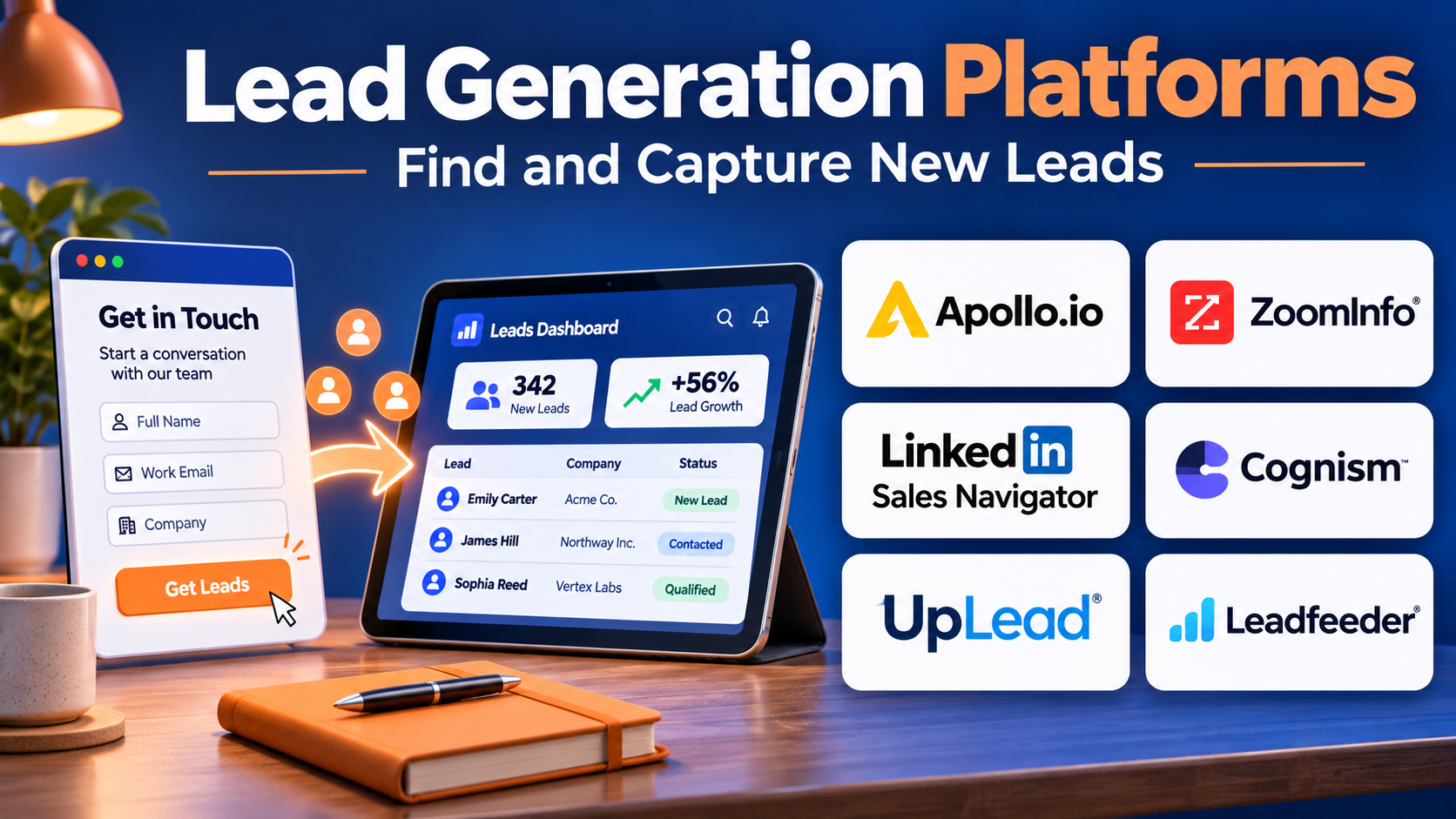
Lead generation platforms help organizations manage these activities through prospect discovery, website forms, landing pages, advertising, contact databases, automation, and CRM integration.
Some platforms specialize in B2B prospect identification. Others focus on inbound marketing, website conversion, professional advertising, or automated outreach.
The right solution depends on the organization’s business model, target audience, acquisition channels, and sales process.
A platform that works well for enterprise software prospecting may be unsuitable for a local service business.
Similarly, collecting thousands of contacts does not create value if those contacts lack relevance, permission, or genuine interest.
This guide compares ten established lead generation platforms, explains their strengths and limitations, and provides practical guidance for selecting software that supports sustainable customer acquisition.
What Are Lead Generation Platforms?
Lead generation platforms are software solutions that help businesses identify, attract, capture, qualify, and manage potential customers.
A lead may be an individual or organization that has demonstrated interest in a product or matches defined prospect criteria.
Different platforms support different parts of the lead generation process.
Main Categories
Inbound Lead Generation Platforms
These tools attract prospects through websites, content, forms, and marketing campaigns.
B2B Prospecting Platforms
These solutions help sales teams discover companies and professional contacts.
Advertising Lead Generation Platforms
These tools collect inquiries through paid campaigns and lead forms.
Website Conversion Platforms
These platforms convert website visitors into inquiries, registrations, or sales conversations.
Lead Intelligence Platforms
These solutions provide business information that helps teams identify and prioritize suitable prospects.
Common Lead Generation Capabilities
Lead generation platforms may provide:
- Contact and company discovery.
- Landing page creation.
- Website forms.
- Lead qualification.
- CRM integration.
- Email marketing.
- Audience targeting.
- Marketing automation.
- Lead scoring.
- Conversion analytics.
Benefits of Lead Generation Platforms
These platforms can reduce manual prospect research, improve campaign execution, organize inquiries, and help teams prioritize suitable opportunities.
However, lead quantity should not be the primary measure of success.
Organizations should focus on lead relevance, lawful data use, customer experience, conversion quality, and revenue outcomes.
Top 10 Lead Generation Platforms
1. HubSpot Marketing Hub
Short Description
HubSpot Marketing Hub is a marketing automation platform that helps businesses attract visitors, capture leads, nurture prospects, and connect marketing activity with CRM records.
It is particularly useful for organizations pursuing inbound marketing strategies.
HubSpot provides tools for forms, landing pages, email campaigns, audience segmentation, and marketing automation.
Businesses can use these capabilities to create campaigns that convert website visitors into identifiable prospects.
Its connection with HubSpot CRM makes it easier to coordinate marketing and sales follow-up.
HubSpot is suitable for growing companies that want multiple lead generation functions within one ecosystem.
However, advanced automation, reporting, and contact management capabilities may require higher subscription tiers.
Key Features
- Lead Capture Forms: Collects prospect information through websites and campaigns.
- Landing Pages: Creates dedicated conversion experiences.
- Marketing Automation: Coordinates lead nurturing workflows.
- CRM Integration: Connects marketing activity with customer records.
- Email Marketing: Delivers targeted communications.
- Audience Segmentation: Groups contacts by relevant criteria.
- Lead Scoring: Supports prioritization based on available signals.
- Campaign Reporting: Measures acquisition and conversion activity.
- Content and Website Tools: Supports inbound marketing experiences.
Benefits
HubSpot helps businesses connect lead capture, nurturing, and sales handoff within a shared environment.
Pros
- Broad inbound marketing capabilities.
- Strong CRM connectivity.
- Useful automation workflows.
- Accessible to growing businesses.
- Supports end-to-end lead management.
Cons
- Advanced features can become expensive.
- Contact-based pricing requires monitoring.
- Complex automation needs careful design.
- Less specialized in outbound contact discovery.
Use Cases
A SaaS company can publish educational content and capture demo requests through landing pages.
A consulting business can nurture webinar registrants before sales follow-up.
Best For: Businesses seeking integrated inbound lead generation and CRM-connected marketing automation.
2. Apollo.io
Short Description
Apollo.io is a B2B sales intelligence and engagement platform that helps teams discover professional contacts and manage prospecting activities.
It is particularly relevant for companies pursuing outbound lead generation.
Apollo provides company and contact search capabilities, allowing users to identify prospects based on business characteristics and professional roles.
The platform also includes sales engagement features that help teams organize outreach.
Its combined prospect discovery and workflow capabilities can reduce the need to switch between separate research and outreach applications.
Apollo is useful for startups, sales development teams, and B2B organizations building targeted prospect lists.
However, contact information should be verified, and outreach must follow applicable privacy, consent, and electronic communication requirements.
Key Features
- B2B Contact Database: Helps discover professional prospects.
- Company Search: Filters organizations using business characteristics.
- Prospect Segmentation: Organizes contacts into target groups.
- Sales Engagement: Supports structured outreach workflows.
- Email Sequencing: Coordinates permitted follow-up activities.
- CRM Integration: Connects prospect information with sales systems.
- Contact Enrichment: Adds available professional data.
- Lead Prioritization: Supports prospect selection.
- Activity Analytics: Measures outreach and engagement performance.
Benefits
Apollo helps B2B sales teams combine prospect discovery with outreach execution.
Pros
- Integrated prospecting and engagement.
- Useful company and contact filters.
- Suitable for outbound sales teams.
- CRM integration capabilities.
- Supports repeatable workflows.
Cons
- Contact data accuracy varies.
- Outreach compliance requires attention.
- Database coverage differs by market.
- Usage limits and credits need evaluation.
Use Cases
A B2B software company can identify operations managers at companies matching its customer profile.
A sales development team can organize a targeted prospecting campaign.
Best For: B2B outbound sales teams seeking contact discovery and engagement capabilities.
3. ZoomInfo Sales
Short Description
ZoomInfo Sales is a B2B sales intelligence platform that helps organizations identify companies, professional contacts, and potential business opportunities.
It is particularly relevant for established sales teams requiring substantial prospect research capabilities.
ZoomInfo provides business information that can support territory planning, account identification, and lead enrichment.
Sales representatives can search for organizations matching defined characteristics and identify relevant professional roles.
The platform also offers broader go-to-market capabilities through its product ecosystem.
ZoomInfo is useful for enterprises seeking to coordinate sales intelligence with CRM and revenue workflows.
However, data coverage, accuracy, licensing, and permitted usage should be carefully evaluated.
Key Features
- Company Intelligence: Provides business information about organizations.
- Professional Contact Discovery: Helps identify relevant decision-makers.
- Advanced Search Filters: Supports targeted prospect research.
- Account Prioritization: Helps organize suitable companies.
- CRM Integration: Connects business data with sales records.
- Data Enrichment: Updates available company and contact information.
- Intent-Related Insights: Provides selected research signals.
- Sales Workflow Support: Connects prospecting with revenue processes.
- Territory Research: Helps teams analyze account populations.
Benefits
ZoomInfo helps organizations improve prospect identification and account research.
Pros
- Broad B2B intelligence capabilities.
- Useful account targeting.
- Supports enterprise sales workflows.
- CRM enrichment options.
- Relevant for complex prospecting.
Cons
- Enterprise licensing can be substantial.
- Contact information requires verification.
- Coverage varies by geography.
- Data governance requirements must be reviewed.
Use Cases
An enterprise software company can identify potential customers in selected industries.
A regional sales team can research accounts within assigned territories.
Best For: Established B2B sales organizations requiring comprehensive company and contact intelligence.
4. LinkedIn Sales Navigator
Short Description
LinkedIn Sales Navigator is a professional prospecting and relationship development platform designed for sales teams.
It helps users identify potential customers through professional profiles, company information, and search filters.
Sales Navigator is particularly useful for B2B selling where professional roles, organizational relationships, and account changes matter.
Representatives can research relevant stakeholders and monitor selected accounts.
The platform supports lead and account organization, making it useful for ongoing relationship-based prospecting.
Unlike a traditional lead capture platform, Sales Navigator primarily helps teams discover and understand potential buyers.
Organizations may need separate CRM, email, and marketing tools to manage broader lead generation workflows.
Key Features
- Professional Search: Finds relevant people using supported filters.
- Company Search: Identifies organizations matching target criteria.
- Lead Lists: Organizes selected prospects.
- Account Lists: Tracks target organizations.
- Professional Insights: Provides relevant profile information.
- Account Updates: Highlights selected company developments.
- Relationship Discovery: Helps identify professional connections.
- CRM Integration: Supports compatible sales systems.
- Sales Research: Improves preparation for outreach.
Benefits
Sales Navigator helps B2B representatives research prospects and develop more relevant relationship-building approaches.
Pros
- Strong professional network information.
- Useful role-based search.
- Supports account research.
- Relevant for relationship selling.
- Helps identify stakeholders.
Cons
- Not a complete marketing automation platform.
- Does not guarantee contact information availability.
- Subscription costs require evaluation.
- Platform policies limit some automation activities.
Use Cases
A consulting firm can identify senior decision-makers at target organizations.
An enterprise account executive can research buying group members before a meeting.
Best For: B2B sales professionals emphasizing professional research and relationship-based prospecting.
5. Unbounce
Short Description
Unbounce is a landing page and conversion optimization platform that helps businesses create focused marketing experiences.
It is particularly useful for paid advertising and inbound lead generation campaigns.
Unbounce allows marketers to build landing pages without developing every page manually.
Businesses can use these pages to collect inquiries, promote webinars, offer resources, and generate demo requests.
The platform also provides testing and optimization capabilities that help teams improve conversion performance.
Its specialization makes it attractive for marketers seeking control over campaign landing pages.
However, Unbounce does not replace a complete CRM or prospect intelligence system.
Key Features
- Landing Page Builder: Creates campaign-specific pages.
- Lead Capture Forms: Collects visitor inquiries.
- Page Templates: Accelerates campaign creation.
- A/B Testing: Compares alternative page experiences.
- Conversion Analytics: Measures visitor actions.
- Dynamic Text Capabilities: Supports relevant page personalization.
- Marketing Integrations: Connects with supported business tools.
- Mobile-Responsive Design: Supports different screen sizes.
- Campaign Optimization: Helps improve landing page performance.
Benefits
Unbounce helps marketers create focused conversion experiences and test improvements without rebuilding entire websites.
Pros
- Strong landing page specialization.
- Useful testing capabilities.
- Accessible visual editing.
- Suitable for paid campaigns.
- Supports conversion optimization.
Cons
- Not a full CRM.
- Requires traffic from other channels.
- Advanced features depend on subscription.
- Conversion gains depend on offer quality.
Use Cases
A B2B company can create a landing page for a product demo campaign.
A training provider can capture registrations for an online event.
Best For: Marketing teams focused on landing page conversion and campaign lead capture.
6. Leadpages
Short Description
Leadpages is a website and landing page platform focused on helping businesses convert visitors into leads and customers.
It is particularly relevant for entrepreneurs, small businesses, and marketing teams that want accessible page creation.
Leadpages provides templates and visual editing capabilities for building campaign pages and lead capture experiences.
Businesses can use it for newsletter signups, event registrations, consultation requests, and promotional offers.
Its simplicity makes it useful for organizations without extensive web development resources.
Leadpages focuses primarily on conversion-oriented digital experiences rather than B2B contact databases or advanced sales intelligence.
Businesses may need separate CRM and marketing automation systems to manage leads after capture.
Key Features
- Landing Page Creation: Builds focused lead generation pages.
- Website Builder: Supports broader digital experiences.
- Lead Capture Forms: Collects visitor information.
- Templates: Provides starting points for campaigns.
- Visual Editing: Enables page creation without extensive coding.
- Conversion Optimization: Supports improvement of visitor actions.
- Mobile-Responsive Pages: Adapts experiences to different devices.
- Marketing Integrations: Connects with supported services.
- Campaign Publishing: Makes pages available for marketing programs.
Benefits
Leadpages helps smaller organizations launch lead capture campaigns without substantial development effort.
Pros
- Accessible page builder.
- Suitable for small businesses.
- Useful conversion templates.
- Supports rapid campaign creation.
- Lower technical requirements.
Cons
- Limited B2B prospect intelligence.
- Advanced automation requires integrations.
- Not a full customer management platform.
- Campaign success depends on traffic quality.
Use Cases
A consultant can create a page offering a free introductory consultation.
A small business can collect email registrations for a product announcement.
Best For: Entrepreneurs and small businesses seeking accessible landing page lead generation.
7. OptinMonster
Short Description
OptinMonster is a website conversion and lead capture platform focused on turning existing website traffic into subscribers and inquiries.
It is particularly relevant for businesses with established websites that want to improve visitor conversion.
OptinMonster provides forms, popups, banners, and targeting options that help marketers present relevant offers.
Businesses can use these tools to collect newsletter registrations, promote resources, and encourage visitor engagement.
Its targeting capabilities allow campaigns to respond to selected visitor behaviors or page conditions.
OptinMonster is useful for improving lead capture without rebuilding the website.
However, intrusive campaigns can damage user experience, so businesses should balance conversion goals with accessibility and visitor preferences.
Key Features
- Popup Campaigns: Presents lead capture offers.
- Embedded Forms: Collects visitor information.
- Behavioral Targeting: Adjusts campaigns using supported conditions.
- Exit-Intent Capabilities: Supports offers when visitors appear likely to leave.
- Campaign Templates: Accelerates setup.
- A/B Testing: Compares conversion approaches.
- Audience Segmentation: Targets selected visitor groups.
- Email Marketing Integrations: Transfers permitted subscriber information.
- Conversion Reporting: Measures campaign outcomes.
Benefits
OptinMonster helps businesses improve conversion opportunities from existing website traffic.
Pros
- Strong website lead capture focus.
- Flexible targeting.
- Useful testing capabilities.
- Integrates with email tools.
- Suitable for content-driven websites.
Cons
- Does not generate traffic independently.
- Aggressive popups can frustrate visitors.
- Not a B2B prospect database.
- Requires attention to consent and accessibility.
Use Cases
A software blog can offer a relevant technical guide to interested readers.
An online education provider can collect registrations for a course information session.
Best For: Website owners seeking to improve visitor-to-lead conversion.
8. Typeform
Short Description
Typeform is an interactive form and survey platform that helps businesses collect information through conversational digital experiences.
It is particularly useful for lead qualification, registrations, customer inquiries, and interactive assessments.
Typeform emphasizes user-friendly form design and structured question flows.
Businesses can create forms that collect relevant prospect information while maintaining a clear experience.
Conditional logic allows different questions to appear based on earlier responses.
This makes Typeform useful for qualifying inquiries before they reach sales teams.
However, it is primarily a data collection platform and does not replace comprehensive lead generation or marketing automation software.
Key Features
- Interactive Forms: Collects information through structured experiences.
- Conditional Logic: Adapts questions based on responses.
- Lead Qualification: Captures information relevant to sales readiness.
- Form Templates: Accelerates setup.
- Custom Branding: Supports consistent presentation.
- Embedded Forms: Integrates with websites.
- Application Integrations: Transfers responses to supported systems.
- Response Analytics: Measures form activity.
- Data Collection Workflows: Organizes submitted information.
Benefits
Typeform helps businesses collect more relevant lead information through accessible, structured forms.
Pros
- User-friendly form experiences.
- Strong conditional logic.
- Useful for lead qualification.
- Flexible integrations.
- Suitable for many industries.
Cons
- Does not provide prospect discovery.
- Response limits and pricing vary.
- Long forms can reduce completion.
- CRM workflows require integrations.
Use Cases
A consulting company can qualify inquiries by asking about project scope and budget.
A software business can create an interactive product recommendation questionnaire.
Best For: Businesses seeking interactive lead capture and qualification forms.
9. LinkedIn Campaign Manager
Short Description
LinkedIn Campaign Manager is a professional advertising platform that supports B2B lead generation through targeted campaigns.
It is particularly useful for businesses trying to reach professional audiences by role, industry, company, and other supported attributes.
Organizations can use LinkedIn advertising to promote content, events, product demonstrations, and other lead generation offers.
Lead Gen Forms allow interested users to submit information through supported advertising experiences.
The platform is especially relevant for B2B marketers targeting decision-makers and professional audiences.
However, lead volume and quality depend on campaign targeting, offer relevance, and follow-up processes.
LinkedIn Campaign Manager is an advertising acquisition channel rather than a complete lead management system.
Key Features
- Professional Audience Targeting: Reaches relevant business audiences.
- Lead Gen Forms: Captures inquiries through supported advertisements.
- Company Targeting: Focuses campaigns on selected organizations.
- Sponsored Content: Promotes offers to professional audiences.
- Audience Segmentation: Refines campaign reach.
- Conversion Tracking: Measures selected outcomes.
- Campaign Analytics: Reports advertising performance.
- CRM Integrations: Connects supported lead workflows.
- Campaign Optimization: Supports targeting and budget adjustments.
Benefits
LinkedIn Campaign Manager helps B2B marketers reach relevant professional audiences and generate inquiries through advertising.
Pros
- Strong B2B targeting.
- Useful professional audience data.
- Supports native lead forms.
- Relevant for enterprise marketing.
- Account targeting capabilities.
Cons
- Advertising costs can be high.
- Lead quality varies by campaign.
- Not a full CRM or nurturing platform.
- Requires ongoing campaign optimization.
Use Cases
A B2B technology company can promote a technical webinar to IT decision-makers.
A consulting firm can advertise a research report to selected professional audiences.
Best For: B2B marketers generating leads through professional advertising.
10. Cognism
Short Description
Cognism is a B2B sales intelligence platform that helps organizations identify companies and professional contacts for prospecting.
It is particularly relevant for outbound sales teams requiring business contact data and account research.
Cognism provides company and contact discovery capabilities that support targeted lead generation.
Sales representatives can use business filters to identify relevant prospects and develop outreach lists.
The platform also emphasizes data quality and compliance-oriented considerations within its product positioning.
It is useful for organizations that want prospect information connected with CRM workflows.
However, businesses must independently evaluate applicable data protection requirements, permitted uses, and contact accuracy.
Cognism is primarily a prospect intelligence solution rather than an inbound marketing platform.
Key Features
- B2B Contact Discovery: Helps identify professional prospects.
- Company Intelligence: Provides business information.
- Prospect Filtering: Supports targeted searches.
- Contact Data: Supplies available professional contact details.
- CRM Integration: Connects prospect information with sales records.
- Data Enrichment: Adds available business attributes.
- Account Research: Supports company qualification.
- Prospecting Workflows: Helps organize outbound research.
- Data Quality Features: Supports evaluation of contact information.
Benefits
Cognism helps sales teams identify relevant professional contacts and reduce manual account research.
Pros
- Strong B2B prospecting orientation.
- Useful company and contact filters.
- Relevant for outbound sales.
- CRM integration capabilities.
- Supports account research.
Cons
- Data coverage varies by geography.
- Contact information can become outdated.
- Enterprise pricing requires review.
- Legal compliance remains the user’s responsibility.
Use Cases
A B2B software company can identify potential buyers within selected industries.
A sales development team can research accounts before initiating permitted outreach.
Best For: B2B outbound teams seeking professional contact intelligence.
Lead Generation Platforms Comparison Table
| Platform | Primary Strength | Lead Generation Method | Ideal Users |
|---|---|---|---|
| HubSpot Marketing Hub | Inbound marketing | Forms, content, automation | Growing businesses |
| Apollo.io | B2B prospecting | Contact discovery and outreach | SDR teams |
| ZoomInfo Sales | Sales intelligence | Company and contact data | Enterprises |
| LinkedIn Sales Navigator | Professional research | Relationship-based prospecting | B2B sellers |
| Unbounce | Landing page conversion | Campaign pages | Performance marketers |
| Leadpages | Accessible lead capture | Landing pages and forms | Small businesses |
| OptinMonster | Website conversion | Targeted forms and offers | Website marketers |
| Typeform | Interactive qualification | Forms and questionnaires | Service businesses |
| LinkedIn Campaign Manager | B2B advertising | Paid campaigns and lead forms | B2B marketers |
| Cognism | Contact intelligence | Outbound prospect discovery | B2B sales teams |
How to Choose the Right Lead Generation Platform
1. Define Your Target Audience
Identify the industries, customer characteristics, locations, and needs associated with your ideal customers.
2. Choose Inbound or Outbound Acquisition
Inbound platforms attract and capture interest.
Outbound platforms help teams identify and approach suitable prospects.
Many organizations combine both methods.
3. Evaluate Lead Quality
A qualified lead should match relevant customer criteria and demonstrate an appropriate level of interest or fit.
4. Review Data Accuracy
For prospect databases, assess contact coverage, freshness, verification methods, and duplicate handling.
5. Examine Conversion Capabilities
For website tools, evaluate form usability, landing page performance, and integration with follow-up systems.
6. Assess CRM Integration
Leads should move into the correct sales or marketing workflows without unnecessary manual work.
7. Evaluate Privacy and Consent
Ensure data collection and outreach practices comply with applicable privacy and marketing rules.
8. Review Automation
Automation should improve follow-up consistency without creating irrelevant or excessive communication.
9. Calculate Acquisition Costs
Measure spending against qualified leads, opportunities, and customers rather than raw lead volume.
10. Test Before Scaling
Begin with a limited campaign and evaluate conversion quality before increasing investment.
Best Lead Generation Software by User Type
| User Type | Recommended Platform | Reason |
|---|---|---|
| Inbound marketing teams | HubSpot | Integrated marketing automation |
| SDR teams | Apollo.io | Prospect discovery and engagement |
| Enterprise sales teams | ZoomInfo Sales | B2B intelligence |
| Relationship-based sellers | LinkedIn Sales Navigator | Professional research |
| Paid campaign marketers | Unbounce | Landing page optimization |
| Small businesses | Leadpages | Accessible lead capture |
| Content websites | OptinMonster | Visitor conversion |
| Service businesses | Typeform | Lead qualification forms |
| B2B advertisers | LinkedIn Campaign Manager | Professional audience targeting |
| Outbound prospecting teams | Cognism | Business contact intelligence |
Practical Example: Building a B2B Lead Generation System
Consider a software company selling project management solutions to mid-sized businesses.
The company wants to generate more qualified demonstration requests.
Step 1: Define the Ideal Customer Profile
The team targets companies with 100–1,000 employees and distributed project teams.
Step 2: Select Acquisition Channels
The company chooses educational content, professional advertising, and targeted outbound prospecting.
Step 3: Choose Platforms
HubSpot manages inbound lead capture.
LinkedIn Campaign Manager supports advertising.
Apollo helps the sales team research suitable companies.
Step 4: Create a Relevant Offer
The company develops a guide explaining how distributed teams can improve project visibility.
Step 5: Build a Landing Page
The landing page explains the resource and provides a short registration form.
Step 6: Define Qualification Criteria
Leads are evaluated using company fit, relevant business needs, and demonstrated interest.
Step 7: Connect the CRM
Form submissions and qualified prospect records enter the appropriate sales or marketing workflows.
Step 8: Launch a Pilot
The company runs a limited advertising campaign and targeted outbound program.
Step 9: Measure Results
Suppose the campaign generates 400 leads, of which 80 meet qualification criteria.
The hypothetical lead qualification rate is 20%.
The company also tracks how many qualified leads become opportunities and customers.
Step 10: Improve the Process
The team refines targeting, landing pages, messaging, and follow-up based on verified outcomes.
Frequently Asked Questions
1. What is a lead generation platform?
A lead generation platform helps businesses discover, attract, capture, qualify, or manage potential customers.
2. What is the difference between inbound and outbound lead generation?
Inbound lead generation attracts interested prospects through content and campaigns.
Outbound lead generation involves identifying and approaching potential customers.
3. Which platform is best for inbound lead generation?
HubSpot Marketing Hub is a strong candidate for integrated inbound marketing.
4. Which platforms are useful for B2B prospecting?
Apollo, ZoomInfo, LinkedIn Sales Navigator, and Cognism are relevant options.
5. Which tools are best for landing page leads?
Unbounce and Leadpages specialize in conversion-focused pages.
6. Can lead generation tools integrate with CRMs?
Many platforms support CRM integrations.
7. What is a qualified lead?
A qualified lead is a prospect meeting defined fit and interest criteria.
8. Is a large lead database always better?
No. Accuracy, relevance, permitted use, and conversion potential matter more than raw database size.
9. Can AI improve lead generation?
AI can support segmentation, research, scoring, and content workflows, but its outputs require validation.
10. What is lead scoring?
Lead scoring assigns values to prospects using selected characteristics and engagement signals.
11. Are purchased contact lists legal?
Legality depends on jurisdiction, data collection practices, consent requirements, and intended use.
12. How can businesses improve landing page conversions?
Use relevant offers, clear messaging, accessible forms, and controlled testing.
13. What is cost per qualified lead?
It is the campaign cost divided by the number of leads meeting defined qualification criteria.
14. Can small businesses use lead generation platforms?
Yes. Tools such as Leadpages, Typeform, and HubSpot can support smaller lead generation programs.
15. What is the biggest lead generation mistake?
Optimizing for lead quantity without measuring relevance, customer experience, and actual sales outcomes.
Final Thoughts
Lead generation platforms help organizations attract and identify potential customers through different acquisition methods.
HubSpot supports integrated inbound marketing, while Apollo, ZoomInfo, Sales Navigator, and Cognism focus on B2B prospecting.
Unbounce, Leadpages, OptinMonster, and Typeform help convert website visitors into inquiries.
LinkedIn Campaign Manager provides professional audience advertising and lead capture.
The right platform depends on the organization’s audience, acquisition strategy, sales process, and resources.
Businesses should prioritize qualified opportunities, responsible data practices, and measurable customer acquisition outcomes over raw contact volume.