Introduction
A digital product can contain useful features and still be difficult to use. Customers may struggle to locate important information, complete registration, understand navigation, or recover from errors.
These difficulties are not always obvious to the people who design and develop the product.
Designers become familiar with their own interfaces, while developers understand technical workflows that ordinary users may find confusing.
Usability testing helps organizations discover these problems by observing people attempting realistic tasks.
Instead of asking whether an interface looks attractive, usability testing investigates whether people can use it effectively.
Researchers may measure task completion, observe errors, record participant behavior, and ask users to explain confusing experiences.
Usability testing platforms make these activities easier to organize and repeat.
Some tools provide moderated sessions with live facilitators. Others support unmoderated tests, prototype evaluations, automated measurements, participant recruitment, and video analysis.
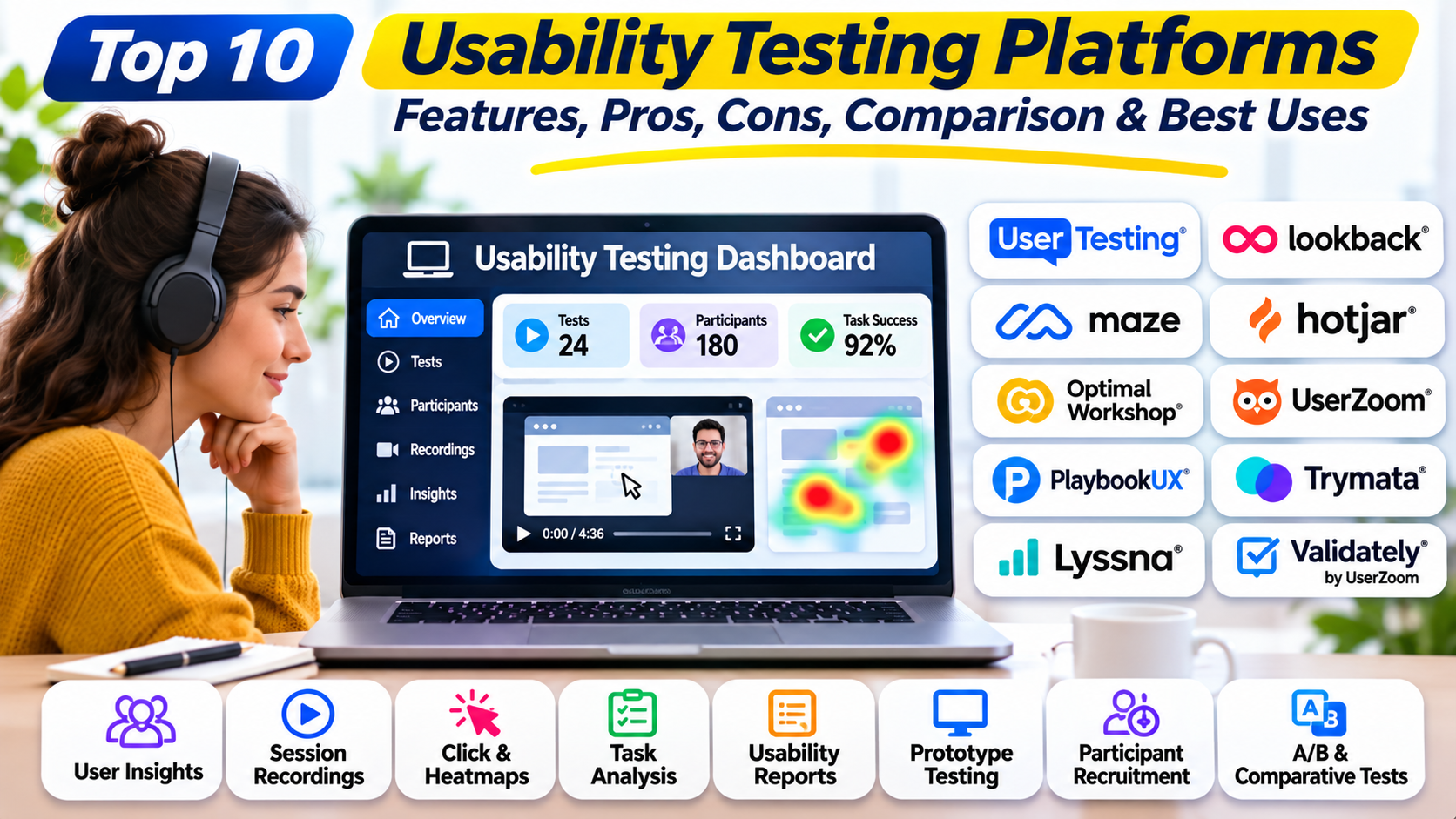
This article compares ten established usability testing platforms and explains how to select software that supports reliable user-centered product development.
What Are Usability Testing Platforms?
Usability testing platforms are software systems that help teams evaluate how effectively people complete tasks using websites, mobile applications, prototypes, or other digital interfaces.
They support research activities such as creating tasks, recruiting participants, recording interactions, collecting feedback, and analyzing results.
Moderated Usability Testing
In moderated testing, a researcher observes a participant during a live session.
The researcher can ask follow-up questions, investigate unexpected behavior, and clarify the participant’s understanding.
This method is useful for complex workflows and exploratory research.
Unmoderated Usability Testing
In unmoderated testing, participants complete predefined tasks independently.
This approach can make research easier to scale and schedule.
However, researchers cannot always ask immediate follow-up questions when participants misunderstand instructions.
Prototype Testing
Prototype testing evaluates a proposed interface before full implementation.
It helps teams identify confusing navigation, unclear terminology, and workflow problems early.
Live Product Testing
Live product testing evaluates functioning websites or applications.
It can reveal problems involving real interactions, validation messages, loading states, and application behavior.
Common Usability Measurements
Task completion rate: The proportion of participants who successfully complete a task.
Time on task: The duration required to complete an activity.
Error rate: The frequency of mistakes or unsuccessful interactions.
Task difficulty: Participants’ perceived effort when completing a task.
Navigation behavior: The paths participants follow through an interface.
User satisfaction: Participants’ reported experience, measured through suitable questions or instruments.
Usability metrics should be interpreted alongside observations and study limitations. A fast task completion time does not necessarily indicate a good experience if participants misunderstood the task.
Top 10 Usability Testing Platforms
1. UserTesting
Short Description
UserTesting is a user experience research platform that supports moderated and unmoderated usability studies.
It helps organizations observe how participants interact with digital products and collect feedback about those experiences.
Researchers can create task-based studies, recruit participants through supported channels, and review recordings.
For example, an insurance company may ask participants to obtain a quote, compare coverage options, and complete an application.
The resulting sessions can reveal confusing terminology, unexpected navigation choices, and difficulties with form completion.
UserTesting is particularly valuable to organizations that conduct usability research frequently and need consistent workflows for sharing findings.
Its commercial model and broader research capabilities may be more than smaller teams need for occasional testing.
Key Features
- Moderated Testing: Supports live participant sessions and follow-up questions.
- Unmoderated Testing: Allows participants to complete predefined tasks independently.
- Participant Recruitment: Provides supported options for finding research participants.
- Session Recordings: Captures user interactions and spoken feedback where supported.
- Task-Based Studies: Structures research around realistic activities.
- Research Templates: Helps standardize common usability studies.
- Insight Review: Supports analysis of participant responses and recordings.
- Collaboration: Allows stakeholders to review evidence and findings.
- Reporting: Helps communicate usability results.
Benefits
UserTesting makes it easier to observe users interacting with real products.
Its recruitment and study management capabilities can reduce operational effort.
Recordings provide direct evidence that helps teams understand and prioritize usability problems.
Pros
- Moderated and unmoderated testing.
- Participant recruitment.
- Recorded interactions.
- Structured study workflows.
- Collaboration features.
- Suitable for enterprise research.
Cons
- Commercial pricing.
- Participant screening requires care.
- Advanced workflows may require training.
- Research analysis remains necessary.
- Not a replacement for product analytics.
Use Cases
Insurance applications: Testing quote and enrollment workflows.
E-commerce checkout: Investigating payment friction.
Enterprise software: Evaluating complex business processes.
Best For
UserTesting is suitable for enterprise UX researchers and product teams conducting recurring usability studies.
2. Maze
Short Description
Maze is a product research platform that supports usability testing, prototype validation, and structured participant feedback.
It is especially useful for teams working with interactive designs before implementation.
Maze allows researchers to create studies around specific tasks and collect supported completion and navigation information.
For example, a project management application team may test whether users can create a workspace, invite colleagues, and assign tasks in a proposed interface.
Researchers can compare task results and participant feedback to identify confusing interactions.
Maze fits iterative design workflows where teams need frequent feedback on evolving prototypes.
However, unmoderated metrics alone may not explain every participant decision.
Key Features
- Prototype Testing: Evaluates supported interactive prototypes.
- Unmoderated Usability Studies: Collects independent participant responses.
- Task Completion Metrics: Measures supported task outcomes.
- Navigation Analysis: Helps investigate participant paths.
- Surveys: Collects supporting feedback.
- Participant Recruitment: Provides available recruitment options.
- Research Templates: Simplifies study preparation.
- Design Integrations: Connects with supported design workflows.
- Study Reporting: Organizes findings for review.
Benefits
Maze helps teams identify usability problems before development.
Its structured testing workflows support repeated design evaluation.
Task results can provide evidence for comparing interface alternatives.
Pros
- Strong prototype testing.
- Unmoderated studies.
- Task metrics.
- Design integrations.
- Structured reports.
- Suitable for iterative design.
Cons
- Complex questions may require moderated sessions.
- Prototype behavior may differ from production.
- Participant recruitment can affect costs.
- Study design influences metric validity.
- Limited opportunities for live clarification in unmoderated tests.
Use Cases
Onboarding prototypes: Testing account setup.
Navigation redesign: Evaluating new menu structures.
Feature validation: Checking whether users understand proposed workflows.
Best For
Maze is suitable for product designers and teams testing prototypes frequently.
3. Lookback
Short Description
Lookback is a usability research platform focused on observing participants and recording their interactions.
It supports moderated and unmoderated research sessions, making it useful for investigating how people experience digital products.
Researchers can observe participants, collect spoken feedback, and review session evidence.
For example, a healthcare application team may ask patients to schedule appointments and locate test results.
Observing these tasks can reveal hesitation, misunderstanding, and navigation difficulties that are difficult to identify through analytics.
Lookback is particularly useful for qualitative usability research.
Teams requiring extensive quantitative dashboards or large-scale research repositories may need additional software.
Key Features
- Moderated Sessions: Supports live researcher-participant interaction.
- Unmoderated Sessions: Enables independent usability tasks.
- Screen Recording: Captures supported participant interactions.
- Participant Audio: Collects spoken feedback where enabled.
- Remote Testing: Supports distributed research sessions.
- Research Notes: Helps document observations.
- Session Review: Allows researchers to revisit recorded evidence.
- Stakeholder Collaboration: Supports shared observation and review.
- Study Organization: Helps coordinate usability sessions.
Benefits
Lookback provides rich observational evidence about usability problems.
Live sessions help researchers investigate unexpected participant behavior.
Recordings also support more accurate analysis than relying exclusively on notes.
Pros
- Moderated and unmoderated research.
- Session recordings.
- Remote testing.
- Qualitative insights.
- Collaborative review.
- Useful for mobile and web workflows.
Cons
- Limited automated quantitative analysis.
- Participant scheduling may require coordination.
- Recordings require privacy controls.
- Manual analysis can take time.
- Not a complete participant recruitment solution.
Use Cases
Healthcare portals: Evaluating appointment scheduling.
Mobile applications: Observing navigation problems.
Complex workflows: Investigating user confusion through live sessions.
Best For
Lookback is suitable for qualitative UX researchers and teams conducting observational usability testing.
4. Userlytics
Short Description
Userlytics is a user research and usability testing platform that supports moderated and unmoderated studies.
It helps teams gather feedback from participants using websites, applications, and prototypes.
The platform is relevant to organizations that need remote usability testing with participant observation and research reporting.
For example, a travel booking company may ask participants to compare flights, select accommodations, and complete a reservation.
Researchers can examine recorded sessions and participant responses to identify points of friction.
Userlytics supports a range of study configurations, making it useful for both exploratory and evaluative research.
However, researchers must carefully design tasks and participant screening criteria to obtain meaningful results.
Key Features
- Moderated Testing: Supports facilitated research sessions.
- Unmoderated Testing: Allows independent participant tasks.
- Remote Research: Supports distributed participants.
- Session Recording: Captures supported interaction evidence.
- Participant Recruitment: Provides recruitment options.
- Task Configuration: Supports structured usability scenarios.
- Survey Questions: Collects supporting participant responses.
- Research Reporting: Organizes study results.
- Analysis Support: Helps researchers review usability evidence.
Benefits
Userlytics supports usability research across different study formats.
Its participant access and recording capabilities can simplify remote research operations.
Structured studies help teams compare usability findings across product iterations.
Pros
- Moderated and unmoderated testing.
- Participant recruitment.
- Remote usability research.
- Recorded sessions.
- Flexible study design.
- Useful for product teams.
Cons
- Commercial research costs.
- Participant quality depends on screening.
- Complex studies require research expertise.
- Recordings require analysis.
- Feature availability varies by plan.
Use Cases
Travel booking: Testing reservation workflows.
Financial applications: Evaluating account navigation.
Product redesign: Comparing usability before and after changes.
Best For
Userlytics is suitable for UX researchers and organizations requiring flexible remote usability studies.
5. Lyssna
Short Description
Lyssna is a user research platform that supports focused usability studies and design validation.
It offers methods such as first-click testing, preference testing, and prototype testing.
Lyssna is useful when teams want answers to specific design questions without organizing a lengthy research program.
For example, a news website may test whether visitors can locate subscription settings from a redesigned navigation menu.
Researchers can use first-click studies to examine initial navigation choices.
Preference studies can also help teams understand participant reactions to alternative designs.
Lyssna is particularly suitable for rapid design iteration, although more complex usability problems may require deeper observational research.
Key Features
- First-click Testing: Evaluates initial interaction choices.
- Prototype Testing: Supports selected interactive design studies.
- Preference Testing: Compares reactions to alternatives.
- Five-second Testing: Investigates initial impressions.
- Surveys: Collects structured feedback.
- Participant Recruitment: Supports available participant sourcing.
- Study Templates: Simplifies research preparation.
- Results Reporting: Summarizes participant responses.
- Research Sharing: Helps teams communicate findings.
Benefits
Lyssna helps teams test focused interface decisions efficiently.
Its methods are accessible to designers and product managers.
Frequent lightweight studies can reduce reliance on assumptions during design.
Pros
- Rapid study setup.
- First-click testing.
- Prototype evaluation.
- Preference testing.
- Participant recruitment.
- Accessible research workflows.
Cons
- Less suited to complex exploratory research.
- Limited contextual information in short studies.
- Participant sampling affects conclusions.
- Advanced capabilities may require paid plans.
- Not a comprehensive research repository.
Use Cases
Website navigation: Testing initial user choices.
Landing pages: Comparing alternative layouts.
Product messaging: Evaluating interface clarity.
Best For
Lyssna is suitable for designers and product teams conducting rapid usability evaluations.
6. Useberry
Short Description
Useberry is a user testing platform focused on evaluating prototypes and digital experiences.
It helps design teams collect usability feedback before investing heavily in development.
Useberry supports research methods that allow participants to interact with supported prototypes and complete predefined tasks.
For example, a mobile fitness application team may test whether users can create workout plans and locate progress reports.
The resulting study data can help identify confusing navigation and unclear interface elements.
Useberry is particularly relevant to teams working in design environments and seeking early usability feedback.
Its prototype-oriented approach should be complemented with live application testing when production behavior becomes important.
Key Features
- Prototype Testing: Evaluates supported interactive designs.
- Task-Based Studies: Measures participant interactions with defined goals.
- Click Analysis: Helps investigate navigation behavior.
- User Flow Analysis: Provides information about participant paths.
- Survey Questions: Collects qualitative feedback.
- Design Integrations: Connects with supported design tools.
- Study Sharing: Distributes tests to participants.
- Results Dashboards: Presents study outcomes.
- Design Iteration Support: Helps compare usability across versions.
Benefits
Useberry helps designers identify interface problems before implementation.
Its prototype-based studies reduce the cost of testing early ideas.
Interaction data can also guide targeted design improvements.
Pros
- Prototype-focused usability testing.
- Task-based studies.
- Click analysis.
- Design integrations.
- Useful study dashboards.
- Suitable for early validation.
Cons
- Prototype behavior may not reflect production conditions.
- Complex qualitative research requires additional methods.
- Participant recruitment needs planning.
- Study results depend on task design.
- Feature limits vary by plan.
Use Cases
Mobile app prototypes: Testing navigation and task flows.
Design iterations: Comparing interface revisions.
Early product validation: Identifying confusing interactions.
Best For
Useberry is suitable for UI/UX designers and teams evaluating interactive prototypes.
7. UXtweak
Short Description
UXtweak is a UX research and usability testing platform that supports multiple methods for evaluating digital experiences.
Its capabilities include usability testing, information architecture research, and related user research workflows.
UXtweak is useful for organizations that want several research methods within one environment.
For example, an e-commerce company may use tree testing to evaluate product categories and usability testing to examine checkout behavior.
Researchers can collect participant results and investigate where users encounter difficulties.
The platform supports both early design research and evaluation of existing products.
Its breadth is valuable, although teams should choose methods according to their research questions rather than using every available feature.
Key Features
- Website Usability Testing: Evaluates supported live website workflows.
- Prototype Testing: Supports selected design evaluations.
- Tree Testing: Investigates navigation hierarchy effectiveness.
- Card Sorting: Helps examine information organization.
- Session Evidence: Collects supported participant interaction information.
- Surveys: Gathers structured feedback.
- Participant Recruitment: Provides relevant sourcing options.
- Task Metrics: Measures supported usability outcomes.
- Research Reporting: Organizes findings for analysis.
Benefits
UXtweak allows teams to combine usability testing with information architecture research.
This reduces the need for separate tools for every study method.
Its task measurements and participant evidence support structured product evaluation.
Pros
- Multiple usability research methods.
- Website and prototype testing.
- Tree testing.
- Card sorting.
- Participant recruitment options.
- Research reporting.
Cons
- Broad feature sets require learning.
- Participant costs need consideration.
- Study design affects results.
- Some workflows require manual analysis.
- Commercial features vary by plan.
Use Cases
E-commerce navigation: Testing product categories.
Website redesign: Evaluating information architecture and task completion.
Product usability: Investigating workflow friction.
Best For
UXtweak is suitable for UX research teams seeking multiple usability methods within one platform.
8. Optimal Workshop
Short Description
Optimal Workshop specializes in information architecture and navigation research.
It helps teams evaluate whether users can understand and navigate the structure of websites and applications.
Its card sorting and tree testing capabilities are particularly useful before implementing complex navigation systems.
For example, a government website may contain hundreds of services organized into departments and categories.
Researchers can use tree testing to determine whether residents can locate important information.
Card sorting can help reveal how participants naturally group content.
Optimal Workshop is highly useful for navigation-related usability questions but does not replace full interaction testing across complex application workflows.
Key Features
- Tree Testing: Evaluates navigation hierarchy.
- Card Sorting: Investigates content grouping.
- First-click Testing: Examines initial navigation decisions.
- Information Architecture Studies: Supports structural design evaluation.
- Participant Recruitment: Provides supported research sourcing.
- Remote Testing: Enables distributed participation.
- Study Reporting: Summarizes navigation outcomes.
- Participant Analysis: Helps interpret task performance.
- Research Collaboration: Supports sharing findings.
Benefits
Optimal Workshop helps teams improve navigation before building complete interfaces.
Its specialized methods provide evidence about content organization.
This is particularly valuable for websites with large information structures.
Pros
- Strong navigation testing.
- Card sorting.
- Tree testing.
- Remote research.
- Useful reporting.
- Suitable for content-heavy products.
Cons
- Specialized rather than comprehensive.
- Does not replace complete workflow testing.
- Research design requires care.
- Participant sampling influences results.
- Commercial pricing.
Use Cases
Government websites: Testing service navigation.
University portals: Evaluating information categories.
Knowledge bases: Improving content discoverability.
Best For
Optimal Workshop is suitable for information architects and teams evaluating navigation usability.
9. Loop11
Short Description
Loop11 is a remote usability testing platform that helps teams evaluate how participants navigate websites and digital experiences.
It supports task-based research and usability measurements.
Loop11 is particularly relevant to organizations that want to investigate whether users can complete specific activities.
For example, a financial services website may test whether customers can locate loan information and begin an application.
Researchers can review task outcomes and navigation behavior to identify difficulties.
Loop11 supports remote testing, making it practical for reaching geographically distributed participants.
Its task-oriented approach is useful for structured evaluations, although complex motivations may require moderated follow-up research.
Key Features
- Remote Usability Testing: Supports distributed participant studies.
- Task-Based Research: Evaluates defined user activities.
- Task Completion Measurement: Records supported success outcomes.
- Time-on-Task Analysis: Helps examine task duration.
- Navigation Analysis: Provides information about user paths.
- Participant Feedback: Collects supporting responses.
- Study Configuration: Allows researchers to define testing scenarios.
- Results Reporting: Organizes usability findings.
- Research Comparison: Supports evaluation of selected study outcomes.
Benefits
Loop11 helps teams evaluate task completion systematically.
Remote participation can reduce scheduling and geographic barriers.
Its measurements support comparisons between interface versions when studies are designed consistently.
Pros
- Task-oriented usability testing.
- Remote research.
- Task completion metrics.
- Navigation analysis.
- Structured reporting.
- Useful for website evaluation.
Cons
- Less suitable for open-ended exploratory research.
- Task definitions strongly influence results.
- Participant recruitment needs planning.
- Complex behavior may require additional observation.
- Commercial pricing.
Use Cases
Financial websites: Testing product discovery.
Website redesign: Comparing task success.
Navigation research: Identifying difficult user journeys.
Best For
Loop11 is suitable for teams conducting structured remote usability tests.
10. Userfeel
Short Description
Userfeel is a usability testing service that helps organizations collect feedback from participants interacting with websites and applications.
It is particularly useful for teams seeking recorded usability sessions without building extensive research infrastructure.
Researchers can define tasks and review participant recordings to identify confusing experiences.
For example, a small online store may ask participants to locate a product, compare options, and complete checkout.
The recordings can reveal hesitation, unclear labels, and navigation problems.
Userfeel can be attractive to smaller organizations that need practical usability feedback.
However, teams should verify participant availability, study formats, and current pricing before selecting the service.
Key Features
- Remote Usability Testing: Supports participant testing from different locations.
- Task-Based Studies: Allows researchers to define realistic activities.
- Participant Recordings: Captures supported interaction evidence.
- Spoken Feedback: Collects participant explanations.
- Website Testing: Evaluates browser-based experiences.
- Application Testing: Supports relevant mobile testing scenarios.
- Participant Selection: Provides available audience targeting options.
- Research Review: Helps teams examine session findings.
- Flexible Study Purchasing: Supports testing arrangements suited to different research volumes.
Benefits
Userfeel helps teams obtain direct feedback about usability problems.
Recorded sessions make user difficulties easier to understand.
Its research model can be useful for organizations conducting occasional studies.
Pros
- Recorded usability sessions.
- Remote participants.
- Task-based testing.
- Website and app research.
- Practical qualitative feedback.
- Useful for smaller teams.
Cons
- Limited enterprise research management compared with larger platforms.
- Participant quality varies.
- Findings require manual interpretation.
- Study capabilities depend on available services.
- Not a complete analytics platform.
Use Cases
Small e-commerce sites: Testing checkout and navigation.
Startup applications: Identifying early usability barriers.
Website redesign: Reviewing participant reactions.
Best For
Userfeel is suitable for startups, small businesses, and teams seeking practical remote usability feedback.
Comparison Table: Top 10 Usability Testing Platforms
| Tool | Best For | Platforms | Standout Feature | Pricing Model |
|---|---|---|---|---|
| UserTesting | Enterprise usability studies | Web and mobile research | Moderated and unmoderated testing | Commercial |
| Maze | Prototype usability | Web and supported design integrations | Task-based prototype testing | Free and paid plans |
| Lookback | Observational research | Supported web and mobile workflows | Recorded sessions | Subscription |
| Userlytics | Remote user testing | Web and mobile | Flexible study formats | Commercial |
| Lyssna | Rapid design evaluation | Web | First-click and preference testing | Free and paid plans |
| Useberry | Prototype testing | Supported design environments | Interaction analysis | Free and paid plans |
| UXtweak | Multi-method UX research | Web and prototypes | Usability and navigation research | Free and paid plans |
| Optimal Workshop | Navigation usability | Web | Card sorting and tree testing | Subscription |
| Loop11 | Structured task testing | Web | Task completion analysis | Commercial |
| Userfeel | Practical remote feedback | Web and supported apps | Recorded participant testing | Per-test/commercial |
Which Usability Testing Platform Is Right for You?
Choose a platform based on the product stage, research objectives, and required level of observation.
For early prototype testing, Maze and Useberry are relevant choices.
For moderated research involving complex workflows, UserTesting, Lookback, and Userlytics provide appropriate study approaches.
Lyssna is useful for focused design questions, while UXtweak supports several research methods.
Optimal Workshop specializes in navigation and information architecture.
Loop11 is relevant to structured task evaluation, and Userfeel can support occasional recorded usability studies.
Before purchasing, compare participant recruitment, supported platforms, study formats, recordings, metrics, collaboration, privacy controls, and total research costs.
Best Usability Testing Platforms for Different Users
| User Type | Recommended Tool | Reason |
|---|---|---|
| Enterprise UX researcher | UserTesting | Comprehensive research workflows |
| Product designer | Maze | Prototype testing |
| Qualitative researcher | Lookback | Live observation |
| Remote research team | Userlytics | Flexible study formats |
| Marketing designer | Lyssna | Rapid design feedback |
| UI designer | Useberry | Prototype interaction analysis |
| UX research generalist | UXtweak | Multiple testing methods |
| Information architect | Optimal Workshop | Navigation research |
| Website optimization team | Loop11 | Task-based evaluation |
| Small business owner | Userfeel | Recorded usability feedback |
Practical Example: Improving an Online Appointment Booking Experience
Consider a healthcare organization whose website allows patients to book appointments.
Many visitors begin the process but do not complete it.
Step 1: Define the Problem
The team wants to understand why patients abandon appointment booking.
Step 2: Identify Critical Tasks
Researchers define tasks such as selecting a specialist, choosing a location, and confirming an appointment.
Step 3: Select a Testing Platform
The organization chooses UserTesting for moderated and unmoderated research.
Step 4: Recruit Participants
Researchers recruit people representing the intended patient audience, including participants with varied digital experience and accessibility needs.
Step 5: Conduct Usability Sessions
Participants attempt booking tasks while researchers observe their interactions.
Step 6: Record Problems
The team identifies unclear appointment categories, confusing location filters, and insufficient confirmation feedback.
Step 7: Redesign the Workflow
Designers simplify the booking steps and improve labels.
Step 8: Test the Prototype
Maze is used to evaluate the revised flow before implementation.
Step 9: Validate the Live Experience
The team conducts another usability study after development.
Step 10: Monitor Outcomes
The organization compares booking completion rates and continues collecting feedback.
This process combines observation, design iteration, and measurable product outcomes.
Frequently Asked Questions (FAQs)
1. What is usability testing?
Usability testing evaluates how effectively people complete realistic tasks using a product or interface.
2. Why is usability testing important?
It identifies barriers that designers and developers may overlook.
3. What is moderated usability testing?
Moderated testing involves a facilitator who observes participants and may ask follow-up questions.
4. What is unmoderated usability testing?
Participants complete predefined tasks independently without a live facilitator.
5. What is prototype usability testing?
It evaluates an interactive design before full development.
6. What is task completion rate?
Task completion rate measures the proportion of participants who successfully finish a defined task.
7. What is time on task?
Time on task measures how long participants take to complete an activity.
8. How many users should participate in a usability test?
The appropriate number depends on the research objective, audience diversity, study method, and desired precision.
Small qualitative studies can reveal important issues, but they cannot reliably estimate population-level rates.
9. Can usability testing be automated?
Study delivery and some measurements can be automated, but interpreting complex user behavior often requires human analysis.
10. What is the difference between usability testing and A/B testing?
Usability testing investigates how users interact with an experience.
A/B testing compares outcomes between alternatives under controlled conditions.
11. Can usability testing improve conversion rates?
It can identify barriers that may contribute to abandonment, but improvements should be validated through appropriate outcome measurements.
12. What is first-click testing?
First-click testing evaluates where participants initially interact when attempting a task.
13. How should usability tasks be written?
Tasks should reflect realistic user goals without revealing the expected solution.
14. How should researchers handle participant data?
Researchers should obtain appropriate consent, limit unnecessary collection, control access, and follow applicable privacy requirements.
15. Which usability testing platform is best?
The best platform depends on whether the team needs prototype testing, moderated observation, task metrics, recruitment, or lightweight feedback.
Final Thoughts
Usability testing platforms help organizations identify where digital experiences fail to support user goals.
UserTesting, Lookback, and Userlytics support observational studies.
Maze, Useberry, and Lyssna help teams evaluate designs and prototypes.
UXtweak and Optimal Workshop provide useful research methods for navigation and usability, while Loop11 supports structured task evaluation.
Userfeel offers practical recorded usability testing for teams with occasional research needs.
The strongest usability testing programs combine realistic tasks, representative participants, careful observation, and iterative design improvements.
A platform should make research easier to conduct, but the value comes from how teams interpret evidence and act on findings.