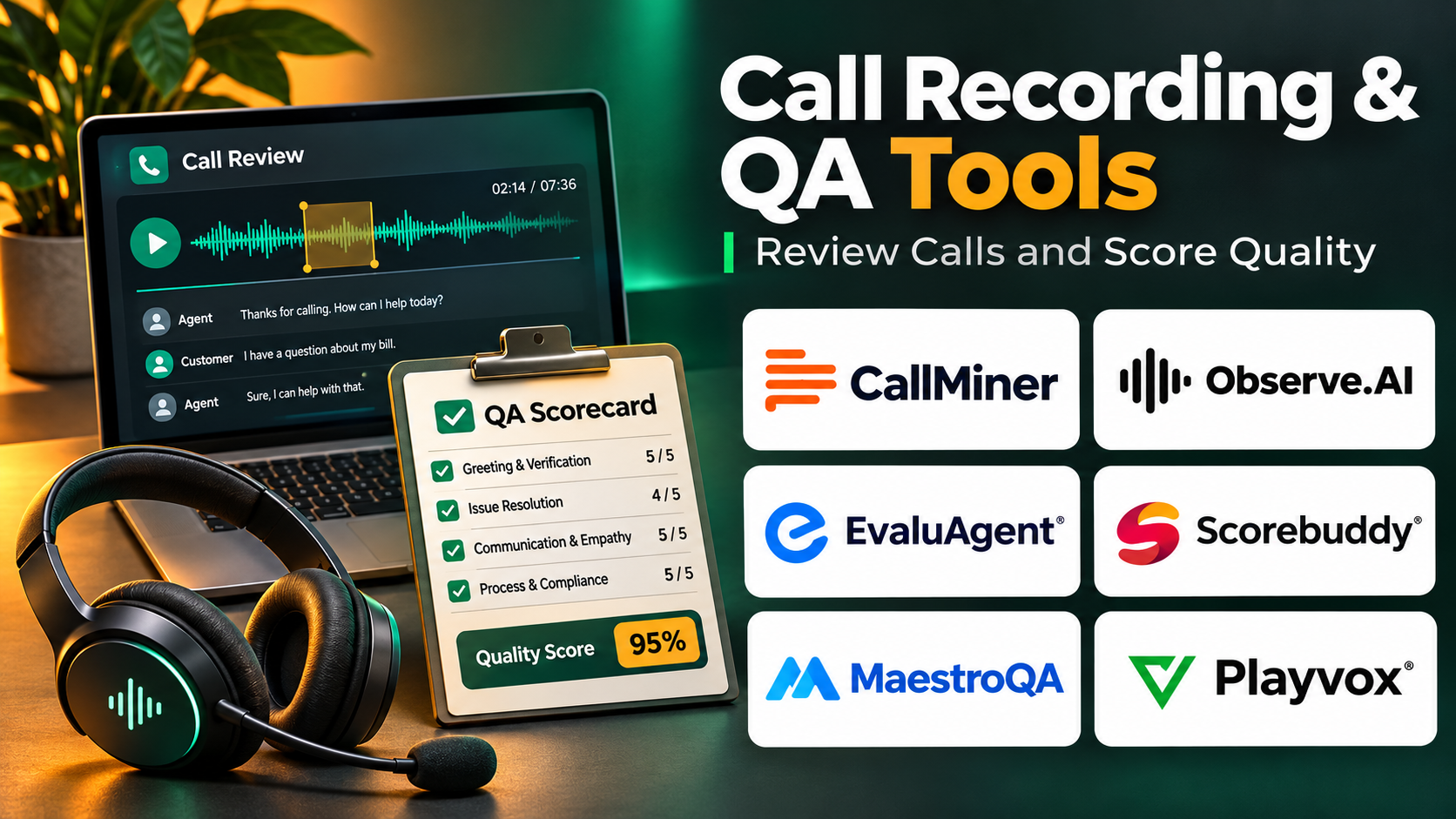
Introduction
Customer conversations contain valuable information about service quality, employee performance, customer expectations, and operational problems.
However, organizations cannot improve telephone support effectively when they have limited visibility into what happens during calls.
Call recording and quality assurance tools help businesses capture customer interactions, evaluate service performance, identify training opportunities, and maintain appropriate records.
Traditional solutions focused on storing audio and allowing supervisors to review selected conversations.
Modern platforms offer speech analytics, automated transcription, AI-assisted quality evaluation, sentiment indicators, compliance monitoring, and coaching workflows.
Some tools are designed for enterprise contact centers, while others focus on sales conversations, cloud telephony, or specialized recording requirements.
Choosing the right platform requires balancing recording reliability, evaluation accuracy, security, privacy, integrations, and operational cost.
This guide compares ten established call recording and quality assurance platforms, explains their strengths and limitations, and provides practical guidance for implementation.
What Are Call Recording & QA Tools?
Call recording and quality assurance tools are software solutions that capture, organize, analyze, and evaluate telephone conversations.
Call recording preserves audio interactions for authorized business purposes.
Quality assurance, commonly called QA, evaluates whether conversations meet defined service standards.
A QA process may examine whether an agent understood the customer’s issue, provided accurate information, followed required procedures, and resolved the request effectively.
Core Components
Call Recording: Captures telephone conversations through supported communication systems.
Transcription: Converts recorded speech into searchable text.
Quality Scorecards: Evaluates interactions against defined criteria.
Speech Analytics: Identifies conversation topics, phrases, and patterns.
AI-Assisted Evaluation: Uses automated analysis to support quality reviews.
Agent Coaching: Connects evaluation findings with training and improvement.
Compliance Controls: Supports authorized recording, retention, and access practices.
Reporting: Tracks service quality across agents, teams, and time periods.
Why Call Recording and QA Matter
Effective quality assurance can help businesses identify service problems, improve coaching, monitor required procedures, and understand customer friction.
However, recording more conversations does not automatically improve service.
Organizations need clear evaluation standards, fair review processes, and responsible handling of personal information.
Top 10 Call Recording & QA Tools
1. NICE CXone
Short Description
NICE CXone is an enterprise customer experience platform that includes interaction recording, quality management, analytics, and workforce-related capabilities.
It is particularly relevant for large contact centers that require a coordinated approach to evaluating customer interactions.
Organizations can use supported recording and quality management capabilities to capture conversations, assess agent performance, and identify recurring service issues.
NICE also offers AI-enabled analytics that can help supervisors examine larger volumes of interactions than manual sampling alone.
Its broader platform connects quality processes with contact center operations, making it suitable for organizations that want to improve service systematically.
The platform’s enterprise scope is an advantage for complex environments, but implementation requires planning around licensing, integration, permissions, and quality governance.
Key Features
- Interaction Recording: Captures supported customer conversations for authorized review.
- Quality Management: Organizes evaluations using structured criteria.
- AI-Assisted Analysis: Supports automated examination of interaction content.
- Speech Analytics: Identifies conversation themes and service patterns.
- Evaluation Scorecards: Standardizes quality assessments.
- Agent Coaching: Connects performance findings with improvement activities.
- Operational Reporting: Tracks quality trends across teams.
- Contact Center Integration: Connects QA with broader service workflows.
- Enterprise Administration: Supports controlled access and operational governance.
Benefits
NICE CXone can help enterprises move from isolated call reviews toward a structured quality improvement program.
Its integrated environment supports coordination between recording, analytics, supervisors, and contact center operations.
Pros
- Comprehensive enterprise QA capabilities
- Strong contact center integration
- Supports AI-assisted evaluation
- Useful workforce and quality workflows
- Suitable for large organizations
Cons
- Enterprise implementation can be demanding.
- Costs depend on products and licensing.
- Advanced analytics require configuration.
- Smaller teams may not need the full platform.
Use Cases
A financial services contact center can review customer interactions against approved service procedures.
A telecommunications provider can identify recurring complaint categories and develop targeted coaching programs.
Best For: Large enterprises requiring integrated recording, quality management, and contact center analytics.
2. Verint
Short Description
Verint provides customer experience automation and workforce engagement capabilities, including interaction recording, quality management, and conversation analytics.
It is particularly relevant for organizations with complex contact center operations and substantial interaction volumes.
Verint helps businesses capture and analyze customer conversations across supported channels.
Quality teams can use structured evaluations and analytics to identify service trends, compliance concerns, and employee coaching opportunities.
Its enterprise orientation makes it suitable for organizations requiring controlled access, extensive reporting, and integration with established service infrastructure.
Verint is especially useful when quality assurance must operate alongside workforce performance and customer experience improvement programs.
However, deployment and administration can require specialized expertise.
Key Features
- Interaction Recording: Captures supported customer communications.
- Quality Evaluation: Supports structured service assessments.
- Speech Analytics: Examines conversation content and trends.
- Automated Quality Capabilities: Helps evaluate interactions at scale.
- Performance Reporting: Tracks service quality indicators.
- Coaching Workflows: Supports employee improvement activities.
- Workforce Integration: Connects quality findings with workforce processes.
- Compliance Support: Provides controls for authorized recording and retention.
- Enterprise Integrations: Connects with supported contact center systems.
Benefits
Verint helps organizations use recorded conversations to support quality improvement and operational decision-making.
Pros
- Strong enterprise recording capabilities
- Broad quality management functionality
- Useful speech analytics
- Supports large-scale operations
- Integrates with workforce processes
Cons
- Complex implementation requirements
- Enterprise investment may be substantial
- Advanced capabilities need training
- Product configuration requires planning
Use Cases
An insurance company can review customer service conversations for procedural consistency.
A large support organization can identify recurring customer complaints and develop agent coaching programs.
Best For: Enterprise contact centers requiring extensive recording and quality management.
3. CallMiner
Short Description
CallMiner is a conversation intelligence and analytics platform that helps organizations analyze customer interactions.
Its capabilities are particularly relevant for quality assurance programs that need to identify patterns across large volumes of recorded conversations.
CallMiner focuses on extracting insights from customer communication rather than functioning primarily as a telephone system.
Organizations can use it to examine interaction content, identify customer concerns, and support quality evaluation.
The platform is useful for businesses that want to understand why service problems occur rather than simply measure call duration or ticket volume.
CallMiner can also help teams identify language patterns associated with customer frustration, procedural gaps, and operational inefficiency.
Its value depends on access to suitable interaction data and well-defined analytical objectives.
Key Features
- Conversation Analytics: Examines recorded customer interactions.
- Speech-to-Text Analysis: Supports analysis of spoken content.
- Topic Identification: Finds recurring conversation subjects.
- Quality Insights: Supports evaluation of service interactions.
- Automated Analysis: Helps process large interaction datasets.
- Customer Experience Signals: Identifies patterns associated with service outcomes.
- Search and Filtering: Locates conversations matching defined criteria.
- Reporting: Presents trends and analytical findings.
- Data Integration: Connects with supported recording and service systems.
Benefits
CallMiner helps quality teams discover service issues that may be missed through limited manual sampling.
Pros
- Strong conversation analytics focus
- Useful for large interaction datasets
- Supports quality improvement
- Helps identify customer friction
- Enables data-driven coaching
Cons
- Requires suitable conversation data.
- Analytical configuration needs expertise.
- Not a complete phone system.
- Enterprise costs require evaluation.
Use Cases
A utility provider can identify recurring billing complaints across thousands of calls.
A support organization can examine which conversation patterns correlate with repeat customer contacts.
Best For: Analytics-driven contact centers seeking deeper quality and customer experience insights.
4. Observe.AI
Short Description
Observe.AI is a contact center AI platform focused on conversation intelligence, quality assurance, and agent performance improvement.
It helps organizations analyze customer interactions and support more consistent evaluation processes.
Traditional QA programs often review only a small sample of conversations because manual evaluation requires substantial time.
Observe.AI provides AI-assisted capabilities that can help organizations examine broader interaction volumes and identify conversations requiring attention.
The platform is particularly relevant for support teams seeking automated quality insights, coaching opportunities, and operational visibility.
It can help supervisors focus on meaningful service issues rather than spending all their time selecting and reviewing recordings.
However, AI-generated evaluations should be validated against clearly defined standards and reviewed for fairness.
Key Features
- Conversation Analysis: Examines customer interaction content.
- Automated QA: Supports AI-assisted quality evaluation.
- Transcription: Converts supported speech into analyzable text.
- Quality Scorecards: Applies defined evaluation criteria.
- Coaching Insights: Identifies agent improvement opportunities.
- Interaction Search: Locates relevant conversations.
- Performance Reporting: Tracks quality and operational trends.
- Contact Center Integration: Connects with supported service infrastructure.
- AI-Assisted Supervision: Helps quality teams prioritize review activities.
Benefits
Observe.AI can reduce repetitive QA administration and help supervisors identify performance patterns across more interactions.
Pros
- Strong automated QA orientation
- Useful coaching capabilities
- AI-assisted conversation analysis
- Suitable for contact center teams
- Supports broader interaction review
Cons
- AI scoring requires validation.
- Implementation depends on data integration.
- Enterprise costs may be significant.
- Automated evaluation should not replace human judgment entirely.
Use Cases
A customer service organization can evaluate whether agents consistently follow approved troubleshooting procedures.
A contact center can identify conversations requiring coaching due to incomplete issue resolution.
Best For: Contact centers prioritizing AI-assisted quality assurance and agent coaching.
5. Calabrio ONE
Short Description
Calabrio ONE is a workforce engagement and customer experience platform offering recording, quality management, analytics, and workforce optimization capabilities.
It is particularly relevant for contact centers that want to connect conversation quality with employee performance and operational planning.
Organizations can use Calabrio to review recorded interactions, assess service standards, and identify opportunities for training.
The platform also provides analytical capabilities that help teams examine conversation trends.
Its combination of workforce and quality functionality can support a more coordinated improvement process.
Calabrio is especially useful for established contact centers with formal QA programs.
However, implementation requires careful alignment between evaluation criteria, reporting processes, and workforce management practices.
Key Features
- Call Recording: Captures supported customer interactions.
- Quality Management: Supports structured service evaluations.
- Speech Analytics: Analyzes conversation patterns.
- Evaluation Forms: Standardizes review criteria.
- Agent Coaching: Supports performance development.
- Workforce Integration: Connects quality and workforce processes.
- Reporting Dashboards: Tracks quality indicators.
- Interaction Search: Helps locate relevant recordings.
- Operational Management: Supports coordinated contact center improvement.
Benefits
Calabrio helps businesses connect quality findings with coaching and workforce operations.
Pros
- Integrated workforce and QA capabilities
- Useful interaction analytics
- Supports structured evaluations
- Suitable for established contact centers
- Strong operational improvement focus
Cons
- Implementation requires planning.
- Advanced features need training.
- Pricing varies by configuration.
- Small teams may prefer simpler products.
Use Cases
A customer service center can identify training needs through recurring quality scorecard findings.
A business can compare service quality trends across multiple support teams.
Best For: Contact centers combining recording, QA, analytics, and workforce optimization.
6. Genesys Cloud CX
Short Description
Genesys Cloud CX is a cloud contact center platform that includes interaction recording and quality management capabilities within its broader customer experience environment.
It is particularly useful for organizations already using Genesys for customer communication and agent routing.
The platform enables businesses to connect recorded interactions with service performance and quality processes.
Supervisors can review conversations, assess service standards, and support coaching activities.
Genesys also offers analytics and workforce engagement capabilities that can complement quality management.
Its integrated architecture reduces the need to maintain separate systems for every contact center function.
However, organizations should review the specific recording, analytics, and workforce features included in their subscription.
Key Features
- Interaction Recording: Captures supported customer conversations.
- Quality Evaluations: Supports structured reviews.
- Evaluation Forms: Standardizes assessment criteria.
- Interaction Management: Organizes recorded service activity.
- Agent Performance Reporting: Tracks relevant quality measures.
- Workforce Engagement Integration: Connects QA with employee processes.
- Analytics: Provides operational insights.
- Access Controls: Manages recording permissions.
- Cloud Contact Center Integration: Connects QA with routing and service workflows.
Benefits
Genesys Cloud CX helps businesses manage recording and QA within an integrated contact center environment.
Pros
- Strong contact center integration
- Centralized interaction management
- Useful quality evaluation workflows
- Supports enterprise service operations
- Reduces system fragmentation
Cons
- Advanced capabilities may require additional licensing.
- Configuration can be complex.
- Less attractive outside the Genesys ecosystem.
- QA processes still require human governance.
Use Cases
A large customer service team can review calls alongside routing and service performance data.
A technical support organization can use quality evaluations to improve troubleshooting consistency.
Best For: Organizations using Genesys Cloud CX for customer service operations.
7. Five9
Short Description
Five9 is a cloud contact center platform that provides call recording and quality-related capabilities alongside customer communication infrastructure.
It is especially relevant for organizations seeking recording and monitoring within an existing contact center workflow.
Businesses can capture supported conversations and use them for service evaluation, training, and operational review.
Five9 also provides reporting and integration capabilities that can support broader quality management processes.
Its advantage is the ability to connect recording with call handling and agent operations.
For organizations requiring highly specialized analytics, additional Five9 capabilities or integrated products may be necessary.
Five9 is most appropriate when recording and QA form part of a broader cloud contact center strategy.
Key Features
- Call Recording: Captures supported telephone interactions.
- Interaction Monitoring: Supports authorized review.
- Quality Management Capabilities: Helps assess service performance.
- Agent Reporting: Provides operational performance data.
- Call Routing Context: Connects recordings with call activity.
- CRM Integration: Links supported customer information.
- Supervisor Tools: Supports team oversight.
- Analytics Integration: Enables broader interaction insights.
- Cloud Contact Center Operations: Combines recording with communication management.
Benefits
Five9 helps organizations maintain call recording and quality processes within a cloud contact center environment.
Pros
- Integrated recording and telephony
- Useful supervisor capabilities
- Suitable for service teams
- Supports cloud contact center workflows
- Provides operational reporting
Cons
- Specialized QA features may require additional products.
- Licensing needs careful evaluation.
- Advanced analytics may add complexity.
- Organizations must configure retention and access policies.
Use Cases
A sales support team can review conversations to improve customer communication.
A customer service center can investigate recurring call handling problems.
Best For: Five9-based contact centers seeking integrated recording and quality monitoring.
8. Aircall
Short Description
Aircall is a cloud business phone and customer communication platform that provides call recording and operational insights.
It is particularly relevant for small and mid-sized sales and support teams.
Aircall combines calling functionality with integrations for CRM and help desk systems.
This allows businesses to connect recorded conversations with customer records and service workflows.
Supervisors can use call recordings to review interactions and provide coaching.
Aircall also offers analytics and AI-related capabilities through its product ecosystem.
However, organizations requiring extensive enterprise quality management may need additional specialized tools.
Key Features
- Call Recording: Captures supported telephone conversations.
- Cloud Telephony: Manages business calls.
- CRM Integrations: Connects calls with customer records.
- Call Analytics: Tracks communication activity.
- Supervisor Review: Supports coaching through recordings.
- Call Tagging: Helps categorize interactions.
- Team Collaboration: Supports shared communication workflows.
- AI-Related Insights: Offers supported conversation analysis capabilities.
- Help Desk Connectivity: Integrates calling with service systems.
Benefits
Aircall provides an accessible way for growing teams to combine cloud calling, recording, and basic quality improvement processes.
Pros
- Accessible cloud phone environment
- Useful CRM integrations
- Suitable for SMBs
- Straightforward recording workflows
- Supports sales and support teams
Cons
- Advanced QA may require additional tools.
- Recording availability depends on configuration.
- AI capabilities may involve extra costs.
- Less comprehensive than enterprise workforce suites.
Use Cases
A growing support team can review customer calls during weekly coaching sessions.
A sales manager can examine recorded conversations to improve qualification practices.
Best For: Small and mid-sized sales and support teams needing integrated calling and recording.
9. Talkdesk
Short Description
Talkdesk is a cloud contact center platform offering interaction management, recording, analytics, and quality-related capabilities.
It is relevant for organizations seeking to connect customer conversations with operational performance.
Talkdesk supports quality management workflows within its broader customer experience platform.
Organizations can use recorded interactions to evaluate service consistency and identify training needs.
Its analytics and AI capabilities can also help teams examine conversation patterns.
The platform is particularly useful for businesses seeking a unified contact center environment rather than separate recording and QA applications.
However, available capabilities depend on the selected product configuration.
Key Features
- Interaction Recording: Captures supported customer conversations.
- Quality Management: Supports service evaluations.
- Conversation Analytics: Examines interaction content.
- Agent Performance Insights: Identifies coaching opportunities.
- Evaluation Workflows: Organizes quality assessments.
- Contact Center Integration: Connects QA with service operations.
- Reporting: Tracks quality trends.
- Customer Context: Uses available interaction information.
- AI-Assisted Capabilities: Supports automated analysis where configured.
Benefits
Talkdesk helps businesses coordinate recording, quality management, and contact center operations.
Pros
- Integrated cloud contact center
- Useful quality workflows
- Supports conversation analysis
- Suitable for enterprise service teams
- Connects QA with operations
Cons
- Feature packaging requires review.
- Advanced analytics may involve additional licensing.
- Complex workflows require configuration.
- Smaller teams may prefer simpler solutions.
Use Cases
A subscription service can review billing support conversations for accuracy.
A contact center can identify recurring issues that affect customer satisfaction.
Best For: Talkdesk customers and organizations seeking integrated contact center QA.
10. CloudTalk
Short Description
CloudTalk is a cloud calling platform designed for sales and customer support teams.
It provides call recording and analytics capabilities that can support quality monitoring and coaching.
CloudTalk is particularly relevant for businesses that need a practical calling system with accessible operational insights.
Teams can record supported calls, review conversations, and connect communication data with compatible business applications.
Its CRM integration capabilities make it useful for organizations that want call history associated with customer records.
CloudTalk is generally better suited to operational call review than to highly complex enterprise QA programs.
Businesses requiring automated evaluation across large contact center environments should assess whether its available analytics meet their needs.
Key Features
- Call Recording: Captures supported conversations.
- Cloud Calling: Supports business telephone operations.
- Call Analytics: Tracks call activity and performance.
- CRM Integration: Connects calling with customer records.
- Call Monitoring: Supports supervisor oversight.
- Call Tagging: Organizes interactions.
- Team Reporting: Provides performance visibility.
- Workflow Integration: Connects with supported applications.
- Coaching Support: Enables review of recorded interactions.
Benefits
CloudTalk helps smaller teams establish practical call recording and coaching processes without deploying a large enterprise QA suite.
Pros
- Suitable for growing businesses
- Integrated cloud calling
- Useful CRM connectivity
- Accessible call analytics
- Practical supervisor workflows
Cons
- Advanced automated QA may be limited.
- Recording and AI features vary by plan.
- Complex enterprise requirements may exceed its scope.
- Recording compliance remains the customer’s responsibility.
Use Cases
A sales team can review recorded discovery calls for coaching.
A customer service department can analyze repeated call handling issues.
Best For: SMB sales and support teams seeking cloud calling with recording and operational analytics.
Call Recording & QA Tools Comparison Table
| Platform | Primary Strength | Ideal Users | Main Consideration |
|---|---|---|---|
| NICE CXone | Enterprise quality management | Large contact centers | Implementation complexity |
| Verint | Recording and workforce quality | Enterprises | Enterprise investment |
| CallMiner | Conversation analytics | Analytics teams | Data integration |
| Observe.AI | AI-assisted QA | Contact centers | AI scoring validation |
| Calabrio ONE | Workforce and quality management | Service organizations | Configuration effort |
| Genesys Cloud CX | Integrated contact center QA | Genesys customers | Licensing |
| Five9 | Cloud recording and monitoring | Five9 contact centers | Advanced feature scope |
| Aircall | SMB call recording | Sales and support teams | Limited enterprise QA |
| Talkdesk | Integrated quality workflows | Cloud contact centers | Product packaging |
| CloudTalk | Cloud calling and recording | Growing businesses | Advanced QA limitations |
How to Choose the Right Call Recording & QA Tool
1. Define Recording Requirements
Determine which channels, teams, and interaction types require recording.
Review whether recordings must be continuous, selective, or initiated under defined conditions.
2. Establish Legal and Privacy Requirements
Recording laws vary by jurisdiction.
Organizations should determine applicable notice, consent, retention, and employee monitoring obligations before recording conversations.
3. Evaluate Audio Reliability
Check recording completeness, audio quality, channel compatibility, and failure handling.
4. Review Quality Evaluation Capabilities
Look for configurable scorecards, calibration workflows, supervisor reviews, and consistent evaluation criteria.
5. Assess AI Accuracy
Automated QA can help prioritize reviews, but speech recognition errors and model interpretation may produce inaccurate evaluations.
6. Examine Coaching Workflows
Quality insights should lead to specific training and performance improvements.
7. Review Security Controls
Evaluate encryption, role-based access, audit logs, retention rules, and deletion procedures.
8. Assess Integrations
Connect recordings with the phone system, CRM, help desk, and workforce tools where appropriate.
9. Calculate Total Cost
Include recording storage, transcription, AI analytics, user licenses, implementation, and administration.
10. Measure Business Outcomes
Evaluate customer satisfaction, verified resolution, repeat contact, and improvement in defined quality criteria.
Best Call Recording & QA Software by User Type
| User Type | Recommended Platform | Reason |
|---|---|---|
| Large enterprise contact centers | NICE CXone | Comprehensive QA |
| Workforce quality teams | Verint | Recording and workforce integration |
| Conversation analytics teams | CallMiner | Deep interaction analysis |
| AI-first QA teams | Observe.AI | Automated evaluation |
| Workforce managers | Calabrio ONE | Quality and coaching |
| Genesys customers | Genesys Cloud CX | Integrated service environment |
| Five9 users | Five9 | Native recording workflows |
| SMB support teams | Aircall | Accessible call recording |
| Talkdesk users | Talkdesk | Integrated quality management |
| Growing sales teams | CloudTalk | Calling and coaching |
Practical Example: Building a Call Quality Assurance Program
Consider a customer service center with 80 agents handling 25,000 calls each month.
The company wants to improve service accuracy and reduce repeat customer contacts.
Step 1: Define Quality Standards
The team establishes measurable criteria for greeting, issue identification, accurate information, resolution, and appropriate closing.
Step 2: Review Recording Permissions
Legal and compliance teams establish recording notices, access rules, and retention policies.
Step 3: Select a QA Platform
The organization evaluates NICE CXone, Observe.AI, and Calabrio ONE.
It selects a solution compatible with its existing telephone infrastructure.
Step 4: Build Evaluation Scorecards
Each criterion receives a clear definition and scoring method.
Critical compliance failures are tracked separately from general communication quality.
Step 5: Calibrate Evaluators
Supervisors review the same sample conversations and compare scores.
Differences are discussed to improve consistency.
Step 6: Introduce Automated Analysis
AI-assisted evaluation identifies conversations that may require closer review.
Human supervisors validate important findings.
Step 7: Provide Coaching
Agents receive specific feedback supported by conversation examples.
Step 8: Measure Improvement
Suppose repeat contact falls from 16% to 12% after several improvements.
This hypothetical change represents a four-percentage-point reduction.
The company should assess whether training, policy changes, or other operational factors contributed.
Step 9: Monitor Fairness
The team checks whether automated evaluations perform consistently across accents, languages, call types, and customer groups.
Step 10: Refine the Program
Quality criteria and coaching methods are updated as customer needs and service processes change.
Frequently Asked Questions
1. What are call recording and QA tools?
They are platforms that capture customer conversations and support evaluation of service quality.
2. What is the difference between call recording and quality assurance?
Recording preserves conversations. Quality assurance evaluates whether interactions meet defined standards.
3. Can AI evaluate customer calls?
Yes. AI-assisted tools can analyze conversation content and support automated scoring, but important evaluations should be validated.
4. Which platform is best for enterprise contact centers?
NICE CXone, Verint, and Calabrio ONE are established options for enterprise quality management.
5. Which platform is best for smaller teams?
Aircall and CloudTalk are practical candidates for teams needing recording and basic coaching workflows.
6. What is automated quality management?
Automated quality management uses software and AI to help evaluate interactions against defined criteria.
7. Are call recordings legal?
Recording may be lawful when applicable notice, consent, privacy, and other requirements are satisfied. Rules vary by jurisdiction.
8. How long should recordings be retained?
Retention should follow applicable legal requirements and a documented business purpose.
9. Can recording tools integrate with CRMs?
Many platforms support CRM integrations.
10. What is speech analytics?
Speech analytics examines spoken conversation content to identify topics, patterns, and operational insights.
11. Can AI detect customer frustration?
Some systems estimate conversational signals associated with frustration, but such predictions are imperfect and should not be treated as definitive emotional assessments.
12. What is a QA scorecard?
A QA scorecard is a structured set of criteria used to evaluate interaction quality.
13. How can call recordings improve coaching?
Supervisors can use specific conversation examples to identify strengths and areas for improvement.
14. What affects call recording costs?
Costs may include licenses, storage, transcription, AI processing, and integration services.
15. What is the most important QA metric?
No single metric captures quality completely. Verified resolution, accuracy, customer experience, and procedural compliance should be considered together.
Final Thoughts
Call recording and quality assurance tools help organizations understand customer interactions and improve service performance.
NICE CXone, Verint, Calabrio ONE, Genesys Cloud CX, Five9, and Talkdesk provide integrated contact center capabilities.
CallMiner and Observe.AI emphasize conversation analysis and AI-assisted quality improvement.
Aircall and CloudTalk offer practical recording options for smaller teams.
The right solution depends on recording requirements, quality management maturity, technical infrastructure, and budget.
Businesses should treat recorded conversations as sensitive information and use QA findings to support fair, constructive, and measurable service improvements.